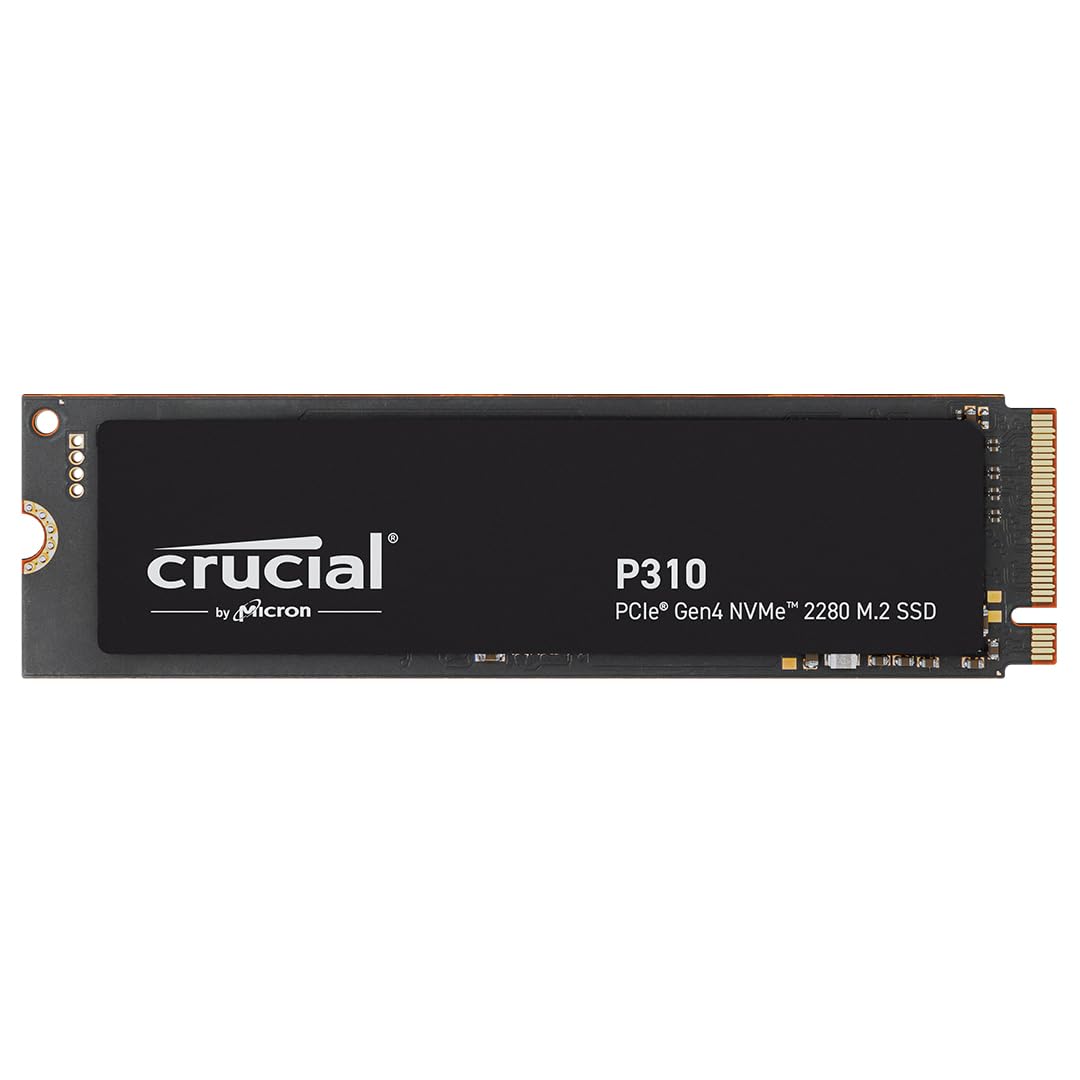
Crucial P310 1TB 2280 PCIe Gen4 3D NAND NVMe M.2 SSD – Up to 7,100 MB/s – Shift Up to Gen4, with Acronis Offer, Internal Solid State Drive (PC) –
SHIFT UP TO GEN4: Next-level Gen4 performance at up to 7,100MB/s — Speed up your bootups, file transfers, and game loads without compromising on quality EXTEND LIFECYCLE AND STORAGE: Increase your device’s capacity and lifecycle to store more of what matters FASTER GAMEPLAY AND BOOTUPS: Nearly 20% faster performance in bootups and gameplay9 BETTER PRODUCTIVITY: Up to 20% faster performance in real world tasks6 compared to other Gen4 SSDs when booting Windows, starting applications like Adobe Photoshop and Illustrator, and working in applications like Microsoft Excel and PowerPoint POWER EFFICIENCY: Provides up to 40% better performance-to-power ratio than our previous Gen4 SSD8 so you can get more done with the same battery life
SHIFT UP TO GEN4: Next-level Gen4 performance at up to 7,100MB/s — Speed up your bootups, file transfers, and game loads without compromising on quality EXTEND LIFECYCLE AND STORAGE: Increase your device’s capacity and lifecycle to store more of what matters FASTER GAMEPLAY AND BOOTUPS: Nearly 20% faster performance in bootups and gameplay9 BETTER PRODUCTIVITY: Up to 20% faster performance in real world tasks6 compared to other Gen4 SSDs when booting Windows, starting applications like Adobe Photoshop and Illustrator, and working in applications like Microsoft Excel and PowerPoint POWER EFFICIENCY: Provides up to 40% better performance-to-power ratio than our previous Gen4 SSD8 so you can get more done with the same battery life
SHIFT UP TO GEN4: Next-level Gen4 performance at up to 7,100MB/s — Speed up your bootups, file transfers, and game loads without compromising on quality EXTEND LIFECYCLE AND STORAGE: Increase your device’s capacity and lifecycle to store more of what matters FASTER GAMEPLAY AND BOOTUPS: Nearly 20% faster performance in bootups and gameplay9 BETTER PRODUCTIVITY: Up to 20% faster performance in real world tasks6 compared to other Gen4 SSDs when booting Windows, starting applications like Adobe Photoshop and Illustrator, and working in applications like Microsoft Excel and PowerPoint POWER EFFICIENCY: Provides up to 40% better performance-to-power ratio than our previous Gen4 SSD8 so you can get more done with the same battery life
SHIFT UP TO GEN4: Next-level Gen4 performance at up to 7,100MB/s — Speed up your bootups, file transfers, and game loads without compromising on quality EXTEND LIFECYCLE AND STORAGE: Increase your device’s capacity and lifecycle to store more of what matters FASTER GAMEPLAY AND BOOTUPS: Nearly 20% faster performance in bootups and gameplay9 BETTER PRODUCTIVITY: Up to 20% faster performance in real world tasks6 compared to other Gen4 SSDs when booting Windows, starting applications like Adobe Photoshop and Illustrator, and working in applications like Microsoft Excel and PowerPoint POWER EFFICIENCY: Provides up to 40% better performance-to-power ratio than our previous Gen4 SSD8 so you can get more done with the same battery life
in 21 offers
The lowest price for Crucial P310 1TB 2280 PCIe Gen4 3D NAND NVMe M.2 SSD – Up to 7,100 MB/s – Shift Up to Gen4, with Acronis Offer, Internal Solid State Drive (PC) – right now is $98.39 at AliExpress.com - AliExpress-226247430, compared across 11 retailers.
The all-time low was $98.39 on 31 July 2026. That's the lowest price we've ever tracked — a great time to buy.
Prices last updated 31 July 2026.
Last updated at 31/07/2026 08:30:37
Crucial P310 2280 PCIe Gen4 3D NAND NVMe M.2 Internal Solid State Drive, 1TB
Free delivery
Affiliate Disclosure: We may receive a small commission for purchases made through this link at no extra cost to you. This helps support our site. Thank you!
PCIe Gen4 Crucial P310 1TB 2TB 2280 3D NAND NVMe M.2 SSD, Up to 7100MB/s PC Internal Solid State
Free delivery
Super Fast 2280 PCIe Gen4 3D NAND NVMe M.2 SSD Crucial P310 1TB 2TB Up to 7100 MB/s PC Internal
Free delivery
Crucial P310 M.2 2280 SSD PCIe4 NVMe 1TB 2TB 3D NAND High Speed 7100MB/s Gaming Storage Laptop
Free delivery
OEM Crucial P310 PCIe4.0 M.2 2280 NVMe SSD 1TB 2TB Up To 7100MB/s 3D NAND Internal Solid State Drive
Free delivery
Crucial NVME 2280 P310 1TB SSD Crucial P3 Plus 1TB 2TB PCIe Gen4 NVMe M.2 SSD Internal Hard Drive
Free delivery
Crucial P310 M.2 2280 PCIe Gen4 NVMe SSD 1TB 2TB,3D NAND Up to 7100MB/s Internal Storage Drive for
Free delivery
Crucial P310 1TB 2280 PCIe Gen4 3D NAND NVMe M.2 SSD 500GB 2TB – Up to 7,100 MB/s, Internal Solid
Free delivery
Crucial P310 1TB 2280 PCIe Gen4 3D NAND NVMe M.2 SSD 500GB 2TB – Up to 7,100 MB/s, Internal Solid
Free delivery
Crucial P310 1TB 2280 PCIe Gen4 3D NAND NVMe M.2 SSD – Up to 7,100 MB/s –Internal Solid State Drive
Free delivery
originally posted on bestbuy.com
To me, one of the most critical things to look for in an SSD is the name brand. And “Crucial” is one of the few brands that I actually trust with important data. They are owned by Micron, who actually manufacture the memory chips used in this drive. This means that they get the first pick of the best chips that they produce.This drive is marketed for gamers. This is spacious at 2TB, and is really necessary since many games are starting to come in at around the 100GB mark. The drive is also fast. The sequential read speeds are just about as fast as you can get in a PCIe 4 drive. PCIe 5 drives do exist, and they can be significantly faster, but they also cost a lot more, and require that your system has a Gen 5 interface to get that speed. However, drive speeds are ... MoreTo me, one of the most critical things to look for in an SSD is the name brand. And “Crucial” is one of the few brands that I actually trust with important data. They are owned by Micron, who actually manufacture the memory chips used in this drive. This means that they get the first pick of the best chips that they produce.This drive is marketed for gamers. This is spacious at 2TB, and is really necessary since many games are starting to come in at around the 100GB mark. The drive is also fast. The sequential read speeds are just about as fast as you can get in a PCIe 4 drive. PCIe 5 drives do exist, and they can be significantly faster, but they also cost a lot more, and require that your system has a Gen 5 interface to get that speed. However, drive speeds are reaching the point of diminishing returns for most people, so don’t pay for speed that you don’t need, and this is fast enough for most people. But even if you are rocking an older PCIe 3 port, this drive will still work, but you can’t take advantage of the extra speed because your computer is the bottleneck.Crucial also touts that this drive is more energy efficient, with “up to 40% better performance.” However, I can’t verify this since my laptop is an absolute beast that sucks down power, so for me, the power savings would be a drop in the bucket.Now, this IS a budget drive, so there are a few disadvantages that should be pointed out. The first is that it does not have any DRAM, so it uses HMB. This is the rule for budget drives, and using HMB really does perform almost as fast as having real DRAM, so this isn’t really a problem these days. The other compromise is that this is a QLC (quad level cell) drive, which is to be expected in this price class. This means that four bits of data are stored in every storage cell. This keeps the price low, but it also takes more time to write. There is a dedicated portion of SLC (single level cell) that can be written to very fast, and then later when the drive is idle, the data is moved from SLC to QLC in the background. However, when writing a lot of data at once, the SLC area can become filled and then data has to be written directly to the QLC area, which is much slower. The result is that small amounts of writing spread out over time can be very fast, as long as the drive has a few seconds to “rest” between writes. But a long, sustained write will be much slower. This is normal for all drives in the “budget” category, and the typical desktop user or gamer will likely not even notice this unless they are copying a LOT of data from one drive to another. The final “disadvantage” is that, because the drive uses QLC, it does not have the endurance of more expensive drives. Whenever you write to a memory cell, it starts to “wear out,” and this drive is “only” rated to 440 TBW (TB written), but this is still more than many other QLC drives offer. To put this in perspective, this is far more data than the typical home user or gamer could write in a decade. But some users, such as content creators who are editing huge video files, might conceivably hit the wear limit, and those people should search for a drive with a higher endurance.So, to summarize, for most users, this drive would be an excellent choice with a great combination of speed and size in an attractively priced package.
originally posted on bestbuy.com
One can never have too much data storage these days, and I needed more for my new gaming laptop. Enter this new Crucial P310 Gen 4 NVMe SSD. At the more common 2280 size, it fits most things out there including the laptop I needed to upgrade. It is also right sized and fast enough for use in a PS5 with a heat sink, or almost any desktop computer with an m.2 slot available since it is backward compatible with Gen 3 slots. Thankfully for my use case, this new laptop is very high end and has all the latest AI processing tech, making this Gen 4 SSD feel right at home. The hard part for me was to crack open the bottom of the laptop to get to the motherboard, but once that had been done it was easy to install and later after booting up a quick initialization meant I was ... MoreOne can never have too much data storage these days, and I needed more for my new gaming laptop. Enter this new Crucial P310 Gen 4 NVMe SSD. At the more common 2280 size, it fits most things out there including the laptop I needed to upgrade. It is also right sized and fast enough for use in a PS5 with a heat sink, or almost any desktop computer with an m.2 slot available since it is backward compatible with Gen 3 slots. Thankfully for my use case, this new laptop is very high end and has all the latest AI processing tech, making this Gen 4 SSD feel right at home. The hard part for me was to crack open the bottom of the laptop to get to the motherboard, but once that had been done it was easy to install and later after booting up a quick initialization meant I was ready to go. I immediately put it to use installing some more heavy hitting games and could not be happier with the results. With modern AAA games regularly taking up 200GB it’s nice to have a place to put them. It is fast enough that my loading times are usually almost non-existent although that does depend on the game in question as not all are created equally in that regard. For me, that 7,100MB/s read speed is more than sufficient. I take additional comfort in knowing that this drive is very power efficient meaning it will have a lesser impact on my battery life than alternatives out there. I am extremely pleased with this drive; its overall performance is excellent, and I am so glad to have more storage for the latest games on my new computer. Highly recommended.
originally posted on bestbuy.com
This is my second 2280 NVMe m.2 SSD from Crucial. I have the drive slotted into the secondary position of my gaming tower whose motherboard supports PCIe Gen 4x4. The drive is single-sided and only has chips along half its length. It doesn’t come with a heatsink, so it is pretty thin and can be installed in both a laptop and desktop systems. There is also a 2230 form factor version of this drive that would fit in handheld gaming devices.This DRAM-less drive uses a Phison PS5027-E27T controller and Micron’s 232-Layer QLC NAND flash to achieve speeds that are faster than previous Gen 4 SSDs; the rated max sequential read speed is 7100 MB/s and write up to 6000 MB/s. In benchmarking testing with Crystal Disk Mark it performed well, in range of these advertised speeds ... MoreThis is my second 2280 NVMe m.2 SSD from Crucial. I have the drive slotted into the secondary position of my gaming tower whose motherboard supports PCIe Gen 4x4. The drive is single-sided and only has chips along half its length. It doesn’t come with a heatsink, so it is pretty thin and can be installed in both a laptop and desktop systems. There is also a 2230 form factor version of this drive that would fit in handheld gaming devices.This DRAM-less drive uses a Phison PS5027-E27T controller and Micron’s 232-Layer QLC NAND flash to achieve speeds that are faster than previous Gen 4 SSDs; the rated max sequential read speed is 7100 MB/s and write up to 6000 MB/s. In benchmarking testing with Crystal Disk Mark it performed well, in range of these advertised speeds with actual Read/Write speeds around 7000 MB/s and 5800 MB/s respectively. That’s about 50% faster than my primary Gen 4 NVMe that my OS runs on, which came in at only 4700 MB/s read and 3600MB/s write when benchmarked, so I am considering swapping them. With an endurance of 440 TBW (terabytes written) it should last a long time, and it also comes with a 5 year limited warranty.Installation is quick and straightforward; though note a mounting screw is not included with the drive. The drive has to be initialized first in order for you to start using it, and this can be done on a Windows PC in the Disk Management utility.For gaming performance, start up and load times were fast, as was saving game progress. Transferring around 32GB of 4K video to and from the drive from my primary hard drive takes around 15 seconds, with an average transfer speed of 2.5GB/s.Overall, this drive is very fast for a Gen 4 SSD and works great for work and gaming. File transfers are quick and efficient, the drive stays cool during use around 30°C, and it was simple to install and set up.
| Hard Drive | Solid State Drive |
| Compatible Devices | Gaming Console, Desktop, Workstation |
| Installation Type | Internal Hard Drive |
| Specific Uses For Product | Personal, Gaming, Business |
| Read Speed | 7100 Megabytes Per Second |
Crucial P310 2280 PCIe Gen4 3D NAND NVMe M.2 Internal Solid State Drive, 1TB
Free delivery
Affiliate Disclosure: We may receive a small commission for purchases made through this link at no extra cost to you. This helps support our site. Thank you!
PCIe Gen4 Crucial P310 1TB 2TB 2280 3D NAND NVMe M.2 SSD, Up to 7100MB/s PC Internal Solid State
Free delivery
Super Fast 2280 PCIe Gen4 3D NAND NVMe M.2 SSD Crucial P310 1TB 2TB Up to 7100 MB/s PC Internal
Free delivery
Crucial P310 M.2 2280 SSD PCIe4 NVMe 1TB 2TB 3D NAND High Speed 7100MB/s Gaming Storage Laptop
Free delivery
OEM Crucial P310 PCIe4.0 M.2 2280 NVMe SSD 1TB 2TB Up To 7100MB/s 3D NAND Internal Solid State Drive
Free delivery
To me, one of the most critical things to look for in an SSD is the name brand. And “Crucial” is one of the few brands that I actually trust with important data. They are owned by Micron, who actually manufacture the memory chips used in this drive. This means that they get the first pick of the best chips that they produce.This drive is marketed for gamers. This is spacious at 2TB, and is really necessary since many games are starting to come in at around the 100GB mark. The drive is also fast. The sequential read speeds are just about as fast as you can get in a PCIe 4 drive. PCIe 5 drives do exist, and they can be significantly faster, but they also cost a lot more, and require that your system has a Gen 5 interface to get that speed. However, drive speeds are ... MoreTo me, one of the most critical things to look for in an SSD is the name brand. And “Crucial” is one of the few brands that I actually trust with important data. They are owned by Micron, who actually manufacture the memory chips used in this drive. This means that they get the first pick of the best chips that they produce.This drive is marketed for gamers. This is spacious at 2TB, and is really necessary since many games are starting to come in at around the 100GB mark. The drive is also fast. The sequential read speeds are just about as fast as you can get in a PCIe 4 drive. PCIe 5 drives do exist, and they can be significantly faster, but they also cost a lot more, and require that your system has a Gen 5 interface to get that speed. However, drive speeds are reaching the point of diminishing returns for most people, so don’t pay for speed that you don’t need, and this is fast enough for most people. But even if you are rocking an older PCIe 3 port, this drive will still work, but you can’t take advantage of the extra speed because your computer is the bottleneck.Crucial also touts that this drive is more energy efficient, with “up to 40% better performance.” However, I can’t verify this since my laptop is an absolute beast that sucks down power, so for me, the power savings would be a drop in the bucket.Now, this IS a budget drive, so there are a few disadvantages that should be pointed out. The first is that it does not have any DRAM, so it uses HMB. This is the rule for budget drives, and using HMB really does perform almost as fast as having real DRAM, so this isn’t really a problem these days. The other compromise is that this is a QLC (quad level cell) drive, which is to be expected in this price class. This means that four bits of data are stored in every storage cell. This keeps the price low, but it also takes more time to write. There is a dedicated portion of SLC (single level cell) that can be written to very fast, and then later when the drive is idle, the data is moved from SLC to QLC in the background. However, when writing a lot of data at once, the SLC area can become filled and then data has to be written directly to the QLC area, which is much slower. The result is that small amounts of writing spread out over time can be very fast, as long as the drive has a few seconds to “rest” between writes. But a long, sustained write will be much slower. This is normal for all drives in the “budget” category, and the typical desktop user or gamer will likely not even notice this unless they are copying a LOT of data from one drive to another. The final “disadvantage” is that, because the drive uses QLC, it does not have the endurance of more expensive drives. Whenever you write to a memory cell, it starts to “wear out,” and this drive is “only” rated to 440 TBW (TB written), but this is still more than many other QLC drives offer. To put this in perspective, this is far more data than the typical home user or gamer could write in a decade. But some users, such as content creators who are editing huge video files, might conceivably hit the wear limit, and those people should search for a drive with a higher endurance.So, to summarize, for most users, this drive would be an excellent choice with a great combination of speed and size in an attractively priced package.
One can never have too much data storage these days, and I needed more for my new gaming laptop. Enter this new Crucial P310 Gen 4 NVMe SSD. At the more common 2280 size, it fits most things out there including the laptop I needed to upgrade. It is also right sized and fast enough for use in a PS5 with a heat sink, or almost any desktop computer with an m.2 slot available since it is backward compatible with Gen 3 slots. Thankfully for my use case, this new laptop is very high end and has all the latest AI processing tech, making this Gen 4 SSD feel right at home. The hard part for me was to crack open the bottom of the laptop to get to the motherboard, but once that had been done it was easy to install and later after booting up a quick initialization meant I was ... MoreOne can never have too much data storage these days, and I needed more for my new gaming laptop. Enter this new Crucial P310 Gen 4 NVMe SSD. At the more common 2280 size, it fits most things out there including the laptop I needed to upgrade. It is also right sized and fast enough for use in a PS5 with a heat sink, or almost any desktop computer with an m.2 slot available since it is backward compatible with Gen 3 slots. Thankfully for my use case, this new laptop is very high end and has all the latest AI processing tech, making this Gen 4 SSD feel right at home. The hard part for me was to crack open the bottom of the laptop to get to the motherboard, but once that had been done it was easy to install and later after booting up a quick initialization meant I was ready to go. I immediately put it to use installing some more heavy hitting games and could not be happier with the results. With modern AAA games regularly taking up 200GB it’s nice to have a place to put them. It is fast enough that my loading times are usually almost non-existent although that does depend on the game in question as not all are created equally in that regard. For me, that 7,100MB/s read speed is more than sufficient. I take additional comfort in knowing that this drive is very power efficient meaning it will have a lesser impact on my battery life than alternatives out there. I am extremely pleased with this drive; its overall performance is excellent, and I am so glad to have more storage for the latest games on my new computer. Highly recommended.
This is my second 2280 NVMe m.2 SSD from Crucial. I have the drive slotted into the secondary position of my gaming tower whose motherboard supports PCIe Gen 4x4. The drive is single-sided and only has chips along half its length. It doesn’t come with a heatsink, so it is pretty thin and can be installed in both a laptop and desktop systems. There is also a 2230 form factor version of this drive that would fit in handheld gaming devices.This DRAM-less drive uses a Phison PS5027-E27T controller and Micron’s 232-Layer QLC NAND flash to achieve speeds that are faster than previous Gen 4 SSDs; the rated max sequential read speed is 7100 MB/s and write up to 6000 MB/s. In benchmarking testing with Crystal Disk Mark it performed well, in range of these advertised speeds ... MoreThis is my second 2280 NVMe m.2 SSD from Crucial. I have the drive slotted into the secondary position of my gaming tower whose motherboard supports PCIe Gen 4x4. The drive is single-sided and only has chips along half its length. It doesn’t come with a heatsink, so it is pretty thin and can be installed in both a laptop and desktop systems. There is also a 2230 form factor version of this drive that would fit in handheld gaming devices.This DRAM-less drive uses a Phison PS5027-E27T controller and Micron’s 232-Layer QLC NAND flash to achieve speeds that are faster than previous Gen 4 SSDs; the rated max sequential read speed is 7100 MB/s and write up to 6000 MB/s. In benchmarking testing with Crystal Disk Mark it performed well, in range of these advertised speeds with actual Read/Write speeds around 7000 MB/s and 5800 MB/s respectively. That’s about 50% faster than my primary Gen 4 NVMe that my OS runs on, which came in at only 4700 MB/s read and 3600MB/s write when benchmarked, so I am considering swapping them. With an endurance of 440 TBW (terabytes written) it should last a long time, and it also comes with a 5 year limited warranty.Installation is quick and straightforward; though note a mounting screw is not included with the drive. The drive has to be initialized first in order for you to start using it, and this can be done on a Windows PC in the Disk Management utility.For gaming performance, start up and load times were fast, as was saving game progress. Transferring around 32GB of 4K video to and from the drive from my primary hard drive takes around 15 seconds, with an average transfer speed of 2.5GB/s.Overall, this drive is very fast for a Gen 4 SSD and works great for work and gaming. File transfers are quick and efficient, the drive stays cool during use around 30°C, and it was simple to install and set up.
If you have never used an SSD drive in your PC, you are in for a treat. Crucial just released the P310 2TB PCIe Gen4 2280 NVMe M.2 SSD. As noted by the term “Gen4” in the description, the P310 uses the PCIe 4.0 (Fourth generation) interface. Gen4 as I understand enables fast read and write speeds up to ,450 MB/s and 6,900 MB/s respectively. The Crucial P310 gets close to those limits with 7,100 MB/S read speeds and 6,000 MB/s write speeds. Note that some of the latest PCs currently use a Gen5 PCIe interface, which has data transfers speeds at double what Gen4 can provide, but those SSDs come at a much higher cost and require a motherboard with a Gen5 PCIe interface. Your motherboard specifications will tell you what generation PCIe interface you have.If you plan ... MoreIf you have never used an SSD drive in your PC, you are in for a treat. Crucial just released the P310 2TB PCIe Gen4 2280 NVMe M.2 SSD. As noted by the term “Gen4” in the description, the P310 uses the PCIe 4.0 (Fourth generation) interface. Gen4 as I understand enables fast read and write speeds up to ,450 MB/s and 6,900 MB/s respectively. The Crucial P310 gets close to those limits with 7,100 MB/S read speeds and 6,000 MB/s write speeds. Note that some of the latest PCs currently use a Gen5 PCIe interface, which has data transfers speeds at double what Gen4 can provide, but those SSDs come at a much higher cost and require a motherboard with a Gen5 PCIe interface. Your motherboard specifications will tell you what generation PCIe interface you have.If you plan to install this in a desktop PC, I highly recommend adding a heatsink to help cool the drive, which can get quite hot in use. Prices for heatsinks generally run in the $10 to $30 range and will only work if you have the room for it. The P310 is single-sided in case that matters when buying a heatsink. Space can be tight on some smaller computer cases. Of course, the P310 SSD without a heatsink is perfect for laptops or gaming devices like PS5.I installed the Crucial P310 as the primary C: drive on my PC and had no trouble cloning the original SSD to the new SSD. If you go to www.crucial.com/support/SSD, you will find all support for the P310 SSD including installation instructions, firmware upgrades (none at the moment), warranty information, etc. There you will also be able to download Acronis True Image for Crucial, which is software that you can use to clone your old drive. Of course, if you just use the P310 SSD for basic hard drive space, all you need to do is simply format the drive using standard Windows drive utilities. Crucial also includes a free download of Storage Executive, which is software used to monitor the drive’s health as well as manage some optional configuration settings to optimize the drive.The Crucial P310 offers impressive transfer speeds and generally compares well with other brand name SSDs on the market. I found it performed on par with the drive I replaced, which is a fast high-end Gen4 SSD. As such, its fast handling of file input/output makes it a good fit for gaming and also for running resource-hungry programs like Adobe Photoshop that benefit from a fast drive. I believe the budget-friendly P310 2TB SSD is a good compromise of price vs. performance. Crucial does sell a slightly faster but more expensive T500 SSD that is also well-suited for gaming and video editing. The P310 comes with a 5-year limited warranty, which also is standard now with most SSD manufacturers. Crucial has a solid reputation of manufacturing reliable and economical PC/laptop SSD drives and memory sticks. My desktop’s memory slots are fully loaded with 64 GB of Crucial RAM and now I will enjoy a new Crucial SSD 2TB drive as well.
Great 2TB m.2 2280 Gen4 PCIe (standard length SSD size), but I probably would only get this to use as a storage drive and not primary operating drive if you want the absolutely fastest speed. That is how I am using this drive myself, as a secondary storage drive for games and media. However, most users probably would never notice a difference in speed from this drive and a more expensive one on a day to day basis.Because this is supposed to be a more budget friendly drive, for somewhat more casual non-power users, it does not have any DRAM which usually means these drives will run a little slower. For purely storage purposes, like having media files, music, video, photos, and even loading installed video games in windows, this won’t really make a whole lot of ... MoreGreat 2TB m.2 2280 Gen4 PCIe (standard length SSD size), but I probably would only get this to use as a storage drive and not primary operating drive if you want the absolutely fastest speed. That is how I am using this drive myself, as a secondary storage drive for games and media. However, most users probably would never notice a difference in speed from this drive and a more expensive one on a day to day basis.Because this is supposed to be a more budget friendly drive, for somewhat more casual non-power users, it does not have any DRAM which usually means these drives will run a little slower. For purely storage purposes, like having media files, music, video, photos, and even loading installed video games in windows, this won’t really make a whole lot of difference in real world use, but if you move very large files around all the time if you edit video for example, you might want a different drive that has DRAM on board. The good thing about it not having DRAM on board is that it also means it typically should run cooler than faster drives that have DRAM, which is really good should you be using this SSD in a laptop with less airflow than a desktop computer. This drive is a PCIe 4.0 compliant drive and the standard 2280 SSD length and is backwards compatible. It has a 5 year warranty from Crucial.This drive is rated as up to 7,100MB per second for reading, and 6,000MB per second for writing, and in my testing I got just a little bit slower than this for writing, but they were very large video files. I would say the write speeds for me were as advertised on my Gen4 motherboard. Read speed, which I think is where most people would notice more of a difference (for example loading installed games), was just about as advertised also on my motherboard.Overall, I would easily recommend this drive to just about anyone as a secondary storage drive. If you are not a power user, don’t need the absolute fastest speeds in the world for writing, want to save some money, this drive would be fine for those users as well. This is a very solid drive overall that you can’t go wrong with unless you have a motherboard on your PC or a laptop with the older PCIe 3.0 drive slots, where it would work but you wouldn’t be able to get to the advertised speeds and could go with older and less expensive SSD options.
The reason I picked up this SSD is because of a horrible experience I've been having with a Samsung 990 Evo. To keep it short, the temps of the 990 Evo in my laptop are extremely high, to the point of heavy throttling and instability. So I decided its time to pick up a new one and I'm glad I did.The Crucial P310 has a bit of a confusing name given that was also the name of the SSD they made for the SteamDeck/Ally, but this is the full size 2280 NVME drive.This drive touts full PCI-E 4.0 speeds, with Read/Write speeds up to 7100MBps and uses the latest 3d VNAND from Micron which should help with speed as well as heat. Unforunately at this time, I have no answers as to what type of VNAND this is, be it TLC, QLC, etc (as each behaves differently) or if its DRAMless ... MoreThe reason I picked up this SSD is because of a horrible experience I've been having with a Samsung 990 Evo. To keep it short, the temps of the 990 Evo in my laptop are extremely high, to the point of heavy throttling and instability. So I decided its time to pick up a new one and I'm glad I did.The Crucial P310 has a bit of a confusing name given that was also the name of the SSD they made for the SteamDeck/Ally, but this is the full size 2280 NVME drive.This drive touts full PCI-E 4.0 speeds, with Read/Write speeds up to 7100MBps and uses the latest 3d VNAND from Micron which should help with speed as well as heat. Unforunately at this time, I have no answers as to what type of VNAND this is, be it TLC, QLC, etc (as each behaves differently) or if its DRAMless or not.As far as installation goes, its very straight forward with most NVME drives and this is no exception. Unlike with other drives, I didn't have to go through a complicated driver installation process to get this to work. I simply plugged it in and it was identified with the windows installer.The temps of this drive were impressive coming from my previous drive under a heavy load. This drive not only ran significantly cooler, it didn't throttle in the tests. Now, I wasn't able to reach the full 7100MBps, but I was close enough and given it was going into an older laptop I'm not surprised. Reaching 6.8GBps is close enough, and the other speeds for different queue depths was impressive as well. It performs almost as well as my 990 Pro drive in my other laptop, which is a much more expensive drive.Overall very happy with this drive given its performance and price. Only minor complaints about the drive is the lack of a temp sensor on the controller (which is what burns up on my other drive) and not including the tiny screw needed to secure the drive into computers. I know most computers already have them, but in the off case it doesn't, it would be nice to have the screw included.
I got the 2TB Crucial P310 NVMe M.2 SSD to use as a second drive for additional storage in my Asus ROG gaming tower and it surely does not disappoint. I had previously upgraded the memory with another high performance product from Crucial, Pro-series DDR5-6000 memory which made a considerable difference in overall system performance.The drive was packed extremely well in two boxes, I wish other vendors were as careful and generous with their packing. Installation was super easy and there was no issue detecting the drive. After creating a partition and formatting the drive, I installed and ran one of my favorite driving games and took it for a spin. Very fast start-up and loading times and no buffering whatsoever.Despite its large capacity, it is a thin, single ... MoreI got the 2TB Crucial P310 NVMe M.2 SSD to use as a second drive for additional storage in my Asus ROG gaming tower and it surely does not disappoint. I had previously upgraded the memory with another high performance product from Crucial, Pro-series DDR5-6000 memory which made a considerable difference in overall system performance.The drive was packed extremely well in two boxes, I wish other vendors were as careful and generous with their packing. Installation was super easy and there was no issue detecting the drive. After creating a partition and formatting the drive, I installed and ran one of my favorite driving games and took it for a spin. Very fast start-up and loading times and no buffering whatsoever.Despite its large capacity, it is a thin, single sided PCB, with the most advanced Micron 3D NAND chips, so it will also fit in laptops. I also ran a basic performance test using the winsat -disk command in Windows 11 and got ~ 6,900 MB/s Sequential Read performance and just under 6,000 MB/s for Sequential Writes which comes close to the advertised numbers. I’m sure with some driver updates and perhaps Crucial Storage Executive Tool, you could squeeze even more performance out of this drive. Comparatively, my primary OS drive, a previous Gen NVMe M2 SSD drive could only muster 5,400 MB/s Reads and 3,400 MB/s Sequential Writes, so this Crucial P310 NVMe SSD is a cool winner, cause it doesn’t run hot and is more energy efficient as well.Overall, I am very pleased with this quality NVMe drive from Crucial who also stands behind their product with a 5-year warranty.
Crucial's P310 SSD (2280 size) is a great PCIe 4.0 NVMe drive at a nice price point. The P310 comes with a 5-year warranty and some nice revisions compared to previous Gen 4 drives. The P310 has slightly faster access time than previous drives as well as a newer chipset that doesn't get as warm. My drive stayed cool and I didn't feel the need to add a heatsink to the drive although you may want one if you're in a warm environment. Installing the drive was a breeze as well as cloning my original drive as Crucial provides a version of the Acronis cloning software on their website to clone your existing drive. The packaging and documentation are pretty barebones (to save costs) and that extends to the Crucial Storage Executive software as well. That being said those ... MoreCrucial's P310 SSD (2280 size) is a great PCIe 4.0 NVMe drive at a nice price point. The P310 comes with a 5-year warranty and some nice revisions compared to previous Gen 4 drives. The P310 has slightly faster access time than previous drives as well as a newer chipset that doesn't get as warm. My drive stayed cool and I didn't feel the need to add a heatsink to the drive although you may want one if you're in a warm environment. Installing the drive was a breeze as well as cloning my original drive as Crucial provides a version of the Acronis cloning software on their website to clone your existing drive. The packaging and documentation are pretty barebones (to save costs) and that extends to the Crucial Storage Executive software as well. That being said those shortcomings are the P310's only real downsides as it as overall great drive. My drive performed well but did not reach the exact advertised speed, but I chalk that up to not using the "Momentum Cache" or the "Over Provisioning" features in the Crucial Storage Executive software. The P310's new chipset is also more energy efficient so as I mentioned before it runs cooler and in a mobile device it would yield better battery life. It's large storage size of 2 Terabytes also makes it a great fast storage device for games and it is compatible with the PlayStation 5. This version of the P310 at 2TB also has a wear rating of 440 TBW (Terabytes Written) so it will last a long time. Overall, I'm happy with the Crucial P310 as it's a great performing NVMe SSD at a decent price.
I haven’t noticed a hard drive upgrade as much as this one since I upgraded from a 5400rpm to an SSD. I didn’t notice as much in my gaming desktop, it was better, just not out of this world better, but that SSD was already nicer.So, I figured I’d throw it in my mid-tier all purpose laptop I use for note taking (pen and touch screen) and see what kind of difference it made. It’s like I have a completely different machine now. The bootup is incredible quick, I don’t have to wait forever and a day for games to boot up and the whole computer just screams along.All this to say, if you bought a high end desktop last month, you may not notice a significant difference if you upgrade, if you are dealing with a year or two old last gen SSD, spending money on a hard drive ... MoreI haven’t noticed a hard drive upgrade as much as this one since I upgraded from a 5400rpm to an SSD. I didn’t notice as much in my gaming desktop, it was better, just not out of this world better, but that SSD was already nicer.So, I figured I’d throw it in my mid-tier all purpose laptop I use for note taking (pen and touch screen) and see what kind of difference it made. It’s like I have a completely different machine now. The bootup is incredible quick, I don’t have to wait forever and a day for games to boot up and the whole computer just screams along.All this to say, if you bought a high end desktop last month, you may not notice a significant difference if you upgrade, if you are dealing with a year or two old last gen SSD, spending money on a hard drive upgrade my be a better deal than getting a new laptop all together (a long as you bought a laptop that is easy to swap out the hard drive).Back in the day cloning a hard drive was easy, and it still can be. I didn’t see anything in the instructions about free cloning software, so I went with the CloneZilla method first, at which point I found out that it isn’t as easy as it used. I mean once you realize the problem it’s simple. Just disable BitLocker. Then I decided to look again and I saw you can get a free version of Acronis from www.crucial.com/clone that only works with crucial drives. Once again, you need to make sure that you disable BitLocker otherwise the hard drive will not be recognized by a computer at all. I had to boot from an Ubuntu drive (any OS would have worked) and then it was able to see the hard drive and wipe it that way, otherwise the computer wasn’t recognizing at all when I made this mistake the first time, not even in the disk management application.The last method I realized and decided to try was using Dell’s built in method. Apparently many of the OEMs have built in method for cloning hard drives now, and it supported BitLocker, so honestly, I’d recommend checking if you OEM included this, on my Dell it was just pressing ESC during boot up which took me to the support assist menu that had a cloning option.If you are new to the Hard drive cloning world, I would try these methods in the exact opposite way that I tried them.My old SSD was 256GB so it was three quarters full of just my regular software not counting any game I wanted to have there; I realize I should have done this way earlier with how easy it was and what a difference it has made in both room and performance on my daily machine.
Ok, I consider myself a somewhat casual techy gamer and content creator and I am always on the lookout for new and trendy tech that I can learn about and use to improve productivity. As a such, I am always looking for faster speeds and more storage space. I was able to pick up the Crucial P310 2TB PCIe Gen 4 2280 M.2 SSD and opted to install this SSD in my desktop pc. This has been a fantastic upgrade for my desktop setup and the install was straightforward and very easy thanks to Crucial’s Micron Acronis software which I have used on occasion in the past and used this in cloning my old drive. I decided to use this SSD as my primary boot drive, and the difference in boot-up time was immediately noticeable, my system now boots exceptionally faster, cutting down on ... MoreOk, I consider myself a somewhat casual techy gamer and content creator and I am always on the lookout for new and trendy tech that I can learn about and use to improve productivity. As a such, I am always looking for faster speeds and more storage space. I was able to pick up the Crucial P310 2TB PCIe Gen 4 2280 M.2 SSD and opted to install this SSD in my desktop pc. This has been a fantastic upgrade for my desktop setup and the install was straightforward and very easy thanks to Crucial’s Micron Acronis software which I have used on occasion in the past and used this in cloning my old drive. I decided to use this SSD as my primary boot drive, and the difference in boot-up time was immediately noticeable, my system now boots exceptionally faster, cutting down on the wait time significantly.Once installed, every process felt noticeably snappier. Apps open in an instant, and while my PC wasn’t exactly slow before, the P310 upgrade made it feel like I had a completely new rig. It's almost like everything just glides along without any resistance, making multitasking, game launching, and file transfers incredibly smooth. The overall performance boost is undeniable.Although my primary use for this drive is as a boot drive, the 2TB of storage gives me peace of mind knowing that I can now store tons of files or even a couple games on the same drive without worrying about running out of space anytime soon. With game files getting larger and larger, it’s great to know I can fit a couple of AAA titles directly onto this SSD without compromising on speed or capacity.For any gamer or content creator looking to improve their system’s performance and have ample storage for games, the Crucial P310 2TB SSD is a great choice and the cost to storage ratio is not bad also. It’s been a simple a great upgrade to my setup, providing both the speed and space I need and want to keep up with modern gaming demands. I highly recommend it!
| Hard Drive | Solid State Drive |
| Compatible Devices | Gaming Console, Desktop, Workstation |
| Installation Type | Internal Hard Drive |
| Specific Uses For Product | Personal, Gaming, Business |
| Read Speed | 7100 Megabytes Per Second |