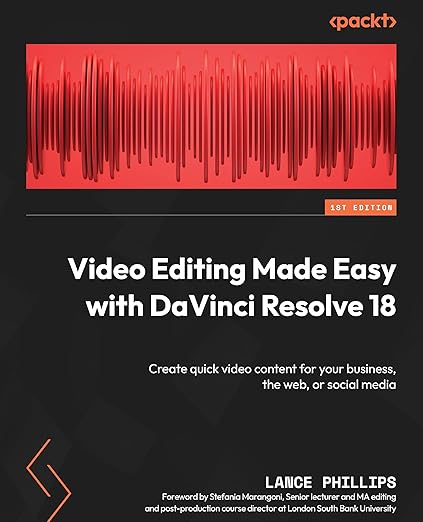
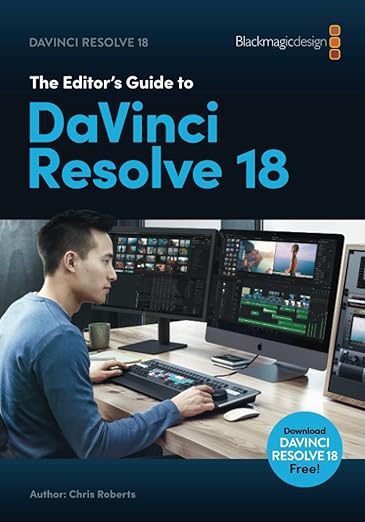
Davinci Resolve 17 Studio Lifetime Activation
The New DaVinci Resolve Speed Editor offers the function of the full Size Keyboard, but in a smaller, more portable form. Able to perform multiple tasks simultaneously with its multiple control function. Simple functions such as the 'source" button, offers users the ability to search through their media, so the relevant information can be found quickly. Each keyboard comes with a full DaVinci Resolve Studio software License. DaVinci Resolve 18 combines professional 8K editing, colour correction, visual effects and audio post production all in one software tool! You can instantly move between editing, colour, effects, and audio with a single click. DaVinci Resolve Studio is designed for multi user collaboration so editors, assistants, colourists, VFX artists and sound designers can all work live on the same project at the same time! Whether you're an individual artist, or part of a large collaborative team, it's easy to see why DaVinci Resolve is the standard for high end post production and finishing on more Hollywood feature films, television shows and commercials than any other software. DaVinci Resolve runs on all major platforms so you can use it at home or in a post facility on a Mac, at a broadcast facility running Windows, or a VFX studio on Linux. This gives you the freedom to use the platform of your choice, making it easy to integrate with your existing systems and workflows. If you're running Red Hat or CentOS Linux, you can even build your own workstation using low cost motherboards, extremely fast processors, massive amounts of RAM and up to 8 GPUs.
The New DaVinci Resolve Speed Editor offers the function of the full Size Keyboard, but in a smaller, more portable form. Able to perform multiple tasks simultaneously with its multiple control function. Simple functions such as the 'source" button, offers users the ability to search through their media, so the relevant information can be found quickly. Each keyboard comes with a full DaVinci Resolve Studio software License. DaVinci Resolve 18 combines professional 8K editing, colour correction, visual effects and audio post production all in one software tool! You can instantly move between editing, colour, effects, and audio with a single click. DaVinci Resolve Studio is designed for multi user collaboration so editors, assistants, colourists, VFX artists and sound designers can all work live on the same project at the same time! Whether you're an individual artist, or part of a large collaborative team, it's easy to see why DaVinci Resolve is the standard for high end post production and finishing on more Hollywood feature films, television shows and commercials than any other software. DaVinci Resolve runs on all major platforms so you can use it at home or in a post facility on a Mac, at a broadcast facility running Windows, or a VFX studio on Linux. This gives you the freedom to use the platform of your choice, making it easy to integrate with your existing systems and workflows. If you're running Red Hat or CentOS Linux, you can even build your own workstation using low cost motherboards, extremely fast processors, massive amounts of RAM and up to 8 GPUs.
The New DaVinci Resolve Speed Editor offers the function of the full Size Keyboard, but in a smaller, more portable form. Able to perform multiple tasks simultaneously with its multiple control function. Simple functions such as the 'source" button, offers users the ability to search through their media, so the relevant information can be found quickly. Each keyboard comes with a full DaVinci Resolve Studio software License. DaVinci Resolve 18 combines professional 8K editing, colour correction, visual effects and audio post production all in one software tool! You can instantly move between editing, colour, effects, and audio with a single click. DaVinci Resolve Studio is designed for multi user collaboration so editors, assistants, colourists, VFX artists and sound designers can all work live on the same project at the same time! Whether you're an individual artist, or part of a large collaborative team, it's easy to see why DaVinci Resolve is the standard for high end post production and finishing on more Hollywood feature films, television shows and commercials than any other software. DaVinci Resolve runs on all major platforms so you can use it at home or in a post facility on a Mac, at a broadcast facility running Windows, or a VFX studio on Linux. This gives you the freedom to use the platform of your choice, making it easy to integrate with your existing systems and workflows. If you're running Red Hat or CentOS Linux, you can even build your own workstation using low cost motherboards, extremely fast processors, massive amounts of RAM and up to 8 GPUs.
The New DaVinci Resolve Speed Editor offers the function of the full Size Keyboard, but in a smaller, more portable form. Able to perform multiple tasks simultaneously with its multiple control function. Simple functions such as the 'source" button, offers users the ability to search through their media, so the relevant information can be found quickly. Each keyboard comes with a full DaVinci Resolve Studio software License. DaVinci Resolve 18 combines professional 8K editing, colour correction, visual effects and audio post production all in one software tool! You can instantly move between editing, colour, effects, and audio with a single click. DaVinci Resolve Studio is designed for multi user collaboration so editors, assistants, colourists, VFX artists and sound designers can all work live on the same project at the same time! Whether you're an individual artist, or part of a large collaborative team, it's easy to see why DaVinci Resolve is the standard for high end post production and finishing on more Hollywood feature films, television shows and commercials than any other software. DaVinci Resolve runs on all major platforms so you can use it at home or in a post facility on a Mac, at a broadcast facility running Windows, or a VFX studio on Linux. This gives you the freedom to use the platform of your choice, making it easy to integrate with your existing systems and workflows. If you're running Red Hat or CentOS Linux, you can even build your own workstation using low cost motherboards, extremely fast processors, massive amounts of RAM and up to 8 GPUs.
in 34 offers
The lowest price for Davinci Resolve 17 Studio Lifetime Activation right now is $401.36 at eBay.com.au, compared across 32 retailers.
The all-time low was $303.06 on 29 May 2026 — today's price is 32% above the lowest ever. It has been notably cheaper before — worth setting a price alert.
Prices last updated 9 June 2026.
Last updated at 09/06/2026 13:29:41
Blackmagic Design Davinci Resolve Speed Editor Bundle with Davinci Resolve 17 Studio (Activation Card)
Free delivery
Affiliate Disclosure: We may receive a small commission for purchases made through this link at no extra cost to you. This helps support our site. Thank you!
DaVinci Resolve Speed Editor Blackmagic Design Tested NO LICENSE SOFTWARE
Affiliate Disclosure: We may receive a small commission for purchases made through this link at no extra cost to you. This helps support our site. Thank you!
Blackmagic DaVinci Resolve Speed Editor
Delivery $30
Blackmagic DaVinci Resolve Speed Editor (includes DaVinci Resolve)
Delivery between 15–18 June $26.64
Blackmagic DaVinci Resolve Speed Editor
Delivery $9.90
Blackmagic DaVinci Resolve Speed Editor
Delivery by Mon $25
DaVinci Resolve Speed Editor | Professional Editing with Jog Shuttle & Dedicated Controls | Includes DaVinci Resolve Software
Delivery between 12–16 June $20
Blackmagic Design Davinci Resolve Speed Editor
Delivery $16.50
Blackmagic DaVinci Resolve Speed Editor with DaVinci Resolve Studio
Delivery $6.90
Blackmagic Design DaVinci Resolve Speed Editor Keyboard + Davinci Resolve Studio
Delivery between Thu – Mon $16
originally posted on bhphotovideo.com
Part of the integration with Resolve is the only gripe I have with the product. I wish I could remap keys (within reason) and/or it was more integrated with the Edit page; however, being that it was designed exclusively for use with the Cut page, it's an astoundingly great product. Build is very good, buttons are clear, speeds up my rough cut workflow massively, probably upwards of 75%.Editing with the Speed Editor feels about as close as I can get to interfacing with Resolve using telekinesis, haha, just wish it could do that more widely across the application!
originally posted on bhphotovideo.com
We purchased this mainly because we could get it for not much more than just buying DaVinci Resolve by itself.Although it's not all that intuitive if you've not been using DR regularly, there are a lot of tutorials online.The first thing I noticed was that it increased my editing speed significantly - probably a 50% reduction in time from just using the keyboard.Second, I've rarely used a device where it was do well built and well designed. The keys that are available and where they are located are perfect (after you learn what they are all for and how to use them properly). And it's one of the most soundly built peripherals I've ever purchased.If you only get it for the jog/shuttle wheel, that would be worth the cost alone, but the entire package is worth ... MoreWe purchased this mainly because we could get it for not much more than just buying DaVinci Resolve by itself.Although it's not all that intuitive if you've not been using DR regularly, there are a lot of tutorials online.The first thing I noticed was that it increased my editing speed significantly - probably a 50% reduction in time from just using the keyboard.Second, I've rarely used a device where it was do well built and well designed. The keys that are available and where they are located are perfect (after you learn what they are all for and how to use them properly). And it's one of the most soundly built peripherals I've ever purchased.If you only get it for the jog/shuttle wheel, that would be worth the cost alone, but the entire package is worth the cost.The only 'cons' that I could point out would be that it does NOT come with a USB cable (for charging or connecting via USB), you'll need your own USB-C to whatever your computer uses. And it would be nice to have some sort of documentation included - even if it was just a link to some video tutorials. Although I do prefer the 3rd party tutorials in the end.This was my first Blackmagic hardware purchase, and I think it might not be my last.One note about the DaVinci Resolve studio software itself - I've beenusing the free version for a few years. When I installed the studioversion it now starts faster, and seems to just run faster. I've neverseen that mentioned anywhere, but it was a pleasant surprise - alongwith the other studio-only features.
originally posted on bhphotovideo.com
First off, I like this keyboard. I will continue to use it. But, my biggest complaint is the build quality. The key caps are thin and cheap feeling, and the switches are scratchy Cherry MX Reds. The spring weight is fine, I prefer yellow switches, but red switches are generally ok. Cherry switches, however, are usually much more scratchy feeling. This board is no exception. To be honest, the switches are my least favorite part of this board. And this is something I wouldn’t complain about nearly as much if the board was hot swap… but, it is not. A hot-swap keyboard is where you can simply pull out the switches and lube them or even replace them with different ones. These switches are soldered in. They CAN be removed, but you need a soldering iron or a desoldering ... MoreFirst off, I like this keyboard. I will continue to use it. But, my biggest complaint is the build quality. The key caps are thin and cheap feeling, and the switches are scratchy Cherry MX Reds. The spring weight is fine, I prefer yellow switches, but red switches are generally ok. Cherry switches, however, are usually much more scratchy feeling. This board is no exception. To be honest, the switches are my least favorite part of this board. And this is something I wouldn’t complain about nearly as much if the board was hot swap… but, it is not. A hot-swap keyboard is where you can simply pull out the switches and lube them or even replace them with different ones. These switches are soldered in. They CAN be removed, but you need a soldering iron or a desoldering gun, and a couple hours. Even then, I would still be ok with doing all that work to swap out the switches, BUT some of the switches in the board have a little LED in them, so they show when a certain feature is on. This means that by changing out the switches, I would lose some important functionality of the keyboard. A better idea would be having a little LED cutout in front of the keys or having a backlight behind the key caps. That would be an easier and simpler fix that is recognized as much more of a standard. Don’t get me wrong, I LOVE the build of the jog wheel, it’s amazing!! But the case is cheap plastic, and feels poorly built. Plastic isn’t even the best for keyboard cases, but some plastics are better than others. This plastic, I would call cheap. Feels low quality. But, overall, this is still worth it for me! And that’s mainly because there’s no alternative. This one comes with Davinci Resolve Studio, has all the right integrations, powers on when resolve opens, everything. It’s simple to use, and very functional. But the build is sub-par. Oh, and one more thing: you have to double click a key to “undo.” And, sometimes worse, there’s no REDO key!! Makes some cutting feel a little slow clumsy.
Blackmagic Design Davinci Resolve Speed Editor Bundle with Davinci Resolve 17 Studio (Activation Card)
Free delivery
Affiliate Disclosure: We may receive a small commission for purchases made through this link at no extra cost to you. This helps support our site. Thank you!
DaVinci Resolve Speed Editor Blackmagic Design Tested NO LICENSE SOFTWARE
Affiliate Disclosure: We may receive a small commission for purchases made through this link at no extra cost to you. This helps support our site. Thank you!
Blackmagic DaVinci Resolve Speed Editor
Delivery $30
Blackmagic DaVinci Resolve Speed Editor (includes DaVinci Resolve)
Delivery between 15–18 June $26.64
Blackmagic DaVinci Resolve Speed Editor
Delivery $9.90
Part of the integration with Resolve is the only gripe I have with the product. I wish I could remap keys (within reason) and/or it was more integrated with the Edit page; however, being that it was designed exclusively for use with the Cut page, it's an astoundingly great product. Build is very good, buttons are clear, speeds up my rough cut workflow massively, probably upwards of 75%.Editing with the Speed Editor feels about as close as I can get to interfacing with Resolve using telekinesis, haha, just wish it could do that more widely across the application!
We purchased this mainly because we could get it for not much more than just buying DaVinci Resolve by itself.Although it's not all that intuitive if you've not been using DR regularly, there are a lot of tutorials online.The first thing I noticed was that it increased my editing speed significantly - probably a 50% reduction in time from just using the keyboard.Second, I've rarely used a device where it was do well built and well designed. The keys that are available and where they are located are perfect (after you learn what they are all for and how to use them properly). And it's one of the most soundly built peripherals I've ever purchased.If you only get it for the jog/shuttle wheel, that would be worth the cost alone, but the entire package is worth ... MoreWe purchased this mainly because we could get it for not much more than just buying DaVinci Resolve by itself.Although it's not all that intuitive if you've not been using DR regularly, there are a lot of tutorials online.The first thing I noticed was that it increased my editing speed significantly - probably a 50% reduction in time from just using the keyboard.Second, I've rarely used a device where it was do well built and well designed. The keys that are available and where they are located are perfect (after you learn what they are all for and how to use them properly). And it's one of the most soundly built peripherals I've ever purchased.If you only get it for the jog/shuttle wheel, that would be worth the cost alone, but the entire package is worth the cost.The only 'cons' that I could point out would be that it does NOT come with a USB cable (for charging or connecting via USB), you'll need your own USB-C to whatever your computer uses. And it would be nice to have some sort of documentation included - even if it was just a link to some video tutorials. Although I do prefer the 3rd party tutorials in the end.This was my first Blackmagic hardware purchase, and I think it might not be my last.One note about the DaVinci Resolve studio software itself - I've beenusing the free version for a few years. When I installed the studioversion it now starts faster, and seems to just run faster. I've neverseen that mentioned anywhere, but it was a pleasant surprise - alongwith the other studio-only features.
First off, I like this keyboard. I will continue to use it. But, my biggest complaint is the build quality. The key caps are thin and cheap feeling, and the switches are scratchy Cherry MX Reds. The spring weight is fine, I prefer yellow switches, but red switches are generally ok. Cherry switches, however, are usually much more scratchy feeling. This board is no exception. To be honest, the switches are my least favorite part of this board. And this is something I wouldn’t complain about nearly as much if the board was hot swap… but, it is not. A hot-swap keyboard is where you can simply pull out the switches and lube them or even replace them with different ones. These switches are soldered in. They CAN be removed, but you need a soldering iron or a desoldering ... MoreFirst off, I like this keyboard. I will continue to use it. But, my biggest complaint is the build quality. The key caps are thin and cheap feeling, and the switches are scratchy Cherry MX Reds. The spring weight is fine, I prefer yellow switches, but red switches are generally ok. Cherry switches, however, are usually much more scratchy feeling. This board is no exception. To be honest, the switches are my least favorite part of this board. And this is something I wouldn’t complain about nearly as much if the board was hot swap… but, it is not. A hot-swap keyboard is where you can simply pull out the switches and lube them or even replace them with different ones. These switches are soldered in. They CAN be removed, but you need a soldering iron or a desoldering gun, and a couple hours. Even then, I would still be ok with doing all that work to swap out the switches, BUT some of the switches in the board have a little LED in them, so they show when a certain feature is on. This means that by changing out the switches, I would lose some important functionality of the keyboard. A better idea would be having a little LED cutout in front of the keys or having a backlight behind the key caps. That would be an easier and simpler fix that is recognized as much more of a standard. Don’t get me wrong, I LOVE the build of the jog wheel, it’s amazing!! But the case is cheap plastic, and feels poorly built. Plastic isn’t even the best for keyboard cases, but some plastics are better than others. This plastic, I would call cheap. Feels low quality. But, overall, this is still worth it for me! And that’s mainly because there’s no alternative. This one comes with Davinci Resolve Studio, has all the right integrations, powers on when resolve opens, everything. It’s simple to use, and very functional. But the build is sub-par. Oh, and one more thing: you have to double click a key to “undo.” And, sometimes worse, there’s no REDO key!! Makes some cutting feel a little slow clumsy.
Using this with Davinci Resolve Studio 18.5 on my base model M1 Mac Mini, AND with my M1 iPad Pro, works AWESOME.To be honest I was skeptical of getting it thinking it would merely supplement my work-flow and for the price wasn't sure it would be worth it! So glad I did, it is MORE than worth the price of admission for even the mild hobbyist.Bluetooth connectivity makes this an awesome tool for editing while traveling away from home via the iPad. For those using Davinci Resolve on the iPad, even with a keyboard and Apple pencil it is still quite clunky to move about and operate, the speed editor HELPS soooo much! Being a newb to NLE with no old or bad habits I am able to learn DVR along the lines that BlackMagic designed it, using the CUT page tab, and to be ... MoreUsing this with Davinci Resolve Studio 18.5 on my base model M1 Mac Mini, AND with my M1 iPad Pro, works AWESOME.To be honest I was skeptical of getting it thinking it would merely supplement my work-flow and for the price wasn't sure it would be worth it! So glad I did, it is MORE than worth the price of admission for even the mild hobbyist.Bluetooth connectivity makes this an awesome tool for editing while traveling away from home via the iPad. For those using Davinci Resolve on the iPad, even with a keyboard and Apple pencil it is still quite clunky to move about and operate, the speed editor HELPS soooo much! Being a newb to NLE with no old or bad habits I am able to learn DVR along the lines that BlackMagic designed it, using the CUT page tab, and to be honest I spend most of my time now in the Cut page and this editor even works great for timeline scrubbing on the other pages as well. Also, the build quality of this editor is clearly next level. Battery life is awesome, charges vis USB-C.
I've used them all and am not going back. When it comes to intuitive post production, DaVinci Resolve checks all the boxes. And, their current one license, lifetime updates, no subscription model is perfect for our small business. This package includes the software key and the Speed Editor. The Speed Editor greatly enhances the rough cut process and fine-tuning within the edit. I started with DaVinci's free version. As soon as I realized how easy this software was to use relative to the other, I decided to jump to paid. The online community for this software is friendly and extensive. So if you have questions, an online search will quickly reveal the answer. Having tried many other NLEs over the years (and cutting my teeth on film, then linear tape), I'm glad I took ... MoreI've used them all and am not going back. When it comes to intuitive post production, DaVinci Resolve checks all the boxes. And, their current one license, lifetime updates, no subscription model is perfect for our small business. This package includes the software key and the Speed Editor. The Speed Editor greatly enhances the rough cut process and fine-tuning within the edit. I started with DaVinci's free version. As soon as I realized how easy this software was to use relative to the other, I decided to jump to paid. The online community for this software is friendly and extensive. So if you have questions, an online search will quickly reveal the answer. Having tried many other NLEs over the years (and cutting my teeth on film, then linear tape), I'm glad I took the jump to DaVinci.
This speed board makes editing much faster once you embrace the Cut page (I failed to understand the value of this page until I took the time to learn this board; it's more than an alternative to the standard timeline page!)A keyboard or mouse is a poor substitute for a wheel (you actually get three different wheels: shuttle, jog, and scroll). Screaming through your timeline with the scroll wheel to land precisely on a single clip and then making delicate adjustments using the jog wheel makes me feel like a sorcerer wielding dark magic. The shuttle wheel is kinda neat too, but there are few situations where I need it.The shortcut keys are where the real power lies, however. This magic system is based on Ins and Outs, and aside from the STOP/PLAY bar, these are ... MoreThis speed board makes editing much faster once you embrace the Cut page (I failed to understand the value of this page until I took the time to learn this board; it's more than an alternative to the standard timeline page!)A keyboard or mouse is a poor substitute for a wheel (you actually get three different wheels: shuttle, jog, and scroll). Screaming through your timeline with the scroll wheel to land precisely on a single clip and then making delicate adjustments using the jog wheel makes me feel like a sorcerer wielding dark magic. The shuttle wheel is kinda neat too, but there are few situations where I need it.The shortcut keys are where the real power lies, however. This magic system is based on Ins and Outs, and aside from the STOP/PLAY bar, these are the keys you'll use most. Before buying this board, I had no idea what an IN or OUT was, but now my workflow revolves around them. They allow you to manipulate clips without wasting time pushing a mouse around and will enable you to do so with the far superior wheel.If you don't understand what I am talking about, don't sweat it. Just watch a YouTube video about the Speed Editor (there are many options), and you'll figure it out in 20 minutes.My only critique is a bug within Davinci Resolve Studio itself. Once my project reaches a certain size, the PLACE ON TOP key stops working. I tap and tap and tap, but it will not insert my clips. This is fine because it usually occurs after I have placed all of my major clips. However, it is a bummer when I need to make revisions by adding additional B-roll. I am pained because it forces me back to the lowly mouse, which I must push like some type of peasant or groundling.I have no idea why this happens, but it cripples the utility of the board when it does. I have to abandon my treasured wheel for the imperfect mouse. (Perhaps it is related to the bug where copies paste to the very beginning of the timeline, regardless of where the playhead is positioned).It is also possible to do a lot of damage to your timeline with the SLIP and TRIM keys if your project is messy and has a lot of clips. If you aren't paying attention, you can wreck your timing by spinning the wheel while you ponder why your intended clip is not slipping. Sometimes it's hard to tell whether Davinci isn't responding to your speed board input or if you are simply manipulating a different clip. Takeaway--lock your clips once you're happy with your edit.This review would be a perfect five stars if not for the inconsistent response to inputs I described. If you perform a lot of video editing in Davinci, this is still a useful tool. It feels like a product that should cost a lot more than the $100 it does. If you're buying a license, you should just pay the $100 extra for this board. I guarantee it will speed up your workflow, increase your knowledge of Davinci, and make you feel like a powerful Sorcerer.Why are you pushing around a heathen mouse when you could be spinning through the timeline in style with a WHEEL? Your grandchildren will ask you one day about your time as an editor; how will you explain your mouse use to them?
The Blackmagic Design DaVinci Resolve Speed Editor has proven to be an invaluable addition to my editing suite. Paired with the Studio Software, it's a powerhouse combination that has elevated my editing speed and efficiency to professional levels.I must admit, the learning curve was steep. Navigating through the myriad of features and commands took some time and patience. But as I delved deeper, the integration between the Speed Editor and Studio Software unveiled a world of unparalleled editing fluidity and creative freedom.
The software takes some learning, but is very powerful and does a great job.The Speed Editor stopped working via Bluetooth in less than a year. Blackmagic told me that they show the warranty expired. I purchased this in August of 2021, and would think that after more than 90 minutes on the phone with BlackMagic that I would be offered a replacement piece of hardware. The Speed Editor will still work if I leave it connected via a USB cable, but not working as advertised via Bluetooth on either of my two computers. This issue just surfaced yesterday, prior to that it worked via Bluetooth with no problems.The Contact Support page at Blackmagic does not allow the attachments of any screenshot. Instead they want you to telephone, wait on hold to speak to a support ... MoreThe software takes some learning, but is very powerful and does a great job.The Speed Editor stopped working via Bluetooth in less than a year. Blackmagic told me that they show the warranty expired. I purchased this in August of 2021, and would think that after more than 90 minutes on the phone with BlackMagic that I would be offered a replacement piece of hardware. The Speed Editor will still work if I leave it connected via a USB cable, but not working as advertised via Bluetooth on either of my two computers. This issue just surfaced yesterday, prior to that it worked via Bluetooth with no problems.The Contact Support page at Blackmagic does not allow the attachments of any screenshot. Instead they want you to telephone, wait on hold to speak to a support tech, and then if they need screen shots or more information, they want you to create an online storage account to upload the files.Seems strange that their support page wouldn't accept (with file size limitations, of course) screen shots of the problem you are trying to explain in words.Will see if they offer a replacement to the faulty Speed Editor.
As a film production professional, I spent six years working with the Adobe Suite of programs, upgrading to their insanely expensive monthly package when it became necessary to do so, simply because, at the time, I didn't know another option existed. For those of you in the same boat: Blackmagic's Davinci Resolve is that other option, and not only is it capable of handling a professional workload, it's capable of replacing the main attractions of Adobe (the program links between After Effects, Premiere, and and Audition).That's right, Davinci Resolve has a built-in professional audio editing program and a built-in professional 3D special effects program. Couple these with the professional grading software (Davinci has long been the tops for that) and this program ... MoreAs a film production professional, I spent six years working with the Adobe Suite of programs, upgrading to their insanely expensive monthly package when it became necessary to do so, simply because, at the time, I didn't know another option existed. For those of you in the same boat: Blackmagic's Davinci Resolve is that other option, and not only is it capable of handling a professional workload, it's capable of replacing the main attractions of Adobe (the program links between After Effects, Premiere, and and Audition).That's right, Davinci Resolve has a built-in professional audio editing program and a built-in professional 3D special effects program. Couple these with the professional grading software (Davinci has long been the tops for that) and this program is an indie-filmmakers dream.What's so beautiful is that the free version of this program offers almost everything anyone needs to get started making professional work. Some of the most powerful features are limited to the paid version, as is GPU acceleration, but for most people this won't be a problem. And yet, when you do upgrade, you get to do so for a one-time price! And what you get for it, if you are a professional, or simply want the best toys to play with, is utterly incredible. The Magic mask function alone is worth the price.I got this as part of a deal that offered the professional editing keyboard as well, and using both together makes editing feel like a breeze. Davinci is smoother to use than Adobe, it's faster, and it doesn't crash as much. With the keyboard, cutting a big project feels like surfing; it's magical (but even with just a keyboard and mouse the experience is great).I really cannot recommend this product enough and I hope that all indie filmmakers choose Davinci over Adobe in the future.
I mainly work in wedding photography, but I've slowly learned, and been taking on small commercial video work. For years now I've been trying to step away from Adobe, made the switch from Lightroom to Capture One, and now Premier and After Effects have been dumped thanks do DaVinci Resolve Studio. I suppose my switch over to DaVinci must have been easier since I never fully grasped Pr or Ae. Found some really good tutorials on how to properly use this Speed Editor, and I can confidently say that the learning curve for Resolve is not as steep as Premier.The build quality of the Speed Editor is superb, the keys feel and sound very satisfying, the jog wheel is super smooth, with some weight to it. It is a great purchase, specially if you want to get the full Resolve ... MoreI mainly work in wedding photography, but I've slowly learned, and been taking on small commercial video work. For years now I've been trying to step away from Adobe, made the switch from Lightroom to Capture One, and now Premier and After Effects have been dumped thanks do DaVinci Resolve Studio. I suppose my switch over to DaVinci must have been easier since I never fully grasped Pr or Ae. Found some really good tutorials on how to properly use this Speed Editor, and I can confidently say that the learning curve for Resolve is not as steep as Premier.The build quality of the Speed Editor is superb, the keys feel and sound very satisfying, the jog wheel is super smooth, with some weight to it. It is a great purchase, specially if you want to get the full Resolve Studio license.I feel like I've surpassed the skill level I was at in Premier, in a very short time.