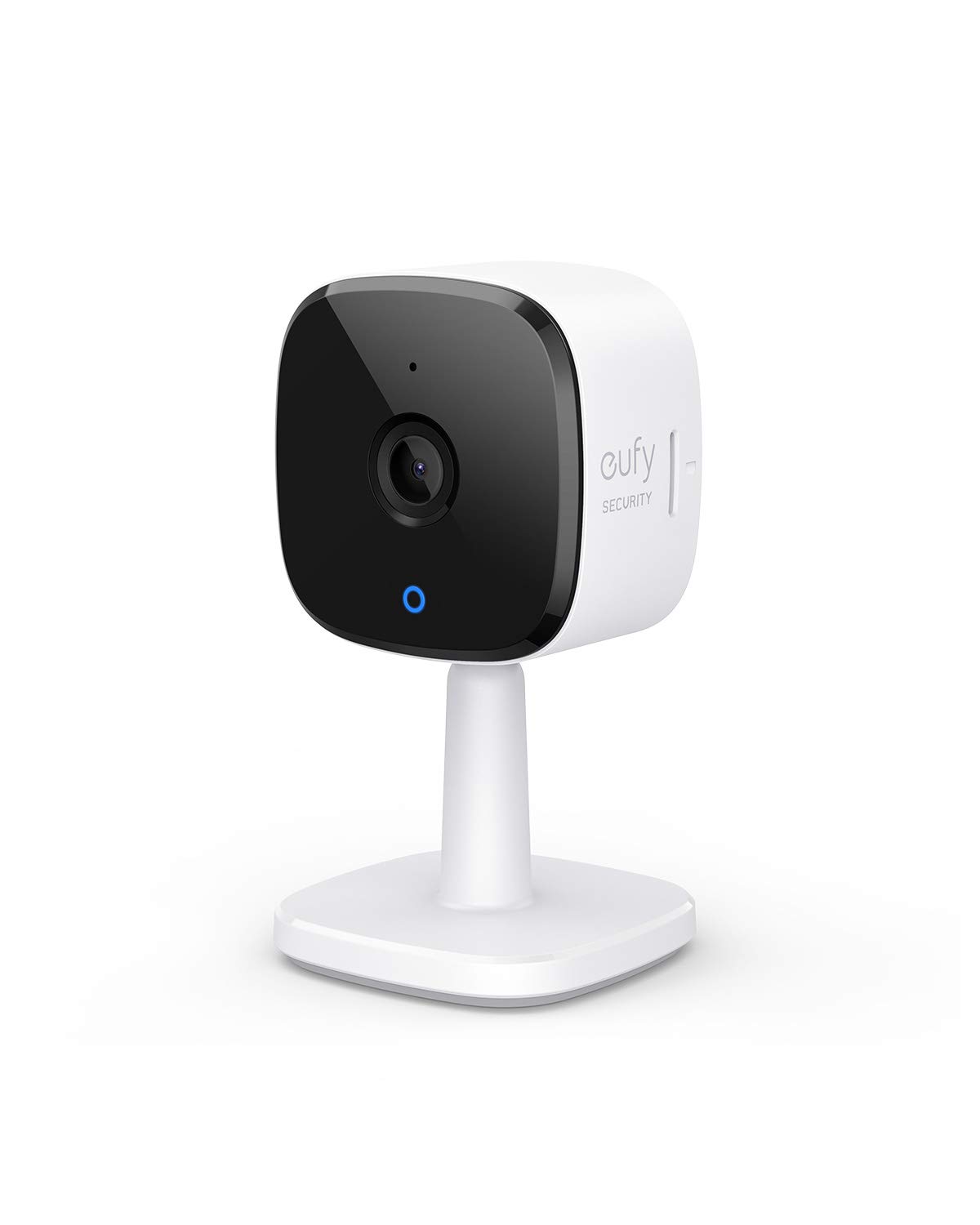
Relevant Recordings: The on-device AI determines whether a human or pet is present and only records when an event of interest occurs. The Key is in the Detail: View every event in up to 2K clarity (1080P while using HomeKit) so you see exactly what is happening inside your home. Smart Integration: Connect your Indoor Cam to Apple HomeKit (Please download our HomeKit User Guide in the product information section below), the Google Assistant, or Amazon Alexa for complete control over your surveillance. (HomeKit available via update. When opening HomeKit, users must add the device in the eufy Security app and then complete the activation process.) Follows the Action: When motion is detected the camera automatically tracks and follows the moving object. Pan the lens 360° horizontally or tilt it 96° vertically to get a clear view of the whole room. Communicate From Your Camera: Speak in real-time to anyone who passes via the camera’s built-in two-way audio. model number T8410
Relevant Recordings: The on-device AI determines whether a human or pet is present and only records when an event of interest occurs. The Key is in the Detail: View every event in up to 2K clarity (1080P while using HomeKit) so you see exactly what is happening inside your home. Smart Integration: Connect your Indoor Cam to Apple HomeKit (Please download our HomeKit User Guide in the product information section below), the Google Assistant, or Amazon Alexa for complete control over your surveillance. (HomeKit available via update. When opening HomeKit, users must add the device in the eufy Security app and then complete the activation process.) Follows the Action: When motion is detected the camera automatically tracks and follows the moving object. Pan the lens 360° horizontally or tilt it 96° vertically to get a clear view of the whole room. Communicate From Your Camera: Speak in real-time to anyone who passes via the camera’s built-in two-way audio. model number T8410
in 2 offers
The lowest price for Eufy Security 2K Indoor Cam Pan & Tilt, Plug-in Security Indoor Camera with Wi-Fi, IP Camera, Human & Pet AI, Voice Assistant Compatibility, Motion right now is $43.99 at eBay.com.au, compared across 2 retailers.
The all-time low was $40.16 on 28 Feb 2026 — today's price is 10% above the lowest ever. That's a little above the best price we've seen.
Prices last updated 3 Aug 2026.
Eufy Security 2K Indoor Cam Pan & Tilt, Plug-in Security Indoor Camera with Wi-Fi, IP Camera, Human & Pet AI, Voice Assistant Compatibility, Motion
Relevant Recordings: The on-device AI determines whether a human or pet is present and only records when an event of interest occurs. The Key is in the Detail: View every event in up to 2K clarity (1080P while using HomeKit) so you see exactly what is happening inside your home. Smart Integration: Connect your Indoor Cam to Apple HomeKit (Please download our HomeKit User Guide in the product information section below), the Google Assistant, or Amazon Alexa for complete control over your surveillance. (HomeKit available via update. When opening HomeKit, users must add the device in the eufy Security app and then complete the activation process.) Follows the Action: When motion is detected the camera automatically tracks and follows the moving object. Pan the lens 360° horizontally or tilt it 96° vertically to get a clear view of the whole room. Communicate From Your Camera: Speak in real-time to anyone who passes via the camera’s built-in two-way audio. model number T8410
Relevant Recordings: The on-device AI determines whether a human or pet is present and only records when an event of interest occurs. The Key is in the Detail: View every event in up to 2K clarity (1080P while using HomeKit) so you see exactly what is happening inside your home. Smart Integration: Connect your Indoor Cam to Apple HomeKit (Please download our HomeKit User Guide in the product information section below), the Google Assistant, or Amazon Alexa for complete control over your surveillance. (HomeKit available via update. When opening HomeKit, users must add the device in the eufy Security app and then complete the activation process.) Follows the Action: When motion is detected the camera automatically tracks and follows the moving object. Pan the lens 360° horizontally or tilt it 96° vertically to get a clear view of the whole room. Communicate From Your Camera: Speak in real-time to anyone who passes via the camera’s built-in two-way audio. model number T8410
Last updated at 03/08/2026 21:19:17
Eufy E220 Indoor Security Camera 3mp Wi-fi Baby Pet Monitor Night
Delivery $35.99
Affiliate Disclosure: We may receive a small commission for purchases made through this link at no extra cost to you. This helps support our site. Thank you!
Eufy Security 2K Indoor Cam Pan & Tilt, Plug-in Security Indoor Camera With Wi-Fi, IP Camera, Human & Pet AI, Voice Assistant Compatibility, Motion
Delivery $28.56
originally posted on eufylife.com
Short Version: The Eufy Security Indoor Cam E220 Pan and Tilt offers exceptional value, featuring 2K resolution, 360° pan, 96° tilt, digital zoom, two-way communication, and a siren. Its quick live view response, customizable settings for audio, notifications, recording, and motion tracking make it versatile for monitoring pets, children, and home security. The camera supports continuous 24/7 recording with local storage (up to 128GB microSD), adjustable audio settings, and a variety of notification options. Motion and sound detection can be fine-tuned for specific needs, and it includes a unique Pet Command feature. While it offers cloud storage, the camera's full functionality doesn't require a subscription, adding to its appeal. The device is easy to manage with ... MoreShort Version: The Eufy Security Indoor Cam E220 Pan and Tilt offers exceptional value, featuring 2K resolution, 360° pan, 96° tilt, digital zoom, two-way communication, and a siren. Its quick live view response, customizable settings for audio, notifications, recording, and motion tracking make it versatile for monitoring pets, children, and home security. The camera supports continuous 24/7 recording with local storage (up to 128GB microSD), adjustable audio settings, and a variety of notification options. Motion and sound detection can be fine-tuned for specific needs, and it includes a unique Pet Command feature. While it offers cloud storage, the camera's full functionality doesn't require a subscription, adding to its appeal. The device is easy to manage with settings for Wi-Fi, time, and device naming, and can be integrated with HomeKit. Optional HomeBase offers expanded storage and enhanced security features for select devices. That list is being expanded regularly as well. This review is based on personal experience without endorsement or compensation from Eufy.Detailed Version: The Eufy Security Indoor Cam E220 Pan and Tilt (with digital zoom) is an excellent wired indoor camera. With up to 2K resolution, the ability to remotely pan, tilt, and zoom, two-way communication, and a siren, this camera is a beast for the price, especially on sale. I currently have 4 setup, though I can see myself getting more, and it covers everything I need. I’ve been using them for about 4 months now. My average time from clicking on a live view to it being live is about 1 second, many times it’s almost immediately. That will depend on your network strength and speed.PANWith 360° of panning and 5 levels of responsiveness, there isn’t any direction this camera can’t see. The camera does have a stopping point and you then must rotate it the opposite direction, but it is true 360° coverage.TILTWith 96° of tilt and 5 levels of responsiveness, you must position it right to get the optimal viewing angle, though there is a great deal of adjustability. I found that mounting it up high is less than ideal as the ability to pan down is somewhat limited when mounted up high. If mounted at the recommended 60” maximum if monitoring children/pets it will work just fine. If you must mount it higher than that and a wall or ceiling mount won’t work for you, you can always simply prop it up with something and tilt it forwardZOOMIt’s a digital zoom in a relatively inexpensive camera. It’s better than what I’ve experienced with other cameras, but don’t expect it to look as good zoomed in as it does zoomed out.NIGHT VISIONYou can set it to Auto which will turn on when the sensors determine it’s dark enough and will turn off when they sense it’s light enough. On, it’s just on all the time. Off, you guess it, it’s off all the time.MOTION DETECTIONYou can select specific activity zones to detect motion in, while ignoring others. It has some advanced technology built in and can even detect the difference between humans and pets, should you turn that feature on. You can select just humans, just pets, both, and/or all other motion. There are also 5 levels of sensitivity you can select. You are able to turn off motion detection as well.MOTION TRACKINGWhen turned on, if it detects motion, it will track it.TWO WAY COMMUNICATIONSelf-explanatory. You can talk to people, or pets, and they can reply. You can turn off the mic and/or speaker and can even turn off audio recording in the settings.SOUND DETECTIONWhen turned on, this camera will notify you of two things, all noise and/or crying. I’m hoping they expand this in the future to include things like glass breaking, smoke/CO2 detectors etc. but that this point, it’s just all sounds and/or crying. There are also 5 levels of sensitivity.PET COMMANDThis is a pretty nifty feature. When you select a certain zone under the Pet Command menu it will play an audio message of “Hey, what are you doing there?”. Sure, that’s pretty cool, but… you can also add a custom message that you record so it can literally say anything, in any voice. Or simply play an alarm if you record that as the message.WATERMARKOff (No timestamp or logo), Timestamp, or Timestamp and Logo.STREAMING QUALITYAuto (Adaptive based on its current connection strength, which can vary based on how many devices you have on your network at certain times). High, Medium, and Low. It doesn’t say exactly what these resolutions are.RECORDING QUALITY2K or 1080P. This is independent and has no impact on the Streaming Quality setting.CONTINOUS RECORDINGHonestly, one of the main reasons I went with this camera. This can continually record, 24/7. How much depends on your local storage and your Recording Quality setting. Each camera has a Micro SD card slot and can take up to a 128GB card, at the time of this review. Eufy recommends a class 10. I personally went with a SanDisk 128GB Extreme microSDXC UHS-I. Once the card is full, it will overwrite the oldest data first. If there is something you want to save, be sure and download it! If continuous recording isn’t your thing, you can schedule recording times as well. I don’t know if there is a limit, but you can keep adding different times/days. Keep in mind that if motion detection is turned on, it will record those events as well.NOTIFICATIONSYou can opt in/out of notifications for Human, Pet, All other motion, Crying (sound), All sound. This is different that the sound detection setting, that simply will record if it detects those sounds. It won’t notify you unless you have the corresponding notification turned on. While I haven’t tested it, I am able to turn notifications on for sound without having the corresponding sound detection setting turned on. That leads me to believe I could be notified for a sound/motion, even if I didn’t have it set to record it. I like the ability to select whatever I want, so that’s neat. You can also select between 0 and 5 minutes for a delay in notifications, 0 will have no delay and notify you every time. There are also several options for how you receive notifications. Most efficient will notify you with text immediately. Full Effect will notify you with text immediately and follow up with a thumbnail if available. Include Thumbnail will give you text and thumbnail if available. There are also 9 tones to select from, one of those being Silent and one being default alert notification.GENERALYou can give each camera a custom name, turn on/off the status LED (off means no light comes on during live view, or when it’s recording, Storage (Local and Cloud settings), NOTE: Cloud recording does require a monthly subscription but IS NOT required for full functionality of this device. You can remotely access the live view and all recorded events on your local storage. Cloud may be advisable if you simply must have recorded events, it would come in handy if the SD card was removed or damaged (highly unlikely in most scenarios). There are settings for Homekit (Apple), Wi-Fi Connection, Time Settings, Mounting Guide (180° image rotation is in this setting), and About Device. You can also turn each camera on or off as needed.There are truly no hidden fees and no monthly subscriptions for all of these features, that was also a major reason I went with Eufy. You can add on a Homebase if you want, but it is not required, at least for anything I’ve done so far. There are some benefits to the HomeBase though, expandible storage being one of them. The current HomeBase 3 supports an incredible 16 terabytes of expandable storage (sold separately) as well as dual-layered AES-128 and RSA-1024 encryption. I do not have the HomeBase so I can’t speak on it much, but it looks quite impressive. With its daily security reports, and BionicMind which helps recognize known individuals from strangers (think facial recognition). HomeBase 3 is compatble with select devices, though the list is large.Eufy did NOT send me anything, compensate me, or solicit this review in anyway… though, I wish they would send me stuff!
originally posted on eufylife.com
Just got this. Clear quality video capture. Does a good job. My personal, slight negatives about it for a new user are the movements when I try to position the lens for a different view from my device. It could also be my control device at issue but the movement seems to cause a delay in the live feed as it pauses while the camera lens is moving. Also, the audio/speaker function isn't that clear on the receiving end as words come out in sections rather than a continuous sentence or some words disappear altogether. So, understanding what the other end is saying could be an issue. Connection issues with the audio after a few seconds of speaking as well as it disconnects before reconnecting again. Other than these issues, this is decent and does a good enough job.
originally posted on eufylife.com
Easy to setup. Web Portal for viewing on computer with encryption on both local and web. Pan and tilt is fantastic. Zoom in 4x and the picture quality is still good. Also, you don't need to pay a subscription fee for the cloud. You can buy up to a 128gb SD card, which I have. I am also buying the cloud monitoring, just in case the cameras get stolen if I was broken into. All my captures and video will still be in the cloud to retrieve. 10.00/month to monitor up to 10 cameras, is a fair price or 2.99 for basic cloud for one camera but has a few less features than the 10.00/month plan. Cloud monitoring can also send police if needed. What's not to like about that. It also has a loud alarm built into the cams software. Another nice feature. I'll update as needed.
Eufy E220 Indoor Security Camera 3mp Wi-fi Baby Pet Monitor Night
Delivery $35.99
Affiliate Disclosure: We may receive a small commission for purchases made through this link at no extra cost to you. This helps support our site. Thank you!
Eufy Security 2K Indoor Cam Pan & Tilt, Plug-in Security Indoor Camera With Wi-Fi, IP Camera, Human & Pet AI, Voice Assistant Compatibility, Motion
Delivery $28.56
Short Version: The Eufy Security Indoor Cam E220 Pan and Tilt offers exceptional value, featuring 2K resolution, 360° pan, 96° tilt, digital zoom, two-way communication, and a siren. Its quick live view response, customizable settings for audio, notifications, recording, and motion tracking make it versatile for monitoring pets, children, and home security. The camera supports continuous 24/7 recording with local storage (up to 128GB microSD), adjustable audio settings, and a variety of notification options. Motion and sound detection can be fine-tuned for specific needs, and it includes a unique Pet Command feature. While it offers cloud storage, the camera's full functionality doesn't require a subscription, adding to its appeal. The device is easy to manage with ... MoreShort Version: The Eufy Security Indoor Cam E220 Pan and Tilt offers exceptional value, featuring 2K resolution, 360° pan, 96° tilt, digital zoom, two-way communication, and a siren. Its quick live view response, customizable settings for audio, notifications, recording, and motion tracking make it versatile for monitoring pets, children, and home security. The camera supports continuous 24/7 recording with local storage (up to 128GB microSD), adjustable audio settings, and a variety of notification options. Motion and sound detection can be fine-tuned for specific needs, and it includes a unique Pet Command feature. While it offers cloud storage, the camera's full functionality doesn't require a subscription, adding to its appeal. The device is easy to manage with settings for Wi-Fi, time, and device naming, and can be integrated with HomeKit. Optional HomeBase offers expanded storage and enhanced security features for select devices. That list is being expanded regularly as well. This review is based on personal experience without endorsement or compensation from Eufy.Detailed Version: The Eufy Security Indoor Cam E220 Pan and Tilt (with digital zoom) is an excellent wired indoor camera. With up to 2K resolution, the ability to remotely pan, tilt, and zoom, two-way communication, and a siren, this camera is a beast for the price, especially on sale. I currently have 4 setup, though I can see myself getting more, and it covers everything I need. I’ve been using them for about 4 months now. My average time from clicking on a live view to it being live is about 1 second, many times it’s almost immediately. That will depend on your network strength and speed.PANWith 360° of panning and 5 levels of responsiveness, there isn’t any direction this camera can’t see. The camera does have a stopping point and you then must rotate it the opposite direction, but it is true 360° coverage.TILTWith 96° of tilt and 5 levels of responsiveness, you must position it right to get the optimal viewing angle, though there is a great deal of adjustability. I found that mounting it up high is less than ideal as the ability to pan down is somewhat limited when mounted up high. If mounted at the recommended 60” maximum if monitoring children/pets it will work just fine. If you must mount it higher than that and a wall or ceiling mount won’t work for you, you can always simply prop it up with something and tilt it forwardZOOMIt’s a digital zoom in a relatively inexpensive camera. It’s better than what I’ve experienced with other cameras, but don’t expect it to look as good zoomed in as it does zoomed out.NIGHT VISIONYou can set it to Auto which will turn on when the sensors determine it’s dark enough and will turn off when they sense it’s light enough. On, it’s just on all the time. Off, you guess it, it’s off all the time.MOTION DETECTIONYou can select specific activity zones to detect motion in, while ignoring others. It has some advanced technology built in and can even detect the difference between humans and pets, should you turn that feature on. You can select just humans, just pets, both, and/or all other motion. There are also 5 levels of sensitivity you can select. You are able to turn off motion detection as well.MOTION TRACKINGWhen turned on, if it detects motion, it will track it.TWO WAY COMMUNICATIONSelf-explanatory. You can talk to people, or pets, and they can reply. You can turn off the mic and/or speaker and can even turn off audio recording in the settings.SOUND DETECTIONWhen turned on, this camera will notify you of two things, all noise and/or crying. I’m hoping they expand this in the future to include things like glass breaking, smoke/CO2 detectors etc. but that this point, it’s just all sounds and/or crying. There are also 5 levels of sensitivity.PET COMMANDThis is a pretty nifty feature. When you select a certain zone under the Pet Command menu it will play an audio message of “Hey, what are you doing there?”. Sure, that’s pretty cool, but… you can also add a custom message that you record so it can literally say anything, in any voice. Or simply play an alarm if you record that as the message.WATERMARKOff (No timestamp or logo), Timestamp, or Timestamp and Logo.STREAMING QUALITYAuto (Adaptive based on its current connection strength, which can vary based on how many devices you have on your network at certain times). High, Medium, and Low. It doesn’t say exactly what these resolutions are.RECORDING QUALITY2K or 1080P. This is independent and has no impact on the Streaming Quality setting.CONTINOUS RECORDINGHonestly, one of the main reasons I went with this camera. This can continually record, 24/7. How much depends on your local storage and your Recording Quality setting. Each camera has a Micro SD card slot and can take up to a 128GB card, at the time of this review. Eufy recommends a class 10. I personally went with a SanDisk 128GB Extreme microSDXC UHS-I. Once the card is full, it will overwrite the oldest data first. If there is something you want to save, be sure and download it! If continuous recording isn’t your thing, you can schedule recording times as well. I don’t know if there is a limit, but you can keep adding different times/days. Keep in mind that if motion detection is turned on, it will record those events as well.NOTIFICATIONSYou can opt in/out of notifications for Human, Pet, All other motion, Crying (sound), All sound. This is different that the sound detection setting, that simply will record if it detects those sounds. It won’t notify you unless you have the corresponding notification turned on. While I haven’t tested it, I am able to turn notifications on for sound without having the corresponding sound detection setting turned on. That leads me to believe I could be notified for a sound/motion, even if I didn’t have it set to record it. I like the ability to select whatever I want, so that’s neat. You can also select between 0 and 5 minutes for a delay in notifications, 0 will have no delay and notify you every time. There are also several options for how you receive notifications. Most efficient will notify you with text immediately. Full Effect will notify you with text immediately and follow up with a thumbnail if available. Include Thumbnail will give you text and thumbnail if available. There are also 9 tones to select from, one of those being Silent and one being default alert notification.GENERALYou can give each camera a custom name, turn on/off the status LED (off means no light comes on during live view, or when it’s recording, Storage (Local and Cloud settings), NOTE: Cloud recording does require a monthly subscription but IS NOT required for full functionality of this device. You can remotely access the live view and all recorded events on your local storage. Cloud may be advisable if you simply must have recorded events, it would come in handy if the SD card was removed or damaged (highly unlikely in most scenarios). There are settings for Homekit (Apple), Wi-Fi Connection, Time Settings, Mounting Guide (180° image rotation is in this setting), and About Device. You can also turn each camera on or off as needed.There are truly no hidden fees and no monthly subscriptions for all of these features, that was also a major reason I went with Eufy. You can add on a Homebase if you want, but it is not required, at least for anything I’ve done so far. There are some benefits to the HomeBase though, expandible storage being one of them. The current HomeBase 3 supports an incredible 16 terabytes of expandable storage (sold separately) as well as dual-layered AES-128 and RSA-1024 encryption. I do not have the HomeBase so I can’t speak on it much, but it looks quite impressive. With its daily security reports, and BionicMind which helps recognize known individuals from strangers (think facial recognition). HomeBase 3 is compatble with select devices, though the list is large.Eufy did NOT send me anything, compensate me, or solicit this review in anyway… though, I wish they would send me stuff!
Just got this. Clear quality video capture. Does a good job. My personal, slight negatives about it for a new user are the movements when I try to position the lens for a different view from my device. It could also be my control device at issue but the movement seems to cause a delay in the live feed as it pauses while the camera lens is moving. Also, the audio/speaker function isn't that clear on the receiving end as words come out in sections rather than a continuous sentence or some words disappear altogether. So, understanding what the other end is saying could be an issue. Connection issues with the audio after a few seconds of speaking as well as it disconnects before reconnecting again. Other than these issues, this is decent and does a good enough job.
Easy to setup. Web Portal for viewing on computer with encryption on both local and web. Pan and tilt is fantastic. Zoom in 4x and the picture quality is still good. Also, you don't need to pay a subscription fee for the cloud. You can buy up to a 128gb SD card, which I have. I am also buying the cloud monitoring, just in case the cameras get stolen if I was broken into. All my captures and video will still be in the cloud to retrieve. 10.00/month to monitor up to 10 cameras, is a fair price or 2.99 for basic cloud for one camera but has a few less features than the 10.00/month plan. Cloud monitoring can also send police if needed. What's not to like about that. It also has a loud alarm built into the cams software. Another nice feature. I'll update as needed.
I decided to upgrade from an older Imou 2K system with 3 cameras. I have the Homebase 2, Cam 2 Pro (4), Solar Cam S40 (2), Floodlight Cam Pro (2), Indoor Cam P2 (2), and a 2K Doorbell. I have the Homebase wired to the Eero Pro 6 gateway. What the dispersed Pro Eeros including Beacons allows is COVERAGE. The ultimate reach from an Eero is nearly 90 yards to a Solar Cam that peers into our forested area providing real time game (deer) detection. Others look out into the pasture, shop, sidewalk to the house, and driveway. The Eero system makes it possible for the distances I'm using on the spread. Probably the most notable issue is it's virtually impossible to talk to a Tech type at Eufy about fine tuning the alert sensitivities to exclude our dogs (system thinks they ... MoreI decided to upgrade from an older Imou 2K system with 3 cameras. I have the Homebase 2, Cam 2 Pro (4), Solar Cam S40 (2), Floodlight Cam Pro (2), Indoor Cam P2 (2), and a 2K Doorbell. I have the Homebase wired to the Eero Pro 6 gateway. What the dispersed Pro Eeros including Beacons allows is COVERAGE. The ultimate reach from an Eero is nearly 90 yards to a Solar Cam that peers into our forested area providing real time game (deer) detection. Others look out into the pasture, shop, sidewalk to the house, and driveway. The Eero system makes it possible for the distances I'm using on the spread. Probably the most notable issue is it's virtually impossible to talk to a Tech type at Eufy about fine tuning the alert sensitivities to exclude our dogs (system thinks they are human). If I decrease human sensitivity, I miss people unless they walk closer than I'd like before notification. To get everything to work with Eero, you have to turn off the 5GHz side while setting up, and you're good to go. All in all, a good deal. Consider getting the added solar panels for the Cam 2 Pros. They keep everything charged up well. It's a good idea to look for mounting locations somewhat under the eaves with the solar panels mounted lower to get sun but not snow on them. The Floodlight Cams get a localized glare, but putting some dark matting under the eaves solves much of that problem.
I was disappointed, when I received these. On the Eufy website I specifically checked indoor and battery operated. and these came up. In the description it did not say they were plug ins, and I purchased two packs of two, so I received four total. I probably will keep them, but I am not satisfied, because they are not battery powered. So, they have to be located near wall plugs and the short cords make it impossible for me to install near the ceiling or upper cabinet unless I use extension cords or put them lower on the wall than I would like. Also, I bought micro SD's for memory, and they do not fit these cameras. So, I will have to send the SD's back and try to exchange for different ones. Just too much of a hassle for me. The cameras do take clear pictures, though.
I had trouble connecting the camera at first because I picked the wrong camera in the app. Don't pick the first one. when picking the camers pick the camera with a cable, then go down a few and find the one that shows a different model but then says some other text that describes your camera. The problem I had was my phone did not recognize the QR Code. When I picked the other camera, it saw it and I was able to continue. I suspect other people have had this issue also. But maybe not. I'm semi literate on technical things but this one had me for a while. Also, if you don't want to use the cloud and pay you will need a micro SD card to put in the camera. When you insert it, insert it wit the contacts up! Push it in until it clicks. I had some 2G SD cards laying ... MoreI had trouble connecting the camera at first because I picked the wrong camera in the app. Don't pick the first one. when picking the camers pick the camera with a cable, then go down a few and find the one that shows a different model but then says some other text that describes your camera. The problem I had was my phone did not recognize the QR Code. When I picked the other camera, it saw it and I was able to continue. I suspect other people have had this issue also. But maybe not. I'm semi literate on technical things but this one had me for a while. Also, if you don't want to use the cloud and pay you will need a micro SD card to put in the camera. When you insert it, insert it wit the contacts up! Push it in until it clicks. I had some 2G SD cards laying around and used them. There is a size limit to the SD card size. I'm not sure what it is. Go on YouTube and someone there has a video that talks about it. After I got the QR Code to recognize, the rest was easy. The YouTube video was very helpful as the instructions are not that great that comes with the camera. Hope this helps someone. The first camera took me about 1.5 hours to figure out, the second one only took me 15 minutes.
I just started using Eufy's products a few months ago after seeing the dual doorbell camera on sale at a local big box retailer. The setup and functionality of the dual doorbell cameras was so great to go along with the Homebase 2 and Eufy app, that I then also added 4 of the Eufcycam Pro2 to the exterior of my home (and then added 2 more after seeing how well those worked). The last addition was the Indoor Cam E220. These work flawlessly! I really appreciate that they can work "independently" with the Eufy app and don't even require connection to the Homebase. I also like that you don't have to use the micro sd card if you just want the notifications (to which you can then go to live view) and/or to be able to view live whenever you want. I got 8 of the E220's, and ... MoreI just started using Eufy's products a few months ago after seeing the dual doorbell camera on sale at a local big box retailer. The setup and functionality of the dual doorbell cameras was so great to go along with the Homebase 2 and Eufy app, that I then also added 4 of the Eufcycam Pro2 to the exterior of my home (and then added 2 more after seeing how well those worked). The last addition was the Indoor Cam E220. These work flawlessly! I really appreciate that they can work "independently" with the Eufy app and don't even require connection to the Homebase. I also like that you don't have to use the micro sd card if you just want the notifications (to which you can then go to live view) and/or to be able to view live whenever you want. I got 8 of the E220's, and some of the rooms in my home I likely won't even use the micro sd card because I only want to know if there's movement and/or I just want to be able to check-in live during certain times. The motion sensing and night vision on the E220s work great. Shoutout to Eufy Customer Service too because I contacted them to let them know I found the E220's cheaper on a different website a few weeks after I purchased them directly from Eufy (they were on sale at Eufy at the time too, but this price on the other website was slightly cheaper than Eufy's previous sale price). They responded via email the next day asking me to send them a screenshot and link to the other website's sale. I was able to send the screenshot wit the sale price, but the link was no longer active because the sale had ended by then. Thankfully, they replied the next day and issued me a refund for the price difference. That's great customer service considering they didn't "have to" do that. Checkout the variety of Eufy products, and I think you'll be glad you did. Hope this helps. Thanks. Matthew 7:12
Just got these today, so I can’t speak for their longevity. But I’m happy with them so far!Despite having a ton of experience with hardware like these cameras, I had endless trouble with my Wyze cameras disconnecting and then struggling to reconnect. I decided to get rid of them and try these Eufy ones instead. The Eufy cameras were a breeze to set up. I got three immediately up and running with zero issues.The video quality seems very good for the price, and the app has a lot of helpful features I’m currently figuring out.I like that the pan is quieter and smoother than the Wyze cameras. I’m using them to watch the dog, and he always was started by the Wyze cameras moving. He still notices the Eufy ones moving, but it doesn’t seem to bother him as much.
I will start with, I loved Eufy and their products. I have over 30 cameras, the vacuum, the scale and was looking to grow with them even more…..until now. It appears that they have set planned obsolescence on their devices for them to start failing as soon as the warranty is over. I have contacted them multiple times about multiple devices that failed 13 to 14 months and they will not do anything. I even asked if I could return them for a small amount off of a new, upgraded version and they said no. The AI makes this camera move all over the place instead of where the person is moving. There is water in the dome of the dome camera. The solar panels have deglazed and are no longer functioning, the vacuum just stopped working. They are not worth the money long term ... MoreI will start with, I loved Eufy and their products. I have over 30 cameras, the vacuum, the scale and was looking to grow with them even more…..until now. It appears that they have set planned obsolescence on their devices for them to start failing as soon as the warranty is over. I have contacted them multiple times about multiple devices that failed 13 to 14 months and they will not do anything. I even asked if I could return them for a small amount off of a new, upgraded version and they said no. The AI makes this camera move all over the place instead of where the person is moving. There is water in the dome of the dome camera. The solar panels have deglazed and are no longer functioning, the vacuum just stopped working. They are not worth the money long term and I would steer clear of them!!
In process of replacing 4 Nest Drop cam cameras which Google will no longer support next April. There is nothing wrong with these cameras but Googles decision to discontinue support. The EuFy camera represents a great upgrade and along with SimCard and Homekit made it an easy choice. The cameras were easy to set up, took only a few minutes. I have opted to use the EuFy app instead of HomeKit as I can use the full range of capabilities like scanning. The picture quality is very good and at $34 a camera was able to replace the 4 cameras very cost effectively. A great buy.