Last updated at 09/06/2026 21:06:39
G.SKILL Ripjaws V Series 8GB (2 x 4GB) DDR4 2400Mhz CL15 1.2v Desktop Memory
Affiliate Disclosure: We may receive a small commission for purchases made through this link at no extra cost to you. This helps support our site. Thank you!
G.Skill Ripjaws V Series F4-2400C15D-8GVR 8GB (2x4GB) DDR4
60-day returns
G.Skill 8GB (2 x 4GB) PC4-19200 2400MHz DDR4 RAM - 15-15-15-35 - Ripjaws V Blazing Red Series
originally posted on neweggbusiness.com
I purchased a pair of these (i.e. one 16GB set of two sticks) for a new build in their 4000 Mhz 15 CL variation. They are paired with an RTX 3070 and an i9 10900KF on a Asus Strix Z490-e motherboard. So far, I have had zero issues with the product. The system posted without a hitch, and obtaining the advertised 4000 MhZ CL15 was as simple as enabling the XMP profile in the bios after installing and updating Windows--no need to tinker with the voltages or timings in detail. The RGB talks to Aura Sync, so I haven't had an issue managing that either. Performance and stability has been stellar in Warzone @1080p on competitive setting, which is the game I built the system for. I specifically chose high speed memory after seeing some trusted sources suggest that this has ... MoreI purchased a pair of these (i.e. one 16GB set of two sticks) for a new build in their 4000 Mhz 15 CL variation. They are paired with an RTX 3070 and an i9 10900KF on a Asus Strix Z490-e motherboard. So far, I have had zero issues with the product. The system posted without a hitch, and obtaining the advertised 4000 MhZ CL15 was as simple as enabling the XMP profile in the bios after installing and updating Windows--no need to tinker with the voltages or timings in detail. The RGB talks to Aura Sync, so I haven't had an issue managing that either. Performance and stability has been stellar in Warzone @1080p on competitive setting, which is the game I built the system for. I specifically chose high speed memory after seeing some trusted sources suggest that this has more of an overall impact FPS in that game than the sheer amount of memory. If you are looking for easy and reliable memory OC, I'd highly recommend this product, although YMMV depending on the specific parts you pair it with.
originally posted on newegg.com
I bought this RAM for a brand new PC build for audio production and gaming. The system runs on a B450 Motherboard with a Ryzen 7 3800X. The end goal was to have enough RAM for my synth plugins to run smoothly even if I have 20 running at the same time, and it works for that. It also provides me enough memory for pretty resource heavy gaming (though I do need to upgrade my GPU, since I only have 4GB of VRAM, but that isn't the fault of these sticks) I haven't tried to overclock this RAM yet, nor do I seriously plan to try as of this writing. The RAM has an aluminum design that is supposed to effectively vent heat away from the RAM but without fans I am not entirely confident in its ability to handle overclocking temps. I would recommend getting this RAM if 2400 RAM ... MoreI bought this RAM for a brand new PC build for audio production and gaming. The system runs on a B450 Motherboard with a Ryzen 7 3800X. The end goal was to have enough RAM for my synth plugins to run smoothly even if I have 20 running at the same time, and it works for that. It also provides me enough memory for pretty resource heavy gaming (though I do need to upgrade my GPU, since I only have 4GB of VRAM, but that isn't the fault of these sticks) I haven't tried to overclock this RAM yet, nor do I seriously plan to try as of this writing. The RAM has an aluminum design that is supposed to effectively vent heat away from the RAM but without fans I am not entirely confident in its ability to handle overclocking temps. I would recommend getting this RAM if 2400 RAM is on the top end of what you will need. If you need 3600, you should definitely go for some faster RAM. I haven't yet tried 3600 in my system but I also couldn't imagine it making all that much of a difference to be completely honest.
originally posted on newegg.com
I've gone with G.Skill forever, and I've never been let down. Newegg was one of the first and only to carry them, as far as I remember. From the Sniper DDR-3 2133 kits, to memories of the DDR-2 kits with the notoriously performant black heat spreaders. Even when kits have failed and there haven't been any to replace them with, G.Skill will work with you and come through with something at least equal, but sometime greater in performance, as a replacement. Their customer service is second to none. Even at that, I've rarely had to deal with RMA's from G.Skill. It just works. I bought my first kit of these about a year and change ago for my Ryzen 2700x workstation build. After upgrading to the 3800x, I started using Premiere in more adventurous ways. Side-effect being a ... MoreI've gone with G.Skill forever, and I've never been let down. Newegg was one of the first and only to carry them, as far as I remember. From the Sniper DDR-3 2133 kits, to memories of the DDR-2 kits with the notoriously performant black heat spreaders. Even when kits have failed and there haven't been any to replace them with, G.Skill will work with you and come through with something at least equal, but sometime greater in performance, as a replacement. Their customer service is second to none. Even at that, I've rarely had to deal with RMA's from G.Skill. It just works. I bought my first kit of these about a year and change ago for my Ryzen 2700x workstation build. After upgrading to the 3800x, I started using Premiere in more adventurous ways. Side-effect being a lesson in how much Adobe loves to eat RAM. A second kit was in order! I popped them in and behold, they overlocked to the mild 3333Mhz I had the original kit at. Windows was rock stable. I was happy, and really wasn't expecting to get anything less. So 32GB was mine, finally! Only disappointment came from what I had anticipated. A slight increase in memory latency, the usual side effect of 4 sticks versus 2. I was a little itchy. These kits just weren’t performing as well as I know they can. Even at the mild overclock, latency still resembled that of a lower-end kit. I decided to run at the recommended speed for the 3000-series. I thought it was going to be a headache to get 3600Mhz stable at any latency. Thinking of the other B-Die kits G.Skill makes for Ryzen, I looked them up here on newegg. I just followed what they have the RBG series set to for the 3600 kits. Worked out, and I now have a 4x8 kit that rivals kits costing twice as much. It hit it the first try. A 100mV increase, which my X470 Taichi handled wonderfully. The timings I stole from Newegg’s product description page of higher end G.Skill kits. Ended up with: 3600Mhz, 14-15-15-35 CR1 at 1.45 volts. All 4 sticks remain under 50C running Prime95’s RAM torture test. All in all these kits vastly exceeded my expectations. I cannot tell you how much these are worth picking up. The fact G.Skill makes a kit that has been compatible with itself so long, it’s incredible. To end up with a 4 sticks clocked at twice its value, you can’t look any further. These are the bee’s knees and then some!
| General | |
| Capacity | 8 GB: 2 x 4 GB |
| Upgrade Type | Generic |
| Memory | |
| Type | DRAM memory kit |
G.SKILL Ripjaws V Series 8GB (2 x 4GB) DDR4 2400Mhz CL15 1.2v Desktop Memory
Affiliate Disclosure: We may receive a small commission for purchases made through this link at no extra cost to you. This helps support our site. Thank you!
G.Skill Ripjaws V Series F4-2400C15D-8GVR 8GB (2x4GB) DDR4
60-day returns
G.Skill 8GB (2 x 4GB) PC4-19200 2400MHz DDR4 RAM - 15-15-15-35 - Ripjaws V Blazing Red Series
I purchased a pair of these (i.e. one 16GB set of two sticks) for a new build in their 4000 Mhz 15 CL variation. They are paired with an RTX 3070 and an i9 10900KF on a Asus Strix Z490-e motherboard. So far, I have had zero issues with the product. The system posted without a hitch, and obtaining the advertised 4000 MhZ CL15 was as simple as enabling the XMP profile in the bios after installing and updating Windows--no need to tinker with the voltages or timings in detail. The RGB talks to Aura Sync, so I haven't had an issue managing that either. Performance and stability has been stellar in Warzone @1080p on competitive setting, which is the game I built the system for. I specifically chose high speed memory after seeing some trusted sources suggest that this has ... MoreI purchased a pair of these (i.e. one 16GB set of two sticks) for a new build in their 4000 Mhz 15 CL variation. They are paired with an RTX 3070 and an i9 10900KF on a Asus Strix Z490-e motherboard. So far, I have had zero issues with the product. The system posted without a hitch, and obtaining the advertised 4000 MhZ CL15 was as simple as enabling the XMP profile in the bios after installing and updating Windows--no need to tinker with the voltages or timings in detail. The RGB talks to Aura Sync, so I haven't had an issue managing that either. Performance and stability has been stellar in Warzone @1080p on competitive setting, which is the game I built the system for. I specifically chose high speed memory after seeing some trusted sources suggest that this has more of an overall impact FPS in that game than the sheer amount of memory. If you are looking for easy and reliable memory OC, I'd highly recommend this product, although YMMV depending on the specific parts you pair it with.
I bought this RAM for a brand new PC build for audio production and gaming. The system runs on a B450 Motherboard with a Ryzen 7 3800X. The end goal was to have enough RAM for my synth plugins to run smoothly even if I have 20 running at the same time, and it works for that. It also provides me enough memory for pretty resource heavy gaming (though I do need to upgrade my GPU, since I only have 4GB of VRAM, but that isn't the fault of these sticks) I haven't tried to overclock this RAM yet, nor do I seriously plan to try as of this writing. The RAM has an aluminum design that is supposed to effectively vent heat away from the RAM but without fans I am not entirely confident in its ability to handle overclocking temps. I would recommend getting this RAM if 2400 RAM ... MoreI bought this RAM for a brand new PC build for audio production and gaming. The system runs on a B450 Motherboard with a Ryzen 7 3800X. The end goal was to have enough RAM for my synth plugins to run smoothly even if I have 20 running at the same time, and it works for that. It also provides me enough memory for pretty resource heavy gaming (though I do need to upgrade my GPU, since I only have 4GB of VRAM, but that isn't the fault of these sticks) I haven't tried to overclock this RAM yet, nor do I seriously plan to try as of this writing. The RAM has an aluminum design that is supposed to effectively vent heat away from the RAM but without fans I am not entirely confident in its ability to handle overclocking temps. I would recommend getting this RAM if 2400 RAM is on the top end of what you will need. If you need 3600, you should definitely go for some faster RAM. I haven't yet tried 3600 in my system but I also couldn't imagine it making all that much of a difference to be completely honest.
I've gone with G.Skill forever, and I've never been let down. Newegg was one of the first and only to carry them, as far as I remember. From the Sniper DDR-3 2133 kits, to memories of the DDR-2 kits with the notoriously performant black heat spreaders. Even when kits have failed and there haven't been any to replace them with, G.Skill will work with you and come through with something at least equal, but sometime greater in performance, as a replacement. Their customer service is second to none. Even at that, I've rarely had to deal with RMA's from G.Skill. It just works. I bought my first kit of these about a year and change ago for my Ryzen 2700x workstation build. After upgrading to the 3800x, I started using Premiere in more adventurous ways. Side-effect being a ... MoreI've gone with G.Skill forever, and I've never been let down. Newegg was one of the first and only to carry them, as far as I remember. From the Sniper DDR-3 2133 kits, to memories of the DDR-2 kits with the notoriously performant black heat spreaders. Even when kits have failed and there haven't been any to replace them with, G.Skill will work with you and come through with something at least equal, but sometime greater in performance, as a replacement. Their customer service is second to none. Even at that, I've rarely had to deal with RMA's from G.Skill. It just works. I bought my first kit of these about a year and change ago for my Ryzen 2700x workstation build. After upgrading to the 3800x, I started using Premiere in more adventurous ways. Side-effect being a lesson in how much Adobe loves to eat RAM. A second kit was in order! I popped them in and behold, they overlocked to the mild 3333Mhz I had the original kit at. Windows was rock stable. I was happy, and really wasn't expecting to get anything less. So 32GB was mine, finally! Only disappointment came from what I had anticipated. A slight increase in memory latency, the usual side effect of 4 sticks versus 2. I was a little itchy. These kits just weren’t performing as well as I know they can. Even at the mild overclock, latency still resembled that of a lower-end kit. I decided to run at the recommended speed for the 3000-series. I thought it was going to be a headache to get 3600Mhz stable at any latency. Thinking of the other B-Die kits G.Skill makes for Ryzen, I looked them up here on newegg. I just followed what they have the RBG series set to for the 3600 kits. Worked out, and I now have a 4x8 kit that rivals kits costing twice as much. It hit it the first try. A 100mV increase, which my X470 Taichi handled wonderfully. The timings I stole from Newegg’s product description page of higher end G.Skill kits. Ended up with: 3600Mhz, 14-15-15-35 CR1 at 1.45 volts. All 4 sticks remain under 50C running Prime95’s RAM torture test. All in all these kits vastly exceeded my expectations. I cannot tell you how much these are worth picking up. The fact G.Skill makes a kit that has been compatible with itself so long, it’s incredible. To end up with a 4 sticks clocked at twice its value, you can’t look any further. These are the bee’s knees and then some!
Still rocking an x99 system in 2020 as gaming at 4K my limiting factory is not the x99 platform. I was on 16GB of an original 2014 DDR4 Quad kit I got from G. Skill (Hynix). I was finally running into games that would push my RAM usage to within 85%~90%, so I decided it was time for 32GB. I knew the IMC on my 5960x was going to be the true factor of whether or not this RAM would work, but based on the timings (and confirmed when I got it), the kit is indeed Samsung B-Die. It only took minor tweaking to work, but I was able to obtain 3000Mhz on this Kit at 13-13-13-26 @1T - 1.32V. The Kit WILL do 3200Mhz (and higher) as advertised, but for 24/7 use, I was not willing to push my System Agent or RAM voltages higher on Haswell-e. I spent some time fully tweaking all ... MoreStill rocking an x99 system in 2020 as gaming at 4K my limiting factory is not the x99 platform. I was on 16GB of an original 2014 DDR4 Quad kit I got from G. Skill (Hynix). I was finally running into games that would push my RAM usage to within 85%~90%, so I decided it was time for 32GB. I knew the IMC on my 5960x was going to be the true factor of whether or not this RAM would work, but based on the timings (and confirmed when I got it), the kit is indeed Samsung B-Die. It only took minor tweaking to work, but I was able to obtain 3000Mhz on this Kit at 13-13-13-26 @1T - 1.32V. The Kit WILL do 3200Mhz (and higher) as advertised, but for 24/7 use, I was not willing to push my System Agent or RAM voltages higher on Haswell-e. I spent some time fully tweaking all Primary, Secondary and Tertiary level timings to get a nice low latency and higher bandwidth (just because I like to get the max possible). Pretty darn good for x99! AIDA 64 and picture attached for system and bandwidth reference. I imagine on newer platforms these sticks are equally as good, if not better with a good IMC and cache OC. Current Full Specs: - EVGA GeForce RTX 2080I FTW3 11GB (Currently @ 2130MHz Core / 8000MHz Memory) - Asus ROG Swift PG27UQ 27" Gaming Monitor 4K UHD 144Hz DP HDMI G-SYNC HDR1000 - Intel Core i7-5960X Haswell-E (8C/16T) LGA 2011-v3 @ 4.625Ghz (125Mhz Strap) - ASRock X99 OC Formula LGA 2011-v3 (p3.40 BIOS) - G.SKILL Ripjaws V 32GB (4 x 8GB) DDR4 3000 (13-13-13-26 @ 1T) - 1TB Samsung Evo 860 SSD
Love the sticker. Would buy again. Installed with Hyper 212 Evo with no clearance issues. Looks like there would be no clearance issues if I put two more in slots 1 and 3... hmmm OC UPDATE! 6/15/16 This is an update from original review. Paired 6600k with an ASUS GTX 970 Strix GPU. Using MSI Bios, I was able to overclock CPU to 4.5 Ghz with a Vcore of 1.305 (FCLK set at 1000, Cache at 4.2 Ghz). DRAM gave me stability issues (BSOD) at XMP 3000 Mhz. Solution was to bump up VCCSA and VCCIO to 1.2 volts. Used Intel XTU (Came with the motherboard) to stress test CPU and DRAM. I ran both tests two times for 30 minutes and passed. Then I enabled EIST and Turbo Boost, set C-States to Auto, ran both tests a third time, passed and called it good enough. Room Temp: 26c CPU ... MoreLove the sticker. Would buy again. Installed with Hyper 212 Evo with no clearance issues. Looks like there would be no clearance issues if I put two more in slots 1 and 3... hmmm OC UPDATE! 6/15/16 This is an update from original review. Paired 6600k with an ASUS GTX 970 Strix GPU. Using MSI Bios, I was able to overclock CPU to 4.5 Ghz with a Vcore of 1.305 (FCLK set at 1000, Cache at 4.2 Ghz). DRAM gave me stability issues (BSOD) at XMP 3000 Mhz. Solution was to bump up VCCSA and VCCIO to 1.2 volts. Used Intel XTU (Came with the motherboard) to stress test CPU and DRAM. I ran both tests two times for 30 minutes and passed. Then I enabled EIST and Turbo Boost, set C-States to Auto, ran both tests a third time, passed and called it good enough. Room Temp: 26c CPU Idle Temp: 32c CPU Load (Stressed) temp: 61c @ 4.5 Ghz Temps while gaming hang around 47c, and game she does… LAMF. I know I could overclock the CPU and DRAM even higher, but the low phase count vrm of this motherboard concerns me. I was pleasantly surprised I could get a solid 4.5 Ghz so easily with such low temps. Now it’s my daily driver. Gotta give props to TT Ultimate Intel Skylake Overclocking Guide by Steven Bassiri. The flow chart in the guide was of immeasurable help in this overclocking endeavor. Intel i5-6600K CPU MSI Z170-A Pro Motherboard G.SKILL Ripjaws V Series 16GB (2 x 8GB) SDRAM DDR4 3000 Model F4-3000C15D-16GVR ASUS GeForce GTX 970 STRIX GPU Antec TruePower Classic series TP-750C 750W PSU WD Blue 1TB hard drive ASUS DVD-Writer Model DRW-24F1ST - OEM optical drive DEEPCOOL TESSERACT BF Mid Tower Computer Case Cooler Master Sleeve Bearing 120mm Silent Case Fan (4-Pack) Cooler Master Hyper 212 EVO - CPU Cooler Prolimatech PRO-PK3-1.5G Nano Aluminum High-Grade Thermal Compound Windows 10 OS $960.00 from newegg -ML
G.SKILL is the worst company I've ever dealt with and has no understanding of the concept of customer service. I bought a KM780MX mechanical keyboard from that a while back that was defective out of the box and I went back and forth with them for months with no solution. I RMA'ed the keyboard only to have it sent back saying the warranty was denied because of damage, when there is clearly no damage at all. Kept in contact with them and they wouldn't budge so I took it to the BBB and they completely ignored it along with all email I sent after that point. Worst customer service experience of my life. And to make it worst of the issues with the keyboard, and yes there are multiple, is that it will just randomly start typing gibberish and keep going and going, and I've ... MoreG.SKILL is the worst company I've ever dealt with and has no understanding of the concept of customer service. I bought a KM780MX mechanical keyboard from that a while back that was defective out of the box and I went back and forth with them for months with no solution. I RMA'ed the keyboard only to have it sent back saying the warranty was denied because of damage, when there is clearly no damage at all. Kept in contact with them and they wouldn't budge so I took it to the BBB and they completely ignored it along with all email I sent after that point. Worst customer service experience of my life. And to make it worst of the issues with the keyboard, and yes there are multiple, is that it will just randomly start typing gibberish and keep going and going, and I've seen other reviewers of the keyboard say they've experienced the same issue. So if you don't want to end up with faulty products of a company that refuses to take care of their warranty issues, then don't buy from G.SKILL, I know I never will again. I know using my other G.SKILL purchases as a way to vent my frustrations is probably the wrong way to go about it, but this company makes me so mad and people need to know that this is how they're going to be treated if they buy these products. And quite frankly their other products that I purchased in the past (including this one) are garbage anyway. I hope this will help someone make an informed decision to buy a better product.
I got this ram because I was building a pc for my brother's B-day and found that Ryzen series are great for budget builds. As soon as I built it I was getting constant blue screens all with different error codes. I was trying to figure out the problem for 2 days, I re-installed windows and that solved some of the errors but still couldn't play games without bsod errors. My main pc is also ryzen and has one stick of 8gb ram so I decided to switch them so see if that did anything, and yep! The pc worked flawlessly. No more blue screens, no more errors. I put in the Ripjaws ram into my main pc and it worked well, so I thought "No problem, all works well, I don't have to return it." But every once in a while I get bsod on my main pc and every time it's a different error ... MoreI got this ram because I was building a pc for my brother's B-day and found that Ryzen series are great for budget builds. As soon as I built it I was getting constant blue screens all with different error codes. I was trying to figure out the problem for 2 days, I re-installed windows and that solved some of the errors but still couldn't play games without bsod errors. My main pc is also ryzen and has one stick of 8gb ram so I decided to switch them so see if that did anything, and yep! The pc worked flawlessly. No more blue screens, no more errors. I put in the Ripjaws ram into my main pc and it worked well, so I thought "No problem, all works well, I don't have to return it." But every once in a while I get bsod on my main pc and every time it's a different error code. I restart the pc and works fine. And it's not like I was under heavy load when the blue screens happened. I left the computer Idle, came back, and it was blue screen'd. It's an inconvenience for sure until a I get more reliable ram. If you plan on getting this product make sure your motherboard is compatible. I tested it on a ryzen 2000g with a ab350n motherboard with constant blue screens. My main pc, which the ram is currently in, is a B350-f with a ryzen 2600 with occasional blue screen and honestly I've noticed more slowdown with my apps and some rare crashes of chrome.
I started with a mismatched CPU and motherboard. The motherboard I wanted needed a CPU with a graphics processor. I bought a i5 10600kf. no graphics processor. That wasn't the only problem. Not understanding how the dust cover fit on the CPU socket, I damaged the CPU socket trying to reinstall it. I still didn't comprehend the problem I had. I first thought it was a memory issue. That's when I bought this memory. Memory didn't work, I bought an i3 10100f CPU. Didn't work. Bought another motherboard, didn't work. Dug my microscope out and discovered I damaged the CPU socket on 1st motherboard. Then I looked at the Gigabyte website and saw the 2 CPU's I bought were wrong for the motherboard. I found an i5 10600k CPU locally. Finally had a working system. It was a ... MoreI started with a mismatched CPU and motherboard. The motherboard I wanted needed a CPU with a graphics processor. I bought a i5 10600kf. no graphics processor. That wasn't the only problem. Not understanding how the dust cover fit on the CPU socket, I damaged the CPU socket trying to reinstall it. I still didn't comprehend the problem I had. I first thought it was a memory issue. That's when I bought this memory. Memory didn't work, I bought an i3 10100f CPU. Didn't work. Bought another motherboard, didn't work. Dug my microscope out and discovered I damaged the CPU socket on 1st motherboard. Then I looked at the Gigabyte website and saw the 2 CPU's I bought were wrong for the motherboard. I found an i5 10600k CPU locally. Finally had a working system. It was a bumpy road, was my fault for not doing enough research but I had fun and it cost less than buying commercially. Note to anyone that builds a system. If you have an AMI bios and get 5 beeps on boot. Check the CPU you bought. If there are monitor ports on the motherboard, CPU needs a graphic processor. 2nd note: CPU dust cover snaps on the outside of the CPU clamp, not under it. This was a LGA 1200 socket, applies to several others too. Just sharing my learning experience. Wasn't Newegg's fault. it was mine. That's what you call experience.
I bought these 2x16 sticks because I wanted faster response times when I opened applications and games. Previously I had the 2x8 of this model installed on my rig. I was really excited to crack these bad boys open and install them. Both of them have issues. One wont let my computer boot up, the other gives me BSOD after 2 minutes of booting. Ive had all of the errors imaginable with these. WATCHDOG, colonel, read and write, bad pool caller, etc. everything under the metaphorical sun. Changed BIOS settings, over and underclocked, tried everything. Couldnt get them to work. I really enjoy my 2x8s but theyre just not fast enough. Looks like Ill have to buy another pair eventually. I wont fault the company at all for this because things like this unfortunately just happen.
First 2 set of 2 x 16GB = 64 GB on a Gigabyte Aorus Z390 Ultra motherboard w/ i9-9900KS - would not test at 3200, 14-14-14-34 (w/ XMP or without). However, after thoroughly testing from 3200 to 4000 at every timing possible, achieved stable (12 hour stress tested) 3800 at 16-16-16-36 at 1.4 volts. Purchased a 2nd set 64GB to compare and see which is better. These new ones are running solid at 3200 14-14-14-34, and after testing successful and stable (12 hr stress tested) to 3866 CL 16-16-16-32-48 at 1.42v. Incredibly happy. FYI - Had previously purchased GSkill Ripjaws 3000 15-15-15-35, which I was able to get stable at 3400 15-15-15-35 without adjusting the voltage. Interestingly enough, on those DIMMs 3400 at 15-15-15-35 performed better in benchmarks than 3466 ... MoreFirst 2 set of 2 x 16GB = 64 GB on a Gigabyte Aorus Z390 Ultra motherboard w/ i9-9900KS - would not test at 3200, 14-14-14-34 (w/ XMP or without). However, after thoroughly testing from 3200 to 4000 at every timing possible, achieved stable (12 hour stress tested) 3800 at 16-16-16-36 at 1.4 volts. Purchased a 2nd set 64GB to compare and see which is better. These new ones are running solid at 3200 14-14-14-34, and after testing successful and stable (12 hr stress tested) to 3866 CL 16-16-16-32-48 at 1.42v. Incredibly happy. FYI - Had previously purchased GSkill Ripjaws 3000 15-15-15-35, which I was able to get stable at 3400 15-15-15-35 without adjusting the voltage. Interestingly enough, on those DIMMs 3400 at 15-15-15-35 performed better in benchmarks than 3466 15-15-15-35 - even though both were stable under stress testing. Those results are what attracted me to upgrade to these 3200 14-14-14-34 modules - as the best 2 x 16GB modules available w/ Samsung B-Die at the best price.
| General | |
| Capacity | 8 GB: 2 x 4 GB |
| Upgrade Type | Generic |
| Memory | |
| Type | DRAM memory kit |
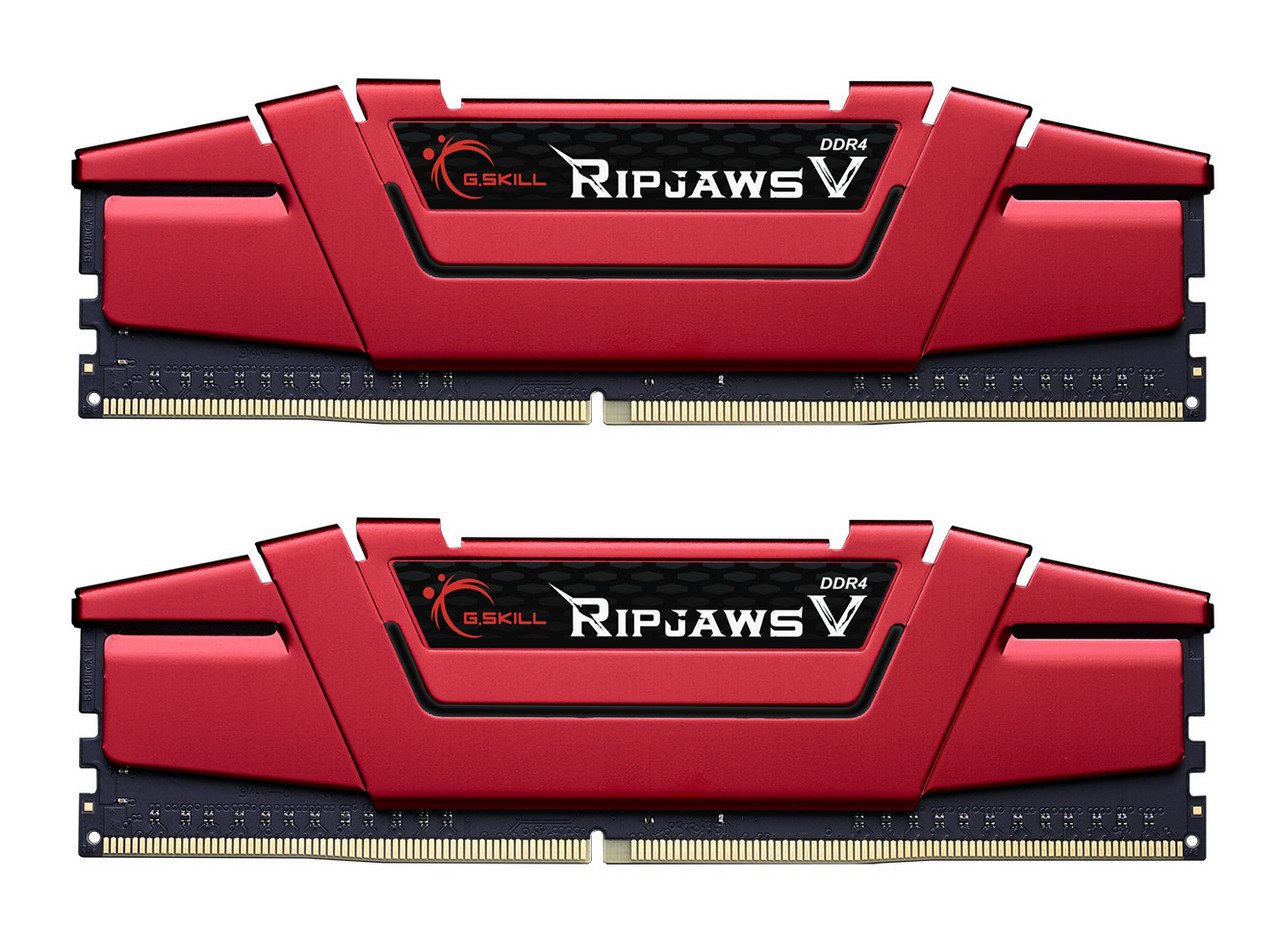
Ripjaws V is the perfect choice for building a new performance system or for a simple memory upgrade. As the latest member of the classic Ripjaws family, the Ripjaws V series is the newest DDR4 memory designed for maximum compatibility and peak performance with the latest Intel Core processors.
Ripjaws V is the perfect choice for building a new performance system or for a simple memory upgrade. As the latest member of the classic Ripjaws family, the Ripjaws V series is the newest DDR4 memory designed for maximum compatibility and peak performance with the latest Intel Core processors.
in 3 offers
The lowest price for G.SKILL Ripjaws V 8GB (2x 4GB) DDR4 F4-2400C15D-8GVR right now is $59.00 at PC Case Gear, compared across 3 retailers.
The all-time low was $42.87 on 9 Oct 2025 — today's price is 38% above the lowest ever. It has been notably cheaper before — worth setting a price alert.
Prices last updated 9 June 2026.
G.SKILL Ripjaws V 8GB (2x 4GB) DDR4 F4-2400C15D-8GVR
Ripjaws V is the perfect choice for building a new performance system or for a simple memory upgrade. As the latest member of the classic Ripjaws family, the Ripjaws V series is the newest DDR4 memory designed for maximum compatibility and peak performance with the latest Intel Core processors.
Ripjaws V is the perfect choice for building a new performance system or for a simple memory upgrade. As the latest member of the classic Ripjaws family, the Ripjaws V series is the newest DDR4 memory designed for maximum compatibility and peak performance with the latest Intel Core processors.


