HP Chromebook 14 Full HD Celeron Laptop - 4GB, 64GB with Sleeve and Mouse
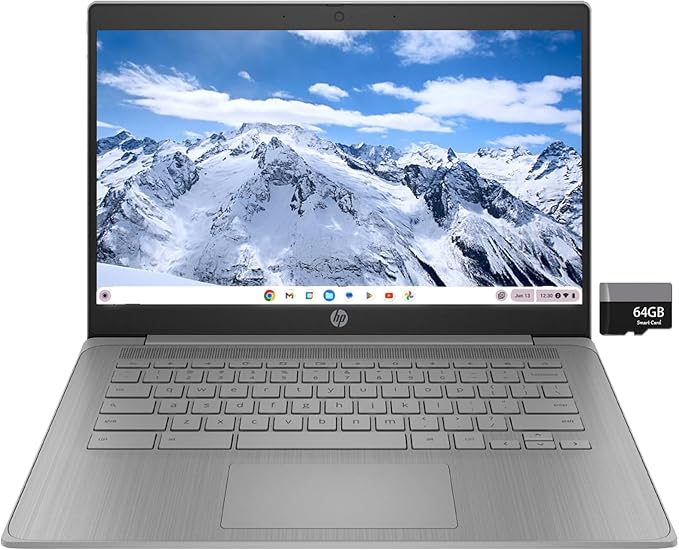
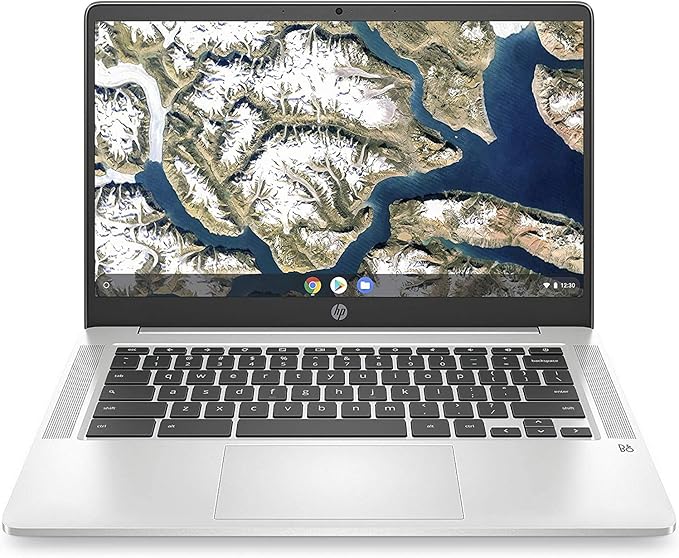
The HP 14 Chromebook Full HD Celeron Laptop is ready to partner with you and your kids through it all. Watch with HD+ touch-vibrant display and unlock visual pleasure. 14 WLED-backlit Anti-glare Diagonal display 4GB RAM and 64GB internal storage Intel Celeron N4000 processor Intel UHD 600 graphics Includes USB-C, USB-A, Displayport & 1 Headphone/microphone combo Beauty of HD+ touch The beauty of a micro-edge HD+ touch display and speakers tuned by the audio experts at B&O make for a front-row entertainment experience from the convenience of your lap. Everything in between Equipped with Intel Celeron N4000 processor, HP 14 touch display, stereo speakers tuned by audio experts at B&O and a long battery life of up to 12 hours, get more done quickly and efficiently. Speed performance Boots fewer than 10 seconds and always updated so that it's always in its peak performance, just like you and your kids. In sync The HP Chromebook keeps your open tabs, bookmarks and recent searches in sync across all your devices, letting you pick up where you dropped off every time. Offline productivity You don't need to rely on internet to carry out your important task with HP Chromebook 14. Create or edit documents, prepare your presentation or use excel sheets without worrying about going offline. Google assistant Get more done faster and smarter with help from your Google assistant. Just say Hey Google to manage your tasks, enjoy entertainment, get answers, or control home devices.
The HP 14 Chromebook Full HD Celeron Laptop is ready to partner with you and your kids through it all. Watch with HD+ touch-vibrant display and unlock visual pleasure. 14 WLED-backlit Anti-glare Diagonal display 4GB RAM and 64GB internal storage Intel Celeron N4000 processor Intel UHD 600 graphics Includes USB-C, USB-A, Displayport & 1 Headphone/microphone combo Beauty of HD+ touch The beauty of a micro-edge HD+ touch display and speakers tuned by the audio experts at B&O make for a front-row entertainment experience from the convenience of your lap. Everything in between Equipped with Intel Celeron N4000 processor, HP 14 touch display, stereo speakers tuned by audio experts at B&O and a long battery life of up to 12 hours, get more done quickly and efficiently. Speed performance Boots fewer than 10 seconds and always updated so that it's always in its peak performance, just like you and your kids. In sync The HP Chromebook keeps your open tabs, bookmarks and recent searches in sync across all your devices, letting you pick up where you dropped off every time. Offline productivity You don't need to rely on internet to carry out your important task with HP Chromebook 14. Create or edit documents, prepare your presentation or use excel sheets without worrying about going offline. Google assistant Get more done faster and smarter with help from your Google assistant. Just say Hey Google to manage your tasks, enjoy entertainment, get answers, or control home devices.
The HP 14 Chromebook Full HD Celeron Laptop is ready to partner with you and your kids through it all. Watch with HD+ touch-vibrant display and unlock visual pleasure. 14 WLED-backlit Anti-glare Diagonal display 4GB RAM and 64GB internal storage Intel Celeron N4000 processor Intel UHD 600 graphics Includes USB-C, USB-A, Displayport & 1 Headphone/microphone combo Beauty of HD+ touch The beauty of a micro-edge HD+ touch display and speakers tuned by the audio experts at B&O make for a front-row entertainment experience from the convenience of your lap. Everything in between Equipped with Intel Celeron N4000 processor, HP 14 touch display, stereo speakers tuned by audio experts at B&O and a long battery life of up to 12 hours, get more done quickly and efficiently. Speed performance Boots fewer than 10 seconds and always updated so that it's always in its peak performance, just like you and your kids. In sync The HP Chromebook keeps your open tabs, bookmarks and recent searches in sync across all your devices, letting you pick up where you dropped off every time. Offline productivity You don't need to rely on internet to carry out your important task with HP Chromebook 14. Create or edit documents, prepare your presentation or use excel sheets without worrying about going offline. Google assistant Get more done faster and smarter with help from your Google assistant. Just say Hey Google to manage your tasks, enjoy entertainment, get answers, or control home devices.
The HP 14 Chromebook Full HD Celeron Laptop is ready to partner with you and your kids through it all. Watch with HD+ touch-vibrant display and unlock visual pleasure. 14 WLED-backlit Anti-glare Diagonal display 4GB RAM and 64GB internal storage Intel Celeron N4000 processor Intel UHD 600 graphics Includes USB-C, USB-A, Displayport & 1 Headphone/microphone combo Beauty of HD+ touch The beauty of a micro-edge HD+ touch display and speakers tuned by the audio experts at B&O make for a front-row entertainment experience from the convenience of your lap. Everything in between Equipped with Intel Celeron N4000 processor, HP 14 touch display, stereo speakers tuned by audio experts at B&O and a long battery life of up to 12 hours, get more done quickly and efficiently. Speed performance Boots fewer than 10 seconds and always updated so that it's always in its peak performance, just like you and your kids. In sync The HP Chromebook keeps your open tabs, bookmarks and recent searches in sync across all your devices, letting you pick up where you dropped off every time. Offline productivity You don't need to rely on internet to carry out your important task with HP Chromebook 14. Create or edit documents, prepare your presentation or use excel sheets without worrying about going offline. Google assistant Get more done faster and smarter with help from your Google assistant. Just say Hey Google to manage your tasks, enjoy entertainment, get answers, or control home devices.
in 4 offers
The lowest price for HP Chromebook 14 Full HD Celeron Laptop - 4GB, 64GB with Sleeve and Mouse right now is $307.73 at eBay.com.au, compared across 2 retailers.
The all-time low was $169.00 on 1 July 2026 — today's price is 82% above the lowest ever. It has been notably cheaper before — worth setting a price alert.
Prices last updated 25 Aug 2026.
Last updated at 25/08/2026 06:13:33
Hp Chromebook 14a-na0023cl, Intel N4020/4gb/64gb 14" Fhd + Mouse &
Delivery $62.19
Affiliate Disclosure: We may receive a small commission for purchases made through this link at no extra cost to you. This helps support our site. Thank you!
Hp 14" Chromebook Fhd Ips N4000 4gb 64gb 14a-na0023 Laptop Sleeve &
Free delivery
Affiliate Disclosure: We may receive a small commission for purchases made through this link at no extra cost to you. This helps support our site. Thank you!
HP 14a-na0023cl 14 inch (64GB, Intel Celeron, 2.60GHz, 4GB) Notebook/Laptop - Silver - 1G128UA
Affiliate Disclosure: We may receive a small commission for purchases made through this link at no extra cost to you. This helps support our site. Thank you!
HP 14a-na0023cl 14 inch 64GB, Intel Celeron, 2.60GHz, 4GB NotebookLaptop -...
Delivery between 29 Aug – 2 Sept $35.88
originally posted on influenster.com
I've been using my HP laptop for a while now, and it’s been a solid performer. The performance is smooth, handling multitasking and demanding software with ease. In terms of durability, the build feels sturdy and reliable. The portability is a huge plus; it's lightweight and easy to carry around. The display quality is sharp and vibrant, making streaming and working enjoyable. As for battery life, it lasts a full day with moderate use, which is impressive. Overall, I’m very satisfied with my HP laptop!
originally posted on bestbuy.ca
In love with my purchase. I was looking for a lightweight laptop with a setup compatible to my basic work needs. After a couple of online searches l cane across the HP 14” Chromebook that literally delivered everything l was looking for in a incredible affordable price. I have been traveling with my HP 14” Chromebook and l can’t get over how lightweight it is (as it is built to run lightweight applications on its system), which allows me to bring it with me everywhere. Currently on vacation visiting my mom, l am afraid she will want yo keep it for herself, as she is also in love with this Chromebook. :)
originally posted on bestbuy.ca
I bought this about a week ago for school. I’m not a HUGE fan of chrome books but it really isn’t that bad. I don’t really like how i can’t get some of the more important Microsoft apps like OneNote or Powerpoint. I also had trouble with using a lockdown browser for school and I’m still looking into how to make it work. It freezes slightly when more than 10-ish tabs are open or it’s been on for a while but that’s normal. Battery lasts me a while which is great. I love being able to split screen too. There’s no right click so I have to Launch + click to “right click.” A few flaws but a little bit more of greater features. I’m giving 4 stars.
Hp Chromebook 14a-na0023cl, Intel N4020/4gb/64gb 14" Fhd + Mouse &
Delivery $62.19
Affiliate Disclosure: We may receive a small commission for purchases made through this link at no extra cost to you. This helps support our site. Thank you!
Hp 14" Chromebook Fhd Ips N4000 4gb 64gb 14a-na0023 Laptop Sleeve &
Free delivery
Affiliate Disclosure: We may receive a small commission for purchases made through this link at no extra cost to you. This helps support our site. Thank you!
HP 14a-na0023cl 14 inch (64GB, Intel Celeron, 2.60GHz, 4GB) Notebook/Laptop - Silver - 1G128UA
Affiliate Disclosure: We may receive a small commission for purchases made through this link at no extra cost to you. This helps support our site. Thank you!
HP 14a-na0023cl 14 inch 64GB, Intel Celeron, 2.60GHz, 4GB NotebookLaptop -...
Delivery between 29 Aug – 2 Sept $35.88
I've been using my HP laptop for a while now, and it’s been a solid performer. The performance is smooth, handling multitasking and demanding software with ease. In terms of durability, the build feels sturdy and reliable. The portability is a huge plus; it's lightweight and easy to carry around. The display quality is sharp and vibrant, making streaming and working enjoyable. As for battery life, it lasts a full day with moderate use, which is impressive. Overall, I’m very satisfied with my HP laptop!
In love with my purchase. I was looking for a lightweight laptop with a setup compatible to my basic work needs. After a couple of online searches l cane across the HP 14” Chromebook that literally delivered everything l was looking for in a incredible affordable price. I have been traveling with my HP 14” Chromebook and l can’t get over how lightweight it is (as it is built to run lightweight applications on its system), which allows me to bring it with me everywhere. Currently on vacation visiting my mom, l am afraid she will want yo keep it for herself, as she is also in love with this Chromebook. :)
I bought this about a week ago for school. I’m not a HUGE fan of chrome books but it really isn’t that bad. I don’t really like how i can’t get some of the more important Microsoft apps like OneNote or Powerpoint. I also had trouble with using a lockdown browser for school and I’m still looking into how to make it work. It freezes slightly when more than 10-ish tabs are open or it’s been on for a while but that’s normal. Battery lasts me a while which is great. I love being able to split screen too. There’s no right click so I have to Launch + click to “right click.” A few flaws but a little bit more of greater features. I’m giving 4 stars.
Do not purchase this item! It is not new. Came refurbished wrapped in bubble wrap in an unmarked box with a label that said tested and ready for reuse. Not only that but I order two and only received one. I have video evidence I only got one. They are giving me such a hard time issuing me refunds too. 9 days before Christmas and these were suppose to be gifts. I will never order anything from Walmart online ever again!
So I guess I will leave a decent review since the others just say, "I don't like it!" I am a lifelong MacBook user and came across the HP Chromebook as a gift from an editor who provided it to my student. The students then received their own computers, so I had this sitting around.Use- Leaving a position where I had to turn in my MacBook, I picked up this computer again. I was amazed to learn it had a backlit keyboard, which is why I use MacBooks. I am also totally over Microsoft and pages, so I was happy to try google 100%. I write on this daily, research web articles, and stream. The capabilities are good for split-screen use, mirroring (or casting) to larger devices, and plugging into external monitors for more screens. So far, I am pretty pleased with the ... MoreSo I guess I will leave a decent review since the others just say, "I don't like it!" I am a lifelong MacBook user and came across the HP Chromebook as a gift from an editor who provided it to my student. The students then received their own computers, so I had this sitting around.Use- Leaving a position where I had to turn in my MacBook, I picked up this computer again. I was amazed to learn it had a backlit keyboard, which is why I use MacBooks. I am also totally over Microsoft and pages, so I was happy to try google 100%. I write on this daily, research web articles, and stream. The capabilities are good for split-screen use, mirroring (or casting) to larger devices, and plugging into external monitors for more screens. So far, I am pretty pleased with the productivity of the HP Chromebook. When travelling, I don't fear breaking or damaging this laptop since it was an inexpensive device. I appreciate the ability to have the password manager secure, which is a lot better than the apple concept. The most efficient are google drive, docs, photos, voice, and meet. I like that I don't have to have additional pay support like zoom, word, and dropbox. I added secure communication apps like signal and whats app. Another benefit is using my apple AirPods, the magic mouse, and the apple keyboard without additional expenses. The keyboard is smooth and quiet. It is backlit, which makes my review higher for night writing while my family is winding down and the lights are low. The trackpad is a little stiff but can be adjusted; I just haven't tinkered with the setting.Drawback- this device uses a USB-c, which may or may not have the associated cords if you are an Apple user. Luckily I have a few abandoned cords my students have left behind. The downloads get used up pretty fast. I see there is a port for a micro card, but I have just dumped unused files and taken the rest to google drive. My main drawback is that the laptop may have a setting I don't know of, but the laptop loses signal quickly on weak or moderate Wi-Fi signals. It will jump back on if the wifi becomes strong again, but it becomes problematic at peak school hours. This is my main complaint about the device. As for the keyboard layout, I am still adjusting since I am a lifelong apple user. I don't always remember the control c/v and often still do alt c/v. There are arrows up, down, left, and right. The sound is ok and not the best, so I use my AirPods. The camera is a tad grainy, but I am ageing, I don't wish to be crisp clear online in meetingsI know my editor got this for a $200-300 price range during a covid pandemic sale when we shut down the world. I see the price is around $399 now. I am leaving a 4 out of 5 because the signal to wifi is problematic. Also, downloads must be moved and dumped for limited storage and space.
The touchscreen is very responsive though useless as a feature for the laptop due to it not being foldable. Additionally, the laptop simply cannot handle running more than a few open tabs or apps at a time without slowing down to a halt. Even fresg out the box, the screen would freeze on the window I was on and I would have to restart the computer sometimes more than once just to get it to go back to normal. Since it chrome os you can't download any games worthwhile even with steam beta, and regardless the laptop just doesn't have the processing power to do much in thr first place. I can do basic tasks like sending emails and using Google Docs which is the bare minimum, but even doing that puts strain in the laptop. The only pro I have for this is the battery life ... MoreThe touchscreen is very responsive though useless as a feature for the laptop due to it not being foldable. Additionally, the laptop simply cannot handle running more than a few open tabs or apps at a time without slowing down to a halt. Even fresg out the box, the screen would freeze on the window I was on and I would have to restart the computer sometimes more than once just to get it to go back to normal. Since it chrome os you can't download any games worthwhile even with steam beta, and regardless the laptop just doesn't have the processing power to do much in thr first place. I can do basic tasks like sending emails and using Google Docs which is the bare minimum, but even doing that puts strain in the laptop. The only pro I have for this is the battery life as the laptop lasts all day and has a counter to show when it will run out battery.
The point of this laptop is to browse, check out linux on Chrome and see how far 4GB can stretch (not very far!) The best part of the hardware is the battery - it really gives 8-10 hours use in browsing, watching videos or office type work. The USB-C ports are on either side and you can choose either to charge the laptop. I charge my phone from these ports as they are fast and I dont worry about the laptop dying unexpectedly. At 60% battery I have 5.12 hrs left, and this is a reliable estimate. These ports can also output Displayport to a monitor, though I havent tested this. It is instant to turn on from sleep on opening the lid, and the browsing and writing experience is snappy. The screen is great for the price, indeed far better than more expensive laptops. Its ... MoreThe point of this laptop is to browse, check out linux on Chrome and see how far 4GB can stretch (not very far!) The best part of the hardware is the battery - it really gives 8-10 hours use in browsing, watching videos or office type work. The USB-C ports are on either side and you can choose either to charge the laptop. I charge my phone from these ports as they are fast and I dont worry about the laptop dying unexpectedly. At 60% battery I have 5.12 hrs left, and this is a reliable estimate. These ports can also output Displayport to a monitor, though I havent tested this. It is instant to turn on from sleep on opening the lid, and the browsing and writing experience is snappy. The screen is great for the price, indeed far better than more expensive laptops. Its FHD and IPS so the screen is good for sharing with a few others, you dont have only one good aspect as with TN screens. The keyboard is clicky and comfortable to type on. Once you get used to the CB layout, or remap a few keys, its very good indeed. I dont like the trackpad, it has good glide action, but clicking on it is hard work, and sometimes there are messed up actions, especially drag to highlight. 64GB has proved plenty so far as it defaults to save in GDrive. I have inserted an SD card which is recognised as external storage. RAM is a problem. I chose to use linux rather than Android, and have uninstalled the Play Store. Linux and Brave browser take up only 10GB in a "container" or Virtual Machine; dont worry its easy to set up with a few changes to the settings menu. Apps dont save to external storage but ChromeOS itself takes 18GB set up and running. After an hours use of Brave and 11 tabs open, I have only 0.1 GB remaining, yet all is still quick no lagging. I log out and reopen again and 2.83GB are available. Chrome opens instantly, Brave browser on linux container takes a few more seconds as it loads and uses 300MB to reopen 11 tabs. I can see why the 8GB RAM models command twice the price, that is the sweet spot. I wouldn't bother with more than 64GB storage as the SD card and USB-A give plenty of easy and cheap external storage. If this came in the same package with Windows which would I choose? That's hard as I am getting used to ChromeOS, which is well suited to this hardware. 4GB on windows would be painful. The BIOS would not allow any other OS so bare metal Linux isnt an option.
In the description of the product, there was no indication that it had an 'international keyboard". I'm an English Canadian and have no particular need for the extras available when writing online. Narrowing the left shift key by half so as to include a backslash and a vertical line is bothersome for touch typists like myself. Those 'signs' are already available on a different key to the right of the quotation marks key. I have never in my entire writing life ever used the "double arrows" pointing left and right.
Good Points: I took a punt on this thing but I'm glad I did. It looks and feels like a quality product and boots in no time. I found the screen good, bright and clear. The sound is excellent and the keyboard is very comfortable to use. I love the lightweight feel of the product and unlike previous reviews I did not think it's fragile and flimsy. It's bezeless and very thin, love that about it. ChromeOS is actually very good for the most part coupled with the Google play store. This means I can have all the apps I want from Netflix to office so there is no restrictions like the original ChromeOS. If you turn on Dev mode you can install apks . You will have to remap the caps key which can be done in settings. I device is quite quick because ChromeOS is really ... MoreGood Points: I took a punt on this thing but I'm glad I did. It looks and feels like a quality product and boots in no time. I found the screen good, bright and clear. The sound is excellent and the keyboard is very comfortable to use. I love the lightweight feel of the product and unlike previous reviews I did not think it's fragile and flimsy. It's bezeless and very thin, love that about it. ChromeOS is actually very good for the most part coupled with the Google play store. This means I can have all the apps I want from Netflix to office so there is no restrictions like the original ChromeOS. If you turn on Dev mode you can install apks . You will have to remap the caps key which can be done in settings. I device is quite quick because ChromeOS is really lightweight so does not need huge processor or ram. It uses dynamic memory so there is strong memory management. The ROM is big enough at 64 gigs because after all my apps installed, it totalled 20 GB 0lus you can plug in a usb drive if you want more space. I didn't. Contrary to popular belief you can have apps offline and your documents just like windows. Chrome OS is no longer an online operating system. In fact comparing windows 11 and Chrome OS, I found that Microsoft copied ChromeOS in alot of ways. If your an average user, great device to have. If your into gaming, cad, Photoshop, stay clear. These are minority cases so it will suit most people. I also love that I can have my Google home to control the house devices and the Google assistant at hand. Can also choose to have an app or use a browser in most cases. A very clever integrated device and will definitely buy another one when it's time. This device will get updates until 2027 which is great too. The price is the real winner here for what you can do on it and it integrates with all my Google devices so I can check all my Google cameras as well in the one place or turn the dryer on turn the bathroom light on or whatever. Way more intuitive than windows all day long. A great companion to a Google home or Alexa home.Improvement Points: There seems to be a bug when your listening to Deezer and Spotify while browsing the web, the song will skip a bit. Probably a memory management issue. A shortcut for the screen grab too would be awesome too instead of keyboard shortcuts but you can just install an app on the play store for that. These are Chrome OS gripes and not hp gripes really but a great device other than that.
"Oh, no," I thought, as I looked at three Chronebook laptops, too aged to serve me. I grasp the technology, but hated the prospect of buying yet another computer. I decided on an HP Chromebook 14a. I'm glad I did because it has most features I need. It's fast on and easy to use. I wish it had more older USB ports, but it doesn't, and I have adopted. Hopefully, this will last three or four years until the next generation pushes me deeper into technology.