HyperX QuadCast - Microphone
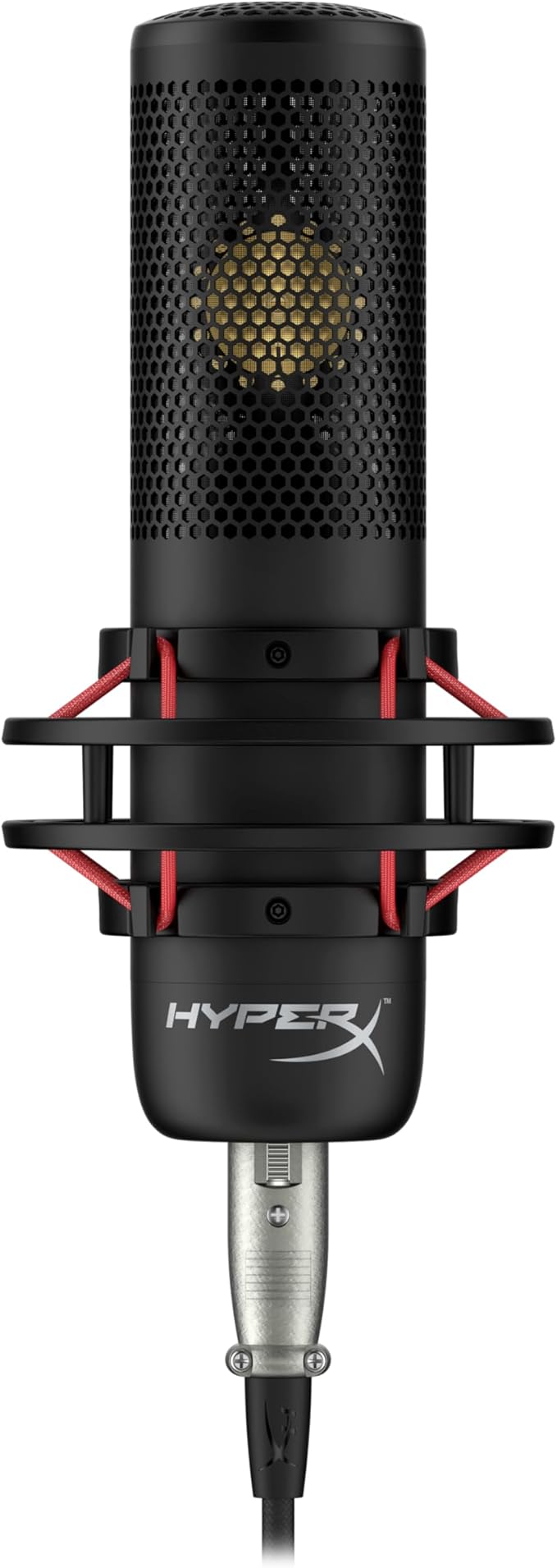
HyperX QuadCast is the ideal standalone condenser microphone for streamers who want quality sound. QuadCast includes a built-in anti-vibration shock mount, internal pop filter, and an adapter for most stands. Quickly check mic status with the LED indicator, and tap-to-mute to prevent audio accidents. Select from four polar patterns, set mic input levels with the conveniently-located gain control, and monitor sound via headphone jack. It's Discord and TeamSpeak certified and PC, PS4, and Mac compatible.
HyperX QuadCast is the ideal standalone condenser microphone for streamers who want quality sound. QuadCast includes a built-in anti-vibration shock mount, internal pop filter, and an adapter for most stands. Quickly check mic status with the LED indicator, and tap-to-mute to prevent audio accidents. Select from four polar patterns, set mic input levels with the conveniently-located gain control, and monitor sound via headphone jack. It's Discord and TeamSpeak certified and PC, PS4, and Mac compatible.
HyperX QuadCast is the ideal standalone condenser microphone for streamers who want quality sound. QuadCast includes a built-in anti-vibration shock mount, internal pop filter, and an adapter for most stands. Quickly check mic status with the LED indicator, and tap-to-mute to prevent audio accidents. Select from four polar patterns, set mic input levels with the conveniently-located gain control, and monitor sound via headphone jack. It's Discord and TeamSpeak certified and PC, PS4, and Mac compatible.
HyperX QuadCast is the ideal standalone condenser microphone for streamers who want quality sound. QuadCast includes a built-in anti-vibration shock mount, internal pop filter, and an adapter for most stands. Quickly check mic status with the LED indicator, and tap-to-mute to prevent audio accidents. Select from four polar patterns, set mic input levels with the conveniently-located gain control, and monitor sound via headphone jack. It's Discord and TeamSpeak certified and PC, PS4, and Mac compatible.
in 8 offers
The lowest price for HyperX QuadCast - Microphone right now is $137.71 at Games corner, compared across 5 retailers.
The all-time low was $29.00 on 7 June 2026 — today's price is 375% above the lowest ever. It has been notably cheaper before — worth setting a price alert.
Prices last updated 6 Sept 2026.
Last updated at 06/09/2026 08:13:58
HyperX QuadCast - USB Condenser Gaming Microphone, for PC, PS4, PS5 and Mac, Anti-Vibration Shock Mount, Four Polar Patterns, Pop Filter, Gain Control
HyperX QuadCast Red LED USB Cardioid Microphone - Black
Affiliate Disclosure: We may receive a small commission for purchases made through this link at no extra cost to you. This helps support our site. Thank you!
HyperX QuadCast Standalone Microphone (HX-MICQC-BK)
Delivery $96
Hyperx Quadcast Gaming Mic Red
Delivery $28.99
HyperX QuadCast Rouge
Delivery between 10–14 Sept $35.90
originally posted on bestbuy.com
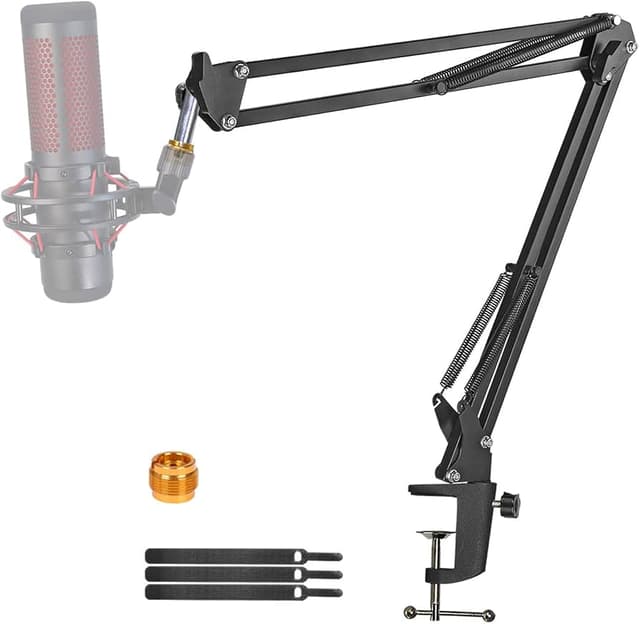
When I started streaming I knew I wanted to get a microphone that was going to give me better vocal quality than what your average headset mic could accomplish, but it took me a long time to settle on which one to buy. I spent a few hours scouring youtube for reviews with my headset on so I could listen to sound quality differences closely, and I believe it was the Hardware Canucks who finally got me convinced to give this one a go. At $139.99 (the current price at the time of this review) the HyperX Quadcast is definitely a little more pricey than some of its competitors, but not over-priced compared to some of the big names out there, like Blue Yeti. Aesthetically it lives up to that price point, with the shock mount and red-glow behind the built in pop filter. ... MoreWhen I started streaming I knew I wanted to get a microphone that was going to give me better vocal quality than what your average headset mic could accomplish, but it took me a long time to settle on which one to buy. I spent a few hours scouring youtube for reviews with my headset on so I could listen to sound quality differences closely, and I believe it was the Hardware Canucks who finally got me convinced to give this one a go. At $139.99 (the current price at the time of this review) the HyperX Quadcast is definitely a little more pricey than some of its competitors, but not over-priced compared to some of the big names out there, like Blue Yeti. Aesthetically it lives up to that price point, with the shock mount and red-glow behind the built in pop filter. Feature-wise as well this lives up to the price point. The four selectable audio modes each work well for their purposes. The touch-sensitive mute button on top is responsive and unobtrusive, located so it won't be hit accidentally. And the gain adjustment knob on the bottom is very smooth and quality feeling. It's not perfect, though. The shock mount that comes built on doesn't do avery good job. Because it sits on a desk top by default anything that taps against the desk with it tends to be picked up by the mic pretty easily. Fortunately it comes with an adapter that will allow me to mount this onto a microphone boom arm, so hopefully that won't be as much of an issue. I also wish that, in this 2020 era of almost every lit up PC component and accessory having a RGB option, this microphone did too. The solid red backlight doesn't exactly fit my computer's aesthetic, but that's a tiny gripe at the very worst and almost not even worth mentioning. All in all I am pretty darn happy with my purchase, and I would be happy to recommend this to anyone who wants a nice quality microphone.
originally posted on microcenter.com
If you're looking to step up your mic game, this is a great option to consider. Voices are picked up clean and clear. Easy to change pickups from Front, Front/Back, Left/Right, and Surround Simple to mount on a mic boom arm. Magnificently easy tap-to-mute on top of the mic, with a visual cue: the red glow of the mic grill turns off when the mic is muted. Audio pass-through via Aux cable, which also plays a *very* subtle instant playback of your own voice as picked up by the mic. It's much quieter than hearing your own voice as you speak aloud, juuuust loud enough to discern if something's wrong with your audio pickup so you can fix it fast. All around - excellent mic. Highly recommended.
originally posted on microcenter.com
I impulse bought this mic as my old one was a cheap Cmteck model off amazon. Compared to other built in mics, my online groups couldnt tell a difference when i swapped over to this one. There is a dial on the back to control where it can pick up audio as well which is nice. The tap to mute is also convenient. Overall if you have a deep voice like me, and you only intend to use party chat, you might notice a bit better quality out of something like this, but if you are on a budget, that cmteck is still being sold and did nearly the same job just without the flair.
| General | |
| Product Type | Microphone - USB |
| Additional Functions | LED lights |
| Width | 10.17 cm |
| Depth | 12.84 cm |
HyperX QuadCast - USB Condenser Gaming Microphone, for PC, PS4, PS5 and Mac, Anti-Vibration Shock Mount, Four Polar Patterns, Pop Filter, Gain Control
HyperX QuadCast Red LED USB Cardioid Microphone - Black
Affiliate Disclosure: We may receive a small commission for purchases made through this link at no extra cost to you. This helps support our site. Thank you!
HyperX QuadCast Standalone Microphone (HX-MICQC-BK)
Delivery $96
Hyperx Quadcast Gaming Mic Red
Delivery $28.99
HyperX QuadCast Rouge
Delivery between 10–14 Sept $35.90
When I started streaming I knew I wanted to get a microphone that was going to give me better vocal quality than what your average headset mic could accomplish, but it took me a long time to settle on which one to buy. I spent a few hours scouring youtube for reviews with my headset on so I could listen to sound quality differences closely, and I believe it was the Hardware Canucks who finally got me convinced to give this one a go. At $139.99 (the current price at the time of this review) the HyperX Quadcast is definitely a little more pricey than some of its competitors, but not over-priced compared to some of the big names out there, like Blue Yeti. Aesthetically it lives up to that price point, with the shock mount and red-glow behind the built in pop filter. ... MoreWhen I started streaming I knew I wanted to get a microphone that was going to give me better vocal quality than what your average headset mic could accomplish, but it took me a long time to settle on which one to buy. I spent a few hours scouring youtube for reviews with my headset on so I could listen to sound quality differences closely, and I believe it was the Hardware Canucks who finally got me convinced to give this one a go. At $139.99 (the current price at the time of this review) the HyperX Quadcast is definitely a little more pricey than some of its competitors, but not over-priced compared to some of the big names out there, like Blue Yeti. Aesthetically it lives up to that price point, with the shock mount and red-glow behind the built in pop filter. Feature-wise as well this lives up to the price point. The four selectable audio modes each work well for their purposes. The touch-sensitive mute button on top is responsive and unobtrusive, located so it won't be hit accidentally. And the gain adjustment knob on the bottom is very smooth and quality feeling. It's not perfect, though. The shock mount that comes built on doesn't do avery good job. Because it sits on a desk top by default anything that taps against the desk with it tends to be picked up by the mic pretty easily. Fortunately it comes with an adapter that will allow me to mount this onto a microphone boom arm, so hopefully that won't be as much of an issue. I also wish that, in this 2020 era of almost every lit up PC component and accessory having a RGB option, this microphone did too. The solid red backlight doesn't exactly fit my computer's aesthetic, but that's a tiny gripe at the very worst and almost not even worth mentioning. All in all I am pretty darn happy with my purchase, and I would be happy to recommend this to anyone who wants a nice quality microphone.
If you're looking to step up your mic game, this is a great option to consider. Voices are picked up clean and clear. Easy to change pickups from Front, Front/Back, Left/Right, and Surround Simple to mount on a mic boom arm. Magnificently easy tap-to-mute on top of the mic, with a visual cue: the red glow of the mic grill turns off when the mic is muted. Audio pass-through via Aux cable, which also plays a *very* subtle instant playback of your own voice as picked up by the mic. It's much quieter than hearing your own voice as you speak aloud, juuuust loud enough to discern if something's wrong with your audio pickup so you can fix it fast. All around - excellent mic. Highly recommended.
I impulse bought this mic as my old one was a cheap Cmteck model off amazon. Compared to other built in mics, my online groups couldnt tell a difference when i swapped over to this one. There is a dial on the back to control where it can pick up audio as well which is nice. The tap to mute is also convenient. Overall if you have a deep voice like me, and you only intend to use party chat, you might notice a bit better quality out of something like this, but if you are on a budget, that cmteck is still being sold and did nearly the same job just without the flair.
Please note that when I received the HyperX Quadcast, the same week the Quadcast S released. I used the Quadcast before returning it and believe that functionally, theyy are nearly identifical. The biggest difference is the color scheme and the RGB lighting. The Quadcast S uses a USB C connection while the original Quadcast uses a USB Mini connection. The Quadcast is a very high quality product. HyperX (which is Kingston Technology Company's gaming division) set a high bar with their Cloud line of gaming headsets. And while the Quadcast may not be the BEST microphone you can get your hands on in this price range, it's loaded with features that give it value and flexibility. While the Quadcast looks great, especially in an e-sports environment, the Quadcast S is ... MorePlease note that when I received the HyperX Quadcast, the same week the Quadcast S released. I used the Quadcast before returning it and believe that functionally, theyy are nearly identifical. The biggest difference is the color scheme and the RGB lighting. The Quadcast S uses a USB C connection while the original Quadcast uses a USB Mini connection. The Quadcast is a very high quality product. HyperX (which is Kingston Technology Company's gaming division) set a high bar with their Cloud line of gaming headsets. And while the Quadcast may not be the BEST microphone you can get your hands on in this price range, it's loaded with features that give it value and flexibility. While the Quadcast looks great, especially in an e-sports environment, the Quadcast S is elegant. I would recommend the RGB Quadcast S, unless you're buying multiple microphones and building a themed studio. The recording quality on this microphone is the best I've ever personally experienced, outside of some specific academic situations. If I project my voice, I can comfortably sit back in my chair and the mic will pick up my voice. It works better when I'm in proximity to the mic. Naturally a boom arm will add some flexibility there. Communications and audio devices on computers tend to not be the most straightforward thing, but the mic works plug and play. The tougher part is putting all your audio settings together for, say, game recording. But it is do-able and even for an amateur, the end-results are presentable. While playing some crossover Modern Warfare Warzone with friends on PS5, my voice was described as "very HD" The only knock I can give it, is you don't really get any kind of way to monitor your levels in real time. Although the pop filter and shock mount help, even just a simple overlay that displayed the levels would have been nice to include. I'm sure you can find applications that do this, but since HyperX offers a variety of audio products, they may consider developing their own software sweet for controller and monitoring them.
This mic offers excellent quality especially in a USB mic. I did not want to invest in a mixer and XLR mic so I chose to buy the QuadCast. Setup was a breeze! The cable is plenty long enough to run to your PC and still have it setup on the opposite side of your desk. The sound quality is superb and offers different mic directions making it great for podcasts as well! It comes with a stand that works very well but can easily be added to a boom. My only negative about this mic is the ability to not be able to turn off the red light so in darker screens or games you will get a red glow on your screen depending on where you have the mic placed.
It does what it design to do. I had some complaints on the other side of the headphones while playing online video games as to the I sound like in a cave. But that’s do to the distance of the mic as I brought in closer it improve the quality. A few tweaks and is good. The mute button is great you do not even have to touch it just hover your finger in the center and it mutes off. Got it on sale and it was worth it I have it on a mic stand that hangs over. I am satisfied all the way. Have not tried the other options that the mic has cause I do not need too.
The mic itself is great! My voice is crystal clear. The internal pop filter does its job. I use it for streaming and recording videos and I can’t complain with sound. The red light is not programmable. I didn’t realize when I bought it that it is not an RGB light. Only red. My stream theme is blue so it kind of throws things off. My fault for not realizing it wasn’t able to be changed. My biggest issue with this mic is if you’re gonna use it, you have to make sure you have headphones with an aux jack. When this is plugged in my computer and ps4 recognize this as a speaker, and will push audio out of it as well. This is very annoying. The mute button is a touch sensitive button at the top of the microphone. I love this. No actual button to mess with, just tap it on ... MoreThe mic itself is great! My voice is crystal clear. The internal pop filter does its job. I use it for streaming and recording videos and I can’t complain with sound. The red light is not programmable. I didn’t realize when I bought it that it is not an RGB light. Only red. My stream theme is blue so it kind of throws things off. My fault for not realizing it wasn’t able to be changed. My biggest issue with this mic is if you’re gonna use it, you have to make sure you have headphones with an aux jack. When this is plugged in my computer and ps4 recognize this as a speaker, and will push audio out of it as well. This is very annoying. The mute button is a touch sensitive button at the top of the microphone. I love this. No actual button to mess with, just tap it on the top. The red light will turn off giving a great indicator if your mic is on or not. At the end of the day, it’s a great mic. I would have gotten the RGB version instead, but this mic is still absolutely fantastic. The built in shock absorber works and it comes with a mic boom adapter.
I use this as my primary microphone; I also have the Yeti-X. This microphone is absolutely perfect for remote work and makes life on virtual meetings MUCH easier. Any stand can work based on needs but I did get a Blue mic arm because I like the look and feel best. I set up the HyperX QuadCast so it is positioned higher than my monitor between me and the monitor in a horizontal alignment. My audience can hear me clearly and I never have to touch it. I do use the 3.5 audio jack back out to the laptop and set Teams to use HyperX for both Microphone AND Speaker. This allows the HyperX to effectively eliminate the meeting audio so it is not echoing other participants on the calls. I also like the red LED glow because it is clear I am not on mute and the mic is live. The ... MoreI use this as my primary microphone; I also have the Yeti-X. This microphone is absolutely perfect for remote work and makes life on virtual meetings MUCH easier. Any stand can work based on needs but I did get a Blue mic arm because I like the look and feel best. I set up the HyperX QuadCast so it is positioned higher than my monitor between me and the monitor in a horizontal alignment. My audience can hear me clearly and I never have to touch it. I do use the 3.5 audio jack back out to the laptop and set Teams to use HyperX for both Microphone AND Speaker. This allows the HyperX to effectively eliminate the meeting audio so it is not echoing other participants on the calls. I also like the red LED glow because it is clear I am not on mute and the mic is live. The slightest touch mutes/unmutes the mic. The gain is something you find easy to adjust when you first start using it and its one and done for the most part. I never have to consciously look at my microphone or hold my head a certain way to be heard. This mic is perfect for me. I use a Yeti-x on my secondary system and while its good its not quite as good as the HyperX. Previously I used a studio style condenser microphone was worried this USB style would be “less” quality but it was actually MORE quality. The technology is SPOT ON! The price point is a little less than its competitor and in my mind at least since I own the competitor its a real value; it is the best microphone for virtual conference type usage. I have also created some training videos that have very clear and robust audio. I think the audiophiles would agree the videos I created are quite good considering my lack of experience and equipment LOL!
I looked at several USB type microphones for game chatting and I didn't want to listen to distorted voices all afternoon, either. After some checking around I decided to try this model. This model is a mini USB input verses type "C" and just RED LED, but this is inconsequential for the difference in the prices. I am more interested in the voice quality. This may be game specific, but playing WARFRAME the chat sound VERY, VERY good using the frontal directional cardioid pattern. I do use GENELEC G Three speakers or FOCAL earbuds, which helps. Still, this is a very clear and even handed sounding MIC for the money. It is built really well, too, and easy to use immediately. All the drivers auto-load fine and work. The tap on top to turn on/off is nice as is the volume ... MoreI looked at several USB type microphones for game chatting and I didn't want to listen to distorted voices all afternoon, either. After some checking around I decided to try this model. This model is a mini USB input verses type "C" and just RED LED, but this is inconsequential for the difference in the prices. I am more interested in the voice quality. This may be game specific, but playing WARFRAME the chat sound VERY, VERY good using the frontal directional cardioid pattern. I do use GENELEC G Three speakers or FOCAL earbuds, which helps. Still, this is a very clear and even handed sounding MIC for the money. It is built really well, too, and easy to use immediately. All the drivers auto-load fine and work. The tap on top to turn on/off is nice as is the volume knob at the bottom of the MIC. The stand is heavy enough to stop tip-overs and sliding around. The POP filter is built-in but the MIC is sensitive enough to not need to be close mic used. My initial problem was one channel out! The 3.5 mm ear-bud connection needed a FAR, FAR firmer PUSH than I expected. Once I figured that out, all is fine. That input does seem awful stiff...but better than too loose. The wire routing through the back is good, preventing the mini USB type plug from damage. I do hate those plugs over type "C" but it is well protected from side to side impacts that can mess them up. For this application it is fine. Plug the plenty long cord in and leave it. For a USB PC based non pro MIC, I can't say enough about this choice for gamers, and even streamers, the voice quality is that good out of the box. tested EQ responses are really flat, with a small step rise above 2K but is inconsequential at less than 2 dB or so. The treble rise is there on the tested unit but overall the MIC is aimed at FLAT.
i got this on discount and the quality of the mic is better than anything ive ever experience — which isnt much but i couldnt imagine much better. the features are really cool too with being able to turn the mic down with the knob, touch to mute, and different sound pickup settings. i really couldnt imagine needing anything more unless i was some big time professional. this could easily do moderately professional work itself with the different settings and how easily and clearly it picks up noise. oh and it also never picks up background noise from what ive noticed. my first real mic, but a great mic
| General | |
| Product Type | Microphone - USB |
| Additional Functions | LED lights |
| Width | 10.17 cm |
| Depth | 12.84 cm |