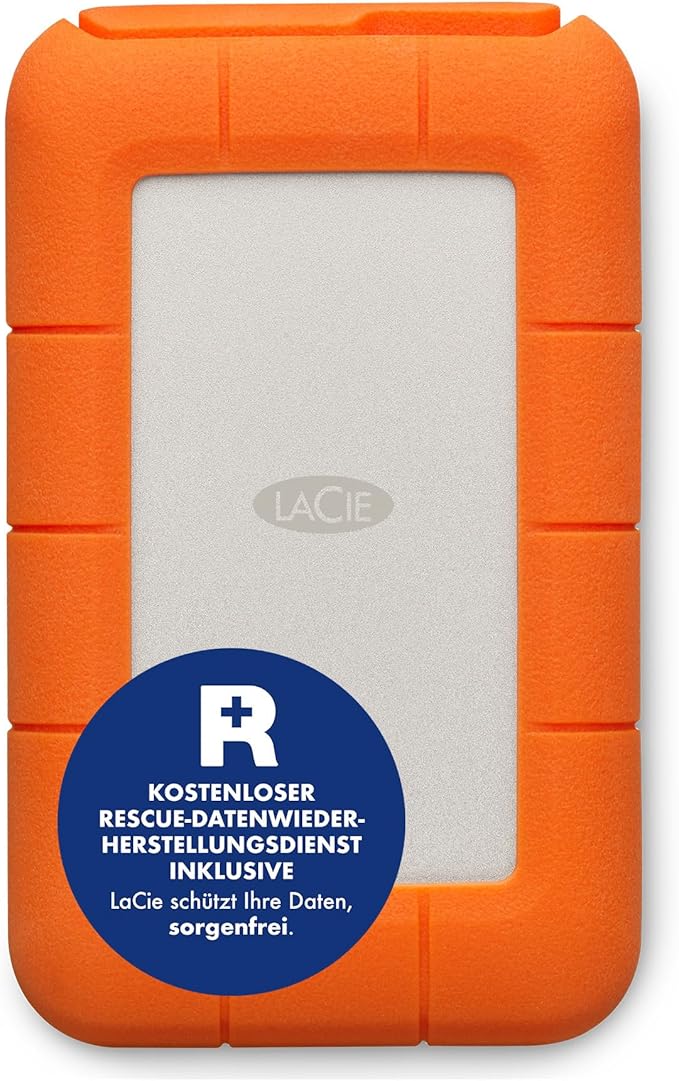
LaCie 2TB Rugged Mini USB 3.0 Hard Drive
The new LaCie Rugged drive is the perfect solution for heavy data users who require extreme data security and mobility. With USB 3.0 and Thunderbolt ports, it is also one of the fastest bus-powered products ever. Now featuring two-meter drop resistance and IP 54-level protection against dust and water, the new LaCie Rugged drive goes even further to protect precious data. Enhanced Data Transfer Speeds Get enhanced transfer speeds on Mac and PC thanks to the USB 3.0 and Thunderbolt interfaces. Thunderbolt transfers data at a rate of 10 Gb/s and USB 3.0 provides 5 Gb/s transfers, which are an improvement over FireWire 800. These interfaces let you back up and transfer large amounts of data in a fraction of the time. Universal Connectivity With both USB 3.0 and Thunderbolt interfaces, the LaCie Rugged is a suitable match for your Mac and PC. Since USB 3.0 is backward compatible, you can connect it to any standard computer, anywhere. The integrated Thunderbolt cable also stows neatly when not in use, so that you'll never lose it. The LaCie Rugged is also fully bus powered through the USB 3.0 and Thunderbolt cables. All-Terrain Data Protection This rugged SSD from LaCie comes MIL-compliant, which means that data is protected even during accidental drops of up to 6.6 feet (2 meters). During transit, connect the removable cover to provide IP 54-level protection against dust and water. The included software even protects your files with AES 256-bit encryption. Automatic Backup The LaCie Backup Assistant software program is easy to set up and provides automatic backup of data for Mac and PC. Password Protection With military-grade AES 256-bit encryption, LaCie Private-Public protects your files from unauthorized access with password protection.
The new LaCie Rugged drive is the perfect solution for heavy data users who require extreme data security and mobility. With USB 3.0 and Thunderbolt ports, it is also one of the fastest bus-powered products ever. Now featuring two-meter drop resistance and IP 54-level protection against dust and water, the new LaCie Rugged drive goes even further to protect precious data. Enhanced Data Transfer Speeds Get enhanced transfer speeds on Mac and PC thanks to the USB 3.0 and Thunderbolt interfaces. Thunderbolt transfers data at a rate of 10 Gb/s and USB 3.0 provides 5 Gb/s transfers, which are an improvement over FireWire 800. These interfaces let you back up and transfer large amounts of data in a fraction of the time. Universal Connectivity With both USB 3.0 and Thunderbolt interfaces, the LaCie Rugged is a suitable match for your Mac and PC. Since USB 3.0 is backward compatible, you can connect it to any standard computer, anywhere. The integrated Thunderbolt cable also stows neatly when not in use, so that you'll never lose it. The LaCie Rugged is also fully bus powered through the USB 3.0 and Thunderbolt cables. All-Terrain Data Protection This rugged SSD from LaCie comes MIL-compliant, which means that data is protected even during accidental drops of up to 6.6 feet (2 meters). During transit, connect the removable cover to provide IP 54-level protection against dust and water. The included software even protects your files with AES 256-bit encryption. Automatic Backup The LaCie Backup Assistant software program is easy to set up and provides automatic backup of data for Mac and PC. Password Protection With military-grade AES 256-bit encryption, LaCie Private-Public protects your files from unauthorized access with password protection.
The new LaCie Rugged drive is the perfect solution for heavy data users who require extreme data security and mobility. With USB 3.0 and Thunderbolt ports, it is also one of the fastest bus-powered products ever. Now featuring two-meter drop resistance and IP 54-level protection against dust and water, the new LaCie Rugged drive goes even further to protect precious data. Enhanced Data Transfer Speeds Get enhanced transfer speeds on Mac and PC thanks to the USB 3.0 and Thunderbolt interfaces. Thunderbolt transfers data at a rate of 10 Gb/s and USB 3.0 provides 5 Gb/s transfers, which are an improvement over FireWire 800. These interfaces let you back up and transfer large amounts of data in a fraction of the time. Universal Connectivity With both USB 3.0 and Thunderbolt interfaces, the LaCie Rugged is a suitable match for your Mac and PC. Since USB 3.0 is backward compatible, you can connect it to any standard computer, anywhere. The integrated Thunderbolt cable also stows neatly when not in use, so that you'll never lose it. The LaCie Rugged is also fully bus powered through the USB 3.0 and Thunderbolt cables. All-Terrain Data Protection This rugged SSD from LaCie comes MIL-compliant, which means that data is protected even during accidental drops of up to 6.6 feet (2 meters). During transit, connect the removable cover to provide IP 54-level protection against dust and water. The included software even protects your files with AES 256-bit encryption. Automatic Backup The LaCie Backup Assistant software program is easy to set up and provides automatic backup of data for Mac and PC. Password Protection With military-grade AES 256-bit encryption, LaCie Private-Public protects your files from unauthorized access with password protection.
The new LaCie Rugged drive is the perfect solution for heavy data users who require extreme data security and mobility. With USB 3.0 and Thunderbolt ports, it is also one of the fastest bus-powered products ever. Now featuring two-meter drop resistance and IP 54-level protection against dust and water, the new LaCie Rugged drive goes even further to protect precious data. Enhanced Data Transfer Speeds Get enhanced transfer speeds on Mac and PC thanks to the USB 3.0 and Thunderbolt interfaces. Thunderbolt transfers data at a rate of 10 Gb/s and USB 3.0 provides 5 Gb/s transfers, which are an improvement over FireWire 800. These interfaces let you back up and transfer large amounts of data in a fraction of the time. Universal Connectivity With both USB 3.0 and Thunderbolt interfaces, the LaCie Rugged is a suitable match for your Mac and PC. Since USB 3.0 is backward compatible, you can connect it to any standard computer, anywhere. The integrated Thunderbolt cable also stows neatly when not in use, so that you'll never lose it. The LaCie Rugged is also fully bus powered through the USB 3.0 and Thunderbolt cables. All-Terrain Data Protection This rugged SSD from LaCie comes MIL-compliant, which means that data is protected even during accidental drops of up to 6.6 feet (2 meters). During transit, connect the removable cover to provide IP 54-level protection against dust and water. The included software even protects your files with AES 256-bit encryption. Automatic Backup The LaCie Backup Assistant software program is easy to set up and provides automatic backup of data for Mac and PC. Password Protection With military-grade AES 256-bit encryption, LaCie Private-Public protects your files from unauthorized access with password protection.
in 15 offers
The lowest price for LaCie 2TB Rugged Mini USB 3.0 Hard Drive right now is $227.04 at Amazon.com.au, compared across 12 retailers.
The all-time low was $124.39 on 1 Apr 2025 — today's price is 83% above the lowest ever. It has been notably cheaper before — worth setting a price alert.
Prices last updated 15 Oct 2026.
Last updated at 15/10/2026 02:34:41
LaCie Rugged Mini USB 3.0 / USB 2.0 2TB Portable Hard Drive LAC9000298
Free delivery
Affiliate Disclosure: We may receive a small commission for purchases made through this link at no extra cost to you. This helps support our site. Thank you!
Lacie Rugged Mini 2TB 2 5in 4 USB C Portable Hard Drive 2YR LAC9000298 - External Hard Drives
Delivery $14.35
Lacie Rugged Mini 2TB 2 5in 4 USB C Portable Hard Drive 2YR LAC9000298 - External Hard Drives
Delivery $12
Lacie Rugged Mini Usb 3.0 2tb External Hdd Orange
Delivery $19.49
Lacie Rugged Mini 2TB 2.5in 4 USB-C Portable Hard Drive 2YR (LAC9000298)
Delivery $12
LaCie 2TB Rugged Mini Mobile Drive USB 3.0 [LAC9000298]
Free delivery
LaCie Rugged Mini 2TB External HDD
Delivery between 17–25 Oct $10
Lacie 2tb Rugged Mini Mobile Drive Usb 3.0 [lac9000298]
Delivery $9.99
Affiliate Disclosure: We may receive a small commission for purchases made through this link at no extra cost to you. This helps support our site. Thank you!
LaCie 2TB Rugged Mini USB 3.0 Portable Drive
Delivery $16.50
LaCie Rugged Mini USB-C Portable HDD - 2TB
Delivery between 19–28 Oct $11.64
originally posted on walmart.com
I purchased this hard drive to back up photos and videos while on vacation. I like that it's compact and sturdy, with a simple design enhanced by the orange rubber bumper. The bright color really helps make it easy to find the drive in a bag.My only complaint is that only a USB-C cable is provided. Especially while away from home, it was really inconvenient to not be able to connect the drive to older computers and devices. Include a USB-A cable, and it's 5 stars.
originally posted on bhphotovideo.com
I've been using the LaCie 1TB Rugged Mini SSD for about a month, and I love it! The tough, light, portable design is perfect for my needs.The speed is fantastic — transferring large files is a breeze with USB 3.2 Gen 2x2. Plus, the durable build gives me peace of mind. Highly recommend!
originally posted on adorama.com
I have used a Seagate backup drive for years to backup photos and pertinent files. That old Seagate requires 2 USB connections and does not have auto-backup capability. That is why I went with these. They are from Seagate (correct me if I am wrong), only require one USB connection each, are larger capacity than what I have and have auto-backup. I ordered two 2 TB because I didn't need anything larger and I wanted 2 backup drives that were good on portability. I received them and registered them through the setup. It was NOT intuitive to me, and it wasn't really explained in the process, that I needed to download the Genie software during that registration/setup process to run the backup. I couldn't seem to go back to that download during the first one's registration ... MoreI have used a Seagate backup drive for years to backup photos and pertinent files. That old Seagate requires 2 USB connections and does not have auto-backup capability. That is why I went with these. They are from Seagate (correct me if I am wrong), only require one USB connection each, are larger capacity than what I have and have auto-backup. I ordered two 2 TB because I didn't need anything larger and I wanted 2 backup drives that were good on portability. I received them and registered them through the setup. It was NOT intuitive to me, and it wasn't really explained in the process, that I needed to download the Genie software during that registration/setup process to run the backup. I couldn't seem to go back to that download during the first one's registration but I did decide to download it on the 2nd one. I started the backup and could see that the backup was occurring and could see when it finished. However, I could not locate the files that were backed up. I spent multi emails with the LaCie help support to find them. After about 4 emails and no success I finally asked them to elevate this before I wiped them clean and returned them both. I then received an email telling me to call. I happened to get a very patient and sharp young lady who worked with me. The backed up files go into a file that is named nothing that I would have drilled down....and which wasn't suggested through the email support process. She led me along and I finally found my files, renamed the file under which they were located and all was well. I told her about not downloading the Genie software but for one drive and that is when I learned that the Genie software would only recognize one drive no matter how many times I downloaded it. For the 2nd LaCie drive backup, she led me to the backup process in Windows 10 so that now I can use both LaCie drives.....and not return either. I hope this helps others who have the limited knowledge of this as I.
| Type | Hard Drive |
| Use | Portable, External |
| Device Compatibility | PC, Mac |
| Interface | USB 3.0 |
| Wireless Connectivity | No |

LaCie Rugged Mini USB 3.0 / USB 2.0 2TB Portable Hard Drive LAC9000298
Free delivery
Affiliate Disclosure: We may receive a small commission for purchases made through this link at no extra cost to you. This helps support our site. Thank you!
Lacie Rugged Mini 2TB 2 5in 4 USB C Portable Hard Drive 2YR LAC9000298 - External Hard Drives
Delivery $14.35
Lacie Rugged Mini 2TB 2 5in 4 USB C Portable Hard Drive 2YR LAC9000298 - External Hard Drives
Delivery $12
Lacie Rugged Mini Usb 3.0 2tb External Hdd Orange
Delivery $19.49
Lacie Rugged Mini 2TB 2.5in 4 USB-C Portable Hard Drive 2YR (LAC9000298)
Delivery $12
I purchased this hard drive to back up photos and videos while on vacation. I like that it's compact and sturdy, with a simple design enhanced by the orange rubber bumper. The bright color really helps make it easy to find the drive in a bag.My only complaint is that only a USB-C cable is provided. Especially while away from home, it was really inconvenient to not be able to connect the drive to older computers and devices. Include a USB-A cable, and it's 5 stars.
I've been using the LaCie 1TB Rugged Mini SSD for about a month, and I love it! The tough, light, portable design is perfect for my needs.The speed is fantastic — transferring large files is a breeze with USB 3.2 Gen 2x2. Plus, the durable build gives me peace of mind. Highly recommend!
I have used a Seagate backup drive for years to backup photos and pertinent files. That old Seagate requires 2 USB connections and does not have auto-backup capability. That is why I went with these. They are from Seagate (correct me if I am wrong), only require one USB connection each, are larger capacity than what I have and have auto-backup. I ordered two 2 TB because I didn't need anything larger and I wanted 2 backup drives that were good on portability. I received them and registered them through the setup. It was NOT intuitive to me, and it wasn't really explained in the process, that I needed to download the Genie software during that registration/setup process to run the backup. I couldn't seem to go back to that download during the first one's registration ... MoreI have used a Seagate backup drive for years to backup photos and pertinent files. That old Seagate requires 2 USB connections and does not have auto-backup capability. That is why I went with these. They are from Seagate (correct me if I am wrong), only require one USB connection each, are larger capacity than what I have and have auto-backup. I ordered two 2 TB because I didn't need anything larger and I wanted 2 backup drives that were good on portability. I received them and registered them through the setup. It was NOT intuitive to me, and it wasn't really explained in the process, that I needed to download the Genie software during that registration/setup process to run the backup. I couldn't seem to go back to that download during the first one's registration but I did decide to download it on the 2nd one. I started the backup and could see that the backup was occurring and could see when it finished. However, I could not locate the files that were backed up. I spent multi emails with the LaCie help support to find them. After about 4 emails and no success I finally asked them to elevate this before I wiped them clean and returned them both. I then received an email telling me to call. I happened to get a very patient and sharp young lady who worked with me. The backed up files go into a file that is named nothing that I would have drilled down....and which wasn't suggested through the email support process. She led me along and I finally found my files, renamed the file under which they were located and all was well. I told her about not downloading the Genie software but for one drive and that is when I learned that the Genie software would only recognize one drive no matter how many times I downloaded it. For the 2nd LaCie drive backup, she led me to the backup process in Windows 10 so that now I can use both LaCie drives.....and not return either. I hope this helps others who have the limited knowledge of this as I.
LaCie 4TB Rugged Mini USB 3.0 External Hard Drive with Rescue Data Recovery Services is perfect for saving all those files, pictures, videos and more that take up space on your computer! This orange rugged little device is drop, shock and water resistant with its thick rubber case. It has a 4TB of space that will hold so much data and is password protected and it is small enough to carry with you especially when on the go. It comes with micro USB 3.1 Gen 1 to USB TypeC cable so it can even plug into your smartphone to save data as well. It also has Rescue Data Recovery Services to backup your computer that is easy to use and also comes with a month subscription to Adobe's Creative Cloud All Apps plan to try out. This device is formatted for both Windows PC and Mac ... MoreLaCie 4TB Rugged Mini USB 3.0 External Hard Drive with Rescue Data Recovery Services is perfect for saving all those files, pictures, videos and more that take up space on your computer! This orange rugged little device is drop, shock and water resistant with its thick rubber case. It has a 4TB of space that will hold so much data and is password protected and it is small enough to carry with you especially when on the go. It comes with micro USB 3.1 Gen 1 to USB TypeC cable so it can even plug into your smartphone to save data as well. It also has Rescue Data Recovery Services to backup your computer that is easy to use and also comes with a month subscription to Adobe's Creative Cloud All Apps plan to try out. This device is formatted for both Windows PC and Mac versions. This small device is little but mighty when it comes to speed also, it is fast transferring date and pics. I highly recommend the LaCie 4TB Rugged Mini USB 3.0 External Hard Drive for traveling and for keeping all your data and pictures save while saving space on your computer!
I have a couple of LaCie 2TB hard drives. They are fast and rugged as advertised but have one major flaw and that is a poor, loose/sloppy connection between the cable and the hard drive. A small movement will cause the hard drive to disconnect or simply not work properly as in showing folders with content to be empty. My concern is that over time that connection will get worse. Seems a shame that the makers of an otherwise good product don't put a little more care into the hardware that connects the hard drive to a computer.
Good Points: Large capacity in a rugged design, but you must remember this is a HD not an SSD and so will still be sensitive to shock despite the design.The capacity size is great for the price.Improvement Points: As an HD not an SSD this has a slower speed of read and write, so it is important to think of the use to which you will put this device. I am using it as a photo bank and so speed is not so important.The purchase was forced by price, because if I could have afforded the same as SSD I would have bought an SSD.
MacOS Disk Utility App formatted the LaCie 2TB Rugged for APFS without incident once I discovered that APFS was available only for GUID volume labels. About a minute of fiddling with Disk Utility Partition menu taking the defaults.Once formatted, the disk has proven fast and reliable as a photo storage medium. I expect 5+ years of solid service from it.
This li'l gem is quick! I went to a remote location to record voiceovers, and used this drive, direct-to-disc. It ran just peachy—no buffers, did not heat up, and it barely made a footprint in my gig bag. I've trusted LaCie rugged drives since 1997, when the clumsy lighting director on a music video shoot plowed into my laptop and the Firewire LaCie rugged drive running track sync playback. I dove to save the MacBook Pro (of course!), and the LaCie crashed to SIR's cement floor. Reconnected it, and—BADDA-BING! Like nothing ever happened. Thanks for making great products. LaCie, and thank you, B&H, for selling them at competitive prices!
I needed an updated external hard drive to transfer all of my PC amd Macbook data to obe movation, and this device is hands-down the best one out there for the price. I transferred roughly 80GB from my laptop to this drive in almost two minutes using an Apple Thunderbolt cord. Plus its a SSD which is better than the other ones. Highly recommend!
| Type | Hard Drive |
| Use | Portable, External |
| Device Compatibility | PC, Mac |
| Interface | USB 3.0 |
| Wireless Connectivity | No |