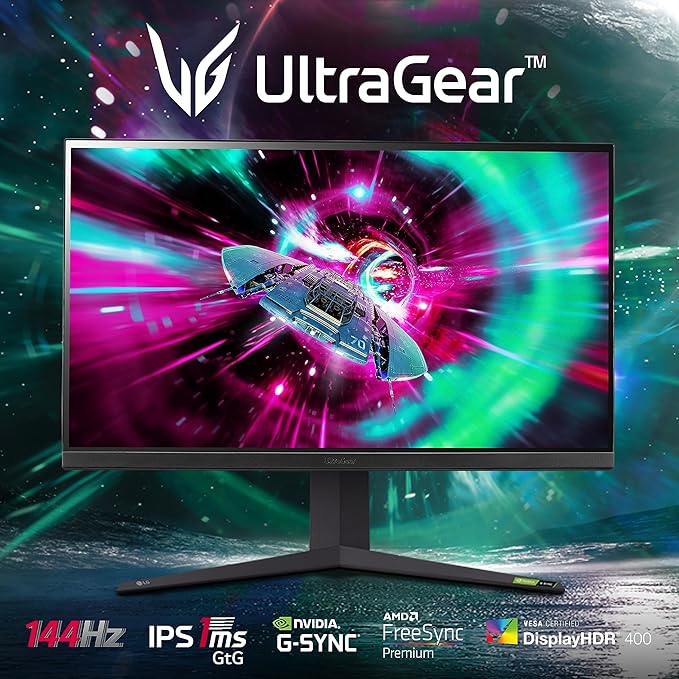
This LG UHD 4K Monitor is suitable for both everyday and gaming using, and features vivid colour reproduction and Radeon FreeSync to make gameplay smooth and immersive. With integrated stereo speakers and a Game Mode that allows you to customise your user experience, it makes a great addition to your gaming set up.
This LG UHD 4K Monitor is suitable for both everyday and gaming using, and features vivid colour reproduction and Radeon FreeSync to make gameplay smooth and immersive. With integrated stereo speakers and a Game Mode that allows you to customise your user experience, it makes a great addition to your gaming set up.
in 3 offers
The lowest price for LG 32UK550-B 32" UHD 4K Monitor right now is $450.00 at Factory Plus, compared across 3 retailers.
The all-time low was $450.00 on 14 Oct 2025. That's the lowest price we've ever tracked — a great time to buy.
Prices last updated 7 June 2026.
LG 32UK550-B 32" UHD 4K Monitor
This LG UHD 4K Monitor is suitable for both everyday and gaming using, and features vivid colour reproduction and Radeon FreeSync to make gameplay smooth and immersive. With integrated stereo speakers and a Game Mode that allows you to customise your user experience, it makes a great addition to your gaming set up.
This LG UHD 4K Monitor is suitable for both everyday and gaming using, and features vivid colour reproduction and Radeon FreeSync to make gameplay smooth and immersive. With integrated stereo speakers and a Game Mode that allows you to customise your user experience, it makes a great addition to your gaming set up.
Last updated at 07/06/2026 12:40:21
LG 32UK550-B 32" (80cm) VA Panel Class UHD 4K Monitor - NEW
Lg Uhd 32uk550-b Monitor 32" Inch Display
Delivery $45
Affiliate Disclosure: We may receive a small commission for purchases made through this link at no extra cost to you. This helps support our site. Thank you!
LG 32UK550 31.5" 4K UHD FreeSync HDR LCD Monitor
Delivery $22.06
originally posted on LG
This is the nicest monitor I've ever had. I like that it is thinner than expected and has a pretty small bezel. The VESA mounting option is appreciated and how I am using it. I haven't tested it with any games as my computer isn't really a gaming machine but it looks great with videos and the large screen size is great for large spreadsheets.Only two negatives so far. I haven't had success setting up HDR. When I enable it, the picture looks washed out compared to another SDR monitor I have connected next to it. It is possible that I don't understand all of the HDR settings. I also don't like the control button being lit when the monitor goes to sleep. It can be distracting if you want the room dark.
originally posted on bhphotovideo.com
First, my desktop specs include an Intel core i7 -8700 CPU, 16 GB Ram and one Nvidia GeForce RTX 2080 graphics card.Second, my main purpose for this monitor is word processing and reading text. As far as brightness and color are concerned both are good enough for me. I tend to keep picture mode in either HDR vivid or HDR game. For games I have played Man of Medan and this monitor provides decent brightness and HDR quality. As 4k is extremely demanding on hardware I do not expect 4K to be a serious gaming option for at least a few more years.Ultimately, this monitor is perfect for me. I do not have any specific color requirements so I will not need color calibration options or customized settings. Also, because I am looking straight onto the monitor I do not ... MoreFirst, my desktop specs include an Intel core i7 -8700 CPU, 16 GB Ram and one Nvidia GeForce RTX 2080 graphics card.Second, my main purpose for this monitor is word processing and reading text. As far as brightness and color are concerned both are good enough for me. I tend to keep picture mode in either HDR vivid or HDR game. For games I have played Man of Medan and this monitor provides decent brightness and HDR quality. As 4k is extremely demanding on hardware I do not expect 4K to be a serious gaming option for at least a few more years.Ultimately, this monitor is perfect for me. I do not have any specific color requirements so I will not need color calibration options or customized settings. Also, because I am looking straight onto the monitor I do not experience any viewing angle issues. The stand is sturdy and includes height and up/down angle adjustment.
originally posted on bhphotovideo.com
It's so hard to find a monitor with no compromises without spending and arm and a leg. This monitor is good but no exception.Good things: picture quality works w/ g-sync, good response rate. Was set up correctly by factory for mine, but is dependent on certainsettings, changing them will harm your experience. Height adjustablestand is a great to-have for a monitor of this size. Seems reliable, nodead pixels and good brightness uniformity on mine.Bad things: Wobbly monitor stand very annoying without a sturdy desk. Coming out of long standby the monitor output is sometimes corrupted (static and screen tearing), needs either input cycle or power cycle to fix. Brightness adjust requires 4 button presses to access, annoying. Color accuracy varies based on how ... MoreIt's so hard to find a monitor with no compromises without spending and arm and a leg. This monitor is good but no exception.Good things: picture quality works w/ g-sync, good response rate. Was set up correctly by factory for mine, but is dependent on certainsettings, changing them will harm your experience. Height adjustablestand is a great to-have for a monitor of this size. Seems reliable, nodead pixels and good brightness uniformity on mine.Bad things: Wobbly monitor stand very annoying without a sturdy desk. Coming out of long standby the monitor output is sometimes corrupted (static and screen tearing), needs either input cycle or power cycle to fix. Brightness adjust requires 4 button presses to access, annoying. Color accuracy varies based on how perpendicular your sight line is to the screen, and is noticeable on the corners of the screen from a distance of 18 inches (my viewing distance). HDR features seemed like they weren't working (washed out my display), had it off for a week and randomly turned it on again and it seems to be working now. Very strange behavior!
| General | |
| Display Type | LED-backlit LCD monitor / TFT active matrix |
| Energy Class | Class G |
| Energy Class (HDR) | Class G |
| Energy Consumption per Year | 58 kWh |
LG 32UK550-B 32" (80cm) VA Panel Class UHD 4K Monitor - NEW
Lg Uhd 32uk550-b Monitor 32" Inch Display
Delivery $45
Affiliate Disclosure: We may receive a small commission for purchases made through this link at no extra cost to you. This helps support our site. Thank you!
LG 32UK550 31.5" 4K UHD FreeSync HDR LCD Monitor
Delivery $22.06
This is the nicest monitor I've ever had. I like that it is thinner than expected and has a pretty small bezel. The VESA mounting option is appreciated and how I am using it. I haven't tested it with any games as my computer isn't really a gaming machine but it looks great with videos and the large screen size is great for large spreadsheets.Only two negatives so far. I haven't had success setting up HDR. When I enable it, the picture looks washed out compared to another SDR monitor I have connected next to it. It is possible that I don't understand all of the HDR settings. I also don't like the control button being lit when the monitor goes to sleep. It can be distracting if you want the room dark.
First, my desktop specs include an Intel core i7 -8700 CPU, 16 GB Ram and one Nvidia GeForce RTX 2080 graphics card.Second, my main purpose for this monitor is word processing and reading text. As far as brightness and color are concerned both are good enough for me. I tend to keep picture mode in either HDR vivid or HDR game. For games I have played Man of Medan and this monitor provides decent brightness and HDR quality. As 4k is extremely demanding on hardware I do not expect 4K to be a serious gaming option for at least a few more years.Ultimately, this monitor is perfect for me. I do not have any specific color requirements so I will not need color calibration options or customized settings. Also, because I am looking straight onto the monitor I do not ... MoreFirst, my desktop specs include an Intel core i7 -8700 CPU, 16 GB Ram and one Nvidia GeForce RTX 2080 graphics card.Second, my main purpose for this monitor is word processing and reading text. As far as brightness and color are concerned both are good enough for me. I tend to keep picture mode in either HDR vivid or HDR game. For games I have played Man of Medan and this monitor provides decent brightness and HDR quality. As 4k is extremely demanding on hardware I do not expect 4K to be a serious gaming option for at least a few more years.Ultimately, this monitor is perfect for me. I do not have any specific color requirements so I will not need color calibration options or customized settings. Also, because I am looking straight onto the monitor I do not experience any viewing angle issues. The stand is sturdy and includes height and up/down angle adjustment.
It's so hard to find a monitor with no compromises without spending and arm and a leg. This monitor is good but no exception.Good things: picture quality works w/ g-sync, good response rate. Was set up correctly by factory for mine, but is dependent on certainsettings, changing them will harm your experience. Height adjustablestand is a great to-have for a monitor of this size. Seems reliable, nodead pixels and good brightness uniformity on mine.Bad things: Wobbly monitor stand very annoying without a sturdy desk. Coming out of long standby the monitor output is sometimes corrupted (static and screen tearing), needs either input cycle or power cycle to fix. Brightness adjust requires 4 button presses to access, annoying. Color accuracy varies based on how ... MoreIt's so hard to find a monitor with no compromises without spending and arm and a leg. This monitor is good but no exception.Good things: picture quality works w/ g-sync, good response rate. Was set up correctly by factory for mine, but is dependent on certainsettings, changing them will harm your experience. Height adjustablestand is a great to-have for a monitor of this size. Seems reliable, nodead pixels and good brightness uniformity on mine.Bad things: Wobbly monitor stand very annoying without a sturdy desk. Coming out of long standby the monitor output is sometimes corrupted (static and screen tearing), needs either input cycle or power cycle to fix. Brightness adjust requires 4 button presses to access, annoying. Color accuracy varies based on how perpendicular your sight line is to the screen, and is noticeable on the corners of the screen from a distance of 18 inches (my viewing distance). HDR features seemed like they weren't working (washed out my display), had it off for a week and randomly turned it on again and it seems to be working now. Very strange behavior!
This is the go-to monitor I would recommend for productivty and casual gaming. The picture quality, color accuracy, viewing angles and sharpness are superb. I switch it between my gaming PC's monitor and as a secondary display for the 16 inch Macbook Pro. The single joystick-like control button is much easier to use than other multiple buttons options, I no longer need to figure out which is the first or second button. My Macbook Pro itself have an impressive display, and switching between this monitor and the Macbook Pro's display virtually make no difference for me in media comsumption, productivity and gaming - it has solid Macbook Pro level colors! And the colors stay true even if you look from an angle. I used to have 2x 27 inch monitors in vertical on my desk. ... MoreThis is the go-to monitor I would recommend for productivty and casual gaming. The picture quality, color accuracy, viewing angles and sharpness are superb. I switch it between my gaming PC's monitor and as a secondary display for the 16 inch Macbook Pro. The single joystick-like control button is much easier to use than other multiple buttons options, I no longer need to figure out which is the first or second button. My Macbook Pro itself have an impressive display, and switching between this monitor and the Macbook Pro's display virtually make no difference for me in media comsumption, productivity and gaming - it has solid Macbook Pro level colors! And the colors stay true even if you look from an angle. I used to have 2x 27 inch monitors in vertical on my desk. But it was annoying adjusting the settings to make them work, this 32 inch replaces the two and I'm pretty happy that I made the change. And for the price, it is a massive display, you can fit 3 A4 papers and there's still more space. For gaming, I mostly play story-focused games so 60Hz is enough. The massive screen and vibrant colors and fast response time really provides the immersive experience.The built-in speakers are fine for the average use, it's better than normal laptop speakers and inferior to dedicated speakers. It performs in line with what I would expect of 5W 2ch speakers. But I'm a bit picky on sound so I'm using a pair of 60W bookshelf speakers.Many of my colleagues and friends bought it after me and they are all happy about it.There are a few downsides that I find I needed to learn to adapt and ignore, but these don't change my 5 star rating considering the value and performance you get for the price:1. In dim environments, if the brightness is over 20% it would strain my eyes after some time, so I always have it around 10-15% which is good enough, and only increase it on sunny days. The screen can get really bright, so bright it would hurt the eyes. I'm not sure if it's only about 300 nits, because that should be the same or less than the Macbook Pro's screen and this monitor can get brighter than that.2. The on-screen app doesn't really offer much more features, so I simply removed it and use the monitor's own menu if I need to adjust anything, which has proven quite enough - it's just a display forget about the software.3. Although LG uses the arch stand in many models, it can ocassionaly get in the way on your desk, like blocking the keyboard. Also the stand does not allow rotating around the stand, so if someone stands next to you and you want to share the screen with them, you have to move the mointor stand to rotate it, it can be quite difficult because the stand has a good grip on. So I just use a VESA arm in my office - and it is VESA compatable.
I bought this LG 32UK550-B monitor recently and have started to use it everyday. I found it’s overall picture and resolution of display are quite nice but bundled HDMI cable within the package to either of its two HDMI ports can have only a maximum of 30HZ refresh rate which lead to a potential flickering effect.I have called a number of times to LG support team to address the problem but have so far come to no avail. I bought a new USB-C to DisplayPort cable later and this new cable has 60HZ refresh rate support but the DisplayPort in my 32UK550-B product seems not smart enough to auto-detect signal and display each time I reboot my 2019 MacBook Pro, I have to manually press the input setting button to select DisplayPort input even I haven’t changed anything in ... MoreI bought this LG 32UK550-B monitor recently and have started to use it everyday. I found it’s overall picture and resolution of display are quite nice but bundled HDMI cable within the package to either of its two HDMI ports can have only a maximum of 30HZ refresh rate which lead to a potential flickering effect.I have called a number of times to LG support team to address the problem but have so far come to no avail. I bought a new USB-C to DisplayPort cable later and this new cable has 60HZ refresh rate support but the DisplayPort in my 32UK550-B product seems not smart enough to auto-detect signal and display each time I reboot my 2019 MacBook Pro, I have to manually press the input setting button to select DisplayPort input even I haven’t changed anything in the settings. This is really annoying me. HDMI cable and ports work fine when autodetecting signal after reboot.
I had some initial issues with screen uniformity but after sending it back to LG these were resolved.The display is an LCD so black levels are not great however the contrast ratios are good so blacks do look dark in contrast to bright parts of an image. Colour shift is also noticeable as the display is large, viewing angles can cause the edges of the display to look washed out - helped by sitting further away but then you lose the benefit of a large format display.Resolution is very good with text looking nice and crisp. The display is bright and will play HDR encoded content but this is in no way capable of producing real HDR images. Colours are nice and vivid and not just because the saturation has been boosted - natural scenes look right but things you would ... MoreI had some initial issues with screen uniformity but after sending it back to LG these were resolved.The display is an LCD so black levels are not great however the contrast ratios are good so blacks do look dark in contrast to bright parts of an image. Colour shift is also noticeable as the display is large, viewing angles can cause the edges of the display to look washed out - helped by sitting further away but then you lose the benefit of a large format display.Resolution is very good with text looking nice and crisp. The display is bright and will play HDR encoded content but this is in no way capable of producing real HDR images. Colours are nice and vivid and not just because the saturation has been boosted - natural scenes look right but things you would expect to be strongly coloured are.The size of the display makes it very immersive for gaming and watching movies - all in all a decent 4K monitor but we're still waiting on technology capable of real HDR and real blacks.
I'm not going to dwell on the image quality that has already been analyzed in other reviews.I underline this which can be useful to others: ****** YOU CANNOT USE THE PIP FUNCTION (it is not present), basically if you want to see two PCs on this monitor simply by connecting them to two physical inputs, forget it.There is a software that simulates the PIP that has a significant limitation: it only works with windows and mac.If by any chance you have a PC and a Chromebook, you CANNOT see them together.If you have two physical sources eg camera and cellphone, you will NOT be able to see them together.If you do not have administrative rights on the PCs to have the software, you will NOT see them together.If you have two PCs on different networks (even on the ... MoreI'm not going to dwell on the image quality that has already been analyzed in other reviews.I underline this which can be useful to others: ****** YOU CANNOT USE THE PIP FUNCTION (it is not present), basically if you want to see two PCs on this monitor simply by connecting them to two physical inputs, forget it.There is a software that simulates the PIP that has a significant limitation: it only works with windows and mac.If by any chance you have a PC and a Chromebook, you CANNOT see them together.If you have two physical sources eg camera and cellphone, you will NOT be able to see them together.If you do not have administrative rights on the PCs to have the software, you will NOT see them together.If you have two PCs on different networks (even on the same physical router), you will NOT be able to see them together.The connection takes place on the local network, generating a considerable network traffic.Basically, a software has been put in place to divide the windows and the hardware possibility has been removed so check reqs. before buying.
I am satisfied with my choice.Other reviews mentioned the differences between IPS and VA panels and I found them to be true. The LG 32UK550-B is brighter and has less viewing angle and than the IPS panel it replaced. I was able to get brightness and color close by using custom settings.If you're a hardcore gamer or graphics professional you probably need to look in the $600-$700 range and higher.I got it on a wall mounted monitor arm that puts it about 36 away and slightly up. I haven't noticed any comfort issues.I came from 1920x1080 so I've done a lot of adjustment with UI fonts. I'm still on Win7 so the only real solution for me in Photoshop is using an extended display with Tool Panels on it. There's a fix in Windows 10 but I'm holding off for reasons of ... MoreI am satisfied with my choice.Other reviews mentioned the differences between IPS and VA panels and I found them to be true. The LG 32UK550-B is brighter and has less viewing angle and than the IPS panel it replaced. I was able to get brightness and color close by using custom settings.If you're a hardcore gamer or graphics professional you probably need to look in the $600-$700 range and higher.I got it on a wall mounted monitor arm that puts it about 36 away and slightly up. I haven't noticed any comfort issues.I came from 1920x1080 so I've done a lot of adjustment with UI fonts. I'm still on Win7 so the only real solution for me in Photoshop is using an extended display with Tool Panels on it. There's a fix in Windows 10 but I'm holding off for reasons of my own.
I am satisfied with my choice.Other reviews mentioned the differences between IPS and VA panels and I found them to be true. The LG 32UK550-B is brighter and has less viewing angle and than the IPS panel it replaced. I was able to get brightness and color close by using custom settings.If you're a hardcore gamer or graphics professional you probably need to look in the $600-$700 range and higher.I got it on a wall mounted monitor arm that puts it about 36 away and slightly up. I haven't noticed any comfort issues.I came from 1920x1080 so I've done a lot of adjustment with UI fonts. I'm still on Win7 so the only real solution for me in Photoshop is using an extended display with Tool Panels on it. There's a fix in Windows 10 but I'm holding off for reasons of ... MoreI am satisfied with my choice.Other reviews mentioned the differences between IPS and VA panels and I found them to be true. The LG 32UK550-B is brighter and has less viewing angle and than the IPS panel it replaced. I was able to get brightness and color close by using custom settings.If you're a hardcore gamer or graphics professional you probably need to look in the $600-$700 range and higher.I got it on a wall mounted monitor arm that puts it about 36 away and slightly up. I haven't noticed any comfort issues.I came from 1920x1080 so I've done a lot of adjustment with UI fonts. I'm still on Win7 so the only real solution for me in Photoshop is using an extended display with Tool Panels on it. There's a fix in Windows 10 but I'm holding off for reasons of my own.
Very good picture quality. 4k is amazing and the colors are great. I was worried about 300 nits brightness, but even at 70% brightness, it's bright enough. Menus are very easy and intuitive.One con is that the build quality could have been a bit better as the materials are made of plastic. My 850f series LG monitor has a better build quality.But at this price range, it's a no brainer purchase.
| General | |
| Display Type | LED-backlit LCD monitor / TFT active matrix |
| Energy Class | Class G |
| Energy Class (HDR) | Class G |
| Energy Consumption per Year | 58 kWh |