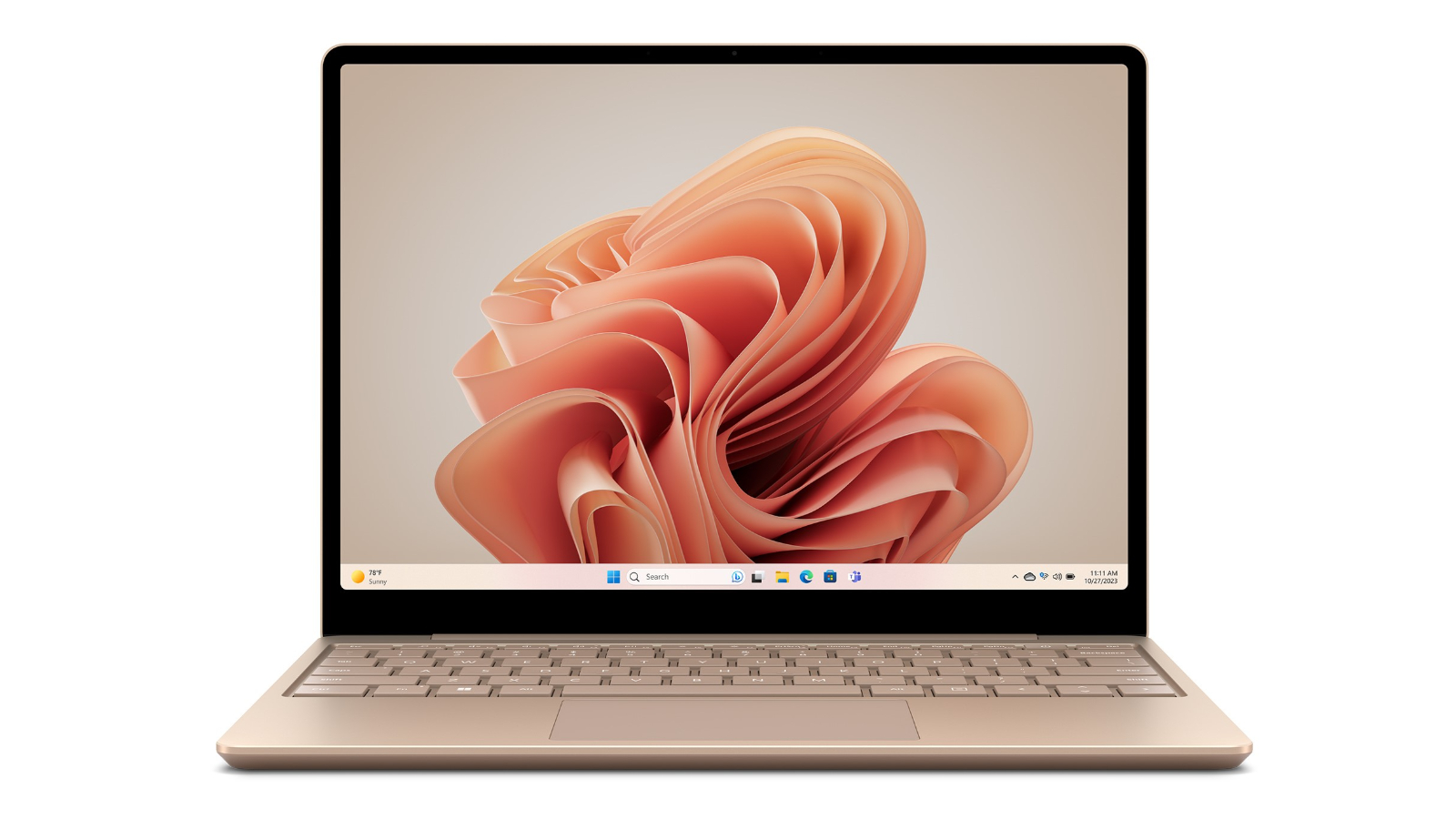
Microsoft Surface Book 3 13.5" i5 8GB 256GB
Run complex applications with great speed with this Microsoft Surface laptop's 1.2 GHz 10th Gen Intel Core i5 quad-core processor. Its 8 GB of memory lets you get smooth responsive computing performance. The Microsoft Surface V6F-00015 laptop has a 13.5-inch screen with 3000 x 2000 resolution, so you can see clearly now. You can store all of your valuable applications and data files with its 256 GB solid state drive. The laptop comes with a Windows 10 Home operating system. Its 15.5-hour battery life allows you to go on watching videos and sending e-mails for a long time. This laptop features 1 USB-C port, so you can maximise throughput. Enjoy computing without being confined with its 802.11ax wireless and Bluetooth connectivity. This Microsoft laptop is a good option for increasing your computing capability.
Run complex applications with great speed with this Microsoft Surface laptop's 1.2 GHz 10th Gen Intel Core i5 quad-core processor. Its 8 GB of memory lets you get smooth responsive computing performance. The Microsoft Surface V6F-00015 laptop has a 13.5-inch screen with 3000 x 2000 resolution, so you can see clearly now. You can store all of your valuable applications and data files with its 256 GB solid state drive. The laptop comes with a Windows 10 Home operating system. Its 15.5-hour battery life allows you to go on watching videos and sending e-mails for a long time. This laptop features 1 USB-C port, so you can maximise throughput. Enjoy computing without being confined with its 802.11ax wireless and Bluetooth connectivity. This Microsoft laptop is a good option for increasing your computing capability.
Run complex applications with great speed with this Microsoft Surface laptop's 1.2 GHz 10th Gen Intel Core i5 quad-core processor. Its 8 GB of memory lets you get smooth responsive computing performance. The Microsoft Surface V6F-00015 laptop has a 13.5-inch screen with 3000 x 2000 resolution, so you can see clearly now. You can store all of your valuable applications and data files with its 256 GB solid state drive. The laptop comes with a Windows 10 Home operating system. Its 15.5-hour battery life allows you to go on watching videos and sending e-mails for a long time. This laptop features 1 USB-C port, so you can maximise throughput. Enjoy computing without being confined with its 802.11ax wireless and Bluetooth connectivity. This Microsoft laptop is a good option for increasing your computing capability.
Run complex applications with great speed with this Microsoft Surface laptop's 1.2 GHz 10th Gen Intel Core i5 quad-core processor. Its 8 GB of memory lets you get smooth responsive computing performance. The Microsoft Surface V6F-00015 laptop has a 13.5-inch screen with 3000 x 2000 resolution, so you can see clearly now. You can store all of your valuable applications and data files with its 256 GB solid state drive. The laptop comes with a Windows 10 Home operating system. Its 15.5-hour battery life allows you to go on watching videos and sending e-mails for a long time. This laptop features 1 USB-C port, so you can maximise throughput. Enjoy computing without being confined with its 802.11ax wireless and Bluetooth connectivity. This Microsoft laptop is a good option for increasing your computing capability.
in 33 offers
The lowest price for Microsoft Surface Book 3 13.5" i5 8GB 256GB right now is $168.58 at LaptopKeyboard.com, compared across 18 retailers.
The all-time low was $168.58 on 7 June 2026. That's the lowest price we've ever tracked — a great time to buy.
Prices last updated 7 June 2026.
Last updated at 07/06/2026 13:44:59
Microsoft V4C-00002 Surface Laptop 3-13.5" Touch-Screen, 3:2 Aspect Ratio - Intel Core i5-8GB Ram- 256GB SSD- Platinum with Alcantara, French
Affiliate Disclosure: We may receive a small commission for purchases made through this link at no extra cost to you. This helps support our site. Thank you!
Microsoft Surface 3 Type Cover 1654 Laptop Keyboard
Delivery between 11–16 June $13.12
Microsoft Surface 3 Type Cover SC English US/Canada Hdwr, Bright Blue A7Z-00002
Free delivery between 13–17 June
Microsoft Surface 3 Type Cover English US/Canada Hdwr, Bright Red A7Z-00004
Free delivery between 13–17 June
Microsoft Surface 3 Type Cover Keyboard (A7Z-00001) - English US/Canada, Black | Computers & Accessories
Delivery $8.95
Microsoft Surface 3 Type Cover SC English US/Canada Hdwr, Bright Blue A7Z-00002
Delivery between 14–16 June $14.34
Microsoft Surface 3 Type Cover SC English US/Canada Hdwr, Black A7Z-00001
Delivery between 14–16 June $14.34
Microsoft Surface 3 Type Cover SC English US/Canada Hdwr, Black A7Z-00001
Delivery between 12–16 June $8.44
Microsoft Surface 3 Type Cover SC English US/Canada Hdwr, Black A7Z-00001
Delivery between 12–17 June $13.24
Microsoft Surface Laptop 3 13.5" Touch | Core i5-1035G7 | 8GB-16GB RAM | 256GB SSD | Windows 11 8GB / 256GB SSD
Free delivery
originally posted on Google
You shouldn't buy it!Pros: -i7 -32 GB RAM -Dedicated GraphicCons: -CPU operates at 1.30 Gz -Barely can do anything other than web browsing -TOO much heat -Bad battery life after a short period of time What is the point of putting the i7 inside this 2-in-1 when the CPU operates at 1.30 Gz, making it impossible to function. Despite having a dedicated graphic, most of the tasks still rely heavily on the CPU, and when I'm using Solid Works, which uses a lot of GPU, the software ran at low-ten frames per second. 32 GB of RAM doesn't change a thing when things start to choke at 6 Chrome tabs. Battery life after 4 months became terrible, lasted 3 hours on watching videos alone. The last thing is too much heat for this little power.
originally posted on bestbuy.com
For complete transparancy in this review I did receive this Surface Book 3 without incurring any cost as part of the Best Buy Tech Insider Network program. Reviewers in this invitation-only program are provided products for the purpose of writing honest, unbiased reviews.When I received my Surface Book 3 in the mail after hours of research on the unit I had high hopes for what the machine would be able to do, it did not disappoint.To start the packaging of the unit is simple yet completely protective of the computer and accessories. In fact I used it as my transportation method until I found a case to protect it. The box is made of a heavy grade material that ensures a small drop will dent the case but not the contents. The design is simplistic and easy to open ... MoreFor complete transparancy in this review I did receive this Surface Book 3 without incurring any cost as part of the Best Buy Tech Insider Network program. Reviewers in this invitation-only program are provided products for the purpose of writing honest, unbiased reviews.When I received my Surface Book 3 in the mail after hours of research on the unit I had high hopes for what the machine would be able to do, it did not disappoint.To start the packaging of the unit is simple yet completely protective of the computer and accessories. In fact I used it as my transportation method until I found a case to protect it. The box is made of a heavy grade material that ensures a small drop will dent the case but not the contents. The design is simplistic and easy to open and remove any protective plastic with obvious tabs to pull on.Now, to the real guts of the review, the computer. This machine is a workhorse and the speed is unmatched to most products in this niche category of laptops/workstations. After the typical windows setup I made sure to load on some of my personal programs I cannot live without, that being Adobe Photoshop and InDesign. The speed of these programs is exactly what I would expect for a machine of this specification. Typically if you try to run these programs on a weaker system it will hang trying to think of what to compute next. Not with the Surface Book 3. Editing photos, creating masks, and multiple layer projects was like sipping a Iced Tea next to the pool, it was simple, easy, and most of all not stressful. The fact that the Surface Book 3 was sticking it's tongue out at me because I wasn't working it hard enough, became a challenge to me. I decided to push this machine to a higher limit. I loaded up Multiple browser windows with YouTube videos playing, Photoshop, InDesign, and Microsoft Excel. Now I was pushing the machine. I could hear the machine working slightly harder to keep up with me using Photoshop as most resources of the machine were being hogged by other programs. Switching to InDesign it was responsive but slightly behind. Checking the task manager and resources that were being used I was pushing this machine close to its 100% mark. Now granted, the chances you'll run 7 youtube videos at once, plus Excel, InDesign, and Photoshop at one time is slim, especially if you are purposely trying to push the machine to it's max capacity. That being said, I found where the machine started working hard and began to back down and had 1 YouTube video running in browser, Excel, InDesign, Photoshop, and then Outlook all on at once. The machine resumed to it's normal speedy self. No surprise. From a stress test perspective of a workstation, this beyond passed my personal test.Let's talk annotation, I already owned a Surface Pen, and wanted to see how it worked on the Surface Book, and it was actually a big upgrade from what I was used to. The palm rejection has drastically improved from what I was used to, and the drawing, notation, and overall natural feeling of writing digitally was beyond what I was expecting. When writing the flow of the pen is almost instantaneous. This also because the processor behind the machine can handle doing this much faster. When I went to sign my name it was like writing on paper. Smooth and uncontested.Docking and undocking, let's dive into that. When undocking the screen the machine 'clicks' and indicates on screen it is ready for undock. If after a few seconds of inactivity you will hear a click again and it'll automatically redock. When removing the screen it auto detects removal and adjusts as needed. Performance takes a hit because the performance base is the keyboard section, but if you are looking to be portable to browse the internet, or annotation in a meeting, you won't notice a difference. You will notice the machine will tend to heat up more undocked if doing performance heavy tasks. Slightly uncomfortable after awhile where you feel you could begin to cook an egg on it, but again, it isn't designed to be a workhorse undocked. Redocking is simple and uneventful.Finally the display, the clarity and resolution is incredible. The color reproduction is spot on and very important if you are a graphic designer where color matters. The screen has a nice glass finish on it, and will perform ok in direct sunlight That being said, the brightness feature can make this screen blinding with how bright it can go. This is the reason I could say in direct sunlight you could use it but beware of the glare. The brightness will compensate for it and you'll still be able to see but obviously if not out of direct sunlight.Overall, this machine is an incredible investment to make. If you are looking for a portable, lightweight, workstation that will last you a long time, the Surface Book 3 is going to be the best approach for you and will not disappoint you when you are running up to a deadline and need to ensure your machine will perform to the best ability.
originally posted on bestbuy.com
I decided to splurge on a surface book 3 and love my new device. I write a ton of handwritten notes for my job so the tablet functionality was a must for my needs. I also run multiple programs at once requiring a device with decent processing power to run more smoothly. I wanted the ability to run engineering programs down the road as well, so the surface book 3 specifically stood out to me with 32 GB of memory and an i7 processor (albeit with slightly reduced capability due to a 15 watt power limit).Windows 10, which is already set up on the surface book 3, is very intuitive and user friendly. I decided to pair my device with Microsoft 365, which was very easy to get up and running. The combination of the surface book with Windows 10 and Microsoft 365 made my ... MoreI decided to splurge on a surface book 3 and love my new device. I write a ton of handwritten notes for my job so the tablet functionality was a must for my needs. I also run multiple programs at once requiring a device with decent processing power to run more smoothly. I wanted the ability to run engineering programs down the road as well, so the surface book 3 specifically stood out to me with 32 GB of memory and an i7 processor (albeit with slightly reduced capability due to a 15 watt power limit).Windows 10, which is already set up on the surface book 3, is very intuitive and user friendly. I decided to pair my device with Microsoft 365, which was very easy to get up and running. The combination of the surface book with Windows 10 and Microsoft 365 made my last month of work much easier when compared to my previous experiences using other Windows 10 devices. Newly created documents are uploaded/synced nearly instantly from the surface book and enable me to quickly and easily access my documents from my iPhone or any other devices as needed.My gripes so far are the price and the fact that the screen does have a little wiggle to it when attached to the base. The speakers could be a little louder but they do not bother me that much as I tend to use headphones. The sound quality is good otherwise. If attached to the base, the device lasts me pretty much to the end of the work day. If detached, the battery won’t last all day but I found that flipping the screen allowed a better note taking capability with battery power lasting all day.The surface book 3 - 13.5” is the perfect size for a work/personal laptop in my opinion. It has some weight to it when attached to the base, which I like. The surface book 3 runs very smoothly and the transition from work to just browsing is seamless.Overall, I’m very happy with the surface book 3 and keep finding new capabilities that I enjoy as I become more acquainted with my new device!
| Operating System | Windows 10 Home |
| Display Resolution | 3000 x 2000 |
| Processor | 10th Gen Intel Core i5 |
| RAM Size | 8GB |
| Storage Size | 256GB |
Microsoft V4C-00002 Surface Laptop 3-13.5" Touch-Screen, 3:2 Aspect Ratio - Intel Core i5-8GB Ram- 256GB SSD- Platinum with Alcantara, French
Affiliate Disclosure: We may receive a small commission for purchases made through this link at no extra cost to you. This helps support our site. Thank you!
Microsoft Surface 3 Type Cover 1654 Laptop Keyboard
Delivery between 11–16 June $13.12
Microsoft Surface 3 Type Cover SC English US/Canada Hdwr, Bright Blue A7Z-00002
Free delivery between 13–17 June
Microsoft Surface 3 Type Cover English US/Canada Hdwr, Bright Red A7Z-00004
Free delivery between 13–17 June
Microsoft Surface 3 Type Cover Keyboard (A7Z-00001) - English US/Canada, Black | Computers & Accessories
Delivery $8.95
You shouldn't buy it!Pros: -i7 -32 GB RAM -Dedicated GraphicCons: -CPU operates at 1.30 Gz -Barely can do anything other than web browsing -TOO much heat -Bad battery life after a short period of time What is the point of putting the i7 inside this 2-in-1 when the CPU operates at 1.30 Gz, making it impossible to function. Despite having a dedicated graphic, most of the tasks still rely heavily on the CPU, and when I'm using Solid Works, which uses a lot of GPU, the software ran at low-ten frames per second. 32 GB of RAM doesn't change a thing when things start to choke at 6 Chrome tabs. Battery life after 4 months became terrible, lasted 3 hours on watching videos alone. The last thing is too much heat for this little power.
For complete transparancy in this review I did receive this Surface Book 3 without incurring any cost as part of the Best Buy Tech Insider Network program. Reviewers in this invitation-only program are provided products for the purpose of writing honest, unbiased reviews.When I received my Surface Book 3 in the mail after hours of research on the unit I had high hopes for what the machine would be able to do, it did not disappoint.To start the packaging of the unit is simple yet completely protective of the computer and accessories. In fact I used it as my transportation method until I found a case to protect it. The box is made of a heavy grade material that ensures a small drop will dent the case but not the contents. The design is simplistic and easy to open ... MoreFor complete transparancy in this review I did receive this Surface Book 3 without incurring any cost as part of the Best Buy Tech Insider Network program. Reviewers in this invitation-only program are provided products for the purpose of writing honest, unbiased reviews.When I received my Surface Book 3 in the mail after hours of research on the unit I had high hopes for what the machine would be able to do, it did not disappoint.To start the packaging of the unit is simple yet completely protective of the computer and accessories. In fact I used it as my transportation method until I found a case to protect it. The box is made of a heavy grade material that ensures a small drop will dent the case but not the contents. The design is simplistic and easy to open and remove any protective plastic with obvious tabs to pull on.Now, to the real guts of the review, the computer. This machine is a workhorse and the speed is unmatched to most products in this niche category of laptops/workstations. After the typical windows setup I made sure to load on some of my personal programs I cannot live without, that being Adobe Photoshop and InDesign. The speed of these programs is exactly what I would expect for a machine of this specification. Typically if you try to run these programs on a weaker system it will hang trying to think of what to compute next. Not with the Surface Book 3. Editing photos, creating masks, and multiple layer projects was like sipping a Iced Tea next to the pool, it was simple, easy, and most of all not stressful. The fact that the Surface Book 3 was sticking it's tongue out at me because I wasn't working it hard enough, became a challenge to me. I decided to push this machine to a higher limit. I loaded up Multiple browser windows with YouTube videos playing, Photoshop, InDesign, and Microsoft Excel. Now I was pushing the machine. I could hear the machine working slightly harder to keep up with me using Photoshop as most resources of the machine were being hogged by other programs. Switching to InDesign it was responsive but slightly behind. Checking the task manager and resources that were being used I was pushing this machine close to its 100% mark. Now granted, the chances you'll run 7 youtube videos at once, plus Excel, InDesign, and Photoshop at one time is slim, especially if you are purposely trying to push the machine to it's max capacity. That being said, I found where the machine started working hard and began to back down and had 1 YouTube video running in browser, Excel, InDesign, Photoshop, and then Outlook all on at once. The machine resumed to it's normal speedy self. No surprise. From a stress test perspective of a workstation, this beyond passed my personal test.Let's talk annotation, I already owned a Surface Pen, and wanted to see how it worked on the Surface Book, and it was actually a big upgrade from what I was used to. The palm rejection has drastically improved from what I was used to, and the drawing, notation, and overall natural feeling of writing digitally was beyond what I was expecting. When writing the flow of the pen is almost instantaneous. This also because the processor behind the machine can handle doing this much faster. When I went to sign my name it was like writing on paper. Smooth and uncontested.Docking and undocking, let's dive into that. When undocking the screen the machine 'clicks' and indicates on screen it is ready for undock. If after a few seconds of inactivity you will hear a click again and it'll automatically redock. When removing the screen it auto detects removal and adjusts as needed. Performance takes a hit because the performance base is the keyboard section, but if you are looking to be portable to browse the internet, or annotation in a meeting, you won't notice a difference. You will notice the machine will tend to heat up more undocked if doing performance heavy tasks. Slightly uncomfortable after awhile where you feel you could begin to cook an egg on it, but again, it isn't designed to be a workhorse undocked. Redocking is simple and uneventful.Finally the display, the clarity and resolution is incredible. The color reproduction is spot on and very important if you are a graphic designer where color matters. The screen has a nice glass finish on it, and will perform ok in direct sunlight That being said, the brightness feature can make this screen blinding with how bright it can go. This is the reason I could say in direct sunlight you could use it but beware of the glare. The brightness will compensate for it and you'll still be able to see but obviously if not out of direct sunlight.Overall, this machine is an incredible investment to make. If you are looking for a portable, lightweight, workstation that will last you a long time, the Surface Book 3 is going to be the best approach for you and will not disappoint you when you are running up to a deadline and need to ensure your machine will perform to the best ability.
I decided to splurge on a surface book 3 and love my new device. I write a ton of handwritten notes for my job so the tablet functionality was a must for my needs. I also run multiple programs at once requiring a device with decent processing power to run more smoothly. I wanted the ability to run engineering programs down the road as well, so the surface book 3 specifically stood out to me with 32 GB of memory and an i7 processor (albeit with slightly reduced capability due to a 15 watt power limit).Windows 10, which is already set up on the surface book 3, is very intuitive and user friendly. I decided to pair my device with Microsoft 365, which was very easy to get up and running. The combination of the surface book with Windows 10 and Microsoft 365 made my ... MoreI decided to splurge on a surface book 3 and love my new device. I write a ton of handwritten notes for my job so the tablet functionality was a must for my needs. I also run multiple programs at once requiring a device with decent processing power to run more smoothly. I wanted the ability to run engineering programs down the road as well, so the surface book 3 specifically stood out to me with 32 GB of memory and an i7 processor (albeit with slightly reduced capability due to a 15 watt power limit).Windows 10, which is already set up on the surface book 3, is very intuitive and user friendly. I decided to pair my device with Microsoft 365, which was very easy to get up and running. The combination of the surface book with Windows 10 and Microsoft 365 made my last month of work much easier when compared to my previous experiences using other Windows 10 devices. Newly created documents are uploaded/synced nearly instantly from the surface book and enable me to quickly and easily access my documents from my iPhone or any other devices as needed.My gripes so far are the price and the fact that the screen does have a little wiggle to it when attached to the base. The speakers could be a little louder but they do not bother me that much as I tend to use headphones. The sound quality is good otherwise. If attached to the base, the device lasts me pretty much to the end of the work day. If detached, the battery won’t last all day but I found that flipping the screen allowed a better note taking capability with battery power lasting all day.The surface book 3 - 13.5” is the perfect size for a work/personal laptop in my opinion. It has some weight to it when attached to the base, which I like. The surface book 3 runs very smoothly and the transition from work to just browsing is seamless.Overall, I’m very happy with the surface book 3 and keep finding new capabilities that I enjoy as I become more acquainted with my new device!
As a member of the BestBuy Tech Inside group (an invitation-only program) I received this product for the purpose of writing honest, unbiased review. In addition to that, I have been requested to review Microsoft Surface Book 3 especially focusing my analysis on its processor capacities.Opening the box and first impressions:From outside, I and excited about its design and nice color in the chassis (mine is the platinum color), the comfortable keyboard, and I’ve been seduced at first sight by its 2-in-1 format. The easy plug and connect between the keyboard deck and the screen makes very quick to trust in the long term life of this device (while other 2-1 that I own you can identify it as one of the weak parts of the 2-1 technology). One only element that seems ... MoreAs a member of the BestBuy Tech Inside group (an invitation-only program) I received this product for the purpose of writing honest, unbiased review. In addition to that, I have been requested to review Microsoft Surface Book 3 especially focusing my analysis on its processor capacities.Opening the box and first impressions:From outside, I and excited about its design and nice color in the chassis (mine is the platinum color), the comfortable keyboard, and I’ve been seduced at first sight by its 2-in-1 format. The easy plug and connect between the keyboard deck and the screen makes very quick to trust in the long term life of this device (while other 2-1 that I own you can identify it as one of the weak parts of the 2-1 technology). One only element that seems to be part of the surface family and I am not sure that I like, when you fold the laptop, the join connecting screen and keyboard is not fully closed leaving a small gap when closed. Quite light and comfortable to move around.By turning on, you can see the screen colors in my 13.5-inch 3000 x 2000-pixel panel are outstanding. Not only I can see the full 4K in my Netflix movies but in some cases, the colors are very powerful. This is promising for my video editing software (see below). The touch capabilities are also quite responsive and I imagine that will be especially reactive to the surface pen (not included in the box).Talking about the sound I think that the fact that speakers are located behind the screen on the table component, makes it feel like stereo sound versus most of the laptops where the sounds come from below or from speakers embedded in the deck.The Surface 3 comes with two cameras, the traditional one in the front for working and video conferencing and the one in the back added to empower the tablet life of the device, when is separated from the deck.The keyboard and touchpad are one of the most reactive that I've ever used. From other models where the keys seem to be embedded in the chassis, the surface 3 has its keys with the right sensitivity and size to facilitate the typing.Connectivity, with 2 USB-A and one USB-C plus the card reader and the sound jack is a bit short in my opinion. When you connect your surface with your monitors and other peripherals you wish that a second (at least) USB-C was there. A limit factor os that all the connections (except sound jack) are in the base, so nothing available when using in tablet mode.Like most of the laptops, I would recommend being aware of not working on hard surfaces because it can heat a bit in less than 20 min of work. Not too serious but I see the bigger temperature that the other laptop that I use for work.Let’s put this to serious work:I was requested to be hard and unfriendly on the processor so I tried to multitasking jobs with a strong component of screen and sound: few war video games and adobe premiere pro to transform some of my GoPro videos in a more professional product.In all the jobs, the Core i7-1065G7 CPU and 32GB of RAM in combination with the Nvidia GeForce GTX 1660 Ti video card deliver an amazing job quality. While in video games, the most impressive part is the full combination of video and sound plus the fast screen refresh and the contrast ratio. Is in the editing works where I can describe the laptop as fast and responsive, I’ve converted a 4K video into one 1080p in little more than 16 min same job in the other laptop (another brand, also Core i7-8550U CPU) at home goes for 25 minutes with, in some cases, an uncertain outcome and some lagging and some processes ending in some screen freezes. Need also to add that after the video conversion, where I’ve been able to enjoy the most is with the color palette, the combination of the processor, the video card and the screen resolution makes this laptop a great option for professional video edits (including when on the road).The final comments about battery life. In this area, I’ve been less successful against the specs on the web than in other areas. Think that the main battery is in the deck, so while as a laptop (two combined) I had a nice 10 hrs day of work, as a tablet only never more than 2 hours and 45 min. I need still to explore some of the different options to regulate the screen brightness that could perhaps extend the battery life of some additional minutes.My main conclusion is that the Microsoft Surface Book 3 delivers what promise, for video edits is now my most performing tool. A nice design line, a laptop/tablet hybrid that serves as a professional tablet and excellent laptop experience. But the battery life could still be better considering some of the options in its competitors.
3 years later, and its definitely not worth it. I have been having problems with the charging port, the usb port and sd port. The computer does not recognize it, it does not pop up. If so, it disappears within a minute. I then inserted my sd card and hard drive to my sister's laptop, and it worked. Her laptop cost around $300. That's embarrassing. I bought this laptop so that I can edit photos and videos. When ports are not working that is a HUGE problem and delays the process.
I love this laptop. It has quite literally everything someone could possibly need in a laptop.It's got a good screen size, the screen quality is unparalleled, no other webcam on a laptop comes close. It is a clam-shell laptop, a 2-in-1 laptop, a tablet, and a convertible laptop, all at once. It's got lots of RAM, the wireless card allows for excellent WiFi speeds, the keyboard is well-built; it types well, it has great build quality, it detaches. Writing on this with a Surface Pen puts even the iPad with an Apple Pencil to shame. It's got a big battery. It charges pretty quickly. It has a GPU (and a pretty solid mobile one at that), which is rare for ultra-books.However, that's not to say it's perfect. The i7 processor runs at a measly 1.9gHz and has a lacking ... MoreI love this laptop. It has quite literally everything someone could possibly need in a laptop.It's got a good screen size, the screen quality is unparalleled, no other webcam on a laptop comes close. It is a clam-shell laptop, a 2-in-1 laptop, a tablet, and a convertible laptop, all at once. It's got lots of RAM, the wireless card allows for excellent WiFi speeds, the keyboard is well-built; it types well, it has great build quality, it detaches. Writing on this with a Surface Pen puts even the iPad with an Apple Pencil to shame. It's got a big battery. It charges pretty quickly. It has a GPU (and a pretty solid mobile one at that), which is rare for ultra-books.However, that's not to say it's perfect. The i7 processor runs at a measly 1.9gHz and has a lacking four cores- it is great for light workloads, but under heavy loads, this processor manages to be pretty mediocre, especially compared to this laptop's otherwise top-of-the-line specs in other departments. The IO is also a bit mediocre, and while it does have a USB-C port, it does not support Thunderbolt 3.It's also incredibly expensive. And while this has just about anything you could ask for in a laptop, before purchasing, I would recommend you ask yourself- do I really need this laundry list of features? As a power user with niche use cases, this device was the only one for me, but for most people, if you want something powerful, consider the ridiculous features of this laptop first and really consider if you truly need everything it comes with. This is exactly why, while I love the machine, I would consider it a must-buy or recommend it to everyone looking for a laptop.
First let me say I got this from BestBuy as part of the BESTBUY Tech Insider network in return for an unbiased review of the Microsoft Surface 3 13” with 32gb memory and a 512gb SSD and Intel 10th generation i7 processor model i7-1065G7 with integrated graphics chip and an NVIDIA GeoForce GTX 1650 Ti Max-Q graphics chip.Overall rating is a solid 4.5 stars with possibility of 5 stars if on a very good sale or if Microsoft includes a pen, which they should have done given the price point. The hinge design grows on you, the solid aluminum or magnesium (not sure, but feels great) build is a work of art, the screen clarity, color reproduction and SUPER brightness all rock, the fast Windows startup load time, the face recognition is off the chart, touch screen ... MoreFirst let me say I got this from BestBuy as part of the BESTBUY Tech Insider network in return for an unbiased review of the Microsoft Surface 3 13” with 32gb memory and a 512gb SSD and Intel 10th generation i7 processor model i7-1065G7 with integrated graphics chip and an NVIDIA GeoForce GTX 1650 Ti Max-Q graphics chip.Overall rating is a solid 4.5 stars with possibility of 5 stars if on a very good sale or if Microsoft includes a pen, which they should have done given the price point. The hinge design grows on you, the solid aluminum or magnesium (not sure, but feels great) build is a work of art, the screen clarity, color reproduction and SUPER brightness all rock, the fast Windows startup load time, the face recognition is off the chart, touch screen sensitivity also off the chart, the very very fast and silky smooth SSD and the wireless connection is well above solid. The keyboard has a wonderful tactile feedback and nice key movement. The backlight in the keyboard is beautiful and the adjustment in the brightness levels is very useful for battery life. The mouse pad is just the right size and perfect sensitivity. The entire closed laptop feels nice and solid in your hands and weight wise, just feels solid and “right.” The tablet when released from the dock is light but a bit unwieldy due to the size but still grows on you to become fairly comfortable to use. The cameras both front and rear are crystal clear, very, very good and video and still image clarity were all much better than I expected, a real pleasant surprise.Game graphics is very good in docked mode with decent frame rates but not a real gaming machine but adequate for most older games and some of the more current ones but you will have to reduce your settings to get good, fluid gameplay.The SSD is a real standout in that it makes video game loading, cad load rendering and graphic editing loading times smooth and speedy but limited by the cpu processing lags either due to heat or power.Using video editing software, mine is a trial version of adobe creative cloud and my own older photoshop premiere I found that actual video editing taxed both the cpu and cooling system to the point of causing it to freeze or throttle down till it cooled down. Editing still photos and images was less taxing and more speedy. Lite Video editing using less filters or shorter clips was both easier on the processing power and faster but still intensive video editing best left for a machine with a more powerful higher wattage cpu with more processing cores. But I think overall it does a very good job especially if you are going to be outside and not near your desktop machine, this little beast will more than suffice but will take longer doing your required task. The true beauty is that unlike a more powerful laptop, you get a light weight multi functional laptop that is easy to travel with that is still very capable and doing almost all the things in that heavier more bulky powerful laptop albeit a bit slower.Below is more detailed review and mostly my major issues which does not detract from the beautiful functionality of this solid and speedy laptop.This is my first surface notebook primarily because I have never been a fan of the hinged clamshell and the gap due to the design for tiny debris to get into the the space when fully “closed.”Included ports are 2 USB-A 3.1, 1 USB-C, SDXC card reader, headphone jack and surface connect ports. The ports are not labeled, I am not sure why not, as room for labels placement is available. I can not recall any of my laptops or two in one laptops not having port labels and I even have several very older mini two in one laptops that have port labels. Minor quibble but I find it an odd omission.The only ports on the tablet section is a headphone jack and a magnetic charging port identical to the one on the dock but not as magnetically as strong for some reason. I also tried to charge the entire unit using my iPad Pro 18 watt usb-c charger but get message to use the included charger and cable. The Microsoft specs supposedly indicate you can charge using the port, maybe I need to use a specific charger that meets a particular charging spec, will research at a later time.Power consumption for the tablet only while undocked is not very good. At 15% brightness and starting at 100% power and performing just light screen work, word documents, web browsing and tweaking settings..within 20 minutes was down to 85%...so extrapolating I should get about two hours or less, less depending on heavier cpu intensive task or video playbacks with sound...I then ran security scan installed norton, no games and after a little over an hour, was down to 50% battery while undocked. I then played 4 music videos about 3-5 minutes each and tablet battery was all but done.Sound is fair but not great, I expected a whole lot more given the price point...does not matter if docked or undocked, speakers are in the tablet section only. The Sound is just barely acceptable but feels very tiny in comparison to sound output from my 12.9 and 11 inch 2018 iPad pros, even my older 10.5 and 9.7 inch iPad pros sound more rich and louder with a lot more depth and bass. The sound is not a deal breaker since you are probably likely to use Bluetooth headphones/speakers or wired headphones if watching a movie, YouTube video or playing video games. But does mean you will find yourself wanting to reach for cumbersome headgear each time you play a movie or song so it would have been nice if they sounded both better and louder without need for extra paraphernalia. I suspect that this is not an issue since Bluetooth speakers are the better option to avoid cumbersome head gear.NVIDIA graphics chip is in the dock only, so game play is fair to poor in undocked mode as is any intensive graphics oriented program. In tablet mode, the built in graphic chip in the cpu is pretty good for everyday task that are less graphic intensive. In addition, the cpu by necessity is located in the tablet section which has a smaller battery and so the cpu is a lower wattage version and hence multi core processing is much reduced unfortunately.To undock the tablet you can do it with a button in windows software system tray or a physical button on the keyboard even when powered off. When you undock, you hear a nice solid clicking sound but alas when reconnecting no such sound is heard so a bit scary not knowing if you lined up properly but that is just me I think. Additionally when using in docked mode in either direction, it is easy to forget that you can not just flatten the screen in either direction, just one direction...yikes. The tent mode option is nice to have given the overall weight of the unit when docked and gives you better battery life as it is still connected to the dock and has fantastic viewing angles.The laptop is really a beautiful design, the screen is beautiful, the keyboard is a pleasure to use as is the trackpad but overall the Surface tries to do many things and ends up just being OK at each but not a standout in any but a standout overall in how much it can do and be. I really do love it after a week of usage.
Im a tech fanatic and always love researching for and hope to get something newer. and yet I find myself so satisfied with this 2-in-1 that I cant let it go and have reason enough to trade up. Sure, I rarely detach the screen so an argument can be made that the form factor with the unconventional hinge (and associated gap when closed) is gimmicky/old/unnecesary... but I love it. This cures my need for an Ipad with the magic keyboard or for a large laptop. On the topic of hinges, Ive never had problems with the hinge mechanism and Ive had 2 surface books (The first gen Surface Book I have still runs like new and I still use that as a daily driver without issue). I have an XPS 15 and a Surface Pro 3 and 7 - but this book is what I take with me everywhere. The battery ... MoreIm a tech fanatic and always love researching for and hope to get something newer. and yet I find myself so satisfied with this 2-in-1 that I cant let it go and have reason enough to trade up. Sure, I rarely detach the screen so an argument can be made that the form factor with the unconventional hinge (and associated gap when closed) is gimmicky/old/unnecesary... but I love it. This cures my need for an Ipad with the magic keyboard or for a large laptop. On the topic of hinges, Ive never had problems with the hinge mechanism and Ive had 2 surface books (The first gen Surface Book I have still runs like new and I still use that as a daily driver without issue). I have an XPS 15 and a Surface Pro 3 and 7 - but this book is what I take with me everywhere. The battery is great, the keyboard, trackpad and screen are just effortlessly pleasing to use. The speakers could be better but they arent bad. Windows Hello/face unlock is preferred.I love this form factor and glad I got one before they replaced it with the Laptop Studio. By comparison, I do like the better speakers and the thunderbolt 4 ports but Im not sure I like that at the expense of no USB-A ports, card reader and Im not as much a fan of the haptic touchpad on the new Studio Laptop. Microsoft has given Windows a viable competitor to Apple with respect to build quality. This Surface Book is beautifully made and while heavy, is super durable/clean looking.
The Microsoft Surface Book 3 looks and design just scream premium quality with its all metal body and sleek design...well except for the curved hinge that connects the tablet to the base, which doesn't allow the computer to fully close, leaving a substantial gap. This is the same design as in the Surface Book 2. The overall design is a hybrid of a laptop and tablet computer, where the tablet can be removed from the keyboard base, and each section contains a battery, which combined for me to have about a 12 -14 hour battery life. The Surface is charged with a proprietary magnetic charging cable that I find to be rather frustrating as it is far too easy to become detached with the slightest of bumps. The charging capabilities however are quite rapid, utilizing a 102 ... MoreThe Microsoft Surface Book 3 looks and design just scream premium quality with its all metal body and sleek design...well except for the curved hinge that connects the tablet to the base, which doesn't allow the computer to fully close, leaving a substantial gap. This is the same design as in the Surface Book 2. The overall design is a hybrid of a laptop and tablet computer, where the tablet can be removed from the keyboard base, and each section contains a battery, which combined for me to have about a 12 -14 hour battery life. The Surface is charged with a proprietary magnetic charging cable that I find to be rather frustrating as it is far too easy to become detached with the slightest of bumps. The charging capabilities however are quite rapid, utilizing a 102 watt wall charger.Packed inside this device is a substantial 32 GBs of Ram and a 10th gen Intel i7 core processor, which is more than enough to handle your computing and processing needs. It has a quick response, and partnered with the 512 SSD this computer is lightning fast. In using programs like Adobe Photoshop I am able to edit photos and process multiple projects at one time with no issues. The biggest drawback to the Surface Book 3 however is the integrated GPU. My unit came with Intel's Iris Plus G7, not the advertised NVIDIA GeForce GTX 1650 Max-Q. Benchmarks on the GPU were rather lacking, particularly in 3D performance. So don't expect to be able to play video games with high resolution, high settings and high frame rates. I was however able to play some games dropping down from the native 3000 x 2000 to the standard 1080p on medium settings to achieve a solid 60 fps.All in all, if you're looking for a high performance, portable laptop/tablet for photo editing and drawing, then I highly suggest this computer. However, if you're looking for an all around fast laptop with gaming capabilities or programs that require a good GPU, then I suggest you look elsewhere.Disclaimer: Reviewers in this invitation-only program are provided products for the purpose of writing honest, unbiased reviews.
Purchased the device from Best Buy new and just after a year (out of warranty) the device started running VERY slow.Spent over 8 hours though multiple phone calls and screen sharing with the Microsoft Support team cleaning up files and factory resetting 2 times. Finally the support team said it is probably a hardware issue with the battery and it cannot be fixed. It would need to replaced for $600 refurbished model with 3 month warranty. UGH...It would have been good to know this before spending over 8 hours on the phone with the support team. Cannot recommend the surface Book based on the issues I have experienced.
| Operating System | Windows 10 Home |
| Display Resolution | 3000 x 2000 |
| Processor | 10th Gen Intel Core i5 |
| RAM Size | 8GB |
| Storage Size | 256GB |