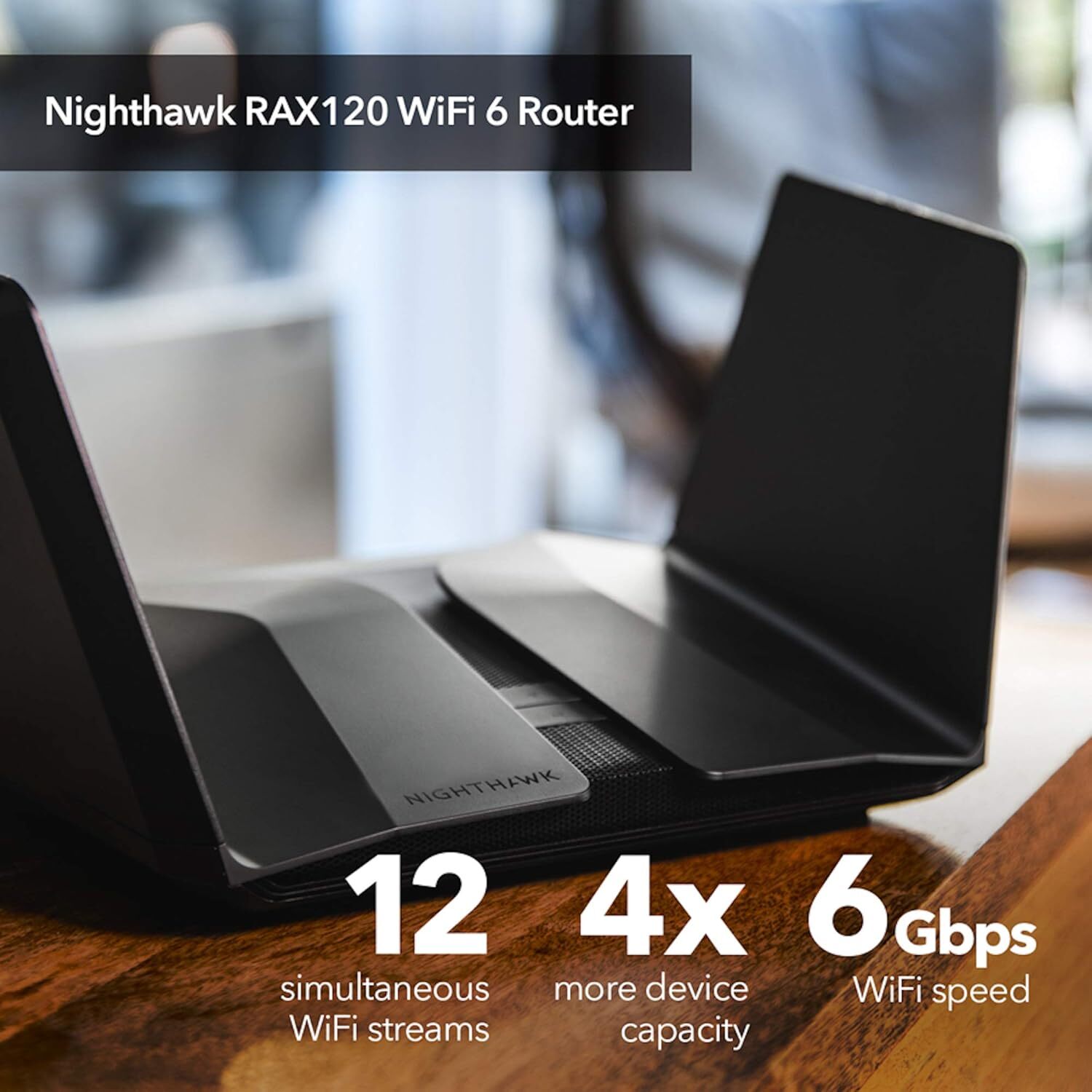
NETGEAR Nighthawk AX12/12-stream AX6000 WiFi 6 Router (RAX120) Nighthawk AX6000 12-Stream WiFi Router is powered by the industry's latest Wi-Fi 6 (802.11ax) standard with 4 times increased data capacity to handle today's and tomorrow's growing home network. Blazing-fast combined WiFi speeds up to 6Gbps and AX optimized 64bit 2.2GHz quad-core processor powers smart home applications, ultra-smooth 4K UHD streaming, online gaming, and more. AX WiFi features Orthogonal Frequency-Division Multiple Access (OFDMA) that dramatically increases network capacity. Plus, eight high-performance antennas on the router amplify WiFi signals for maximized range and reliable coverage. Nighthawk AX6000 12-Stream router is also the first home router to have a 5G multi-gig port.
NETGEAR Nighthawk AX12/12-stream AX6000 WiFi 6 Router (RAX120) Nighthawk AX6000 12-Stream WiFi Router is powered by the industry's latest Wi-Fi 6 (802.11ax) standard with 4 times increased data capacity to handle today's and tomorrow's growing home network. Blazing-fast combined WiFi speeds up to 6Gbps and AX optimized 64bit 2.2GHz quad-core processor powers smart home applications, ultra-smooth 4K UHD streaming, online gaming, and more. AX WiFi features Orthogonal Frequency-Division Multiple Access (OFDMA) that dramatically increases network capacity. Plus, eight high-performance antennas on the router amplify WiFi signals for maximized range and reliable coverage. Nighthawk AX6000 12-Stream router is also the first home router to have a 5G multi-gig port.
There are no live offers for Netgear Nighthawk Wifi 6 AX6000 Router (RAX120) right now. The all-time low we recorded was $211.74 on 4 Apr 2023. Set a price alert to hear when it's back in stock.
Netgear Nighthawk Wifi 6 AX6000 Router (RAX120)
NETGEAR Nighthawk AX12/12-stream AX6000 WiFi 6 Router (RAX120) Nighthawk AX6000 12-Stream WiFi Router is powered by the industry's latest Wi-Fi 6 (802.11ax) standard with 4 times increased data capacity to handle today's and tomorrow's growing home network. Blazing-fast combined WiFi speeds up to 6Gbps and AX optimized 64bit 2.2GHz quad-core processor powers smart home applications, ultra-smooth 4K UHD streaming, online gaming, and more. AX WiFi features Orthogonal Frequency-Division Multiple Access (OFDMA) that dramatically increases network capacity. Plus, eight high-performance antennas on the router amplify WiFi signals for maximized range and reliable coverage. Nighthawk AX6000 12-Stream router is also the first home router to have a 5G multi-gig port.
NETGEAR Nighthawk AX12/12-stream AX6000 WiFi 6 Router (RAX120) Nighthawk AX6000 12-Stream WiFi Router is powered by the industry's latest Wi-Fi 6 (802.11ax) standard with 4 times increased data capacity to handle today's and tomorrow's growing home network. Blazing-fast combined WiFi speeds up to 6Gbps and AX optimized 64bit 2.2GHz quad-core processor powers smart home applications, ultra-smooth 4K UHD streaming, online gaming, and more. AX WiFi features Orthogonal Frequency-Division Multiple Access (OFDMA) that dramatically increases network capacity. Plus, eight high-performance antennas on the router amplify WiFi signals for maximized range and reliable coverage. Nighthawk AX6000 12-Stream router is also the first home router to have a 5G multi-gig port.
originally posted on bestbuy.com
TL;DR Recommend this for non-enthusiasts. Recommend ASUS routers with Merlin support (AX86U, AX88U, etc.) for enthusiasts. Pro: * Speed and signal are top-tier * Easy to setup * Good looking * Cheaper than the ASUS model with the same chip * Can automatically upgrade firmware without people intervening Con: * Bad QoS system * No free network protection, and Netgear Armor is buggy and annoying * No DNS over TLS/HTTPS support (ASUS Merlin supports DoT) * Not Wi-Fi 6 certified (ASUS RT-AX88U is certified). Indicates it may lack some features such as Target Wake Time. I upgraded from ASUS RT-AC86U, which is already a very good router. However, it's underdelivering my 1G fiber network. I originally wanted to get either RT-AX86U or RT-AX88U, but they weren't in stock. ... MoreTL;DR Recommend this for non-enthusiasts. Recommend ASUS routers with Merlin support (AX86U, AX88U, etc.) for enthusiasts. Pro: * Speed and signal are top-tier * Easy to setup * Good looking * Cheaper than the ASUS model with the same chip * Can automatically upgrade firmware without people intervening Con: * Bad QoS system * No free network protection, and Netgear Armor is buggy and annoying * No DNS over TLS/HTTPS support (ASUS Merlin supports DoT) * Not Wi-Fi 6 certified (ASUS RT-AX88U is certified). Indicates it may lack some features such as Target Wake Time. I upgraded from ASUS RT-AC86U, which is already a very good router. However, it's underdelivering my 1G fiber network. I originally wanted to get either RT-AX86U or RT-AX88U, but they weren't in stock. After doing some research, I concluded that Qualcomm-powered 802.11ax routers would offer more performance. I chose RAX120v2 over ASUS's RT-AX89X because the ASUS model is about $70 more expensive, and there's no indication that it is using the latest Qualcomm chip that supports UL OFDMA. Moreover, there's no Merlin support for RT-AX89X, unlike AX86U/AX88U. I'm very happy that I got the v2 version which supports UL OFDMA and possibly Target Wake Time. The router is very easy to setup, and the performance is extremely good. As you can see, with three walls in between, the signal was still very strong, and I achieved > 900Mbps on the 5G band. However, I found the QoS support and customizability more disappointing than I thought. ASUS offers way more customizable options, a much better QoS system and a free life-time network protection provided by Trend Micro. Netgear Armor is not polished and buggy. You'd be better off by setting the default DNS in the router to Cloudflare's Malware blocking DNS and buy bitdefender yourself.
originally posted on netgear.com
This router sure was expensive, here are some pros and cons: Pros: - Lots of features - Fast throughput - Good Range - 5Ghz band sometimes slows to a crawl (Under 2Mbps vs the normal 700+ I can get out of it) or doesn't allow connections or disappears altogether. This is a pro because of the amount of added suspense that the buffering and stuttering adds to your favorite shows and movies. Will it pause again? When will it pause? The random switch between HD and 480p as the site desperately tries to keep up really makes you appreciate the higher resolution (something we often take for granted) -DHCP: Any router can automatically assign an IP address to your various devices, a basic core function of a router, but this one combined with the blazing fast reboot speeds, ... MoreThis router sure was expensive, here are some pros and cons: Pros: - Lots of features - Fast throughput - Good Range - 5Ghz band sometimes slows to a crawl (Under 2Mbps vs the normal 700+ I can get out of it) or doesn't allow connections or disappears altogether. This is a pro because of the amount of added suspense that the buffering and stuttering adds to your favorite shows and movies. Will it pause again? When will it pause? The random switch between HD and 480p as the site desperately tries to keep up really makes you appreciate the higher resolution (something we often take for granted) -DHCP: Any router can automatically assign an IP address to your various devices, a basic core function of a router, but this one combined with the blazing fast reboot speeds, takes upwards of 10-15 minutes after a reboot to allow most devices to connect and get an IP which is another pro as taking a break from the internet can be a good thing, and you don't even need to worry, because it's got you covered. Don't even try to reserve IPs manually, because it knows you need that sweet break time, and it delivers! - It looks like a spaceship, so throwing it out of your window in frustration allows you to pretend a tiny alien ship crashed on your property, fun for the kids and adults alike. - Firmware updates - these are a pain to have to install so luckily they are a bit few and far between on this $400 router. Cons: Can't think of one, best $400 I ever spent as long as I can pair it with something that can...route...and use it as an AP that only sometimes drops the 5ghz band or slows down to a crawl. Stop looking and give your money to Netgear right now. However if you're looking for something reliable that doesn't take forever to restart, can perform basic core functions with speed, and don't need all the bells and whistles, you could probably just spend less money on another router, but this one looks like a spaceship, so... 2 stars, I would be more generous if it didn't cost $400
originally posted on bestbuy.com
I had to return this router after about 30 days. The constant random disconnections from 5ghz signal made it impossible to conduct business and work from home. After doing some research, I found this to be a common problem with the RAX120 model. Also, being a dual band router severely limits the ability to take advantage of Wifi6 as you can either chose to run it in 80mhz mode (preferred by most legacy devices) or 160mhz, which provides true Wifi6 but creates issues with legacy devices that aren’t set up with Wifi6 hardware. Running it in 160mhz mode causes random drops in the 5ghz spectrum and it’s best to leave it at 80mhz mode; basically making it on-par with a high-end wifi5 AC router. Overall, it appears that Netgear rushed the RAX120 to market in 2019 and ... MoreI had to return this router after about 30 days. The constant random disconnections from 5ghz signal made it impossible to conduct business and work from home. After doing some research, I found this to be a common problem with the RAX120 model. Also, being a dual band router severely limits the ability to take advantage of Wifi6 as you can either chose to run it in 80mhz mode (preferred by most legacy devices) or 160mhz, which provides true Wifi6 but creates issues with legacy devices that aren’t set up with Wifi6 hardware. Running it in 160mhz mode causes random drops in the 5ghz spectrum and it’s best to leave it at 80mhz mode; basically making it on-par with a high-end wifi5 AC router. Overall, it appears that Netgear rushed the RAX120 to market in 2019 and slapped Wifi6 on the box before the hardware was ready. Netgear has been promising patches for the past 2 years now to address the myriad issues that this router has but the patches have just created more and more problems. My advice is to save your money and go with the cheaper Nighthawk AX6600 (released in late 2020) as it’s a tri-band router that is compatible with both legacy devices and newer Wifi6 devices and gives you the best of both worlds. Don’t get caught up in the Netgear marketing hype of 12 streams vs 8 streams when choosing a router; the metric that Netgear uses is extremely flawed and is a way to get uninformed consumers to go for the more expensive router over the cheaper and more capable router. On the plus side, the coverage range of the RAX120 is pretty impressive, but that’s about the only thing it has going for it. You can get a lot more for a lot less money if you keep looking.
| WAN connection | |
| WAN connection type | RJ-45 |
| 3G/4G USB modem compatibility | N |
| SIM card slot | N |
| DSL WAN | N |
TL;DR Recommend this for non-enthusiasts. Recommend ASUS routers with Merlin support (AX86U, AX88U, etc.) for enthusiasts. Pro: * Speed and signal are top-tier * Easy to setup * Good looking * Cheaper than the ASUS model with the same chip * Can automatically upgrade firmware without people intervening Con: * Bad QoS system * No free network protection, and Netgear Armor is buggy and annoying * No DNS over TLS/HTTPS support (ASUS Merlin supports DoT) * Not Wi-Fi 6 certified (ASUS RT-AX88U is certified). Indicates it may lack some features such as Target Wake Time. I upgraded from ASUS RT-AC86U, which is already a very good router. However, it's underdelivering my 1G fiber network. I originally wanted to get either RT-AX86U or RT-AX88U, but they weren't in stock. ... MoreTL;DR Recommend this for non-enthusiasts. Recommend ASUS routers with Merlin support (AX86U, AX88U, etc.) for enthusiasts. Pro: * Speed and signal are top-tier * Easy to setup * Good looking * Cheaper than the ASUS model with the same chip * Can automatically upgrade firmware without people intervening Con: * Bad QoS system * No free network protection, and Netgear Armor is buggy and annoying * No DNS over TLS/HTTPS support (ASUS Merlin supports DoT) * Not Wi-Fi 6 certified (ASUS RT-AX88U is certified). Indicates it may lack some features such as Target Wake Time. I upgraded from ASUS RT-AC86U, which is already a very good router. However, it's underdelivering my 1G fiber network. I originally wanted to get either RT-AX86U or RT-AX88U, but they weren't in stock. After doing some research, I concluded that Qualcomm-powered 802.11ax routers would offer more performance. I chose RAX120v2 over ASUS's RT-AX89X because the ASUS model is about $70 more expensive, and there's no indication that it is using the latest Qualcomm chip that supports UL OFDMA. Moreover, there's no Merlin support for RT-AX89X, unlike AX86U/AX88U. I'm very happy that I got the v2 version which supports UL OFDMA and possibly Target Wake Time. The router is very easy to setup, and the performance is extremely good. As you can see, with three walls in between, the signal was still very strong, and I achieved > 900Mbps on the 5G band. However, I found the QoS support and customizability more disappointing than I thought. ASUS offers way more customizable options, a much better QoS system and a free life-time network protection provided by Trend Micro. Netgear Armor is not polished and buggy. You'd be better off by setting the default DNS in the router to Cloudflare's Malware blocking DNS and buy bitdefender yourself.
This router sure was expensive, here are some pros and cons: Pros: - Lots of features - Fast throughput - Good Range - 5Ghz band sometimes slows to a crawl (Under 2Mbps vs the normal 700+ I can get out of it) or doesn't allow connections or disappears altogether. This is a pro because of the amount of added suspense that the buffering and stuttering adds to your favorite shows and movies. Will it pause again? When will it pause? The random switch between HD and 480p as the site desperately tries to keep up really makes you appreciate the higher resolution (something we often take for granted) -DHCP: Any router can automatically assign an IP address to your various devices, a basic core function of a router, but this one combined with the blazing fast reboot speeds, ... MoreThis router sure was expensive, here are some pros and cons: Pros: - Lots of features - Fast throughput - Good Range - 5Ghz band sometimes slows to a crawl (Under 2Mbps vs the normal 700+ I can get out of it) or doesn't allow connections or disappears altogether. This is a pro because of the amount of added suspense that the buffering and stuttering adds to your favorite shows and movies. Will it pause again? When will it pause? The random switch between HD and 480p as the site desperately tries to keep up really makes you appreciate the higher resolution (something we often take for granted) -DHCP: Any router can automatically assign an IP address to your various devices, a basic core function of a router, but this one combined with the blazing fast reboot speeds, takes upwards of 10-15 minutes after a reboot to allow most devices to connect and get an IP which is another pro as taking a break from the internet can be a good thing, and you don't even need to worry, because it's got you covered. Don't even try to reserve IPs manually, because it knows you need that sweet break time, and it delivers! - It looks like a spaceship, so throwing it out of your window in frustration allows you to pretend a tiny alien ship crashed on your property, fun for the kids and adults alike. - Firmware updates - these are a pain to have to install so luckily they are a bit few and far between on this $400 router. Cons: Can't think of one, best $400 I ever spent as long as I can pair it with something that can...route...and use it as an AP that only sometimes drops the 5ghz band or slows down to a crawl. Stop looking and give your money to Netgear right now. However if you're looking for something reliable that doesn't take forever to restart, can perform basic core functions with speed, and don't need all the bells and whistles, you could probably just spend less money on another router, but this one looks like a spaceship, so... 2 stars, I would be more generous if it didn't cost $400
I had to return this router after about 30 days. The constant random disconnections from 5ghz signal made it impossible to conduct business and work from home. After doing some research, I found this to be a common problem with the RAX120 model. Also, being a dual band router severely limits the ability to take advantage of Wifi6 as you can either chose to run it in 80mhz mode (preferred by most legacy devices) or 160mhz, which provides true Wifi6 but creates issues with legacy devices that aren’t set up with Wifi6 hardware. Running it in 160mhz mode causes random drops in the 5ghz spectrum and it’s best to leave it at 80mhz mode; basically making it on-par with a high-end wifi5 AC router. Overall, it appears that Netgear rushed the RAX120 to market in 2019 and ... MoreI had to return this router after about 30 days. The constant random disconnections from 5ghz signal made it impossible to conduct business and work from home. After doing some research, I found this to be a common problem with the RAX120 model. Also, being a dual band router severely limits the ability to take advantage of Wifi6 as you can either chose to run it in 80mhz mode (preferred by most legacy devices) or 160mhz, which provides true Wifi6 but creates issues with legacy devices that aren’t set up with Wifi6 hardware. Running it in 160mhz mode causes random drops in the 5ghz spectrum and it’s best to leave it at 80mhz mode; basically making it on-par with a high-end wifi5 AC router. Overall, it appears that Netgear rushed the RAX120 to market in 2019 and slapped Wifi6 on the box before the hardware was ready. Netgear has been promising patches for the past 2 years now to address the myriad issues that this router has but the patches have just created more and more problems. My advice is to save your money and go with the cheaper Nighthawk AX6600 (released in late 2020) as it’s a tri-band router that is compatible with both legacy devices and newer Wifi6 devices and gives you the best of both worlds. Don’t get caught up in the Netgear marketing hype of 12 streams vs 8 streams when choosing a router; the metric that Netgear uses is extremely flawed and is a way to get uninformed consumers to go for the more expensive router over the cheaper and more capable router. On the plus side, the coverage range of the RAX120 is pretty impressive, but that’s about the only thing it has going for it. You can get a lot more for a lot less money if you keep looking.
I bought this router on November 15, and I really wanted to like it, but I cannot force myself to. First it will disconnect to various devices there are times when I never know which one of my Alexa devices will answer me or say "I am having trouble connecting to the internet try a little later or use the help section in the Alexa app. I have had good luck with my Netgear routers but not this one. I have two Wi-Fi extenders and one of them will connect but will not allow me to access anything from it. I have several smart switches, and some will connect, and some will not. I also have trouble connecting to my security panel. I loved the download speed from my desktop connected with a network cable but that is all that I have found that is good about this router. If ... MoreI bought this router on November 15, and I really wanted to like it, but I cannot force myself to. First it will disconnect to various devices there are times when I never know which one of my Alexa devices will answer me or say "I am having trouble connecting to the internet try a little later or use the help section in the Alexa app. I have had good luck with my Netgear routers but not this one. I have two Wi-Fi extenders and one of them will connect but will not allow me to access anything from it. I have several smart switches, and some will connect, and some will not. I also have trouble connecting to my security panel. I loved the download speed from my desktop connected with a network cable but that is all that I have found that is good about this router. If it won't let me connect to my shop through a Wi-Fi extender then it is useless to me because I have a thermostat, a garage door opener, an Alexa dot and a fire stick for a TV all in my shop, when my old router allowed me to connect to them. You would think that with all the power this unit is suppose to have it would at least have a mesh feature so you can mesh the extenders but it does not offer that feature. I have my old R7800 which I thought was failing but it is still better that this unit. I have an AX80 Wi-Fi extender that does not have a very good range either, so I suggest to anyone wanting a good WIFI router or extender to avoid the AX routers especially if they need to cover a large area. And forget about calling tech support all they want you to do is reset the router to the factory defaults. Which does not do anything except force you to reconfigure the router all over again.
Netgear has certainly gone down quite a bit as far as quality control goes. If you're thinking about purchasing this router do some research into random rebooting/power loss on the latest netgear products. They seem to be plagued with them. This item was replacing a faulty power issue nighthawk mesh system that kept losing its connection with the satellites. From the moment of installation there was nothing but problems. Random reboots every 30 minutes. Checked the traffic meter and logs to see if anything popped up, nothing. It seems that the router gets so hot it shuts off. Tried putting my laptop cooling pad underneath it, not a solution just a bandaid. 45 minute reboots. Thought it could be a defective product, so I bought another one from a different location. ... MoreNetgear has certainly gone down quite a bit as far as quality control goes. If you're thinking about purchasing this router do some research into random rebooting/power loss on the latest netgear products. They seem to be plagued with them. This item was replacing a faulty power issue nighthawk mesh system that kept losing its connection with the satellites. From the moment of installation there was nothing but problems. Random reboots every 30 minutes. Checked the traffic meter and logs to see if anything popped up, nothing. It seems that the router gets so hot it shuts off. Tried putting my laptop cooling pad underneath it, not a solution just a bandaid. 45 minute reboots. Thought it could be a defective product, so I bought another one from a different location. SAME EXACT PROBLEM. Ended up going with the ASUS ROG wifi6 router, have had zero problems since. This was the last time I will EVER be buying a netgear product.
This device is rebooting randomly on its own; otherwise, during operation this device works as advertised. Immediately prior to the installation of this RAX120v2, I had for 6 years a Nighthawk R8000 which never rebooted on its own; hence, the setup and location (prior to current) is exactly the same with of-course the exception of the upgraded router to a Rax120v2. Netgear support tried the obvious things in their problem determination. Plug the router directly into a wall outlet eliminating an extension cord, they reinstalled the latest firmware V1.2.3.28, and when the problem of random rebooting continued, they had me perform a factory reset. None of the aforementioned corrected the problem which could occur in my case, once every 3-4 days or 2-3 times in a single ... MoreThis device is rebooting randomly on its own; otherwise, during operation this device works as advertised. Immediately prior to the installation of this RAX120v2, I had for 6 years a Nighthawk R8000 which never rebooted on its own; hence, the setup and location (prior to current) is exactly the same with of-course the exception of the upgraded router to a Rax120v2. Netgear support tried the obvious things in their problem determination. Plug the router directly into a wall outlet eliminating an extension cord, they reinstalled the latest firmware V1.2.3.28, and when the problem of random rebooting continued, they had me perform a factory reset. None of the aforementioned corrected the problem which could occur in my case, once every 3-4 days or 2-3 times in a single day. Seemingly the only constant with the reboots, is a variable when considering current conditions, and elapsed time in-between the random reboots. Unfortunately when I inquired with Netgear Support, they informed me that this device does not log error codes, nor can any traces or traps be implemented which is surprising to me. This leaves open the question for all, (clients, and Tech Support) of determining what the root cause of this random rebooting of the RAX120v2 is. My exchange for the same device has been requested and approved by Netgear and Bestbuy Tech support (whom have been outstanding and very through in their problem determination) and if the exchange solves the problem one could assume a hardware problem, and should it reoccur, it's likely an unidentified logical problem and I'll need to select a different model. Posted on the Netgear community forum is this same rebooting problem on this device that I've realized with the matching device model and matching installed firmware release number.
I bought this router because I raised my internet speed, and it’s one of few I could find that had a multi gig Lan port and not cost a small fortune. I looked into other brands of routers that had the multi gig Lan port, but none had the reviews and recommendation like the Netgear RAX120. It increased my speed from the router I was currently using but I don’t have a WiFi6 device with 4X4 capability to test the wireless output. I get almost 1400 Mbps wired on my 1200 Mbps service, and strangely enough some of the features didn’t work when I first started using it, but now they do just out of the blue. I did a firmware upgrade first thing so I know that wasn’t why, the features just showed up all the sudden. Anyway the only thing I’m not liking is how you set up QOS, ... MoreI bought this router because I raised my internet speed, and it’s one of few I could find that had a multi gig Lan port and not cost a small fortune. I looked into other brands of routers that had the multi gig Lan port, but none had the reviews and recommendation like the Netgear RAX120. It increased my speed from the router I was currently using but I don’t have a WiFi6 device with 4X4 capability to test the wireless output. I get almost 1400 Mbps wired on my 1200 Mbps service, and strangely enough some of the features didn’t work when I first started using it, but now they do just out of the blue. I did a firmware upgrade first thing so I know that wasn’t why, the features just showed up all the sudden. Anyway the only thing I’m not liking is how you set up QOS, they a pre-labeled I’ve not yet figured out how to assign my own devices for that service, but I’m sure I’ll find out how somewhere. I’m not a networking person, i was schooled in hardware but there isn’t much that needs to be set on routers these days, just the special features you may want to use, and this router has tons of settings and features.
The wifi function is great, with strong signals, wifi 6 and great ipv6 support. It is easy to setup and everything works great. The only thing I am not satisfied is the USB sharing. This model has two USB ports, which would be great if it can support USB-printers. I just do not understand why it does not support printers, and it should not have any technical difficulties, as the old wifi 5 models supports. And if I look at the list of verified USB drives of Netgear router devices, I found that the verified USB drives of wifi 6 models are fewer than wifi 5 models. For example, WD Elements hard drive works with R7800 not RAX120. I have two WD elements hard drives, and both are not recognized by the RAX120. Hopping further upgrade of firmware will improve the performance.
I purchased this router as a replacement for my NG WGR61.4 because of the excellent luck I had with it. Unfortunately the RAX 120 hasn't been the same experience. As several people have noted this model suffers from random reboots. I opened a ticket with NG and followed all of their recommended troubleshooting and continue to have the issue. I have upgraded and downgraded firmware, factory reset the unit, changed the MTU!?!?, etc, all with no effect. In addition to the suggestions from their support team I have also followed some provided on various forums. These include extra cooling, forcing the fan to run full time, changing the 2.4GHz quality of service, and even putting a UPS in line for power conditioning. Same result. The most frustrating part of this seems ... MoreI purchased this router as a replacement for my NG WGR61.4 because of the excellent luck I had with it. Unfortunately the RAX 120 hasn't been the same experience. As several people have noted this model suffers from random reboots. I opened a ticket with NG and followed all of their recommended troubleshooting and continue to have the issue. I have upgraded and downgraded firmware, factory reset the unit, changed the MTU!?!?, etc, all with no effect. In addition to the suggestions from their support team I have also followed some provided on various forums. These include extra cooling, forcing the fan to run full time, changing the 2.4GHz quality of service, and even putting a UPS in line for power conditioning. Same result. The most frustrating part of this seems to be Net Gear's unwillingness to recognize that the product has an issue and send a replacement or a refund. To make matters worse my support ticket was automatically closed after 3 days because of inactivity while I was on vacation with no way to reopen it. At this point I've thrown my hands up and I'm looking into non Net Gear alternatives. Having an issue with a product is one thing, refusing to support that product is entirely different.
purchased on May 2, 2022 here i am writing a review while on hold with netgear customer support. for those that don't know you only get full tech support for 90 days after the time of purchase. After that they will only help you to the point that they can rule out faulty equipment. After that if you want help you're going to have to pay for it. now onto my problem it randomly power cycles (restarts) when that happens i lose internet for a few minutes while it powers back on. if you're a gamer this is going to kick you from online matches and in some cases if you're doing an update on software for electronics this can cause your data to become corrupt. while writing this review their customer support hung up on me so im going to have to call them back. (call was not ... Morepurchased on May 2, 2022 here i am writing a review while on hold with netgear customer support. for those that don't know you only get full tech support for 90 days after the time of purchase. After that they will only help you to the point that they can rule out faulty equipment. After that if you want help you're going to have to pay for it. now onto my problem it randomly power cycles (restarts) when that happens i lose internet for a few minutes while it powers back on. if you're a gamer this is going to kick you from online matches and in some cases if you're doing an update on software for electronics this can cause your data to become corrupt. while writing this review their customer support hung up on me so im going to have to call them back. (call was not dropped they hung up) I've ruled out my ISP (internet service provider), ensured its plugged into a stable power source checked over by a master level electrician, factory reset the router, and finally checked the firmware to ensure its up to date. to add to it the wings don't lock into place they just kinda sit there so if you mount it on the wall they will slide out a little. if you pull them out they fold in for easy packing. the best you can hope to do for a wall mount it have it at an angle so gravity doesnt pull them out. way way way to much money for the poor product and absolutely horrendous customer support.
| WAN connection | |
| WAN connection type | RJ-45 |
| 3G/4G USB modem compatibility | N |
| SIM card slot | N |
| DSL WAN | N |