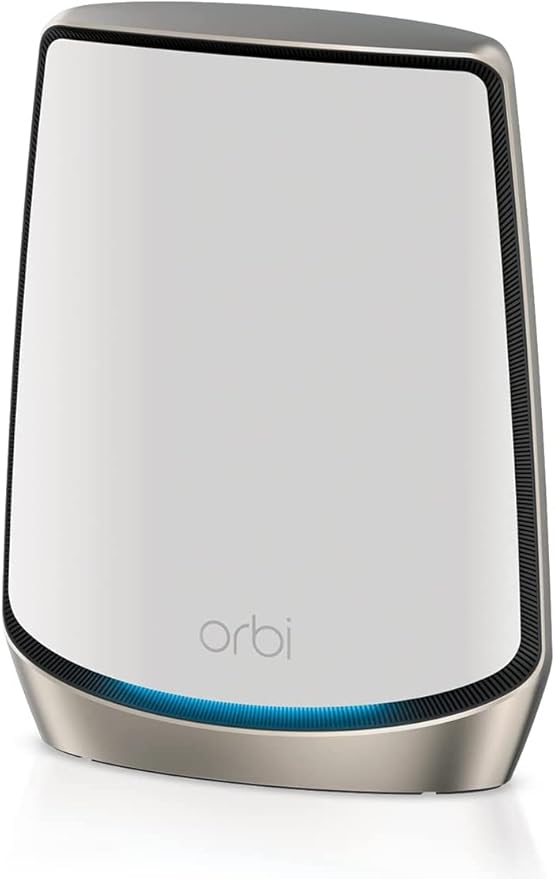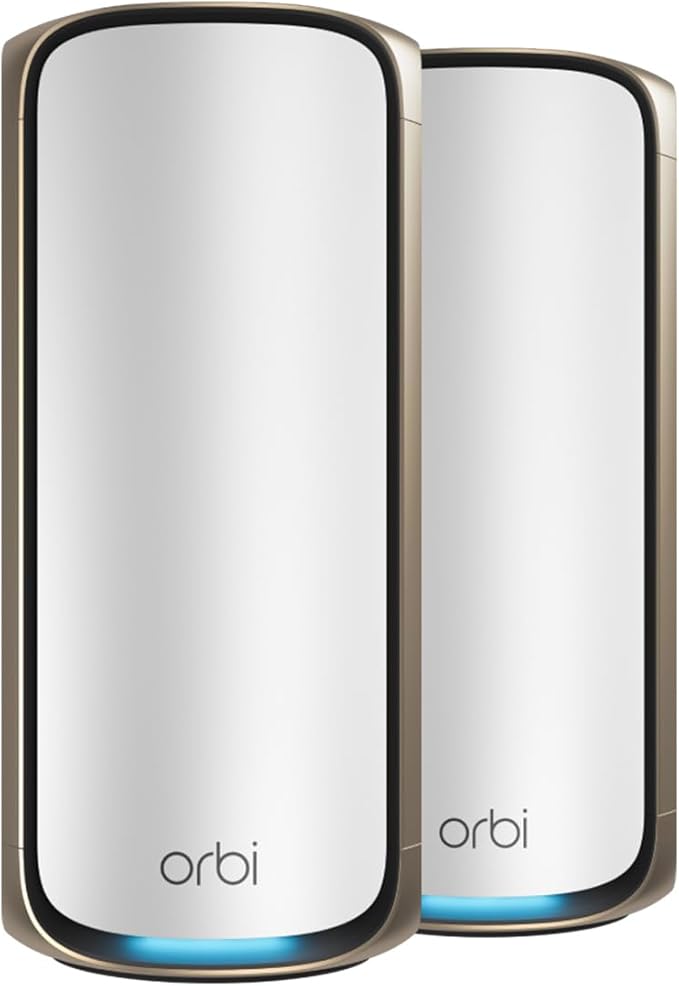
Netgear Orbi 970 Series Quad-Band WiFi 7 Mesh Add-On Satellite in Black Edition (RBE970B)
WiFi 7 delivers 2.4x faster speeds than WiFi 6 and is fully backward compatible with older WiFi devices. From 8K streaming to video conferencing, gaming, VR, and more, Orbi ensures your family can accomplish it all at once. Exclusive, patented Quad-Band technology with Enhanced Dedicated Backhaul ensures WiFi stays fast across all devices simultaneously. Elegant, new design and high-performance antennas provide exceptional 360° WiFi coverage across every corner of your home, no matter the layout. Works with any internet service provider. Whether multi-gig cable or fiber, get the fastest speeds available today and tomorrow with a 10 Gig internet port. Easily set up and manage your WiFi with the Orbi app. 2 x 10Gbps & 6 x 2.5Gbps Ethernet ports unlock unbeatable speed and reliability for wired connections – including gaming consoles, media storage, and 10Gbps wired backhaul option. NETGEAR Armor software provides an automatic shield of security for your WiFi and connected devices (PC, phone, camera, TV, etc.) for real-time protection against hackers and added privacy with VPN. 1-year subscription included.
WiFi 7 delivers 2.4x faster speeds than WiFi 6 and is fully backward compatible with older WiFi devices. From 8K streaming to video conferencing, gaming, VR, and more, Orbi ensures your family can accomplish it all at once. Exclusive, patented Quad-Band technology with Enhanced Dedicated Backhaul ensures WiFi stays fast across all devices simultaneously. Elegant, new design and high-performance antennas provide exceptional 360° WiFi coverage across every corner of your home, no matter the layout. Works with any internet service provider. Whether multi-gig cable or fiber, get the fastest speeds available today and tomorrow with a 10 Gig internet port. Easily set up and manage your WiFi with the Orbi app. 2 x 10Gbps & 6 x 2.5Gbps Ethernet ports unlock unbeatable speed and reliability for wired connections – including gaming consoles, media storage, and 10Gbps wired backhaul option. NETGEAR Armor software provides an automatic shield of security for your WiFi and connected devices (PC, phone, camera, TV, etc.) for real-time protection against hackers and added privacy with VPN. 1-year subscription included.
WiFi 7 delivers 2.4x faster speeds than WiFi 6 and is fully backward compatible with older WiFi devices. From 8K streaming to video conferencing, gaming, VR, and more, Orbi ensures your family can accomplish it all at once. Exclusive, patented Quad-Band technology with Enhanced Dedicated Backhaul ensures WiFi stays fast across all devices simultaneously. Elegant, new design and high-performance antennas provide exceptional 360° WiFi coverage across every corner of your home, no matter the layout. Works with any internet service provider. Whether multi-gig cable or fiber, get the fastest speeds available today and tomorrow with a 10 Gig internet port. Easily set up and manage your WiFi with the Orbi app. 2 x 10Gbps & 6 x 2.5Gbps Ethernet ports unlock unbeatable speed and reliability for wired connections – including gaming consoles, media storage, and 10Gbps wired backhaul option. NETGEAR Armor software provides an automatic shield of security for your WiFi and connected devices (PC, phone, camera, TV, etc.) for real-time protection against hackers and added privacy with VPN. 1-year subscription included.
WiFi 7 delivers 2.4x faster speeds than WiFi 6 and is fully backward compatible with older WiFi devices. From 8K streaming to video conferencing, gaming, VR, and more, Orbi ensures your family can accomplish it all at once. Exclusive, patented Quad-Band technology with Enhanced Dedicated Backhaul ensures WiFi stays fast across all devices simultaneously. Elegant, new design and high-performance antennas provide exceptional 360° WiFi coverage across every corner of your home, no matter the layout. Works with any internet service provider. Whether multi-gig cable or fiber, get the fastest speeds available today and tomorrow with a 10 Gig internet port. Easily set up and manage your WiFi with the Orbi app. 2 x 10Gbps & 6 x 2.5Gbps Ethernet ports unlock unbeatable speed and reliability for wired connections – including gaming consoles, media storage, and 10Gbps wired backhaul option. NETGEAR Armor software provides an automatic shield of security for your WiFi and connected devices (PC, phone, camera, TV, etc.) for real-time protection against hackers and added privacy with VPN. 1-year subscription included.
in 3 offers
The lowest price for Netgear Orbi 970 Series Quad-Band WiFi 7 Mesh Add-On Satellite in Black Edition (RBE970B) right now is $1,399.00 at netgear.com, compared across 3 retailers.
The all-time low was $964.75 on 29 May 2026 — today's price is 45% above the lowest ever. It has been notably cheaper before — worth setting a price alert.
Prices last updated 9 June 2026.
Last updated at 09/06/2026 17:58:00
NETGEAR Orbi 970 Series (RBE970B) Quad-Band WiFi 7 Mesh Additional Satellite Black Edition, Compatible with 970 Series Mesh Systems or Routers,
Affiliate Disclosure: We may receive a small commission for purchases made through this link at no extra cost to you. This helps support our site. Thank you!
NETGEAR Orbi 970 Series Quad-Band WiFi 7 Mesh Add-on Satellite in Black Edition (RBE970B)
Free delivery between 12–18 June
NETGEAR Orbi 970 Series Quad-band WiFi 7 Mesh, BE27000 Speed, Up to 6GHz Band, Up to 11,530 Mbps, 12 High-Performance Internal Antennas, Single Pack (
Delivery between 12–19 June $83.06
originally posted on netgear.com
The Netgear ORBI 970 Series Mesh System is outstanding.I bought the 3-pack (Router and 2 satellites) direct from Netgear. The components were well packed and arrived in perfect condition. The units are quite large but don’t look like a normal router. All the antennae are encased in the tall cylindrical cases (white with gold trim). Casual observers might mistake them for Bluetooth speakers.Installation was very easy. I was replacing a much older and slower single router. The ORBI app walked me through the installation, and I had no problems at all. Once I was happy that I had Internet connection, I changed the default WiFi network name and password to match the name and password on my old router and all my WiFi devices connected automatically. I have a lot of ... MoreThe Netgear ORBI 970 Series Mesh System is outstanding.I bought the 3-pack (Router and 2 satellites) direct from Netgear. The components were well packed and arrived in perfect condition. The units are quite large but don’t look like a normal router. All the antennae are encased in the tall cylindrical cases (white with gold trim). Casual observers might mistake them for Bluetooth speakers.Installation was very easy. I was replacing a much older and slower single router. The ORBI app walked me through the installation, and I had no problems at all. Once I was happy that I had Internet connection, I changed the default WiFi network name and password to match the name and password on my old router and all my WiFi devices connected automatically. I have a lot of hard-wired ethernet connections as well, and they connected seamlessly.My network has a variety of devices, including Apple TVs, a Network receiver, desktop and laptop computers, multiple phones and tablets as well as solar panel infrastructure (inverter and battery controller), wireless doorbell, bike trainer, Google speaker, etc. Some of the wireless devices are limited to the 2.6GHz band but the ORBI 970 seemed to deal with those happily.The performance is awesome. I have an Ultrafast NBN fibre connection (FTTP) and the first speedtest I did showed 950Mbs download and 50Mbs upload. Further tests have showed these results consistently, on both wired and wireless devices.Right now, the ORBI 970 capabilities are probably overkill in my installation. For example, the 10Gbs internet connection is 10X the fastest internet available through the NBN and I don’t have any WiFi 7 devices. But I’m happy that the ORBI 970 has capabilities that I can grow into over time.As router solutions go, the ORBI 970 is not cheap. All the reviews will tell you that. However, its capabilities and performance are extraordinary – especially if you have a big house and a lot of connected devices.Highly recommended.
originally posted on nfm.com
I bought the Orbi 970s to replace my Orbi Pro WiFi 6 system. Very much bummed that at this price point I have very limited control of the network. It has only 3 SSIDs instead of allowing for 4 like the pro series. You cannot configure the bandwidth per SSID and it discourages VLANs which is absurd. I should be able to turn off SSID broadcasting and the highly insecure WPS push to sync button but it doesn't appear to allow that. The wireless backhaul is highly degraded even at the recommended 40ft spread. I hate that the system only allows for one 10Gbps wired backhaul, so you can wire into one satellite but not the other which then drags the network down for the devices connected to the satellite not on a wired backhaul. I unplugged the second satellite and am ... MoreI bought the Orbi 970s to replace my Orbi Pro WiFi 6 system. Very much bummed that at this price point I have very limited control of the network. It has only 3 SSIDs instead of allowing for 4 like the pro series. You cannot configure the bandwidth per SSID and it discourages VLANs which is absurd. I should be able to turn off SSID broadcasting and the highly insecure WPS push to sync button but it doesn't appear to allow that. The wireless backhaul is highly degraded even at the recommended 40ft spread. I hate that the system only allows for one 10Gbps wired backhaul, so you can wire into one satellite but not the other which then drags the network down for the devices connected to the satellite not on a wired backhaul. I unplugged the second satellite and am sending it back as it now serves no purpose because it was just a drag on everything. Basically, the only thing I like is that it is "capable" of up to 10Gbps incoming though my service is 5Gbps, my devices even on the multi-gig lines with fully capable NICs have not been able to get more than 1.5 Gbps out of it on a wireless connection nor wired. I also want to note normally you can assign a physical port to a VLAN or SSID, this one will not let me do that which makes no sense. I don't want all traffic on the default VLAN as I want my main network to truly be isolated from my IoT and guest networks but this system only purports to do so and does not really isolate them properly. I'd send the entire system back if it were not for the need to have a mesh system that can support my 5Gbps incoming bandwidth.
originally posted on netgear.com
I installed the 10Gb capable Router and Satellites 2-weeks ago, I’ve had 5Gb service for three years, but no equipment (iPhone with only WiFi 6, Computers with only 1Gb Ethernet ports) so I was glad to see my favorite Network company introduce this 10Gb product.My iPhone is WIFI 6e capable so I can now get symmetrical 1200-1500Mb (1200 Mb’s is the fastest “practical” speed for WiFi 6E Up/Downloads to my iPhone). This unit is WiFi 7 capable which will eventually offer “theoretical” WiFi speeds of close to 12Mb, when a cell phone and or computer becomes available with a WiFi 7 capable network.I’ve had many problems setting it up and keeping it connected to all my devices including my iPhone 15 Pro Max. The Orbi’s internal speed test equipment has consistently ... MoreI installed the 10Gb capable Router and Satellites 2-weeks ago, I’ve had 5Gb service for three years, but no equipment (iPhone with only WiFi 6, Computers with only 1Gb Ethernet ports) so I was glad to see my favorite Network company introduce this 10Gb product.My iPhone is WIFI 6e capable so I can now get symmetrical 1200-1500Mb (1200 Mb’s is the fastest “practical” speed for WiFi 6E Up/Downloads to my iPhone). This unit is WiFi 7 capable which will eventually offer “theoretical” WiFi speeds of close to 12Mb, when a cell phone and or computer becomes available with a WiFi 7 capable network.I’ve had many problems setting it up and keeping it connected to all my devices including my iPhone 15 Pro Max. The Orbi’s internal speed test equipment has consistently shown download speeds of 4000-5300MB (I have 5000 MB internet plan) but the Upload speeds per Netgear Orbi 971’s internal Speedtest for the 2-weeks I’ve had it, is consistently much slower, 400-900 Mb.A new firmware was released yesterday that I thought would fix the upload speed problem, it didn’t. And now, the new firmware drops my cell phone’s WiFi, and 20+ Cat cable connected devices attached to Netgear Managed switches with Ethernet service from the Orbi 971 Router so frequently, I stay in cellular 5G almost as much time as I stay on Orbi WiFi 6e around my home. Every morning, and up to twice a day, I have to go through the house, power down/up the disconnected devices so they will reconnect to the Orbi Router. The 971 is a great idea, Netgear just needs to work thru all the issues, old and new since this device’s market rollout in fall of 2023.
NETGEAR Orbi 970 Series (RBE970B) Quad-Band WiFi 7 Mesh Additional Satellite Black Edition, Compatible with 970 Series Mesh Systems or Routers,
Affiliate Disclosure: We may receive a small commission for purchases made through this link at no extra cost to you. This helps support our site. Thank you!
NETGEAR Orbi 970 Series Quad-Band WiFi 7 Mesh Add-on Satellite in Black Edition (RBE970B)
Free delivery between 12–18 June
NETGEAR Orbi 970 Series Quad-band WiFi 7 Mesh, BE27000 Speed, Up to 6GHz Band, Up to 11,530 Mbps, 12 High-Performance Internal Antennas, Single Pack (
Delivery between 12–19 June $83.06
The Netgear ORBI 970 Series Mesh System is outstanding.I bought the 3-pack (Router and 2 satellites) direct from Netgear. The components were well packed and arrived in perfect condition. The units are quite large but don’t look like a normal router. All the antennae are encased in the tall cylindrical cases (white with gold trim). Casual observers might mistake them for Bluetooth speakers.Installation was very easy. I was replacing a much older and slower single router. The ORBI app walked me through the installation, and I had no problems at all. Once I was happy that I had Internet connection, I changed the default WiFi network name and password to match the name and password on my old router and all my WiFi devices connected automatically. I have a lot of ... MoreThe Netgear ORBI 970 Series Mesh System is outstanding.I bought the 3-pack (Router and 2 satellites) direct from Netgear. The components were well packed and arrived in perfect condition. The units are quite large but don’t look like a normal router. All the antennae are encased in the tall cylindrical cases (white with gold trim). Casual observers might mistake them for Bluetooth speakers.Installation was very easy. I was replacing a much older and slower single router. The ORBI app walked me through the installation, and I had no problems at all. Once I was happy that I had Internet connection, I changed the default WiFi network name and password to match the name and password on my old router and all my WiFi devices connected automatically. I have a lot of hard-wired ethernet connections as well, and they connected seamlessly.My network has a variety of devices, including Apple TVs, a Network receiver, desktop and laptop computers, multiple phones and tablets as well as solar panel infrastructure (inverter and battery controller), wireless doorbell, bike trainer, Google speaker, etc. Some of the wireless devices are limited to the 2.6GHz band but the ORBI 970 seemed to deal with those happily.The performance is awesome. I have an Ultrafast NBN fibre connection (FTTP) and the first speedtest I did showed 950Mbs download and 50Mbs upload. Further tests have showed these results consistently, on both wired and wireless devices.Right now, the ORBI 970 capabilities are probably overkill in my installation. For example, the 10Gbs internet connection is 10X the fastest internet available through the NBN and I don’t have any WiFi 7 devices. But I’m happy that the ORBI 970 has capabilities that I can grow into over time.As router solutions go, the ORBI 970 is not cheap. All the reviews will tell you that. However, its capabilities and performance are extraordinary – especially if you have a big house and a lot of connected devices.Highly recommended.
I bought the Orbi 970s to replace my Orbi Pro WiFi 6 system. Very much bummed that at this price point I have very limited control of the network. It has only 3 SSIDs instead of allowing for 4 like the pro series. You cannot configure the bandwidth per SSID and it discourages VLANs which is absurd. I should be able to turn off SSID broadcasting and the highly insecure WPS push to sync button but it doesn't appear to allow that. The wireless backhaul is highly degraded even at the recommended 40ft spread. I hate that the system only allows for one 10Gbps wired backhaul, so you can wire into one satellite but not the other which then drags the network down for the devices connected to the satellite not on a wired backhaul. I unplugged the second satellite and am ... MoreI bought the Orbi 970s to replace my Orbi Pro WiFi 6 system. Very much bummed that at this price point I have very limited control of the network. It has only 3 SSIDs instead of allowing for 4 like the pro series. You cannot configure the bandwidth per SSID and it discourages VLANs which is absurd. I should be able to turn off SSID broadcasting and the highly insecure WPS push to sync button but it doesn't appear to allow that. The wireless backhaul is highly degraded even at the recommended 40ft spread. I hate that the system only allows for one 10Gbps wired backhaul, so you can wire into one satellite but not the other which then drags the network down for the devices connected to the satellite not on a wired backhaul. I unplugged the second satellite and am sending it back as it now serves no purpose because it was just a drag on everything. Basically, the only thing I like is that it is "capable" of up to 10Gbps incoming though my service is 5Gbps, my devices even on the multi-gig lines with fully capable NICs have not been able to get more than 1.5 Gbps out of it on a wireless connection nor wired. I also want to note normally you can assign a physical port to a VLAN or SSID, this one will not let me do that which makes no sense. I don't want all traffic on the default VLAN as I want my main network to truly be isolated from my IoT and guest networks but this system only purports to do so and does not really isolate them properly. I'd send the entire system back if it were not for the need to have a mesh system that can support my 5Gbps incoming bandwidth.
I installed the 10Gb capable Router and Satellites 2-weeks ago, I’ve had 5Gb service for three years, but no equipment (iPhone with only WiFi 6, Computers with only 1Gb Ethernet ports) so I was glad to see my favorite Network company introduce this 10Gb product.My iPhone is WIFI 6e capable so I can now get symmetrical 1200-1500Mb (1200 Mb’s is the fastest “practical” speed for WiFi 6E Up/Downloads to my iPhone). This unit is WiFi 7 capable which will eventually offer “theoretical” WiFi speeds of close to 12Mb, when a cell phone and or computer becomes available with a WiFi 7 capable network.I’ve had many problems setting it up and keeping it connected to all my devices including my iPhone 15 Pro Max. The Orbi’s internal speed test equipment has consistently ... MoreI installed the 10Gb capable Router and Satellites 2-weeks ago, I’ve had 5Gb service for three years, but no equipment (iPhone with only WiFi 6, Computers with only 1Gb Ethernet ports) so I was glad to see my favorite Network company introduce this 10Gb product.My iPhone is WIFI 6e capable so I can now get symmetrical 1200-1500Mb (1200 Mb’s is the fastest “practical” speed for WiFi 6E Up/Downloads to my iPhone). This unit is WiFi 7 capable which will eventually offer “theoretical” WiFi speeds of close to 12Mb, when a cell phone and or computer becomes available with a WiFi 7 capable network.I’ve had many problems setting it up and keeping it connected to all my devices including my iPhone 15 Pro Max. The Orbi’s internal speed test equipment has consistently shown download speeds of 4000-5300MB (I have 5000 MB internet plan) but the Upload speeds per Netgear Orbi 971’s internal Speedtest for the 2-weeks I’ve had it, is consistently much slower, 400-900 Mb.A new firmware was released yesterday that I thought would fix the upload speed problem, it didn’t. And now, the new firmware drops my cell phone’s WiFi, and 20+ Cat cable connected devices attached to Netgear Managed switches with Ethernet service from the Orbi 971 Router so frequently, I stay in cellular 5G almost as much time as I stay on Orbi WiFi 6e around my home. Every morning, and up to twice a day, I have to go through the house, power down/up the disconnected devices so they will reconnect to the Orbi Router. The 971 is a great idea, Netgear just needs to work thru all the issues, old and new since this device’s market rollout in fall of 2023.
I purchased the Orbi 970 Series Quad-band WiFi 7 Mesh 3-Pack System to replace a Nighthawk WiFi 6 Router (RAX200) 12-Stream Tri-Band 10.8 Gbps plus two Nighthawk WiFi 6 Mesh Range Extenders EAX80. While the old system was working OK, it couldn’t handle my high demands for data backhaul. Let me explain. I am running a Lorex 4K (8MP) Ultra HD NVR System with 9 4K Camaras and didn’t want to hardwire them to the router. I had plugged the NVR system in to the Satellite units to connect to my network & cloud. Additionally, I dropped cable in favor of OTA 4K TV and needed a way to stream to all Apple TV’s in the house using the HD Homerun unit which had to be plugged in to a satellite unit. With the old system I had many intermittent connectivity issues, but they have all ... MoreI purchased the Orbi 970 Series Quad-band WiFi 7 Mesh 3-Pack System to replace a Nighthawk WiFi 6 Router (RAX200) 12-Stream Tri-Band 10.8 Gbps plus two Nighthawk WiFi 6 Mesh Range Extenders EAX80. While the old system was working OK, it couldn’t handle my high demands for data backhaul. Let me explain. I am running a Lorex 4K (8MP) Ultra HD NVR System with 9 4K Camaras and didn’t want to hardwire them to the router. I had plugged the NVR system in to the Satellite units to connect to my network & cloud. Additionally, I dropped cable in favor of OTA 4K TV and needed a way to stream to all Apple TV’s in the house using the HD Homerun unit which had to be plugged in to a satellite unit. With the old system I had many intermittent connectivity issues, but they have all disappeared with the new system due to the higher backhaul rates 1004.99 Mbps vs. 393.39 Mbps (EAX80)! Admittedly the price for the Orbi 970 is in the Nosebleed area but was well worth the spend considering it solved all my data bottle necks.I typically have 24+ devices connected to the network which consists of units requiring 2.4 GHz and others which can take advantage of 5+GHZ. The Orbi 970 intelligently assigns /connects at the right frequency whereas with the older system I had to manually pick the correct frequency or units couldn’t connect. Most of the home automation units which aren’t hardwired to the routers require 2.4 GHz such as August Home, Rain Bird, MyQ, ThinQ, Ecobee. Additionally, I have 4+ PC’s connected along with NAS drives, 4 TV’s, 3 Apple 4K TV’s Severa Echo Show products and two cars for OTA software & Map updates.Speeds and data transmissions have been phenomenal, and I could never go back from my current state. The System setup was very easy but a bit lengthy. It took 10-15 minutes for each device (Router & Satellite to connect to the network during setup) which had me worried initially that the setup process had hung. Connecting new devices is a breeze! Note: I tried to reuse my old Wi-Fi password so I wouldn’t have to manually reconnect all devices, but the new system does not allow spaces whereas the not that much older RAX200 did allow this! That was the only ding I would give this system. I highly recommend the spend. It's an A+++ system
I purchased all my stuff from Bestbuy, however unfortunately I was unable to get this one from here because it was not available at my local store when I checked, and I needed it right away.With this router, I have seen speeds of up to 2,063 Mbps with my Pixel 9 Pro XL over Wi-Fi, which is absolutely crazy and really impressive. I couldn't believe my own eyes when I saw that on the speed test. (See attached screenshots).This is my third Orbi system (Started with Orbi RBK50 years ago). So far this has been the greatest experience ever with an Orbi. Specially, the initial setup was always a little difficult, not with this 970. Also, with the other ones I always purchased them right away after release, and they always had some firmware issues that I had to deal ... MoreI purchased all my stuff from Bestbuy, however unfortunately I was unable to get this one from here because it was not available at my local store when I checked, and I needed it right away.With this router, I have seen speeds of up to 2,063 Mbps with my Pixel 9 Pro XL over Wi-Fi, which is absolutely crazy and really impressive. I couldn't believe my own eyes when I saw that on the speed test. (See attached screenshots).This is my third Orbi system (Started with Orbi RBK50 years ago). So far this has been the greatest experience ever with an Orbi. Specially, the initial setup was always a little difficult, not with this 970. Also, with the other ones I always purchased them right away after release, and they always had some firmware issues that I had to deal with for a while until Netgear fixed them. However, this time I have not experienced any issues with my connection either. It's been very stable. I have over 40 devices connected to my network, that includes IoT devices such as Cameras, Smart Lights and door locks and so on, plus several laptops, desktops, tablets and smartphones, no issues for any of these connecting, so very happy so far.Now, the only two negatives I have experienced so far are the following:For some reason, my Meta Quest 3 VR Headset cannot connect to the 6GHz band for some reason. Most of the time it connects to the 5GHz one, but this is probably a limitation with the Quest 3 as it runs a version of Android that doesn't officially support Wi-Fi7 I believe, hopefully Meta updates and fixes this soon.The other thing I dislike is that this Orbi runs VERY hot. I live in Florida, and we already have more than enough heat over here. More devices adding to the furnace that my room can become during hot summers (even with the AC on 24/7 is not ideal)Other than that, if you can afford this without having to sell your soul, then go for it. However, this might be overkill for probably %60 of people out there. I do need it because I work from home and want to take full advantage of my fiber service.If something changes, or I start to experience issues, I'll be sure to update this review.
Disclaimer, I purchased only the single router directly from netgear, but still wanted to share my experience concerning the router's performance.......I stared off with the supplied XB8 Gateway with Xfinity, which gets the job done as far as wifi but is definitely limited in speed and range performance. Later I purchased the Asus GT-BE98 Pro which was an excellent and flashy designed router with very good features, except it utilized a "not so consistent" AiMesh system as opposed to a dedicated mesh system such as this one. With the price being the same I returned the Asus Router when I learned that I could purchase a single Orbi 970 router straight from Netgear's website. The wireless performance and speed in my upstairs area actually surpassed the Asus wireless ... MoreDisclaimer, I purchased only the single router directly from netgear, but still wanted to share my experience concerning the router's performance.......I stared off with the supplied XB8 Gateway with Xfinity, which gets the job done as far as wifi but is definitely limited in speed and range performance. Later I purchased the Asus GT-BE98 Pro which was an excellent and flashy designed router with very good features, except it utilized a "not so consistent" AiMesh system as opposed to a dedicated mesh system such as this one. With the price being the same I returned the Asus Router when I learned that I could purchase a single Orbi 970 router straight from Netgear's website. The wireless performance and speed in my upstairs area actually surpassed the Asus wireless performance and embarrassed the Xfinity XB8 gateway wireless performance. I have 2Gbit internet and would get less than half of that upstairs, like 700-800mbps average with the GT-BE98 Pro, and maybe 200-300 with the XB8. This single 970 orbs router averages at 1gbps - 1.2gbps wireless. That being said I'm glad I didn't continue to fall for the "gaming router gimmicks" that Asus tried to market. And the best part is you can also purchase single satellites to add at a later time straight from Netgear when you want to expand your mesh system as needed. In the meantime I am beyond happy with running only the router since Im in an 1600 square foot area.
* The 970 series fails to deliver on the marketing hype with disappointing connectivity issues, underwhelming range and concerning privacy issues.* When it worked as intended, the mesh router delivered reasonable up/download speeds throughout the property. We also appreciated the separate IoT and Guest networks.* The system is overly expensive since only a tiny fraction of devices can take advantage of wifi 7 connectivity and speeds, so it really needed to deliver on all the other marketing promises including reduced interference and “impossibly fast” up/downloads throughout the house.We purchased the Netgear Orbi mesh network 970 as an upgrade to a six-year-old Orbi mesh network series 6 that finally died after several years of faithful service. We connect the ... More* The 970 series fails to deliver on the marketing hype with disappointing connectivity issues, underwhelming range and concerning privacy issues.* When it worked as intended, the mesh router delivered reasonable up/download speeds throughout the property. We also appreciated the separate IoT and Guest networks.* The system is overly expensive since only a tiny fraction of devices can take advantage of wifi 7 connectivity and speeds, so it really needed to deliver on all the other marketing promises including reduced interference and “impossibly fast” up/downloads throughout the house.We purchased the Netgear Orbi mesh network 970 as an upgrade to a six-year-old Orbi mesh network series 6 that finally died after several years of faithful service. We connect the mesh network to an Xfinity XB-8 gateway, which we bridge to act as just a modem. Both the Orbi series 6 and the XB-8 are fully capable of providing full coverage across our three-story home.We were excited to take advantage of the latest technology with the 970, particularly given the much broader coverage, “consistent 10 gig” speed and whole-house connectivity promised on Netgear’s website. Unfortunately, the real device failed to deliver on those promises and, after two days of frustrating set up and several hours with Netgear tech support, we will reluctantly return the system to BestBuy.Our home is three stories high and 4,500 square feet — well within the promised range of the 970 series, which is supposed to cover multiple floors and up to 10,000 sq. ft. The base station set up was super simple using the Orbi iOS app, which walked you through the process of powering down your existing modem/router, then initiating the new system. It also installed a firmware update and then kicked off the Netgear Armor security system. Please note Netgear charges $100 a year for this all-system anti-virus after the first year; other manufacturers offer similar security systems for free for the life of their systems. Netgear’s tech support only lasts for three months.Once the base station was working fine, I proceeded to set up the first satellite on the second floor. Unfortunately, the satellite failed to connect with the device when positioned one floor up and directly above the base station. I tried multiple positions on the second floor without success. Frustrated, I moved the satellite back to the first floor and was even more disappointed when the system still failed to connect one room and an open hallway away. I finally placed the satellite across the room where the base station was positioned and... success! Using a $2,300 mesh system in a single room seems like overkill, so I used my laptop and some software to locate possible positions for the satellite on the second floor and finally found a location that worked. The base station, which was ethernet-cabled to my MBP, delivered 943 mbps down and 43 up. When in place, the satellite delivered a less-than-stellar but acceptable 112 mbps down and 27 up. I was also able to get a strong enough signal to drive the Ring cameras on the outside of the first and second floors, which I placed on the separate IoT network. Those numbers are okay, but Netgear promises 8K streaming on every floor, so that’s a stretch (unless the streaming signal is hyper compressed).I used a similar process on the third floor, using my laptop to find a suitable position for the second satellite. Once in place, I got 99 mbps down and 23 up. Okay, again, but not the blazing speeds with ultra-low latency promised by the Netgear website.For each satellite, it took me a couple hours with Netgear tech support to understand why I first couldn’t get any signal at all, even though I was placing the satellite in a spot my laptop/software said was ideal. Please note that you’ll need to be patient, as the satellites run through multiple cycles to initiate, update the firmware and establish the dedicated backhaul. It’s helpful to download the chart that shows the meaning of the different color LEDs on the base station and satellites.Once the system was set up, it worked great... for a while. The ring cameras on all three floors connected easily enough, as did the Ecobee thermostats. We were also able to connect approximately 43 personal devices throughout the household. For this test, we used the existing network name and password, which facilitated the connection process.Within a couple of hours, however, the system began dropping connections on the second and third floors. I can’t relay how frustrating it is to get a “connecting” message and a spinning circle on the Orbi app and to have your devices switch to Verizon when you just spent $2,300 and four hours setting the system up. I spent a couple of more hours inside the web-based settings app getting everything aligned and perfect, which helped a little bit, but an hour later the system was dropping connections again. Also, I was a little dismayed that the network to access the settings uses an unsecured orbi dot com address, which has all kinds of privacy/cybersecurity implications. Make sure you use a VPN and a private browser setting at a minimum if you use a browser to fine tune your settings (which you’ll need to do since the Orbi app isn’t very robust).Long-story short, we’re using Xfinity’s XB-8 for right now. I understand Xfinity’s coming out with the XB-10 later this year, which will also offer wifi 7 and DOCSIS 4.0. We will wait for that instead of suffering the frustration and buyer’s remorse of the $2,300 Netgear Orbi 970.
I've been using a previous Gen Orbi for the last year or so. Main selling point of this one is the 10Gb Ethernet and the multiple 2.5Gb Ethernet ports.The profile of the satellites are much improved over the previous gen. These are taller and more triangular versus the kind of oval shape. Makes it much easier to to place them in various areas. I've not been able to take advantage of the 10Gb ethernet however as I don't have any devices currently capable of utilizing the kind of hardwired connection. My desktop computer is capable of 2.5Gb ethernet, but I lack anything else that can feed that much speed right now. I'm still waiting on Fiber to be rolled ot in my town.Of what I've experienced with my previous system and moving to this new gen, the setup is exactly ... MoreI've been using a previous Gen Orbi for the last year or so. Main selling point of this one is the 10Gb Ethernet and the multiple 2.5Gb Ethernet ports.The profile of the satellites are much improved over the previous gen. These are taller and more triangular versus the kind of oval shape. Makes it much easier to to place them in various areas. I've not been able to take advantage of the 10Gb ethernet however as I don't have any devices currently capable of utilizing the kind of hardwired connection. My desktop computer is capable of 2.5Gb ethernet, but I lack anything else that can feed that much speed right now. I'm still waiting on Fiber to be rolled ot in my town.Of what I've experienced with my previous system and moving to this new gen, the setup is exactly the same and just as easy. There was a slight complication with setting it up however. My old network had a , and a space in it. I had taken the other system down, went to setup the new one and it wouldn't allow me to name it the same, necessitating having to reconnect everything in my house, which was quite the hassle. I don't quite understand why the mobile app was enforcing this, however, once it was setup, I could rename it to anything via the Web Portal, which oddly enough was more difficult to get to this time as it kept wanting me to use the Mobile App.One thing I did experience with my previous model was one of the satellites would randomly drop it's sync to the main hub. Sometimes it would automatically sync back up, or I'd have to fight with it for an hour to get it to sync back up. So far I've not experienced this with the new system.This should tide me over for years to come given the bandwidth and Wi-Fi 7 capabilities. If you want to go down the road of using a mesh network and you have the purse strings for it, Netgear really does make some of the best networking hardware.
If there were 10 stars, this would get 10 stars. This is hands down the best Wi-Fi and networking purchase I have made.I recently upgraded to a 2Gb/s fiber connection and I hear that provider will be offering even higher bandwidths in the next year or two.I was considering running higher grade ethernet to my office to get the full 2Gb/s and instead opted to try the Orbi 970 after hearing a recommendation from the fiber installer. I'm now seeing the full 2Gb/s on my Mac Studio from the ethernet connection to one of the Satellites.Other devices that are connected by Wi-Fi are getting significant increases in bandwidth than I was previously getting from a different Wi-Fi 7 rated mesh system that was released by another company.The router and the two satellites ... MoreIf there were 10 stars, this would get 10 stars. This is hands down the best Wi-Fi and networking purchase I have made.I recently upgraded to a 2Gb/s fiber connection and I hear that provider will be offering even higher bandwidths in the next year or two.I was considering running higher grade ethernet to my office to get the full 2Gb/s and instead opted to try the Orbi 970 after hearing a recommendation from the fiber installer. I'm now seeing the full 2Gb/s on my Mac Studio from the ethernet connection to one of the Satellites.Other devices that are connected by Wi-Fi are getting significant increases in bandwidth than I was previously getting from a different Wi-Fi 7 rated mesh system that was released by another company.The router and the two satellites are almost certainly enough for my 3400 square foot home although I decided to add an additional satellite. I wish Best Buy sold those but they only sell the packs that include the router. Unlike other mesh systems were each node is physically the same device, the Orbi 970 has a dedicated router node and different satellite nodes.These are also significantly larger than the other Wi-Fi 7 nodes I mentioned that they replaced, although the performance improvement by far justifies this in my mind.
Netgear has owned the high-end of WiFi Mesh since their early Orbi WiFi-6 (RBK850) system dominated the market as the best coverage, best throughput mesh wifi on the market several years ago at the height of the pandemic. Their new QUAD band WiFi 7 system only improves on this design, but has a few quirks as well that buyers laying down its MSRP for such a system should be aware of:Packaging/Setup:Netgear has had excellent and efficient packaging for their ORBI systems for the past few generations. When I received the box, I wasn’t ready for what lies inside - Very efficient packaging that puts the node units front-and-center - One router/core node and 2 sattelites in the case of my kit - Where the units themselves are larger than you imagine when purchasing ... MoreNetgear has owned the high-end of WiFi Mesh since their early Orbi WiFi-6 (RBK850) system dominated the market as the best coverage, best throughput mesh wifi on the market several years ago at the height of the pandemic. Their new QUAD band WiFi 7 system only improves on this design, but has a few quirks as well that buyers laying down its MSRP for such a system should be aware of:Packaging/Setup:Netgear has had excellent and efficient packaging for their ORBI systems for the past few generations. When I received the box, I wasn’t ready for what lies inside - Very efficient packaging that puts the node units front-and-center - One router/core node and 2 sattelites in the case of my kit - Where the units themselves are larger than you imagine when purchasing this. Each one is over a foot tall and ~6” thick - This isn’t a discrete WiFi network! The box sort of unfolds to unveil the nodes and their power cords. There is one CAT6 ribbon cable included for the homerun from your Cable/fiber modem to the Internet portion of the core router’s port assortment, and 3 rather large AC adapters for each of the router/nodes that are all the same size and output. These are not corded on both ends, but rather the AC adapter “Brick” is integrated into the wall plug, so will require a larger clearance in any surge protectors or outlets where they are plugged in.Design:As I mentioned before, these units are BIG. Coming from the RBK850 WiFi 6 version, these nodes are even BIGGER, but instead of a large “fin” design like their predecessors, these are more of a “cylinder” - More than a foot tall and 6” in diameter - They obviously have some sort of rotary antenna design inside, formed around 3 panels (the top profile is somewhat triangular, with a back spine where the port array is). The design is tidy and looks nice in both the white/silver and Black/dark metal color offerings, but by no means will these “Blend in” to any home. I chose the white ones as I dont mind them being visible and the white better matched my home aesthetic, since they WILL be seen.Wired Connectivity: The main router has a significant offering of ports along its back spine - 1 uplink port for connection to a router or cable/fiber modem (or upstream switch if this mesh is being incorporated into a larger wired network) - This system actually offers 2 uplink ports: A 10GbE Internet port, as well as an additional 10GbE port for aggregation of carriers - Or for High Availability configurations of multiple ISPs - One could potentially use this network in a small/medium office environment where two ISPs are configured and connected, and either aggregate during normal ops or fail over to one another when an outage occurs. This is an exciting feature for a “consumer” offering and makes the ORBI premium lineup seem more like a “prosumer” offering. The main router also offers 4x 1GbE ethernet ports to act as a switch for your wired devices on the LAN in the main office location - For me, this allows connection of my smart home controllers that connect in a WIRED way and for the printer and desktop PC on my desk where the main router node lives to connect via a full 1000Mbps connection to the router and its Internet uplink. This will be helpful as I upgrade to Fiber and will be able to take full advantage of the 1Gbps bandwidth these wired connections allow for. Each of the “Mesh nodes” looks almost identical to the router, but only offer a single uplink cable (if using in a “wired mesh” mode), and 2 Ethernet ports for downstream device connectivity. This becomes especially handy in areas like my Living Room, where I put a mesh node to allow for good coverage along the back of the house, but it also serves as an Ethernet bridge to my TV and Xbox Series S thanks to its two integrated ports. The uplink connection is rated for 10Gbps and the two bridge ports are rated for 1Gbps.Wireless connectivity and Performance:This is where the ORBI really starts to stand out - In addition to having the latest Ethernet technology and offering everything port-wise that any mesh product offers on the market today, this is one of the next generation of wireless products - Supporting full quad-band WiFi 7 connectivity on supported devices! What does that mean, well it especially means that WiFi7-capable devices will be able to take advantage of 4 separate wireless bands when communicating with these new nodes - 2.4GHz, dual 5GHz bands (one dedicated to mesh backhaul) and the 6GHz band introduced as the differentiator in WiFi 6E. Since there are hardly any WiFi7-capable endpoints out there today, this may seem like a superfluous capability, but since this is a WiFi7-native mesh network, that extra 5GHz band will come in handy to ensure better inter-node connectivity and speed on the network, benefiting devices old and new alike. This will also be the ultimate performance enhancement for devices that can take full advantage of the 6E or 7 standards, and future-proof your infrastructure for those devices as they debut - And be ready for the coming wave of improved Internet Access services out there who are pushing backhaul bandwidth to 1Gbps to 2Gbps and beyond!As far as coverage, my home is only ~2400sqft. But is very densely framed, and other wifi mesh systems have required 3 nodes throughout the house to adequately cover the house and the immediately surrounding 10ft perimeter outside the house where we might use devices on the patio, or in the garage. Only the previous Orbi system we used came even close to covering like this does! We can still connect to our wifi when next door or across the street (outside, not indoors). This system provides excellent coverage even through several walls and I notice that the node signal strength is always very good between the mesh endpoints - This results in being able to achieve my FULL backhaul speeds to the Internet throughout my home, allowing for things like immersive gaming and video conferencing in areas of the house where this has been a problem for other solutions. Even with previous tri-band Orbi solutions, the coverage was great, but the speeds suffered as the backhaul band for the mesh was a single 5GHz band, where now I can have full 6GHz WiFi 7 backhaul keeping the network at top speed.Administration/Configuration:The Orbi system primarily uses an app-based solution, available as an app for iPhone and Android - This is primarily a phone-based app, so tablet users will struggle with the UI as its not formulated for, but does scale adjust for, larger screens.The app administration will get you through 90% of what most consumers use to manage/configure their wifi networks, but if you’re like me, and want a custom DHCP range, and to specify NAT rules, priority devices, and manage static IP assignments, some of these features are better served in the web-based admin console accessible on desktop devices (or tablets in the browser) that is the same adminUI that has been on Netgear devices for years. It is updated to support the Orbi’s new features, but its nothing new, and thats not a bad thing (if it ain’t broke…) The app and console support some interesting new features that I hadn’t seen in my previous Netgear or any other routers:- IoT SSID Network - A separate network for your IoT devices, that is fully accessible and shared a DCHP vLAN with your main network, but allows you to configure a more permissive WPA2 or 2.4GHz native network JUST for those stubborn legacy devices, while enabling the latest security and encryption and speeds of WPA3 and 5/6GHz for your regular network devices. I found this helpful for connecting stubborn lightbulbs and other IoT controllers that otherwise wouldn’t play nice. This does not, however, add ANY IoT security to the network, as anything that can get to your IoT network has unfettered access to your entire LAN - Just don’t go thinking this is a security feature.- Customizable IP ranges and DNS/DMZ services - If you run any kind of server or VPN for yourself or others out of your device, Netgear still gives you all of the classic tools to manage this right in the web-based console (the mobile app admin console is a bit more limited).Security:Security in a product like this is relative - Its all about how much you’re willing to configure. This router/mesh comes with Netgear’s ARMOR service which acts like a bit of a sentinel on the network detecting anomalous behavior and doing vulnerability checks on your devices as they come and go - I have seen several vulnerabilities pointed out from some IoT hubs/controllers I have connected, but in checking these out they are just POTENTIAL vulnerabilities - Beyond that I might just be dealing with hardened, secured devices at home, or ARMOR just doesn’t do much in this space. It’s also going to cost you annually to keep up on. There are multiple places on the Internet where you can get guidance on how to harden your network and prevent attacks and intrusions, but rest assured most of the tools and admin capabilities mentioned in these guides this Netgear stack is going to support.Value:This is an expensive setup. It might be DOUBLE what I ever thought I’d have paid for home network equipment, and its full value will only ever be realized once ISP bandwidth reaches near its theoretical maximums - But at any price, if you’re like me and you want the best possible technical solution for your family and home office streaming and data access needs, and you want assurance that you’re always getting the most out of whatever you ISP offers you from ANYWHERE on your network, and you need to ensure that the entire home is blanketed in strong WiFi, this is the solution for you.