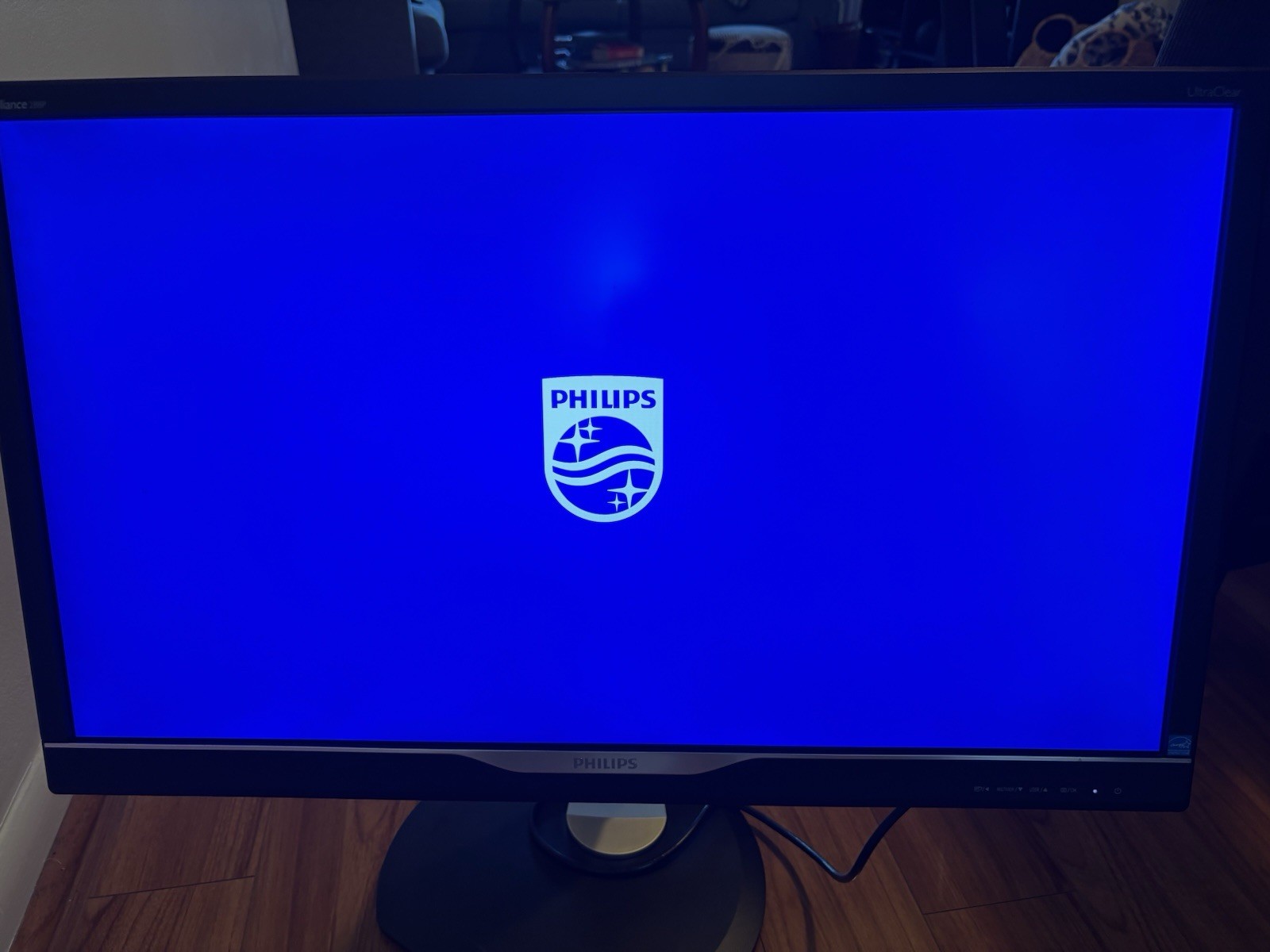
The Philips USB-C docking display for a comprehensive solution. View UltraClear 4K UHD and re-charge a laptop up to 90 W, all at the same time with a single USB-C cable. Pop-up webcam with Windows Hello delivers performance and convenience.
The Philips USB-C docking display for a comprehensive solution. View UltraClear 4K UHD and re-charge a laptop up to 90 W, all at the same time with a single USB-C cable. Pop-up webcam with Windows Hello delivers performance and convenience.
in 3 offers
The lowest price for Philips 329P1H 32" 4K USB- C Monitor right now is $784.43 at MegaBuy, compared across 3 retailers.
The all-time low was $199.00 on 13 June 2026 — today's price is 294% above the lowest ever. It has been notably cheaper before — worth setting a price alert.
Prices last updated 15 June 2026.
Philips 329P1H 32" 4K USB- C Monitor
The Philips USB-C docking display for a comprehensive solution. View UltraClear 4K UHD and re-charge a laptop up to 90 W, all at the same time with a single USB-C cable. Pop-up webcam with Windows Hello delivers performance and convenience.
The Philips USB-C docking display for a comprehensive solution. View UltraClear 4K UHD and re-charge a laptop up to 90 W, all at the same time with a single USB-C cable. Pop-up webcam with Windows Hello delivers performance and convenience.
Last updated at 15/06/2026 04:30:21
PHILIPS 329P1H UHD IPS USB-C Docking Monitor with Hello Webcam Black
Free delivery
Affiliate Disclosure: We may receive a small commission for purchases made through this link at no extra cost to you. This helps support our site. Thank you!
[329P1H] Philips 32" 329P1H 4K USB- C Webcam, 3840 x 2160,16:9,HA,Pivot,Swivel,Tilt,VESA,Speakers,DP, HDMI,4 Year Warranty
7-day returns
Philips 329P1H 31.5inch 4k IPS W-LED Monitor with USB-C Dock
30-day returns
originally posted on pbtech.co.nz
Love my new screen. I needed a new screen as I do a lot of Zoom meetings and needed one with a good webcam. This meets my needs and I love the way the pop-up webcam can be tucked away when not in use so that it doesn't appear intrusive. It was easy to put together and I like the sleek look of it. However, it is quite heavy to move if I have to take it to another area I must admit, so for me, it is best to be placed where you don't have to move it around. I like the way it swivels on the base which makes it easy to turn in any direction you want. I've now had the new Screen for a month or so, and am not disappointed at all.
originally posted on philips.co.uk
This monitor is working very well after five months use but I did consider returning it in first six weeks, owing to its complexity. I am now very pleased and think that it will last well over the long run and as I learn its quirks. I have purchased computers and peripherals since the 1980s.The physical features (turns, rotates, portrait, landscape, built-in loudspeakers) are really great. A problem is the use of five tiny buttons along the bottom and which are hard to see, but critical for proper use.The screen resolution, colours, contrast, and all adjustable but the monitor does not always seem to retain the settings, or some are incompatible with others in a way that I do not yet understand. For example, the monitor has an extensive set of SMART options for ... MoreThis monitor is working very well after five months use but I did consider returning it in first six weeks, owing to its complexity. I am now very pleased and think that it will last well over the long run and as I learn its quirks. I have purchased computers and peripherals since the 1980s.The physical features (turns, rotates, portrait, landscape, built-in loudspeakers) are really great. A problem is the use of five tiny buttons along the bottom and which are hard to see, but critical for proper use.The screen resolution, colours, contrast, and all adjustable but the monitor does not always seem to retain the settings, or some are incompatible with others in a way that I do not yet understand. For example, the monitor has an extensive set of SMART options for sensing user presence, adjusting blue shift, adjusting screen contrast, and so on, but the use of one negates the use of another in a way that is not described in the manual, or elsewhere, and known only to the design engineers. Phone support was basic when tried.Monitor has an extensive set of connections, for use with many types of computer, but its abilities depend upon which connections are in use. For example, no problem with wake from sleep by bluetooth keyboard touch if connected via HDMI. If connected via USB-C only, and using a bluetooth keyboard/mouse, then wake from sleep can require waking monitor first by button push, and then waking the computer by mouse or keyboard. Frustrates my partner.Other posts on shopping sites have described some issues arise when using USB-C only as a connection and USB 3.2 is enabled for the monitor ports,for peripherals. I have set the USB bus to 2.0 and avoid such issues.Download of the user manual is an absolute must. It's impossible to understand the settings and choices otherwise.It is clear from the types of questions asked on various sites that users have not found the manual and so cannot resolve even simple features such as turning on audio speakers, adjusting contrast, etc.The sole support issue so far is that on the first day, when carefully turning the monitor 90 degrees landscape to portrait, the end of the supplied USB-C cable ripped off. I requested another from the phone support and it was mailed at no cost.In dealing with the first level support ( a third party company) and asking other questions, it was clear that the operator was merely reading through scripts and did not have as much information as I did when using the downloaded manual. So i stopped asking difficult set-up questions.All in all, after five months I would give it just less than 5 stars owing to some quirks.
originally posted on philips.com
Left half of the screen backlit noticeably flicks / blinks. It takes 5minutes for the display to "heat up" before it stops blinking. Once display refused to produce sound via HDMI / DP, only changing the volume in the display menu "fixed" sound reproduction.Take attention to the refresh rate: there are two near 60Hz and by default Windows 10 selected the lower one via HDMI (in fraction of Hz) - display showed lots of rainbow artifacts and incorrectly rendered solid colors in some positions (like black like is displayed as blue line).Power Delivery works via USB-C.
| layerNavigation | |
| Curved | No |
| VESA | 100 X 100 mm |
| Connectivity | HDMI + DisplayPort + USB-C |
| Webcam | Yes |
PHILIPS 329P1H UHD IPS USB-C Docking Monitor with Hello Webcam Black
Free delivery
Affiliate Disclosure: We may receive a small commission for purchases made through this link at no extra cost to you. This helps support our site. Thank you!
[329P1H] Philips 32" 329P1H 4K USB- C Webcam, 3840 x 2160,16:9,HA,Pivot,Swivel,Tilt,VESA,Speakers,DP, HDMI,4 Year Warranty
7-day returns
Philips 329P1H 31.5inch 4k IPS W-LED Monitor with USB-C Dock
30-day returns
Love my new screen. I needed a new screen as I do a lot of Zoom meetings and needed one with a good webcam. This meets my needs and I love the way the pop-up webcam can be tucked away when not in use so that it doesn't appear intrusive. It was easy to put together and I like the sleek look of it. However, it is quite heavy to move if I have to take it to another area I must admit, so for me, it is best to be placed where you don't have to move it around. I like the way it swivels on the base which makes it easy to turn in any direction you want. I've now had the new Screen for a month or so, and am not disappointed at all.
This monitor is working very well after five months use but I did consider returning it in first six weeks, owing to its complexity. I am now very pleased and think that it will last well over the long run and as I learn its quirks. I have purchased computers and peripherals since the 1980s.The physical features (turns, rotates, portrait, landscape, built-in loudspeakers) are really great. A problem is the use of five tiny buttons along the bottom and which are hard to see, but critical for proper use.The screen resolution, colours, contrast, and all adjustable but the monitor does not always seem to retain the settings, or some are incompatible with others in a way that I do not yet understand. For example, the monitor has an extensive set of SMART options for ... MoreThis monitor is working very well after five months use but I did consider returning it in first six weeks, owing to its complexity. I am now very pleased and think that it will last well over the long run and as I learn its quirks. I have purchased computers and peripherals since the 1980s.The physical features (turns, rotates, portrait, landscape, built-in loudspeakers) are really great. A problem is the use of five tiny buttons along the bottom and which are hard to see, but critical for proper use.The screen resolution, colours, contrast, and all adjustable but the monitor does not always seem to retain the settings, or some are incompatible with others in a way that I do not yet understand. For example, the monitor has an extensive set of SMART options for sensing user presence, adjusting blue shift, adjusting screen contrast, and so on, but the use of one negates the use of another in a way that is not described in the manual, or elsewhere, and known only to the design engineers. Phone support was basic when tried.Monitor has an extensive set of connections, for use with many types of computer, but its abilities depend upon which connections are in use. For example, no problem with wake from sleep by bluetooth keyboard touch if connected via HDMI. If connected via USB-C only, and using a bluetooth keyboard/mouse, then wake from sleep can require waking monitor first by button push, and then waking the computer by mouse or keyboard. Frustrates my partner.Other posts on shopping sites have described some issues arise when using USB-C only as a connection and USB 3.2 is enabled for the monitor ports,for peripherals. I have set the USB bus to 2.0 and avoid such issues.Download of the user manual is an absolute must. It's impossible to understand the settings and choices otherwise.It is clear from the types of questions asked on various sites that users have not found the manual and so cannot resolve even simple features such as turning on audio speakers, adjusting contrast, etc.The sole support issue so far is that on the first day, when carefully turning the monitor 90 degrees landscape to portrait, the end of the supplied USB-C cable ripped off. I requested another from the phone support and it was mailed at no cost.In dealing with the first level support ( a third party company) and asking other questions, it was clear that the operator was merely reading through scripts and did not have as much information as I did when using the downloaded manual. So i stopped asking difficult set-up questions.All in all, after five months I would give it just less than 5 stars owing to some quirks.
Left half of the screen backlit noticeably flicks / blinks. It takes 5minutes for the display to "heat up" before it stops blinking. Once display refused to produce sound via HDMI / DP, only changing the volume in the display menu "fixed" sound reproduction.Take attention to the refresh rate: there are two near 60Hz and by default Windows 10 selected the lower one via HDMI (in fraction of Hz) - display showed lots of rainbow artifacts and incorrectly rendered solid colors in some positions (like black like is displayed as blue line).Power Delivery works via USB-C.
When my previous monitor started flashing on and off, I started looking at my options. I had a 4K monitor and wanted something with at least the same resolution. I also have an iMac 27" with retina, so I wanted something that would match the brightness of the iMac as I use both. This monitor matches very well.
I wasn't able to get this to function properly with my Mac Mini M1. Display quality was ok and the USB-C hub was handy but I couldn't get past all the other issues. Recurring and regular problems with getting the webcam to be detected, and the same issue with audio. Requiring regular cycling of the monitor power to get them working again but then the issue would come back. Mac keyboard volume keys/brightness keys don't work with this monitor. The monitor menu was complicated and non-intuituve (big issue given that the Mac volume/brightness keyboard keys don't work), and you can't adjust the position of the pop-up webcam, it's positioned too high, so that it only captures the head and neck at normal viewing angles and you have to angle the monitor down quite low to ... MoreI wasn't able to get this to function properly with my Mac Mini M1. Display quality was ok and the USB-C hub was handy but I couldn't get past all the other issues. Recurring and regular problems with getting the webcam to be detected, and the same issue with audio. Requiring regular cycling of the monitor power to get them working again but then the issue would come back. Mac keyboard volume keys/brightness keys don't work with this monitor. The monitor menu was complicated and non-intuituve (big issue given that the Mac volume/brightness keyboard keys don't work), and you can't adjust the position of the pop-up webcam, it's positioned too high, so that it only captures the head and neck at normal viewing angles and you have to angle the monitor down quite low to get a proper view in the webcam. Panasonic's online troubleshooting resources were woeful. I'd expected a much better experience overall given the price of the monitor. Given the issues I decided to return it. Windows users will likely have a better time with this, but Mac users beware.
It looks beautiful. It comes with an outstanding monitor stand -- tilt and swivel, and several inches of height adjustment can easily be applied by hand without having to move out of your chair. Plus the display can pivot into portrait mode. The USB hub allowed me to clear several charger blocks from my desk. The speakers sound okay -- absolutely fine for a phone call, and to preview music. I operate it on Windows 11 with 150% scaling, and the text is very clear. On initial set up, I didn't realize there was a "main power switch" next to the power cord, so it took me some time to actually figure out how to turn on monitor, I thought the front panel on/off switch was broken. The supplied HDMI cable did not seem to be as high quality as the monitor: Youtube "stats for ... MoreIt looks beautiful. It comes with an outstanding monitor stand -- tilt and swivel, and several inches of height adjustment can easily be applied by hand without having to move out of your chair. Plus the display can pivot into portrait mode. The USB hub allowed me to clear several charger blocks from my desk. The speakers sound okay -- absolutely fine for a phone call, and to preview music. I operate it on Windows 11 with 150% scaling, and the text is very clear. On initial set up, I didn't realize there was a "main power switch" next to the power cord, so it took me some time to actually figure out how to turn on monitor, I thought the front panel on/off switch was broken. The supplied HDMI cable did not seem to be as high quality as the monitor: Youtube "stats for nerds" said the monitor was dropping 20% of the frames (at 60hz refresh rate). I don't know if you can actually see a visual difference, but I switched to an HDMI cable with a ferrite core (or choke) over both ends of the cable, and that brought the display down to 0 frames dropped. I'm not sure on the relationship between monitor, cable, and PC for this issue, but it seems to me that a Philips supplied HDMI cable should work well with all computers that can support a 4K monitor over hdmi.
tldr; using the "fast charging" port on my monitor completely broke my iPhone, and now I have to buy a new oneI purchased this monitor last week, and it worked fine as an external display for about 2 days. One of the USB-A ports on the side of the monitor is advertised as a "fast charging" port for your smartphone.On the second day of monitor use, after plugging in my iPhone XS for about 15 minutes (before charging, my phone had maybe 60% battery), I noticed that my phone was no longer responding or turning on. I tried powering it all the way down but to no avail. Tried charging it through a normal wall outlet, through my power strip, through my computer: nothing worked. To clarify, my iPhone is about 3 years old, and I would classify it as being in fairly good ... Moretldr; using the "fast charging" port on my monitor completely broke my iPhone, and now I have to buy a new oneI purchased this monitor last week, and it worked fine as an external display for about 2 days. One of the USB-A ports on the side of the monitor is advertised as a "fast charging" port for your smartphone.On the second day of monitor use, after plugging in my iPhone XS for about 15 minutes (before charging, my phone had maybe 60% battery), I noticed that my phone was no longer responding or turning on. I tried powering it all the way down but to no avail. Tried charging it through a normal wall outlet, through my power strip, through my computer: nothing worked. To clarify, my iPhone is about 3 years old, and I would classify it as being in fairly good condition (i.e., no known battery or performance issues).The next day I had an appointment at Apple's Genius Bar, and a tech confirmed my worst fear: somehow in those 15 minutes of "fast charging" through my monitor, something had damaged my phone's internal circuitry and made it unable to receive/circulate power. The tech noted that this was not just a dead battery issue (in which case they could just replace it), but an issue with the whole phone, and unfortunately the only option I had was to buy a new phone.I called Philips customer support yesterday and spoke with 2 different employees, both of whom tried to find any reason this could be my fault. No, I did not plug into the incorrect USB port. No, I did not charge my device during a storm or electrical fire. Yes, I know that all smartphone batteries have a finite lifespan, but no, a phone battery gradually (i.e., over a few years) being able to hold less and less charge is very different than one that in a matter of minutes shuts off and is never able to receive charge again. Absolutely infuriating.They said my case is being escalated, and I will consider updating this review with any progress, but for now I have been trying to get through life without a phone (quite difficult nowadays when so many services I use are 2FA-protected) until I can buy a new one. I'm definitely never plugging anything else into the "fast charging" port on my monitor, but honestly I would just recommend avoiding this monitor altogether. Trust me, you don't want the horrible feeling of discovering your phone is bricked after you simply plugged it in to charge. Wish I could rate lower than 1 star, but this will have to do.
The only reason I bought this is to be able to use ONE cable to connect my laptop (as docking is supposed to work). However, the DisplayPort over USB-C in this monitor can only do 4K 60Hz when the USB2.0 is selected in the menu (instead of USB3.2). With USB3.2 selected it maxes out at 4K 30Hz which is unusable. With USB2.0 selected everything looks like it's working - you have 4K 60Hz, you have power going to the laptop and you have USB hub with Ethernet connection. But... The USB hub is only USB2.0 speed, which means the Ethernet maxes out at about 300Mbps and external drives connected to the monitor have severely limited transfers.Result? I have to use TWO cables - USB-C for the hub with USB3.2 set in the monitor and an additional DisplayPort cable.BTW I'm ... MoreThe only reason I bought this is to be able to use ONE cable to connect my laptop (as docking is supposed to work). However, the DisplayPort over USB-C in this monitor can only do 4K 60Hz when the USB2.0 is selected in the menu (instead of USB3.2). With USB3.2 selected it maxes out at 4K 30Hz which is unusable. With USB2.0 selected everything looks like it's working - you have 4K 60Hz, you have power going to the laptop and you have USB hub with Ethernet connection. But... The USB hub is only USB2.0 speed, which means the Ethernet maxes out at about 300Mbps and external drives connected to the monitor have severely limited transfers.Result? I have to use TWO cables - USB-C for the hub with USB3.2 set in the monitor and an additional DisplayPort cable.BTW I'm using it with the ThinkPad X280.
Purchased monitor for home office specifically to work with MacBook Air via the USB C connection. Straight out of the box it work with my MacBook Air without any firmware updates. Extremely happy with the display quality and array of usb connections to simplify my workspace. Their are a number of settings that users can choose from based on your preference. Price point was acceptable for 4K USB C Monitor.
Using USB-C connection with MacBook Pro 16" (2018) as a secondary display at 4K 60hz.I initially encountered a frustrating issue in which the display would randomly cut out entirely. Turning the Smart Power setting on seems to have remedied the issue.Otherwise seems like a solid monitor!
| layerNavigation | |
| Curved | No |
| VESA | 100 X 100 mm |
| Connectivity | HDMI + DisplayPort + USB-C |
| Webcam | Yes |