Last updated at 14/07/2026 14:06:36
Samsung SSD 860 QVO SATA III (2TB) (MZ-76Q2T0BW)
Delivery $96
Samsung MZ-76Q2T0 2TB 6Gb/s SATA 2.5" Internal Solid State Drive
860 QVO SSD 2TB - 2.5 Inch SATA 3 Internal Solid State Drive with V-NAND Technology (MZ-76Q2T0B/AM)
Free delivery between 22–28 July
originally posted on bhphotovideo.com
I had a privilege to test out Samsung's Solid State Drive (SSD) that came with 1TB of storage and I decided to put it into a good use and test it out in two different systems: a PC and PlayStation 4. First of all, it is amazing that storage technology has evolved and advanced so far that the end users are able to store more data as well as make their PCs to run faster and more efficient. I have originally installed 1TB SSD into my all-in-all PC. The installation was pretty easy and involved plugging the cables in the drive and booting up the PC. I used the drive to install a fresh copy of WIndows 10. Installation went pretty quick just because it was a solid state drive and data writes were fast, compared to my regular 3.5 HDD which took a longer time to do the same ... MoreI had a privilege to test out Samsung's Solid State Drive (SSD) that came with 1TB of storage and I decided to put it into a good use and test it out in two different systems: a PC and PlayStation 4. First of all, it is amazing that storage technology has evolved and advanced so far that the end users are able to store more data as well as make their PCs to run faster and more efficient. I have originally installed 1TB SSD into my all-in-all PC. The installation was pretty easy and involved plugging the cables in the drive and booting up the PC. I used the drive to install a fresh copy of WIndows 10. Installation went pretty quick just because it was a solid state drive and data writes were fast, compared to my regular 3.5 HDD which took a longer time to do the same task (I did a test run on a similar PC). The best part, the boot to Windows desktop took only 5 seconds and Boom! My PC was up and ready to perform tasks. Chrome browser fired up quickly as well as other programs I threw at it like Adobe Photoshop, MovieMaker software, etc. I also ran a couple of read and write tests and transfer rates were sufficient enough running around 400 MBs. This drive used a V-NAND technology which means that Instead of having flash memory cells stacked horizontally, V-NAND technology stacks memory cells vertically. Different types of NAND architectures are more resilient than others and this one should handle about 35000 write cycles. Write cycles, also called program and erase or P/E cycles, are another important metric touching on SSD reliability. This type of SSD is able to endure a finite number of write cycles. In reality it should serve you many years of service. I have also tested this drive in my PlayStation 4 and I was so surprised how quickly my PS4 was able to start up and the game load times were shorter significantly. So I would definitely recommend this drive for any console that offers a hard drive swap. It is definitely worth it! All in all, once you go the SSD route you will never want to switch to the regular old HDD technology. This drive will offer your PC a new life that is worth experiencing.
originally posted on ebay.com
Used this to upgrade my PS4 pro, up from 1tb disk space, and its worked great, it fits inside the console super easy, and has all the right connectors on the drive itself. The PS4 Pro?, was totally fine with all this, its designed so that this procedure is super easy to do, the original one pops right out, the new one, slots right in, with just one little screw, right on the back, the operating system took it all in its stride. All easy enough to do, and it all just fits right in there. The box says its 2tb capacity?, but you never get the full amount any memory promises anyway. On this, it needs the system software adding to this new drive, via a free sony download, from a USB stick, that takes up around 1Gb on the USB stick, and around 10Gb once its all installed ... MoreUsed this to upgrade my PS4 pro, up from 1tb disk space, and its worked great, it fits inside the console super easy, and has all the right connectors on the drive itself. The PS4 Pro?, was totally fine with all this, its designed so that this procedure is super easy to do, the original one pops right out, the new one, slots right in, with just one little screw, right on the back, the operating system took it all in its stride. All easy enough to do, and it all just fits right in there. The box says its 2tb capacity?, but you never get the full amount any memory promises anyway. On this, it needs the system software adding to this new drive, via a free sony download, from a USB stick, that takes up around 1Gb on the USB stick, and around 10Gb once its all installed and un-compressed, this hard drive also reserves around 15Gb, as permanent free space, to guarantee this drive will last you for years and years, this keeps it efficient for far longer. Once this is all up and running from fresh install?, this leaves you with around 1.70tb storage on your PS4 Pro, that's around 60 games capacity, (20 HUGE games, and 40 regular sized games). This SSD hard drives life expectancy?, is basically forever!, versus a regular hard drive, that lives for roughly 5 years. This has no moving parts, and lasts around 100 full loads to the very brim, that's 200tb, and 100 full erases of everything in it, if your just playing a game?, that doesn't affect this at all, that's just reading. So basically?, this will thing last you forever, it will almost double your memory capacity, and (with regular dust cleaning), make your PS4 Pro, live forever. My load times are 'drastically' speeded up using this too. Loading times, when playing a game, went down from 2 minutes, to just 20 seconds. This is expensive, but a wise investment, the life of an SSD hard drive?, is 100 times that of your original HDD hard drive. I recommend this very highly.
originally posted on bestbuy.com
This SSD was installed to see if it would provide better performance than a 16GB_Optane + 7200rpm HDD configuration on a recent model *NameBrand* laptop. The Optane approach was an interesting new experience, and is a definite boot/performance improvement over a mechanical 7200rpm HDD in a laptop. Short version of process was to disable the Optane card and migrate everything back to the HDD, then clone the HDD to the SSD, then replace the HDD with the SSD and re-boot. Basically same as replacing HDD with SSD except for the extra steps to disable and migrate the Optane system.After all that was done, there is no mistaking that boot times and program operation were improved. Honestly not by a tremendous amount, such as going from pure HDD to pure SSD without the ... MoreThis SSD was installed to see if it would provide better performance than a 16GB_Optane + 7200rpm HDD configuration on a recent model *NameBrand* laptop. The Optane approach was an interesting new experience, and is a definite boot/performance improvement over a mechanical 7200rpm HDD in a laptop. Short version of process was to disable the Optane card and migrate everything back to the HDD, then clone the HDD to the SSD, then replace the HDD with the SSD and re-boot. Basically same as replacing HDD with SSD except for the extra steps to disable and migrate the Optane system.After all that was done, there is no mistaking that boot times and program operation were improved. Honestly not by a tremendous amount, such as going from pure HDD to pure SSD without the Optane system at the front end, but a definite improvement. No disrespect to the Optane system, as it works well to increase speed on a mechanical HDD system, but to me there is still no comparison to going pure SSD if you find it affordable to get a drive large enough to accommodate your needs.All that aside, there is a lot of discussion about the Samsung QVO approach to pack more data on a drive to reduce cost to the consumer. As with anything new to the market, there is lively discussion about whether the QVO data stacking reduces the speed and reliability of the SSD. From the reviews and discussions I have read, the QVO system does have some measurable reduction in speed on paper, but as with most of these types of comparisons we are talking about blinks of an eye, if that much, to measure the difference in speeds – excepting extreme and sustained use and/or the transfer of ginormous file sizes.As with so many of these situations, if you are like me and don’t want to get bogged down by a deep dive in the data and mostly want something that is fast, reliable, and holds up to running several programs at the same time – then this drive will not disappoint and provides a LOT of storage space at a very reasonable price point.Q: Will you be able to tell much of an “every day” difference between this drive and some other top-shelf SSDs? Probably not much if any.Q: Is this drive slower than some other top-shelf SSDs? Yes, mostly depending on what you use the drive for (see next question).Q: Will a high-end gamer or a large-file-size video processing system get as good a performance out of this drive compared to a top-shelf SSD? No definitely not, but if you are a high-end gamer or a large-file-size video processing person you probably aren’t looking at this drive as a primary drive for your system.Q: Will the typical computer user and mid-level gamer be OK with this drive? Yup.Q: If you are upgrading from a mechanical HDD to this SSD, will you see a noticeable improvement in boot time and program operations? No question about it, the difference is something you need to see to believe.Q: Can you spend more (much more, maybe) money and get a faster/better SSD? Yes. If you need faster/better, then have at it. If you are a “regular” computer user and a medium-level gamer, this will probably do just fine. You can always spend more, but you don’t always have to break the bank to get what you really need.Several reviews have mentioned that you “would not” want to use this drive for your boot drive, but rather use this drive for high-capacity storage as a secondary drive, with a high-end SSD or preferably a NVME drive as the primary/boot drive. I do not necessarily disagree, as these are factual statements, but someone who is already on an NVME system has moved to the “next level” and aren’t going to find anything faster, and those who need a high-end SSD to get the performance they are after are probably not seriously considering this SSD in the first place. This drive is the only one in my laptop, and until I take the next step to NVME (back to that empty Optane slot – you see), everything works to my satisfaction.For 85% of us, this drive will do just fine and provides a lot of space at an attractive price point.
| Capacity | 2.0TB |
| RPM | No |
| Interface | SATA III (6Gb/s) |
| Form Factor | 2.5 inch |
Samsung SSD 860 QVO SATA III (2TB) (MZ-76Q2T0BW)
Delivery $96
Samsung MZ-76Q2T0 2TB 6Gb/s SATA 2.5" Internal Solid State Drive
860 QVO SSD 2TB - 2.5 Inch SATA 3 Internal Solid State Drive with V-NAND Technology (MZ-76Q2T0B/AM)
Free delivery between 22–28 July
I had a privilege to test out Samsung's Solid State Drive (SSD) that came with 1TB of storage and I decided to put it into a good use and test it out in two different systems: a PC and PlayStation 4. First of all, it is amazing that storage technology has evolved and advanced so far that the end users are able to store more data as well as make their PCs to run faster and more efficient. I have originally installed 1TB SSD into my all-in-all PC. The installation was pretty easy and involved plugging the cables in the drive and booting up the PC. I used the drive to install a fresh copy of WIndows 10. Installation went pretty quick just because it was a solid state drive and data writes were fast, compared to my regular 3.5 HDD which took a longer time to do the same ... MoreI had a privilege to test out Samsung's Solid State Drive (SSD) that came with 1TB of storage and I decided to put it into a good use and test it out in two different systems: a PC and PlayStation 4. First of all, it is amazing that storage technology has evolved and advanced so far that the end users are able to store more data as well as make their PCs to run faster and more efficient. I have originally installed 1TB SSD into my all-in-all PC. The installation was pretty easy and involved plugging the cables in the drive and booting up the PC. I used the drive to install a fresh copy of WIndows 10. Installation went pretty quick just because it was a solid state drive and data writes were fast, compared to my regular 3.5 HDD which took a longer time to do the same task (I did a test run on a similar PC). The best part, the boot to Windows desktop took only 5 seconds and Boom! My PC was up and ready to perform tasks. Chrome browser fired up quickly as well as other programs I threw at it like Adobe Photoshop, MovieMaker software, etc. I also ran a couple of read and write tests and transfer rates were sufficient enough running around 400 MBs. This drive used a V-NAND technology which means that Instead of having flash memory cells stacked horizontally, V-NAND technology stacks memory cells vertically. Different types of NAND architectures are more resilient than others and this one should handle about 35000 write cycles. Write cycles, also called program and erase or P/E cycles, are another important metric touching on SSD reliability. This type of SSD is able to endure a finite number of write cycles. In reality it should serve you many years of service. I have also tested this drive in my PlayStation 4 and I was so surprised how quickly my PS4 was able to start up and the game load times were shorter significantly. So I would definitely recommend this drive for any console that offers a hard drive swap. It is definitely worth it! All in all, once you go the SSD route you will never want to switch to the regular old HDD technology. This drive will offer your PC a new life that is worth experiencing.
Used this to upgrade my PS4 pro, up from 1tb disk space, and its worked great, it fits inside the console super easy, and has all the right connectors on the drive itself. The PS4 Pro?, was totally fine with all this, its designed so that this procedure is super easy to do, the original one pops right out, the new one, slots right in, with just one little screw, right on the back, the operating system took it all in its stride. All easy enough to do, and it all just fits right in there. The box says its 2tb capacity?, but you never get the full amount any memory promises anyway. On this, it needs the system software adding to this new drive, via a free sony download, from a USB stick, that takes up around 1Gb on the USB stick, and around 10Gb once its all installed ... MoreUsed this to upgrade my PS4 pro, up from 1tb disk space, and its worked great, it fits inside the console super easy, and has all the right connectors on the drive itself. The PS4 Pro?, was totally fine with all this, its designed so that this procedure is super easy to do, the original one pops right out, the new one, slots right in, with just one little screw, right on the back, the operating system took it all in its stride. All easy enough to do, and it all just fits right in there. The box says its 2tb capacity?, but you never get the full amount any memory promises anyway. On this, it needs the system software adding to this new drive, via a free sony download, from a USB stick, that takes up around 1Gb on the USB stick, and around 10Gb once its all installed and un-compressed, this hard drive also reserves around 15Gb, as permanent free space, to guarantee this drive will last you for years and years, this keeps it efficient for far longer. Once this is all up and running from fresh install?, this leaves you with around 1.70tb storage on your PS4 Pro, that's around 60 games capacity, (20 HUGE games, and 40 regular sized games). This SSD hard drives life expectancy?, is basically forever!, versus a regular hard drive, that lives for roughly 5 years. This has no moving parts, and lasts around 100 full loads to the very brim, that's 200tb, and 100 full erases of everything in it, if your just playing a game?, that doesn't affect this at all, that's just reading. So basically?, this will thing last you forever, it will almost double your memory capacity, and (with regular dust cleaning), make your PS4 Pro, live forever. My load times are 'drastically' speeded up using this too. Loading times, when playing a game, went down from 2 minutes, to just 20 seconds. This is expensive, but a wise investment, the life of an SSD hard drive?, is 100 times that of your original HDD hard drive. I recommend this very highly.
This SSD was installed to see if it would provide better performance than a 16GB_Optane + 7200rpm HDD configuration on a recent model *NameBrand* laptop. The Optane approach was an interesting new experience, and is a definite boot/performance improvement over a mechanical 7200rpm HDD in a laptop. Short version of process was to disable the Optane card and migrate everything back to the HDD, then clone the HDD to the SSD, then replace the HDD with the SSD and re-boot. Basically same as replacing HDD with SSD except for the extra steps to disable and migrate the Optane system.After all that was done, there is no mistaking that boot times and program operation were improved. Honestly not by a tremendous amount, such as going from pure HDD to pure SSD without the ... MoreThis SSD was installed to see if it would provide better performance than a 16GB_Optane + 7200rpm HDD configuration on a recent model *NameBrand* laptop. The Optane approach was an interesting new experience, and is a definite boot/performance improvement over a mechanical 7200rpm HDD in a laptop. Short version of process was to disable the Optane card and migrate everything back to the HDD, then clone the HDD to the SSD, then replace the HDD with the SSD and re-boot. Basically same as replacing HDD with SSD except for the extra steps to disable and migrate the Optane system.After all that was done, there is no mistaking that boot times and program operation were improved. Honestly not by a tremendous amount, such as going from pure HDD to pure SSD without the Optane system at the front end, but a definite improvement. No disrespect to the Optane system, as it works well to increase speed on a mechanical HDD system, but to me there is still no comparison to going pure SSD if you find it affordable to get a drive large enough to accommodate your needs.All that aside, there is a lot of discussion about the Samsung QVO approach to pack more data on a drive to reduce cost to the consumer. As with anything new to the market, there is lively discussion about whether the QVO data stacking reduces the speed and reliability of the SSD. From the reviews and discussions I have read, the QVO system does have some measurable reduction in speed on paper, but as with most of these types of comparisons we are talking about blinks of an eye, if that much, to measure the difference in speeds – excepting extreme and sustained use and/or the transfer of ginormous file sizes.As with so many of these situations, if you are like me and don’t want to get bogged down by a deep dive in the data and mostly want something that is fast, reliable, and holds up to running several programs at the same time – then this drive will not disappoint and provides a LOT of storage space at a very reasonable price point.Q: Will you be able to tell much of an “every day” difference between this drive and some other top-shelf SSDs? Probably not much if any.Q: Is this drive slower than some other top-shelf SSDs? Yes, mostly depending on what you use the drive for (see next question).Q: Will a high-end gamer or a large-file-size video processing system get as good a performance out of this drive compared to a top-shelf SSD? No definitely not, but if you are a high-end gamer or a large-file-size video processing person you probably aren’t looking at this drive as a primary drive for your system.Q: Will the typical computer user and mid-level gamer be OK with this drive? Yup.Q: If you are upgrading from a mechanical HDD to this SSD, will you see a noticeable improvement in boot time and program operations? No question about it, the difference is something you need to see to believe.Q: Can you spend more (much more, maybe) money and get a faster/better SSD? Yes. If you need faster/better, then have at it. If you are a “regular” computer user and a medium-level gamer, this will probably do just fine. You can always spend more, but you don’t always have to break the bank to get what you really need.Several reviews have mentioned that you “would not” want to use this drive for your boot drive, but rather use this drive for high-capacity storage as a secondary drive, with a high-end SSD or preferably a NVME drive as the primary/boot drive. I do not necessarily disagree, as these are factual statements, but someone who is already on an NVME system has moved to the “next level” and aren’t going to find anything faster, and those who need a high-end SSD to get the performance they are after are probably not seriously considering this SSD in the first place. This drive is the only one in my laptop, and until I take the next step to NVME (back to that empty Optane slot – you see), everything works to my satisfaction.For 85% of us, this drive will do just fine and provides a lot of space at an attractive price point.
So, the first thing you should probably know when looking for an SSD is that when it comes to performance, power consumption, and noise, solid state storage is always better than what you can get with a mechanical drive. Unfortunately, another thing that you’ll quickly discover is that the reverse is true when looking at overall longevity, system compatibility, and price. Samsung’s QVO (Short for Quality Value Optimized) drives hope to fix at least one of those problems and, so long as you use it properly, I’d say they’ve done a pretty good job of doing it.The way they’re doing this is by making use of a new type of flash memory known as QLC, which allows you to store more data within a single chip than you could with previous designs. While this type of memory is ... MoreSo, the first thing you should probably know when looking for an SSD is that when it comes to performance, power consumption, and noise, solid state storage is always better than what you can get with a mechanical drive. Unfortunately, another thing that you’ll quickly discover is that the reverse is true when looking at overall longevity, system compatibility, and price. Samsung’s QVO (Short for Quality Value Optimized) drives hope to fix at least one of those problems and, so long as you use it properly, I’d say they’ve done a pretty good job of doing it.The way they’re doing this is by making use of a new type of flash memory known as QLC, which allows you to store more data within a single chip than you could with previous designs. While this type of memory is less expensive to produce and offers extremely high read speeds, it does come with a pair of very noticeable downsides: writing to it is very slow, and it’s extremely prone to burning out. While the spec sheet quotes speeds and endurance on par with other SATA SSDs on the market, which predominantly use TLC or MMC memory, that’s not really telling you the whole story. The write speed they’re quoting isn’t the actual write speed of the drive, but the write speed of a very large high-speed cache they stuck into it to store incoming data until it can be written to the actual storage. And they got around the durability issue just by making the drives very big, so that wear and tear can be spread out over as much hardware as possible. Under ideal conditions, you’ll never be able to tell the difference. But the moment you saturate the cache by trying to write hundreds of tiny little text files to a folder or start re-imaging the drive every weekend, it’s going to be clear that Samsung worked around the problems with QLC rather than removing them.And this is where the disclaimer I included at the start of this review comes back into play. This is a case where ideal operating conditions are very achievable. This may not be the best choice if you’re looking for a boot drive or a fast photoshop scratch disk, but if all you need is a storage drive for movies or games then going with one of these should be a no-brainer. Nine times out of ten you’ll get the performance of a more expensive SSD and massive amounts of space. I’d also recommend it as a cheap way to extend the life of an aging laptop, since as mentioned earlier it’ll still beat a mechanical disk and it’s probably not worth spending twice as much on a high end SSD for a computer that’ll likely die halfway through the disk’s life.
With many brands of SSDs on the market these days, it can be difficult to "figure out" which one is "best" for your own use. Samsung is generally known a reputable company with SSDs. With that said, although this particular SSD might be a little slower when it comes to moving around large amounts of gigs, I would imagine that the average person would not notice any significant difference with it's speed with everyday use. I would suspect that most people moving from a HDD (hard disk drive) to any SSD would notice a significant difference with performance, though.In a nutshell, this thing is just the SSD itself - no SATA cables (nor SATA USB cable to transfer data), but that just about all SSDs. For computer use, if you are installing this on a laptop, you likely ... MoreWith many brands of SSDs on the market these days, it can be difficult to "figure out" which one is "best" for your own use. Samsung is generally known a reputable company with SSDs. With that said, although this particular SSD might be a little slower when it comes to moving around large amounts of gigs, I would imagine that the average person would not notice any significant difference with it's speed with everyday use. I would suspect that most people moving from a HDD (hard disk drive) to any SSD would notice a significant difference with performance, though.In a nutshell, this thing is just the SSD itself - no SATA cables (nor SATA USB cable to transfer data), but that just about all SSDs. For computer use, if you are installing this on a laptop, you likely don't need anything else other than a SATA USB cable, if you are looking to "clone" or transfer everything currently stored on your laptop. However, if you are installing this on a desktop, you will likely need to make sure that your computer case has an open bay and a 3.5" to 2.5" SSD adapter, which will hold the SSD. As a side note, for extra "hold", you may also need the tiny screws, too, to hold the SSD.When it comes to performance, as I previously eluded to, this SSD gets the job done and at this price point, you really are paying more for the storage than the speed of the SSD, which is still faster than a HDD. For myself, an average computer user who has some music, about 10+ games (25-100gb) installed on my computer at any given time, this thing gets the job done, does it well, and allows me to have extra room for other things. 2 TB for the average person, everyday person is more than enough.Overall, I would say that for the price of this SSD, it is definitely attractive and would suit the needs of the majority of computer users, even casually-moderate gamers and computer users, such as myself. Great product here, Samsung!
I have been building my own computers for decades, and have always used hard disk drives, first in 5400 rpm and later, in 7200 rpm, so I read a lot before jumping into the Solid State Drive market. My research led me to believe that Samsung was the best choice at this time, and the prices for these SSDs have come down substantially (and will continue to come down). You can get the Samsung 1TB drive for $129.00, a price comparable to a normal disk drive and 2TB is only $259 at this time, which is amazing. I have an older computer from 2011 with SATA connectors (An HP P-7-1147C from Costco, 2.9 Ghz AMD chip, 16GB RAM and Windows 7 64 bit), and it has been a good, reliable computer.The technical articles said that there would be a noticeable difference in boot up and ... MoreI have been building my own computers for decades, and have always used hard disk drives, first in 5400 rpm and later, in 7200 rpm, so I read a lot before jumping into the Solid State Drive market. My research led me to believe that Samsung was the best choice at this time, and the prices for these SSDs have come down substantially (and will continue to come down). You can get the Samsung 1TB drive for $129.00, a price comparable to a normal disk drive and 2TB is only $259 at this time, which is amazing. I have an older computer from 2011 with SATA connectors (An HP P-7-1147C from Costco, 2.9 Ghz AMD chip, 16GB RAM and Windows 7 64 bit), and it has been a good, reliable computer.The technical articles said that there would be a noticeable difference in boot up and access times for programs. I worried most about migration of the data from my existing boot drive to the new SSD. I intended to simply clone the new Samsung drive from my existing boot drive by connecting the Samsung SSD to the second SATA connection terminals. The connections are the same as they were for the older hard disk drives. Samsung gives you a simple program, available on line, called "DATA MIGRATION" which makes it simple to clone the Samsung drive to become your new boot drive will all programs and settings just as you had them before. This program worked great. You don't have to format or prepare the drive in any way. Just turn off your computer, attach the Samsung drive to your secondary SATA connectors (as it it were a backup drive), then turn on the computer and start the Data Migration program and it does the rest. When done, turn off the computer, and substitute your new Samsung drive in place of the existing boot drive on the primary SATA cables. Voila, you are done.So what about performance? My older 7200 rpm hard drive took about 1 min and 45 seconds to get to the Windows home page, and even after that, the drive was still very busy loading background programs for another 3-5 minutes. This new Samsung SSD gets to to the home screen in 15 seconds and it's done with all that other stuff too. Seeing that is worth the price of admission. Other programs also seem to open faster and respond quicker, but I am not a power user, so I can't attest to arguments about I/O speeds for various types of heavy duty programs if you are on an older machine like mine. I can just say that it's blazingly fast. This might be one of the best upgrades you can buy for an older machine.The drive makes no noise, so my computer is quieter than with the hard disk drive, which is always a good thing. It uses far less power and is much smaller in size. I don't think you will be disappointed. These SSDs are clearly the future of computing and Samsung made it easy to change over. I've only had it a day, but it will be interesting to see long term reliability of these new drives as the years pass. Like with all drives, solid state or disk, I make regular backups and you should too. ( I actually clone the drive as it's easier to simply plug and play when disaster strikes). The cloning program I like is Disk Wizard by Seagate (Disk Clone feature), but now you also have the Samsung Data Migration program.
So I was able to breath new life into an old 2011 Lenovo Ideapad laptop.I had at first connected this to my laptop using a Universal USB adapter, which was AC Powered and had an on/off switch, and it was all I had at the time vs a External Drive enclosure (which I’ll need to shop around for one soon). I did get a notification pop up saying the Samsung Drive was connected but, I couldn’t the drive icon mounted anywhere in the computer. Something I might be doing wrong perhaps?Anyhow, I connected it to my 2011 Mac mini, and it showed on the desktop I believe but a dialogue box says it’s uninitialized. I formatted it for DOS use, and then reconnected it to the Lenovo, and this time it was visible.I started the cloning process, (used Carbon Copy Cloner aka CCC) ... MoreSo I was able to breath new life into an old 2011 Lenovo Ideapad laptop.I had at first connected this to my laptop using a Universal USB adapter, which was AC Powered and had an on/off switch, and it was all I had at the time vs a External Drive enclosure (which I’ll need to shop around for one soon). I did get a notification pop up saying the Samsung Drive was connected but, I couldn’t the drive icon mounted anywhere in the computer. Something I might be doing wrong perhaps?Anyhow, I connected it to my 2011 Mac mini, and it showed on the desktop I believe but a dialogue box says it’s uninitialized. I formatted it for DOS use, and then reconnected it to the Lenovo, and this time it was visible.I started the cloning process, (used Carbon Copy Cloner aka CCC) having everything copied from the stock 320GB Drive onto this new SSD. It took maybe about 1-2 hours (lost count), but I didn’t have much stuff on my laptop.Once all done, disconnected, powered off laptop and swapped internal drives and, booted up the laptop which amazingly was fast, under 10 seconds.I’m impressed and also the read and write speeds were amazing.However, I read other reviews where this drive was an excellent upgrade for their gaming console, or even their Mac computer.I have a PS4 Pro at the moment, and a Mac mini as I said earlier (that I have upgraded with a 500gb Samsung 860 EVO)Though my laptop is still running decent and not failing (much better with the new drive), I still feel a need someday to upgrade to a newer machine in the future, more compact (using the faster, smaller Nvme SSDs).I’ve had this laptop since late/ending 2010 being a low end type with an old generation i3 processor; I might just donate this soon (taking out the 1Tb Samsung of course, re-install the old HDD) within the next few years or sooner, and use this drive for other applications. One thing for sure, I’ll get a USB 3.0 external drive enclosure, and I can connect this to my Mac or PS4 no doubt. Or, find refurbished or used i7 laptops, like a Lenovo Thinkpad or Dell Latitude, and swap out the drive with this one.Overall I’m very, very pleased with Samsungs new SSD addition and will benefit using this drive in the many years to come.
This review will be in two parts, one an overview of SSD and a review for a PC user, and the second part where I think the QVO line shines best – as a fast external drive for a gaming console.First, a quick note, this SSD needs a standard 2.5” SATA laptop bay to work correctly. It can also work in a desktop, so long as it can accept a 2.5” drive or you have an adapter kit. Many laptops now have physically smaller PCIe or SATA m2 drives (or are completely integrated flash that is not user replaceable) and this drive will not fit in those laptops.Now, on to the review. Solid State Drives (SSDs) are the latest in large storage technology. Traditional hard drives use a spinning metal platter and a mechanical read/write head that moves across the platters to read or ... MoreThis review will be in two parts, one an overview of SSD and a review for a PC user, and the second part where I think the QVO line shines best – as a fast external drive for a gaming console.First, a quick note, this SSD needs a standard 2.5” SATA laptop bay to work correctly. It can also work in a desktop, so long as it can accept a 2.5” drive or you have an adapter kit. Many laptops now have physically smaller PCIe or SATA m2 drives (or are completely integrated flash that is not user replaceable) and this drive will not fit in those laptops.Now, on to the review. Solid State Drives (SSDs) are the latest in large storage technology. Traditional hard drives use a spinning metal platter and a mechanical read/write head that moves across the platters to read or write data, kind of like a very small record player. These mechanical components wear, make noise, and take a lot of power to keep running. They are also very sensitive to being jostled or taking damage when dropped. All of these things are bad for portable computing. They also have the disadvantage of the time it takes for the read write head to find the data on the platter. When files are scattered on the drive, this problem is even worse, and can lead to a performance drain on your system while all of the data is fetched from all over the drive.SSDs solve many of these issues by using chips instead of the platters, and they have no moving parts (hence the solid). Their major drawback is that over time the chips will wear and won’t be able to flip between a 1 and a 0, so they will eventually wear out. As anyone who has heard the click of death in a failed traditional hard drive knows, drive failure will happen to any technology eventually and you should always have backups.The Samsung QVO line uses a new type of process to make the flash chips that store the data on an SSD. This process is cheaper, but ends up being a little slower, especially on write speeds. For most home users, especially those looking to add a spark to older laptops by replacing their old and slow spinners, the limits on write speeds are not likely to be very noticeable and the lower cost will be welcome instead of sinking more money into a more expensive drive that the system and use cases can’t really max out.In laptops, this drive will certainly make a huge difference if upgrading from a spinning hard drive. The high data rates and lack of seek lag will result in an older laptop that feels new and fresh and will gain some longevity. It can also help offset a system with less RAM as it can find a deliver data so much faster to the system. More RAM is always better, but again if looking to add life to an older system, an SSD can help, and minimizing the investment in an older system is always welcome and that is where the QVO line really shines.Now, on to a different use case. These SSDs are perfect for throwing into an external hard drive enclosure and using with a gaming console as a secondary drive. Consoles have data transfer limits and don’t do a lot of rapid writing to drives, so the limits of the QVO line are less apparent and their lower cost is a big benefit. Currently, I have a 4TB external 5400rpm spinner attached to an Xbox One X, so it already has the benefits of an external drive, but does this SSD make it even faster? The answer is yes, in most cases. To test, I copied some test games to the SSD, unplugged it, and did a full system restart and measured some load times for games off of the external spinner. For the SSD test, again, I reloaded the console to clear the memory and measured the load times. Some games, like Fortnite, took about as long to load to the menus and lobby, but I was consistently the first player on the launch island and there were no issues with late texture pop-ins, muddy textures, or late game object loads. Other games really showed an improvement. Skyrim SE, which is a very “fetchy” game due to the huge item and graphic assets, saw a performance gain to the menu and loading a save, and was generally more snappy with fewer loading hitches while wandering. Forza Horizon 4 was a massive improvement, nearly half the time to the main menu (42 seconds vs 1:10), and loading into the game was somehow insanely quick, 25 seconds vs 1:29 on the spinner. I know Horizon is joining an online session, so I think some of the delay on the spinner was the matchmaking, but still, it’s clear the SSD really gives a big benefit to the game.If you are looking for the lowest price in an SSD with enough performance for most home users, the new QVO line should be something that is considered. These drives are ideally positioned to breath new life into older laptops, budget PC builders, or as an add on external drive for a gaming console.
SSDs have come far in the past couple years, getting larger, and faster, while targeting lower prices. With the advent of nVME, speeds hit the 2,000 - 3,000 MB/s mark, 6 times faster than SATA SSDs. The 860 QVO from Samsung was introduced to continue the trend of higher capacity at a lower price, and it targets budget conscious consumers who need space and speed, but don't want to break the bank. That said, if you're looking for the fastest options out there, I'll save you some time and tell you to look for an nVME drive. You'll pay about double or more for the same capacity, but greater speed comes at a greater cost, and this drive can't touch them. If you're not concerned about being the fastest kid on the block or have a tight budget where every $20-$50 saved ... MoreSSDs have come far in the past couple years, getting larger, and faster, while targeting lower prices. With the advent of nVME, speeds hit the 2,000 - 3,000 MB/s mark, 6 times faster than SATA SSDs. The 860 QVO from Samsung was introduced to continue the trend of higher capacity at a lower price, and it targets budget conscious consumers who need space and speed, but don't want to break the bank. That said, if you're looking for the fastest options out there, I'll save you some time and tell you to look for an nVME drive. You'll pay about double or more for the same capacity, but greater speed comes at a greater cost, and this drive can't touch them. If you're not concerned about being the fastest kid on the block or have a tight budget where every $20-$50 saved matters, this drive might be a good option to consider.This drive is a typical SATA 2.5inch form factor, meaning it will fit almost anywhere you currently have a 2.5inch drive. I have a stack of laptops and a couple 2.5inch drive bays that this fit perfectly fine into. The use of newer V-NAND modules means that Samsung can crank up the capacity while maintaining a small profile, and it works well. Replacing a mechanical HD with this SSD is a straight forward and direct swap. Like most SSDs, it's also very lightweight, which goes over well for those looking to shed some ounces off a laptop that sees frequent travel.I purchased a newer Lenovo laptop that came with a 1TB mechanical HD, and as a first task I swapped out that HD with this SSD. The machine is powered by a Quad Core I7, with 16GB of ram supporting it, so it's perfectly suited for testing this drive. While I didn't do a boot time comparison between the included HD and this SSD, there is a noticeable difference in speed, both in loading to Windows from the press of the button, and then when logging in. It's definitely not as fast as my other machine with a nVME SSD as the boot drive, but it's still a big improvement over traditional mechanical drives.I ran some tests on that machine using CrysalDiskMark to compare against the claimed 550MB/s sequential read, and 520MB/s sequential write, along with testing out the random read/write speeds to figure out the best use of this drive. The sequential read/write tests came back strong, with consistent read speeds around 560-562 MB/s and write speeds around 528-530 MB/s, with the occasional dip into the 510 range. These results are expected given the maturity of SATA III and it's max speed up to 600 MB/s throughput. Modern SATA SSDs should be capable of hitting their claimed speeds, and this one is no different, consistently matching or besting.In the random speed tests, however, this drive revealed a little more, posting speeds in the ranges of 190-260 MB/s and 180 - 240 MB/s for read and write tests, respectively. More importantly, the highest IOPS I hit was 62,893 on read, and 58,461 on write, well below the claims. These numbers put it in the middle of the pack with other SSDs I have tried, and my assumption is it's because of the use of QLC, and the fact they haven't been able to optimize it to the degree that current NAND drives using TLC are. I expect that over time these numbers will get better, with new controllers, and firmware, but it could also be a limitation of QLC.One other area of concern that, again, might be reflective of the newer QLC technology, and possibly long-term reliability, is the QVO warranty period. It might not seem like much, but the 860 PRO and EVO both carry a 5-year warranty, where the QVO carries a 3 year. Both other 860 drives utilize SLC or TLC, which have seen major reliability improvements over their lifecycle, and have been proven. QLC is still very new, and current iterations have shown it to wear worse over time from writes than current SLC and TLC. This will hopefully improve as the technology matures, but it's something to consider with these new drives.Random speeds and warranty concern aside, this drive is still a solid performer, and well beyond what a spinning HD is going to give in performance. It also has sequential speeds that are consistently at the max of what the interface will support and because of this, I believe this is a good drive as a secondary drive in a machine, handling large storage files or libraries, or as a primary drive for someone coming from a mechanical HD on a budget in need of serious space. The biggest hurdle someone should consider when weighing this option, though, is price. In the 2TB space there are a couple options that perform better on the random speeds, have better warranties, and run about $50 or so more. For the speed conscious that aren't yet up to nVME, that might be a worthwhile spend. For the budget conscious, though, the space provided with that extra bit of savings might be a good enough option.
Before you bash a product, understand its target userbase, set reasonable expectations based on its price, and know how to use your hardware.This drive is not a performance drive, and it is not an M2 drive as it uses the aging SATA interface. Samsung clearly positioned this as a value high capacity drive with an emphasis on reliability with decent speed as an afterthought. I never noticed any drive slowdowns either, even when transferring about 1.5 terabytes of sample libraries to it.Additionally, the drive will not show up in windows out of the box. You have to open Disk Management and set the drive up (basically: enable a boot partition, and then format it and assign it a drive letter. I recommend 1024 bit allocation units for this drive and NTFS). Don't hate ... MoreBefore you bash a product, understand its target userbase, set reasonable expectations based on its price, and know how to use your hardware.This drive is not a performance drive, and it is not an M2 drive as it uses the aging SATA interface. Samsung clearly positioned this as a value high capacity drive with an emphasis on reliability with decent speed as an afterthought. I never noticed any drive slowdowns either, even when transferring about 1.5 terabytes of sample libraries to it.Additionally, the drive will not show up in windows out of the box. You have to open Disk Management and set the drive up (basically: enable a boot partition, and then format it and assign it a drive letter. I recommend 1024 bit allocation units for this drive and NTFS). Don't hate on the drive because you didn't set it up properly.If I had to be picky with some negatives, its that it is a bit slow for an SSD and it draws a bit more power than more expensive models. Additionally, it has a tendency to heat up when transferring large files. It averages about 59c in room temperature even sitting outside of an enclosure while transferring my data to it. If its that hot in an ideal airflow environment, I'm a little concerned how hot it could get inside a laptop or tower that's warmer with less airflow. Even my laptop's 970 evo m2 card doesn't get that hot under load.Attached is a picture of my disk benchmarks. Overall very solid. an 8gb test revealed 430mb/s read and write on average, 4kb random read and write sitting between 70 and 150mb/sIf you need a value 2tb drive with decent speeds and great endurance and you are going to be mostly performing read operations or light desktop usage OR if using heavily are planning on using it in a well ventilated place, this is the drive for you.For faster speeds and better power draw/temps, look elsewhere but prepare to pay much more.
| Capacity | 2.0TB |
| RPM | No |
| Interface | SATA III (6Gb/s) |
| Form Factor | 2.5 inch |
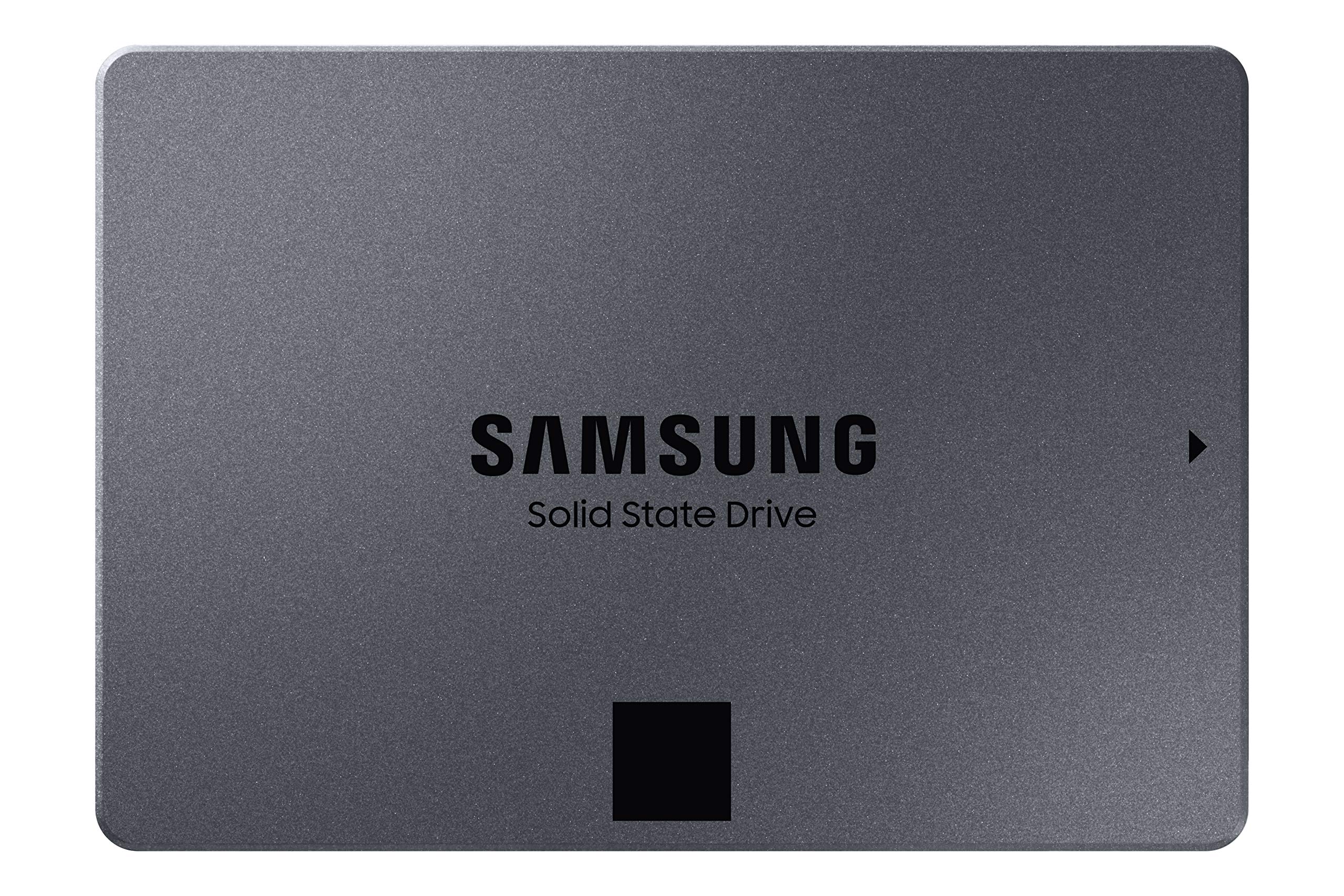
Samsung 2TB 860 QVO SATA III 2.5" Internal SSD
The 860 QVO SSD gives you huge storage, with solid performance and reliability with exceptional value. Quality and Value Optimized SSD More accessible terabyte capacity. The 860 QVO SSD gives you huge storage, with solid performance and reliability with exceptional value. Now's the time to upgrade or expand to the fast SSD you need. Speed Up to a New Normal Speed it all up. Up to 550 MB/s read and 520 MB/s write speeds give the experience of a new computer with fast boot-ups, shutdowns, transfers, and application responsiveness. Intelligent TurboWrite accelerates write speeds and maintains long-term high performance with a larger variable buffer. Smart Compatibility Benefit from fast, fluid communication with your host system. The refined ECC algorithm and a new MJX controller generate higher speeds, and the improved queued trim enhances Linux compatibility. Terabyte-level capacity Ample capacity at fast speed is worth the switch. Terabyte-level capacity on a fast SSD elevates your computing experience. Upgrade from multiple storage solutions to the simple speed of one single mass-storage SSD to keep both your OS applications and massive data all together. Samsung Magician Advanced drive management made simple. The Samsung Magician software will help you keep an eye on your drive. A suite of user-friendly tools helps keep your drive up to date, monitor drive health and speed, and even boost performance.
The 860 QVO SSD gives you huge storage, with solid performance and reliability with exceptional value. Quality and Value Optimized SSD More accessible terabyte capacity. The 860 QVO SSD gives you huge storage, with solid performance and reliability with exceptional value. Now's the time to upgrade or expand to the fast SSD you need. Speed Up to a New Normal Speed it all up. Up to 550 MB/s read and 520 MB/s write speeds give the experience of a new computer with fast boot-ups, shutdowns, transfers, and application responsiveness. Intelligent TurboWrite accelerates write speeds and maintains long-term high performance with a larger variable buffer. Smart Compatibility Benefit from fast, fluid communication with your host system. The refined ECC algorithm and a new MJX controller generate higher speeds, and the improved queued trim enhances Linux compatibility. Terabyte-level capacity Ample capacity at fast speed is worth the switch. Terabyte-level capacity on a fast SSD elevates your computing experience. Upgrade from multiple storage solutions to the simple speed of one single mass-storage SSD to keep both your OS applications and massive data all together. Samsung Magician Advanced drive management made simple. The Samsung Magician software will help you keep an eye on your drive. A suite of user-friendly tools helps keep your drive up to date, monitor drive health and speed, and even boost performance.
The 860 QVO SSD gives you huge storage, with solid performance and reliability with exceptional value. Quality and Value Optimized SSD More accessible terabyte capacity. The 860 QVO SSD gives you huge storage, with solid performance and reliability with exceptional value. Now's the time to upgrade or expand to the fast SSD you need. Speed Up to a New Normal Speed it all up. Up to 550 MB/s read and 520 MB/s write speeds give the experience of a new computer with fast boot-ups, shutdowns, transfers, and application responsiveness. Intelligent TurboWrite accelerates write speeds and maintains long-term high performance with a larger variable buffer. Smart Compatibility Benefit from fast, fluid communication with your host system. The refined ECC algorithm and a new MJX controller generate higher speeds, and the improved queued trim enhances Linux compatibility. Terabyte-level capacity Ample capacity at fast speed is worth the switch. Terabyte-level capacity on a fast SSD elevates your computing experience. Upgrade from multiple storage solutions to the simple speed of one single mass-storage SSD to keep both your OS applications and massive data all together. Samsung Magician Advanced drive management made simple. The Samsung Magician software will help you keep an eye on your drive. A suite of user-friendly tools helps keep your drive up to date, monitor drive health and speed, and even boost performance.
The 860 QVO SSD gives you huge storage, with solid performance and reliability with exceptional value. Quality and Value Optimized SSD More accessible terabyte capacity. The 860 QVO SSD gives you huge storage, with solid performance and reliability with exceptional value. Now's the time to upgrade or expand to the fast SSD you need. Speed Up to a New Normal Speed it all up. Up to 550 MB/s read and 520 MB/s write speeds give the experience of a new computer with fast boot-ups, shutdowns, transfers, and application responsiveness. Intelligent TurboWrite accelerates write speeds and maintains long-term high performance with a larger variable buffer. Smart Compatibility Benefit from fast, fluid communication with your host system. The refined ECC algorithm and a new MJX controller generate higher speeds, and the improved queued trim enhances Linux compatibility. Terabyte-level capacity Ample capacity at fast speed is worth the switch. Terabyte-level capacity on a fast SSD elevates your computing experience. Upgrade from multiple storage solutions to the simple speed of one single mass-storage SSD to keep both your OS applications and massive data all together. Samsung Magician Advanced drive management made simple. The Samsung Magician software will help you keep an eye on your drive. A suite of user-friendly tools helps keep your drive up to date, monitor drive health and speed, and even boost performance.
in 3 offers
The lowest price for Samsung 2TB 860 QVO SATA III 2.5" Internal SSD right now is $364.38 at TechCart, compared across 3 retailers.
The all-time low was $139.00 on 25 May 2026 — today's price is 162% above the lowest ever. It has been notably cheaper before — worth setting a price alert.
Prices last updated 14 July 2026.

