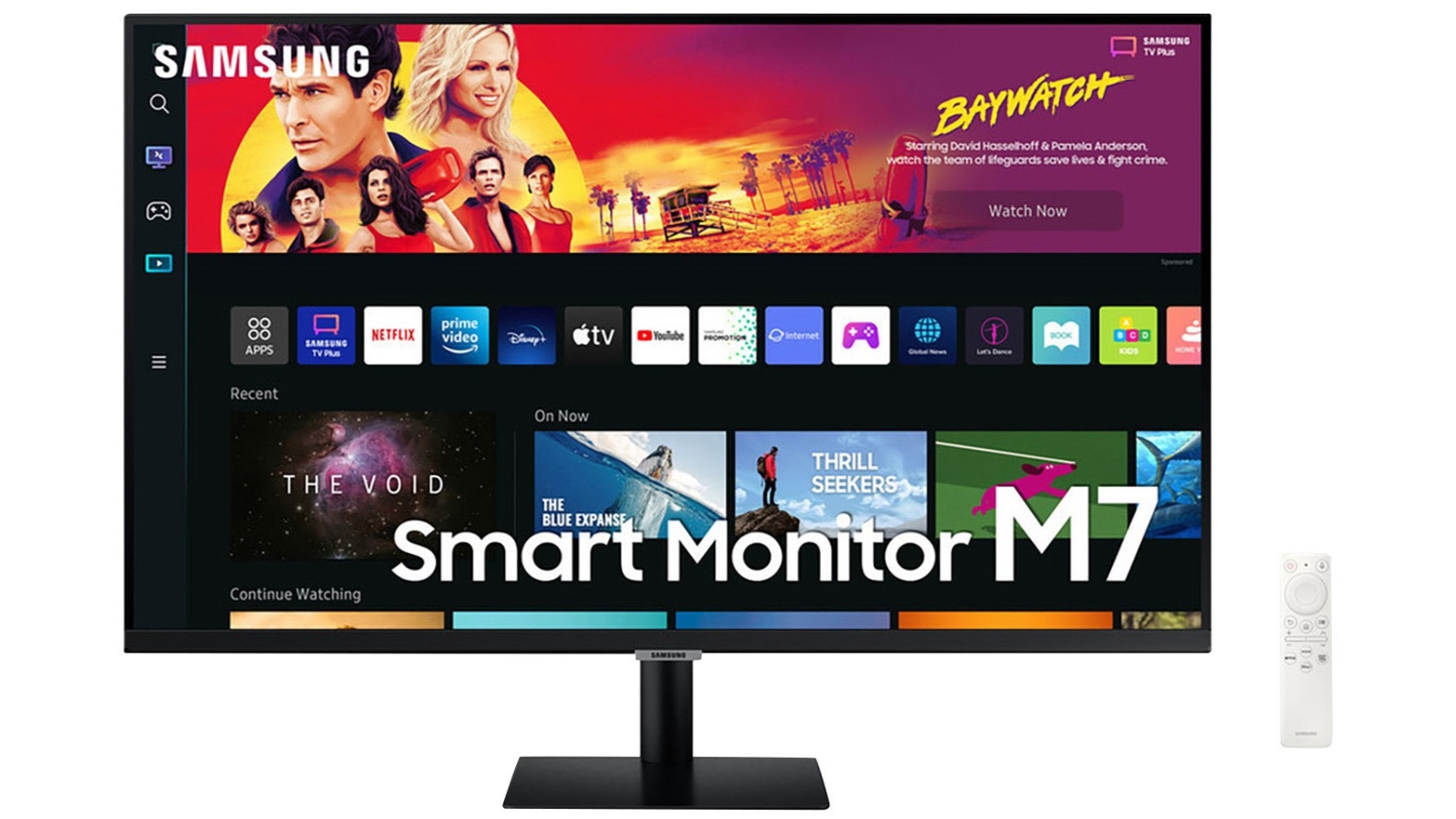
Samsung 43" UHD Smart Monitor M7
The Samsung 43" Smart Monitor M70B is perfect for work and play, with plenty of smarter features to boost efficiency and your entertainment. Get work done without a PC, with the installed Microsoft Office 365, or by remote access to your office computer. Then switch to pure entertainment with the on-board, one-stop entertainment system that gives you quick access to your favourite streaming and gaming services. Features: This monitor has a 43" 4K UHD display with a 3840 x 2160 resolution. It boasts a 4 ms response time and a refresh rate of 60 Hz. It supports 200 x 200 VESA mount compatibility. Using the new Workmode, you can access another PC remotely, connect to Samsung mobile devices using Samsung DeX, and work with Microsoft 365 programs. It has built in audio-output. It is ideal for everyday computing, gaming, graphic design, movies, spreadsheets and video editing. You can use the Smart Monitor as the hub for your smart home or office setup, connecting i to your IoT home products via the SmartThings ecosystem. It has 2 x HDMI and 3 x USB-C connections. It support a variety of Voice Assistants, including Amazon's Alexa, and Bixby. It has performance image brightness of 300 cd/m2.
The Samsung 43" Smart Monitor M70B is perfect for work and play, with plenty of smarter features to boost efficiency and your entertainment. Get work done without a PC, with the installed Microsoft Office 365, or by remote access to your office computer. Then switch to pure entertainment with the on-board, one-stop entertainment system that gives you quick access to your favourite streaming and gaming services. Features: This monitor has a 43" 4K UHD display with a 3840 x 2160 resolution. It boasts a 4 ms response time and a refresh rate of 60 Hz. It supports 200 x 200 VESA mount compatibility. Using the new Workmode, you can access another PC remotely, connect to Samsung mobile devices using Samsung DeX, and work with Microsoft 365 programs. It has built in audio-output. It is ideal for everyday computing, gaming, graphic design, movies, spreadsheets and video editing. You can use the Smart Monitor as the hub for your smart home or office setup, connecting i to your IoT home products via the SmartThings ecosystem. It has 2 x HDMI and 3 x USB-C connections. It support a variety of Voice Assistants, including Amazon's Alexa, and Bixby. It has performance image brightness of 300 cd/m2.
The Samsung 43" Smart Monitor M70B is perfect for work and play, with plenty of smarter features to boost efficiency and your entertainment. Get work done without a PC, with the installed Microsoft Office 365, or by remote access to your office computer. Then switch to pure entertainment with the on-board, one-stop entertainment system that gives you quick access to your favourite streaming and gaming services. Features: This monitor has a 43" 4K UHD display with a 3840 x 2160 resolution. It boasts a 4 ms response time and a refresh rate of 60 Hz. It supports 200 x 200 VESA mount compatibility. Using the new Workmode, you can access another PC remotely, connect to Samsung mobile devices using Samsung DeX, and work with Microsoft 365 programs. It has built in audio-output. It is ideal for everyday computing, gaming, graphic design, movies, spreadsheets and video editing. You can use the Smart Monitor as the hub for your smart home or office setup, connecting i to your IoT home products via the SmartThings ecosystem. It has 2 x HDMI and 3 x USB-C connections. It support a variety of Voice Assistants, including Amazon's Alexa, and Bixby. It has performance image brightness of 300 cd/m2.
The Samsung 43" Smart Monitor M70B is perfect for work and play, with plenty of smarter features to boost efficiency and your entertainment. Get work done without a PC, with the installed Microsoft Office 365, or by remote access to your office computer. Then switch to pure entertainment with the on-board, one-stop entertainment system that gives you quick access to your favourite streaming and gaming services. Features: This monitor has a 43" 4K UHD display with a 3840 x 2160 resolution. It boasts a 4 ms response time and a refresh rate of 60 Hz. It supports 200 x 200 VESA mount compatibility. Using the new Workmode, you can access another PC remotely, connect to Samsung mobile devices using Samsung DeX, and work with Microsoft 365 programs. It has built in audio-output. It is ideal for everyday computing, gaming, graphic design, movies, spreadsheets and video editing. You can use the Smart Monitor as the hub for your smart home or office setup, connecting i to your IoT home products via the SmartThings ecosystem. It has 2 x HDMI and 3 x USB-C connections. It support a variety of Voice Assistants, including Amazon's Alexa, and Bixby. It has performance image brightness of 300 cd/m2.
in 3 offers
The lowest price for Samsung 43" UHD Smart Monitor M7 right now is $549.00 at eBay.com.au, compared across 2 retailers.
The all-time low was $397.88 on 9 June 2026 — today's price is 38% above the lowest ever. It has been notably cheaper before — worth setting a price alert.
Prices last updated 9 Oct 2026.
Last updated at 09/10/2026 10:12:41
Samsung LS43BM702UEXXY 43\
Affiliate Disclosure: We may receive a small commission for purchases made through this link at no extra cost to you. This helps support our site. Thank you!
Samsung M7 43" 4K UHD Smart Monitor
originally posted on bestbuy.com
To start, I wish this would have existed when I was younger as it is the perfect setup for a room that you either don't have space for a TV and a monitor or you just don't want the extra clutter of having both! This is the perfect monitor for a college student to have in a dorm or an apartment with roommates, because it truly can do-it-all! The picture is great for most things, not competitive gaming, but for most casual gamers (PC or console) this will match perfectly with their needs and offer a nice, crisp 4K experience. The included stand is easy to install and stable, with the ability to tilt and the option of mounting using a VESA mount for the wall or a monitor stand. There are two HDMI ports and two USB-A ports and a USB-C power & display port that will ... MoreTo start, I wish this would have existed when I was younger as it is the perfect setup for a room that you either don't have space for a TV and a monitor or you just don't want the extra clutter of having both! This is the perfect monitor for a college student to have in a dorm or an apartment with roommates, because it truly can do-it-all! The picture is great for most things, not competitive gaming, but for most casual gamers (PC or console) this will match perfectly with their needs and offer a nice, crisp 4K experience. The included stand is easy to install and stable, with the ability to tilt and the option of mounting using a VESA mount for the wall or a monitor stand. There are two HDMI ports and two USB-A ports and a USB-C power & display port that will easily cover your computer, USB media, and a cable box or console, as well. The remote is intuitive and easy to use with buttons below the center Samsung logo if the remote is out of reach or otherwise unavailable. Setup of the "smart" features is easy handled through Samsung's SmartThings app to setup using your phone, but if you prefer to navigate with the remote to setup the monitor and built-in apps, that is also an option. The Tizen OS is very responsive and has a great selection of apps and more coming to the platform over time, the only major app I was attempting to use that was unavailable is Bally Sports to watch a Brewers game, but I was easily able to switch to my Windows PC that was connected for streaming that. The USB-C connection is a huge benefit for those with a laptop or tablet that can send display to the monitor AND power the device, greatly reducing the number of cables necessary! I don't know if the USB-C port is Thunderbolt 3 or 4 certified, but I am able to send video from my Surface Pro 8 and charge it through the one included cable! I have not attempted to power the display from my Surface Pro or Alienware's Thunderbolt 4 ports, but it would make this the ultimate tailgating monitor! Overall, I would highly recommend this monitor for college students looking for one screen to run all that they need for school, gaming and streaming apps. This would make an excellent choice for new students that will be living in the dorms for the first time and will want something that has a small footprint and big features. Not a student? I would still highly recommend this for a kitchen TV, guest room, or a utility monitor/TV that can be moved around with ease and used wherever you need it! My significant other and I love to bring this thin and light monitor onto our balcony to watch baseball games and movies while enjoying great weather (not made for outdoor use and not IP rated, but be smart and keep it safe from the elements if you choose to use it outside).
originally posted on bestbuy.com
Samsung - 32" BM702 UHD Smart Monitor - Black I so wanted to like this new Samsung monitor. However no matter how many features you can throw in it's critical to get the basics right. And since Samsung knows how to create world class displays that is why I find this monitor a disappointment. If they had put in their acclaimed mini LED technology into this display it could have been great. But as a first generation feature set for a desktop monitor I think they are heading in the right direction. There are so many features here that once refined a bit more this has the possibility of creating a whole new category of desktop displays. This is a 4K 60hz VA panel. VA panels are very common and known for their high contrast and deep blacks. They are less regarded for ... MoreSamsung - 32" BM702 UHD Smart Monitor - Black I so wanted to like this new Samsung monitor. However no matter how many features you can throw in it's critical to get the basics right. And since Samsung knows how to create world class displays that is why I find this monitor a disappointment. If they had put in their acclaimed mini LED technology into this display it could have been great. But as a first generation feature set for a desktop monitor I think they are heading in the right direction. There are so many features here that once refined a bit more this has the possibility of creating a whole new category of desktop displays. This is a 4K 60hz VA panel. VA panels are very common and known for their high contrast and deep blacks. They are less regarded for their off axis viewing which should not be a problem in a desktop monitor since you usually will be right in front of it. Also at 32” it is quite big which I see as a plus. The Samsung website also lists this monitor as being available in a 43”. The actual display looks fine in most cases such as when looking at text. But where it fails is in pop. That is the colors are a bit muted which is typically not what you get in most Samsung displays where they are sometimes criticized for having colors that are too saturated. Also this display is only average in its brightness level. So it is not a good choice for HDR content. And to be fair, true HDR monitors are expensive and not really that common just yet but I suspect they will be more common in the future. Samsung certainly knows how to make HDR displays so this is probably my biggest complaint here. My other problem is what makes this a smart display. And that's the Samsung Tizen operating system they have added here. This monitor, like my 2022 Samsung TV, suffers from bloat. Tizen is just too slow and very busy. They really need to go back and mute it so it is not so in your face. Now as a computer monitor it will just pass through and in many cases it's a monetary inconvenience that you may never have to really interact with. But when you do it can be annoying. The good news is with some trimming that can all be fixed in future generations of this smart display so I am hopeful Samsung is listening. The good news is for the right user this monitor can almost be great. In fact, paired with a Samsung phone you don’t even need a computer. DeX, which is a desktop operating system available in most new Samsung phones, is easy to start on this monitor and once you learn some of its quirks it could replace the need for a dedicated computer. However I still find it a bit limited and I wish Samsung could somehow provide a full Windows experience. It still has a ton of potential for the right users. Along with a feature set that seems endless you could use this monitor without anything else connected to it. But with all that included here I do wish Samsung had put in a TV tuner and added a PIP mode. It seems contrary to my comments on feature bloat but I think putting in a TV tuner, making this a true HDR quantum dot display, adding HDMI 2.1 which allows for 120Hz refresh rates and then toning down Tizen, now you would have something special here. And I hope Samsung moves in that direction. Still with that said, you do get lots of features that I don’t think anyone else matches. I don’t see this as a bad monitor at all but to me it is more a proof of concept that if Samsung wants it could be great. Especially if they can keep the price down to what other 32” monitors cost.
originally posted on samsung.com
The monitor as strictly a monitor is a very good monitor and connects to my MacBook Pro both wirelessly and via hdmi without issue. There are many video settings and options for calibration with my MacBook Pro.. The Streaming options are wonderful and rich with Samsung TV. Features not tested:or only limitedly - SamsungDex and the web apps for Microsoft. I have O365 on my MacBook. However, in my opinion, you need to seriously know the limitations that I encountered that could affect your use and expectations. The biggest fault is poor/missing/inaccurate documentation and a support team equipped to answer straight forward questions. (See below for my customer support / sales support exchange in attempting to use this monitor for which I purchased it — video calls ... MoreThe monitor as strictly a monitor is a very good monitor and connects to my MacBook Pro both wirelessly and via hdmi without issue. There are many video settings and options for calibration with my MacBook Pro.. The Streaming options are wonderful and rich with Samsung TV. Features not tested:or only limitedly - SamsungDex and the web apps for Microsoft. I have O365 on my MacBook. However, in my opinion, you need to seriously know the limitations that I encountered that could affect your use and expectations. The biggest fault is poor/missing/inaccurate documentation and a support team equipped to answer straight forward questions. (See below for my customer support / sales support exchange in attempting to use this monitor for which I purchased it — video calls with zoom and Messenger. Ultimately, having to connect the camera to my MacBook and the MacBook to the monitor via hdmi. These are my findings. If there are ways around these short comings, I was unable to find Google articles or support documents - either missing or failed worked to make them work. ——1) I think the smart features are A) missing important apps that most customers would need: Facebook, Messenger, and Zoom (note you can access via the internet browser but the browser will not allow access to a webcam!) B) half-baked, poorly documented and customer sales support is woefully uninformed a) I tried to follow the instructions to setup a Google Meet, but every set of instructions I followed did not allow me to setup a new Google Meet account on my iPhone and/or iPad.. This would likely be a call to support, but it is not Google Meet I really want to use. Everyone I am meeting with uses Zoom or Messenger Video Calls. B) The mobility app refuses to allow me to fully connect from my iPhone and iPad. They are all on the same Wi-Fi network but they fail to display the screens. I had to purchase screen mirroring apps to display my iPhone and iPad screens on the monitor wirelessly or use a hdmi cable. C) No way to download apps via an App Store Video WebCam Experience: I knew from reading Amazon q&a that the camera wasn’t included, but I waited until I received and setup the monitor before selecting one. Also note that in all of the manuals there is nothing that mentions which cameras are supported and which are not. Nor does it mention that there are only 2 ways / apps that even use the camera. Upon receiving my webcam, I plugged it in and couldn’t get it to recognize that I plugged it in and selected the connect a device - web camera. It instead displayed a message “connect a supported web camera…and listed several Logitech 9xx & StreamCam models and 2 Samsung models. And referred to a document on the web that listed supported cameras. The instructions on the monitor are not current and point you to missing documentation on the web. I called support to see what I must be misunderstanding. The support agent that answered is the only person from whom I received any real support. She confirmed it was missing and said that this isn’t a support call but customer sales support, gave me the number to call. Ultimately, I ended up returning my camera because I could not get anyone to confirm whether it was supported or not…after 2 hours of being passed from one team to another 5 in all and the last one was to pass me to the correct team…15 minutes later my call was dropped. After ordering and receiving the Logitech StreamCam, I tried to connect and use the supported Webcam, but I got the same screen instructing me to plug it etc. But this time, I decided to try differently. I went further and discovered I could get it to activate if I wanted to see myself alongside a video ie exercise see&do. This established the webcam is recognized and works under this scenario. But not very helpful for video calling. Ultimately to use webcam for Zoom or Messenger I had to connect it to my MacBook Pro and the MacBook Pro to the monitor. It limits where and how I use this feature.
| Screen Size | 43 inches |
| Display Resolution | 3840 x 2160 |
| Contrast Ratio | 5 000-1(Typ.) |
| Brightness | 300cd/ |
| Connections | 2x HDMI 3x USB Hub 1x USB Type -C |
Samsung LS43BM702UEXXY 43\
Affiliate Disclosure: We may receive a small commission for purchases made through this link at no extra cost to you. This helps support our site. Thank you!
Samsung M7 43" 4K UHD Smart Monitor
To start, I wish this would have existed when I was younger as it is the perfect setup for a room that you either don't have space for a TV and a monitor or you just don't want the extra clutter of having both! This is the perfect monitor for a college student to have in a dorm or an apartment with roommates, because it truly can do-it-all! The picture is great for most things, not competitive gaming, but for most casual gamers (PC or console) this will match perfectly with their needs and offer a nice, crisp 4K experience. The included stand is easy to install and stable, with the ability to tilt and the option of mounting using a VESA mount for the wall or a monitor stand. There are two HDMI ports and two USB-A ports and a USB-C power & display port that will ... MoreTo start, I wish this would have existed when I was younger as it is the perfect setup for a room that you either don't have space for a TV and a monitor or you just don't want the extra clutter of having both! This is the perfect monitor for a college student to have in a dorm or an apartment with roommates, because it truly can do-it-all! The picture is great for most things, not competitive gaming, but for most casual gamers (PC or console) this will match perfectly with their needs and offer a nice, crisp 4K experience. The included stand is easy to install and stable, with the ability to tilt and the option of mounting using a VESA mount for the wall or a monitor stand. There are two HDMI ports and two USB-A ports and a USB-C power & display port that will easily cover your computer, USB media, and a cable box or console, as well. The remote is intuitive and easy to use with buttons below the center Samsung logo if the remote is out of reach or otherwise unavailable. Setup of the "smart" features is easy handled through Samsung's SmartThings app to setup using your phone, but if you prefer to navigate with the remote to setup the monitor and built-in apps, that is also an option. The Tizen OS is very responsive and has a great selection of apps and more coming to the platform over time, the only major app I was attempting to use that was unavailable is Bally Sports to watch a Brewers game, but I was easily able to switch to my Windows PC that was connected for streaming that. The USB-C connection is a huge benefit for those with a laptop or tablet that can send display to the monitor AND power the device, greatly reducing the number of cables necessary! I don't know if the USB-C port is Thunderbolt 3 or 4 certified, but I am able to send video from my Surface Pro 8 and charge it through the one included cable! I have not attempted to power the display from my Surface Pro or Alienware's Thunderbolt 4 ports, but it would make this the ultimate tailgating monitor! Overall, I would highly recommend this monitor for college students looking for one screen to run all that they need for school, gaming and streaming apps. This would make an excellent choice for new students that will be living in the dorms for the first time and will want something that has a small footprint and big features. Not a student? I would still highly recommend this for a kitchen TV, guest room, or a utility monitor/TV that can be moved around with ease and used wherever you need it! My significant other and I love to bring this thin and light monitor onto our balcony to watch baseball games and movies while enjoying great weather (not made for outdoor use and not IP rated, but be smart and keep it safe from the elements if you choose to use it outside).
Samsung - 32" BM702 UHD Smart Monitor - Black I so wanted to like this new Samsung monitor. However no matter how many features you can throw in it's critical to get the basics right. And since Samsung knows how to create world class displays that is why I find this monitor a disappointment. If they had put in their acclaimed mini LED technology into this display it could have been great. But as a first generation feature set for a desktop monitor I think they are heading in the right direction. There are so many features here that once refined a bit more this has the possibility of creating a whole new category of desktop displays. This is a 4K 60hz VA panel. VA panels are very common and known for their high contrast and deep blacks. They are less regarded for ... MoreSamsung - 32" BM702 UHD Smart Monitor - Black I so wanted to like this new Samsung monitor. However no matter how many features you can throw in it's critical to get the basics right. And since Samsung knows how to create world class displays that is why I find this monitor a disappointment. If they had put in their acclaimed mini LED technology into this display it could have been great. But as a first generation feature set for a desktop monitor I think they are heading in the right direction. There are so many features here that once refined a bit more this has the possibility of creating a whole new category of desktop displays. This is a 4K 60hz VA panel. VA panels are very common and known for their high contrast and deep blacks. They are less regarded for their off axis viewing which should not be a problem in a desktop monitor since you usually will be right in front of it. Also at 32” it is quite big which I see as a plus. The Samsung website also lists this monitor as being available in a 43”. The actual display looks fine in most cases such as when looking at text. But where it fails is in pop. That is the colors are a bit muted which is typically not what you get in most Samsung displays where they are sometimes criticized for having colors that are too saturated. Also this display is only average in its brightness level. So it is not a good choice for HDR content. And to be fair, true HDR monitors are expensive and not really that common just yet but I suspect they will be more common in the future. Samsung certainly knows how to make HDR displays so this is probably my biggest complaint here. My other problem is what makes this a smart display. And that's the Samsung Tizen operating system they have added here. This monitor, like my 2022 Samsung TV, suffers from bloat. Tizen is just too slow and very busy. They really need to go back and mute it so it is not so in your face. Now as a computer monitor it will just pass through and in many cases it's a monetary inconvenience that you may never have to really interact with. But when you do it can be annoying. The good news is with some trimming that can all be fixed in future generations of this smart display so I am hopeful Samsung is listening. The good news is for the right user this monitor can almost be great. In fact, paired with a Samsung phone you don’t even need a computer. DeX, which is a desktop operating system available in most new Samsung phones, is easy to start on this monitor and once you learn some of its quirks it could replace the need for a dedicated computer. However I still find it a bit limited and I wish Samsung could somehow provide a full Windows experience. It still has a ton of potential for the right users. Along with a feature set that seems endless you could use this monitor without anything else connected to it. But with all that included here I do wish Samsung had put in a TV tuner and added a PIP mode. It seems contrary to my comments on feature bloat but I think putting in a TV tuner, making this a true HDR quantum dot display, adding HDMI 2.1 which allows for 120Hz refresh rates and then toning down Tizen, now you would have something special here. And I hope Samsung moves in that direction. Still with that said, you do get lots of features that I don’t think anyone else matches. I don’t see this as a bad monitor at all but to me it is more a proof of concept that if Samsung wants it could be great. Especially if they can keep the price down to what other 32” monitors cost.
The monitor as strictly a monitor is a very good monitor and connects to my MacBook Pro both wirelessly and via hdmi without issue. There are many video settings and options for calibration with my MacBook Pro.. The Streaming options are wonderful and rich with Samsung TV. Features not tested:or only limitedly - SamsungDex and the web apps for Microsoft. I have O365 on my MacBook. However, in my opinion, you need to seriously know the limitations that I encountered that could affect your use and expectations. The biggest fault is poor/missing/inaccurate documentation and a support team equipped to answer straight forward questions. (See below for my customer support / sales support exchange in attempting to use this monitor for which I purchased it — video calls ... MoreThe monitor as strictly a monitor is a very good monitor and connects to my MacBook Pro both wirelessly and via hdmi without issue. There are many video settings and options for calibration with my MacBook Pro.. The Streaming options are wonderful and rich with Samsung TV. Features not tested:or only limitedly - SamsungDex and the web apps for Microsoft. I have O365 on my MacBook. However, in my opinion, you need to seriously know the limitations that I encountered that could affect your use and expectations. The biggest fault is poor/missing/inaccurate documentation and a support team equipped to answer straight forward questions. (See below for my customer support / sales support exchange in attempting to use this monitor for which I purchased it — video calls with zoom and Messenger. Ultimately, having to connect the camera to my MacBook and the MacBook to the monitor via hdmi. These are my findings. If there are ways around these short comings, I was unable to find Google articles or support documents - either missing or failed worked to make them work. ——1) I think the smart features are A) missing important apps that most customers would need: Facebook, Messenger, and Zoom (note you can access via the internet browser but the browser will not allow access to a webcam!) B) half-baked, poorly documented and customer sales support is woefully uninformed a) I tried to follow the instructions to setup a Google Meet, but every set of instructions I followed did not allow me to setup a new Google Meet account on my iPhone and/or iPad.. This would likely be a call to support, but it is not Google Meet I really want to use. Everyone I am meeting with uses Zoom or Messenger Video Calls. B) The mobility app refuses to allow me to fully connect from my iPhone and iPad. They are all on the same Wi-Fi network but they fail to display the screens. I had to purchase screen mirroring apps to display my iPhone and iPad screens on the monitor wirelessly or use a hdmi cable. C) No way to download apps via an App Store Video WebCam Experience: I knew from reading Amazon q&a that the camera wasn’t included, but I waited until I received and setup the monitor before selecting one. Also note that in all of the manuals there is nothing that mentions which cameras are supported and which are not. Nor does it mention that there are only 2 ways / apps that even use the camera. Upon receiving my webcam, I plugged it in and couldn’t get it to recognize that I plugged it in and selected the connect a device - web camera. It instead displayed a message “connect a supported web camera…and listed several Logitech 9xx & StreamCam models and 2 Samsung models. And referred to a document on the web that listed supported cameras. The instructions on the monitor are not current and point you to missing documentation on the web. I called support to see what I must be misunderstanding. The support agent that answered is the only person from whom I received any real support. She confirmed it was missing and said that this isn’t a support call but customer sales support, gave me the number to call. Ultimately, I ended up returning my camera because I could not get anyone to confirm whether it was supported or not…after 2 hours of being passed from one team to another 5 in all and the last one was to pass me to the correct team…15 minutes later my call was dropped. After ordering and receiving the Logitech StreamCam, I tried to connect and use the supported Webcam, but I got the same screen instructing me to plug it etc. But this time, I decided to try differently. I went further and discovered I could get it to activate if I wanted to see myself alongside a video ie exercise see&do. This established the webcam is recognized and works under this scenario. But not very helpful for video calling. Ultimately to use webcam for Zoom or Messenger I had to connect it to my MacBook Pro and the MacBook Pro to the monitor. It limits where and how I use this feature.
I'll start with the build quality. It looks great in press photos, but it feels rather cheap in person the moment it's unboxed. Very plastic and fragile build. Every time I tilt or adjust the height, I'm afraid something will break. For the very same reason, it took me days to dare pull the SlimFit camera up out of the base so as to be able to tilt it at a practical angle. In case you wonder why I'm so paranoid about breaking it, my last Samsung monitor's power port broke from inside after a few months' of use. The repair process was so impractical that I basically gave it up. Despite the cheap build, the M8 is still the best looking Samsung monitor I've ever seen or used, though the inspiration for its design is quite obvious ;) The 3 ports in the back also feel ... MoreI'll start with the build quality. It looks great in press photos, but it feels rather cheap in person the moment it's unboxed. Very plastic and fragile build. Every time I tilt or adjust the height, I'm afraid something will break. For the very same reason, it took me days to dare pull the SlimFit camera up out of the base so as to be able to tilt it at a practical angle. In case you wonder why I'm so paranoid about breaking it, my last Samsung monitor's power port broke from inside after a few months' of use. The repair process was so impractical that I basically gave it up. Despite the cheap build, the M8 is still the best looking Samsung monitor I've ever seen or used, though the inspiration for its design is quite obvious ;) The 3 ports in the back also feel rather off. I have trouble trying to plug in the cables that come with the monitor. They fit poorly and don't go all the way in. A 32" 4K VA panel at 60Hz refresh rate is merely passable above-average specs in today's monitor market, and disappointing at the M8's price range. Texts are not as crisp and colours are not as sharp even compared to entry-level LG UltraFine or even Samsung's own less expensive line-up. When used with MacBooks, the default calibration looks horribly washed out. I had to switch to generic "Color LCD" to make it usable. There's noticeable colour distortion past certain viewing angles especially vertically. Now the good stuff. I am quite pleased with the feature set, Smart TV hub, USB-C PD, USB-C hub (though one 1 usable port), and best of all, AirPlay. I'm an Apple user, so those are just the features that I use. I'm sure others will find Windows wireless display and Samsung Dex quite useful as well. It's nice to have all those functions in one monitor. Added bonus, a lot less cables to get tangled with and frustrated by. Last and the biggest let-down, Samsung's Tizen OS. It's buggy, unstable and has a horrendous user interface. It feels like something from a decade ago. I have both Apple TV and Google TV at home. Comparing to both, Tizen OS is laughably inferior in every way, inconsistent and unintuitive through and through. Menus are overly complicated. Jumping between features is awkward and clumsy. And why does it have to push you ads on its own Samsung TV Plus, which is already part of the hub??? Also, trying to switch between Smart TV and using it as a monitor can easily get you lost. All-in-all, it's a good attempt with a lot to be improved. I'm only keeping the monitor because I got it at a good Black Friday deal. It's definitely not worth the full price.
I am a big fan of Samsung products, owning many computer components, TVs, phones and more recently a new electric range. Over the years Samsung has built its products to the point where I seek out the Samsung brand for the products I'm interested in. I have a 32" Samsung A700 Series monitor that I use for my main personal computer. I had been using a 27" LG 4K monitor connected to my work laptop, but decided to upgrade. In my opinion, when you're dealing with monitors in the 32" range, you should go with 4K resolution. Anything less and it seems like it's comically large. But it does come with a disadvantage I didn't think about until much later. When sharing my screen with co-workers, everything becomes tiny for them because of the relative resolution. In terms of ... MoreI am a big fan of Samsung products, owning many computer components, TVs, phones and more recently a new electric range. Over the years Samsung has built its products to the point where I seek out the Samsung brand for the products I'm interested in. I have a 32" Samsung A700 Series monitor that I use for my main personal computer. I had been using a 27" LG 4K monitor connected to my work laptop, but decided to upgrade. In my opinion, when you're dealing with monitors in the 32" range, you should go with 4K resolution. Anything less and it seems like it's comically large. But it does come with a disadvantage I didn't think about until much later. When sharing my screen with co-workers, everything becomes tiny for them because of the relative resolution. In terms of size, this Samsung BM702 is great. At first, it was a little intimidating in the box, but after a day or so of use, it's very comfortable. It is important to make sure the monitor is sitting at the right level and that you're facing it straight on and not at an angle. Another positive for this monitor is that there are no dead pixels. Installation onto the included monitor stand was very easy with 3 Phillips screws. Upon power up, I was surprised how long it took to setup. You have the ability to set up the monitor using a phone or with the included remote. I chose to use the remote. There are several licensing/use agreements, Wi-Fi connection, software updates, input configurations and service provider configurations that need to be configured. Most of this relates to the Smart TV aspect of this monitor. I was slightly amused that while setup was taking place, there was light music being played for most of the process. The included remote does a decent job navigating through the menus. Once the initial setup was complete, I was able to add my appropriate streaming apps similar to how I do it on my normal Samsung TV. Samsung's app library has dozens if not hundreds of different streaming providers. I did stream a few TV episodes just to verify things worked and it went very well. The volume of the monitor speakers were decent. Obviously they can't compare to a soundbar's higher fidelity, but they are more than enough for casual watching. After connecting it to my work laptop, it took me several seconds of menu hopping to find where to access the laptop display input. Once it's established, it's easy to access. Upon initial connection, I am a little disappointed in the display's performance. It's dim with what appears as a blue-gray looking haze. I have a bright home office so monitors need to be bright to compete with my lighting. Even after playing with the brightness and other options, it still appears dim. This matches my experience with my 32" Samsung A700 Series monitor as well. Personally, what I have found is that you need to operate the monitor for several hours and the brightness seems to increase over time. Your experience may vary. However, I have noticed similar odd characteristics in other Samsung products in the past. I have two soundbars where the bass is weak for the first several hours of use out of the box, but afterwards, it becomes more than enough. Maybe Samsung's electronic components need a burn-in period to help them build up to their stated performance specifications. When I had my 27" LG 4K monitor next to my 32" Samsung A700 Series monitor, I was initially disappointed, but over time, the Samsung gained more brightness and I expect this 32" Samsung BM702 to do the same. One of the interesting features of this Samsung BM702 monitor is that it supports many Wireless Display options. It supports Windows, Mac and Samsung DeX, but within Windows, it supports Screen Sharing, a Manual Connection via Remote Access and a new Easy Connection client. I tried the Easy Connection method which involves installing an application available from Samsung. Installation involves signing in with your Samsung account. After it's set up, you can make an Easy Connection over Wi-Fi to your Windows Computer. Wireless Display over Easy Connection only provides 1920 x 1080 resolution and it only functions to mirror your screen you cannot extend your display. For those reasons, I will likely stick with an HDMI connection with my laptops. The monitor has a USB-C connection to deliver up to 65W of power and also function as another monitor input. Initially I used it to re-charge the battery in the included remote. I tried to connect it to my Motorola phone, but the power it was supply registered as "Slowly Charging". I then connected it to another laptop and the laptop acknowledged 65W and I was able to use the USB-C connection to display my screen. One of my nit-picks though is that when connecting PCs through the USB-C, HDMI-1 and HDMI-2 connections, there is nothing to discern which PC you are connecting to in the Workspace menu. They all show up as "PC" and there is a bit of trial and error which device you are connecting to. I did download the Samsung SmartThings app to my mobile device and connected the monitor to my Samsung account. There are a few nice features like being able to jump to a display choice a little easier, but I think I prefer the remote control for most of my interaction. I think the size of this monitor is right for my needs. I also think 4K is the way to go on the resolution for a monitor this size. I highly recommend being patient with the brightness of the monitor based on my experience with a previous Samsung monitor, but your experience may vary. I got this monitor as a monitor first and foremost. I'll use it as a Smart TV occasionally, probably on the weekends as background while I'm working on my main PC.
Samsung needs to realise that a monitor these days is more than just its screen. Purely as a screen it's fine - nice and clear, 75Hz works (and is unusual for a business focused monitor). The stand is quite good. The eye saver function is appreciated. Almost everything else is a tad flawed. You can use this as a USB-C monitor, charging a laptop, providing a network and USB connections, and with MST out to other monitors (more on that later) until the laptop puts the screen into standby. At which point the network connection disappears, even if LAN power saving has been turned off on the monitor (if the keyboard is connected to the monitor this still works to wake the laptop). There might be a long running network connection on the laptop or a VPN you don't want to ... MoreSamsung needs to realise that a monitor these days is more than just its screen. Purely as a screen it's fine - nice and clear, 75Hz works (and is unusual for a business focused monitor). The stand is quite good. The eye saver function is appreciated. Almost everything else is a tad flawed. You can use this as a USB-C monitor, charging a laptop, providing a network and USB connections, and with MST out to other monitors (more on that later) until the laptop puts the screen into standby. At which point the network connection disappears, even if LAN power saving has been turned off on the monitor (if the keyboard is connected to the monitor this still works to wake the laptop). There might be a long running network connection on the laptop or a VPN you don't want to drop, so this is not acceptable. The only fix I have at the moment is to edit the registry in Windows 10 to extend the screen standby time for the lock screen. The Displayport MST out is a real pain. It does eventually work either with a single monitor, or using a Displayport MST hub (the Startech 2 port Displayport 1.2 MST hub works here driving a 2048x2560 10 bit greyscale monitor at 50Hz, and a 1200x1600 10 bit monitor at 60Hz after a fair bit of faffing). The reality of getting it working is repeatedly switching from MST to SST out and back again, and turning the monitor off and on again. In some cases the Displayport version needs to be altered to v1.1 because the firmware has become confused, and changing to 1.1 is the only way of switching the monitor back into SST. Doing a reset all of the firmware settings is often necessary. At the moment this is tolerable because the monitor is used with a work laptop with the S60UA and the two other monitors daisy chained through MST once set up carry on working provided the PC is not switched off - use hibernate instead of power off and on to retain a reliable configuration. What I (eventually) want to do is also be able to switch the MST out between connections, so that I can switch between USB-C MST out to Displayport MST out when moving systems. I don't have much confidence this will work seamlessly. The PiP/PBP I've used very little and isn't exactly what I expected. When the screen is split/has a PiP window the monitor reports modified EDID data to the connected systems - so each system doesn't see it's resourced with 2560x1440, it has typically half of that (for PBP), or a modified amount (for PiP) rather than a higher resolution input being resized and displayed in the PiP window (and naturally losing quality). I thought this functionality would be useful, but the EDID modification and subsequent resizing of applications makes it irritating. It's really only useful when two inputs are constantly connected rather than occasionally monitored. So, at the end of the day it basically works, but the firmware foibles frequently really annoy. Test the firmware properly with frequent switching between inputs, using MST, and fix the LAN disappearing on screen standby and I'd be much happier
It took about 20 mins to assemble and configure the monitor to access the streaming media, hook it to my windows PC, setup Wi-Fi, firmware update, link my Samsung account, etc. I used on the onscreen QR codes that shorten my set-up and configuration time. The Remote and built-in Alexa (with voice commands) are pretty handy to get to the settings, search through the content, etc. Summarized my experience and features on this amazing Smart Monitor. • 32" thin bezel 4k monitor/smart TV with a small stand with tilt option (about 20 degree). It comes with USB C and a HDMI cable. Has a computer dock with built in 3 USB ports for accessories, 2 HDMI ports, and a USB C port (65W) to charge your laptop. Has built in speakers as well with decent audio volume for watching ... MoreIt took about 20 mins to assemble and configure the monitor to access the streaming media, hook it to my windows PC, setup Wi-Fi, firmware update, link my Samsung account, etc. I used on the onscreen QR codes that shorten my set-up and configuration time. The Remote and built-in Alexa (with voice commands) are pretty handy to get to the settings, search through the content, etc. Summarized my experience and features on this amazing Smart Monitor. • 32" thin bezel 4k monitor/smart TV with a small stand with tilt option (about 20 degree). It comes with USB C and a HDMI cable. Has a computer dock with built in 3 USB ports for accessories, 2 HDMI ports, and a USB C port (65W) to charge your laptop. Has built in speakers as well with decent audio volume for watching movies. • Loads of features - took me about 20 minutes to learn all the features. The remote is really helpful to switch between settings, configure different apps, etc. Remote has Netflix, Disney+ Samsung plus, and Prime Video buttons. • Alexa function on the remote made it pretty easy to search for apps, bring up settings, switch to PC mode, etc. • No lag loading the apps or switch between apps, and pretty responsive remote • 4k@ 60Hz, bright screen, no flicker while gaming, decent colors, mode selection - movie, gaming, etc., no pixelation. Color depth is a little low and low refresh rate for (intense) gaming, but acceptable color quality for the price and day-to-day use. • Has tons of options to project/mirror/cast or extend your screen with both wired and wireless options: screen mirror, airplay, HDMI port, windows connect app, etc. I saw a little lag while gaming on wireless screen share mode, which is expected with wireless option. • Built in office 365 app lets you access office files without a PC! Just hook up a keyboard and a mouse and you can access/work on the office 365 files directly from the cloud without a PC! • Samsung folks are in luck - you can use Dex and project your phone on the TV - Woohoo! Samsung phone can also be used as a remote with SmartThings app. SmartThings app on the TV also lets you control your home devices connected to Samsung Smart Things hub. Android phone users can download Smart Things app to project your phone screen on the monitor and it also has Airplay option for Apple devices. • Built in Alexa - eliminates the need for firestick or for that matter another streaming device. You can also plug in Chromecast into the HDMI port if needed! Few cons: • Stand only has tilt option and doesn't have the swivel (rotate) option. • Wish it came with a webcam for video calls! • No thunderbolt 3 support which is expected given its low price. Best of both worlds. SmartyMonT - Super cheap monitor and smart TV with the tons of options - can't beat the value for the features it offers.
After connecting this device to a desktop PC and then attempting to use it as a TV for a week, I've realized that there are so many little things that Samsung got wrong with this device that using it is more annoying than enjoyable. The thin bezel and screen size are excellent for a computer monitor, but not big enough for 4K UHD. And if it were only a computer monitor the the TV stand not being adjustable AT ALL wouldn't be a problem... but as a TV having no height adjustment and no swivel... means hanging out and chilling just isn't very practical if this is also your desktop computer monitor. Having speakers built into the monitor is one less device to attach to your computer and they produce plenty of great sound for a device of this size. Now try controlling ... MoreAfter connecting this device to a desktop PC and then attempting to use it as a TV for a week, I've realized that there are so many little things that Samsung got wrong with this device that using it is more annoying than enjoyable. The thin bezel and screen size are excellent for a computer monitor, but not big enough for 4K UHD. And if it were only a computer monitor the the TV stand not being adjustable AT ALL wouldn't be a problem... but as a TV having no height adjustment and no swivel... means hanging out and chilling just isn't very practical if this is also your desktop computer monitor. Having speakers built into the monitor is one less device to attach to your computer and they produce plenty of great sound for a device of this size. Now try controlling the speakers from the included remote and you end up changing channels or inputs because instead of a dedicated up and down volume button you have one button that is both volume up, volume down, and also able to be pressed inward to change inputs. Never mind that the TV remote is tiny and does not glow in the dark nor is backlit, all things that would be very helpful when trying to watch TV in the dark. But the real killer for this device is that the software used to control the TV viewing experience is slow as molasses to respond to any commands. This is especially painful when trying to browse the 1,000 channels that are included as part of Samsung TV Plus and you end up pressing a button several times cause nothing is happening and by the time something happens the volume is now blowing your eardrums out and the input has changed from TV to Computer. It's maddening. Navigating between Monitor via HDMI1 and TV mode is painfully slow. And this undercuts what I think is arguable the best feature of this device... the inclusion of Samsung TV Plus. No contracts, no subscriptions, just fire up the app and start watching more than 1,000 channels. Finally my wife can watch The Hallmark Channel! This new service is excellent and it's a shame its hampered by such a slow control system. Speaking of control systems, you can add this device to Samsung Smart Things, and you can also use Alexa to issue commands. Between Alexa and Smart Things - use Smart Things. My home is full of Amazon Echo devices and I love Alexa, but she's absolute garbage when it comes to controlling a TV.
As someone who has used a variety of computer monitors for both work and entertainment this product by Samsung is definitely a first of its kind. In true Samsung fashion they have stepped out of the box and were able to merge elements of both a computer monitor and tv into one product though unfortunately it falls just short in a couple areas. Right out of the box the look of the monitor appears very sleek and modern to which you will definitely not be ashamed to have this sitting on your desk. The stand is very slim and compact which is nice visually, but unfortunately the stand is thus somewhat wobbly though you shouldn't need to touch the monitor often since a remote is included. The included remote is where you first start to notice this is not your normal ... MoreAs someone who has used a variety of computer monitors for both work and entertainment this product by Samsung is definitely a first of its kind. In true Samsung fashion they have stepped out of the box and were able to merge elements of both a computer monitor and tv into one product though unfortunately it falls just short in a couple areas. Right out of the box the look of the monitor appears very sleek and modern to which you will definitely not be ashamed to have this sitting on your desk. The stand is very slim and compact which is nice visually, but unfortunately the stand is thus somewhat wobbly though you shouldn't need to touch the monitor often since a remote is included. The included remote is where you first start to notice this is not your normal computer monitor as the remote mirrors that of a traditional television and is extremely handy when using the built it smart features for entertainment. The actual performance of the monitor is where it tries to do a little of everything, but does not fully excel in any one area. The initial aspect that stands out is the brightness or lack there of as it is not as bright as the majority of other monitors though as long as you are not working in bright daylight there is not an issue. For tv watching the visuals are right on par with what you would expect from a tv, but if trying to game it just does not feel like it is a true 4k experince and that may simply be because of such the large display with the majority of gaming monitors being 27 inches or less that the pixel density is just not as compact with this monitor. As far as gaming goes I think I would say this is more geared toward producitvity and consuming media as can be shown by the 60Hz refresh rate and lack of freesync and g-sync. Building on the varierty of use cases for this monitor I will say it does start to excel when it comes to productivity. The ability to remotely access office 365, use DeX with your android phone, and use airplay 2 with your apple products is what sets this monitor apart as very rarely do you see all these features on one monitor. The voice assistant and 5 watt speakers begin the transition to entertainment monitor that functions as a smart tv with the built in apps. Again the monitor may not be the brightest, but the ability to transition from work to entertainment is a major success for this product. Overall, this monitor has both it's pros and cons which comes down ultimately to the user. If you are a college student you couldn't ask for much more as the price is absolutely fantastic for a monitor with these productivity features that easily transitions to your dorm room tv with the included remote and wifi capabilities for streaming apps. However, if you are someone predominantly focused on gaming then you may be swayed to other models. Samsung has swung for the fences here and hit a ground rule double in my opinion as there are some truly revolutionary facets with some areas that do seek improvement though at this price point I find it difficult to find anything comparable.
This is an absolutely fantastic monitor/tv combo. I feel like you're really getting an $800 monitor for half the price. I purchased it mainly for my daily driver for work from home. Looking at my monitor for work sometimes 16 hours a day, I need something that is bright, clear, and easy on the eyes. This more than meets the bill. It displays computer games and movies really well too. Really appreciate that with its large 32" size, I can let Windows display the native resolution -- this won't work for everyone, but it's definitely possible to leave this monitor in 100% scaling for maximum real desktop screen space. Vs if you get a 28" or smaller 4k monitor, you'll almost certainly need to (for regular work like web browser, office apps, etc) use at least 150% ... MoreThis is an absolutely fantastic monitor/tv combo. I feel like you're really getting an $800 monitor for half the price. I purchased it mainly for my daily driver for work from home. Looking at my monitor for work sometimes 16 hours a day, I need something that is bright, clear, and easy on the eyes. This more than meets the bill. It displays computer games and movies really well too. Really appreciate that with its large 32" size, I can let Windows display the native resolution -- this won't work for everyone, but it's definitely possible to leave this monitor in 100% scaling for maximum real desktop screen space. Vs if you get a 28" or smaller 4k monitor, you'll almost certainly need to (for regular work like web browser, office apps, etc) use at least 150% scaling. So you can cram a lot of stuff in on the screen and it's a very viable 2 monitor replacement option. The only person this monitor in my opinion isn't for is a hard core gamer who needs super fast refresh rates. Or someone who wants to play decently demanding games and doesn't have a video card or a very weak video card, or medium class video card but you want to play on maxed our settings in 4k. I've played all genres of games, including demanding 1st person shooters, and this monitor displays them all great. Then again, if you're this class of gamer, you'll likely be spending at least a grand on a monitor, and close to two grand on a video card, so we're talking about something completely different than what this monitor is geared for. Works great as a smart tv too. One of its biggest strengths is you can tweak so many video settings easily with the remote control -- no more pushing little buttons on the side wondering what they do. These tweaks have let me get the colors, contrast, and brightness just perfect for long hours at the office. I do wish there was an adjustable monitor stand. Samsung probably didn't include one to keep the price down and since a lot folks might primarily use this as a tv. Don't let that deter you, buy it, you'll like it I can almost guarantee that, and if you need an adjustable stand this or something like it will more than fulfill that role - https://www.bestbuy.com/site/mount-it-single-monitor-desk-stand-black/6368330.p?skuId=6368330&ref=E10C18R004_OrderConfirmation&loc=BODY&CampaignID=NES_OrderConfirmation&eut=2229128909
| Screen Size | 43 inches |
| Display Resolution | 3840 x 2160 |
| Contrast Ratio | 5 000-1(Typ.) |
| Brightness | 300cd/ |
| Connections | 2x HDMI 3x USB Hub 1x USB Type -C |

