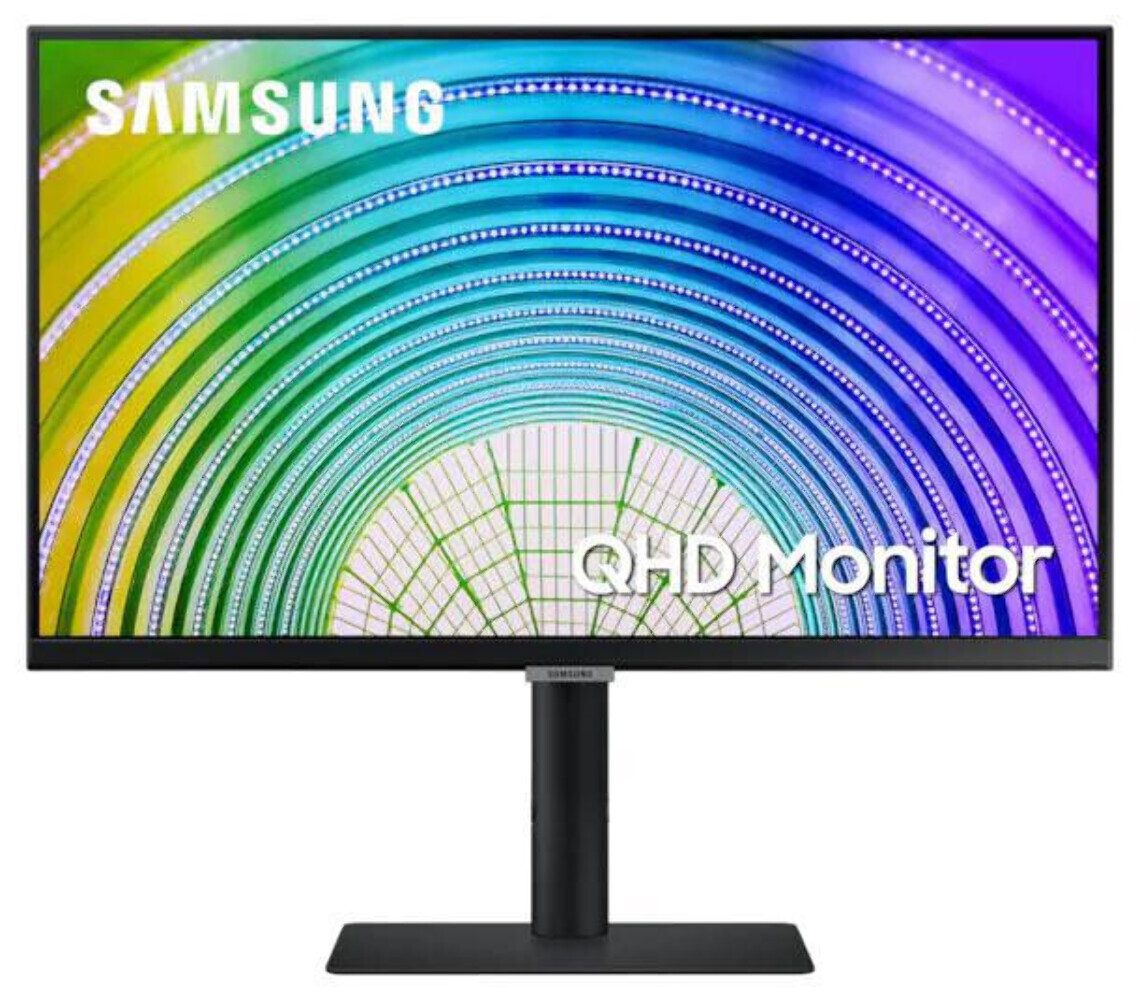
Samsung LS24A600UCEXXY 24inch S6U IPS QHD Monitor
Samsung 24inch S6U IPS QHD Business Monitor 2560x1440 5ms 1000:1 Contrast DisplayPort 1.2 HDMI 1.4 3xUSB-A 1xUSB-C Power Passthrough 65W Height Adj Tilt Swive Pivot VESA HDR10 A billion colours with HDR 10 offering darker and brighter colour depth TUV-certified intelligent eye care relieving your eyes from strain USB Type-C for easy connectivity Discover the details See details not seen before. When watching your favorite movie or working on your latest project, benefit from new levels of precision up to 1.7x the pixel density of Full HD. QHD provides a wider workspace for multitasking and less need to scroll. See greatness from any angle IPS panel Optimised for professional work environments. S-series monitors features an IPS panel delivering crystal clear colour quality and a wide viewing angle of 178. Every user can expect a great viewing experience from any angle, in vivid and vibrant colour without washing or fade. Enjoy amazing colours with incredible depth Amazing colours with HDR10 Enjoy any content in stunning colour accuracy and detail. With a wide range of colours, near limitless hues and HDR10, which makes dark colours dark and the brightest colours even bright, every piece of content becomes a joy to look at and can be experienced exactly as the creator intended. Keep your setup clean and clutter-free USB type-C Ditch the clutter and enjoy simplicity. Samsung high resolution monitor features a USB type-C port to power your laptop and transmit data with just one cable. With multiple USB 3.0 ports, you can also plug devices directly into the monitor for a clearer, cleaner workspace. Maximise comfort, minimise distractions Position your monitor for optimal comfort. Borderless design, VESA mount compatibility and a variety of tilt, swivel and pivot control points allow you to mount your monitor in most environments. In addition, a slim metal stand and narrow depth take up less desk space for a clean, seamless work setup.
Samsung 24inch S6U IPS QHD Business Monitor 2560x1440 5ms 1000:1 Contrast DisplayPort 1.2 HDMI 1.4 3xUSB-A 1xUSB-C Power Passthrough 65W Height Adj Tilt Swive Pivot VESA HDR10 A billion colours with HDR 10 offering darker and brighter colour depth TUV-certified intelligent eye care relieving your eyes from strain USB Type-C for easy connectivity Discover the details See details not seen before. When watching your favorite movie or working on your latest project, benefit from new levels of precision up to 1.7x the pixel density of Full HD. QHD provides a wider workspace for multitasking and less need to scroll. See greatness from any angle IPS panel Optimised for professional work environments. S-series monitors features an IPS panel delivering crystal clear colour quality and a wide viewing angle of 178. Every user can expect a great viewing experience from any angle, in vivid and vibrant colour without washing or fade. Enjoy amazing colours with incredible depth Amazing colours with HDR10 Enjoy any content in stunning colour accuracy and detail. With a wide range of colours, near limitless hues and HDR10, which makes dark colours dark and the brightest colours even bright, every piece of content becomes a joy to look at and can be experienced exactly as the creator intended. Keep your setup clean and clutter-free USB type-C Ditch the clutter and enjoy simplicity. Samsung high resolution monitor features a USB type-C port to power your laptop and transmit data with just one cable. With multiple USB 3.0 ports, you can also plug devices directly into the monitor for a clearer, cleaner workspace. Maximise comfort, minimise distractions Position your monitor for optimal comfort. Borderless design, VESA mount compatibility and a variety of tilt, swivel and pivot control points allow you to mount your monitor in most environments. In addition, a slim metal stand and narrow depth take up less desk space for a clean, seamless work setup.
Samsung 24inch S6U IPS QHD Business Monitor 2560x1440 5ms 1000:1 Contrast DisplayPort 1.2 HDMI 1.4 3xUSB-A 1xUSB-C Power Passthrough 65W Height Adj Tilt Swive Pivot VESA HDR10 A billion colours with HDR 10 offering darker and brighter colour depth TUV-certified intelligent eye care relieving your eyes from strain USB Type-C for easy connectivity Discover the details See details not seen before. When watching your favorite movie or working on your latest project, benefit from new levels of precision up to 1.7x the pixel density of Full HD. QHD provides a wider workspace for multitasking and less need to scroll. See greatness from any angle IPS panel Optimised for professional work environments. S-series monitors features an IPS panel delivering crystal clear colour quality and a wide viewing angle of 178. Every user can expect a great viewing experience from any angle, in vivid and vibrant colour without washing or fade. Enjoy amazing colours with incredible depth Amazing colours with HDR10 Enjoy any content in stunning colour accuracy and detail. With a wide range of colours, near limitless hues and HDR10, which makes dark colours dark and the brightest colours even bright, every piece of content becomes a joy to look at and can be experienced exactly as the creator intended. Keep your setup clean and clutter-free USB type-C Ditch the clutter and enjoy simplicity. Samsung high resolution monitor features a USB type-C port to power your laptop and transmit data with just one cable. With multiple USB 3.0 ports, you can also plug devices directly into the monitor for a clearer, cleaner workspace. Maximise comfort, minimise distractions Position your monitor for optimal comfort. Borderless design, VESA mount compatibility and a variety of tilt, swivel and pivot control points allow you to mount your monitor in most environments. In addition, a slim metal stand and narrow depth take up less desk space for a clean, seamless work setup.
Samsung 24inch S6U IPS QHD Business Monitor 2560x1440 5ms 1000:1 Contrast DisplayPort 1.2 HDMI 1.4 3xUSB-A 1xUSB-C Power Passthrough 65W Height Adj Tilt Swive Pivot VESA HDR10 A billion colours with HDR 10 offering darker and brighter colour depth TUV-certified intelligent eye care relieving your eyes from strain USB Type-C for easy connectivity Discover the details See details not seen before. When watching your favorite movie or working on your latest project, benefit from new levels of precision up to 1.7x the pixel density of Full HD. QHD provides a wider workspace for multitasking and less need to scroll. See greatness from any angle IPS panel Optimised for professional work environments. S-series monitors features an IPS panel delivering crystal clear colour quality and a wide viewing angle of 178. Every user can expect a great viewing experience from any angle, in vivid and vibrant colour without washing or fade. Enjoy amazing colours with incredible depth Amazing colours with HDR10 Enjoy any content in stunning colour accuracy and detail. With a wide range of colours, near limitless hues and HDR10, which makes dark colours dark and the brightest colours even bright, every piece of content becomes a joy to look at and can be experienced exactly as the creator intended. Keep your setup clean and clutter-free USB type-C Ditch the clutter and enjoy simplicity. Samsung high resolution monitor features a USB type-C port to power your laptop and transmit data with just one cable. With multiple USB 3.0 ports, you can also plug devices directly into the monitor for a clearer, cleaner workspace. Maximise comfort, minimise distractions Position your monitor for optimal comfort. Borderless design, VESA mount compatibility and a variety of tilt, swivel and pivot control points allow you to mount your monitor in most environments. In addition, a slim metal stand and narrow depth take up less desk space for a clean, seamless work setup.
in 11 offers
The lowest price for Samsung LS24A600UCEXXY 24inch S6U IPS QHD Monitor right now is $291.00 at Goodmayes Online, compared across 11 retailers.
The all-time low was $179.00 on 31 Dec 2025 — today's price is 63% above the lowest ever. It has been notably cheaper before — worth setting a price alert.
Prices last updated 5 Sept 2026.
Last updated at 05/09/2026 05:09:40
Samsung 24' S6U 2K QHD 75Hz FreeSync HDR10 IPS Monitor USB-C LAN 2560x1440 5ms Height Adjust Tilt Swivel Pivot DisplayPort HDMI 3xUSB-A VESA PiP PbP
Samsung S6U 24in QHD IPS 75Hz Monitor (LS24A600UCEXXY)
30-day returns
Samsung S6U 24in QHD IPS 75Hz Monitor (LS24A600UCEXXY)
30-day returns
Samsung S6U - 24 Inch 2560x1440 QHD (16:9) (LS24A600UCEXXY) - As New
Free delivery
Samsung S6U 24 Inch QHD IPS Business Monitor - As New - Refurbished
Free delivery between 8–14 Sept
Samsung S6U 24" 2K QHD 75Hz FreeSync HDR10 IPS Monitor USB-C LAN 2560x1440 5ms Height Adjust Tilt Swivel Pivot DisplayPort HDMI 3xUSB-A VESA PiP PbP [
Delivery between 8–14 Sept $27.25
Samsung LS24A600UCE 24" Quad HD IPS Monitor, 2560 x 1440 Pixels, Black, HDR10, 178° Viewing Angle
Delivery between Tue – Thu $19
Samsung S6u 24' 2k Qhd 75hz Freesync Hdr10 Ips Monitor Usb-c Lan
Free delivery
Affiliate Disclosure: We may receive a small commission for purchases made through this link at no extra cost to you. This helps support our site. Thank you!
Samsung S6U 24' 2K QHD 75Hz FreeSync HDR10 IPS Monitor USB-C LAN 2560x1440 5ms
Delivery between 8–16 Sept $10
Samsung S6U 24' 2K QHD 75Hz FreeSync HDR10 IPS Monitor USB-C LAN 2560x1440 5ms
14-day returns
originally posted on samsung.com
I'll start with the build quality. It looks great in press photos, but it feels rather cheap in person the moment it's unboxed. Very plastic and fragile build. Every time I tilt or adjust the height, I'm afraid something will break. For the very same reason, it took me days to dare pull the SlimFit camera up out of the base so as to be able to tilt it at a practical angle. In case you wonder why I'm so paranoid about breaking it, my last Samsung monitor's power port broke from inside after a few months' of use. The repair process was so impractical that I basically gave it up. Despite the cheap build, the M8 is still the best looking Samsung monitor I've ever seen or used, though the inspiration for its design is quite obvious ;) The 3 ports in the back also feel ... MoreI'll start with the build quality. It looks great in press photos, but it feels rather cheap in person the moment it's unboxed. Very plastic and fragile build. Every time I tilt or adjust the height, I'm afraid something will break. For the very same reason, it took me days to dare pull the SlimFit camera up out of the base so as to be able to tilt it at a practical angle. In case you wonder why I'm so paranoid about breaking it, my last Samsung monitor's power port broke from inside after a few months' of use. The repair process was so impractical that I basically gave it up. Despite the cheap build, the M8 is still the best looking Samsung monitor I've ever seen or used, though the inspiration for its design is quite obvious ;) The 3 ports in the back also feel rather off. I have trouble trying to plug in the cables that come with the monitor. They fit poorly and don't go all the way in. A 32" 4K VA panel at 60Hz refresh rate is merely passable above-average specs in today's monitor market, and disappointing at the M8's price range. Texts are not as crisp and colours are not as sharp even compared to entry-level LG UltraFine or even Samsung's own less expensive line-up. When used with MacBooks, the default calibration looks horribly washed out. I had to switch to generic "Color LCD" to make it usable. There's noticeable colour distortion past certain viewing angles especially vertically. Now the good stuff. I am quite pleased with the feature set, Smart TV hub, USB-C PD, USB-C hub (though one 1 usable port), and best of all, AirPlay. I'm an Apple user, so those are just the features that I use. I'm sure others will find Windows wireless display and Samsung Dex quite useful as well. It's nice to have all those functions in one monitor. Added bonus, a lot less cables to get tangled with and frustrated by. Last and the biggest let-down, Samsung's Tizen OS. It's buggy, unstable and has a horrendous user interface. It feels like something from a decade ago. I have both Apple TV and Google TV at home. Comparing to both, Tizen OS is laughably inferior in every way, inconsistent and unintuitive through and through. Menus are overly complicated. Jumping between features is awkward and clumsy. And why does it have to push you ads on its own Samsung TV Plus, which is already part of the hub??? Also, trying to switch between Smart TV and using it as a monitor can easily get you lost. All-in-all, it's a good attempt with a lot to be improved. I'm only keeping the monitor because I got it at a good Black Friday deal. It's definitely not worth the full price.
originally posted on samsung.com
Aside from being 32" 4K which in and of itself is good, this has four great features, in my opinion: 1) It's thin, and has a low profile stand, which means it doesn't take over your desk space like other monitors. 2) The height adjustment is great for tall people, as it goes up quite high, and flexibly low. 3) The cable positioning allows for no cable visibility. 4) The camera and speakers are perfect for a standard business use-case. It does also have five negatives, I find, though. 1) The volume cannot be natively software-controlled when connected to a computer, so volume keys don't change the speaker volume. You have to use the remote. 2) The device seems to "fight" with itself about whether it's a monitor or a TV. If you intend to use this purely as a monitor, ... MoreAside from being 32" 4K which in and of itself is good, this has four great features, in my opinion: 1) It's thin, and has a low profile stand, which means it doesn't take over your desk space like other monitors. 2) The height adjustment is great for tall people, as it goes up quite high, and flexibly low. 3) The cable positioning allows for no cable visibility. 4) The camera and speakers are perfect for a standard business use-case. It does also have five negatives, I find, though. 1) The volume cannot be natively software-controlled when connected to a computer, so volume keys don't change the speaker volume. You have to use the remote. 2) The device seems to "fight" with itself about whether it's a monitor or a TV. If you intend to use this purely as a monitor, be prepared that a few interface elements are going to take over the screen fully, like accessing the menu to change settings. Once you're in the settings, you can see your desktop behind it, but that can be jarring if you're trying to change video settings while also seeing your desktop. 3) Some of the core device functionality only works if you connect to your SmartThings account, which then requires a corresponding mobile app; making this potentially challenging if used for work, and if you also have SmartThings for home use. 4) The interface when navigating to access settings or other input sources is a bit sluggish and doesn't have the fast response time I'd expect from a monitor. But that's not a huge issue, because it's not like you pop into settings every hour. 5) The camera, when connected to a PC or Mac, has no real options to configure. You can't adjust lighting input or zoom, so if your room is not well lit, the image is quite dark. Overall though, it's a quality display, with flexible configuration, and is perfect as a desktop monitor, more so than as a TV, but it works well for both.
originally posted on bestbuy.com
This monitor has a strange setting where it alternates from brightly washed out colors, to extremely dark colors. It is some sort of auto adaptive color/contrast system. But here's the biggest problem: you cannot turn it off. I have disabled any auto color options in Windows, in Nvidia control panel, in Windows display settings, in hardware settings, and in the monitor menu settings itself. I even tried updating drivers and installing Samsung software, but no matter what it continues to do this washing in and out coloring. I even tried using different types of cables (i.e. HDMI, DVI, Display Link) but they all experience the same issue. I Google searched for hours and found no answers, and nothing from Samsung. For games where you need to be able to identify things ... MoreThis monitor has a strange setting where it alternates from brightly washed out colors, to extremely dark colors. It is some sort of auto adaptive color/contrast system. But here's the biggest problem: you cannot turn it off. I have disabled any auto color options in Windows, in Nvidia control panel, in Windows display settings, in hardware settings, and in the monitor menu settings itself. I even tried updating drivers and installing Samsung software, but no matter what it continues to do this washing in and out coloring. I even tried using different types of cables (i.e. HDMI, DVI, Display Link) but they all experience the same issue. I Google searched for hours and found no answers, and nothing from Samsung. For games where you need to be able to identify things in dark or bright areas, this completely ruins the experience. I will be returning this monitor and buying a gaming monitor instead. If you are just watching YouTube or browsing the internet, this monitor is great, but for anything else I would steer clear.
| Screen Size (Class) | 24 |
| Flat / Curved | Flat |
| Active Display Size (HxV) (mm) | 526.848 × 296.352 mm |
| Aspect Ratio | 16:9 |
| Panel Type | IPS |
Samsung 24' S6U 2K QHD 75Hz FreeSync HDR10 IPS Monitor USB-C LAN 2560x1440 5ms Height Adjust Tilt Swivel Pivot DisplayPort HDMI 3xUSB-A VESA PiP PbP
Samsung S6U 24in QHD IPS 75Hz Monitor (LS24A600UCEXXY)
30-day returns
Samsung S6U 24in QHD IPS 75Hz Monitor (LS24A600UCEXXY)
30-day returns
Samsung S6U - 24 Inch 2560x1440 QHD (16:9) (LS24A600UCEXXY) - As New
Free delivery
Samsung S6U 24 Inch QHD IPS Business Monitor - As New - Refurbished
Free delivery between 8–14 Sept
I'll start with the build quality. It looks great in press photos, but it feels rather cheap in person the moment it's unboxed. Very plastic and fragile build. Every time I tilt or adjust the height, I'm afraid something will break. For the very same reason, it took me days to dare pull the SlimFit camera up out of the base so as to be able to tilt it at a practical angle. In case you wonder why I'm so paranoid about breaking it, my last Samsung monitor's power port broke from inside after a few months' of use. The repair process was so impractical that I basically gave it up. Despite the cheap build, the M8 is still the best looking Samsung monitor I've ever seen or used, though the inspiration for its design is quite obvious ;) The 3 ports in the back also feel ... MoreI'll start with the build quality. It looks great in press photos, but it feels rather cheap in person the moment it's unboxed. Very plastic and fragile build. Every time I tilt or adjust the height, I'm afraid something will break. For the very same reason, it took me days to dare pull the SlimFit camera up out of the base so as to be able to tilt it at a practical angle. In case you wonder why I'm so paranoid about breaking it, my last Samsung monitor's power port broke from inside after a few months' of use. The repair process was so impractical that I basically gave it up. Despite the cheap build, the M8 is still the best looking Samsung monitor I've ever seen or used, though the inspiration for its design is quite obvious ;) The 3 ports in the back also feel rather off. I have trouble trying to plug in the cables that come with the monitor. They fit poorly and don't go all the way in. A 32" 4K VA panel at 60Hz refresh rate is merely passable above-average specs in today's monitor market, and disappointing at the M8's price range. Texts are not as crisp and colours are not as sharp even compared to entry-level LG UltraFine or even Samsung's own less expensive line-up. When used with MacBooks, the default calibration looks horribly washed out. I had to switch to generic "Color LCD" to make it usable. There's noticeable colour distortion past certain viewing angles especially vertically. Now the good stuff. I am quite pleased with the feature set, Smart TV hub, USB-C PD, USB-C hub (though one 1 usable port), and best of all, AirPlay. I'm an Apple user, so those are just the features that I use. I'm sure others will find Windows wireless display and Samsung Dex quite useful as well. It's nice to have all those functions in one monitor. Added bonus, a lot less cables to get tangled with and frustrated by. Last and the biggest let-down, Samsung's Tizen OS. It's buggy, unstable and has a horrendous user interface. It feels like something from a decade ago. I have both Apple TV and Google TV at home. Comparing to both, Tizen OS is laughably inferior in every way, inconsistent and unintuitive through and through. Menus are overly complicated. Jumping between features is awkward and clumsy. And why does it have to push you ads on its own Samsung TV Plus, which is already part of the hub??? Also, trying to switch between Smart TV and using it as a monitor can easily get you lost. All-in-all, it's a good attempt with a lot to be improved. I'm only keeping the monitor because I got it at a good Black Friday deal. It's definitely not worth the full price.
Aside from being 32" 4K which in and of itself is good, this has four great features, in my opinion: 1) It's thin, and has a low profile stand, which means it doesn't take over your desk space like other monitors. 2) The height adjustment is great for tall people, as it goes up quite high, and flexibly low. 3) The cable positioning allows for no cable visibility. 4) The camera and speakers are perfect for a standard business use-case. It does also have five negatives, I find, though. 1) The volume cannot be natively software-controlled when connected to a computer, so volume keys don't change the speaker volume. You have to use the remote. 2) The device seems to "fight" with itself about whether it's a monitor or a TV. If you intend to use this purely as a monitor, ... MoreAside from being 32" 4K which in and of itself is good, this has four great features, in my opinion: 1) It's thin, and has a low profile stand, which means it doesn't take over your desk space like other monitors. 2) The height adjustment is great for tall people, as it goes up quite high, and flexibly low. 3) The cable positioning allows for no cable visibility. 4) The camera and speakers are perfect for a standard business use-case. It does also have five negatives, I find, though. 1) The volume cannot be natively software-controlled when connected to a computer, so volume keys don't change the speaker volume. You have to use the remote. 2) The device seems to "fight" with itself about whether it's a monitor or a TV. If you intend to use this purely as a monitor, be prepared that a few interface elements are going to take over the screen fully, like accessing the menu to change settings. Once you're in the settings, you can see your desktop behind it, but that can be jarring if you're trying to change video settings while also seeing your desktop. 3) Some of the core device functionality only works if you connect to your SmartThings account, which then requires a corresponding mobile app; making this potentially challenging if used for work, and if you also have SmartThings for home use. 4) The interface when navigating to access settings or other input sources is a bit sluggish and doesn't have the fast response time I'd expect from a monitor. But that's not a huge issue, because it's not like you pop into settings every hour. 5) The camera, when connected to a PC or Mac, has no real options to configure. You can't adjust lighting input or zoom, so if your room is not well lit, the image is quite dark. Overall though, it's a quality display, with flexible configuration, and is perfect as a desktop monitor, more so than as a TV, but it works well for both.
This monitor has a strange setting where it alternates from brightly washed out colors, to extremely dark colors. It is some sort of auto adaptive color/contrast system. But here's the biggest problem: you cannot turn it off. I have disabled any auto color options in Windows, in Nvidia control panel, in Windows display settings, in hardware settings, and in the monitor menu settings itself. I even tried updating drivers and installing Samsung software, but no matter what it continues to do this washing in and out coloring. I even tried using different types of cables (i.e. HDMI, DVI, Display Link) but they all experience the same issue. I Google searched for hours and found no answers, and nothing from Samsung. For games where you need to be able to identify things ... MoreThis monitor has a strange setting where it alternates from brightly washed out colors, to extremely dark colors. It is some sort of auto adaptive color/contrast system. But here's the biggest problem: you cannot turn it off. I have disabled any auto color options in Windows, in Nvidia control panel, in Windows display settings, in hardware settings, and in the monitor menu settings itself. I even tried updating drivers and installing Samsung software, but no matter what it continues to do this washing in and out coloring. I even tried using different types of cables (i.e. HDMI, DVI, Display Link) but they all experience the same issue. I Google searched for hours and found no answers, and nothing from Samsung. For games where you need to be able to identify things in dark or bright areas, this completely ruins the experience. I will be returning this monitor and buying a gaming monitor instead. If you are just watching YouTube or browsing the internet, this monitor is great, but for anything else I would steer clear.
This thing is stunningly beautiful. From the pattern on the back to the crisp screen. I don't have a need for the Smart features (or so I thought) but did try it out a few times and now I love being able to treat it like a TV and it's portable enough to bring around the house and I will set it up in the kitchen to watch TV sometimes which is a nice perk since we don't have a TV in that room. Overall a beautiful product. The browser is useless and the Microsoft products... not sure why anyone would want to go through the painful process of using those when a laptop or iPad is much easier and just project onto the screen so that was a bit of a waste of Samsung's time to develop that portion of the TV. However, as a functional monitor it is great and the FIRST built in ... MoreThis thing is stunningly beautiful. From the pattern on the back to the crisp screen. I don't have a need for the Smart features (or so I thought) but did try it out a few times and now I love being able to treat it like a TV and it's portable enough to bring around the house and I will set it up in the kitchen to watch TV sometimes which is a nice perk since we don't have a TV in that room. Overall a beautiful product. The browser is useless and the Microsoft products... not sure why anyone would want to go through the painful process of using those when a laptop or iPad is much easier and just project onto the screen so that was a bit of a waste of Samsung's time to develop that portion of the TV. However, as a functional monitor it is great and the FIRST built in webcam that doesn't look ridiculous and while it is not a shrinkable one like Dell's that pops up and goes back down flush with the monitor, it is fine since I use it a ton and it's not obtrusive looking. Looks sleek and I can pop it off when I don't want to use it for an extended period of time. Highly recommend. Coming from an ultrawide 1440p and I thought this would be lacking in screen space but with the ultrasharp 4K resolution it really beats and exceeds those ultrawide ratios.
I’ve been using a Samsung monitor that I bought a couple of years ago, and by coincidence it’s The same model (only older) as this new monitor, so I am very familiar with it, I was using a 28 inch Samsung 4K monitor, So when Samsung sent me their newest entry level 32 inch A700 series 4k Monitor to review, I was very excited. Very Important for whoever is reading my review and is having trouble making your monitor look its best when playing with a game console, Go to the menu and under System, go over to PC/AV mode. The monitor is under PC mode by default, if you’re having problems because your game doesn’t look quite right, switch over to AV instead of PC and that helped me a lot. So as far as entry level monitors go, this 4K monitor manages to have some good ... MoreI’ve been using a Samsung monitor that I bought a couple of years ago, and by coincidence it’s The same model (only older) as this new monitor, so I am very familiar with it, I was using a 28 inch Samsung 4K monitor, So when Samsung sent me their newest entry level 32 inch A700 series 4k Monitor to review, I was very excited. Very Important for whoever is reading my review and is having trouble making your monitor look its best when playing with a game console, Go to the menu and under System, go over to PC/AV mode. The monitor is under PC mode by default, if you’re having problems because your game doesn’t look quite right, switch over to AV instead of PC and that helped me a lot. So as far as entry level monitors go, this 4K monitor manages to have some good features. Other high-end monitors can cost hundreds more if not thousands. So overall you’re getting a good 4K monitor for the price. 4k Resolution: as everyone knows, 4K resolution is king right now, sure there’s other more expensive monitors that offer 8K resolution for example, but at the moment a lot of that resolution is wasted because there’s not many things that can output 8K. 4K has that sweet balance of high resolution, high contrast ratios, vibrant colors, and of course more pixels than the 1080p resolution of yesteryear, while still having devices that output said resolution such as a 4K Blu-ray player,a PlayStation 5 or an Xbox series X. HDR: we’ve all heard of this term when looking at TVs or monitors... but what does that mean exactly? Well I’m not an expert in this field but all I can tell you is that that HDR is always on in this monitor, you’re able to turn it off or adjusted through the Xbox menus (i’m Guesssing a PlayStation 5 or a 4K Blu-ray player has this option as well) I don’t know exactly what HDR is supposed to do but I can tell you what it does on this monitor, just imagine playing your favorite video game and your character puts sun a pair of sunglasses, The image just becomes a little darker, and the colors are a little easier to see, for example let’s picture a sunset, with HDR off, you would just see yellow around the sun, but with HDR on, the sun becomes a little darker, a little more orange, and you’re able to somewhat see the round shape of the sun. Grass gets a little darker green, shadows around rocks become a little darker etc. At least in my opinion that’s what I see. I personally don’t like HDR as it makes my games look a little different than what I’m used to, I’m also a beliver that it’s going to slow down the game by a few FPS because of the extra load it’s taking up, but that’s just personal preference. Game Mode: what game mode is, it’s a feature that it’s supposed make the monitor have the highest refresh rate possible, I don’t know exactly how much faster it makes it, but it does change the appearance of the screen slightly, when it is on it seems to make the screen a little brighter and a little more “washed” out, just a very slight difference... I’ve also noticed that when you have HDR on, the game mode is disabled. I find myself constantly tweaking my monitor finding the best image for me. You WILL have to do some tinkering out of the box. Personal tip... if you have HDR on, the game appears darker especially in dark areas like inside of a cave for example.. i’ve found that going to the games actual menus (not the monitor menus) and putting up the brightness really helps. You’re going to have to do this to every game you play. This monitor only supports up to 60Hz, or in other words the refresh rate (in this case this monitor refreshes 60 times a second) this is true with many entry-level monitors, the good news is that a lot of the big video game titles only support up to 60Hz for multiplayer games (at least for now) such as Warzone. this wasn’t a big deal to me. The more “Hz” The smoother the gameplay. No sound is available as this monitor (and pretty much all monitors) does not have any speakers. Also no remote is included as this is not a TV to switch the channel etc. At first I was very unhappy with the picture image of this monitor, but after spending some time in the menus, I found a way to clean up the image. Still, There’s something about this monitor that I’m not 100% happy with, its either too dark or too bright and the colors are just a little bit off to me. hope this review helps.
One of the main factors for me to gauge interest in this monitor was it's USB C port availability which not only supports DP (display over type C), but also PD (power delivery) upto 90W and hub functionality as well. And, it does it all - tested with my Lenovo laptop supporting TBT3 (thunderbolt 3), Mac Air M1, Android phones and my favorite - Samsung Dex. Initially, it did not work with Macbook air out of the box, but with some known mac issues, resetting SMC did the trick. Ref: https://www.macbookproslow.com/usb-c-port-not-working/ Highlights: - Beautiful ultrawide display - adjustable stand - availability of desired ports - specially Type C - One cable for all. - Thin bezels - (but ... with some cheating) - Low brightness - good on my eyes. - Good curve Low ... MoreOne of the main factors for me to gauge interest in this monitor was it's USB C port availability which not only supports DP (display over type C), but also PD (power delivery) upto 90W and hub functionality as well. And, it does it all - tested with my Lenovo laptop supporting TBT3 (thunderbolt 3), Mac Air M1, Android phones and my favorite - Samsung Dex. Initially, it did not work with Macbook air out of the box, but with some known mac issues, resetting SMC did the trick. Ref: https://www.macbookproslow.com/usb-c-port-not-working/ Highlights: - Beautiful ultrawide display - adjustable stand - availability of desired ports - specially Type C - One cable for all. - Thin bezels - (but ... with some cheating) - Low brightness - good on my eyes. - Good curve Low lights: - As other reviews, I found brightness is low. With single monitor, that is not an issue, but with multiple monitors, with other monitor being too bright - could defeat the purpose of this monitor's eye friendliness. - About thin bezels - while the plastic bezel body is thin, the glass display body leaves some space on the sides (~0.5cm), so when you actually turn on the monitor with a host, you find some side corners empty black. - LG ultrawide monitor provides joystick instead of buttons on the bottom center. IMO, that was much smoother & comfortable to use than pushing the buttons.
Samsung needs to realise that a monitor these days is more than just its screen. Purely as a screen it's fine - nice and clear, 75Hz works (and is unusual for a business focused monitor). The stand is quite good. The eye saver function is appreciated. Almost everything else is a tad flawed. You can use this as a USB-C monitor, charging a laptop, providing a network and USB connections, and with MST out to other monitors (more on that later) until the laptop puts the screen into standby. At which point the network connection disappears, even if LAN power saving has been turned off on the monitor (if the keyboard is connected to the monitor this still works to wake the laptop). There might be a long running network connection on the laptop or a VPN you don't want to ... MoreSamsung needs to realise that a monitor these days is more than just its screen. Purely as a screen it's fine - nice and clear, 75Hz works (and is unusual for a business focused monitor). The stand is quite good. The eye saver function is appreciated. Almost everything else is a tad flawed. You can use this as a USB-C monitor, charging a laptop, providing a network and USB connections, and with MST out to other monitors (more on that later) until the laptop puts the screen into standby. At which point the network connection disappears, even if LAN power saving has been turned off on the monitor (if the keyboard is connected to the monitor this still works to wake the laptop). There might be a long running network connection on the laptop or a VPN you don't want to drop, so this is not acceptable. The only fix I have at the moment is to edit the registry in Windows 10 to extend the screen standby time for the lock screen. The Displayport MST out is a real pain. It does eventually work either with a single monitor, or using a Displayport MST hub (the Startech 2 port Displayport 1.2 MST hub works here driving a 2048x2560 10 bit greyscale monitor at 50Hz, and a 1200x1600 10 bit monitor at 60Hz after a fair bit of faffing). The reality of getting it working is repeatedly switching from MST to SST out and back again, and turning the monitor off and on again. In some cases the Displayport version needs to be altered to v1.1 because the firmware has become confused, and changing to 1.1 is the only way of switching the monitor back into SST. Doing a reset all of the firmware settings is often necessary. At the moment this is tolerable because the monitor is used with a work laptop with the S60UA and the two other monitors daisy chained through MST once set up carry on working provided the PC is not switched off - use hibernate instead of power off and on to retain a reliable configuration. What I (eventually) want to do is also be able to switch the MST out between connections, so that I can switch between USB-C MST out to Displayport MST out when moving systems. I don't have much confidence this will work seamlessly. The PiP/PBP I've used very little and isn't exactly what I expected. When the screen is split/has a PiP window the monitor reports modified EDID data to the connected systems - so each system doesn't see it's resourced with 2560x1440, it has typically half of that (for PBP), or a modified amount (for PiP) rather than a higher resolution input being resized and displayed in the PiP window (and naturally losing quality). I thought this functionality would be useful, but the EDID modification and subsequent resizing of applications makes it irritating. It's really only useful when two inputs are constantly connected rather than occasionally monitored. So, at the end of the day it basically works, but the firmware foibles frequently really annoy. Test the firmware properly with frequent switching between inputs, using MST, and fix the LAN disappearing on screen standby and I'd be much happier
Okay so I picked this up at Best Buy thinking it looked like a good value for a 4K monitor, due to missing out on smart TV styled features so prevalent in many others. Turns out, image quality is also a big sacrifice to get this price low. I found that it worked well in games and as a direct PC monitor, since I can use programs like Windows color manager as well as in game settings to adjust images and HDR content very precisely. However, the actual monitor has a limited range of settings available, and the gap between high and low brightness/contrast seems to be very narrow. Once I attempted to use the monitor as more of a media box, plugging a chromecast into it, I found more and more issues where HDR content looked poor no matter my settings. If you intend on ... MoreOkay so I picked this up at Best Buy thinking it looked like a good value for a 4K monitor, due to missing out on smart TV styled features so prevalent in many others. Turns out, image quality is also a big sacrifice to get this price low. I found that it worked well in games and as a direct PC monitor, since I can use programs like Windows color manager as well as in game settings to adjust images and HDR content very precisely. However, the actual monitor has a limited range of settings available, and the gap between high and low brightness/contrast seems to be very narrow. Once I attempted to use the monitor as more of a media box, plugging a chromecast into it, I found more and more issues where HDR content looked poor no matter my settings. If you intend on solely using this for any work you think requires 4K resolution, or are going to use it for games, I'd say it's an alright choice. If you intend on any serious media consumption I would give this one a hard pass. Even with the success it has in games, sadly I think there are many other monitors in this price range that would suit you better. I'm going to put it off as my secondary monitor for now, and return to primarily using a 1440p/144hz monitor I had for games and content.
This monitor comes with a boat load of features for a decent price. 4k, 32inches, smart tv, airplay, sort of built in webcam, built in speakers, the list goes on. If you intend to utilize most or all of the features - it is worth the price. This is basically a monitor for people wanting to combine their TV and computer display. However if you are just looking for a quality 4k monitor there are plenty that are better, cheaper, and more reliable. You also don't have to deal with the joke that is Samsung support and pray you don't have any issues with the monitor upon arrival or after the pitiful 15 day return policy. I have a lot of issues with their quality assurance as my monitor came with dead pixels and noticeable issues between the display and the bezels ... MoreThis monitor comes with a boat load of features for a decent price. 4k, 32inches, smart tv, airplay, sort of built in webcam, built in speakers, the list goes on. If you intend to utilize most or all of the features - it is worth the price. This is basically a monitor for people wanting to combine their TV and computer display. However if you are just looking for a quality 4k monitor there are plenty that are better, cheaper, and more reliable. You also don't have to deal with the joke that is Samsung support and pray you don't have any issues with the monitor upon arrival or after the pitiful 15 day return policy. I have a lot of issues with their quality assurance as my monitor came with dead pixels and noticeable issues between the display and the bezels surrounding it. I now have to take a day off work to drive 20 minutes out of town to get it serviced because they wont let me return it. If this was made by any company other than Samsung I would give it 3 stars. But because Samsung might be the worst company I've ever had to deal with for servicing and return - I bumped it down a star and wouldn't recommend.
Full disclosure: I could win $250 with this review. I would write it anyway without it. My work computer is a MacBook Pro Intel version so my dual monitors were sufficient for remote work. When I got the M1 foot my personal, it could connect to only one monitor. With all the things I do on my personal computer, a single 24 or 27” wasn’t enough. I did my due diligence researching what would work best with my M1. The low-score reviews seemed like it wasn’t going to work for me. However, I couldn’t find a better alternative and considering Samsung’s return policy, I finally pushed the button and purchased it. Three months from the day I purchased it, I have absolutely no regrets! The USB-C cable & port gets a lot of work from me switching from one MacBook Pro to ... MoreFull disclosure: I could win $250 with this review. I would write it anyway without it. My work computer is a MacBook Pro Intel version so my dual monitors were sufficient for remote work. When I got the M1 foot my personal, it could connect to only one monitor. With all the things I do on my personal computer, a single 24 or 27” wasn’t enough. I did my due diligence researching what would work best with my M1. The low-score reviews seemed like it wasn’t going to work for me. However, I couldn’t find a better alternative and considering Samsung’s return policy, I finally pushed the button and purchased it. Three months from the day I purchased it, I have absolutely no regrets! The USB-C cable & port gets a lot of work from me switching from one MacBook Pro to another almost daily and it just works!!! It shutdown by itself when I disconnect or put my computer to sleep. As soon as I plug in my personal M1, it turns back on. It also keeps my Mac charged with just one cable. Why not 5 stars if it’s so perfect for me? I do have one wish: that there were more positioning options on its stand. I tried putting it on my monitor arm but the curvature just didn’t work with my existing arm so I used the stand it came with. Overall, the efficiency it affords me both with my Intel MacBook Pro and my M1, it is worth every dollar…and then some!!!
| Screen Size (Class) | 24 |
| Flat / Curved | Flat |
| Active Display Size (HxV) (mm) | 526.848 × 296.352 mm |
| Aspect Ratio | 16:9 |
| Panel Type | IPS |

