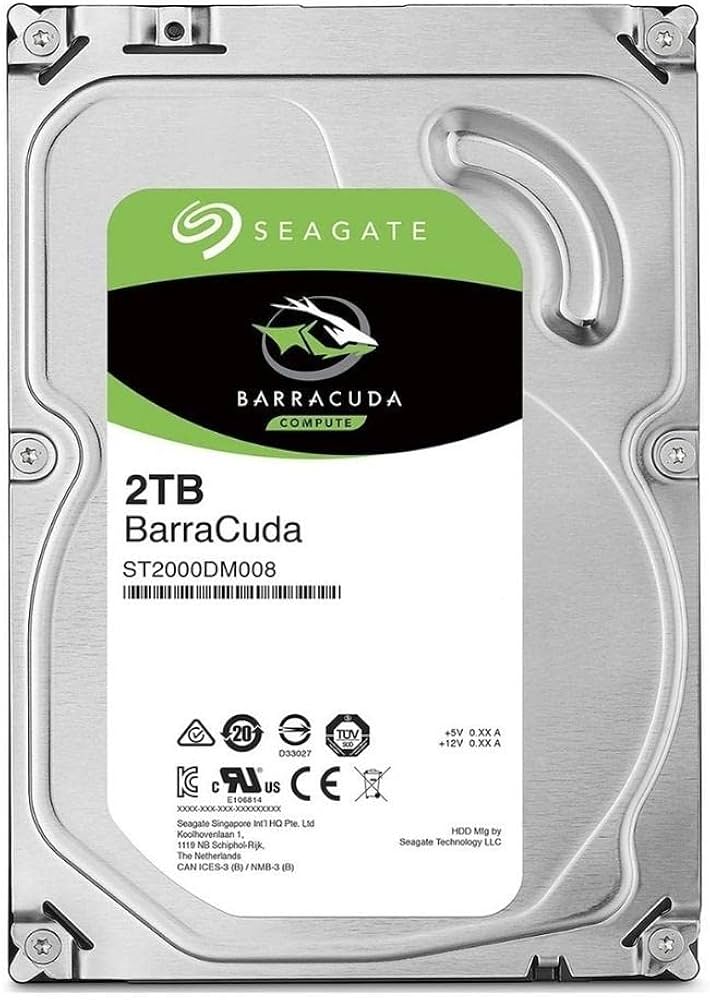
The BarraCuda portfolio is your source for desktops and mobile computers. Take advantage of the industry's largest storage capacity and fast load times for your games and demanding workloads. Experience the highest capacity and thinnest 2.5-inch hard drive you've ever seen. With a Z-height of 7 mm, BarraCuda Pro hard drives are the perfect solution for upgrades of thin laptops and systems with similar form factor. Building on proven reliability and innovation, BarraCuda hard drives are available in an industry-leading selection of capacities and pricing options for every budget. All hard disks of the BarraCuda product family are equipped with multi-tier caching (MTC). Rescue data recovery service plans provide complete peace of mind for creative professionals and high-performance PC users. The plans are included as standard with the BarraCuda Pro.
The BarraCuda portfolio is your source for desktops and mobile computers. Take advantage of the industry's largest storage capacity and fast load times for your games and demanding workloads. Experience the highest capacity and thinnest 2.5-inch hard drive you've ever seen. With a Z-height of 7 mm, BarraCuda Pro hard drives are the perfect solution for upgrades of thin laptops and systems with similar form factor. Building on proven reliability and innovation, BarraCuda hard drives are available in an industry-leading selection of capacities and pricing options for every budget. All hard disks of the BarraCuda product family are equipped with multi-tier caching (MTC). Rescue data recovery service plans provide complete peace of mind for creative professionals and high-performance PC users. The plans are included as standard with the BarraCuda Pro.
There are no live offers for Seagate Barracuda Pro ST1000LM049 1 TB 2.5" Internal Hard Drive - SATA right now. The all-time low we recorded was $77.93 on 21 June 2023. Set a price alert to hear when it's back in stock.
Seagate Barracuda Pro ST1000LM049 1 TB 2.5" Internal Hard Drive - SATA
The BarraCuda portfolio is your source for desktops and mobile computers. Take advantage of the industry's largest storage capacity and fast load times for your games and demanding workloads. Experience the highest capacity and thinnest 2.5-inch hard drive you've ever seen. With a Z-height of 7 mm, BarraCuda Pro hard drives are the perfect solution for upgrades of thin laptops and systems with similar form factor. Building on proven reliability and innovation, BarraCuda hard drives are available in an industry-leading selection of capacities and pricing options for every budget. All hard disks of the BarraCuda product family are equipped with multi-tier caching (MTC). Rescue data recovery service plans provide complete peace of mind for creative professionals and high-performance PC users. The plans are included as standard with the BarraCuda Pro.
The BarraCuda portfolio is your source for desktops and mobile computers. Take advantage of the industry's largest storage capacity and fast load times for your games and demanding workloads. Experience the highest capacity and thinnest 2.5-inch hard drive you've ever seen. With a Z-height of 7 mm, BarraCuda Pro hard drives are the perfect solution for upgrades of thin laptops and systems with similar form factor. Building on proven reliability and innovation, BarraCuda hard drives are available in an industry-leading selection of capacities and pricing options for every budget. All hard disks of the BarraCuda product family are equipped with multi-tier caching (MTC). Rescue data recovery service plans provide complete peace of mind for creative professionals and high-performance PC users. The plans are included as standard with the BarraCuda Pro.
originally posted on pbtech.co.nz
As another buyer reviewed this is a SMR drive, which is slightly cheaper than a CMR drive. HD manufacturers are somewhat reluctant to draw attention to the fact that some of their drives are SMR. The cost for the cheaper price is that the drive is slower to write.As the drive fills up with data it gets slower. More full more slow. At approx 90% full this really become noticeable to the point where it is best to consider this a 7TB HDD (vs 8TB), which makes the 8TB Iron Wolf (CMR) cousin look somewhat better price wise.Up to the point where it gets slow, all good. It does complete the storage to full, given time. So it is what it says on the label with some small print attached.In short there are drives more suited to being filled to capacity or placed in a ... MoreAs another buyer reviewed this is a SMR drive, which is slightly cheaper than a CMR drive. HD manufacturers are somewhat reluctant to draw attention to the fact that some of their drives are SMR. The cost for the cheaper price is that the drive is slower to write.As the drive fills up with data it gets slower. More full more slow. At approx 90% full this really become noticeable to the point where it is best to consider this a 7TB HDD (vs 8TB), which makes the 8TB Iron Wolf (CMR) cousin look somewhat better price wise.Up to the point where it gets slow, all good. It does complete the storage to full, given time. So it is what it says on the label with some small print attached.In short there are drives more suited to being filled to capacity or placed in a NAS. After that is why Seagate, and others make different models.Interestingly enough I bought a 4TB BarraCuda and it does not exhibit the same issue. Both are SMR HD.
originally posted on ebuyer.com
Item as described. Beware this product is shingled magnetic recording (SMR), so not ideal for boot disc. [Note: I think this is the case, but is not mentioned on the Ebuyer web site where I bought it, or on the Seagate web site, but is noted elsewhere on the web]. This makes it slower than some more expensive dard disc drives, but fine for archiving, I hope. A 'slow' Windows formatting took 15 hours, but worked fine with no problems reported to me. Yes, a 'quick' format would have been faster, of course, but not so thorough. In fact, I bought two of these drives and both same. No problems yet - after only two days use. Good value and quality drive - if you're happy with SMR. One star knocked off only because SMR is not clearly specified.
originally posted on pbtech.co.nz
I purchased these 2 x 8TB Barras to replace 2 x 4TB WD Purples in my security camera system. I know the warranty is shorter on this value product, but they will be replaced again in 3-4 years, so who cares. Install was simple and the security system was up and running again in seconds. With these larger drives I now record over 2 months of continuous feed from 11 camers @1080p. As a bonus, I'm re-using the old drives for off-site motion-sensed backup. So, probably a year's worth there! Rinse and repeat in due course.
| General | |
| Device Type | Hard drive - internal |
| Capacity | 1 TB |
| Interface | SATA 6Gb/s |
| Buffer Size | 128 MB |
As another buyer reviewed this is a SMR drive, which is slightly cheaper than a CMR drive. HD manufacturers are somewhat reluctant to draw attention to the fact that some of their drives are SMR. The cost for the cheaper price is that the drive is slower to write.As the drive fills up with data it gets slower. More full more slow. At approx 90% full this really become noticeable to the point where it is best to consider this a 7TB HDD (vs 8TB), which makes the 8TB Iron Wolf (CMR) cousin look somewhat better price wise.Up to the point where it gets slow, all good. It does complete the storage to full, given time. So it is what it says on the label with some small print attached.In short there are drives more suited to being filled to capacity or placed in a ... MoreAs another buyer reviewed this is a SMR drive, which is slightly cheaper than a CMR drive. HD manufacturers are somewhat reluctant to draw attention to the fact that some of their drives are SMR. The cost for the cheaper price is that the drive is slower to write.As the drive fills up with data it gets slower. More full more slow. At approx 90% full this really become noticeable to the point where it is best to consider this a 7TB HDD (vs 8TB), which makes the 8TB Iron Wolf (CMR) cousin look somewhat better price wise.Up to the point where it gets slow, all good. It does complete the storage to full, given time. So it is what it says on the label with some small print attached.In short there are drives more suited to being filled to capacity or placed in a NAS. After that is why Seagate, and others make different models.Interestingly enough I bought a 4TB BarraCuda and it does not exhibit the same issue. Both are SMR HD.
Item as described. Beware this product is shingled magnetic recording (SMR), so not ideal for boot disc. [Note: I think this is the case, but is not mentioned on the Ebuyer web site where I bought it, or on the Seagate web site, but is noted elsewhere on the web]. This makes it slower than some more expensive dard disc drives, but fine for archiving, I hope. A 'slow' Windows formatting took 15 hours, but worked fine with no problems reported to me. Yes, a 'quick' format would have been faster, of course, but not so thorough. In fact, I bought two of these drives and both same. No problems yet - after only two days use. Good value and quality drive - if you're happy with SMR. One star knocked off only because SMR is not clearly specified.
I purchased these 2 x 8TB Barras to replace 2 x 4TB WD Purples in my security camera system. I know the warranty is shorter on this value product, but they will be replaced again in 3-4 years, so who cares. Install was simple and the security system was up and running again in seconds. With these larger drives I now record over 2 months of continuous feed from 11 camers @1080p. As a bonus, I'm re-using the old drives for off-site motion-sensed backup. So, probably a year's worth there! Rinse and repeat in due course.
I bought 4 Seagate 8TB "Archive" SMR drives in years previously (these are marketed as shingled [multiple tracks are read/re-written with a slight overlap to gain capacity] but with the knowledge they will be quite a bit slower to write) and I saw fairly terrible performance (USB 2.0 sort of transfer speeds). Having told myself never again, I bought one of these new Barracuda 8TB drives not knowing they are now the same, and have now seen the same sort of poor performance... 20MB/s on average for writing (or backup) operations. A quick research of the 'net shows Seagate have quietly moved this terrible tech into these branded drives now. They say they also now contain a bunch of "smarts" to speed up this poor performance for desktop usage, but it hasn't helped me at ... MoreI bought 4 Seagate 8TB "Archive" SMR drives in years previously (these are marketed as shingled [multiple tracks are read/re-written with a slight overlap to gain capacity] but with the knowledge they will be quite a bit slower to write) and I saw fairly terrible performance (USB 2.0 sort of transfer speeds). Having told myself never again, I bought one of these new Barracuda 8TB drives not knowing they are now the same, and have now seen the same sort of poor performance... 20MB/s on average for writing (or backup) operations. A quick research of the 'net shows Seagate have quietly moved this terrible tech into these branded drives now. They say they also now contain a bunch of "smarts" to speed up this poor performance for desktop usage, but it hasn't helped me at all - the HDD is a slow POS to save to. I can't believe I now have a 5th unit that can only be used for "archive" purposes, where you wait forever to save things, but then get sort of OK performance on reading back the data.
I happened to have purchased the same drive, same model a few years ago. Unfortunately, seagate continue to use older models and shove SMR technology in them without mentioning anything unless you go dig in their spec sheet on their website. I feel betrayed and scammed, because if I buy the same model 2 years later, I expect to have to same specs, if not better because new technology is supposed to improve over time, not go backwards. Oh well, I got had and I will NEVER EVER buy seagate again. I guess I'll have to look into a competitor that doesn't engage in deceptive practices in the future. I am VERY disapointed, their drive from 2 years ago was much better and this isn't normal. This isn't normal that Seagate doesn't but "SMR" in big letters on the sticker of ... MoreI happened to have purchased the same drive, same model a few years ago. Unfortunately, seagate continue to use older models and shove SMR technology in them without mentioning anything unless you go dig in their spec sheet on their website. I feel betrayed and scammed, because if I buy the same model 2 years later, I expect to have to same specs, if not better because new technology is supposed to improve over time, not go backwards. Oh well, I got had and I will NEVER EVER buy seagate again. I guess I'll have to look into a competitor that doesn't engage in deceptive practices in the future. I am VERY disapointed, their drive from 2 years ago was much better and this isn't normal. This isn't normal that Seagate doesn't but "SMR" in big letters on the sticker of the drive so people know what they're getting into. It's deceptive abusive and really disrespectful to lower the specs of a previously sold model without saying anything about it. The price of this drive should be much lower, this isn't fair that seagate is increasing their margin while not offering a discount for a product much cheaper to produce. I guess if price alone matters, yeah this is a good drive. If you care about longevity and speeds, maybe look somewhere else.
I bought the Seagate BarraCuda ST8000DM004 8TB 5400 RPM drive for data archiving. I use it as an external drive in a USB 3.0 connected docking station that I can switch on and off as needed. I leave it turned off when I am not writing to it so my system images and files will never be lost in the case of a catastrophic malware incident. I was quite surprised by the read and write speeds. 250 mb/s read and write with Crystal Disk Mark. When transferring large volume folders from my PC, with varying sized files, it maintained 170 to 190 mb/s transfer speeds. When transferring large volumes of photo and video files it holds at right about 200-210mb/s. I have a high end AMD X570 system, so your speeds may vary depending on your systems ability to seek and deliver data to ... MoreI bought the Seagate BarraCuda ST8000DM004 8TB 5400 RPM drive for data archiving. I use it as an external drive in a USB 3.0 connected docking station that I can switch on and off as needed. I leave it turned off when I am not writing to it so my system images and files will never be lost in the case of a catastrophic malware incident. I was quite surprised by the read and write speeds. 250 mb/s read and write with Crystal Disk Mark. When transferring large volume folders from my PC, with varying sized files, it maintained 170 to 190 mb/s transfer speeds. When transferring large volumes of photo and video files it holds at right about 200-210mb/s. I have a high end AMD X570 system, so your speeds may vary depending on your systems ability to seek and deliver data to the USB 3.0 bus. What really impressed me was the write speed when making system image backups while booting from Macrium Reflect on a USB stick. I was seeing 400 mb/s write speeds on the meter on the GUI and the time it took to make and verify a very large image tended to make me think that it was real. My experience when opening and reading the files that I transferred to the Seagate BarraCuda ST8000DM004 8TB drive was positive. I felt that the response was very snappy. So for what my purposes were, I was quite impressed. I won't speak to longevity as I will not put many hours on the drive so that doesn't concern me. If you want to write and delete files regularly to this drive it will probably suffer in speed as the overlapping Shingled Magnetic Recording technology that this drive uses will create issues in performance. Google it.
This is, without a doubt, a drive that is a great value choice, assuming you are choosing it for the right reason. It excels at providing a large amount of disk space for archives, backups, and other workloads that are NOT performance sensitive. It is NOT a good choice as a primary drive, or anything write intensive. I bought it for one reason, a local disc to store backups and archives before they are copied to NAS storage. It is installed in a near antique system running a now discontinued 2nd Generation Core I5, installed on a motherboard with a limited number of SATA 600 ports, hence the SATA 300 connection shown in the attached screenshot. Also shown are some Crystal Diskmark scores that highlight the near dismal write performance, likely because it uses ... MoreThis is, without a doubt, a drive that is a great value choice, assuming you are choosing it for the right reason. It excels at providing a large amount of disk space for archives, backups, and other workloads that are NOT performance sensitive. It is NOT a good choice as a primary drive, or anything write intensive. I bought it for one reason, a local disc to store backups and archives before they are copied to NAS storage. It is installed in a near antique system running a now discontinued 2nd Generation Core I5, installed on a motherboard with a limited number of SATA 600 ports, hence the SATA 300 connection shown in the attached screenshot. Also shown are some Crystal Diskmark scores that highlight the near dismal write performance, likely because it uses Shingled Magnetic Recording. That said, it does well at what I bought it for, a source of cheap storage (less than 2 cents per GiB) for processes that run in the background when I'm not using the system. So if you just want lots of cheap storage, give this drive a look. If you want any sort of performance, bite the bullet and get an SSD.
First some negatives, which are not an issue in my case: As you may have read elsewhere, these drives are not suitable for a NAS. They spin slowly at 5400 RPM. They use Shingled Magnetic Recording (SMR), which makes them unsuitable for write-intensive use. (A few years ago I thought one of my earlier Seagate SMR drives was defective when the write speed slowed to a crawl, perhaps 10 MBS/sec. However, everything was fine; I paused my writing and let the drive move data into it's final position, and the speed picked up again.) In my case I use the drives to store backups and video, and read from them much more than I write.My three drives were well packed in OEM packaging. I used Seagate's verify website to check that the drives were genuine. I used the HDTune ... MoreFirst some negatives, which are not an issue in my case: As you may have read elsewhere, these drives are not suitable for a NAS. They spin slowly at 5400 RPM. They use Shingled Magnetic Recording (SMR), which makes them unsuitable for write-intensive use. (A few years ago I thought one of my earlier Seagate SMR drives was defective when the write speed slowed to a crawl, perhaps 10 MBS/sec. However, everything was fine; I paused my writing and let the drive move data into it's final position, and the speed picked up again.) In my case I use the drives to store backups and video, and read from them much more than I write.My three drives were well packed in OEM packaging. I used Seagate's verify website to check that the drives were genuine. I used the HDTune utility ERASE function to write random data to the entire surface of each drive and then read data back to verity each byte written. (A 30-hour process per drive.)During these tests the SMART data showed many seek errors and many CRC errors, all of the latter being correctable. I assume that these errors are normal for drives of this sort, as has been the case with similar drives that I've used for several years with no problem.
So I only purchased this to save store and retrieve. However I may not retrieve till 10 plus years from now. I use these to store raw original content from various TV shows and movies. After it's saved I buy the drive into the anti static bag and it goes into a fire proof metal case and I almost never have to go back to it. I have clients that ask me about footage that sometimes goes back 20 years. This drive is reliable, not to fast but fast enough and does what I need it to do. Simple 8TB of basic storage that I keep off the system just as a backup. BH has done it again, before this I would use a 5TB portable drive around the same price point.
DON"T BUY THIS DRIVE TO USE AS A WINDOWS 10 OR WINDOWS 11 SYSTEM DISK. These SMR (shingled magnetic recording) drives can't write a single sector at a time to the disk because of the overlapped magnetic recording technology they use. The drive ends up writing the sector you try to write to a small temporary storage location on the drive and that is pretty fast, but later it has to go back and rewrite the data to another higher density location on the drive where it will have to rewrite adjacent sectors at the same time because their data overlaps unlike the data on traditional CMR (conventional magnetic recording) drives. As a result of having to write sectors more than one time the drive will thrash (move the recording head around making seeking noises) more than ... MoreDON"T BUY THIS DRIVE TO USE AS A WINDOWS 10 OR WINDOWS 11 SYSTEM DISK. These SMR (shingled magnetic recording) drives can't write a single sector at a time to the disk because of the overlapped magnetic recording technology they use. The drive ends up writing the sector you try to write to a small temporary storage location on the drive and that is pretty fast, but later it has to go back and rewrite the data to another higher density location on the drive where it will have to rewrite adjacent sectors at the same time because their data overlaps unlike the data on traditional CMR (conventional magnetic recording) drives. As a result of having to write sectors more than one time the drive will thrash (move the recording head around making seeking noises) more than normal, but if the data is written in small bursts and not too often then aside from the extra disk operation that you will hear it will work like a regular drive. The performance problem with this drive occurs when you write too many small bursts of data at the same time as you are trying to read data or you write a large amount of data for a sustained period of time and that temporary fast storage area becomes full. When that happens you have to wait for the drive to write the overlapped data before it can process your next bit of data and the sustained transfer rate of the drive plummets due to jumping back and forth between the fast and the slow part of the disk. I will get sustained transfer rates under 20 MB / sec sometimes when transferring a large number of files. That's almost as bad as a USB 2.0 flash drive. The latest versions of Windows 10 and Windows 11 seem to do a lot of logging. They read and write event log and NTFS filesystem log data to the drive constantly. In Windows 11 my computer was reading over 1 MB/sec of data constantly so this drive keeps jumping around writing sector, read sector, rewriting sector to higher density area, reading sector and latency of all these small operations just crushes the performance of the drive. It takes the latest versions of Windows 10 or 11 a few minutes just to boot up and the disk operations just never end. Its constantly thrashing the drive every second of the day and since its always in the middle of some disk operation, the latency of any disk operation you want to perform is greater because it has to wait for its current operation to end first. Its very unpleasant and completely unacceptable both performance-wise and noise-wise and I'm sure the life of this drive will be shorter than a CMR drive due to the extra operations the drive is having to perform. The drive does hold a lot of data. If you don't use it as your Windows system drive which will be constantly reading and writing log files and you mostly read data from it and not write to it then its decent enough as an archival drive for movie, music, picture, or game storage. It has a lot of capacity and is cheaper than equivalently sized CMR drives. Writing performance of the drive is terrible, but reading is just as fast as other drives provided you haven't written a lot of data recently to the drive causing it to need to rewrite data possibly at the same moment you are wanting to read from it. You really need a SSD for your system drive in Windows 10 and 11 now due to the excessive reading and writing of small event log files. This drive isn't suitable for that purpose. SSDs don't have the seeking latency or noise production of magnetic drives so you won't notice that your SSD is operating all the time. You will regret it if you buy this drive and attempt to use it as your system drive in Windows 10 or 11. You've been warned.
| General | |
| Device Type | Hard drive - internal |
| Capacity | 1 TB |
| Interface | SATA 6Gb/s |
| Buffer Size | 128 MB |