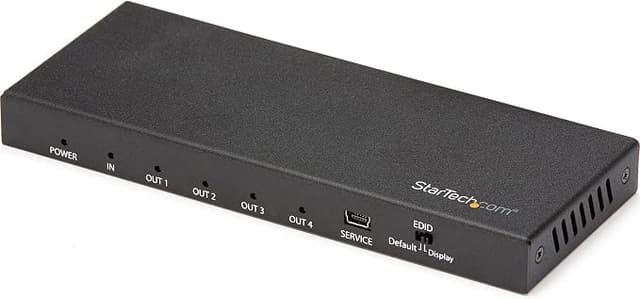
StarTech 2 Port HDMI KVM Switch, 4K 60Hz - SV211HDUA4K
The 2 Port HDMI KVM from StarTech is a versatile device that allows you to control multiple HDMI-enabled computers from a single keyboard, mouse, and monitor setup. With its compact design, this KVM switch is perfect for small office spaces or home setups where space is limited. Connect your computers to the switch using HDMI cables and effortlessly switch between them using hotkeys or push buttons on the device itself. This KVM switch supports high-resolution video quality, ensuring crystal-clear images on your monitor. It also supports USB connectivity, allowing you to connect peripherals such as printers, scanners, or external hard drives to your computers. With the 2 Port HDMI KVM from StarTech, streamline your workflow and enhance productivity by seamlessly managing multiple computers with ease.
The 2 Port HDMI KVM from StarTech is a versatile device that allows you to control multiple HDMI-enabled computers from a single keyboard, mouse, and monitor setup. With its compact design, this KVM switch is perfect for small office spaces or home setups where space is limited. Connect your computers to the switch using HDMI cables and effortlessly switch between them using hotkeys or push buttons on the device itself. This KVM switch supports high-resolution video quality, ensuring crystal-clear images on your monitor. It also supports USB connectivity, allowing you to connect peripherals such as printers, scanners, or external hard drives to your computers. With the 2 Port HDMI KVM from StarTech, streamline your workflow and enhance productivity by seamlessly managing multiple computers with ease.
The 2 Port HDMI KVM from StarTech is a versatile device that allows you to control multiple HDMI-enabled computers from a single keyboard, mouse, and monitor setup. With its compact design, this KVM switch is perfect for small office spaces or home setups where space is limited. Connect your computers to the switch using HDMI cables and effortlessly switch between them using hotkeys or push buttons on the device itself. This KVM switch supports high-resolution video quality, ensuring crystal-clear images on your monitor. It also supports USB connectivity, allowing you to connect peripherals such as printers, scanners, or external hard drives to your computers. With the 2 Port HDMI KVM from StarTech, streamline your workflow and enhance productivity by seamlessly managing multiple computers with ease.
The 2 Port HDMI KVM from StarTech is a versatile device that allows you to control multiple HDMI-enabled computers from a single keyboard, mouse, and monitor setup. With its compact design, this KVM switch is perfect for small office spaces or home setups where space is limited. Connect your computers to the switch using HDMI cables and effortlessly switch between them using hotkeys or push buttons on the device itself. This KVM switch supports high-resolution video quality, ensuring crystal-clear images on your monitor. It also supports USB connectivity, allowing you to connect peripherals such as printers, scanners, or external hard drives to your computers. With the 2 Port HDMI KVM from StarTech, streamline your workflow and enhance productivity by seamlessly managing multiple computers with ease.
in 45 offers
The lowest price for StarTech 2 Port HDMI KVM Switch, 4K 60Hz - SV211HDUA4K right now is $159.00 at Computers & Parts Land, compared across 34 retailers.
The all-time low was $135.13 on 27 Apr 2026 — today's price is 18% above the lowest ever. That's a little above the best price we've seen.
Prices last updated 11 Oct 2026.
Last updated at 11/10/2026 18:10:11
StarTech 2 Port USB HDMI 4K 60Hz Cable KVM Switch with Audio, Black
Affiliate Disclosure: We may receive a small commission for purchases made through this link at no extra cost to you. This helps support our site. Thank you!
Startech SV211HDUA4K KVM Switch HDMI 4k 60Hz
Delivery between 14–19 Oct $14.50
StarTech 2 Port HDMI KVM Switch USB With Audio 4K 60Hz UHD 3840x2160 Remote SV211HDUA4K
Free delivery between Tue – Fri
STARTECH 2 Port Usb Hdmi Cable Kvm Switch With SV211HDUA
Startech Kvm Switch Hdmi 4k 60hz Black
Delivery $24
StarTech 2 Port HDMI KVM Switch, 4K 60Hz - SV211HDUA4K
Delivery $12.99
Startech 2-Port HDMI KVM Switch
Delivery between Tue – Fri $10
2 Port HDMI KVM Switch - 4K 60Hz - Compact Dual Port UHD/Ultra HD USB Desktop KVM Switch w/Integrated 4ft Cables & Audio - Bus Powered & Remote
Startech Sv211hdua4k 2-Port 4K60Hz HDMI KVM Switch with Audio and Remote Switching Control, Black, OS Independent, Supports Resolutions up to 4K at
Delivery between Tue – Thu $10
StarTech.com 2 Port HDMI KVM Switch - Australia
Free delivery
originally posted on homeessentialsdirect.com
At first, I loved this thing - it worked absolutely perfect with my PCs, swapping between them was fast, and picture quality was perfect. After about 5 months of use, one of the inputs has stopped functioning well. There is a small amount of noise across the bottom of the screen, the signal goes out randomly every few minutes causing the monitor to be lost by windows for a moment. I've tried swapping which HDMI cable is plugged into which computer to verify that the problem isn't one of my computers, and the problem does follow one of the KVMs cables - so definitely a failed device.
originally posted on neweggbusiness.com
This is a, fairly, decent switch. The caveat is that frequent switching results in losing connectivity with the mouse side (I'm using an EVGA). When signal is lost, I have to disconnect the USB cord from BOTH machines and then replug it to regain connectivity. Cable management cannot be maintained with this operability, as is.
originally posted on homeessentialsdirect.com
Dual Port HDMI KVM Switch (SV211HDUA). Purchased after returning an IO Gear GCS62HU. IO Gear had problem with significant green dots all over screen. Startech has but much more generalized and in the background. IO Gear is the better looking item and seems more impressively made, though Startech works fine. Startech has much shorter cables, need to be at least 12-18" longer. I have both my computers on the left side of desk, but you can get buy with luck and just the correct placement. Required location had wireless mouse dongle too far away from wireless mouse and function was poor. Fortunately I was able to place mouse on USB extension cable. Startech also allows you to use wireless mouse and keyboard on same dongle. Handy in this instance. Startech is about $20 ... MoreDual Port HDMI KVM Switch (SV211HDUA). Purchased after returning an IO Gear GCS62HU. IO Gear had problem with significant green dots all over screen. Startech has but much more generalized and in the background. IO Gear is the better looking item and seems more impressively made, though Startech works fine. Startech has much shorter cables, need to be at least 12-18" longer. I have both my computers on the left side of desk, but you can get buy with luck and just the correct placement. Required location had wireless mouse dongle too far away from wireless mouse and function was poor. Fortunately I was able to place mouse on USB extension cable. Startech also allows you to use wireless mouse and keyboard on same dongle. Handy in this instance. Startech is about $20 more than IO Gear.
| General | |
| Device Type | KVM / audio switch - 2 ports |
| Enclosure Type | Desktop |
| Subtype | KVM |
| Ports | 2 x KVM / audio |

StarTech 2 Port USB HDMI 4K 60Hz Cable KVM Switch with Audio, Black
Affiliate Disclosure: We may receive a small commission for purchases made through this link at no extra cost to you. This helps support our site. Thank you!
Startech SV211HDUA4K KVM Switch HDMI 4k 60Hz
Delivery between 14–19 Oct $14.50
StarTech 2 Port HDMI KVM Switch USB With Audio 4K 60Hz UHD 3840x2160 Remote SV211HDUA4K
Free delivery between Tue – Fri
STARTECH 2 Port Usb Hdmi Cable Kvm Switch With SV211HDUA
Startech Kvm Switch Hdmi 4k 60hz Black
Delivery $24
At first, I loved this thing - it worked absolutely perfect with my PCs, swapping between them was fast, and picture quality was perfect. After about 5 months of use, one of the inputs has stopped functioning well. There is a small amount of noise across the bottom of the screen, the signal goes out randomly every few minutes causing the monitor to be lost by windows for a moment. I've tried swapping which HDMI cable is plugged into which computer to verify that the problem isn't one of my computers, and the problem does follow one of the KVMs cables - so definitely a failed device.
This is a, fairly, decent switch. The caveat is that frequent switching results in losing connectivity with the mouse side (I'm using an EVGA). When signal is lost, I have to disconnect the USB cord from BOTH machines and then replug it to regain connectivity. Cable management cannot be maintained with this operability, as is.
Dual Port HDMI KVM Switch (SV211HDUA). Purchased after returning an IO Gear GCS62HU. IO Gear had problem with significant green dots all over screen. Startech has but much more generalized and in the background. IO Gear is the better looking item and seems more impressively made, though Startech works fine. Startech has much shorter cables, need to be at least 12-18" longer. I have both my computers on the left side of desk, but you can get buy with luck and just the correct placement. Required location had wireless mouse dongle too far away from wireless mouse and function was poor. Fortunately I was able to place mouse on USB extension cable. Startech also allows you to use wireless mouse and keyboard on same dongle. Handy in this instance. Startech is about $20 ... MoreDual Port HDMI KVM Switch (SV211HDUA). Purchased after returning an IO Gear GCS62HU. IO Gear had problem with significant green dots all over screen. Startech has but much more generalized and in the background. IO Gear is the better looking item and seems more impressively made, though Startech works fine. Startech has much shorter cables, need to be at least 12-18" longer. I have both my computers on the left side of desk, but you can get buy with luck and just the correct placement. Required location had wireless mouse dongle too far away from wireless mouse and function was poor. Fortunately I was able to place mouse on USB extension cable. Startech also allows you to use wireless mouse and keyboard on same dongle. Handy in this instance. Startech is about $20 more than IO Gear.
Finding a KVM switch that doesn't cost a mint and isn't a flaky piece of garbage is tough. This is that tough find. I'm bouncing between a Thunderbolt-hub laptop and a PC on one 1440p monitor for the sake of fitting my small office, and it's great. It just works, and that's enough. It doesn't get hot, stows away behind the desk with only the little remote button stashed near my keyboard. One downside, this isn't going to fly with crazy refresh rates. You won't find that near this price point. Only other negative point, the case is cheap plastic. Again, not getting a fancy housing at this price point. This thing is still leagues better than I expected.
Works as it says. I am using with 2 wireless dongles plugged in (k/b and mouse), going to a desktop and a laptop docking station for sharing. It has a small footprint and the small button to change screens is great.
Had been an IOGear user for years, but one day I did an update on my computer and the hot keys stopped working. IOGear tells me that they cannot guarantee that their KVM switches will work... Threw IOGear away and tried Startech. Works great. Even though it has a wired button to switch computers, I can still use a hotkey to switch computers. I am sold on this product. There are two reasons I gave this product a 4-star rating vs a 5-star. First the cables are really short. Had to move my server and laptop around to be able to connect them to the Startech KVM. That was a real pain. The second issue is that the KVM switch seems to have troubles waking up my notebook when I switch to is and use the mouse to try and wake it up. I have to push power button, to wake it up, ... MoreHad been an IOGear user for years, but one day I did an update on my computer and the hot keys stopped working. IOGear tells me that they cannot guarantee that their KVM switches will work... Threw IOGear away and tried Startech. Works great. Even though it has a wired button to switch computers, I can still use a hotkey to switch computers. I am sold on this product. There are two reasons I gave this product a 4-star rating vs a 5-star. First the cables are really short. Had to move my server and laptop around to be able to connect them to the Startech KVM. That was a real pain. The second issue is that the KVM switch seems to have troubles waking up my notebook when I switch to is and use the mouse to try and wake it up. I have to push power button, to wake it up, which is not trivial, but I will work with that given that this KVM switch works reasonable well.
Home desktop (Windows 7 Ultimate) or work laptop (Windows 8).... just one click away. Nice. :-) You need to wait the standard 4-5 seconds for the plug/play to kick in, but then you are switched. My only complaint is that I wish the speaker cable was a little longer, it reaches the side, but barely (If you have a speaker plug in the front, it will not reach). When connected to the laptop, the main monitor is secondary (laptop monitor is primary). This was my main reason for the kvm, and it works great! There is only 1 way to improve this setup.... a full docking station. Hmmmm. Update: I have had this for a couple weeks now and lowered the rating to 4. There is a faint hiss when you move the mouse (you can distinctly hear it if the room is quiet), which wasn't there ... MoreHome desktop (Windows 7 Ultimate) or work laptop (Windows 8).... just one click away. Nice. :-) You need to wait the standard 4-5 seconds for the plug/play to kick in, but then you are switched. My only complaint is that I wish the speaker cable was a little longer, it reaches the side, but barely (If you have a speaker plug in the front, it will not reach). When connected to the laptop, the main monitor is secondary (laptop monitor is primary). This was my main reason for the kvm, and it works great! There is only 1 way to improve this setup.... a full docking station. Hmmmm. Update: I have had this for a couple weeks now and lowered the rating to 4. There is a faint hiss when you move the mouse (you can distinctly hear it if the room is quiet), which wasn't there before. I also replaced the wireless mouse with a wired mouse because it hung up once and doesn't work well on occasion (the wired mouse works fine). If the laptop goes to sleep, then I need to reconnect the monitor. The monitor does not "wake up" when connected. Update #2: Had to change to a laptop that does not have an HDMI port, and has to use VGA directly to the monitor. But... Win one for the monitor... it automatically identifies which component is switched! So when I flip to the desktop and move the mouse, the monitor switches too (the same happens in reverse)! I am a happy camper. :-) So one click, and I switch... even when NOT using HDMI.
I have tried a number of KVMs to switch between my Mac and my PC. All of them had problems. Some simply didn't work. Others would require tons of hand holding when switching. Others made using the mouse difficult. For such a seemingly simple function, human technology doesn't seem to have progressed enough to make this easily achievable. Well, no more. I have been using this KVM to switch between my work Mac and my home PC for a number of months now and it works every time. If I had to complain about something I'd say my Mac takes a while to wake up when I switch to it after it has gone to sleep, but that's on the Mac, not on this KVM.
I'm using this thing so I can connect a work-related laptop to my existing desktop config. Works as advertised. I am using a wired keyboard and a wireless mouse (with the Logitech wireless gizmo plugged in where a mouse would go), and this combo seems to work fine. The laptop will wake on mouse or keyboard, but the desktop won't for some reason (I have to hit the power button to wake it). Not sure why that happens, but in my situation it's not a problem because the button is easily accessible; your mileage may vary. I'm not using it for audio because the laptop lacks the connectors required to do this, so I can't attest to whether or not it works, but everything else switches fine so I don't see why audio wouldn't. It takes about 2-3 seconds to switch when you hit ... MoreI'm using this thing so I can connect a work-related laptop to my existing desktop config. Works as advertised. I am using a wired keyboard and a wireless mouse (with the Logitech wireless gizmo plugged in where a mouse would go), and this combo seems to work fine. The laptop will wake on mouse or keyboard, but the desktop won't for some reason (I have to hit the power button to wake it). Not sure why that happens, but in my situation it's not a problem because the button is easily accessible; your mileage may vary. I'm not using it for audio because the laptop lacks the connectors required to do this, so I can't attest to whether or not it works, but everything else switches fine so I don't see why audio wouldn't. It takes about 2-3 seconds to switch when you hit the button, which is acceptable.
Works great. I’m using it between 2 laptops to drive a 4K tv screen/monitor. The only issue I had was using the soft key combo to switch screens (prt scrn , prt scrn); that kept losing sync on the monitor. Pushing the switch works fine.
| General | |
| Device Type | KVM / audio switch - 2 ports |
| Enclosure Type | Desktop |
| Subtype | KVM |
| Ports | 2 x KVM / audio |