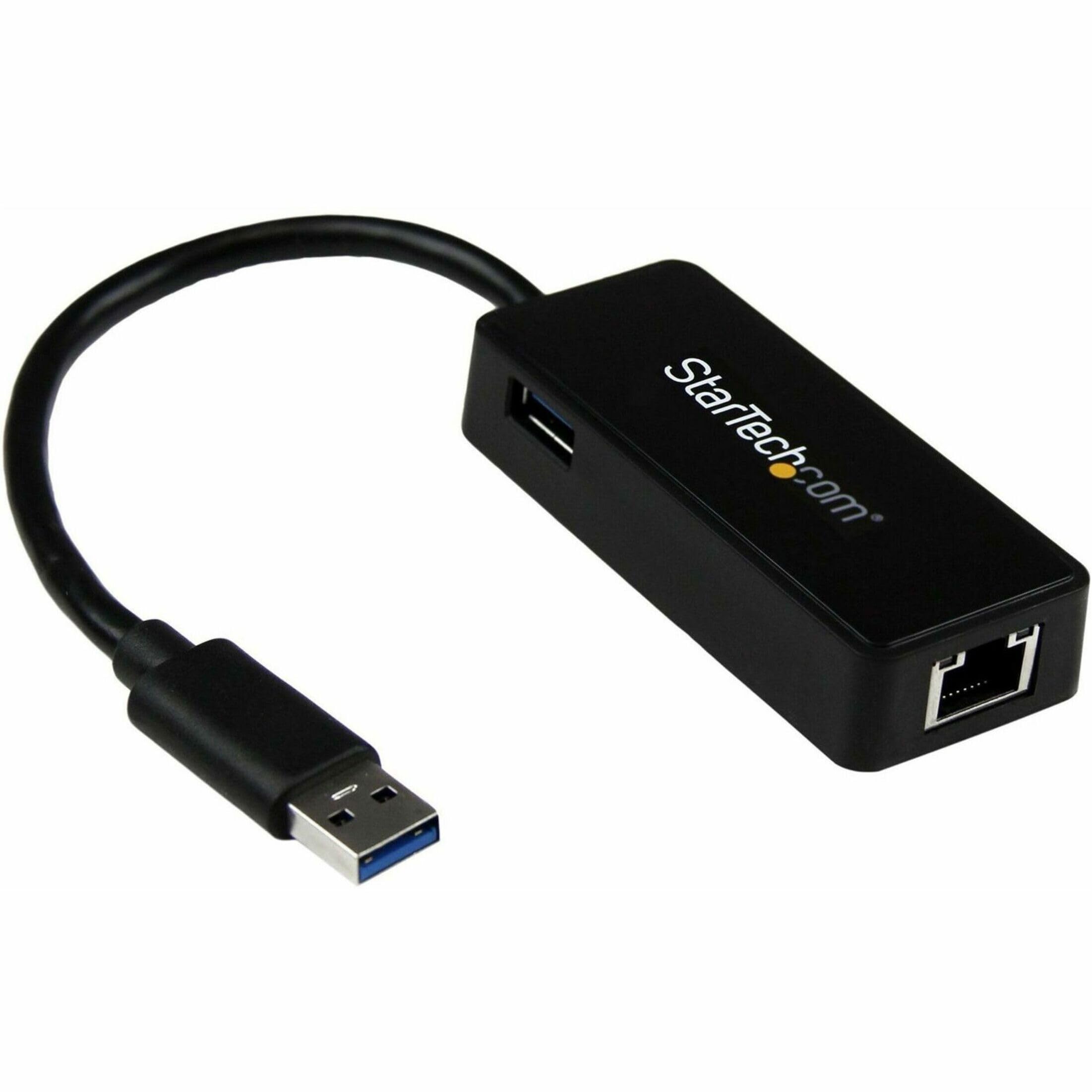
StarTech USB31000S2 USB to Ethernet Adapter - USB 3.0 to 10/100/1000 Gigabit
Easily add a Gigabit network port to your computer through a USB 3.0 3.2 Gen 1 Type A port. The RJ45 port supports multiple speeds 10 100 1000 Mbps and is fully compatible with Cat5 Cat5e Cat6 and Cat6a cabling. This is an ideal peripheral for newer laptops that don t have an Ethernet port anymore. With backward compatibility add network capabilities to older computers or replace a non working Ethernet port. br The USB LAN adapter supports up to Gigabit speeds 1000 Mbps when using a USB 3.2 Gen 1 or higher port. You can share and receive files over a network at a higher speed and stream content while reducing wait times and slowdowns. br Plug and play compatible simply connect the network adapter into the USB Type A port on your computer. The adapter s Realtek RTL8153 chipset provides native driver support in Windows macOS and Linux. Other features include VLAN tagging Auto MDIX 9K jumbo frames and full duplex. br This portable USB Gigabit network adapter is the ideal accessory for laptops light portable and with an unintrusive design. It s powered directly from the USB port making it easy to use when you re on the go. The cable is long enough 11.8 inches 30 cm to help with additional reach and flexibility.
Easily add a Gigabit network port to your computer through a USB 3.0 3.2 Gen 1 Type A port. The RJ45 port supports multiple speeds 10 100 1000 Mbps and is fully compatible with Cat5 Cat5e Cat6 and Cat6a cabling. This is an ideal peripheral for newer laptops that don t have an Ethernet port anymore. With backward compatibility add network capabilities to older computers or replace a non working Ethernet port. br The USB LAN adapter supports up to Gigabit speeds 1000 Mbps when using a USB 3.2 Gen 1 or higher port. You can share and receive files over a network at a higher speed and stream content while reducing wait times and slowdowns. br Plug and play compatible simply connect the network adapter into the USB Type A port on your computer. The adapter s Realtek RTL8153 chipset provides native driver support in Windows macOS and Linux. Other features include VLAN tagging Auto MDIX 9K jumbo frames and full duplex. br This portable USB Gigabit network adapter is the ideal accessory for laptops light portable and with an unintrusive design. It s powered directly from the USB port making it easy to use when you re on the go. The cable is long enough 11.8 inches 30 cm to help with additional reach and flexibility.
Easily add a Gigabit network port to your computer through a USB 3.0 3.2 Gen 1 Type A port. The RJ45 port supports multiple speeds 10 100 1000 Mbps and is fully compatible with Cat5 Cat5e Cat6 and Cat6a cabling. This is an ideal peripheral for newer laptops that don t have an Ethernet port anymore. With backward compatibility add network capabilities to older computers or replace a non working Ethernet port. br The USB LAN adapter supports up to Gigabit speeds 1000 Mbps when using a USB 3.2 Gen 1 or higher port. You can share and receive files over a network at a higher speed and stream content while reducing wait times and slowdowns. br Plug and play compatible simply connect the network adapter into the USB Type A port on your computer. The adapter s Realtek RTL8153 chipset provides native driver support in Windows macOS and Linux. Other features include VLAN tagging Auto MDIX 9K jumbo frames and full duplex. br This portable USB Gigabit network adapter is the ideal accessory for laptops light portable and with an unintrusive design. It s powered directly from the USB port making it easy to use when you re on the go. The cable is long enough 11.8 inches 30 cm to help with additional reach and flexibility.
Easily add a Gigabit network port to your computer through a USB 3.0 3.2 Gen 1 Type A port. The RJ45 port supports multiple speeds 10 100 1000 Mbps and is fully compatible with Cat5 Cat5e Cat6 and Cat6a cabling. This is an ideal peripheral for newer laptops that don t have an Ethernet port anymore. With backward compatibility add network capabilities to older computers or replace a non working Ethernet port. br The USB LAN adapter supports up to Gigabit speeds 1000 Mbps when using a USB 3.2 Gen 1 or higher port. You can share and receive files over a network at a higher speed and stream content while reducing wait times and slowdowns. br Plug and play compatible simply connect the network adapter into the USB Type A port on your computer. The adapter s Realtek RTL8153 chipset provides native driver support in Windows macOS and Linux. Other features include VLAN tagging Auto MDIX 9K jumbo frames and full duplex. br This portable USB Gigabit network adapter is the ideal accessory for laptops light portable and with an unintrusive design. It s powered directly from the USB port making it easy to use when you re on the go. The cable is long enough 11.8 inches 30 cm to help with additional reach and flexibility.
in 33 offers
The lowest price for StarTech USB31000S2 USB to Ethernet Adapter - USB 3.0 to 10/100/1000 Gigabit right now is $33.81 at PB Tech, compared across 20 retailers.
The all-time low was $31.77 on 14 May 2026 — today's price is 6% above the lowest ever. That's a little above the best price we've seen.
Prices last updated 8 June 2026.
Last updated at 08/06/2026 19:07:16
StarTech.com USB31000S2 USB 3.0 to Gigabit Ethernet Network Adapter
Affiliate Disclosure: We may receive a small commission for purchases made through this link at no extra cost to you. This helps support our site. Thank you!
StarTech.com USB31000S2 USB to Ethernet Adapter - USB 3.0 to 10/100/1000 Gigabit Ethernet LAN Converter for Laptops - 11.8in/30cm
7-day returns
Startech USB to Ethernet Adapter - USB 3.0/3.2
Delivery between Wed – Mon $10
USB 3.0 to Gigabit Ethernet Network Adapter, 10/100/1000 Mbps, USB to RJ45, USB 3.0 to LAN Adapter, USB 3.0 Ethernet Adapter (GbE), 11in Attached
USB 3.0 to Gigabit Ethernet Network Adapter, 10/100/1000 Mbps, USB to RJ45, USB 3.0 to LAN Adapter, USB 3.0 Ethernet Adapter (GbE), 11in Attached
USB 3.0 to Gigabit Ethernet Network Adapter, 10/100/1000 Mbps, USB to RJ45, USB 3.0 to LAN Adapter, USB 3.0 Ethernet Adapter (GbE), 11in Attached
USB 3.0 to Gigabit Ethernet Network Adapter, 10/100/1000 Mbps, USB to RJ45, USB 3.0 to LAN Adapter, USB 3.0 Ethernet Adapter (GbE), 11in Attached
USB 3.0 to Gigabit Ethernet Network Adapter, 10/100/1000 Mbps, USB to RJ45, USB 3.0 to LAN Adapter, USB 3.0 Ethernet Adapter (GbE), 11in Attached
USB 3.0 to Gigabit Ethernet Network Adapter, 10/100/1000 Mbps, USB to RJ45, USB 3.0 to LAN Adapter, USB 3.0 Ethernet Adapter (GbE), 11in Attached
USB 3.0 to Gigabit Ethernet Network Adapter, 10/100/1000 Mbps, USB to RJ45, USB 3.0 to LAN Adapter, USB 3.0 Ethernet Adapter (GbE), 11in Attached
originally posted on homeessentialsdirect.com
Easy to use.plug and play. I Thought my laptop was incapable of gigabit throughput, the problem ended up being a CAT 5 cable was in use and not a CAT 6 . Yes the adapter did make the connection a little faster with the wrong network cable. CAT 5 is NOT capable of high speed transfer. I changed to a high speed CAT 6 cable and actually got BETTER throughput WITHOUT the adapter. This product best suits users who don't have a network input on their laptop, and must use USB. Will be returning because i don't need this adapter,i just needed a better cable. I will be purchasing a CAT 7 cable for this laptop station. Would have posted pictures of test scores but they wont let you. Speakeasy Bandwidth test 410 Mbps with adapter 750 Mbps without Ookla Bandwidth test 680 Mbps ... MoreEasy to use.plug and play. I Thought my laptop was incapable of gigabit throughput, the problem ended up being a CAT 5 cable was in use and not a CAT 6 . Yes the adapter did make the connection a little faster with the wrong network cable. CAT 5 is NOT capable of high speed transfer. I changed to a high speed CAT 6 cable and actually got BETTER throughput WITHOUT the adapter. This product best suits users who don't have a network input on their laptop, and must use USB. Will be returning because i don't need this adapter,i just needed a better cable. I will be purchasing a CAT 7 cable for this laptop station. Would have posted pictures of test scores but they wont let you. Speakeasy Bandwidth test 410 Mbps with adapter 750 Mbps without Ookla Bandwidth test 680 Mbps with adapter 799 Mbps without Tested on ATT Fiber Gigabit network (1000 Mbps) will probably get better speed with CAT 7 cable
originally posted on homeessentialsdirect.com
I bought this with the intention of connecting my virtual network environment to my real hardware for lab purposes. For the most part, it seems to work for normal stuff like connecting your computer to an Ethernet cable for inernet connectivity. The problem arise when trying to connect virtual and real lab environments. I have experienced flapping interfaces between my virtual router and physical layer 3 switch. I have tried numerous configurations and routing protocols, but the flapping interfaces remains. I won't let that fact ding this review too much. I am sure that for most people who aren't doing networking labs, this is just fine. That said, if you wan't a NIC for your lab, then you may want to explore options.
originally posted on homeessentialsdirect.com
The built in Ethernet adapter on my almost 10-year old Lenovo ThinkPad W700 get fried by lightning a couple years ago. Fortunately, the Wi-Fi adapter was not damaged, so I still had Internet and network connectivity, but at Wi-Fi speeds. That was not at problem until the W700 was replaced about 18 months ago by a Lenovo ThinkPad P71 and the Lenovo W700 was moved upstairs. Our house has a metal roof and the Wi-Fi throughput is significantly degraded in that area of our house. Not a big problem for Internet usage but moving large files, doing backups, or syncing files between the two-system using our LAN became painfully slow. So much so that I started using the old 'sneaker net' approach and began moving files and data back and forth with thumb drives. My W700 is ... MoreThe built in Ethernet adapter on my almost 10-year old Lenovo ThinkPad W700 get fried by lightning a couple years ago. Fortunately, the Wi-Fi adapter was not damaged, so I still had Internet and network connectivity, but at Wi-Fi speeds. That was not at problem until the W700 was replaced about 18 months ago by a Lenovo ThinkPad P71 and the Lenovo W700 was moved upstairs. Our house has a metal roof and the Wi-Fi throughput is significantly degraded in that area of our house. Not a big problem for Internet usage but moving large files, doing backups, or syncing files between the two-system using our LAN became painfully slow. So much so that I started using the old 'sneaker net' approach and began moving files and data back and forth with thumb drives. My W700 is from the days before USB 3.0 and only has native USB 2.0 ports. USB 2.0 thumb drives is certainly faster than weak Wi-Fi but still relatively slow, and always cumbersome. The first thing I did was obtain a StarTech USB 3.0 ExpressCard. The USB 3.0 ExpressCard has worked perfectly. Having one USB 3.0 port means I can use USB 3.0 Thumb drives. USB 3.0 connectivity at both ends of the LAN made moving larger amounts of data faster but I still had the hassle of physically carrying thumb drives back and forth, and up and down stairs, between the two Lenovo systems. I tried a USB 2.0 ethernet adapter, but speeds were about the same as Wi-Fi. Then I tried the StarTech USB 3.0 Ethernet adapter plugged into the StarTech USB 3.0 ExpressCard. I had no idea if this would work and crossed my fingers as I rebooted Windows 10. And work it did, and very well I might add. Now I can once again move large blocks of data such as 200 or 300 15mb-18mb photo files between my two Lenovo laptops in a minute or less. And one of my backup strategies of syncing files between the two systems is now much quicker.
| General | |
| Device Type | Network adapter |
| Form Factor | External |
| Interface (Bus) Type | USB 3.2 Gen 1 |
| Networking |
StarTech.com USB31000S2 USB 3.0 to Gigabit Ethernet Network Adapter
Affiliate Disclosure: We may receive a small commission for purchases made through this link at no extra cost to you. This helps support our site. Thank you!
StarTech.com USB31000S2 USB to Ethernet Adapter - USB 3.0 to 10/100/1000 Gigabit Ethernet LAN Converter for Laptops - 11.8in/30cm
7-day returns
Startech USB to Ethernet Adapter - USB 3.0/3.2
Delivery between Wed – Mon $10
USB 3.0 to Gigabit Ethernet Network Adapter, 10/100/1000 Mbps, USB to RJ45, USB 3.0 to LAN Adapter, USB 3.0 Ethernet Adapter (GbE), 11in Attached
USB 3.0 to Gigabit Ethernet Network Adapter, 10/100/1000 Mbps, USB to RJ45, USB 3.0 to LAN Adapter, USB 3.0 Ethernet Adapter (GbE), 11in Attached
Easy to use.plug and play. I Thought my laptop was incapable of gigabit throughput, the problem ended up being a CAT 5 cable was in use and not a CAT 6 . Yes the adapter did make the connection a little faster with the wrong network cable. CAT 5 is NOT capable of high speed transfer. I changed to a high speed CAT 6 cable and actually got BETTER throughput WITHOUT the adapter. This product best suits users who don't have a network input on their laptop, and must use USB. Will be returning because i don't need this adapter,i just needed a better cable. I will be purchasing a CAT 7 cable for this laptop station. Would have posted pictures of test scores but they wont let you. Speakeasy Bandwidth test 410 Mbps with adapter 750 Mbps without Ookla Bandwidth test 680 Mbps ... MoreEasy to use.plug and play. I Thought my laptop was incapable of gigabit throughput, the problem ended up being a CAT 5 cable was in use and not a CAT 6 . Yes the adapter did make the connection a little faster with the wrong network cable. CAT 5 is NOT capable of high speed transfer. I changed to a high speed CAT 6 cable and actually got BETTER throughput WITHOUT the adapter. This product best suits users who don't have a network input on their laptop, and must use USB. Will be returning because i don't need this adapter,i just needed a better cable. I will be purchasing a CAT 7 cable for this laptop station. Would have posted pictures of test scores but they wont let you. Speakeasy Bandwidth test 410 Mbps with adapter 750 Mbps without Ookla Bandwidth test 680 Mbps with adapter 799 Mbps without Tested on ATT Fiber Gigabit network (1000 Mbps) will probably get better speed with CAT 7 cable
I bought this with the intention of connecting my virtual network environment to my real hardware for lab purposes. For the most part, it seems to work for normal stuff like connecting your computer to an Ethernet cable for inernet connectivity. The problem arise when trying to connect virtual and real lab environments. I have experienced flapping interfaces between my virtual router and physical layer 3 switch. I have tried numerous configurations and routing protocols, but the flapping interfaces remains. I won't let that fact ding this review too much. I am sure that for most people who aren't doing networking labs, this is just fine. That said, if you wan't a NIC for your lab, then you may want to explore options.
The built in Ethernet adapter on my almost 10-year old Lenovo ThinkPad W700 get fried by lightning a couple years ago. Fortunately, the Wi-Fi adapter was not damaged, so I still had Internet and network connectivity, but at Wi-Fi speeds. That was not at problem until the W700 was replaced about 18 months ago by a Lenovo ThinkPad P71 and the Lenovo W700 was moved upstairs. Our house has a metal roof and the Wi-Fi throughput is significantly degraded in that area of our house. Not a big problem for Internet usage but moving large files, doing backups, or syncing files between the two-system using our LAN became painfully slow. So much so that I started using the old 'sneaker net' approach and began moving files and data back and forth with thumb drives. My W700 is ... MoreThe built in Ethernet adapter on my almost 10-year old Lenovo ThinkPad W700 get fried by lightning a couple years ago. Fortunately, the Wi-Fi adapter was not damaged, so I still had Internet and network connectivity, but at Wi-Fi speeds. That was not at problem until the W700 was replaced about 18 months ago by a Lenovo ThinkPad P71 and the Lenovo W700 was moved upstairs. Our house has a metal roof and the Wi-Fi throughput is significantly degraded in that area of our house. Not a big problem for Internet usage but moving large files, doing backups, or syncing files between the two-system using our LAN became painfully slow. So much so that I started using the old 'sneaker net' approach and began moving files and data back and forth with thumb drives. My W700 is from the days before USB 3.0 and only has native USB 2.0 ports. USB 2.0 thumb drives is certainly faster than weak Wi-Fi but still relatively slow, and always cumbersome. The first thing I did was obtain a StarTech USB 3.0 ExpressCard. The USB 3.0 ExpressCard has worked perfectly. Having one USB 3.0 port means I can use USB 3.0 Thumb drives. USB 3.0 connectivity at both ends of the LAN made moving larger amounts of data faster but I still had the hassle of physically carrying thumb drives back and forth, and up and down stairs, between the two Lenovo systems. I tried a USB 2.0 ethernet adapter, but speeds were about the same as Wi-Fi. Then I tried the StarTech USB 3.0 Ethernet adapter plugged into the StarTech USB 3.0 ExpressCard. I had no idea if this would work and crossed my fingers as I rebooted Windows 10. And work it did, and very well I might add. Now I can once again move large blocks of data such as 200 or 300 15mb-18mb photo files between my two Lenovo laptops in a minute or less. And one of my backup strategies of syncing files between the two systems is now much quicker.
| General | |
| Device Type | Network adapter |
| Form Factor | External |
| Interface (Bus) Type | USB 3.2 Gen 1 |
| Networking |