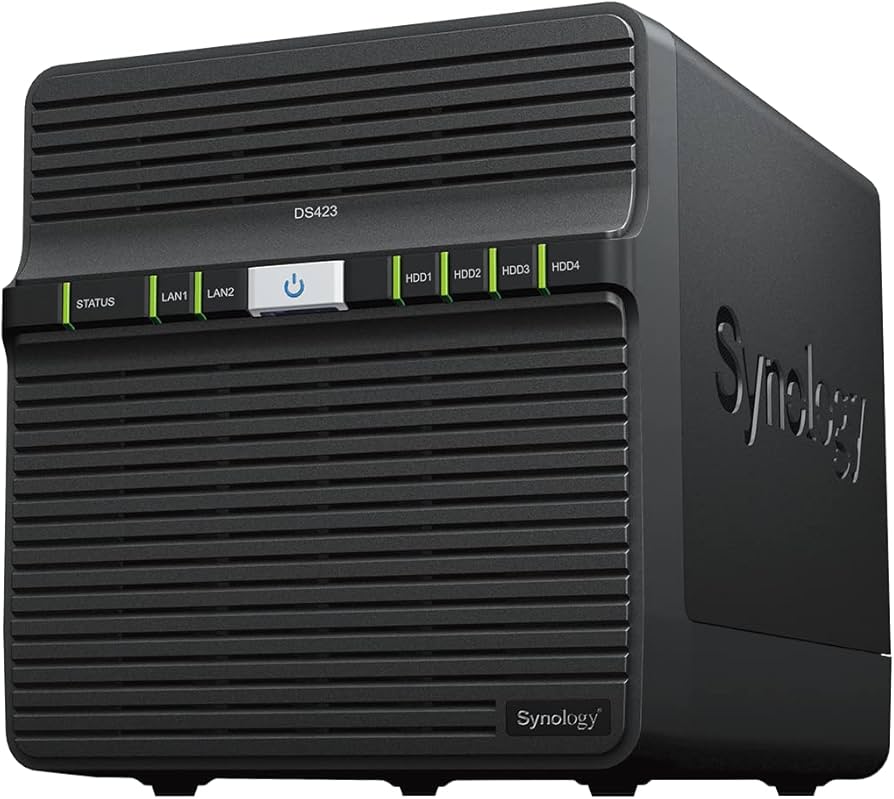
Synology DiskStation DS723+ 2 Bay NAS, Ryzen R1600, 2GB RAM
Create a powerful server and storage space with the Synology DS723+. This NAS offers space for 2 hard drives, on which you can store hundreds to thousands of documents, analyses, and more. That's useful for a start-up or small business, for example. In addition, you can create a particularly fast cache memory to open your most-used files with the 2 M.2 slots. This NAS is suitable for use with more than 10 people at the same time. The AMD Ryzen R1600 Dual-Core processor has a turbo speed of 3.1GHz, so all commands run smoothly. Thanks to the 2GB RAM, you'll experience little slowdowns while you work. Want some extra storage? The DS723+ supports up to 32GB and DDR4 RAM divided over 2 slots for an extra boost. Want an extra powerful internet connection? No problem, the DS723+ offers extra security when one of your ports fails thanks to the 2 Ethernet ports. Just like all other Synology NAS models, you can also use the Synology Drive Server with the DS723+, and edit the storage space of the NAS from any connected device.
Create a powerful server and storage space with the Synology DS723+. This NAS offers space for 2 hard drives, on which you can store hundreds to thousands of documents, analyses, and more. That's useful for a start-up or small business, for example. In addition, you can create a particularly fast cache memory to open your most-used files with the 2 M.2 slots. This NAS is suitable for use with more than 10 people at the same time. The AMD Ryzen R1600 Dual-Core processor has a turbo speed of 3.1GHz, so all commands run smoothly. Thanks to the 2GB RAM, you'll experience little slowdowns while you work. Want some extra storage? The DS723+ supports up to 32GB and DDR4 RAM divided over 2 slots for an extra boost. Want an extra powerful internet connection? No problem, the DS723+ offers extra security when one of your ports fails thanks to the 2 Ethernet ports. Just like all other Synology NAS models, you can also use the Synology Drive Server with the DS723+, and edit the storage space of the NAS from any connected device.
Create a powerful server and storage space with the Synology DS723+. This NAS offers space for 2 hard drives, on which you can store hundreds to thousands of documents, analyses, and more. That's useful for a start-up or small business, for example. In addition, you can create a particularly fast cache memory to open your most-used files with the 2 M.2 slots. This NAS is suitable for use with more than 10 people at the same time. The AMD Ryzen R1600 Dual-Core processor has a turbo speed of 3.1GHz, so all commands run smoothly. Thanks to the 2GB RAM, you'll experience little slowdowns while you work. Want some extra storage? The DS723+ supports up to 32GB and DDR4 RAM divided over 2 slots for an extra boost. Want an extra powerful internet connection? No problem, the DS723+ offers extra security when one of your ports fails thanks to the 2 Ethernet ports. Just like all other Synology NAS models, you can also use the Synology Drive Server with the DS723+, and edit the storage space of the NAS from any connected device.
Create a powerful server and storage space with the Synology DS723+. This NAS offers space for 2 hard drives, on which you can store hundreds to thousands of documents, analyses, and more. That's useful for a start-up or small business, for example. In addition, you can create a particularly fast cache memory to open your most-used files with the 2 M.2 slots. This NAS is suitable for use with more than 10 people at the same time. The AMD Ryzen R1600 Dual-Core processor has a turbo speed of 3.1GHz, so all commands run smoothly. Thanks to the 2GB RAM, you'll experience little slowdowns while you work. Want some extra storage? The DS723+ supports up to 32GB and DDR4 RAM divided over 2 slots for an extra boost. Want an extra powerful internet connection? No problem, the DS723+ offers extra security when one of your ports fails thanks to the 2 Ethernet ports. Just like all other Synology NAS models, you can also use the Synology Drive Server with the DS723+, and edit the storage space of the NAS from any connected device.
in 4 offers
The lowest price for Synology DiskStation DS723+ 2 Bay NAS, Ryzen R1600, 2GB RAM right now is $880.00 at TechBuy.com.au, compared across 3 retailers.
The all-time low was $299.95 on 19 Sept 2024 — today's price is 193% above the lowest ever. It has been notably cheaper before — worth setting a price alert.
Prices last updated 18 Sept 2026.
Last updated at 18/09/2026 01:58:36
Synology DiskStation Diskless NAS 2-Bay (DS723+) 2-bay, AMD Ryzen R1600 2.6GHz dual-core, 2 GB RAM, 2x GigE, 1x USB 3.0, eSATA, RAID 0/1/JBOD
Delivery between 23 Sept – 2 Oct $12
Synology DS723+ DiskStation 2-bay Ryzen R1600 dual-core
Delivery $12.99
Synology DiskStation DS723+ 2-bay SATA NAS Server w/ 36TB Storage, 32GB RAM, 1TB NVMe Cache SSDs
Synology 48TB DiskStation DS723+ 2-bay SATA NAS Server, 32GB RAM, 1TB NVMe Cache SSDs
originally posted on bhphotovideo.com
I purchased this DS1522+ to replace a Drobo 5N2, specifically to remove a RAID in my desktop itself and get a snapshot-like feature. There was a bit of a learning curve getting used to the interface, which I now like.Everything is nearly perfect, but falls *slightly* short.* Performance is generally great. I can saturate my gigabit connection when copying to and from, and am strongly considering the 10Gb upgrade.* Performance when reading a directory with tens of thousands of files is slow, in both Windows 10 and Linux (Gnome).* Plex media server is very cool. It's a bit slow, but I think this is only in the web browser client, and the dedicated app (on iPhone and Android) is nearly as snappy as, say, YouTube or YouTube Music. This does require purchasing ... MoreI purchased this DS1522+ to replace a Drobo 5N2, specifically to remove a RAID in my desktop itself and get a snapshot-like feature. There was a bit of a learning curve getting used to the interface, which I now like.Everything is nearly perfect, but falls *slightly* short.* Performance is generally great. I can saturate my gigabit connection when copying to and from, and am strongly considering the 10Gb upgrade.* Performance when reading a directory with tens of thousands of files is slow, in both Windows 10 and Linux (Gnome).* Plex media server is very cool. It's a bit slow, but I think this is only in the web browser client, and the dedicated app (on iPhone and Android) is nearly as snappy as, say, YouTube or YouTube Music. This does require purchasing the app (cheap, but per device), or a Plex server license (not so cheap, but then covers everyone connecting).* Hyper Backup is easy to use and I like an automated backup from an always-on applicance, but it uses full paths for the destination of rsync-based backups, which is annoying structurally. A workaround of sorts is manually adding jobs to Task Scheduler in the Control Panel. You can't see job status in the GUI, though, but you can set up logging.* iTunes on my desktop loses connection to the iTunes Server app regular. I mostly set this up because I could, though.Additional comments:* There's a download manager/torrent client that I've only used a bit, but it's appealing.* Available antivirus is a nice touch.* Mounting as a drive in Windows or a mount point in Linux (via login or login-less guest account) is simple.* Synology Photos has potential for sharing galleries, but of course would use my own bandwidth.* btrfs snapshots are simple to set up, and simple to browse, in case I need the old version of a file or directory.Overall, a solid choice for a NAS if you don't want to roll your own or don't want the power consumption of a NAS desktop.
originally posted on bhphotovideo.com
After researching NAS drives to replace my outdated Drobo 5N, I decided on a Synology product due to the myriad success stories and praises across the internet. I chose the DS1522+ based on the 5 bay capacity so I could transfer my WD Red Plus drives to the new unit without losing capacity. I must say I was excited to get the server-like capabilities that Drobo didn't offer.Upon ordering I downloaded the pdf manual and printed it to read and familiarize myself with the unit. I was disappointed because the manual is mostly a compendium of links to blog posts on the Synology web pages. Transferring the pdf to my pdf reader at least let me follow the links.I must say this unit is far more capable than my expectations. These additional capabilities bring along ... MoreAfter researching NAS drives to replace my outdated Drobo 5N, I decided on a Synology product due to the myriad success stories and praises across the internet. I chose the DS1522+ based on the 5 bay capacity so I could transfer my WD Red Plus drives to the new unit without losing capacity. I must say I was excited to get the server-like capabilities that Drobo didn't offer.Upon ordering I downloaded the pdf manual and printed it to read and familiarize myself with the unit. I was disappointed because the manual is mostly a compendium of links to blog posts on the Synology web pages. Transferring the pdf to my pdf reader at least let me follow the links.I must say this unit is far more capable than my expectations. These additional capabilities bring along greater complexity in setup. Once setup though the DS1522+ has performed admirably with my set of "practice" disks. I opted to operate with 2 2TB drives raided and one 4TB drive. These were set up as two storage pools with a single volume each. Within these volumes I was able to create discrete shares all with independent priveledges! I like this idea so I can create a 2-drive mirrored store for backups independent of my general data store.The Disk Station Manager (v7.1) is functional and complete. The UI can be cumbersome and confusing at times. Several trips to "Help" were needed during use.When all is said and done, I think I made the right choice going with Synology's hardware. The software is just a necessary evil and not that big of a distract or because in regular operation the software is unused. I am a little confused about Synology's requirement to establish an account with them in order to enable some features, I need to do some research on this.
originally posted on bhphotovideo.com
I purchased the DS1522+ out of sheer frustration with other backup methods. Over the years I have tried quite a few and always have been let down. However, I have been overjoyed with the results of this Synology product so far.My initial aim was to be able to back up my systems overnight, so it doesn't interfere with my work during the day. So, I ordered the 10Gb ethernet adapter before I received the NAS. I initiated an install, setup, and backup on the NAS before I got the 10G. I might not have ordered the 10G if I had known how well it was going to work. More on that below.Setup was extremely easy. I just plunged in without much reading. The only problem I had was when I installed and used the 10gb adapter. Apparently, part of the login authentication ... MoreI purchased the DS1522+ out of sheer frustration with other backup methods. Over the years I have tried quite a few and always have been let down. However, I have been overjoyed with the results of this Synology product so far.My initial aim was to be able to back up my systems overnight, so it doesn't interfere with my work during the day. So, I ordered the 10Gb ethernet adapter before I received the NAS. I initiated an install, setup, and backup on the NAS before I got the 10G. I might not have ordered the 10G if I had known how well it was going to work. More on that below.Setup was extremely easy. I just plunged in without much reading. The only problem I had was when I installed and used the 10gb adapter. Apparently, part of the login authentication involves the use of the IP address. Once I figured that out, I was able to fix it. I do not seriously recommend the method of plunging right in. But I wanted to see how far I could go.For my workstation which has 4 file systems and about 9T of data that includes video and Photoshop files. 95% of it is stored on two 7200rpm drives. The rest is on 2 NVMe drives. So here is the backup time for 5 different backups using Active Backup for Business.1. 14hrs 43min2. 10min3. 8 min4. 4 min5. 24 minAccording to Synology, it will never do another full backup. But you can have it consolidate the backups in any manner you wish.After performing 5 backups what does the backup space look like?Volume 1 (btrfs)Protected Devices 3Data reduction ratio 2.23xBacked up data size 9.8TBSpace saved by deduplication 5TBSpace saved by data compression 358.7 GBOn the Synology Active Backup for Business Agent, you can click Restore Portal button and have access to download any files(s) in the backup. That would include any version kept. I have tried this, and it works extremely easy and effectively. I have not tried the restore function yet but will soon.
| Server operating systems supported | Windows Server 2016, Windows Server 2019 |
| Operating system version | 7.1.1 |
| Operating system installed | DiskStation Manager |
| Number of fans | 1 fan(s) |
| LED indicators | Y |
Synology DiskStation Diskless NAS 2-Bay (DS723+) 2-bay, AMD Ryzen R1600 2.6GHz dual-core, 2 GB RAM, 2x GigE, 1x USB 3.0, eSATA, RAID 0/1/JBOD
Delivery between 23 Sept – 2 Oct $12
Synology DS723+ DiskStation 2-bay Ryzen R1600 dual-core
Delivery $12.99
Synology DiskStation DS723+ 2-bay SATA NAS Server w/ 36TB Storage, 32GB RAM, 1TB NVMe Cache SSDs
Synology 48TB DiskStation DS723+ 2-bay SATA NAS Server, 32GB RAM, 1TB NVMe Cache SSDs
I purchased this DS1522+ to replace a Drobo 5N2, specifically to remove a RAID in my desktop itself and get a snapshot-like feature. There was a bit of a learning curve getting used to the interface, which I now like.Everything is nearly perfect, but falls *slightly* short.* Performance is generally great. I can saturate my gigabit connection when copying to and from, and am strongly considering the 10Gb upgrade.* Performance when reading a directory with tens of thousands of files is slow, in both Windows 10 and Linux (Gnome).* Plex media server is very cool. It's a bit slow, but I think this is only in the web browser client, and the dedicated app (on iPhone and Android) is nearly as snappy as, say, YouTube or YouTube Music. This does require purchasing ... MoreI purchased this DS1522+ to replace a Drobo 5N2, specifically to remove a RAID in my desktop itself and get a snapshot-like feature. There was a bit of a learning curve getting used to the interface, which I now like.Everything is nearly perfect, but falls *slightly* short.* Performance is generally great. I can saturate my gigabit connection when copying to and from, and am strongly considering the 10Gb upgrade.* Performance when reading a directory with tens of thousands of files is slow, in both Windows 10 and Linux (Gnome).* Plex media server is very cool. It's a bit slow, but I think this is only in the web browser client, and the dedicated app (on iPhone and Android) is nearly as snappy as, say, YouTube or YouTube Music. This does require purchasing the app (cheap, but per device), or a Plex server license (not so cheap, but then covers everyone connecting).* Hyper Backup is easy to use and I like an automated backup from an always-on applicance, but it uses full paths for the destination of rsync-based backups, which is annoying structurally. A workaround of sorts is manually adding jobs to Task Scheduler in the Control Panel. You can't see job status in the GUI, though, but you can set up logging.* iTunes on my desktop loses connection to the iTunes Server app regular. I mostly set this up because I could, though.Additional comments:* There's a download manager/torrent client that I've only used a bit, but it's appealing.* Available antivirus is a nice touch.* Mounting as a drive in Windows or a mount point in Linux (via login or login-less guest account) is simple.* Synology Photos has potential for sharing galleries, but of course would use my own bandwidth.* btrfs snapshots are simple to set up, and simple to browse, in case I need the old version of a file or directory.Overall, a solid choice for a NAS if you don't want to roll your own or don't want the power consumption of a NAS desktop.
After researching NAS drives to replace my outdated Drobo 5N, I decided on a Synology product due to the myriad success stories and praises across the internet. I chose the DS1522+ based on the 5 bay capacity so I could transfer my WD Red Plus drives to the new unit without losing capacity. I must say I was excited to get the server-like capabilities that Drobo didn't offer.Upon ordering I downloaded the pdf manual and printed it to read and familiarize myself with the unit. I was disappointed because the manual is mostly a compendium of links to blog posts on the Synology web pages. Transferring the pdf to my pdf reader at least let me follow the links.I must say this unit is far more capable than my expectations. These additional capabilities bring along ... MoreAfter researching NAS drives to replace my outdated Drobo 5N, I decided on a Synology product due to the myriad success stories and praises across the internet. I chose the DS1522+ based on the 5 bay capacity so I could transfer my WD Red Plus drives to the new unit without losing capacity. I must say I was excited to get the server-like capabilities that Drobo didn't offer.Upon ordering I downloaded the pdf manual and printed it to read and familiarize myself with the unit. I was disappointed because the manual is mostly a compendium of links to blog posts on the Synology web pages. Transferring the pdf to my pdf reader at least let me follow the links.I must say this unit is far more capable than my expectations. These additional capabilities bring along greater complexity in setup. Once setup though the DS1522+ has performed admirably with my set of "practice" disks. I opted to operate with 2 2TB drives raided and one 4TB drive. These were set up as two storage pools with a single volume each. Within these volumes I was able to create discrete shares all with independent priveledges! I like this idea so I can create a 2-drive mirrored store for backups independent of my general data store.The Disk Station Manager (v7.1) is functional and complete. The UI can be cumbersome and confusing at times. Several trips to "Help" were needed during use.When all is said and done, I think I made the right choice going with Synology's hardware. The software is just a necessary evil and not that big of a distract or because in regular operation the software is unused. I am a little confused about Synology's requirement to establish an account with them in order to enable some features, I need to do some research on this.
I purchased the DS1522+ out of sheer frustration with other backup methods. Over the years I have tried quite a few and always have been let down. However, I have been overjoyed with the results of this Synology product so far.My initial aim was to be able to back up my systems overnight, so it doesn't interfere with my work during the day. So, I ordered the 10Gb ethernet adapter before I received the NAS. I initiated an install, setup, and backup on the NAS before I got the 10G. I might not have ordered the 10G if I had known how well it was going to work. More on that below.Setup was extremely easy. I just plunged in without much reading. The only problem I had was when I installed and used the 10gb adapter. Apparently, part of the login authentication ... MoreI purchased the DS1522+ out of sheer frustration with other backup methods. Over the years I have tried quite a few and always have been let down. However, I have been overjoyed with the results of this Synology product so far.My initial aim was to be able to back up my systems overnight, so it doesn't interfere with my work during the day. So, I ordered the 10Gb ethernet adapter before I received the NAS. I initiated an install, setup, and backup on the NAS before I got the 10G. I might not have ordered the 10G if I had known how well it was going to work. More on that below.Setup was extremely easy. I just plunged in without much reading. The only problem I had was when I installed and used the 10gb adapter. Apparently, part of the login authentication involves the use of the IP address. Once I figured that out, I was able to fix it. I do not seriously recommend the method of plunging right in. But I wanted to see how far I could go.For my workstation which has 4 file systems and about 9T of data that includes video and Photoshop files. 95% of it is stored on two 7200rpm drives. The rest is on 2 NVMe drives. So here is the backup time for 5 different backups using Active Backup for Business.1. 14hrs 43min2. 10min3. 8 min4. 4 min5. 24 minAccording to Synology, it will never do another full backup. But you can have it consolidate the backups in any manner you wish.After performing 5 backups what does the backup space look like?Volume 1 (btrfs)Protected Devices 3Data reduction ratio 2.23xBacked up data size 9.8TBSpace saved by deduplication 5TBSpace saved by data compression 358.7 GBOn the Synology Active Backup for Business Agent, you can click Restore Portal button and have access to download any files(s) in the backup. That would include any version kept. I have tried this, and it works extremely easy and effectively. I have not tried the restore function yet but will soon.
There's a ton of press on this thing and I will tell you in general, I am pretty happy with it. Here is my list of likes and dislikes, but please consider this is based on my use case and may not apply to everyone. You will have your own requirements and use cases.Likes:1. Can use an option 10GBE network card (which I have)2. Can run up to 32GB of ECC memory, critical for no data loss3. Very fast with the Ryzen processor4. Boots way faster than my DS720+5. Same physical layout that I am used to on the DS720+ with the addition of the 10GBE network card.6. DSM rocks more than any other NAS OS that I have tried, including many other well known brands.7. BTRFS rocks for snapshots, etc.8. I bought mine with the Synology HAT5300 16TB drives and it ... MoreThere's a ton of press on this thing and I will tell you in general, I am pretty happy with it. Here is my list of likes and dislikes, but please consider this is based on my use case and may not apply to everyone. You will have your own requirements and use cases.Likes:1. Can use an option 10GBE network card (which I have)2. Can run up to 32GB of ECC memory, critical for no data loss3. Very fast with the Ryzen processor4. Boots way faster than my DS720+5. Same physical layout that I am used to on the DS720+ with the addition of the 10GBE network card.6. DSM rocks more than any other NAS OS that I have tried, including many other well known brands.7. BTRFS rocks for snapshots, etc.8. I bought mine with the Synology HAT5300 16TB drives and it automatically updated the firmware from 1401 to 1403 when I built the storage pool.9. Dead quiet like the ds720+Like not so much:1. Synology really cut down on the number of compatible drives for this compared to the DS720+, especially in the larger drive configurations.2. You are basically taking a chance with drive compatibility if you don't buy Synology drives and have to ensure the correct model number, part number, and firmware if you care about Synology support in case of data loss. Synology drives are ridiculously expensive.3. No dedicated GPU. If you are running 4K Plex, this is not the unit for you4. 2 cores and 4 threads, really in 2023?5. All things considered, they really did not think about the home user when they designed all of this and I still think there is a market for us IT geeks who want enterprise performance with some home features like PLEXPlease keep in mind your use case for this. If you are moving data, using this for a file server and photo server, it rocks. If you are a PLEX user, it cannot run 4K PLEX without stuttering badly. My use case was really more for the unit as a file server / photo server and PLEX would have really made this unit for me. However, I did get around that by keeping my DS720+ as my PLEX server.
This is a massive downgrade in terms of usb ports, cpu AND ram. Synology is going down this road of including the absolute bare minimum ram (2gb) and having the users upgrade to their expensive synology branded ECC ram. Furthermore, if you'd like to use the 2x nvme ssd slots, in order to utilize all the features, you guessed it, you have to buy synology branded nvme ssd's which are 2-5x competitor's prices. If you use another brand of ssd or ram (wd, seagate, corsair etc which are substantially cheaper) then the warranty (if data corruption were to occur) is void. Furthermore, this dual core AMD processor on a $450 unit is a joke. All of us should send a clear message to synology by skipping this generation of DS7XX+ series.
I'm not terribly IT equipped so there was a learning curve and some growing pains with properly running this. Physical installation and incorporating it into my network (Mac) were straightforward enough with the help of some YouTube videos. There is no manual. The initial write speed was cripplingly slow, however. The fix required some time on the phone with Synology's tech support and my internet provider and installing a new modem and router. Now it's writing incredibly fast.My biggest disappointment is that it doesn't play well with Capture One. I had hoped/intended to be able to work on CO sessions from the NAS. This would have allowed me to open up any session from one place vs running an individual drive. Consequently, the NAS is now just a backup with the ... MoreI'm not terribly IT equipped so there was a learning curve and some growing pains with properly running this. Physical installation and incorporating it into my network (Mac) were straightforward enough with the help of some YouTube videos. There is no manual. The initial write speed was cripplingly slow, however. The fix required some time on the phone with Synology's tech support and my internet provider and installing a new modem and router. Now it's writing incredibly fast.My biggest disappointment is that it doesn't play well with Capture One. I had hoped/intended to be able to work on CO sessions from the NAS. This would have allowed me to open up any session from one place vs running an individual drive. Consequently, the NAS is now just a backup with the ability to be remotely accessed online. Had I known this prior to purchasing it may have given me pause but I'm still happy with the speed of the unit and it's a relatively affordable backup solution.
Overall a solid NAS for small business, home office, or personal use. There are a lot more things I love about it than I dislike. I've highlighted a few of my favorite features and most of my complaints.- I like the dual LAN ports.- Cache SSDs are a great feature. I wouldn't suggest buying the Synology ones. The Synology 400GB SNV3410 costs $149, while the very capable Western Digital 500GB WD Red SN700 costs $64. There's literally no reason to get the Synology branded drive. Keep in mind that if you want to cache both reads and writes, you'll need two SSDs. Bigger doesn't necessarily mean better, and I feel like 500GB is the sweet spot. You can't actually store data on these drives, they're just cache, so unless you're regularly working with really big files, a ... MoreOverall a solid NAS for small business, home office, or personal use. There are a lot more things I love about it than I dislike. I've highlighted a few of my favorite features and most of my complaints.- I like the dual LAN ports.- Cache SSDs are a great feature. I wouldn't suggest buying the Synology ones. The Synology 400GB SNV3410 costs $149, while the very capable Western Digital 500GB WD Red SN700 costs $64. There's literally no reason to get the Synology branded drive. Keep in mind that if you want to cache both reads and writes, you'll need two SSDs. Bigger doesn't necessarily mean better, and I feel like 500GB is the sweet spot. You can't actually store data on these drives, they're just cache, so unless you're regularly working with really big files, a larger SSD isn't helpful. Additionally, the size of the cache is limited by your NAS's RAM so if you're running a 2TB cache SDD you're needlessly eating up your already very limited RAM.- DSM is super powerful and the ability to run Docker means you can literally do anything. It's like having your own personal local server.- The initial setup was fast and user-friendly.- Synology Photos is like your own personal Google Photos with facial recognition grouping (but sadly no object tagging).So far, I've noticed five things I do not like:#1 The Synology Drive Client desktop app doesn't allow you to exclude folders and their children. So now I'm forced to back up thousands of node modules. That is just a waste of time.#2 Synology Photos doesn't have an API. I'd love to be able to go through all my photos, upload them to GCP or Azure for imaging tagging, and then programmatically tag all of my photos. The built-in face AI stuff works well, but tagging would make it a true Google Photos alternative.#3 DDNS setup is super complicated. To use features like 2FA (a must), you have to enable DDNS. Following along with the instructions made me expose my router's admin interface publically!! There's got to be a better way to help users get setup without hours of troubleshooting.#4 Built-in RAM. 2GB of RAM in 2023 is pretty bad. I get the goal is to upsell users into buying overpriced Synology branded RAM, but come on Synology, 2GB? I'm well over $1k on this device all in. I shouldn't have to spend hundreds more on official RAM kits.#5 This could be a pro or con, depending on how you look at it. The drive installation is completely toolless. Various plastic tabs hold the drives in place. For the main HDD, I didn't mind it too much though I think the trays could break if regularly disassembled. The problem I had was the SDD installation. To install the SSDs, you have to push back a small plastic tab that wedges the SDD in place. The only way I could do this was with a pointed screwdriver, and the entire experience felt very fragile and cheap. Synology, I really don't mind using a screwdriver. Very over-engineered resulting in additional problems.I'd imagine most NAS owners are techy. Fixing #1 and adding APIs to everything should be a prerequisite. #3 is a must for the sake of security.Something that I didn't realize when purchasing is that this NAS doesn't give you any of the AI Surveillance Station features. It allows you to use Surveillance Station for recording but none of the cool AI tools.
I recently purchased the 1522+ as a redundant backup NAS for my videography related backups. It also serves as a Plex server on my local network. This is my fourth NAS from Synology, with 3 still working away. I believe in redundancy, and this 1522+ is a welcome addition. I have currently installed 4 of the 18TB Seagate IronWolf HD's installed, and they are working perfectly. It took a while to copy all 7TB of backups to the new NAS, along with my 7TB of videos, but are all copied and performing as expected. I have no lag or stuttering to any of my 13 devices on my local network. I am also able to access my NAS from anywhere, due to the accessibility of Synology account. I highly recommend this NAS to anyone looking for massive storage, and a great Plex server.
Synology has moved towards a new Synology Drive software suite and it's a wreck.(Linux) Their desktop backup application constantly loses settings for which folders to back up. It might decide to start backing up rapidly changing cache directories and become forever stuck there. It runs as the current user and becomes silently stuck if it encounters any permissions issue. There are just a lot of cases where it becomes stuck and it's not backing up any more.Synology-to-Synology sync to create a backup isn't any better. I'm averaging less than 10 MB/sec (5 to 7 typical). At that rate it might never finish. Tech support says that's normal and recommends installing a pair of M.2 SSDs for a read-write cache. That's really bad out-of-the box performance.It works ... MoreSynology has moved towards a new Synology Drive software suite and it's a wreck.(Linux) Their desktop backup application constantly loses settings for which folders to back up. It might decide to start backing up rapidly changing cache directories and become forever stuck there. It runs as the current user and becomes silently stuck if it encounters any permissions issue. There are just a lot of cases where it becomes stuck and it's not backing up any more.Synology-to-Synology sync to create a backup isn't any better. I'm averaging less than 10 MB/sec (5 to 7 typical). At that rate it might never finish. Tech support says that's normal and recommends installing a pair of M.2 SSDs for a read-write cache. That's really bad out-of-the box performance.It works fine as a dumb AFP/SMB/SFTP mount as long as Synology Drive and its related components aren't active. That's a lot of promised features to abandon.
This is WAY too premature to review, but you (B&H) asked....I've had the device for 1 week, and its been set up and working for 5 days. Given the write speed involved, my measly 6TB of data, is right now only 40% transferred. I've had a couple of false starts. It turns out that when the computer goes to sleep at night, the transfer stops, and I had to start over (2x to figure that one out). I have to keep the computer up and running continuously to complete the transfer, or I have to start over. The monitor doubles as a docking station for [amongst other things] my old drive, where the data is coming from. So that means that if the monitor goes to sleep with the computer still transferring data, the drive, which is connected to the monitor, can not transfer data, ... MoreThis is WAY too premature to review, but you (B&H) asked....I've had the device for 1 week, and its been set up and working for 5 days. Given the write speed involved, my measly 6TB of data, is right now only 40% transferred. I've had a couple of false starts. It turns out that when the computer goes to sleep at night, the transfer stops, and I had to start over (2x to figure that one out). I have to keep the computer up and running continuously to complete the transfer, or I have to start over. The monitor doubles as a docking station for [amongst other things] my old drive, where the data is coming from. So that means that if the monitor goes to sleep with the computer still transferring data, the drive, which is connected to the monitor, can not transfer data, which kills the transfer. If I keep the monitor awake, its lit, so I've had to 'preview' a black screensaver. That allows me to darken the room, while keeping the computer and monitor up and running, so the file transfer is not interrupted. I'm hoping that's going to work out better when i'm just using it to store images routinely from my travel SSDs. Setup was not a problem, except the disks that B&H sold with the enclosure were not on the Synology list of supported drives, but I knew that, and so far, I'm trusting B&H to have done some pathfinding, making sure this is going to work. We will see. As far as noise goes, its definitely audible, but not offensive. YMMV on that topic. I put it on top of a filing cabinet, which probably make the cabinet something of a 'speaker', so I followed that up with cutting a piece of plywood the same size as the footprint of the enclosure and put bubble wrap under it and small squares of foam feet between the wood and the enclosure's feet to allow air under the box. That damped sound peaks about 10dB but did nothing to the average sound levels. ~3 more days to finish transferring data. Then on to real use and further evaluation. One other thing that I was not expecting, is that Backblaze, which I use as my offsite backup, recognizes the difference between a large [but single] HD and a RAID, so it looks like I may have to switch from a personal account to a business account, even though I am a hobbyist. That's quite a bit more expensive per month. My best workaround idea is using a series of single [older] HDs as a 2nd local backup, and using those as the source for backing up to Backblaze. I've yet to work the details on that concept. It may be that i still have to get a single, but larger HD, to make it work. That's only a $200-300 expense though, which would be paid off in just a few months by remaining a personal account. The cost goes from $5 or $6 per month, to $5/TB per month, and since I have 6TB right now, that's a 5-fold increase, and growing quickly. For my wildlife photography hobby, that's a chunk of change worth considering.
| Server operating systems supported | Windows Server 2016, Windows Server 2019 |
| Operating system version | 7.1.1 |
| Operating system installed | DiskStation Manager |
| Number of fans | 1 fan(s) |
| LED indicators | Y |