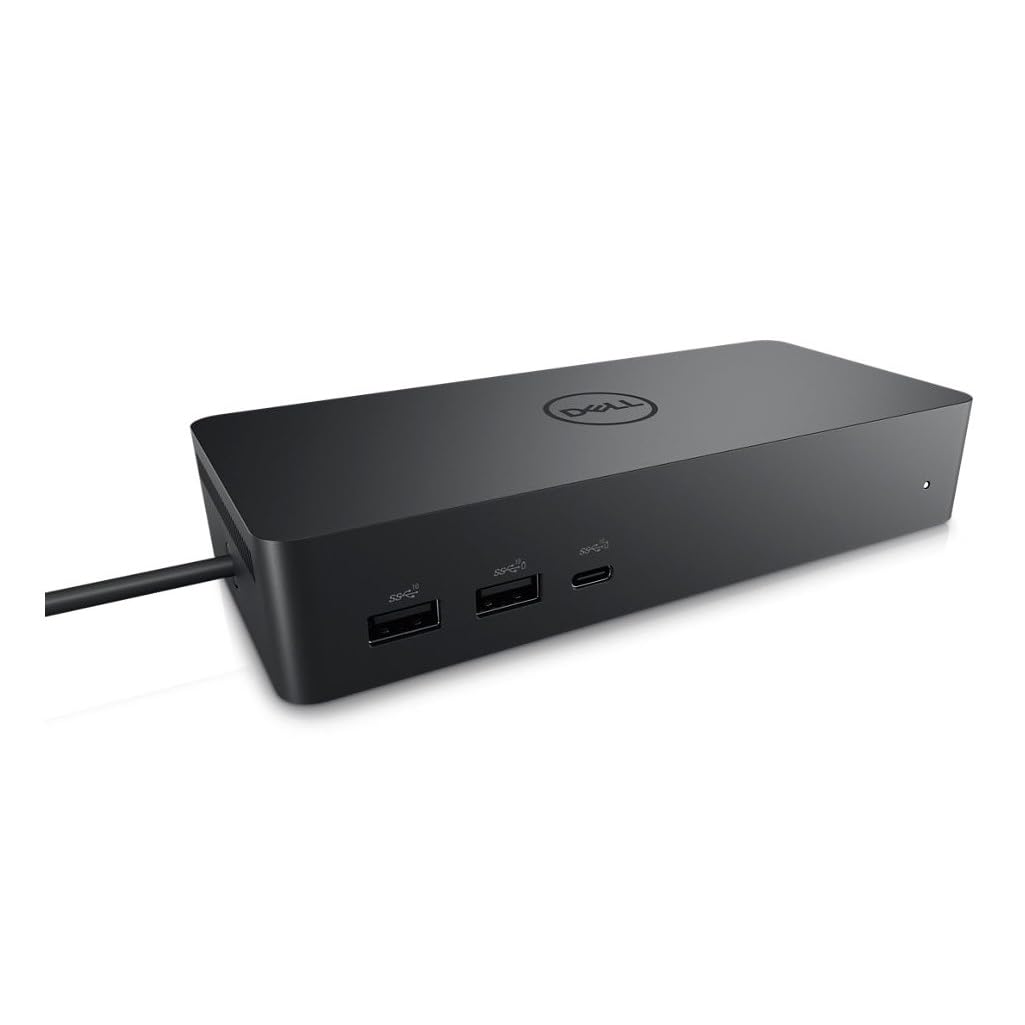
Targus Universal USB-C 4K Docking Station With 100W Power [DOCK182AUZ]
USB-C Universal DV4K Docking Station with 100W Power Delivery
USB-C Universal DV4K Docking Station with 100W Power Delivery
USB-C Universal DV4K Docking Station with 100W Power Delivery
USB-C Universal DV4K Docking Station with 100W Power Delivery
in 52 offers
The lowest price for Targus Universal USB-C 4K Docking Station With 100W Power [DOCK182AUZ] right now is $295.81 at PB Tech, compared across 40 retailers.
The all-time low was $70.00 on 25 Apr 2026 — today's price is 323% above the lowest ever. It has been notably cheaper before — worth setting a price alert.
Prices last updated 28 Sept 2026.
Last updated at 28/09/2026 07:25:45
Targus DOCK182 USB-C Dual 4K DisplayLink Docking Station with 100w Power Delivery 2x DisplayPort 1.2 - 2x HDMI2.0 - 4x USB3.0 - 2x USB-C - 1x RJ-45 -
Delivery between 3–9 Oct $9
Targus Universal DV4K 4K UHD USB Type-C Docking Station
Delivery $9.90
Targus DOCK182AUZ USB-C Universal DV4K Docking Station with 100W Power Delivery
Delivery $12.99
Targus Universal Docking STATION 4K 100W PD USBC(1) HDMI(2) DP(2)
Delivery $16.95
Targus DOCK182AUZ USB-C Universal Dual 4K Docking Station with 100W Power Delivery Works with Windows , macOS , Android , Chrome OS , Linux, DeX
Delivery between 1–12 Oct $12
Targus USB-C Universal DV4K Docking Station with 100W Power Delivery
Delivery $8.95
Usbc Universal Dual 4K Docking Station with 100W Power Delivery
14-day returns
Targus Universal USB-C 4K Docking Station With 100W Power
Free delivery between 30 Sept – 6 Oct
Targus USB-C Universal DV4K Docking Station with 100W Power Delivery
Delivery $8.95
Targus Universal USB-C Dual Video 4K Docking Station with 100W Power Delivery 2x4K UHD@60Hz 2xHDMI2.0 2xDP USB-C 4xUSB-A GLAN Audio Combo DOCK182AUZ
14-day returns
originally posted on pbtech.co.nz
Before i continue, yes I did check the compatibility charts and yes I did consult with multiple salesperson. Unfortunately, all I can really do with this dock is drive two displays which it does really well. However every other feature is really inconsistent. The biggest problem is mouse and keyboards, doesn't matter if they're wired or wireless, if you have them connected to the dock they will quite often go unresponsive or freeze on your last input. Often I will be typing like for example 'bread' but suddenly it will freeze and then 'breeeeeeeeeeee' will appear instead. While not as often, the same happens with the charging and internet, it will drop out for no apparent reason. I had my laptop die on me twice because I didn't realize it wasn't charging, and ... MoreBefore i continue, yes I did check the compatibility charts and yes I did consult with multiple salesperson. Unfortunately, all I can really do with this dock is drive two displays which it does really well. However every other feature is really inconsistent. The biggest problem is mouse and keyboards, doesn't matter if they're wired or wireless, if you have them connected to the dock they will quite often go unresponsive or freeze on your last input. Often I will be typing like for example 'bread' but suddenly it will freeze and then 'breeeeeeeeeeee' will appear instead. While not as often, the same happens with the charging and internet, it will drop out for no apparent reason. I had my laptop die on me twice because I didn't realize it wasn't charging, and dropped out of at least 5 video calls because the internet disconnected. It is incredibly frustrating as these are core functions of a docking station, and I've been severely let down. PBTECH did replace the unit under warranty but now at my 3rd unit it is still an ongoing issue, which leads me to believe that it is an inherent flaw with the product, likely a cheap I/O controller. Which is more salt on the wound as the dock is not cheap at all. PS while writing this review I suffered the keyboard freezing 4 times.
originally posted on pbtech.co.nz
Tried it on two laptops and it never connects first time. I have to power cycle it multiple times before it connects. The frame rate stutters with one laptop despite it not stuttering when using a different dock.
originally posted on mwave.com.au
Constant USB connection/disconnection alerts in Windows 11 on two different Surface laptops. Both the audio alerts and notification panel alerts every 5-10 seconds. This is even after installing the drivers that the docs say you probably won't need. I turned off system sounds and disabled notifications and the dock works perfectly but I shouldn't have to do that. Hopefully a driver upgrade in future will sort this out.
| Connection Technology | USB 3.2 G2 |
| Host Port Compatibility | USB-A and USB-C, DP Alt. Mode, TB3 Compatible |
| Works With | Windows, Mac, Android, Chrome, Linux Ubuntu |
| Ethernet | Yes |
| Max Host Power | 100W |
Targus DOCK182 USB-C Dual 4K DisplayLink Docking Station with 100w Power Delivery 2x DisplayPort 1.2 - 2x HDMI2.0 - 4x USB3.0 - 2x USB-C - 1x RJ-45 -
Delivery between 3–9 Oct $9
Targus Universal DV4K 4K UHD USB Type-C Docking Station
Delivery $9.90
Targus DOCK182AUZ USB-C Universal DV4K Docking Station with 100W Power Delivery
Delivery $12.99
Targus Universal Docking STATION 4K 100W PD USBC(1) HDMI(2) DP(2)
Delivery $16.95
Targus DOCK182AUZ USB-C Universal Dual 4K Docking Station with 100W Power Delivery Works with Windows , macOS , Android , Chrome OS , Linux, DeX
Delivery between 1–12 Oct $12
Before i continue, yes I did check the compatibility charts and yes I did consult with multiple salesperson. Unfortunately, all I can really do with this dock is drive two displays which it does really well. However every other feature is really inconsistent. The biggest problem is mouse and keyboards, doesn't matter if they're wired or wireless, if you have them connected to the dock they will quite often go unresponsive or freeze on your last input. Often I will be typing like for example 'bread' but suddenly it will freeze and then 'breeeeeeeeeeee' will appear instead. While not as often, the same happens with the charging and internet, it will drop out for no apparent reason. I had my laptop die on me twice because I didn't realize it wasn't charging, and ... MoreBefore i continue, yes I did check the compatibility charts and yes I did consult with multiple salesperson. Unfortunately, all I can really do with this dock is drive two displays which it does really well. However every other feature is really inconsistent. The biggest problem is mouse and keyboards, doesn't matter if they're wired or wireless, if you have them connected to the dock they will quite often go unresponsive or freeze on your last input. Often I will be typing like for example 'bread' but suddenly it will freeze and then 'breeeeeeeeeeee' will appear instead. While not as often, the same happens with the charging and internet, it will drop out for no apparent reason. I had my laptop die on me twice because I didn't realize it wasn't charging, and dropped out of at least 5 video calls because the internet disconnected. It is incredibly frustrating as these are core functions of a docking station, and I've been severely let down. PBTECH did replace the unit under warranty but now at my 3rd unit it is still an ongoing issue, which leads me to believe that it is an inherent flaw with the product, likely a cheap I/O controller. Which is more salt on the wound as the dock is not cheap at all. PS while writing this review I suffered the keyboard freezing 4 times.
Tried it on two laptops and it never connects first time. I have to power cycle it multiple times before it connects. The frame rate stutters with one laptop despite it not stuttering when using a different dock.
Constant USB connection/disconnection alerts in Windows 11 on two different Surface laptops. Both the audio alerts and notification panel alerts every 5-10 seconds. This is even after installing the drivers that the docs say you probably won't need. I turned off system sounds and disabled notifications and the dock works perfectly but I shouldn't have to do that. Hopefully a driver upgrade in future will sort this out.
Great service, speedy delivery & fantastic communications. Dock is exactly what I needed.
So easy to set up, 2 x monitors, camera, keyboard and mouse, charging my phone, powering my laptop - all with one connection to the laptop.
| Connection Technology | USB 3.2 G2 |
| Host Port Compatibility | USB-A and USB-C, DP Alt. Mode, TB3 Compatible |
| Works With | Windows, Mac, Android, Chrome, Linux Ubuntu |
| Ethernet | Yes |
| Max Host Power | 100W |