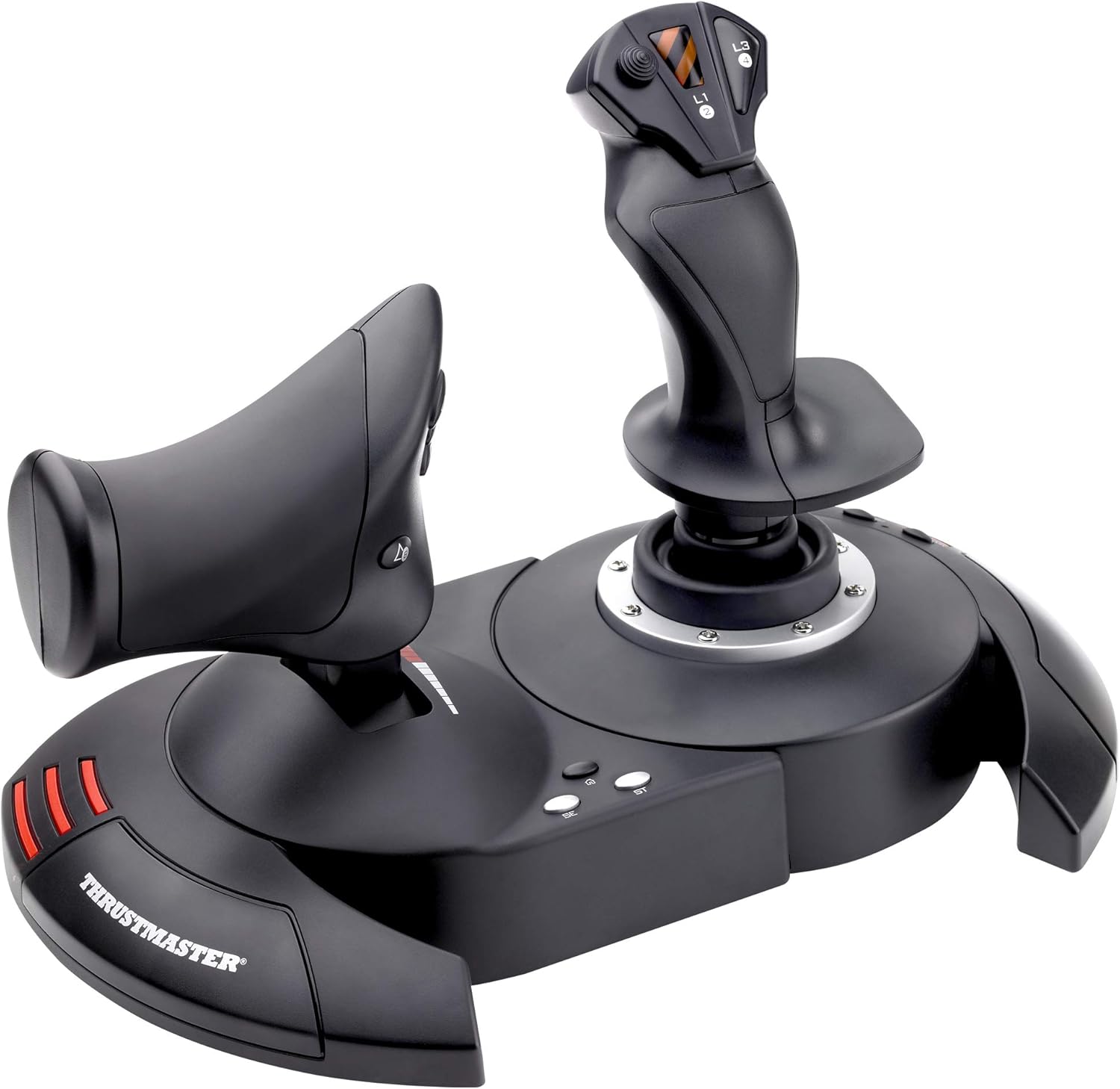
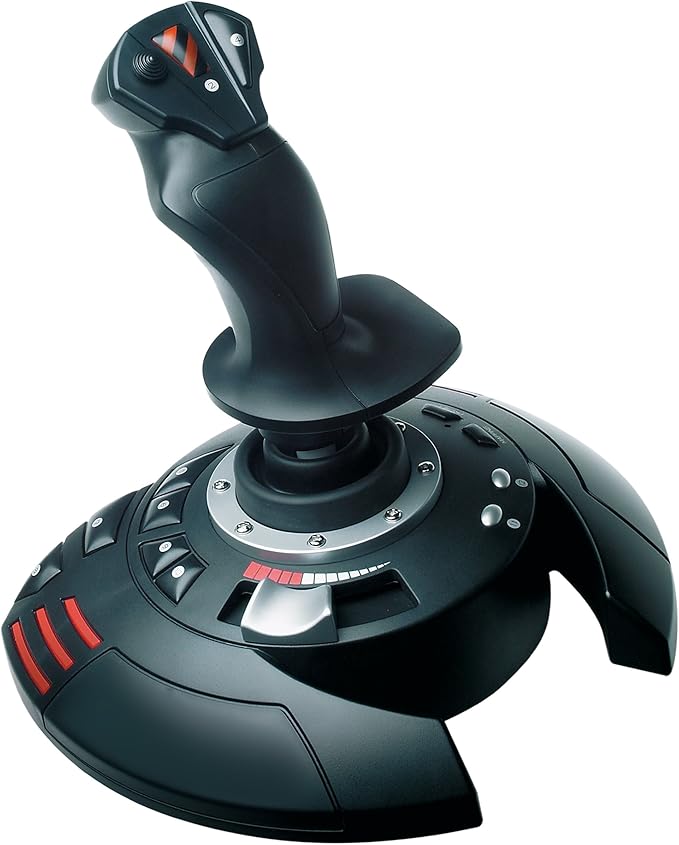
T.Flight Hotas 4 -
T.Flight Hotas 4 -
in 2 offers
The lowest price for Thrustmaster Tm-4160664 T.Flight HOTAS 4 Joystick for PC & PS4 right now is $99.00 at Cash Converters, compared across 2 retailers.
The all-time low was $59.00 on 28 Apr 2025 — today's price is 68% above the lowest ever. It has been notably cheaper before — worth setting a price alert.
Prices last updated 3 Oct 2026.
Thrustmaster Tm-4160664 T.Flight HOTAS 4 Joystick for PC & PS4
T.Flight Hotas 4 -
T.Flight Hotas 4 -
Last updated at 03/10/2026 13:32:31
Guillemot Corporation Thrustmaster Playstation Black Aftermarket Controller
Delivery $22
Thrustmaster T-Flight Hotas 4 (PS4/PC)
Free delivery
originally posted on bestbuy.ca
I never got into the very serious flight sims, I'm more of an old time space flight sim fan. For that purpose, this joystick is great. Its smooth and precise, with no drift, the throttle is great, its a must for me fron now on. I'm pretty sure it could do the job for serious real world flight sims too. The only gripe I have would be that the cable that links the joystick to the throttle could be longer, and it would be nice to be able to disconnect the two. Other than that, it's a solid choice.
originally posted on webuy.com
Got it a few weeks ago while I was looking for a more immersive way to enjoy flight games like Squadron and Ace Combat and this was definitely the good call!Item arrived quickly and in good condition (not sure of the grading for accessories as could not find any on the website). For this price with the warranty included it's difficult to find an issue with it. Best option (only viable one) for PS4.If you want to enjoy flight game with a nicer feeling than standard controller it's definitely worth it.
originally posted on ebay.com
It was super easy to get the drivers up and running on Windows 11. Everything works and feels exactly like you'd expect. There's even a tension adjustment knob on the bottom of the flight stick so that you can change how stiff / loose it feels. There's plenty of cable there for separating the 2 halves and mounting them, but the cable management system that's built into the bottom makes it pretty easy to only expose as much cable as is needed. So far, I've used it to play Descent, Overload, and MechWarrior 5: Mercenaries. It took a bit of setup / tinkering to get everything working with MW5, but that's on the game, not the controller. So far, I'm very happy with this thing. If you're looking for top-of-the-line SIM controls, this ain't it... but if you're wanting a ... MoreIt was super easy to get the drivers up and running on Windows 11. Everything works and feels exactly like you'd expect. There's even a tension adjustment knob on the bottom of the flight stick so that you can change how stiff / loose it feels. There's plenty of cable there for separating the 2 halves and mounting them, but the cable management system that's built into the bottom makes it pretty easy to only expose as much cable as is needed. So far, I've used it to play Descent, Overload, and MechWarrior 5: Mercenaries. It took a bit of setup / tinkering to get everything working with MW5, but that's on the game, not the controller. So far, I'm very happy with this thing. If you're looking for top-of-the-line SIM controls, this ain't it... but if you're wanting a fun starter HOTAS so that you can try out a more immersive control scheme for space, flight, and mech games - then you'll enjoy this thing.
Guillemot Corporation Thrustmaster Playstation Black Aftermarket Controller
Delivery $22
Thrustmaster T-Flight Hotas 4 (PS4/PC)
Free delivery
I never got into the very serious flight sims, I'm more of an old time space flight sim fan. For that purpose, this joystick is great. Its smooth and precise, with no drift, the throttle is great, its a must for me fron now on. I'm pretty sure it could do the job for serious real world flight sims too. The only gripe I have would be that the cable that links the joystick to the throttle could be longer, and it would be nice to be able to disconnect the two. Other than that, it's a solid choice.
Got it a few weeks ago while I was looking for a more immersive way to enjoy flight games like Squadron and Ace Combat and this was definitely the good call!Item arrived quickly and in good condition (not sure of the grading for accessories as could not find any on the website). For this price with the warranty included it's difficult to find an issue with it. Best option (only viable one) for PS4.If you want to enjoy flight game with a nicer feeling than standard controller it's definitely worth it.
It was super easy to get the drivers up and running on Windows 11. Everything works and feels exactly like you'd expect. There's even a tension adjustment knob on the bottom of the flight stick so that you can change how stiff / loose it feels. There's plenty of cable there for separating the 2 halves and mounting them, but the cable management system that's built into the bottom makes it pretty easy to only expose as much cable as is needed. So far, I've used it to play Descent, Overload, and MechWarrior 5: Mercenaries. It took a bit of setup / tinkering to get everything working with MW5, but that's on the game, not the controller. So far, I'm very happy with this thing. If you're looking for top-of-the-line SIM controls, this ain't it... but if you're wanting a ... MoreIt was super easy to get the drivers up and running on Windows 11. Everything works and feels exactly like you'd expect. There's even a tension adjustment knob on the bottom of the flight stick so that you can change how stiff / loose it feels. There's plenty of cable there for separating the 2 halves and mounting them, but the cable management system that's built into the bottom makes it pretty easy to only expose as much cable as is needed. So far, I've used it to play Descent, Overload, and MechWarrior 5: Mercenaries. It took a bit of setup / tinkering to get everything working with MW5, but that's on the game, not the controller. So far, I'm very happy with this thing. If you're looking for top-of-the-line SIM controls, this ain't it... but if you're wanting a fun starter HOTAS so that you can try out a more immersive control scheme for space, flight, and mech games - then you'll enjoy this thing.
I'm actually very impressed by this HOTAS so far. I've used the Thrustmaster F-22 Pro, F-16 TQS, and rudders for most of my flight simming over the past 25 years. While this isn't nearly as solid and doesn't offer the number of buttons/switches or the customization that those more serious Thrustmaster products do, this T.Flight HOTAS does exactly what I need it to do for the PS4. My game experience on Star Wars: Squadrons vastly improved as soon as I plugged this baby in! I play with the unit locked together on my lap. It's solid enough that even when I'm yanking and banking in a dogfight it stays planted on my lap. I wish there was a way to dial up the resistance on the throttle a little bit just like you can on the stick, but it's manageable with the resistance it ... MoreI'm actually very impressed by this HOTAS so far. I've used the Thrustmaster F-22 Pro, F-16 TQS, and rudders for most of my flight simming over the past 25 years. While this isn't nearly as solid and doesn't offer the number of buttons/switches or the customization that those more serious Thrustmaster products do, this T.Flight HOTAS does exactly what I need it to do for the PS4. My game experience on Star Wars: Squadrons vastly improved as soon as I plugged this baby in! I play with the unit locked together on my lap. It's solid enough that even when I'm yanking and banking in a dogfight it stays planted on my lap. I wish there was a way to dial up the resistance on the throttle a little bit just like you can on the stick, but it's manageable with the resistance it has out of the box. Another slight gripe that took a little bit of wrapping my brain around is that the L1, L3, and R3 buttons are on the stick, which is on the right, and the R2 and L2 buttons are on the throttle, which is on the left. Why couldn't they just make the R buttons on the stick and L buttons on the throttle so that your brain doesn't have to do mental gymnastics? At least in Squadrons the button layout is fully customizable so you can assign any button to any action.
I've been wanting to get Flight Sticks to use in various games. This was on sale and I decided to give it a try. After using it for a couple of weeks, I can say my experience has varied from game to game.This device is not too heavy, can separate in two for better ergonomics but the cable is too short. I've seen multiple reviews cutting the wire and extending it with 2 ethernet CAT cords. I'm not ready to void my warranty yet so I've been playing with the sticks attached together. There are mounting points underneath for attaching them to a chair, which is neat.Make sure to download the drivers if you intend to use them on PC. I haven't tried it on PlayStation as I don't have any games on that platform that could benefit from this controller.The best game it ... MoreI've been wanting to get Flight Sticks to use in various games. This was on sale and I decided to give it a try. After using it for a couple of weeks, I can say my experience has varied from game to game.This device is not too heavy, can separate in two for better ergonomics but the cable is too short. I've seen multiple reviews cutting the wire and extending it with 2 ethernet CAT cords. I'm not ready to void my warranty yet so I've been playing with the sticks attached together. There are mounting points underneath for attaching them to a chair, which is neat.Make sure to download the drivers if you intend to use them on PC. I haven't tried it on PlayStation as I don't have any games on that platform that could benefit from this controller.The best game it has worked with so far is Star Wars Squadron. It picked it up immediately and I could play without any configuring. The game also supports VR, which I tried with the Oculus Quest but be wary that it could make you motion sick any time you look around your cockpit.War Thunder worked once you figure out how to select the brand and model of HOTAS you are using. After that I was able to play a few missions.DCS so far has not worked too great but I have a friend who's working with me on getting this setup. I think it'll work great once it's setup properly.Battlefield 2042 is the worst game to date. Flight sticks don't work at all. My character was stuck looking down at the ground for as long as the flight sticks were plugged in. Looking online, there is no support at all for HOTAS controls. Another reason to avoid that game.I'm sure there are other games to try and I will find them. Maybe in the future I'll get something fancier but for now I am satisfied with this.
ATTENTION FSX, PC Users.I am using this with FSX Steam Ed. It took a minute to find, download and install the firmware and drivers update. Afterward I simply restarted my Win 10 PC, launched FSX SE and bingo it worked immediately. It was also very easy to assign the buttons to my preferences. I’ve had a T Flight HOTAS before and it lasted me 12 years! I do agree with other reviewers that the throttle is too loose and cannot be adjusted. The midway detent is annoying and I’ve never understood what it’s even for? For the money and having a good experience with an old version of this same HOTAS I’d still say it’s great and highly recommended. You could buy something cheaper but how many times do you want to do that over the years? These things just last and last.
I bought an open-box version, which includes some risks. The device appeared to be in good condition when I received it and seemed to work fine for a few weeks. But, then the X-axis sensor became flaky and was constantly giving invalid, continuously changing values even when the joystick was completely stationary. If you google this joystick, you'll find that this is a fairly common failure.By the time I realized the issue and took action, it was too late to return it to Best Buy, so I had to file a warranty claim with the manufacturer. That process was relatively painless and they shipped it quickly (from France!). I got a replacement within about a week of filing my warranty claim.The new stick is working great so far. I use it on PC for Microsoft Flight ... MoreI bought an open-box version, which includes some risks. The device appeared to be in good condition when I received it and seemed to work fine for a few weeks. But, then the X-axis sensor became flaky and was constantly giving invalid, continuously changing values even when the joystick was completely stationary. If you google this joystick, you'll find that this is a fairly common failure.By the time I realized the issue and took action, it was too late to return it to Best Buy, so I had to file a warranty claim with the manufacturer. That process was relatively painless and they shipped it quickly (from France!). I got a replacement within about a week of filing my warranty claim.The new stick is working great so far. I use it on PC for Microsoft Flight Simulator and it has a good assortment of controls for that game. I'd say that the only issue that I have is the throttle control. It has a notch/stop at 50% that makes it challenging to make smooth changes right around the midpoint. But you get used to that. Also, it seems a bit loose. If you set it to ~85% throttle and release it, it will sometimes fall forward to 100% due to its own weight.
Console-ready HOTAS works well with reasonable responsiveness to PS4 and PS5 games. Available software makes setting up for PC use solid as well.Throttle stops in mid-point, which is good for certain games but is mildly irritating for Sims that use the whole range for throttle controle.For the money, there is not a better entry level HOTAS out there. That being said, as it lacks many of the features of other Thrustmaster models and is limited to only 10 buttons if you are looking for a PC HOTAS consider looking up to the next level. For consoles, where options are significantly more limited, this is the one to get if you are using Playstation products.
I purchased Squadrons VR for PS4 and attempted to use the standard PS4 controller to play it, which is rather confusing as there are A LOT of buttons, which made it not so much fun to play as most of the time was spent figuring out the controls.With everyone being home during this pandemic, Flight Sticks are hard to find or pricey on Amazon as you don’t have much of a choice there as everyone is raising the prices. This particular flight stick is 2x the amount at Best Buy. TWICE THE PRICE for the same product!!!Luckily, Best Buy doesn’t overcharge during these times, but stock is limited, as it took me 2 weeks to be able to purchase, but worth it.Using the flight stick made Squadrons VR a lot more intuitive. There are specific /recommended button ... MoreI purchased Squadrons VR for PS4 and attempted to use the standard PS4 controller to play it, which is rather confusing as there are A LOT of buttons, which made it not so much fun to play as most of the time was spent figuring out the controls.With everyone being home during this pandemic, Flight Sticks are hard to find or pricey on Amazon as you don’t have much of a choice there as everyone is raising the prices. This particular flight stick is 2x the amount at Best Buy. TWICE THE PRICE for the same product!!!Luckily, Best Buy doesn’t overcharge during these times, but stock is limited, as it took me 2 weeks to be able to purchase, but worth it.Using the flight stick made Squadrons VR a lot more intuitive. There are specific /recommended button configurations (which can be found on the website) to make the game you want to play (Squadrons, Combat Aces, Flight Sim). It takes some time to map it, but the 20 mins spent on button mapping is worth it, and now I enjoy playing Squadrons VR.The flight stick comes as 2 separate pieces (connected with a cable) so you can play it in whichever way you feel comfortable, but it also comes with an allenwrench and screw to attach them together (as pictured) which makes it easy to simply put on your lap and play that way.There are plenty of other flight sticks that can have MORE buttons, and other features, but those triple/quadruple the price of this “entry level” flight stick. I’m pretty happy with this particular flight stick, especially at the Bestbuy price point.
Do you play flight sims on your PS4/5? Then you need to get the best priced and featured hands-on throttle and stick (HOTAS) around! I purchased Star Wars: Squadrons when it came out 10/2020. Trying to fly missions using the standard PS4 controller was ridiculously hard and basically made me quit the game. Unfortunately this stick is sold out 99% of the time - I contacted Thrustmaster who said the lack of supply was pandemic-related. I was lucky on one of my daily checks to finally ordered it online. It's a great stick for $80 and I have been enjoying Squadrons much more. It's got all of the standard Playstation buttons mapped to different buttons on the flight stick and throttle, but their locations quickly become second nature and you'll easily evade ... MoreDo you play flight sims on your PS4/5? Then you need to get the best priced and featured hands-on throttle and stick (HOTAS) around! I purchased Star Wars: Squadrons when it came out 10/2020. Trying to fly missions using the standard PS4 controller was ridiculously hard and basically made me quit the game. Unfortunately this stick is sold out 99% of the time - I contacted Thrustmaster who said the lack of supply was pandemic-related. I was lucky on one of my daily checks to finally ordered it online. It's a great stick for $80 and I have been enjoying Squadrons much more. It's got all of the standard Playstation buttons mapped to different buttons on the flight stick and throttle, but their locations quickly become second nature and you'll easily evade missiles/enemies as you strafe capital ships or chase down an enemy pilot. It's a great controller!