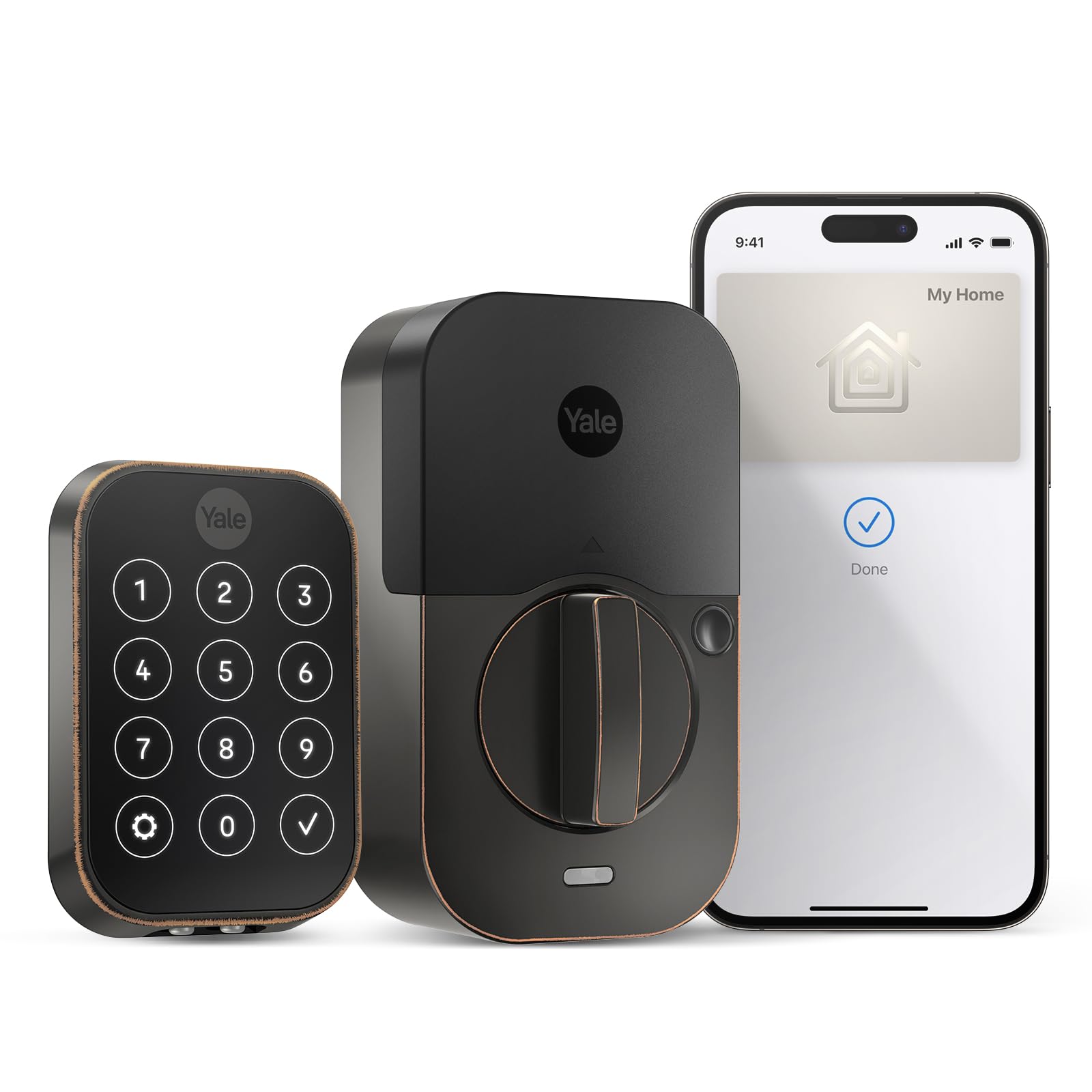
ACCESS YOUR WAY. A simple tap on the lock with your iPhone or Apple Watch is all it takes to come home key-free. Explore more access options including hands-free Auto-Unlock, keypad entry codes, and using the Yale Access App at the door.
ACCESS YOUR WAY. A simple tap on the lock with your iPhone or Apple Watch is all it takes to come home key-free. Explore more access options including hands-free Auto-Unlock, keypad entry codes, and using the Yale Access App at the door.
in 3 offers
The lowest price for Yale Assure Lock 2 YRD450-N-BLE-619 - Smart Keyless Bluetooth Deadbolt - Satin Nickel right now is $292.86 at Amazon.com.au, compared across 3 retailers.
The all-time low was $179.00 on 14 Sept 2026 — today's price is 64% above the lowest ever. It has been notably cheaper before — worth setting a price alert.
Prices last updated 15 Oct 2026.
Yale Assure Lock 2 YRD450-N-BLE-619 - Smart Keyless Bluetooth Deadbolt - Satin Nickel
ACCESS YOUR WAY. A simple tap on the lock with your iPhone or Apple Watch is all it takes to come home key-free. Explore more access options including hands-free Auto-Unlock, keypad entry codes, and using the Yale Access App at the door.
ACCESS YOUR WAY. A simple tap on the lock with your iPhone or Apple Watch is all it takes to come home key-free. Explore more access options including hands-free Auto-Unlock, keypad entry codes, and using the Yale Access App at the door.
Last updated at 15/10/2026 06:17:34
Yale Assure Lock 2 Plus (New) with Apple Home Keys (Tap to Unlock) - Key-Free Touchscreen Door Lock in Satin Nickel - No Wi-Fi, Remote Access Requires
Affiliate Disclosure: We may receive a small commission for purchases made through this link at no extra cost to you. This helps support our site. Thank you!
Yale Assure Lock 2 Plus Apple Home Keys, Nickel Keyless Entry Door Lock with Keypad for Code Entry Lock and Auto-Unlock (No Wi-Fi) Remote Access Requi
Free delivery between 26–29 Oct
YRD450-N-BLE-619 Assure Lock 2 Plus with Bluetooth Apple Home Keys Smart, Satin Nickel, No Wi-Fi
Delivery between 21–24 Oct $29
originally posted on bestbuy.com
I was looking for a keypad entry lock for my home, and I'm glad I selected the Yale Assure Lock 2.On the surface, one might think this is a straightforward deadbolt with a keypad. It can be, but this lock offers so much more in terms of controlling who and how they can unlock your door. This lock offers so many ways to lock and unlock the door and grant guest access. You can unlock the door with a permanent or temporary PIN, the native app, or an Apple Home Key, the slickest method.For someone who isn’t handy, first looking at the package and its contents may be daunting – don’t let it be. The lock is built to be compatible with most standard deadbolt cutouts in North America, and the installation is straightforward when using the provided instructions via the ... MoreI was looking for a keypad entry lock for my home, and I'm glad I selected the Yale Assure Lock 2.On the surface, one might think this is a straightforward deadbolt with a keypad. It can be, but this lock offers so much more in terms of controlling who and how they can unlock your door. This lock offers so many ways to lock and unlock the door and grant guest access. You can unlock the door with a permanent or temporary PIN, the native app, or an Apple Home Key, the slickest method.For someone who isn’t handy, first looking at the package and its contents may be daunting – don’t let it be. The lock is built to be compatible with most standard deadbolt cutouts in North America, and the installation is straightforward when using the provided instructions via the Yale app. The app guides you through each step of the installation with both a written description of the installation step and a video to show you how it’s done. The instructions are top-tier and set this product apart in its class.In the box is everything you need to install this, including the keypad, the interior turn handle/logic board, striker, strike plate, screws, batteries, door close sensor, and a Wi-Fi module. I only needed basic hand tools such as a Phillips screwdriver, tape measure, level, and a pencil. I did choose to mount the door close sensor flush in the door jamb, so I also needed a drill and a 5/8” spade bit. Following the steps in the app, it took me about 30 minutes from start to finish, to get this physically installed and paired with the Yale app. Installation starts with downloading the Yale app, scanning the product code, providing guided instructions for the hardware installation, pairing the device with the app, setting up the Wi-Fi setup, and setting up the Home Key.One nice security feature of this lock on the physical side was the inclusion of long door jamb screws for the strike plate. The old deadbolt I replaced this with had screws that were maybe 1 ½” long; these screws were at least three inches, maybe longer – definitely long enough to sink into the lumber behind the doorjamb to provide extra strength for the strike plate.I also chose to countersink the door close sensor. This required me to drill a 5/8” hole in the doorjamb and sink the magnetic sensor into it. As long as you have the right drill bit, this step only takes about 5 minutes to complete and makes the installation look a lot more professional. The other option leaves a door close sensor mounted to the trim around the door inside.Once you complete the physical installation, the app guides you through setting up the keypad code, inviting other users to the app, and setting up an Apple Home Key.Setting up the PIN code for entry is very straightforward—you enter a minimum 4-digit PIN code to operate the deadbolt. After that, the app guides you through the Wi-Fi configuration, allowing you to invite others to the app. Once the device is connected to Wi-Fi, you can lock and unlock the door using the app. You can invite app users as owners or guests, with guests getting either “always” access, access setup on a recurring schedule (great if you have a housekeeper that comes on a set schedule), or you can set up temporary access through a certain date/time - great if you have houseguests staying for a week, or if you use this lock for an AirBNB type rental. Guest users can use the app or a personally assigned PIN code to identify those coming and going.The killer feature here is the Apple Home Key. Apple Home Key is part of Apple Home and it allows you to use your iPhone or Apple Watch as a key for the door. Setting up the Home Key was easy as the app guides you through the process, and the key goes right into your Apple Wallet. It was also immediately available on my Apple Watch, and both the phone and the watch went into Express Mode, which activates the key without user interaction. All you need to do to unlock the deadbolt is bring your phone or watch near the lock; the phone or watch presents the Apple Home Key, and the lock opens. On the phone, you can set Home Key up to require the phone to be unlocked (i.e. FaceID or passcode) before the key works. The Apple Watch Home Key works as long as your watch is unlocked.Apple Home Key is not without its drawbacks, though—and the big one is guest access. To provide a guest with an Apple Home Key, you must have an Apple Home Hub configured, which is either an iPad, AppleTV, or Apple HomePod, to act as the “gateway” of sorts to interface with the lock and Apple. The device designated as the hub must always remain at home, so an iPad may not be the best choice. This is all a limitation of Apple’s Home system and is in no way a limitation of the lock. There are plenty of options to provide guest access outside the Apple Home Key if you don’t have an Apple Home Hub.One comment on the app access: I gave my Wife access to the door prior to her having the Yale app installed, and the August lock app that we use for another lock notified her that she was now a user on another lock. Comparing the Yale and August apps, they are very similar, so this points to a shared back end. The app also pointed to integrations with other platforms like Alexa and ITTT – so the possibilities with this are virtually unlimited.The lock itself looks great on the door, and the PIN pad remains invisible until you touch it. At that point, the lights on the keypad turn on, and then you can see each number on the PIN pad.Overall, this is probably the most flexible smart deadbolt on the market today. It’s a great piece of kit for controlling access without managing physical keys. If I needed to, I’d buy one for each property I needed to control access to.
originally posted on bestbuy.com
I’ve been slowly converting my smart home devices to the Apple HomeKit ecosystem over the past year and my garage door lock was next on my list. I’ve been using another Yale smart lock on that door for a while, but it doesn’t support HomeKit. Enter the Assure Lock 2. It has all the functionality you’d expect from a smart lock, but the addition of HomeKit unfortunately introduces some quirks and complications that you should be aware of.=== INSTALLATION ===- In the box, Yale has included everything you need for an easy installation. You’ll first need to use the measurement pages to make sure your door is the proper thickness and check if your existing holes are compatible with the lock. If not, there is a hole marking template you can use to make or adjust holes. ... MoreI’ve been slowly converting my smart home devices to the Apple HomeKit ecosystem over the past year and my garage door lock was next on my list. I’ve been using another Yale smart lock on that door for a while, but it doesn’t support HomeKit. Enter the Assure Lock 2. It has all the functionality you’d expect from a smart lock, but the addition of HomeKit unfortunately introduces some quirks and complications that you should be aware of.=== INSTALLATION ===- In the box, Yale has included everything you need for an easy installation. You’ll first need to use the measurement pages to make sure your door is the proper thickness and check if your existing holes are compatible with the lock. If not, there is a hole marking template you can use to make or adjust holes. Luckily, I didn’t have to make any adjustments to my door.- Once you make any necessary adjustments, installation is easy. I would recommend first downloading the Yale Access app which has some great how-to videos to make installation a breeze. The hardest part for me was connecting the wire cable to the interior of the lock. The wire connector is hard to maneuver and even harder to disconnect if you need to make any adjustments to the lock.- This model includes the Yale Smart Module which you’ll need to remember to install at the top of the lock. This module is what gives the lock Wi-Fi capabilities.- You can also install an optional DoorSense sensor which will allow you to use the Yale Access app to tell if your door has been left open. I didn’t install this sensor since it wouldn’t be very useful for me.- Once you’ve installed the lock and inserted the batteries, the lock can be set up in the Yale app and added to your Apple Home setup by scanning the QR code under the battery cover.=== LOCK PERFORMANCE AND HOMEKIT ===- Assuming you’re an Apple user, you’re going to have to use two apps to get the most out of this lock: both the Apple Home app and the Yale Access app. Once you’ve added the lock to your Apple Home, you can only use the Yale Access app to lock/unlock when you are within Bluetooth range of the lock. If you are outside of Bluetooth range, you will need to use the Apple Home app to lock/unlock. Additionally, you’ll have to use the Yale app to control almost all other functions of the lock, including Auto Lock/Unlock, DoorSense, and Smart Alerts. Long story short: controlling this lock is more complicated than it needs to be, but that’s a sacrifice you’ll have to accept for HomeKit compatibility.- After you add the lock to your Apple Home app, a “key card” is added to your Apple Wallet which allows you to simply tap your iPhone or Apple Watch against the lock to unlock your door. When it works, it works wonderfully. Unfortunately, over the past week of using this lock, there have been two times where the lock has shown as “unresponsive” in the Apple Home app, forcing me to enter my code on the lock’s touchscreen to unlock the door. The only way to resolve this is to remove all the batteries from the lock, wait a few seconds, and then reinsert the batteries. I don’t know if this is a HomeKit issue or a Yale issue, but I’ve seen the same thing happen with other HomeKit-enabled devices such as smart plugs and smart light bulbs.- There are sometimes very long delays when trying to lock/unlock via HomeKit. Three times, I’ve noticed at least a 10 second delay after initiating an unlock via the Home app before the deadbolt responds. It’s hard to tell whether this is a problem with my HomeKit setup or with the lock itself.- Other than these small issues/quirks with HomeKit, all other aspects of the lock work very well. I have created entry codes for everyone in my family as well as a guest codes for my neighbor. I’ve set up Auto Lock on a recurring timer in case I forget to lock the door before I go to bed. The numbers on the keypad are large and illuminate very nicely=== OVERALL ===As a smart lock, the Yale Assure Lock 2 checks off all the boxes and has all the features you would expect. It’s the HomeKit integration where things get complicated, and I don’t know if this is a Yale problem, an Apple problem, or a problem with my own setup. My previous Yale smart lock did not support HomeKit, so I never had to worry about this. With the Assure Lock 2 sometimes appearing as “unresponsive” in my HomeKit setup, I have found myself frequently bypassing the lock’s HomeKit features and simply using my entry code on the keypad to unlock the door – at least I know the entry code will always work, but it seems like HomeKit might not have as much luck. Maybe things will improve with future firmware updates.
originally posted on bestbuy.com
The Yale Assure Lock 2 is a Smart Lock that can be controlled via two separate apps and has different ways of locking and unlocking. The dead bolt has a Keyless Wi-Fi Deadbolt that supposed Apple Home Keys technology. This allows you to unlock the deadbolt by tapping your iPhone to the touchscreen display.So far this has worked well with no issues as of yet. The dead bolt supports locking and unlocking using the Yale Access app. Using the app allows you to control the dead bolt with a Bluetooth connection. You have to be within Bluetooth range of the dead bolt in order to control it. The only way I was able to control the app remotely or via a longer range than Bluetooth was by using Apple Home Kit. It allows me to control the app using the Home app. I’m not sure if ... MoreThe Yale Assure Lock 2 is a Smart Lock that can be controlled via two separate apps and has different ways of locking and unlocking. The dead bolt has a Keyless Wi-Fi Deadbolt that supposed Apple Home Keys technology. This allows you to unlock the deadbolt by tapping your iPhone to the touchscreen display.So far this has worked well with no issues as of yet. The dead bolt supports locking and unlocking using the Yale Access app. Using the app allows you to control the dead bolt with a Bluetooth connection. You have to be within Bluetooth range of the dead bolt in order to control it. The only way I was able to control the app remotely or via a longer range than Bluetooth was by using Apple Home Kit. It allows me to control the app using the Home app. I’m not sure if it’s an issue with my Home Kit connection or the dead bolt because it takes 15-20 seconds in order for the dead bolt to respond with commands from the Home app. If I lock and unlock the dead bolt manually it takes just as long or if not longer before receiving a notification from the Home app. The dead bolt came packaged with very to read and follow directions. I had somewhat of a challenge getting the 2 screws to attach the mounting bracket and keypad on the other side of the door. I ended up removing the screws that hold the deadbolt latch in the door. This allowed me to move the deadbolt latch around slightly to get the screws to go and attach the mounting bracket and keypad. After the screws were connected, I then screwed the smaller screws to secure the deadbolt latch to the door. I wish the Yale app would allow you to control the app via your home’s WiFi network for those times when Home Kit is not working all that great. Overall, the build quality is great and locking and unlocking the deadbolt is very smooth.
| Smart | Yes |
| Lock Style | Deadbolt |
| Power Type | Electronic |
| Brand | Yale |
| Assistant Support | Siri |

Yale Assure Lock 2 Plus (New) with Apple Home Keys (Tap to Unlock) - Key-Free Touchscreen Door Lock in Satin Nickel - No Wi-Fi, Remote Access Requires
Affiliate Disclosure: We may receive a small commission for purchases made through this link at no extra cost to you. This helps support our site. Thank you!
Yale Assure Lock 2 Plus Apple Home Keys, Nickel Keyless Entry Door Lock with Keypad for Code Entry Lock and Auto-Unlock (No Wi-Fi) Remote Access Requi
Free delivery between 26–29 Oct
YRD450-N-BLE-619 Assure Lock 2 Plus with Bluetooth Apple Home Keys Smart, Satin Nickel, No Wi-Fi
Delivery between 21–24 Oct $29
I was looking for a keypad entry lock for my home, and I'm glad I selected the Yale Assure Lock 2.On the surface, one might think this is a straightforward deadbolt with a keypad. It can be, but this lock offers so much more in terms of controlling who and how they can unlock your door. This lock offers so many ways to lock and unlock the door and grant guest access. You can unlock the door with a permanent or temporary PIN, the native app, or an Apple Home Key, the slickest method.For someone who isn’t handy, first looking at the package and its contents may be daunting – don’t let it be. The lock is built to be compatible with most standard deadbolt cutouts in North America, and the installation is straightforward when using the provided instructions via the ... MoreI was looking for a keypad entry lock for my home, and I'm glad I selected the Yale Assure Lock 2.On the surface, one might think this is a straightforward deadbolt with a keypad. It can be, but this lock offers so much more in terms of controlling who and how they can unlock your door. This lock offers so many ways to lock and unlock the door and grant guest access. You can unlock the door with a permanent or temporary PIN, the native app, or an Apple Home Key, the slickest method.For someone who isn’t handy, first looking at the package and its contents may be daunting – don’t let it be. The lock is built to be compatible with most standard deadbolt cutouts in North America, and the installation is straightforward when using the provided instructions via the Yale app. The app guides you through each step of the installation with both a written description of the installation step and a video to show you how it’s done. The instructions are top-tier and set this product apart in its class.In the box is everything you need to install this, including the keypad, the interior turn handle/logic board, striker, strike plate, screws, batteries, door close sensor, and a Wi-Fi module. I only needed basic hand tools such as a Phillips screwdriver, tape measure, level, and a pencil. I did choose to mount the door close sensor flush in the door jamb, so I also needed a drill and a 5/8” spade bit. Following the steps in the app, it took me about 30 minutes from start to finish, to get this physically installed and paired with the Yale app. Installation starts with downloading the Yale app, scanning the product code, providing guided instructions for the hardware installation, pairing the device with the app, setting up the Wi-Fi setup, and setting up the Home Key.One nice security feature of this lock on the physical side was the inclusion of long door jamb screws for the strike plate. The old deadbolt I replaced this with had screws that were maybe 1 ½” long; these screws were at least three inches, maybe longer – definitely long enough to sink into the lumber behind the doorjamb to provide extra strength for the strike plate.I also chose to countersink the door close sensor. This required me to drill a 5/8” hole in the doorjamb and sink the magnetic sensor into it. As long as you have the right drill bit, this step only takes about 5 minutes to complete and makes the installation look a lot more professional. The other option leaves a door close sensor mounted to the trim around the door inside.Once you complete the physical installation, the app guides you through setting up the keypad code, inviting other users to the app, and setting up an Apple Home Key.Setting up the PIN code for entry is very straightforward—you enter a minimum 4-digit PIN code to operate the deadbolt. After that, the app guides you through the Wi-Fi configuration, allowing you to invite others to the app. Once the device is connected to Wi-Fi, you can lock and unlock the door using the app. You can invite app users as owners or guests, with guests getting either “always” access, access setup on a recurring schedule (great if you have a housekeeper that comes on a set schedule), or you can set up temporary access through a certain date/time - great if you have houseguests staying for a week, or if you use this lock for an AirBNB type rental. Guest users can use the app or a personally assigned PIN code to identify those coming and going.The killer feature here is the Apple Home Key. Apple Home Key is part of Apple Home and it allows you to use your iPhone or Apple Watch as a key for the door. Setting up the Home Key was easy as the app guides you through the process, and the key goes right into your Apple Wallet. It was also immediately available on my Apple Watch, and both the phone and the watch went into Express Mode, which activates the key without user interaction. All you need to do to unlock the deadbolt is bring your phone or watch near the lock; the phone or watch presents the Apple Home Key, and the lock opens. On the phone, you can set Home Key up to require the phone to be unlocked (i.e. FaceID or passcode) before the key works. The Apple Watch Home Key works as long as your watch is unlocked.Apple Home Key is not without its drawbacks, though—and the big one is guest access. To provide a guest with an Apple Home Key, you must have an Apple Home Hub configured, which is either an iPad, AppleTV, or Apple HomePod, to act as the “gateway” of sorts to interface with the lock and Apple. The device designated as the hub must always remain at home, so an iPad may not be the best choice. This is all a limitation of Apple’s Home system and is in no way a limitation of the lock. There are plenty of options to provide guest access outside the Apple Home Key if you don’t have an Apple Home Hub.One comment on the app access: I gave my Wife access to the door prior to her having the Yale app installed, and the August lock app that we use for another lock notified her that she was now a user on another lock. Comparing the Yale and August apps, they are very similar, so this points to a shared back end. The app also pointed to integrations with other platforms like Alexa and ITTT – so the possibilities with this are virtually unlimited.The lock itself looks great on the door, and the PIN pad remains invisible until you touch it. At that point, the lights on the keypad turn on, and then you can see each number on the PIN pad.Overall, this is probably the most flexible smart deadbolt on the market today. It’s a great piece of kit for controlling access without managing physical keys. If I needed to, I’d buy one for each property I needed to control access to.
I’ve been slowly converting my smart home devices to the Apple HomeKit ecosystem over the past year and my garage door lock was next on my list. I’ve been using another Yale smart lock on that door for a while, but it doesn’t support HomeKit. Enter the Assure Lock 2. It has all the functionality you’d expect from a smart lock, but the addition of HomeKit unfortunately introduces some quirks and complications that you should be aware of.=== INSTALLATION ===- In the box, Yale has included everything you need for an easy installation. You’ll first need to use the measurement pages to make sure your door is the proper thickness and check if your existing holes are compatible with the lock. If not, there is a hole marking template you can use to make or adjust holes. ... MoreI’ve been slowly converting my smart home devices to the Apple HomeKit ecosystem over the past year and my garage door lock was next on my list. I’ve been using another Yale smart lock on that door for a while, but it doesn’t support HomeKit. Enter the Assure Lock 2. It has all the functionality you’d expect from a smart lock, but the addition of HomeKit unfortunately introduces some quirks and complications that you should be aware of.=== INSTALLATION ===- In the box, Yale has included everything you need for an easy installation. You’ll first need to use the measurement pages to make sure your door is the proper thickness and check if your existing holes are compatible with the lock. If not, there is a hole marking template you can use to make or adjust holes. Luckily, I didn’t have to make any adjustments to my door.- Once you make any necessary adjustments, installation is easy. I would recommend first downloading the Yale Access app which has some great how-to videos to make installation a breeze. The hardest part for me was connecting the wire cable to the interior of the lock. The wire connector is hard to maneuver and even harder to disconnect if you need to make any adjustments to the lock.- This model includes the Yale Smart Module which you’ll need to remember to install at the top of the lock. This module is what gives the lock Wi-Fi capabilities.- You can also install an optional DoorSense sensor which will allow you to use the Yale Access app to tell if your door has been left open. I didn’t install this sensor since it wouldn’t be very useful for me.- Once you’ve installed the lock and inserted the batteries, the lock can be set up in the Yale app and added to your Apple Home setup by scanning the QR code under the battery cover.=== LOCK PERFORMANCE AND HOMEKIT ===- Assuming you’re an Apple user, you’re going to have to use two apps to get the most out of this lock: both the Apple Home app and the Yale Access app. Once you’ve added the lock to your Apple Home, you can only use the Yale Access app to lock/unlock when you are within Bluetooth range of the lock. If you are outside of Bluetooth range, you will need to use the Apple Home app to lock/unlock. Additionally, you’ll have to use the Yale app to control almost all other functions of the lock, including Auto Lock/Unlock, DoorSense, and Smart Alerts. Long story short: controlling this lock is more complicated than it needs to be, but that’s a sacrifice you’ll have to accept for HomeKit compatibility.- After you add the lock to your Apple Home app, a “key card” is added to your Apple Wallet which allows you to simply tap your iPhone or Apple Watch against the lock to unlock your door. When it works, it works wonderfully. Unfortunately, over the past week of using this lock, there have been two times where the lock has shown as “unresponsive” in the Apple Home app, forcing me to enter my code on the lock’s touchscreen to unlock the door. The only way to resolve this is to remove all the batteries from the lock, wait a few seconds, and then reinsert the batteries. I don’t know if this is a HomeKit issue or a Yale issue, but I’ve seen the same thing happen with other HomeKit-enabled devices such as smart plugs and smart light bulbs.- There are sometimes very long delays when trying to lock/unlock via HomeKit. Three times, I’ve noticed at least a 10 second delay after initiating an unlock via the Home app before the deadbolt responds. It’s hard to tell whether this is a problem with my HomeKit setup or with the lock itself.- Other than these small issues/quirks with HomeKit, all other aspects of the lock work very well. I have created entry codes for everyone in my family as well as a guest codes for my neighbor. I’ve set up Auto Lock on a recurring timer in case I forget to lock the door before I go to bed. The numbers on the keypad are large and illuminate very nicely=== OVERALL ===As a smart lock, the Yale Assure Lock 2 checks off all the boxes and has all the features you would expect. It’s the HomeKit integration where things get complicated, and I don’t know if this is a Yale problem, an Apple problem, or a problem with my own setup. My previous Yale smart lock did not support HomeKit, so I never had to worry about this. With the Assure Lock 2 sometimes appearing as “unresponsive” in my HomeKit setup, I have found myself frequently bypassing the lock’s HomeKit features and simply using my entry code on the keypad to unlock the door – at least I know the entry code will always work, but it seems like HomeKit might not have as much luck. Maybe things will improve with future firmware updates.
The Yale Assure Lock 2 is a Smart Lock that can be controlled via two separate apps and has different ways of locking and unlocking. The dead bolt has a Keyless Wi-Fi Deadbolt that supposed Apple Home Keys technology. This allows you to unlock the deadbolt by tapping your iPhone to the touchscreen display.So far this has worked well with no issues as of yet. The dead bolt supports locking and unlocking using the Yale Access app. Using the app allows you to control the dead bolt with a Bluetooth connection. You have to be within Bluetooth range of the dead bolt in order to control it. The only way I was able to control the app remotely or via a longer range than Bluetooth was by using Apple Home Kit. It allows me to control the app using the Home app. I’m not sure if ... MoreThe Yale Assure Lock 2 is a Smart Lock that can be controlled via two separate apps and has different ways of locking and unlocking. The dead bolt has a Keyless Wi-Fi Deadbolt that supposed Apple Home Keys technology. This allows you to unlock the deadbolt by tapping your iPhone to the touchscreen display.So far this has worked well with no issues as of yet. The dead bolt supports locking and unlocking using the Yale Access app. Using the app allows you to control the dead bolt with a Bluetooth connection. You have to be within Bluetooth range of the dead bolt in order to control it. The only way I was able to control the app remotely or via a longer range than Bluetooth was by using Apple Home Kit. It allows me to control the app using the Home app. I’m not sure if it’s an issue with my Home Kit connection or the dead bolt because it takes 15-20 seconds in order for the dead bolt to respond with commands from the Home app. If I lock and unlock the dead bolt manually it takes just as long or if not longer before receiving a notification from the Home app. The dead bolt came packaged with very to read and follow directions. I had somewhat of a challenge getting the 2 screws to attach the mounting bracket and keypad on the other side of the door. I ended up removing the screws that hold the deadbolt latch in the door. This allowed me to move the deadbolt latch around slightly to get the screws to go and attach the mounting bracket and keypad. After the screws were connected, I then screwed the smaller screws to secure the deadbolt latch to the door. I wish the Yale app would allow you to control the app via your home’s WiFi network for those times when Home Kit is not working all that great. Overall, the build quality is great and locking and unlocking the deadbolt is very smooth.
I recently replaced my kinda smart lock, that i had for few good years, with this awesome deadbolt Assure Lock 2 from YALE that packs all the technology you can ask from a good smart lock in 2024!Being an Apple Home key user this Yale Lock choice was a no brainer since i'm the guy that would always miss-place his actual set of keys. My phone is always in my possession and makes the acces into my place so convenient! I think being able to just tap with my Iphone to unlock the door has been my favorite future of this lock so far!The installation of the lock was a breeze! It is literally super easy, the only tool i had to use was a Phillips screw driver and 30 minutes of my time and i'm no expert, everything was so intuitive and the instructions very easy to ... MoreI recently replaced my kinda smart lock, that i had for few good years, with this awesome deadbolt Assure Lock 2 from YALE that packs all the technology you can ask from a good smart lock in 2024!Being an Apple Home key user this Yale Lock choice was a no brainer since i'm the guy that would always miss-place his actual set of keys. My phone is always in my possession and makes the acces into my place so convenient! I think being able to just tap with my Iphone to unlock the door has been my favorite future of this lock so far!The installation of the lock was a breeze! It is literally super easy, the only tool i had to use was a Phillips screw driver and 30 minutes of my time and i'm no expert, everything was so intuitive and the instructions very easy to follow!The lock has a sleek design while it's off it really blends in compared to my old lock and gets very bright and specially useful at night when you touch the pad! The size it's surprisingly rather in the small side for how well this deadbolt locks the door and for how much technology it packs.Mine it's the keyless version with the WiFi (module that i recommend but that u can acquire even later on as it's an add-on) on satin nickel color! So the wifi module enables that you can control the lock even when you are away which in my case it offers me a great peace of mine to check on my door situation!The Yale app it's also great it gives a history of how and who operated the lock, let's you create temporary passkeys and remotely allow acces to someone!So for 2024 i really believe this is the best deadbolt wifi lock money can buy! It work great with a bunch of futures (tap to open with my Apple phone being my favorite one) and offers the security i need!
Over the years, i have been building my smart home, piece by piece and my goal was to build it around Apple HomeKit. I quickly discovered that not all things that I wanted were compatible, so I have a hodgepodge of the devices that work with Apple and Alexa. My family is basically an Apple crew. We all have iPhones, although we have some other devices, Apple is preferred. With that being said, this is the smart lock that I have been waiting for.Before I got this one, I had a previous Yale Smart lock and it has worked flawlessly although I have to change the batteries more frequently than I would like. Installation on this one was essentially the same. I probably could have left the interior part of the lock in place and just replaced the exterior keypad, but I ... MoreOver the years, i have been building my smart home, piece by piece and my goal was to build it around Apple HomeKit. I quickly discovered that not all things that I wanted were compatible, so I have a hodgepodge of the devices that work with Apple and Alexa. My family is basically an Apple crew. We all have iPhones, although we have some other devices, Apple is preferred. With that being said, this is the smart lock that I have been waiting for.Before I got this one, I had a previous Yale Smart lock and it has worked flawlessly although I have to change the batteries more frequently than I would like. Installation on this one was essentially the same. I probably could have left the interior part of the lock in place and just replaced the exterior keypad, but I wanted to keep everything together and I will be using the old lock at my AirBNB.Once I finished installing everything and setting it up in Apple HomeKit, i created an Apple Key and tried it out. There was little to no lag and it worked quite well. I created keys for everyone in the house and had them try it out and again, it was flawless. I am very impressed with not only the design and appearance of this lock, but the feature set as well. With the included sensor, you can tell if the door is closed or open and you can set it to auto lock at a certain time. Prior to having smart locks on all of my doors, I would always go through the house before bed time and check to make sure all of the doors were locked. I no longer have to do that since I can check in the app and manually lock the doors if need be. The only negative that I found and it’s typical with smart locks that have keypads, is they leave fingerprints. If you use the keypad often and dont have different codes for each user, your prints will show which numbers are used. Even with a four digit combination, that still leaves a ton of possibly combinations, but it’s just something to note. We wont typically use the keypad since everyone has iPhones and Apple Watches. I forgot to mention that Apple Key works with the Apple Watch as well. Another added benefit for me since I pretty much always wear my watch, but I dont always carry my phone.I definitely think Yale is at the forefront of the smart lock front and they make probably the best looking locks available. I wouldnt hesitate to add another to my home. I definitely think this is the best lock on the market that I have tried and I would highly recommend it.
The Yale Assue Lock 2 is a Wifi enabled smart deadbolt that can easily replace your existing deadbolt without much modification. This lock replaces a different smart lock that installs on the interior of the door without removing the keyed portion of the deadbolt. The lock also had an option for an add on keypad that would usually lose connection or have a dead battery. The Yale Assure Lock 2 replaces the keyed portion of the deadbolt without any option of a back up method to open the door if the battery dies other than using a 9 volt battery to charge the lock enough to open it. I know I don't carry around a 9 volt battery so it's important to change the batteries once you receive a low batter warning in the app. I appreciate that Yale used AA batteries and not ... MoreThe Yale Assue Lock 2 is a Wifi enabled smart deadbolt that can easily replace your existing deadbolt without much modification. This lock replaces a different smart lock that installs on the interior of the door without removing the keyed portion of the deadbolt. The lock also had an option for an add on keypad that would usually lose connection or have a dead battery. The Yale Assure Lock 2 replaces the keyed portion of the deadbolt without any option of a back up method to open the door if the battery dies other than using a 9 volt battery to charge the lock enough to open it. I know I don't carry around a 9 volt battery so it's important to change the batteries once you receive a low batter warning in the app. I appreciate that Yale used AA batteries and not special lithium batteries in the lock because AA batteries are usually readily available. Installation is fairly simple and went without a hitch. I had to drill a few hole in order to add the door sense sensor so I could enable the auto lock feature but that did not take too much extra time. Installation directions can be found in the Yale app which are great because is shows detailed pictures to make installation a breeze. The lock includes a wifi module that allows you to add wifi allowing for remotes access to the lock via the app. The Yale lock app is essentially the same app as the August smartlock app so if your currently use any August locks the Yale lock can be seen in the same household as long as you register them to the same account. This newer version of the lock features Apple home that allows you to open the lock by simply tapping your iPhone or Apple Watch to the lock. This feature worked great for me evertime I have tried it. The lock did show as unresponsive 1 time however that was attributed to HomeKit issue related to my Apple TV. You can also create temporary entry codes for guests and see who entered via their code in the app. This is great if you're using it on a rental property or short term rental. Overall Yale improved an already good lock with new features such as apple Key. I would definitely recommend this lock if you are looking for a smart lock with a keypad
The Yale Assure Lock 2 (model YRD450-N-WF1-619) is a smart lock with several great features, including Apple Home keys compatibility, a touchscreen keypad, and Wi-Fi connectivity. In other words it has many features so let me give you a few:Many vehicles are now keyless so why not our home, and since Yale makes premium keyless entry locks for both houses as well as apartments, it was the best choice.Out of the box, it comes with the lock, hardware and instructions both written and on the application. The application for me was the easy way to install the lock, it walked me step by step with short video clips to do so, in other words, straight forward and easy.One of the nicest features is that the lock is compatible with Apple Home Keys, allowing us to control ... MoreThe Yale Assure Lock 2 (model YRD450-N-WF1-619) is a smart lock with several great features, including Apple Home keys compatibility, a touchscreen keypad, and Wi-Fi connectivity. In other words it has many features so let me give you a few:Many vehicles are now keyless so why not our home, and since Yale makes premium keyless entry locks for both houses as well as apartments, it was the best choice.Out of the box, it comes with the lock, hardware and instructions both written and on the application. The application for me was the easy way to install the lock, it walked me step by step with short video clips to do so, in other words, straight forward and easy.One of the nicest features is that the lock is compatible with Apple Home Keys, allowing us to control it using Siri voice commands and integrate it with other HomeKit devices. And it does not end there; the door can unlock using our Apple watches so that is fantastic. I am a runner and the last thing I want is to carry more things like a key, and I have forgotten my key on my running gear, so now there is one less thing to carry and worry about.How does it work? When I approach the door, open the app on my iPhone or watch, once home key appears then place the watch near the lock and it will authenticate and unlock the door, it is secure and easy.The lock features a touchscreen keypad for entering access codes. I can create and manage unique codes for family members or guests so it is convenient.Since the lock connects to your home Wi-Fi network, I am able to remote control and monitor through the Yale Access app, knowing who enters by their unique code given to them.As for the battery life, I am not sure how long it will last but it comes with batteries and since I usually buy the best batteries with good power, they usually last longer so keep that in mind when you buy batteries for you lock too, also I read that there was a firmware update that has improved the battery life anyway.I have left home and on my way I have wondered if I locked the door or not, not any more with this lock because this lock has the auto-lock feature, the lock automatically locks after a specified time, and the DoorSense technology alerts me if the door is left open, so no more wondering.Also the auto unlock feature is great, once its set up, my lock will unlock once I get near my home I can have the lock unlock so I do not have to do anything other than to push the door open, and I can do that to my back door since most of the time I am carrying something when I get home.Overall the Yale lock is a great addition to our home, we can open in different ways including our Apple watches, auto unlock, voice assistant, keypad and the Yale app and having a smart lock from Yale it is just the right choice.I like the different colors to match the door so I think we will get the Black Suede for the front door.
I have had another version of this latest generation of the Yale smart deadbolts for a few months before getting this one for another door in my house, and knew as a result what to expect in a few aspects going in. For one, they are super reliable locks and operate very smoothly. They are very easy to install with full step by step instructions including video walkthrough in the Yale app, and only require a screwdriver at a minimum if you don’t want to make any permanent changes to your door frame. You can go a bit further during the install with an entry sensor that goes into the frame that requires a drill bit, but you can also install that sensor with just double-sided tape to the trim instead or bypass it entirely. The sensor allows the lock to detect if the ... MoreI have had another version of this latest generation of the Yale smart deadbolts for a few months before getting this one for another door in my house, and knew as a result what to expect in a few aspects going in. For one, they are super reliable locks and operate very smoothly. They are very easy to install with full step by step instructions including video walkthrough in the Yale app, and only require a screwdriver at a minimum if you don’t want to make any permanent changes to your door frame. You can go a bit further during the install with an entry sensor that goes into the frame that requires a drill bit, but you can also install that sensor with just double-sided tape to the trim instead or bypass it entirely. The sensor allows the lock to detect if the door is closed or not to disable the auto-lock feature which is very nice to have. Back to the install, it goes together easily and looks nice when all is done. The touchpad is completely blacked out until you interact with it which causes the number pad to light up, and there is a pair of contacts underneath the touch pad that you can press a 9V battery against in the event the 4 AA batteries die while you are away allowing you access. This is important because the only way to operate this deadbolt is electronically as it does not have a physical key. That 9V backup feature is important since the biggest downfall of this lock by far is that the battery life is absolutely abysmal. This is one of the things I knew would happen when I got it based on the other lock I have which has the same problem, but what I failed to realize is that first lock is on a door that isn’t our primary entry point and therefore is used much less frequently than where I placed this particular one. So, I was anticipating the same 3-week lifespan on the batteries which is already quite poor but because of how much more use it gets on the garage where we enter our house regularly, I am literally 5 days into ownership since installing it with brand new batteries and am already being warned that they are nearly depleted which is totally unacceptable.There are some real positives with this lock, the Apple Home Key support is so much more convenient and reliable than I imagined, and I love being able to just hold my watch up to it to unlock. It has not failed me once yet but if it did the keypad is always there. You can quickly lock it again by touching the Yale logo at the top. It really is simple to live with. Remote access with HomeKit is also very good as it reports its status very quickly and notifies my phone every time I want it to. Setting that up was also very easy and frustration free. I like the way it looks, feels and functions. I hate how poor the battery life is. Replacing batteries what seems like will be once a week is a real issue and brings it down a lot. I hoped when I saw a firmware update for both of my locks that maybe that issue would improve but it has not. I believe the wifi module is the primary culprit in the battery performance, and it can be removed but that would also sacrifice the ability to use the lock remotely or check in on its status. As it stands, I am willing to overlook the battery issue for now since I am excited about Home Keys but in a few weeks or months when I have swapped batteries a dozen plus times, I may not have a lot of patience left for it. I must keep a 9V close by in my garage in case it dies otherwise I would be unable to get into my house. If it weren’t for that I would happily recommend this deadbolt to everyone in the Apple ecosystem, but it is difficult to do so.
You’re starting to see these smartlocks all over now in the retail world. There’s many brands and configurations. I wanted this Yale Assure Lock 2 Plus because it works with my Apple HomeKit. Like Apple or not, their products work seamlessly together. I won’t keep going on that since this is not a review of Apple, but this awesome smartlock.Opening up the package was a little daunting, due to all the parts that come with it, and the large manual. Don’t be discouraged as it’s way less complicated than my first impression. If you follow the steps in the manual it’s easy as pie. I recommend downloading apple HomeKit if you don’t already have it on your iPhone. Also, not just recommended, but necessary, download the Yale access app and make an account before ... MoreYou’re starting to see these smartlocks all over now in the retail world. There’s many brands and configurations. I wanted this Yale Assure Lock 2 Plus because it works with my Apple HomeKit. Like Apple or not, their products work seamlessly together. I won’t keep going on that since this is not a review of Apple, but this awesome smartlock.Opening up the package was a little daunting, due to all the parts that come with it, and the large manual. Don’t be discouraged as it’s way less complicated than my first impression. If you follow the steps in the manual it’s easy as pie. I recommend downloading apple HomeKit if you don’t already have it on your iPhone. Also, not just recommended, but necessary, download the Yale access app and make an account before beginning.The first part of the process is to check all your measurements of your existing door, and hatdware currently installed. The first two pages of the manual are tearaway pages you can use step by step that have measured templates on them. Yale really thought of the customer with these helpful tools, nicely done!Installing the actual lock and keypad was a breeze, and again, follow the steps and you’ll have no problem. I guess I should state the obvious, but if you’re not handy with a wood chisel, drill, or measuring, you might need to hire someone to do this. Never fails, there always seems to be some adjusting necessary when dealing with door locks and door frames, no fault of Yales.This lock is battery operated (AA, x4) so time will tell how fast it drains the power. Yale is nice enough to include 4 batteries with the lock, however, I have security cameras that use AA lithium batteries so I’ve purchased rechargeable AA batteries which I will be using for this lock.There is also a DoorSense sensor (optional) that you can install 2 ways, surface mount or flush mount inside the door frame above the deadbolt strikeplate. I recommend this feature as it will keep tabs on whether or not your door is open or closed.If you don’t have hole saws for your drill, you can run to a hardware store and pick one up very cheap. You will need a 5/8” hole saw. This installation process is my only hangup with this lock. I installed the doorsense in the flush mount manner with a brand new 5/8” hole saw bit. The sensor is designed to wedge into the hole to stay put. It was VERY loose, so I tested opening the door and closing it and every singe time the sensor would pop out of the hole. Inspecting it ,there was plenty of clearance for the edge of the door to close without touching the sensor, over 1/8”. The vacuum lock, or pressure caused from opening and closing the door is what was pulling it out of the whole each time. I ended up super gluing it in and now it’s fine. My suggestion would be to drill a hole slightly smaller than 5/8” and file it bigger to make a tighter fit for the sensor.Once everything was installed , we made quick work of connecting to our wifi, and our Apple HomeKit. It’s insane how nice it is to be able to open this lock with our apple watches, siri on the phone, or even the homekit app that adds it to your wallet so all you have to do is literally hold your phone up to the lock and that’s it. (see pic) The phone and the lock do the rest. There’s 5 of us in the house, and we no longer lock the door handle during the day, only the Yale deadbolt. My only fear is that with so many people in and out every day using the lock, the batteries will not last long. Someone with only 1 or 2 people will probably not have to worry so much about that.All in all my first experience with a smartlock has been a great one. I highly recommend this product, works great!!!
I was excited to get the recently released Yale Assure Lock 2 WiFi Smart Lock Keyless Deadbolt with Apple Home Keys and Touchpad as I have an earlier version of this lock and wanted to see how Yale has improved upon an already excellent deadbolt. The Yale Assure Lock 2 is super easy to install and setup and is one of the best-looking devices I saw based on my search for a smart lock. The brushed nickel finish matches most any standard “silver” door handle setup.This model supports WiFi and Bluetooth and is a keyless option that completely replaces an existing deadbolt. It is operated by using the Yale Access app, a keypad on the exterior, Apple Home Keys or a manual switch on the interior. Some locks provide integration with existing lock mechanisms, the Yale ... MoreI was excited to get the recently released Yale Assure Lock 2 WiFi Smart Lock Keyless Deadbolt with Apple Home Keys and Touchpad as I have an earlier version of this lock and wanted to see how Yale has improved upon an already excellent deadbolt. The Yale Assure Lock 2 is super easy to install and setup and is one of the best-looking devices I saw based on my search for a smart lock. The brushed nickel finish matches most any standard “silver” door handle setup.This model supports WiFi and Bluetooth and is a keyless option that completely replaces an existing deadbolt. It is operated by using the Yale Access app, a keypad on the exterior, Apple Home Keys or a manual switch on the interior. Some locks provide integration with existing lock mechanisms, the Yale Assure Lock 2 completely replaces the existing deadbolt mechanism. For my installation, the lock replaced an existing manual deadbolt on an exterior door leading into the garage.Set Up - As mentioned earlier this is a replacement lock and was super easy to install. Once the existing deadbolt unit was removed, I used the included measuring guide to make sure the Yale lock would fit and to determine which hardware to use for my door size. The lock ships with an instruction manual and there is also instructions available on the app. By scanning a QR code. I watched the videos on the app to familiarize myself with the lock and used the hard copy manual when installing. You will need a Philips head screwdriver for the install assuming you are replacing an existing lock and not installing for the first time. However, Yale does provide measuring guides and templates for installing on a new door.Once the physical install is completed, which took about 20 minutes, it's time to calibrate the lock and customize the features with the Yale Access app. For this installation, the additional sensor for monitoring if the door is open/closed will not be installed. The app is very easy to use for calibration and setup and integration with Apple Home Kit is supported if you want to go that route. The lock also supports Apple Watch, which is a great option so you don't even need your phone to unlock. My lock calibrated on the first attempt and was ready to be customized.Yale Access app - the app allows for remote unlocking/locking, auto-locking and DoorSense functions and notifications, setting up home and user profiles, etc. The app is secured with Commercial Grade 2 security including encryption so it gives you that piece-of-mind for the security of your home. I set myself up as the home owner and created the keypad code for use from the exterior side. I also added my wife by setting up her profile and sending an invite via text. Codes can also be setup for guests which is a nice option if someone needs access when you are not in the area.Apple Home Keys – there is a scannable code on the side of the lock under the battery cover which needs to be entered into Apple Home for setup. For some reason I couldn’t get my iPhone to scan the code so it needed to be manually entered. Set up took a couple of minutes and the lock was added to my Apple Home account. The lock with operate by simply touching your iPhone or Apple Watch to the keypad. For the Apple Watch, the operation button needs to be double clicked to operate.Operation - The Yale Assure Lock 2 is super easy to operate either manually or electronically. With Bluetooth and WiFi capabilities it can be operated from near or far. From the interior there is a manual latch to lock. Externally there is a keypad only, so you'll need to setup a code if you want to open it manually (not using phone or watch). For locking simply touch the "Yale" logo and the door locks. For unlocking, touch the "Yale" logo, enter your code and hit the "check" button. For Apple Watch it's just lock and unlock, but that's all that's really needed. The app then allows for all the additional features and settings. The lock works very smoothly and after a week of use there have been no issues.Pros:- Made by Yale, one of the most trusted names in locks- The brushed nickel matches my existing handle perfectly- Ease of installation, set up and operation – multiple setup hardware supplied- Integration with Apple Home Keys- Lifetime warranty for finish and mechanical parts- Supports remote entry and guest passwordsCons:- Setting up Apple Home Keys, my iPhone wouldn’t scan their setup code, needed to be manually entered.The Yale Assure Lock 2 with WiFi and Apple Home Keys is the perfect option for replacing an existing deadbolt or adding it to a new home. It's well made, secures your home and provides the convenience of being able to operate it via BT or WiFi. All the features give me that added sense of security when away from home. I would recommend this lock to anyone who wants to make their home smarter!
| Smart | Yes |
| Lock Style | Deadbolt |
| Power Type | Electronic |
| Brand | Yale |
| Assistant Support | Siri |