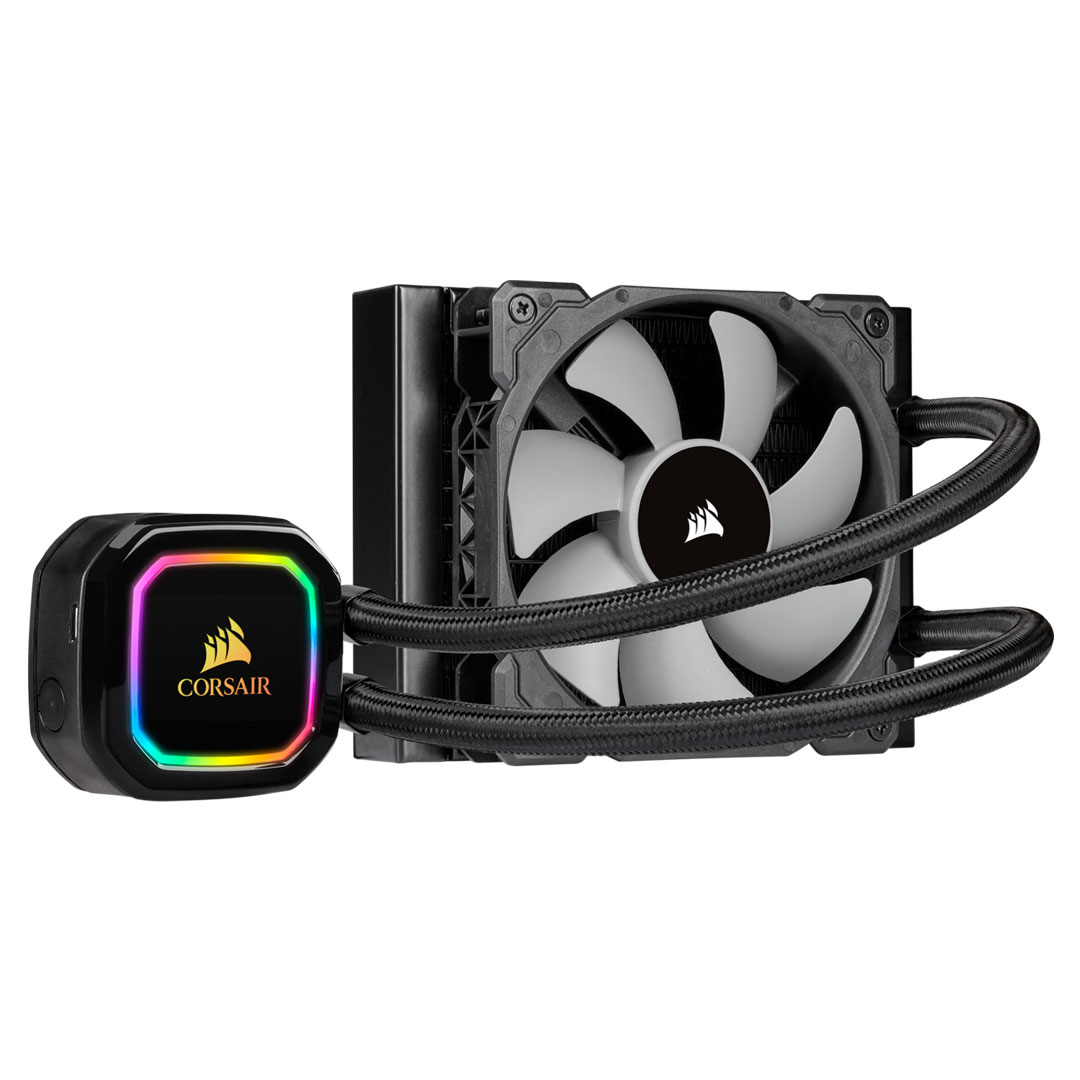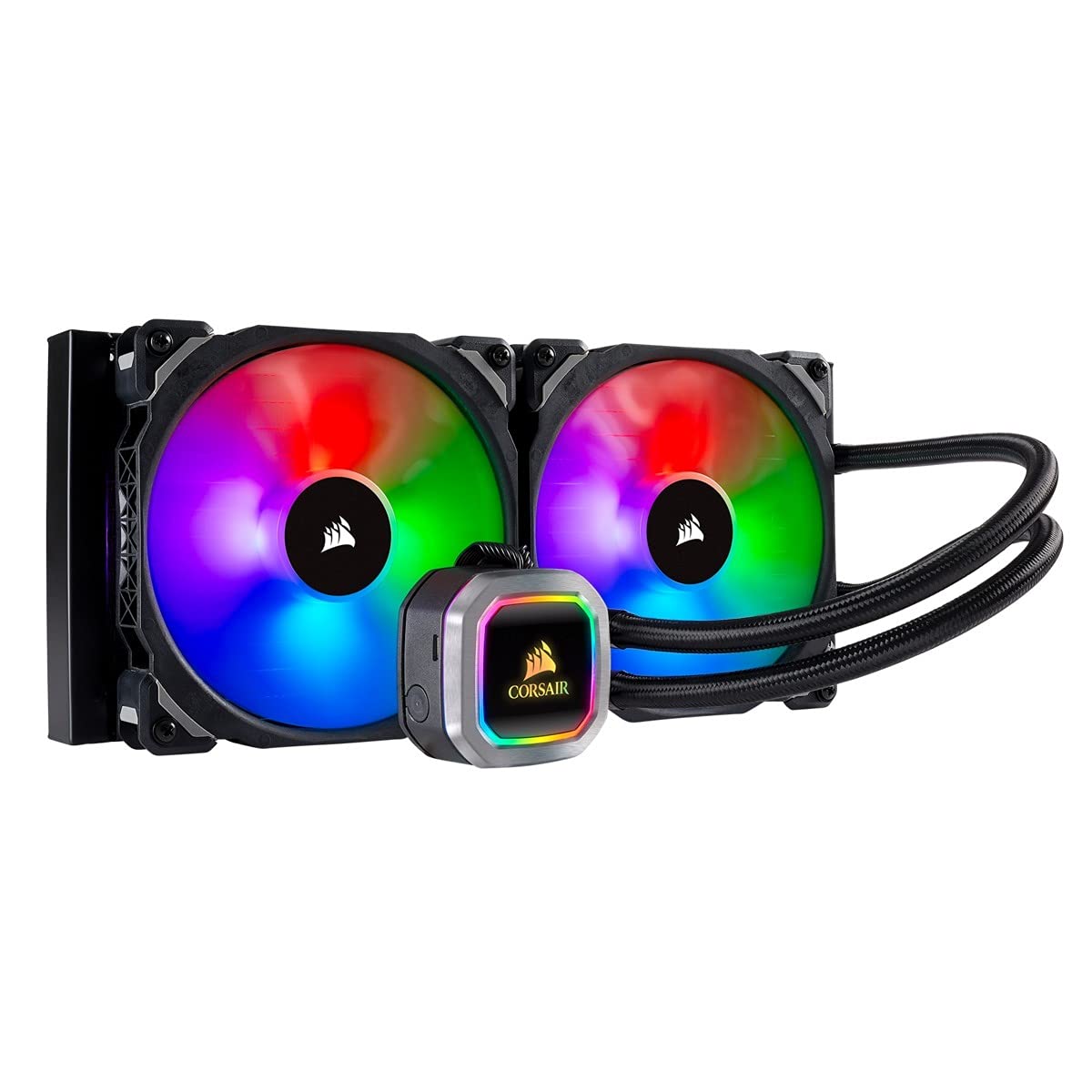
The CORSAIR Hydro Series H115i RGB PLATINUM is an all-in-one liquid CPU cooler with a 280mm radiator and vivid RGB lighting that’s built for extreme CPU cooling.
The CORSAIR Hydro Series H115i RGB PLATINUM is an all-in-one liquid CPU cooler with a 280mm radiator and vivid RGB lighting that’s built for extreme CPU cooling.
in 3 offers
The lowest price for Corsair Hydro Series H115i RGB Platinum 280mm Liquid CPU Cooler right now is $86.42 at eBay.com.au.
The all-time low was $55.48 on 4 June 2026 — today's price is 56% above the lowest ever. It has been notably cheaper before — worth setting a price alert.
Prices last updated 22 June 2026.
Corsair Hydro Series H115i RGB Platinum 280mm Liquid CPU Cooler
The CORSAIR Hydro Series H115i RGB PLATINUM is an all-in-one liquid CPU cooler with a 280mm radiator and vivid RGB lighting that’s built for extreme CPU cooling.
The CORSAIR Hydro Series H115i RGB PLATINUM is an all-in-one liquid CPU cooler with a 280mm radiator and vivid RGB lighting that’s built for extreme CPU cooling.
Last updated at 22/06/2026 23:08:47
For Cw-9060038-ww Corsair Hydro Series H115i Rgb Platinum;lga1700
Delivery $18.77
Affiliate Disclosure: We may receive a small commission for purchases made through this link at no extra cost to you. This helps support our site. Thank you!
Corsair Hydro Series H115i Rgb Platinum 280mm Liqid Cpu Cooler For Amd
Delivery $96.42
Affiliate Disclosure: We may receive a small commission for purchases made through this link at no extra cost to you. This helps support our site. Thank you!
Corsair Icue H115i Rgb Platinum 280mm Liquid Cpu Cooler Open Box
Delivery $109.97
Affiliate Disclosure: We may receive a small commission for purchases made through this link at no extra cost to you. This helps support our site. Thank you!
originally posted on neweggbusiness.com
I bought the Corsair H115i Platinum along with Corsair Vengeance Pro RGB RAM and a Corsair 4000X RGB case. The H115i can only be placed on the top if you have LPX profile memories, since that is only explained in the 4000X RGB manual, so I had to put it on the front. The problem is that according to Corsair the 4000X RGB accepts AIO 360 and 280mm in the front and it is like that, but the tubes are oriented upwards, because the tubes collide with PSU cover and the internal part of the front panel if you try to put down which is the correct way. In almost all webs, experts and other brands recommend not to place the AIOs in the front with the tubes facing upwards, since air bubbles accumulate and that erodes the useful life of the water cooling. So now I have a PC ... MoreI bought the Corsair H115i Platinum along with Corsair Vengeance Pro RGB RAM and a Corsair 4000X RGB case. The H115i can only be placed on the top if you have LPX profile memories, since that is only explained in the 4000X RGB manual, so I had to put it on the front. The problem is that according to Corsair the 4000X RGB accepts AIO 360 and 280mm in the front and it is like that, but the tubes are oriented upwards, because the tubes collide with PSU cover and the internal part of the front panel if you try to put down which is the correct way. In almost all webs, experts and other brands recommend not to place the AIOs in the front with the tubes facing upwards, since air bubbles accumulate and that erodes the useful life of the water cooling. So now I have a PC for my work that I can't use, and Corsair support didn't give me any answers to my request of RAM change or money back. Avoid Corsair, as you will only have problems. I will never buy any product of Corsir again and I will comment to each person who wants to buy this brand.
originally posted on bestbuy.com
I installed this cooler on an i7 9700K processor with a base clock of 3.6gz. I run it on Turbo at 4.9gz, so not really overclocked, but still pushing it somewhat. When the CPU is under the gun, usually Call of Duty - Modern Warfare 2019, it stays at a reasonably cool 63C. I have the RGB lighting set to turn red if it ever gets to 70C and I've never seen it red yet.I read several technical reviews before I bought this unit and they varied somewhat in their perspectives. For me, this unit is very quiet (fans set on quiet and cooler set on balanced) and keeps the CPU very cool at 63C.It's true their is a lot of wiring (for the RGB and the USB connection to use the RGB Fusion software) but they can easily be managed, even for a first-time builder like myself. ... MoreI installed this cooler on an i7 9700K processor with a base clock of 3.6gz. I run it on Turbo at 4.9gz, so not really overclocked, but still pushing it somewhat. When the CPU is under the gun, usually Call of Duty - Modern Warfare 2019, it stays at a reasonably cool 63C. I have the RGB lighting set to turn red if it ever gets to 70C and I've never seen it red yet.I read several technical reviews before I bought this unit and they varied somewhat in their perspectives. For me, this unit is very quiet (fans set on quiet and cooler set on balanced) and keeps the CPU very cool at 63C.It's true their is a lot of wiring (for the RGB and the USB connection to use the RGB Fusion software) but they can easily be managed, even for a first-time builder like myself. Installation was very easy, the RGB looks very nice and is highly programable and I really like the idea of setting and 'emergency color' if cooling becomes an issue.If you have a few extra dollars to spend on RGB, and you like that idea, I would recommend this unit. It keeps my processor cool and looks good doing it!
originally posted on microcenter.com
So this has been a bit of a journey. Install was easy in a suitable case, but when the system powered on, there was a slight "clattering" sound coming from the pump. After installing iCUE so I could control the speeds, the sound actually got much worse at the "quiet" setting. Oddly, when set to "extreme" speed, the pitch got slightly higher, but the clattering stopped completely. After playing with the system for a bit, tilting it to try and free any bubbled that might be trapped etc- and noticing how mechanically awful the pump sounded on "quiet" I returned for an exchange - this cant be normal.I tore my brand new build apart to get the radiator out, and had a hassle free exchange at the Denver Micro Center location (thanks guys!).Once home with the ... MoreSo this has been a bit of a journey. Install was easy in a suitable case, but when the system powered on, there was a slight "clattering" sound coming from the pump. After installing iCUE so I could control the speeds, the sound actually got much worse at the "quiet" setting. Oddly, when set to "extreme" speed, the pitch got slightly higher, but the clattering stopped completely. After playing with the system for a bit, tilting it to try and free any bubbled that might be trapped etc- and noticing how mechanically awful the pump sounded on "quiet" I returned for an exchange - this cant be normal.I tore my brand new build apart to get the radiator out, and had a hassle free exchange at the Denver Micro Center location (thanks guys!).Once home with the replacement, I put everything back together and got the EXACT same behavior - awful sound on "quiet", slight clattering on balanced, and a higher pitched but normal sounding "extreme."I again tried freeing any air, but the sound never changed. I eventually just left the pump on "extreme" as the sound isn't really audible with the case shut, and it doesn't sound like its tearing itself apart. Holding my breath on the lifespan of this one, but I didn't have any more time to tear the machine apart again as it was a Christmas present.Cooling performance on an i7 9700K is in the high 20's at idle and around 70c during Prime95 torture. Normal gaming never takes it over mid 60's.
| General | |
| Product Type | Processor liquid cooling system |
| Width | 14 cm |
| Depth | 32 cm |
| Height | 3 cm |
For Cw-9060038-ww Corsair Hydro Series H115i Rgb Platinum;lga1700
Delivery $18.77
Affiliate Disclosure: We may receive a small commission for purchases made through this link at no extra cost to you. This helps support our site. Thank you!
Corsair Hydro Series H115i Rgb Platinum 280mm Liqid Cpu Cooler For Amd
Delivery $96.42
Affiliate Disclosure: We may receive a small commission for purchases made through this link at no extra cost to you. This helps support our site. Thank you!
Corsair Icue H115i Rgb Platinum 280mm Liquid Cpu Cooler Open Box
Delivery $109.97
Affiliate Disclosure: We may receive a small commission for purchases made through this link at no extra cost to you. This helps support our site. Thank you!
I bought the Corsair H115i Platinum along with Corsair Vengeance Pro RGB RAM and a Corsair 4000X RGB case. The H115i can only be placed on the top if you have LPX profile memories, since that is only explained in the 4000X RGB manual, so I had to put it on the front. The problem is that according to Corsair the 4000X RGB accepts AIO 360 and 280mm in the front and it is like that, but the tubes are oriented upwards, because the tubes collide with PSU cover and the internal part of the front panel if you try to put down which is the correct way. In almost all webs, experts and other brands recommend not to place the AIOs in the front with the tubes facing upwards, since air bubbles accumulate and that erodes the useful life of the water cooling. So now I have a PC ... MoreI bought the Corsair H115i Platinum along with Corsair Vengeance Pro RGB RAM and a Corsair 4000X RGB case. The H115i can only be placed on the top if you have LPX profile memories, since that is only explained in the 4000X RGB manual, so I had to put it on the front. The problem is that according to Corsair the 4000X RGB accepts AIO 360 and 280mm in the front and it is like that, but the tubes are oriented upwards, because the tubes collide with PSU cover and the internal part of the front panel if you try to put down which is the correct way. In almost all webs, experts and other brands recommend not to place the AIOs in the front with the tubes facing upwards, since air bubbles accumulate and that erodes the useful life of the water cooling. So now I have a PC for my work that I can't use, and Corsair support didn't give me any answers to my request of RAM change or money back. Avoid Corsair, as you will only have problems. I will never buy any product of Corsir again and I will comment to each person who wants to buy this brand.
I installed this cooler on an i7 9700K processor with a base clock of 3.6gz. I run it on Turbo at 4.9gz, so not really overclocked, but still pushing it somewhat. When the CPU is under the gun, usually Call of Duty - Modern Warfare 2019, it stays at a reasonably cool 63C. I have the RGB lighting set to turn red if it ever gets to 70C and I've never seen it red yet.I read several technical reviews before I bought this unit and they varied somewhat in their perspectives. For me, this unit is very quiet (fans set on quiet and cooler set on balanced) and keeps the CPU very cool at 63C.It's true their is a lot of wiring (for the RGB and the USB connection to use the RGB Fusion software) but they can easily be managed, even for a first-time builder like myself. ... MoreI installed this cooler on an i7 9700K processor with a base clock of 3.6gz. I run it on Turbo at 4.9gz, so not really overclocked, but still pushing it somewhat. When the CPU is under the gun, usually Call of Duty - Modern Warfare 2019, it stays at a reasonably cool 63C. I have the RGB lighting set to turn red if it ever gets to 70C and I've never seen it red yet.I read several technical reviews before I bought this unit and they varied somewhat in their perspectives. For me, this unit is very quiet (fans set on quiet and cooler set on balanced) and keeps the CPU very cool at 63C.It's true their is a lot of wiring (for the RGB and the USB connection to use the RGB Fusion software) but they can easily be managed, even for a first-time builder like myself. Installation was very easy, the RGB looks very nice and is highly programable and I really like the idea of setting and 'emergency color' if cooling becomes an issue.If you have a few extra dollars to spend on RGB, and you like that idea, I would recommend this unit. It keeps my processor cool and looks good doing it!
So this has been a bit of a journey. Install was easy in a suitable case, but when the system powered on, there was a slight "clattering" sound coming from the pump. After installing iCUE so I could control the speeds, the sound actually got much worse at the "quiet" setting. Oddly, when set to "extreme" speed, the pitch got slightly higher, but the clattering stopped completely. After playing with the system for a bit, tilting it to try and free any bubbled that might be trapped etc- and noticing how mechanically awful the pump sounded on "quiet" I returned for an exchange - this cant be normal.I tore my brand new build apart to get the radiator out, and had a hassle free exchange at the Denver Micro Center location (thanks guys!).Once home with the ... MoreSo this has been a bit of a journey. Install was easy in a suitable case, but when the system powered on, there was a slight "clattering" sound coming from the pump. After installing iCUE so I could control the speeds, the sound actually got much worse at the "quiet" setting. Oddly, when set to "extreme" speed, the pitch got slightly higher, but the clattering stopped completely. After playing with the system for a bit, tilting it to try and free any bubbled that might be trapped etc- and noticing how mechanically awful the pump sounded on "quiet" I returned for an exchange - this cant be normal.I tore my brand new build apart to get the radiator out, and had a hassle free exchange at the Denver Micro Center location (thanks guys!).Once home with the replacement, I put everything back together and got the EXACT same behavior - awful sound on "quiet", slight clattering on balanced, and a higher pitched but normal sounding "extreme."I again tried freeing any air, but the sound never changed. I eventually just left the pump on "extreme" as the sound isn't really audible with the case shut, and it doesn't sound like its tearing itself apart. Holding my breath on the lifespan of this one, but I didn't have any more time to tear the machine apart again as it was a Christmas present.Cooling performance on an i7 9700K is in the high 20's at idle and around 70c during Prime95 torture. Normal gaming never takes it over mid 60's.
First impressions, box looked pretty nice, I like the use of recycled materials for the inside packaging, don’t need too fancy stuff after the first glance at the packaging that will go into the trash/recycle bin at the end of the day(better that its made out of recyclable material). If you are doing a whole build, I recommend looking at the cases along with the water cooling system in mind at the same time. For me when I do upgrades. Water cooling is another world, this is such a pleasure to work with. There are 2 variables to consider besides the fans, that is water temp and pump duty cycle. I will say let the software do its thing with the duty cycle, and focus on water temp. The way I setup my quite system is run the apps that I normally run, watch the temps of ... MoreFirst impressions, box looked pretty nice, I like the use of recycled materials for the inside packaging, don’t need too fancy stuff after the first glance at the packaging that will go into the trash/recycle bin at the end of the day(better that its made out of recyclable material). If you are doing a whole build, I recommend looking at the cases along with the water cooling system in mind at the same time. For me when I do upgrades. Water cooling is another world, this is such a pleasure to work with. There are 2 variables to consider besides the fans, that is water temp and pump duty cycle. I will say let the software do its thing with the duty cycle, and focus on water temp. The way I setup my quite system is run the apps that I normally run, watch the temps of the water, go back and tweak the fans to be working so that the water temp does not rise too much, then leave headroom for a benchmark like realbench, so the fans kick in and you do not go too high. I recommend using a mobo that has great config options for your fan headers, I did not really touch the Corsair software as the premium mobo fan header software does great job, and I was able to tweak everything I need that way, used few fan splitters and enough for whole case of fans. I did look at the software it is pretty configurable. I will say this about the Corsair software, they are improving things, I have lots of their products, and they seem to be headed into a good direction. I have been sold on water cooling systems for a while now, such as this H115i, so much so that I buy these for most of my systems, water does such a better job of absorbing those cpu spikes, and with some of these new high core count cpu’s you really need some serious cooling, even at stock speeds, and water cooling like the H115i deliver, otherwise if you go air expect your fans to spin up and down like a rollercoaster nonstop. I recommend this H115i series to just about anyone who knows how to build a system, if you buy with water cooling in mind then you will have a great experience for sure, and this RGB Platinum series is another step up aimed more so with premium parts and nice lighting. Is the price worth it? That all depends do you want performance and looks? Then yes, if you want plain performance at lower price point then no, go with any other plain vanilla H115i equivalent.
Just doesn't work. Idle CPU temps on my 3970X are 75C within a few minutes, eventually shutting down due to CPU overheat. I can't get their software to work or see any of the devices despite hours trying, and the pump and fans are all at minimum speeds as far as I can see. Update: I managed to force-update the firmware (it was stuck in a firmware update cycle), which almost helped. It managed to keep the 3970x at around 80C package temp for 10 minutes at full load, before the LEDs started flashing red, it decided the cooler temp was -7 degrees C, and switched off the pump and fans. The CPU then rapidly hit 95C, and the system shut down. I suspect this might be because the unit shipped only half-full of fluid, and air bubbles messed with its censors - or a bad ... MoreJust doesn't work. Idle CPU temps on my 3970X are 75C within a few minutes, eventually shutting down due to CPU overheat. I can't get their software to work or see any of the devices despite hours trying, and the pump and fans are all at minimum speeds as far as I can see. Update: I managed to force-update the firmware (it was stuck in a firmware update cycle), which almost helped. It managed to keep the 3970x at around 80C package temp for 10 minutes at full load, before the LEDs started flashing red, it decided the cooler temp was -7 degrees C, and switched off the pump and fans. The CPU then rapidly hit 95C, and the system shut down. I suspect this might be because the unit shipped only half-full of fluid, and air bubbles messed with its censors - or a bad connection for the thermal sensor, or maybe the software driving it is as utterly awful as the iCUE UI. I RMA'd this unit, bought a Noctua air cooler, and now I'm seeing consistent 65C package temps under full load, with absolutely zero noise. Literally the *only* downside of the Noctua is the fan overlaps the closest RAM slot, so I can only use 4 of the 8 available, but I have no plans to use the second 8 anyway. The big upside is I'm not going to be worrying about bad software frying my spendy CPU, or liquid leaking all over my case. Definitely not doing another Corsair AIO any time soon.
First of all the performance of this AIO is excellent. I have it on the new Intel i5 10600K and I've put it to the test. Keeps the CPU nice and cool now matter what. Ran games and CPU intensive crypto mining algorithms at the same time for hours, and the CPU temp never got high and fan speeds never got over 60%. Now, I mounted this in a Corsair case and my original intention was to go with a top mount; however, my Mobo's heat sink at the top was too big so I went with a front mount. The biggest thing to note is if you are going to mount this on an LGA 1200 socket (which Corsair says you can), you may have to actually cut the supplied screws a little shorter. The supplied screws were all too long to pull the brackets together tightly. The fix was a Dremel and about 2 ... MoreFirst of all the performance of this AIO is excellent. I have it on the new Intel i5 10600K and I've put it to the test. Keeps the CPU nice and cool now matter what. Ran games and CPU intensive crypto mining algorithms at the same time for hours, and the CPU temp never got high and fan speeds never got over 60%. Now, I mounted this in a Corsair case and my original intention was to go with a top mount; however, my Mobo's heat sink at the top was too big so I went with a front mount. The biggest thing to note is if you are going to mount this on an LGA 1200 socket (which Corsair says you can), you may have to actually cut the supplied screws a little shorter. The supplied screws were all too long to pull the brackets together tightly. The fix was a Dremel and about 2 minutes spent cutting the screws shorter. The only reason for the ding on one star is that if Corsair says the included hardware works with the LGA 1200, then it should. However, I would buy again, and if you have other iCUE RGB hardware, it's a no-brainer.
Ryzen 7 2700xBefore installing this, my temps barely ever got as low as 38 C on idle and would reach 65-70 C while gaming. After the install, it idles around 29-30 C and playing the same games it's only hitting 40 C! I have six 120mm intake fans with a very conservative fan curve, and I set the ml140s about the same. Now the only noise I really hear is is coming from the GPU.The reason for 4 stars is due toA) the power and rbg cables coming off the pump are an eyesore. They need to be sleeved like the coolant lines. Plus they are very long and make cable management a pain, especially if you have other RBG fans set up.B) Best Buy doesn't offer any kind of extended replacement plan for this product so if ANY part fails (fans, pump, coolant fittings leak) you have ... MoreRyzen 7 2700xBefore installing this, my temps barely ever got as low as 38 C on idle and would reach 65-70 C while gaming. After the install, it idles around 29-30 C and playing the same games it's only hitting 40 C! I have six 120mm intake fans with a very conservative fan curve, and I set the ml140s about the same. Now the only noise I really hear is is coming from the GPU.The reason for 4 stars is due toA) the power and rbg cables coming off the pump are an eyesore. They need to be sleeved like the coolant lines. Plus they are very long and make cable management a pain, especially if you have other RBG fans set up.B) Best Buy doesn't offer any kind of extended replacement plan for this product so if ANY part fails (fans, pump, coolant fittings leak) you have to contact the manufacturer.Install was not too difficult, just be sure have a plan on how you will route all the cables before you start tightening everything down.
I have had this product since last week. The AIO itself works perfectly along with all the RGB effects. The problem is the controlling software they expect you to use. The problems vary widely depending on your system and who you are when using ICUE. Anything from System hang-ups to BSOD has been reported. So let's talk about the issues specific to meBrand New Build, Brand new components. Everything would work flawlessly up until I would attempt to download ICUE. My system all of a sudden starts to lock up and [persistent restart and shut down issues occur. I installed ICUE 5 times, I had to reinstall windows on my machine all 5 times. At one point one of the system hang-ups causes me to force shut down my machine, which in turn cause Windows to become unbeatable, ... MoreI have had this product since last week. The AIO itself works perfectly along with all the RGB effects. The problem is the controlling software they expect you to use. The problems vary widely depending on your system and who you are when using ICUE. Anything from System hang-ups to BSOD has been reported. So let's talk about the issues specific to meBrand New Build, Brand new components. Everything would work flawlessly up until I would attempt to download ICUE. My system all of a sudden starts to lock up and [persistent restart and shut down issues occur. I installed ICUE 5 times, I had to reinstall windows on my machine all 5 times. At one point one of the system hang-ups causes me to force shut down my machine, which in turn cause Windows to become unbeatable, and wiped my whole move and tv show library I had. Something around 6TB of Data gone just like that. I have never experience anything like what I experience when attempting to use or download ICUE. I have gone software by software to ensure it is infact ICUE and at one point my system started to hang before I even installed it. All I did was download the MSI. Sadly you need the software in order to take the fan mode out of Quiet Mode and at least into a balanced mood. I actually don't care about changing the LED pattern as I am fine with the original pattern. I do need to change the fan speeds and can't do so without the software. It makes no sense why the AIO is shipped on Quiet mode and note at least balanced considering most people would be using this in a balanced way. My system has consistently crashed because of it and while I love the AIO the frustration that came with it and its software were not worth the 170$ asking price.All i am asking from Corsair is for them to actually care about their software development and QA process and make sure they are actually addressing bugs in their software. Because even after all this time their forum is filled with people experiencing a wide range of issues. That list now includes me.
This one backplate is used to mount a whole bunch of different sockets, but didn't fit my Intel socket 1200 mounting holes out of the box. What the vague instructions don't tell you (and what isn't obvious at first) is that the attached screw posts slide back-and-forth on the ends of the backplate to adjust to your board. I really do like the iCue software which gives you a lot of control, but its required to operate the H115i outside of its default settings, so if you've already got other proprietary RGB apps, having another one could be tiresome. iCue also lets you see data from your H115i like coolant temp and pump & fan RPM which is a plus. Though they're some of the most expensive you can buy, I separately purchased two, two-packs of matching 140mm ML RGB fans ... MoreThis one backplate is used to mount a whole bunch of different sockets, but didn't fit my Intel socket 1200 mounting holes out of the box. What the vague instructions don't tell you (and what isn't obvious at first) is that the attached screw posts slide back-and-forth on the ends of the backplate to adjust to your board. I really do like the iCue software which gives you a lot of control, but its required to operate the H115i outside of its default settings, so if you've already got other proprietary RGB apps, having another one could be tiresome. iCue also lets you see data from your H115i like coolant temp and pump & fan RPM which is a plus. Though they're some of the most expensive you can buy, I separately purchased two, two-packs of matching 140mm ML RGB fans for my case to match the H115i. The ML fan two-packs each come with an iCue RGB controller that will handle six iCue RGB fans, so I let the H115i handle the PWM control for the radiator fans, and used one of the iCue RGB controllers for the lighting. For the PWM control on the other 4 ML case fans, I used the PWM fan hub built into my Meshify 2, but if your case doesn't have a PWM hub, you'll either need to find enough PWM headers on your board, or purchase a separate PWM hub. The H115i and the iCue controller that comes separately with the fan packs, each requires a separate USB 2.0 header, though each only use one serial data pair. It would be nice if you could re-pin the two connectors into one, to take advantage of both serial data pairs on one header and free up one whole USB header, but the H115i taps both of the +5v current leads on its header plug. I really don't know why its necessary for the H115i to tap both 5v power leads, since the unit is also connected to SATA power. (Oh yeah, the H115i and the iCue controller each requires SATA power too.) After getting everything working and tucked away, I would absolutely build this setup again and recommend it to anyone.
I bought this to replace a 120mm cooler that has never been able to keep my CPU cool even under no load situations. A stress test would result in almost immediate thermal throttling. I received this AIO yesterday and after inspection, installed today. It was a very straight forward install as the intel bracket is preinstalled on the pump and everything went together very nicely. As mentioned the USB cable for pump control was a little bit short for where I would have preferred to route it in my case, but it was long enough to get the job done. I already had ICue software installed for the Corsair lighting hub I use. I generally did not use it though because it and my ASUS software did not seem to get along very well. After installing this AIO my lighting seems to be ... MoreI bought this to replace a 120mm cooler that has never been able to keep my CPU cool even under no load situations. A stress test would result in almost immediate thermal throttling. I received this AIO yesterday and after inspection, installed today. It was a very straight forward install as the intel bracket is preinstalled on the pump and everything went together very nicely. As mentioned the USB cable for pump control was a little bit short for where I would have preferred to route it in my case, but it was long enough to get the job done. I already had ICue software installed for the Corsair lighting hub I use. I generally did not use it though because it and my ASUS software did not seem to get along very well. After installing this AIO my lighting seems to be working better and does not appear to be having the issues I experienced before. I ran a stress test (AIDA64) with my previous settings and had no issue with thermal throttling, and the CPU remained well within its temp range. I applied an auto tune through ASUS software as I'm not an overclocking expert and had no issues while running the stress test for 10 minutes. After checking many reviews of coolers and knowing my normal usage habits this cooler made real good sense. I am not crazily over clocking nor am I generally doing anything that should have overtaxed the smaller cooler, but now I have the piece of mind that my CPU is not getting crispy while its sitting there idling. I've purchased a second one for my daughter's computer build and hopefully will have the same results with it. ASUS 501 Case ASUS TUF Gaming Z390 Plus Intel® Core™ i5-9600KF Processor @ 4700 32GB G Skill Trident Z GTX 1660 Super
| General | |
| Product Type | Processor liquid cooling system |
| Width | 14 cm |
| Depth | 32 cm |
| Height | 3 cm |