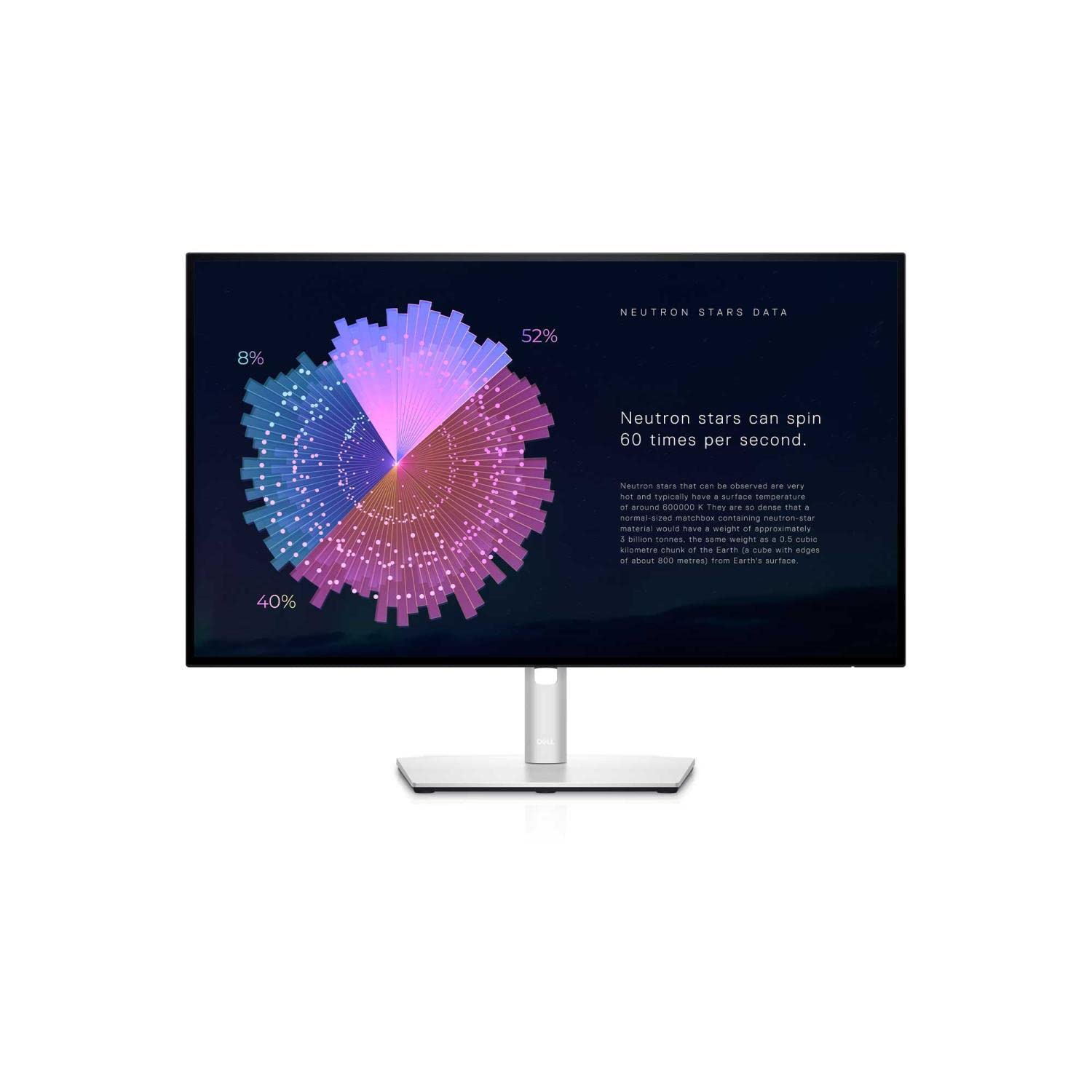
Panel Type: IPS - Resolution: QHD 2560x1440 - Aspect Ratio: 16:9 - Refresh Rate: 60Hz - Response Time: 8ms(GtG Normal), 5ms (GtG Fast) - Brightness: 350cd/m2 - Contrast Ratio: 1000:1 - I/O Ports: HDMI, DisplayPort, USB-C - Tilt, Swivel - Anti-Glare
Panel Type: IPS - Resolution: QHD 2560x1440 - Aspect Ratio: 16:9 - Refresh Rate: 60Hz - Response Time: 8ms(GtG Normal), 5ms (GtG Fast) - Brightness: 350cd/m2 - Contrast Ratio: 1000:1 - I/O Ports: HDMI, DisplayPort, USB-C - Tilt, Swivel - Anti-Glare
in 1 offers
The lowest price for Dell UltraSharp U2722DE 27in QHD IPS Monitor With USB-C Hub right now is $1,427.11 at eBay.com.au.
The all-time low was $219.00 on 27 May 2026 — today's price is 552% above the lowest ever. It has been notably cheaper before — worth setting a price alert.
Prices last updated 14 July 2026.
Dell UltraSharp U2722DE 27in QHD IPS Monitor With USB-C Hub
Panel Type: IPS - Resolution: QHD 2560x1440 - Aspect Ratio: 16:9 - Refresh Rate: 60Hz - Response Time: 8ms(GtG Normal), 5ms (GtG Fast) - Brightness: 350cd/m2 - Contrast Ratio: 1000:1 - I/O Ports: HDMI, DisplayPort, USB-C - Tilt, Swivel - Anti-Glare
Panel Type: IPS - Resolution: QHD 2560x1440 - Aspect Ratio: 16:9 - Refresh Rate: 60Hz - Response Time: 8ms(GtG Normal), 5ms (GtG Fast) - Brightness: 350cd/m2 - Contrast Ratio: 1000:1 - I/O Ports: HDMI, DisplayPort, USB-C - Tilt, Swivel - Anti-Glare
Last updated at 14/07/2026 05:38:08
Dell U2722de Ultrasharp Led-screen 27"
Free delivery
Affiliate Disclosure: We may receive a small commission for purchases made through this link at no extra cost to you. This helps support our site. Thank you!
originally posted on dell.com
The Dell U2722DE UltraSharp Monitor has transformed my student experience. With vibrant visuals, USB-C connectivity, and an adjustable design, it's the perfect upgrade for any student.The 27-inch display delivers stunning visuals for studying and multimedia. The USB-C connection simplifies my setup, charging my laptop while providing seamless device connectivity.The adjustable stand ensures ergonomic comfort during long study sessions. It's a must-have for students seeking enhanced productivity and an immersive viewing experience.In summary, the Dell U2722DE UltraSharp Monitor is an essential upgrade that has elevated my student setup. Its impressive features make studying and multimedia tasks a breeze.
originally posted on dell.com
The package arrived via FedEx next day in pristine condition. Setup was easy with the joystick, easier if you download Dell Display Manager from Dell. Superb monitor in every way over my trusty UltraSharp 2007FP, which has since been relegated to bill pay duty on my downstairs pc. Scaling it to my eyes at a comfortable viewing distance took several days. My IOL implants are set up for mini-monovision so I sacrifice a little sharpness at both ends. For me, optimum viewing distance is around 30", custom scale 138%, text size 112% (Windows 11). I found the default brightness at 75% too bright and adjusted it down to 60%. Miss the side mount USB ports of the 2007FP, but understand why Dell did away with it. Shipping with no HDMI cable was no problem as I have ... MoreThe package arrived via FedEx next day in pristine condition. Setup was easy with the joystick, easier if you download Dell Display Manager from Dell. Superb monitor in every way over my trusty UltraSharp 2007FP, which has since been relegated to bill pay duty on my downstairs pc. Scaling it to my eyes at a comfortable viewing distance took several days. My IOL implants are set up for mini-monovision so I sacrifice a little sharpness at both ends. For me, optimum viewing distance is around 30", custom scale 138%, text size 112% (Windows 11). I found the default brightness at 75% too bright and adjusted it down to 60%. Miss the side mount USB ports of the 2007FP, but understand why Dell did away with it. Shipping with no HDMI cable was no problem as I have accumulated many over the years. Overall just a beautiful monitor, very happy with it.
originally posted on dell.com
Excellent monitor. Sharp and bright. 27" is really helpful. It shows much more on the screen and you do not need to scroll to the side to see additional views. The screen is also much easier on the eyes. It includes plenty of usb ports. Includes usb c power distribution which helps temendously with mobile devices. A really nice feature of the monitor is the built in KVM switch. I do have two desktops connected to it and only use 1 keyboard and 1 mouse to control both. Very helpful. Another feature of the monitor is the included rj 45 for network connections. This also works well but in my case my swithc is very close so I wound up not using it. I do use two monitors side by side and intially thought the 27" was too big but I think I will replace my 24" with an ... MoreExcellent monitor. Sharp and bright. 27" is really helpful. It shows much more on the screen and you do not need to scroll to the side to see additional views. The screen is also much easier on the eyes. It includes plenty of usb ports. Includes usb c power distribution which helps temendously with mobile devices. A really nice feature of the monitor is the built in KVM switch. I do have two desktops connected to it and only use 1 keyboard and 1 mouse to control both. Very helpful. Another feature of the monitor is the included rj 45 for network connections. This also works well but in my case my swithc is very close so I wound up not using it. I do use two monitors side by side and intially thought the 27" was too big but I think I will replace my 24" with an additional 27" of the same model as it is much brighter and easier on my eyes.
Dell U2722de Ultrasharp Led-screen 27"
Free delivery
Affiliate Disclosure: We may receive a small commission for purchases made through this link at no extra cost to you. This helps support our site. Thank you!
The Dell U2722DE UltraSharp Monitor has transformed my student experience. With vibrant visuals, USB-C connectivity, and an adjustable design, it's the perfect upgrade for any student.The 27-inch display delivers stunning visuals for studying and multimedia. The USB-C connection simplifies my setup, charging my laptop while providing seamless device connectivity.The adjustable stand ensures ergonomic comfort during long study sessions. It's a must-have for students seeking enhanced productivity and an immersive viewing experience.In summary, the Dell U2722DE UltraSharp Monitor is an essential upgrade that has elevated my student setup. Its impressive features make studying and multimedia tasks a breeze.
The package arrived via FedEx next day in pristine condition. Setup was easy with the joystick, easier if you download Dell Display Manager from Dell. Superb monitor in every way over my trusty UltraSharp 2007FP, which has since been relegated to bill pay duty on my downstairs pc. Scaling it to my eyes at a comfortable viewing distance took several days. My IOL implants are set up for mini-monovision so I sacrifice a little sharpness at both ends. For me, optimum viewing distance is around 30", custom scale 138%, text size 112% (Windows 11). I found the default brightness at 75% too bright and adjusted it down to 60%. Miss the side mount USB ports of the 2007FP, but understand why Dell did away with it. Shipping with no HDMI cable was no problem as I have ... MoreThe package arrived via FedEx next day in pristine condition. Setup was easy with the joystick, easier if you download Dell Display Manager from Dell. Superb monitor in every way over my trusty UltraSharp 2007FP, which has since been relegated to bill pay duty on my downstairs pc. Scaling it to my eyes at a comfortable viewing distance took several days. My IOL implants are set up for mini-monovision so I sacrifice a little sharpness at both ends. For me, optimum viewing distance is around 30", custom scale 138%, text size 112% (Windows 11). I found the default brightness at 75% too bright and adjusted it down to 60%. Miss the side mount USB ports of the 2007FP, but understand why Dell did away with it. Shipping with no HDMI cable was no problem as I have accumulated many over the years. Overall just a beautiful monitor, very happy with it.
Excellent monitor. Sharp and bright. 27" is really helpful. It shows much more on the screen and you do not need to scroll to the side to see additional views. The screen is also much easier on the eyes. It includes plenty of usb ports. Includes usb c power distribution which helps temendously with mobile devices. A really nice feature of the monitor is the built in KVM switch. I do have two desktops connected to it and only use 1 keyboard and 1 mouse to control both. Very helpful. Another feature of the monitor is the included rj 45 for network connections. This also works well but in my case my swithc is very close so I wound up not using it. I do use two monitors side by side and intially thought the 27" was too big but I think I will replace my 24" with an ... MoreExcellent monitor. Sharp and bright. 27" is really helpful. It shows much more on the screen and you do not need to scroll to the side to see additional views. The screen is also much easier on the eyes. It includes plenty of usb ports. Includes usb c power distribution which helps temendously with mobile devices. A really nice feature of the monitor is the built in KVM switch. I do have two desktops connected to it and only use 1 keyboard and 1 mouse to control both. Very helpful. Another feature of the monitor is the included rj 45 for network connections. This also works well but in my case my swithc is very close so I wound up not using it. I do use two monitors side by side and intially thought the 27" was too big but I think I will replace my 24" with an additional 27" of the same model as it is much brighter and easier on my eyes.
Actually, it would be 4 1/2 stars. I was looking for a 27" external display to use with my new MacBook Pro M1 14" (MBP). My main use is emails and the MS Office suite for personal home use. My first criteria were sharpness of texts (fonts) and a smooth display. After four days of reading reviews and recommendations, I purchased a well-referenced 4k display from a competitor, as it is amply reported that 4k provides sharper display rendition. That is true for photos and videos, outstanding actually, but not the case for texts in Words, numbers in Excel, etc. I have returned the display and spent another 4 days looking for a UHD/QHD type display and settled for the Dell UltraSharp 27 Monitor - U2722D. Photos and videos are sharp and colourful for my layman use. As ... MoreActually, it would be 4 1/2 stars. I was looking for a 27" external display to use with my new MacBook Pro M1 14" (MBP). My main use is emails and the MS Office suite for personal home use. My first criteria were sharpness of texts (fonts) and a smooth display. After four days of reading reviews and recommendations, I purchased a well-referenced 4k display from a competitor, as it is amply reported that 4k provides sharper display rendition. That is true for photos and videos, outstanding actually, but not the case for texts in Words, numbers in Excel, etc. I have returned the display and spent another 4 days looking for a UHD/QHD type display and settled for the Dell UltraSharp 27 Monitor - U2722D. Photos and videos are sharp and colourful for my layman use. As required, text sharpness is up there to office use standard and actually better than the ones used in the office. I do not detect loss in quality around the edges. It is very soft on my eyes, a big plus for me. The 4K was just too aggressive. The display can be adjusted with a toggle switch located at the bottom back, right-hand side. Left-handers may find this annoying. There are five adjustment menus and multiple sub-menus, but there may be insufficient options for demanding users. The plastic aluminum looking foot looks good with the MBP and is stable. I am overall very satisfied with the display, but for two exceptions, hence the half-star loss. First, the display does not swivel horizontally, which is annoying when plugging/unplugging cables. Yes, it flips to a vertical position, but that is not sufficient for an easy access to the bottom of the display. Second, although there are sufficient connection options, I would have liked to have an RJ-45 hookup, as portables often do not have one. So, you lose a USB connection to allow for your internet hookup. At that price point, I believe that the swivel and RJ-45 connection options should be present nowadays. I would certainly recommend the display to a friend
I purchased a camera during the pandemic and started to work on photography as a hobby. I didn’t know how much difference a monitor makes until I received this one. Since then, I am so looking forward to the PC I purchased with it to come along. The monitor itself makes my pictures look incredibly better, I am looking forward to see them with a new video card. Much, much better than I expected. I also love the USB connectivity for my external drives and camera. When I purchased the monitor I really didn’t pay attention to the description so this was a bonus for me. I was mainly looking for better definition image but the convenience of these ports elevated my desk experience. Very happy with this purchase
I reluctantly replaced my 27" iMac with a Mac Mini. I say reluctantly as, although it could no longer be updated/was slow, it's still a beautiful bit of kit.Moving to a Mini meant myriad monitor options. There's the macOS hand-wringing over upscaling, 4K compatibility etc. Upshot was I wanted a 109 dpi monitor (same as old iMac) that plays nice with macOS so as to avoid fiddling about with settings on a 4K, 27" unit.I settled on Dell's U2722DE. Although the panel is nice enough/nothing special, its mounting in the display housing is pretty poor with a widening gap along the bottom of the screen. This is particularly bad above the LED status indicator.I supplied photos to Dell who fed back that this fell short of its expectations. I had another sent out, but ... MoreI reluctantly replaced my 27" iMac with a Mac Mini. I say reluctantly as, although it could no longer be updated/was slow, it's still a beautiful bit of kit.Moving to a Mini meant myriad monitor options. There's the macOS hand-wringing over upscaling, 4K compatibility etc. Upshot was I wanted a 109 dpi monitor (same as old iMac) that plays nice with macOS so as to avoid fiddling about with settings on a 4K, 27" unit.I settled on Dell's U2722DE. Although the panel is nice enough/nothing special, its mounting in the display housing is pretty poor with a widening gap along the bottom of the screen. This is particularly bad above the LED status indicator.I supplied photos to Dell who fed back that this fell short of its expectations. I had another sent out, but this was worse still, with glue visible in the gap above the LED and the panel was not set flat/flush within the housing. It had a wobbly stand, too.You can control brightness etc., by installing the Dell Device Manager software on your Mac. However, I wouldn't bother as this seems to have a kind of memory leak going on in macOS. The WindowServer process on my Mini was gobbling up more and more of the 16GB of RAM. Googling returned several results identifying the Dell software as the culprit. So, after quitting the app, hey presto, WindowServer memory usage is stable, rising/falling slightly, as expected.Finally, I purchased in March 2023. I was surprised to see that both of the units shipped were manufactured in July 2022. 8 months seems a long time for IT stock to be kicking around, so perhaps these are not selling that well at the premium price point. After having had two of them, I can understand why.
I was someone that always used a duel 22” monitor setup for work. Now that I have this 27”, I no longer have a need for two monitors. The size may be smaller than using the two monitors, but the resolution, color and clarity of this monitor makes it worlds better for not only my eyes but my productivity.I also love the fact that you can eliminate your docking station and clean up your desk area. The USBc connectivity makes it incredibly easy to just plug and go, and with all the ports the monitor provides I can have everything I need by my side.It’s had to believe how far the monitor technology has come in the last few years and I have to say this is by far the best monitor I’ve used to date. I would highly recommend this model and size to anyone that is ... MoreI was someone that always used a duel 22” monitor setup for work. Now that I have this 27”, I no longer have a need for two monitors. The size may be smaller than using the two monitors, but the resolution, color and clarity of this monitor makes it worlds better for not only my eyes but my productivity.I also love the fact that you can eliminate your docking station and clean up your desk area. The USBc connectivity makes it incredibly easy to just plug and go, and with all the ports the monitor provides I can have everything I need by my side.It’s had to believe how far the monitor technology has come in the last few years and I have to say this is by far the best monitor I’ve used to date. I would highly recommend this model and size to anyone that is currently in the market for a new display.With all the great things this display has to offer the best part is that it’s a Dell product, so you know you are getting top of the line quality and the outstanding support that they offer. I have been a fan of Dell products for a long time and have never been disappointed, and this monitor just reinforces my feelings about the company and its products.
The Dell UltraSharp 27 Monitor U2722D is truly a remarkable display. From the moment you power it on, you'll be blown away by the incredible display quality. The colors are rich and vibrant, and the picture is incredibly sharp and clear. Whether you're working on a design project, watching video, or just using general productivity apps, this monitor provides an excellent viewing experience.One of the things that really sets the Dell UltraSharp 27 Monitor U2722D apart from other monitors is its impressive resolution of 2560 x 1440 aka 2K/QHD. This means that you'll be able to see every detail of your work or media.Another standout feature of this monitor is its design. The Dell UltraSharp 27 Monitor U2722D has a sleek and modern look, with thin bezels and a slim ... MoreThe Dell UltraSharp 27 Monitor U2722D is truly a remarkable display. From the moment you power it on, you'll be blown away by the incredible display quality. The colors are rich and vibrant, and the picture is incredibly sharp and clear. Whether you're working on a design project, watching video, or just using general productivity apps, this monitor provides an excellent viewing experience.One of the things that really sets the Dell UltraSharp 27 Monitor U2722D apart from other monitors is its impressive resolution of 2560 x 1440 aka 2K/QHD. This means that you'll be able to see every detail of your work or media.Another standout feature of this monitor is its design. The Dell UltraSharp 27 Monitor U2722D has a sleek and modern look, with thin bezels and a slim profile. It will fit seamlessly into any workspace, and its adjustable stand allows you to find the perfect viewing angle.Overall, I would highly recommend the Dell UltraSharp 27 Monitor U2722D to anyone who is looking for a top-of-the-line display. It's truly the nicest monitor that I've ever personally used, and I was thrilled to discover it after first seeing it in use by Solidworks engineers with Dell Precision workstations. I knew I had to get a pair of them for myself.Whether you're a designer, engineer, or just someone who appreciates a high-quality display, the Dell UltraSharp 27 Monitor U2722D is an excellent choice.I also added a Dell Slim Conferencing Soundbar – SB522A which is built for this display and attaches on the bottom edge of the display by magnets. I also really like my customized dual monitor mount which is attached to the underside of my desk.
I had been shopping for a USB-C hub to provide connectivity to my new Latitude 5520. The better hubs are expensive, the ones not only capable of connecting multiple external displays, but also capable of charging the Latitude, having an RJ45 network port, HDMI, Display Port, USB ports etc. In my search I happened upon the Ultrasharp U2722DE monitor with a built in USB-C hub and had an "Ah Ha" moment because it could do everything that I wanted for only slightly more than a hub. Using the included USB-C cable the Latitude could connect to the monitor while at the same time charging. The hub built into the monitor provides the latest in connectivity options including an RJ45 network port, upstream and downstream USB-C ports, DisplayPort Out, USB SuperSpeed ports, ... MoreI had been shopping for a USB-C hub to provide connectivity to my new Latitude 5520. The better hubs are expensive, the ones not only capable of connecting multiple external displays, but also capable of charging the Latitude, having an RJ45 network port, HDMI, Display Port, USB ports etc. In my search I happened upon the Ultrasharp U2722DE monitor with a built in USB-C hub and had an "Ah Ha" moment because it could do everything that I wanted for only slightly more than a hub. Using the included USB-C cable the Latitude could connect to the monitor while at the same time charging. The hub built into the monitor provides the latest in connectivity options including an RJ45 network port, upstream and downstream USB-C ports, DisplayPort Out, USB SuperSpeed ports, audio line out, and additional ports that I use to connect an external mouse and keyboard, and charge my iPhone. And the monitor itself is outstanding. I now only need a single cable to connect and charge, doing away with the unsightly tangle of cables. I give the U2722DE my highest recommendation.
I ordered two of these monitors, and have been quite happy with them so far. They came at a reasonable price - and it is nice that you can get it both in a version that has the built in docking station stuff - or does not have the docking station stuff (saving about $100). Since I'm on a large desktop computer, I didn't need the docking station parts.Both monitors arrived perfect, no dead pixels. They were shipped quickly, though Fedex lost one of them for a couple of days.A feature of these that is a bit under-advertised, you can daisy chain two of these monitors together at their native resolution, if you use display port. So, display port from your computer to monitor 1, then displayport from monitor 1 to monitor 2. An extra bonus with these configuration - ... MoreI ordered two of these monitors, and have been quite happy with them so far. They came at a reasonable price - and it is nice that you can get it both in a version that has the built in docking station stuff - or does not have the docking station stuff (saving about $100). Since I'm on a large desktop computer, I didn't need the docking station parts.Both monitors arrived perfect, no dead pixels. They were shipped quickly, though Fedex lost one of them for a couple of days.A feature of these that is a bit under-advertised, you can daisy chain two of these monitors together at their native resolution, if you use display port. So, display port from your computer to monitor 1, then displayport from monitor 1 to monitor 2. An extra bonus with these configuration - if you change the settings on one of the monitors - say brightness - the other monitor sees the change, and immediately duplicates the settings change. You also don't need as many cables, and, don't need two display port outputs on your computer. (Assuming your video card is a new enough revision of display port to support chaining - most are these days)Two of these are plenty wide - I wouldn't want to be much wider.But the improvement in resolution and clarity over my old 24" monitor that only did 1920x1080 is very nice.I do wish they would keep a USB connection on the side of the monitor however - the only accessible ones (that aren't buried behind the monitor) are on the bottom, which is impossible to see - have to use it by feel.