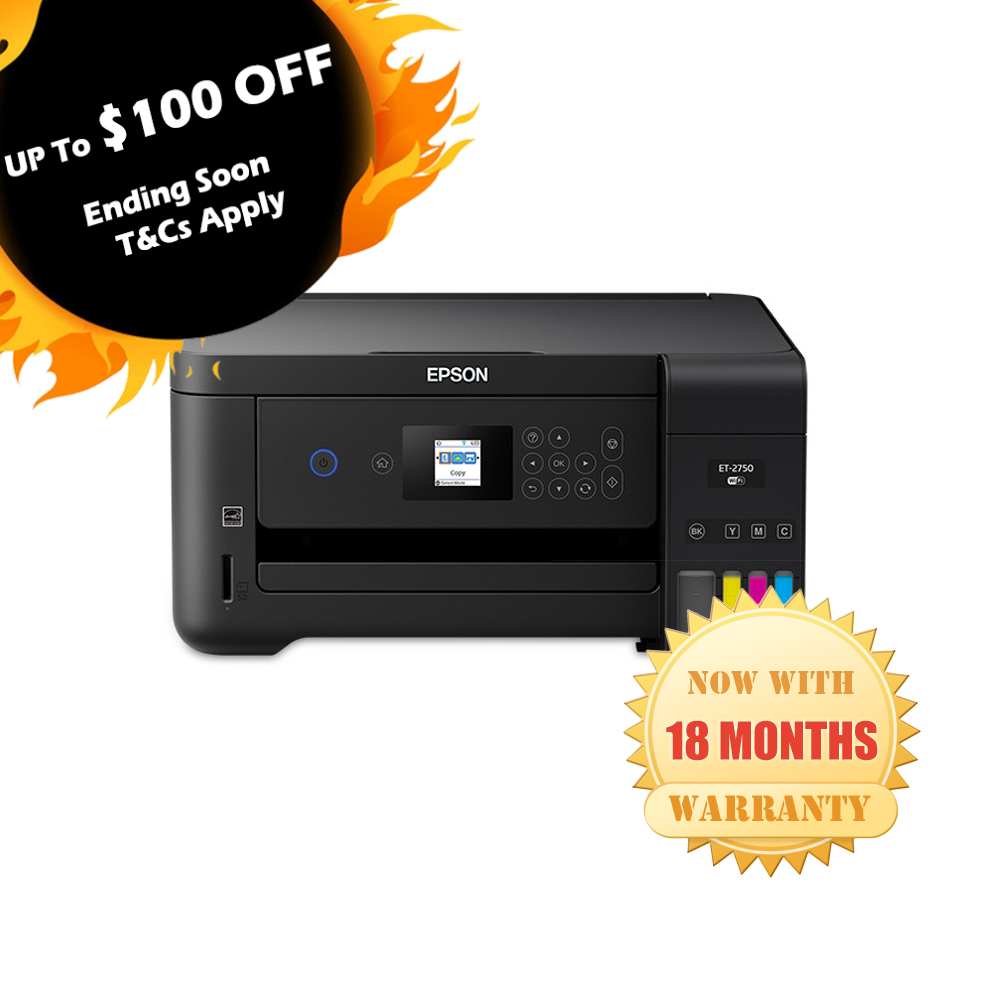
The Epson Expression ET-2750 EcoTank is a versatile, wireless color all-in-one printer designed to streamline your home or office tasks. With its revolutionary supertank technology, you enjoy cartridge-free printing and incredible savings on ink costs. Perfect for printing, scanning, and copying, this high-efficiency printer ensures quality performance without compromise. Key features: wireless connectivity, auto-duplex printing, and compatibility with smart devices. Transform your printing experience with eco-friendly innovation that delivers lasting value.
The Epson Expression ET-2750 EcoTank is a versatile, wireless color all-in-one printer designed to streamline your home or office tasks. With its revolutionary supertank technology, you enjoy cartridge-free printing and incredible savings on ink costs. Perfect for printing, scanning, and copying, this high-efficiency printer ensures quality performance without compromise. Key features: wireless connectivity, auto-duplex printing, and compatibility with smart devices. Transform your printing experience with eco-friendly innovation that delivers lasting value.
in 3 offers
The lowest price for Epson ET-2750 EcoTank Expression Colour Inkjet Printer right now is $100.00 at eBay.com.au, compared across 3 retailers.
The all-time low was $100.00 on 15 Aug 2026. That's the lowest price we've ever tracked — a great time to buy.
Prices last updated 15 Aug 2026.
Epson ET-2750 EcoTank Expression Colour Inkjet Printer
The Epson Expression ET-2750 EcoTank is a versatile, wireless color all-in-one printer designed to streamline your home or office tasks. With its revolutionary supertank technology, you enjoy cartridge-free printing and incredible savings on ink costs. Perfect for printing, scanning, and copying, this high-efficiency printer ensures quality performance without compromise. Key features: wireless connectivity, auto-duplex printing, and compatibility with smart devices. Transform your printing experience with eco-friendly innovation that delivers lasting value.
The Epson Expression ET-2750 EcoTank is a versatile, wireless color all-in-one printer designed to streamline your home or office tasks. With its revolutionary supertank technology, you enjoy cartridge-free printing and incredible savings on ink costs. Perfect for printing, scanning, and copying, this high-efficiency printer ensures quality performance without compromise. Key features: wireless connectivity, auto-duplex printing, and compatibility with smart devices. Transform your printing experience with eco-friendly innovation that delivers lasting value.
Last updated at 15/08/2026 18:16:52
Epson EcoTank ET-2750 A4 Multifunction Color Inkjet Printer Wifi Inks Ok, Prints
Affiliate Disclosure: We may receive a small commission for purchases made through this link at no extra cost to you. This helps support our site. Thank you!
Epson ET2750 Inkjet MFP
Free delivery
Epson ET2750 Inkjet MFP
Free delivery
originally posted on ebay.com
Bad news--good news I'm now on my third one in less than two years. I'm about to buy my fourth. BUT that's probably because I seem to be incapable of learning from experience. I'm a sucker for the ink tanks and they ARE a great deal and last nearly forever. And if they ever run out replacement ink is also a bargain That's the end of the good news (regarding all of the problems below DO NOT waste your time talking to Epson tech folks.. They were worthless and couldn't be of any help whatsoever. You'll do nothing but waste an hour of your time, get really frustrated and might just end up with a blood clot.) Here's the bad news. With ALL THREE of the 2750 printers I've bought, the IDENTICAL problem has occurred. After about 5-6 months of fairly heavy use (but not ... MoreBad news--good news I'm now on my third one in less than two years. I'm about to buy my fourth. BUT that's probably because I seem to be incapable of learning from experience. I'm a sucker for the ink tanks and they ARE a great deal and last nearly forever. And if they ever run out replacement ink is also a bargain That's the end of the good news (regarding all of the problems below DO NOT waste your time talking to Epson tech folks.. They were worthless and couldn't be of any help whatsoever. You'll do nothing but waste an hour of your time, get really frustrated and might just end up with a blood clot.) Here's the bad news. With ALL THREE of the 2750 printers I've bought, the IDENTICAL problem has occurred. After about 5-6 months of fairly heavy use (but not nearly enough use to use up any of the ink tanks--not even half) in EVERY CASE the color inks stopped printing properly--and that's an understatement--total color salad on every try. There is no way to cure this with the printer tools. So after that, what you have is a perfectly good black and white printer and that's what I've done with my old ones--set them up for black ink printing, which we do a lot of. So not a total loss. Here's the other bad news. The screen isn't as large as most postage stamps. Unless you think you can read a symbol that isn't much larger than a pin-head you'd better get a magnifying glass (or preferably a jeweler's loup). In addition you'd better get used to cleaning the print heads at least 2-5 times a week, otherwise learn to like the white lines running through everything you print in color So why buy it again? Here's the trick. When you buy your first one be sure to send in the warrantee card that's good for a year. When your color printing goes to pot, immediately buy a new 2750 and send in the warrantee card for that one too.. Then send the old one in for repair. When it comes back fixed or (more likely they replace it), keep it handy for when the color quits on the 2nd one. Just keep repeating the cycle forever. G'luck.
originally posted on adorama.com
The Epson ET-2750 is the printer to replace all the other printers I have ever owned and probably all of your old printers too. The main advantage of this printer is cartridge-less ink. It is easy to refill by buying ink bottles which are cheap yet produce high quality prints. With the price of the actual Epson ink refills being tremendously cheaper than cartridges, you know you are saving money in comparison to cartridges. I tested this printer with some photo paper I had and the results were astounding to say the least in comparison to when I was printing on cartridges. Since the printer can print on average 6500 pages in black and 5200 pages in color, you definitely get more prints for the amount of ink and for the amount of money you spend by using this printer. ... MoreThe Epson ET-2750 is the printer to replace all the other printers I have ever owned and probably all of your old printers too. The main advantage of this printer is cartridge-less ink. It is easy to refill by buying ink bottles which are cheap yet produce high quality prints. With the price of the actual Epson ink refills being tremendously cheaper than cartridges, you know you are saving money in comparison to cartridges. I tested this printer with some photo paper I had and the results were astounding to say the least in comparison to when I was printing on cartridges. Since the printer can print on average 6500 pages in black and 5200 pages in color, you definitely get more prints for the amount of ink and for the amount of money you spend by using this printer. The rate of printing this printer can output is quite fast so there is no concern needed for the printing taking too long to occur. Even though this printer is very good at its main objective, The Epson Expression ET-2750 can also copy and scan documents which just adds to the many benefits that buying this product provides. From my initial observations of the Epson Expression ET-2750, it has a very robust build quality as it does not feel flimsy or cheap and it is very light which makes it easy to carry or it can be placed on any stand that may not be able to hold a lot of weight. Setting up the wireless mode on this printer was easy after installing the provided CD-ROM and following the instructions. I was able to sync all the devices I wanted to sync up with the printer.Since there are many reasons this versatile printer has many features that makes it one of the best printers on the market, there are not many flaws but they still exist. This printer, when printing, can get quite loud when in operation. If you plan to print multiple times in one session, it may irritate you but personally it did not irritate me. Thus it would be best to place the printer in an isolated environment as it has wireless functions. On top of that, the printer does not have a fax, no auto document feeder (ADF), WiFi only, and so on. If you plan to move or plan to have this printer to carry around to different locations, you would want to be careful when doing so because the ink may or may not leak during transport if the dispenser is not empty. Though these are a few complaints about the printer, the benefits outweigh what the printer lacks.Overall, this printer in the long term will save you a tremendous amount of money if you frequently use the printer and do not plan on upgrading in the short term. People who frequently print can save a lot of money by buying cartridge-less ink which also in a sense allows you to store the ink in a way where the ink will not even dry up after not being used for an extended time. Although this printer seems quite expensive initially in comparison to other printers, it should be treated as an investment as the returns in the long term are very significant. I would say this is a good printer for the average consumer but it is not necessarily meant for the home office environment.All of these statements are my personal and unbiased opinion after I have utilized the printer over time. This is a review for the Epson Expression ET-2750 EcoTank All-in-One Printer that I received free of charge to do a beta test and review for.
originally posted on epson.com.au
I've had a number of cartridge printers over the years, and they all gave some kind of minor trouble.The Epsom ET-2750 has been hammered in my home office for some considerable time and has NEVER faltered. It produces crisp text and great colors, and the ink tanks hardly move. I purchased a set of 4 additional ink bottles when I bought the printer, and they are still sealed.I would say that the greatest feature of this printer is the money saved in ink cartridges. It's probably almost paid for itself in this regard.the only two gripes are it's a little noisy and the manual is massive - It would take weeks to read it all but it's very easy to use for basic printing. All the bells and whistles it has, including double side printing are not that important to ... MoreI've had a number of cartridge printers over the years, and they all gave some kind of minor trouble.The Epsom ET-2750 has been hammered in my home office for some considerable time and has NEVER faltered. It produces crisp text and great colors, and the ink tanks hardly move. I purchased a set of 4 additional ink bottles when I bought the printer, and they are still sealed.I would say that the greatest feature of this printer is the money saved in ink cartridges. It's probably almost paid for itself in this regard.the only two gripes are it's a little noisy and the manual is massive - It would take weeks to read it all but it's very easy to use for basic printing. All the bells and whistles it has, including double side printing are not that important to me.Finally, it was extremely easy to set up...
| Features | |
| All-In-One-multitasking | Y |
| Printing colours | Black, Cyan, Magenta, Yellow |
| Page description languages | ESC/P-R |
| Duplex printing | Y |
Epson EcoTank ET-2750 A4 Multifunction Color Inkjet Printer Wifi Inks Ok, Prints
Affiliate Disclosure: We may receive a small commission for purchases made through this link at no extra cost to you. This helps support our site. Thank you!
Epson ET2750 Inkjet MFP
Free delivery
Epson ET2750 Inkjet MFP
Free delivery
Bad news--good news I'm now on my third one in less than two years. I'm about to buy my fourth. BUT that's probably because I seem to be incapable of learning from experience. I'm a sucker for the ink tanks and they ARE a great deal and last nearly forever. And if they ever run out replacement ink is also a bargain That's the end of the good news (regarding all of the problems below DO NOT waste your time talking to Epson tech folks.. They were worthless and couldn't be of any help whatsoever. You'll do nothing but waste an hour of your time, get really frustrated and might just end up with a blood clot.) Here's the bad news. With ALL THREE of the 2750 printers I've bought, the IDENTICAL problem has occurred. After about 5-6 months of fairly heavy use (but not ... MoreBad news--good news I'm now on my third one in less than two years. I'm about to buy my fourth. BUT that's probably because I seem to be incapable of learning from experience. I'm a sucker for the ink tanks and they ARE a great deal and last nearly forever. And if they ever run out replacement ink is also a bargain That's the end of the good news (regarding all of the problems below DO NOT waste your time talking to Epson tech folks.. They were worthless and couldn't be of any help whatsoever. You'll do nothing but waste an hour of your time, get really frustrated and might just end up with a blood clot.) Here's the bad news. With ALL THREE of the 2750 printers I've bought, the IDENTICAL problem has occurred. After about 5-6 months of fairly heavy use (but not nearly enough use to use up any of the ink tanks--not even half) in EVERY CASE the color inks stopped printing properly--and that's an understatement--total color salad on every try. There is no way to cure this with the printer tools. So after that, what you have is a perfectly good black and white printer and that's what I've done with my old ones--set them up for black ink printing, which we do a lot of. So not a total loss. Here's the other bad news. The screen isn't as large as most postage stamps. Unless you think you can read a symbol that isn't much larger than a pin-head you'd better get a magnifying glass (or preferably a jeweler's loup). In addition you'd better get used to cleaning the print heads at least 2-5 times a week, otherwise learn to like the white lines running through everything you print in color So why buy it again? Here's the trick. When you buy your first one be sure to send in the warrantee card that's good for a year. When your color printing goes to pot, immediately buy a new 2750 and send in the warrantee card for that one too.. Then send the old one in for repair. When it comes back fixed or (more likely they replace it), keep it handy for when the color quits on the 2nd one. Just keep repeating the cycle forever. G'luck.
The Epson ET-2750 is the printer to replace all the other printers I have ever owned and probably all of your old printers too. The main advantage of this printer is cartridge-less ink. It is easy to refill by buying ink bottles which are cheap yet produce high quality prints. With the price of the actual Epson ink refills being tremendously cheaper than cartridges, you know you are saving money in comparison to cartridges. I tested this printer with some photo paper I had and the results were astounding to say the least in comparison to when I was printing on cartridges. Since the printer can print on average 6500 pages in black and 5200 pages in color, you definitely get more prints for the amount of ink and for the amount of money you spend by using this printer. ... MoreThe Epson ET-2750 is the printer to replace all the other printers I have ever owned and probably all of your old printers too. The main advantage of this printer is cartridge-less ink. It is easy to refill by buying ink bottles which are cheap yet produce high quality prints. With the price of the actual Epson ink refills being tremendously cheaper than cartridges, you know you are saving money in comparison to cartridges. I tested this printer with some photo paper I had and the results were astounding to say the least in comparison to when I was printing on cartridges. Since the printer can print on average 6500 pages in black and 5200 pages in color, you definitely get more prints for the amount of ink and for the amount of money you spend by using this printer. The rate of printing this printer can output is quite fast so there is no concern needed for the printing taking too long to occur. Even though this printer is very good at its main objective, The Epson Expression ET-2750 can also copy and scan documents which just adds to the many benefits that buying this product provides. From my initial observations of the Epson Expression ET-2750, it has a very robust build quality as it does not feel flimsy or cheap and it is very light which makes it easy to carry or it can be placed on any stand that may not be able to hold a lot of weight. Setting up the wireless mode on this printer was easy after installing the provided CD-ROM and following the instructions. I was able to sync all the devices I wanted to sync up with the printer.Since there are many reasons this versatile printer has many features that makes it one of the best printers on the market, there are not many flaws but they still exist. This printer, when printing, can get quite loud when in operation. If you plan to print multiple times in one session, it may irritate you but personally it did not irritate me. Thus it would be best to place the printer in an isolated environment as it has wireless functions. On top of that, the printer does not have a fax, no auto document feeder (ADF), WiFi only, and so on. If you plan to move or plan to have this printer to carry around to different locations, you would want to be careful when doing so because the ink may or may not leak during transport if the dispenser is not empty. Though these are a few complaints about the printer, the benefits outweigh what the printer lacks.Overall, this printer in the long term will save you a tremendous amount of money if you frequently use the printer and do not plan on upgrading in the short term. People who frequently print can save a lot of money by buying cartridge-less ink which also in a sense allows you to store the ink in a way where the ink will not even dry up after not being used for an extended time. Although this printer seems quite expensive initially in comparison to other printers, it should be treated as an investment as the returns in the long term are very significant. I would say this is a good printer for the average consumer but it is not necessarily meant for the home office environment.All of these statements are my personal and unbiased opinion after I have utilized the printer over time. This is a review for the Epson Expression ET-2750 EcoTank All-in-One Printer that I received free of charge to do a beta test and review for.
I've had a number of cartridge printers over the years, and they all gave some kind of minor trouble.The Epsom ET-2750 has been hammered in my home office for some considerable time and has NEVER faltered. It produces crisp text and great colors, and the ink tanks hardly move. I purchased a set of 4 additional ink bottles when I bought the printer, and they are still sealed.I would say that the greatest feature of this printer is the money saved in ink cartridges. It's probably almost paid for itself in this regard.the only two gripes are it's a little noisy and the manual is massive - It would take weeks to read it all but it's very easy to use for basic printing. All the bells and whistles it has, including double side printing are not that important to ... MoreI've had a number of cartridge printers over the years, and they all gave some kind of minor trouble.The Epsom ET-2750 has been hammered in my home office for some considerable time and has NEVER faltered. It produces crisp text and great colors, and the ink tanks hardly move. I purchased a set of 4 additional ink bottles when I bought the printer, and they are still sealed.I would say that the greatest feature of this printer is the money saved in ink cartridges. It's probably almost paid for itself in this regard.the only two gripes are it's a little noisy and the manual is massive - It would take weeks to read it all but it's very easy to use for basic printing. All the bells and whistles it has, including double side printing are not that important to me.Finally, it was extremely easy to set up...
I got the printer today. A pretty long setup, reserve yourself some time. Print quality is kind of grainy, for standard documents, it's adequate, but you do see dots of grain around printed letters and shapes. For images, on matte paper, still a bit of grainy, but colours are quite good. For photo paper, quality is pretty good, still has the same issues as the matte paper with grain, but overall still looks great. For images, it's better for making proofs. I did change settings for appropriate paper to give it a fighting chance. The standard printing quality is weirdly better than the high quality setting. You lose all detail and contrast, but you get a bit more saturation. Pretty accurate printing on various sized papers, nice if you want to use up extra paper. The ... MoreI got the printer today. A pretty long setup, reserve yourself some time. Print quality is kind of grainy, for standard documents, it's adequate, but you do see dots of grain around printed letters and shapes. For images, on matte paper, still a bit of grainy, but colours are quite good. For photo paper, quality is pretty good, still has the same issues as the matte paper with grain, but overall still looks great. For images, it's better for making proofs. I did change settings for appropriate paper to give it a fighting chance. The standard printing quality is weirdly better than the high quality setting. You lose all detail and contrast, but you get a bit more saturation. Pretty accurate printing on various sized papers, nice if you want to use up extra paper. The paper type does not match message comes up frequently, but you just need to tweak on the printer's screen. I tested the scanner, good detail, lighter colour, but that's expected of most scanners. Couldn't find the scans destination at first when scanning using the printer screen. It's an decent home printer, not 100% to my personal needs, but decent. Wifi connection is good. Once you learn it's systems, easy to navigate. I would rate as 3.5 stars if they had half stars. I would recommend for office, home or school related stuff. Decent for some small business stuff.
Easy to set up and fill the ink reservoirs. Small footprint which is handy in a crampt study. I was careless in my choice of this printer because I didn't think through two features of the ET-2750: 1) It has a rear fees tray, inconvenient because I wanted to use it flush against a wall. 2) The screen is tiny and I have trouble reading it even with a magnifying glass. The adjacent buttons (it is not a touch screen) are the same colour as their surround and the symbols printed on them are not very prominent. In both cases my oversight rather than a printer defect. My old printer caused frustration watching the (estimated) ink level of the colours plummet even when I had only printed non colour documents. The individual ink reservoirs show the actual ink left to use, ... MoreEasy to set up and fill the ink reservoirs. Small footprint which is handy in a crampt study. I was careless in my choice of this printer because I didn't think through two features of the ET-2750: 1) It has a rear fees tray, inconvenient because I wanted to use it flush against a wall. 2) The screen is tiny and I have trouble reading it even with a magnifying glass. The adjacent buttons (it is not a touch screen) are the same colour as their surround and the symbols printed on them are not very prominent. In both cases my oversight rather than a printer defect. My old printer caused frustration watching the (estimated) ink level of the colours plummet even when I had only printed non colour documents. The individual ink reservoirs show the actual ink left to use, and can be seen clearly at a distance. Paradise! This is an office printer, so the print quality when printing photo's is good rather than excellent. To get photo quality you need to choose the ET-3750 or better, as it has a different print head technology. Printing monochrome documents, the default settings produce adiquate results lacking vivid black characters. You need to adjust the settings, and then get near laser like text. An excellent printer which should prove to do the job nicely, with low running cost.
This is my fourth Epson All-in-One and beats previous all-in-ones I've owned due to the Eco Tank vs. cartridges and 2-year warranty (previous Epson printers had to be replaced within a few months of 1-year warranty expiration, so that may be the case for the 2-year warranty as well). Time will tell. The set-up, which I did online, was a snap, even for wi-fi, which automatically connected to my existing internet account. This printer is agreeably quiet versus previous models, so no complaints there. Actually the only complaint I have is the teeny-weeny screen in the control panel. It is near impossible to read from a normal distance; also the function labels on the function keys are unusually pale and difficult to read, so you need to memorize their relative ... MoreThis is my fourth Epson All-in-One and beats previous all-in-ones I've owned due to the Eco Tank vs. cartridges and 2-year warranty (previous Epson printers had to be replaced within a few months of 1-year warranty expiration, so that may be the case for the 2-year warranty as well). Time will tell. The set-up, which I did online, was a snap, even for wi-fi, which automatically connected to my existing internet account. This printer is agreeably quiet versus previous models, so no complaints there. Actually the only complaint I have is the teeny-weeny screen in the control panel. It is near impossible to read from a normal distance; also the function labels on the function keys are unusually pale and difficult to read, so you need to memorize their relative locations. Oddly the whole control panel apparatus appears to have been designed to accommodate a larger screen (the tiny illuminated screen is set within a much larger blacked out "window" with very wide margins). Epson really dropped the ball on this important feature. Or dare I suggest a form of "planned obsolescence," is in play here, based on consumer frustration? I also find the colored ink is pale (but black is fine) when printing on even good quality printer paper, but photographs printed on photographic paper are excellent. I may have to explore printer settings more thoroughly (on that tiny screen--ouch, my eyes!) or call support to see if this can be improved. Every other feature on this printer, I love! especially the vertical paper-feed versus the awkward and time consuming slide-in tray on former models I've owned. (Users who don't print very often might want to remove the paper between jobs though, if dust is a concern.) All-in-all, in my opinion, after former experiences with Epson and other printer brands, and after extensive research and reading of reviews, and in spite of this tiny screen thing, I'm convinced this Eco-Tank 2750 is the best one of its kind currently on the market.
I bought my printer from Amazon as refurbished. It came on an Epson box and it looks just like new. The Ink was in the box as well as the documentation. Setup is easy but you need to pay attention to what exactly you suppose to do or you will be caught on endless cycles.The amount on ink is fantastic, the bag with the ink was even heavy. Most of the ink will be used to fill the tanks the first time leaving just a small reserve. Still it is for real the equivalent of many, and I mean MANY ink cartridges.I was a bit worried as some people wrote bad reviews saying the printer is flimsy. I used to own a computer store for many years, so I have been around many printers and I can tell you there is nothing wrong with this one. The only part that feels some flimsy is ... MoreI bought my printer from Amazon as refurbished. It came on an Epson box and it looks just like new. The Ink was in the box as well as the documentation. Setup is easy but you need to pay attention to what exactly you suppose to do or you will be caught on endless cycles.The amount on ink is fantastic, the bag with the ink was even heavy. Most of the ink will be used to fill the tanks the first time leaving just a small reserve. Still it is for real the equivalent of many, and I mean MANY ink cartridges.I was a bit worried as some people wrote bad reviews saying the printer is flimsy. I used to own a computer store for many years, so I have been around many printers and I can tell you there is nothing wrong with this one. The only part that feels some flimsy is the paper guides.Some people complained about the screen size, I already have a difficult to see up-close and still didn't have any problem to set up or use the printer. Personally don't see the point of paying for a bigger screen as you don't use it much.A few people complained about print quality, especially for photos which was very concerning for me as I used to be a professional photographer and I still enjoy shooting even when now is just for myself. Again I found that to be very misleading, I printed a picture directly from my phone, no adjustments at all, using plain, quality paper (plain paper just brighter) and it came pretty decent. I printed from Photoshop using Epson glossy photo paper and the results are outstanding. Print speed for the first one (plain paper no adjustments) was very good, just a few seconds for a full page picture. The high quality one was slow, about five minutes for a full page. I wouldn't use this printer for my professional photography as it is slow for that, but for ordinary everyday use is great.I just bought this printer so I don't know how much is the ink going to last, but again just by weight it must be equivalent to many cartridges.If you use special papers be sure to confirm on the printer. For some reason, instead of just switching to the paper type you select on your print job, it will require confirmation directly on the printer panel. If you don't do this the print will not come out good.
I am extremely disappointed in this printer. The advertising really appealed to me, the year supply of ink, etc. Since I purchased the printer from Amazon on Feb 8th of this year, I have not been able to use it as other color printers I had in the past. I belong to a mac user group here in the Denver area. One of its members is extremely knowledgeable on the mac. the control panel on your printer is extremely awkward to navigate. Too many choices, too small characters, (I am 85 years old with glasses), but have been using the mac an its printers since the mid 1980's. My iMac should be able to control the paper size, I only use letter and legal, and I realize that you have to market it world wide, but to have to navigate the printing experience on this heralded ... MoreI am extremely disappointed in this printer. The advertising really appealed to me, the year supply of ink, etc. Since I purchased the printer from Amazon on Feb 8th of this year, I have not been able to use it as other color printers I had in the past. I belong to a mac user group here in the Denver area. One of its members is extremely knowledgeable on the mac. the control panel on your printer is extremely awkward to navigate. Too many choices, too small characters, (I am 85 years old with glasses), but have been using the mac an its printers since the mid 1980's. My iMac should be able to control the paper size, I only use letter and legal, and I realize that you have to market it world wide, but to have to navigate the printing experience on this heralded printer is exasperating!! I have connected the printer to my computer with the usb cable, but I have not been able to print a file without having to puzzle over the control panel, with the extremely hard navigation screen. I bought it thinking the wireless would be an asset as my wife uses the brother b/w printer I had placed the epson next to. Soon, I moved the brother into her office, and planned on using the epson for my needs. Now if I need a b/w print I have to use her computer to get a print. Her computer just recognizes the file and after choosing what format to use, kicks out the print immediately.I am sorry to be such a complainer, but if I had known the problems I would be facing with the et-2750, I would not have bought it. The window to return it to Amazon has closed (March 10), so now I have a huge problem with a printer I purchased at a large expenseon my part, that I can't use.
My first Eco Tank printer quit on me last October when the page counter timed out. In spite of my antipathy regarding this built-in obsolescence I ordered a refurbished ET-2750 from Epson. It worked quite well, but I experienced intermittent paper feed issues (the guides would simply not spread far enough, resulting in extremely close tolerances. I lived with that because the printer was otherwise so good. Last week, it failed to print two-sided and jammed paper on the second side every time. I discovered that a drive sprocket shaft had snapped. Epson tech support and warranty support were simply excellent ! I received the replacement refurbished ET-2750 on Monday after contacting Epson on the preceding Wednesday ! Excellent service ! Setting up the replacement ... MoreMy first Eco Tank printer quit on me last October when the page counter timed out. In spite of my antipathy regarding this built-in obsolescence I ordered a refurbished ET-2750 from Epson. It worked quite well, but I experienced intermittent paper feed issues (the guides would simply not spread far enough, resulting in extremely close tolerances. I lived with that because the printer was otherwise so good. Last week, it failed to print two-sided and jammed paper on the second side every time. I discovered that a drive sprocket shaft had snapped. Epson tech support and warranty support were simply excellent ! I received the replacement refurbished ET-2750 on Monday after contacting Epson on the preceding Wednesday ! Excellent service ! Setting up the replacement printer was a snap. I discovered that the paper guides worked much better than on my previous printer and now suspect that the paper guide issue was a contributing factor in the failure of the feed sprocket failure. In any event, I am very happy with the outcome.
I bought this printer in 2018 at the beginning of my first year at university doing my bachelor of science. I have never had to fill the ink up to this day Feb 2021, and most likely won't until my 4 year degree is over and I start my masters. Just to let you know, I print everything, every lecture in colour, I mean my print count is at 3,600-4,000 already and the ink is about half way. I've had to pay for school myself, and this printer was the best investment/life saver. The only problem is everyone of my roommates and friends had run out of ink on their printers, and they never refilled theirs (Busy University life), so they started printing from mine with the wifi feature. The funny thing is, I could never tell them the cartridge was empty because there is none. ... MoreI bought this printer in 2018 at the beginning of my first year at university doing my bachelor of science. I have never had to fill the ink up to this day Feb 2021, and most likely won't until my 4 year degree is over and I start my masters. Just to let you know, I print everything, every lecture in colour, I mean my print count is at 3,600-4,000 already and the ink is about half way. I've had to pay for school myself, and this printer was the best investment/life saver. The only problem is everyone of my roommates and friends had run out of ink on their printers, and they never refilled theirs (Busy University life), so they started printing from mine with the wifi feature. The funny thing is, I could never tell them the cartridge was empty because there is none. I eventually had to tell them to buy their own ink for their own printers but they just loved mine. During the pandemic, and doing online school, I was stuck at my friends house since my mom got Covid and I have to say, I absolutely hate other printers. I can't tell you how stress free the Ecotank all-in-one is, but a print job that takes 15 mins on my printer took 2 and a half hours on my friends, since I had to manually print them double-sided. Like 15 mins I'm used to for my printer to print 50-60 papers double sided, no problem, I'd just go get a snack. Other printers are like children that you have to sit by and watch all the time. Anyways, highly recommend, I will never have to buy another printer again, from a broke University Student, the price is worth it even though I bought it on sale, knowing what I know now I would buy full price. Hope this helps.
| Features | |
| All-In-One-multitasking | Y |
| Printing colours | Black, Cyan, Magenta, Yellow |
| Page description languages | ESC/P-R |
| Duplex printing | Y |

