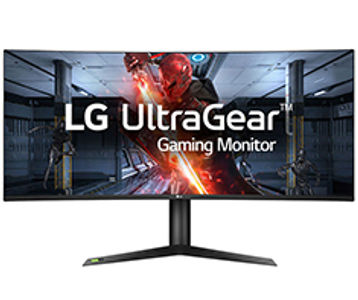
See your way to victory with the innovative 38GL950G-B UltraGear gaming monitor, providing the crispest visuals and the sharpest clarity. You can experience breath-taking immersion on a Nano IPS display with a 1ms response time.
See your way to victory with the innovative 38GL950G-B UltraGear gaming monitor, providing the crispest visuals and the sharpest clarity. You can experience breath-taking immersion on a Nano IPS display with a 1ms response time.
in 3 offers
The lowest price for LG 38GL950G UltraGear 38" QHD+ Nano IPS 144Hz 1ms G-Sync Curved Gaming Monitor right now is $1,896.31 at Ubuy, compared across 3 retailers.
The all-time low was $1,896.31 on 10 May 2026. That's the lowest price we've ever tracked — a great time to buy.
Prices last updated 10 May 2026.
LG 38GL950G UltraGear 38" QHD+ Nano IPS 144Hz 1ms G-Sync Curved Gaming Monitor
See your way to victory with the innovative 38GL950G-B UltraGear gaming monitor, providing the crispest visuals and the sharpest clarity. You can experience breath-taking immersion on a Nano IPS display with a 1ms response time.
See your way to victory with the innovative 38GL950G-B UltraGear gaming monitor, providing the crispest visuals and the sharpest clarity. You can experience breath-taking immersion on a Nano IPS display with a 1ms response time.
Last updated at 10/05/2026 13:45:44
LG 38GL950G-B Ultragear Gaming Monitor 38" 219 Curved WQHD+ 2840 x 1600 Nano IPS Display,
Delivery between 14–18 May $13.73
LG 38GL950G-B QHD+ 144Hz G-Sync HDR 38in Monitor
60-day returns
LG 38GL950G UltraGear 37.5" Ultrawide 4K IPS Curved 1ms 144Hz G-Sync Compatible HDR400 Height Adjustable Monitor
7-day returns
originally posted on LG
I bought this monitor from a 3rd party seller, but unfortunately ended up receiving one with a dead pixel. HOWEVER, upon reaching out LG, they immediately had me send the unit in for repairs. Within 2 weeks upon receipt of the damaged product, they were able to repair and send the unit back to me in pristine condition. I honestly didn't expect LG's support to be this responsive and have the repair done so in a timely fashion. I appreciate the overall journey for finally being able to use this monitor. As for the monitor itself: It's an absolute beast for both productivity and gaming. One word of caution is that you need a pretty beefy GPU if you want to run it in higher frames for the more graphically demanding games. Although this is no OLED, the picture quality, ... MoreI bought this monitor from a 3rd party seller, but unfortunately ended up receiving one with a dead pixel. HOWEVER, upon reaching out LG, they immediately had me send the unit in for repairs. Within 2 weeks upon receipt of the damaged product, they were able to repair and send the unit back to me in pristine condition. I honestly didn't expect LG's support to be this responsive and have the repair done so in a timely fashion. I appreciate the overall journey for finally being able to use this monitor. As for the monitor itself: It's an absolute beast for both productivity and gaming. One word of caution is that you need a pretty beefy GPU if you want to run it in higher frames for the more graphically demanding games. Although this is no OLED, the picture quality, text clarity, and the pixel resolution just makes it a powerhouse when browsing/working. I rate this monitor 4/5 stars only because of the time and trouble I had to go through to get it repaired. Luckily for me, the repair process was smooth!
originally posted on bestbuy.com
The monitor I purchased had some awful backlight bleed. More than once I thought the bottom right corner of the monitor was suffering from light reflections from the nearby window. Then I saw the same behavior at night in a dark room. I found this behavior distracting and unacceptable. The second issue was defective RGB light ring on the back of the monitor. The light ring would do rainbow with no issues. Using the LG Ultra Gear software allows programming of the light ring. In my case, only the left side of the ring would turn off with any mode other than the default rainbow affect. Firmware and software updates did not resolve the issue. Between the distracting backlight bleed and the defective RGB lighting affects I chose to return the monitor. At the time, there ... MoreThe monitor I purchased had some awful backlight bleed. More than once I thought the bottom right corner of the monitor was suffering from light reflections from the nearby window. Then I saw the same behavior at night in a dark room. I found this behavior distracting and unacceptable. The second issue was defective RGB light ring on the back of the monitor. The light ring would do rainbow with no issues. Using the LG Ultra Gear software allows programming of the light ring. In my case, only the left side of the ring would turn off with any mode other than the default rainbow affect. Firmware and software updates did not resolve the issue. Between the distracting backlight bleed and the defective RGB lighting affects I chose to return the monitor. At the time, there was no stock to swap the monitor.
originally posted on LG
I had been thinking about an ultrawide monitor for a while, I wasn't sure if I'd like an ultrawide as I previously was using an 32" LED TV which I thought was big enough. I looked at reviews in general and decided a 38" ultrawide was one I'd try the 49" ones just seemed like they would be too wide, so I got this one (LG 38GL950G-B 38" ultrawide). All the games I own run fast and smooth on it. I love it. Things to note: For some reason you can't get to the BIOS when using the Display Port cable it doesn't display anything until it gets to the windows log in. Fortunately if you use the HDMI cable instead you can get to the BIOS. Switch back to the Display Port when you are done messing with the BIOS as you miss out on some features if you use HDMI. To make my games ... MoreI had been thinking about an ultrawide monitor for a while, I wasn't sure if I'd like an ultrawide as I previously was using an 32" LED TV which I thought was big enough. I looked at reviews in general and decided a 38" ultrawide was one I'd try the 49" ones just seemed like they would be too wide, so I got this one (LG 38GL950G-B 38" ultrawide). All the games I own run fast and smooth on it. I love it. Things to note: For some reason you can't get to the BIOS when using the Display Port cable it doesn't display anything until it gets to the windows log in. Fortunately if you use the HDMI cable instead you can get to the BIOS. Switch back to the Display Port when you are done messing with the BIOS as you miss out on some features if you use HDMI. To make my games use the full monitor I changed the settings in Nvida Geforce Experience. To do this find your game, click on Details button, then click on the wrench and set the resolution to 3840x1600, click Apply. Just mentioning it as some games don't show the resolution in their options, but they will work using the settings I've described. The stand is substantial and I tried to capture in the photo that you can actually slide paper freely under the stand due to the stand been on rubber feet, which is kind of useful if you want a keyboard cheat sheet on your desk and you like the monitor up close when gaming.
| Screen Size | 37.5" (95.2cm) |
| Panel Technology | IPS |
| Resolution | 3840 x 1600 |
| Aspect Ratio | 21:9 |
| Brightness (Typ) | 450 cd/m² |
LG 38GL950G-B Ultragear Gaming Monitor 38" 219 Curved WQHD+ 2840 x 1600 Nano IPS Display,
Delivery between 14–18 May $13.73
LG 38GL950G-B QHD+ 144Hz G-Sync HDR 38in Monitor
60-day returns
LG 38GL950G UltraGear 37.5" Ultrawide 4K IPS Curved 1ms 144Hz G-Sync Compatible HDR400 Height Adjustable Monitor
7-day returns
I bought this monitor from a 3rd party seller, but unfortunately ended up receiving one with a dead pixel. HOWEVER, upon reaching out LG, they immediately had me send the unit in for repairs. Within 2 weeks upon receipt of the damaged product, they were able to repair and send the unit back to me in pristine condition. I honestly didn't expect LG's support to be this responsive and have the repair done so in a timely fashion. I appreciate the overall journey for finally being able to use this monitor. As for the monitor itself: It's an absolute beast for both productivity and gaming. One word of caution is that you need a pretty beefy GPU if you want to run it in higher frames for the more graphically demanding games. Although this is no OLED, the picture quality, ... MoreI bought this monitor from a 3rd party seller, but unfortunately ended up receiving one with a dead pixel. HOWEVER, upon reaching out LG, they immediately had me send the unit in for repairs. Within 2 weeks upon receipt of the damaged product, they were able to repair and send the unit back to me in pristine condition. I honestly didn't expect LG's support to be this responsive and have the repair done so in a timely fashion. I appreciate the overall journey for finally being able to use this monitor. As for the monitor itself: It's an absolute beast for both productivity and gaming. One word of caution is that you need a pretty beefy GPU if you want to run it in higher frames for the more graphically demanding games. Although this is no OLED, the picture quality, text clarity, and the pixel resolution just makes it a powerhouse when browsing/working. I rate this monitor 4/5 stars only because of the time and trouble I had to go through to get it repaired. Luckily for me, the repair process was smooth!
The monitor I purchased had some awful backlight bleed. More than once I thought the bottom right corner of the monitor was suffering from light reflections from the nearby window. Then I saw the same behavior at night in a dark room. I found this behavior distracting and unacceptable. The second issue was defective RGB light ring on the back of the monitor. The light ring would do rainbow with no issues. Using the LG Ultra Gear software allows programming of the light ring. In my case, only the left side of the ring would turn off with any mode other than the default rainbow affect. Firmware and software updates did not resolve the issue. Between the distracting backlight bleed and the defective RGB lighting affects I chose to return the monitor. At the time, there ... MoreThe monitor I purchased had some awful backlight bleed. More than once I thought the bottom right corner of the monitor was suffering from light reflections from the nearby window. Then I saw the same behavior at night in a dark room. I found this behavior distracting and unacceptable. The second issue was defective RGB light ring on the back of the monitor. The light ring would do rainbow with no issues. Using the LG Ultra Gear software allows programming of the light ring. In my case, only the left side of the ring would turn off with any mode other than the default rainbow affect. Firmware and software updates did not resolve the issue. Between the distracting backlight bleed and the defective RGB lighting affects I chose to return the monitor. At the time, there was no stock to swap the monitor.
I had been thinking about an ultrawide monitor for a while, I wasn't sure if I'd like an ultrawide as I previously was using an 32" LED TV which I thought was big enough. I looked at reviews in general and decided a 38" ultrawide was one I'd try the 49" ones just seemed like they would be too wide, so I got this one (LG 38GL950G-B 38" ultrawide). All the games I own run fast and smooth on it. I love it. Things to note: For some reason you can't get to the BIOS when using the Display Port cable it doesn't display anything until it gets to the windows log in. Fortunately if you use the HDMI cable instead you can get to the BIOS. Switch back to the Display Port when you are done messing with the BIOS as you miss out on some features if you use HDMI. To make my games ... MoreI had been thinking about an ultrawide monitor for a while, I wasn't sure if I'd like an ultrawide as I previously was using an 32" LED TV which I thought was big enough. I looked at reviews in general and decided a 38" ultrawide was one I'd try the 49" ones just seemed like they would be too wide, so I got this one (LG 38GL950G-B 38" ultrawide). All the games I own run fast and smooth on it. I love it. Things to note: For some reason you can't get to the BIOS when using the Display Port cable it doesn't display anything until it gets to the windows log in. Fortunately if you use the HDMI cable instead you can get to the BIOS. Switch back to the Display Port when you are done messing with the BIOS as you miss out on some features if you use HDMI. To make my games use the full monitor I changed the settings in Nvida Geforce Experience. To do this find your game, click on Details button, then click on the wrench and set the resolution to 3840x1600, click Apply. Just mentioning it as some games don't show the resolution in their options, but they will work using the settings I've described. The stand is substantial and I tried to capture in the photo that you can actually slide paper freely under the stand due to the stand been on rubber feet, which is kind of useful if you want a keyboard cheat sheet on your desk and you like the monitor up close when gaming.
Love this monitor. I was hesitant to trade my 4k 16:9 monitor for this ultrawide, but I am glad I did. All the normal benefits of an ultrawide vs. a 16:9 monitor are there. And the quality of the panel and features is amazing. This is one of the smoothest looking screens and smoothest backlighting I have experienced. While the HDR is lower than some of the top end gaming monitor competition at this same premium price bracket, the monitor is more than enough and avoids the plague of hot spot issues I had with other HDR 1000 monitors I tried and had to return. The refresh rate is amazing. Personally, I have no interest in the RGB disco that starts up every time I power on the monitor and I have the RGB backlighting to off at all times. But the kids love it and turn it ... MoreLove this monitor. I was hesitant to trade my 4k 16:9 monitor for this ultrawide, but I am glad I did. All the normal benefits of an ultrawide vs. a 16:9 monitor are there. And the quality of the panel and features is amazing. This is one of the smoothest looking screens and smoothest backlighting I have experienced. While the HDR is lower than some of the top end gaming monitor competition at this same premium price bracket, the monitor is more than enough and avoids the plague of hot spot issues I had with other HDR 1000 monitors I tried and had to return. The refresh rate is amazing. Personally, I have no interest in the RGB disco that starts up every time I power on the monitor and I have the RGB backlighting to off at all times. But the kids love it and turn it on every chance they get. Another small plus is the ease at which you can attach/detach the stand. No screws, just a quick pressure switch and you can lift things apart to mount the monitor on a arm/wall mount. Excellent monitor.
This is an excellent monitor. The color is vibrant, the motion is extremely crisp, and it's just a bit taller than a standard-sized monitor. It fills my field of vision perfectly without being so wide or tall that I have to turn my head. Gaming is an amazing experience, and the extra screen realestate is greatly appreciated for work. Gsync works very well. It is natively detected and just works. It's plug and play as plug and play should be. The native support means there is an additional fan to cool the module, and it is slightly audible. It sounds like white noise. However, I can't hear it over speakers. For work applications with no sound, it was a bit annoying at first, but after about three weeks, I stopped noticing it. I previously bought a similar model from ... MoreThis is an excellent monitor. The color is vibrant, the motion is extremely crisp, and it's just a bit taller than a standard-sized monitor. It fills my field of vision perfectly without being so wide or tall that I have to turn my head. Gaming is an amazing experience, and the extra screen realestate is greatly appreciated for work. Gsync works very well. It is natively detected and just works. It's plug and play as plug and play should be. The native support means there is an additional fan to cool the module, and it is slightly audible. It sounds like white noise. However, I can't hear it over speakers. For work applications with no sound, it was a bit annoying at first, but after about three weeks, I stopped noticing it. I previously bought a similar model from Amazon, shipped from and sold by them. I liked it better, and it was a bit less expensive. However, it didn't ship until the day after the expected delivery date, and it took twice as long as initially quoted after it did to arrive. It arrived with two big holes in the box, missing documentation, and a badly cracked screen. Obviously not even refurbished. I sent it back immediately, but it took Amazon over a month to refund me, and they accused me of causing the damage. I tried to post a review, and they rejected it. Makes me wonder about the legitimacy of the 4-star average. The Amazon experience isn't new, and it's been happening to me there with increasing frequency, especially over Christmas. I don't really trust them as much anymore, and I've been shopping here more often as a result. My experience here with this monitor was very different. It arrived in the promised condition within the promised timeframe. For other items I've had a problem with, Best Buy has been very helpful, and we've gotten it resolved. Shopping experience is an important part of buying anything, especially something expensive like this. And where Amazon has failed me time and time again, Best Buy continues to impress.
While the monitor itself is amazing, the quality control is not. I went through 4 of these monitors from multiple stores and every one had issues. The first had 2 stuck pixels that I couldn't unsee and no matter what I did, would not un-stuck, so I returned. The second had the exact same issue, but this time there were three stuck pixels. Returned. The third had no stuck pixels!!! But, it had a faulty fan that made a loud buzzing sound. This monitor has an NVIDIA G-Sync chip in it that requires a fan. Normally, they are silent, but not this one. It was driving me insane, so it was returned. I decided to try one more time by buying the monitor from a different store altogether. Received it in the mail, 2 stuck pixels. By this time I figured I was cursed by the LG ... MoreWhile the monitor itself is amazing, the quality control is not. I went through 4 of these monitors from multiple stores and every one had issues. The first had 2 stuck pixels that I couldn't unsee and no matter what I did, would not un-stuck, so I returned. The second had the exact same issue, but this time there were three stuck pixels. Returned. The third had no stuck pixels!!! But, it had a faulty fan that made a loud buzzing sound. This monitor has an NVIDIA G-Sync chip in it that requires a fan. Normally, they are silent, but not this one. It was driving me insane, so it was returned. I decided to try one more time by buying the monitor from a different store altogether. Received it in the mail, 2 stuck pixels. By this time I figured I was cursed by the LG gods and decided to move on to greener pastures. Ended up going with the Alienware 38" and it was perfect out of the box. I have an LG tv that I love, but I will never buy another LG monitor because of this horrible experience.
This review is for the LG - 38GL950G-B UltraGear 38" IPS LED UltraWide HD G-SYNC Monitor (HDMI) – Black. I purchased this monitor. This is not a promotional related review. I am a retired wedding photographer who has been using high quality monitors for a long time. My current passion is Flight Simulators and editing my old personal digital movies and photographs. First of all this is a really solidly built G-Sync monitor with a really solid stand. The stand is vertically adjustable with a good range. It will go low enough so you can maintain a normal comfortable head position. It has about 5 inches of vertical range. It tilts forward and back, but it doesn’t swivel side to side. The USB ports are on the back near the center and are hard to get to. It naturally will ... MoreThis review is for the LG - 38GL950G-B UltraGear 38" IPS LED UltraWide HD G-SYNC Monitor (HDMI) – Black. I purchased this monitor. This is not a promotional related review. I am a retired wedding photographer who has been using high quality monitors for a long time. My current passion is Flight Simulators and editing my old personal digital movies and photographs. First of all this is a really solidly built G-Sync monitor with a really solid stand. The stand is vertically adjustable with a good range. It will go low enough so you can maintain a normal comfortable head position. It has about 5 inches of vertical range. It tilts forward and back, but it doesn’t swivel side to side. The USB ports are on the back near the center and are hard to get to. It naturally will accept either HDMI or Display Port from the GPU. It is has RGB lighting that circles the stand mounting area on the back. It can display a variety of colors and effects. Anybody with a decked out RGB Glass sided PC case will find it to be a great match. The curve is gentle. Just enough to keep the edges in your field of view, from 2.5 ft. away. It is a 165 Hz monitor. I found that G-Sync worked well. It is a 3840 X 1600 IPS panel. It still is only about the same 110 DPI as a 3440 X 1440 wide screen panel, but with more vertical real estate. Vertical real estate is about equal to a 16:9 27 inch panel. Off center viewing is really good. I saw no shifting of colors or lighting with any normal head movement or shifting in my chair. It is an HDR 400 rated panel, and turning on HDR in Windows, does make a little difference, but not anything dramatic. Color fidelity is exceptional. It gets reasonably bright, but not bright enough to really make HDR work as it should. It is challenged when it comes to contrast. When you watch video, You Tube or movies, that are recorded in 16:9, there will be black strips at each side, which won’t be very black, naturally 21:9 content will fill the screen. I had to do a lot of tweaking to get it from really dull to acceptable when watching video or running my DSC World Flight Sim. Photographers will find it acceptable, but I wouldn’t recommend it for video editing. Hardcore online gamers will probably love it. Up to 165 Hz and really fast grey to grey and if your game is coded to take advantage of 21:9, you will be hard pressed to find better. Most games will have presets for 3840 X 1600 and they will fill the screen completely, but you may only just see what you would on a 16:9 screen. The only advantage that I saw in my flight sim was when I panned from the cockpit I could pan further and not lose view of the center of the cockpit control panel, compared to when I run it on a 16:9 screen. If you are basically a Flight Sim person, sadly the less than stellar peak brightness and lower than needed contrast will leave you less than ecstatic about the cockpit detail. So summing up my view on this monitor, this is an expensive monitor that just doesn’t tick all the boxes for everyone. It is great for those who use office suite type apps. Text is clear and sharp, lots of real-estate and a great gaming monitor for after work fun. Great for FPS games or any game that has really fast motion. These are usually coded with exaggerated detail and color, so they should look great. For those that run Flight Simulators, and have high end GPUs that can reach 60 FPS at 4K at high quality settings and that realism of cockpit detail really is what makes the sim enjoyable, I would opt for a more affordable 32 inch 4K display with adaptive sync. This is a really expensive monitor and if you are that competitive online gamer, who needs it's excellent G-Sync, fast 165 Hz capability and covet how beautiful it looks on your desk, then go for it. But for everyone else it just falls short in to many areas to justify it's cost. Everyone wants big wide screen panels, but in reality even 4K on these large screens is borderline in pixel density, if you want really sharp detail. So don't expect perfection from 2560 X 1440 on these large screens. The experts say all you need is 110 DPI for optimal sharpness, but it isn't so.
Waited a long time for this monitor become available to the masses but once I got my hands on this it was worth the wait. The size, clarity, color are amazing. The gaming experience is great for games that natively support the resolution. There are a lot of good community fixes for those that don’t. Pros: Quality - I felt the build quality of this monitor to be a plus, the chassis is nice and well vented. Only drawback is where you plug in the cables makes it harder to wall mount. Though I have mine on a VESA monitor arm. -GSync – Smooth game play with GSync, no irritating monitor flickering you get on a lot of VRR Monitors. Using Fast refresh seems best option for performance vs quality. -Color - what you would expect from a high quality IPS display. Good ... MoreWaited a long time for this monitor become available to the masses but once I got my hands on this it was worth the wait. The size, clarity, color are amazing. The gaming experience is great for games that natively support the resolution. There are a lot of good community fixes for those that don’t. Pros: Quality - I felt the build quality of this monitor to be a plus, the chassis is nice and well vented. Only drawback is where you plug in the cables makes it harder to wall mount. Though I have mine on a VESA monitor arm. -GSync – Smooth game play with GSync, no irritating monitor flickering you get on a lot of VRR Monitors. Using Fast refresh seems best option for performance vs quality. -Color - what you would expect from a high quality IPS display. Good brightness compared to old IPS displays. -VESA mounting was simple. -Overall Joy of use - Every time I fire up a game with this monitor I'm just thrilled with all the screen real-estate and pure beauty and immersion of the display. Cons: -HDR - as many have stated this is very limited with HDR400 and Global Dimming only. I will say it is better though than the Samsung CHG70 32" I had before this. Overall in games that support it, I would turn it on because it does make "most" of these games look better overall. I didn't buy this for the HDR though, I'll wait until reasonably priced IPS displays with MicroLED and Ultrawide format come around before worrying about HDR on my PC. -Software - LG Onscreen Control software (4.7 as of this review) seems to be lagging behind on supporting all the features on this monitor. Hopefully it will get updated to fully support this monitor. - Warranty - LG monitors seem to have a 1 year only warranty. This is not on par with most other companies monitor warranties of 3 years. Once you register your monitor you can extend this to 3 total years for a cost of about $75 at least. -Cost - Because of the GSync chip the price on this seems rather high, will be interesting to see how they price their newly announced Freesync/GSync compatible version of this monitor to compare. Even with that list of Cons I have to overall give this monitor a 4.5 though on the website I can only do 4 or 5 I rounded up to be fair. It is well worth having if you have the income to support the purchase.
Purchased this monitor 12-14-2019 and as of 12-18-2019 (date of writing this review) I've logged 21 hours of utilization. That said I want to say that this monitor was slated to release before it did, several push backs on the date and from my findings on-line, it was to iron out some issues it suffered from after development. I want to speak about the things I like: 1. The overclock refresh rate feelings a lot more organic than some other monitors I've tested in past times. One I'd like to speak on is the Asus PG248Q, I'll use that as a reference because I own that 1080P set, the native refresh rate feels fine at 144Hz, when pushed to 180, though it feels more smooth, there is the random ghosting, even in the mouse cursor. With this particular panel, I don't see ... MorePurchased this monitor 12-14-2019 and as of 12-18-2019 (date of writing this review) I've logged 21 hours of utilization. That said I want to say that this monitor was slated to release before it did, several push backs on the date and from my findings on-line, it was to iron out some issues it suffered from after development. I want to speak about the things I like: 1. The overclock refresh rate feelings a lot more organic than some other monitors I've tested in past times. One I'd like to speak on is the Asus PG248Q, I'll use that as a reference because I own that 1080P set, the native refresh rate feels fine at 144Hz, when pushed to 180, though it feels more smooth, there is the random ghosting, even in the mouse cursor. With this particular panel, I don't see that as much. From a gaming perspective, I don't play anything FPS at a competitive level to feel the need for 175Hz, however in day to day computing it feels absolutely amazing. 2. The pixel density here, it is amazing. I've been using Ultra-wide (gaming) monitors since the original run of the Acer Predator, that was 3440 X 1440 at 100Hz. Though it had some opportunities, it was the start of many variants that later came in a more perfect form from companies like Asus (much better option) and even Dell Alien-ware of the same model turned out to be really well. Still, with this particular monitor, the higher resolution in the Ultra-wide format feels like a much sweet spot for people that are looking for content creating and the next level for 4K gaming. 3. This monitor does not produce a ridiculous amount of heat and or noise, and that is something that I was concerned about because noise was a major call out when this monitor was in it's Beta stage. Some of the opportunities that I feel this monitor has: 1. I am not a personal fan of the RED accents, I'm not even sure who came up with the idea that RED was the color that spoke to gamers, I've been into PC gaming since 2013 and even before the RGB era, RED has always been that color, what I would have liked to have seen are maybe some replacement plates for the base of the monitor, maybe a black one. I do understand that this is a "gaming" monitor, but this has so many perks that will speak to people beyond gaming, and the accents of RED could just throw off a person looking to buy. I feel that is something LG should consider going forward. 2. You are unable to access the maximum refresh rates all while taking advantage of HDR. That is a limitation that should drop this monitor by $200 retail, in my honest opinion. That ends my separation of likes and dislikes. Speaking of HDR, I've seen the few reviews written on here speaking to the HDR not being real HDR or max. This monitor sits in a very different space. Anyone looking for max nits of brightness needs to target a monitor that has full array local dimming, that needs to be the Acer predator that does 4k at 144hz, this monitor being Ultra-wide, it's kind of in a different space. I don't know, some are picky, I never expected HDR1000 from this set but I can tell you that the HDR on this works, it's a nice kick for people that will use this for film/photo creating, anyone looking to inspect the content that they have shot in HDR format will be pleased, I'm no pro but I've done some edits and it's a welcomed tool In my opinion. My build setup that I am currently using for this monitor (New build for it in progress) Case: NZXT H500, I went black case with Red cable bar Processor: AMD Ryzen 7 3700X MOBO: Asus TUF X570 GPU: MSI RTX 2080 Gaming Trio My gaming experience for the single player games from Tomb Raider, Batman, Resident Evil, etc style games has been wonderful, most of these games sweet spot is 60FPS, the higher refresh rate certainly helps with making timed counters (Batman series) feel fluid. This is not a monitor that I'd recommend for people playing video games that are of the fighting game genre, I used to play Street Fighter at a professional level, and I still play a variety of fighting games but this monitor isn't the optimal choice for fighting games, if you play fighting games as a main genre, do not invest in this monitor for that! I give this monitor a 5 star, it hit all my expectations. Again, I've used Ultra-wide options before, what this has given me is larger screen, higher pixels, HDR, higher native and OC refresh rate VS what was new years ago from Acer, Asus and Dell in the Ultra-wide categories. Lastly, get a Best Buy Geek Squad Protection plan on this, if you invest $1800 or got it open boxed for $1600 then be prepared to invest another $150 for a 4 year product replacement plan! -TKK
Warnings: -Purchasing a 4k Monitor will change your perspective and you wont be able to go back to 1080p -You need to be able to drive this panel with appropriate hardware to get the value for the money you are spending towards it. -I can perfectly get 144hz w/ an 8bpc RGB Full Dynamic range with a 2080 Super via display port 1.4 (Soon to be 3080) I'm not sure this supports HDMI 2.1 though, unless a firmware update allows it to -You will need to test and configure this monitor to your liking for quite a bit to get it stable for your gaming experience. Mostly through your GPU's control panel, but also do not forget to change settings on the monitors OSD as well. My thoughts: I'm a W@H Engineer that is also a gamer and this monitor is probably the best hybrid monitor ... MoreWarnings: -Purchasing a 4k Monitor will change your perspective and you wont be able to go back to 1080p -You need to be able to drive this panel with appropriate hardware to get the value for the money you are spending towards it. -I can perfectly get 144hz w/ an 8bpc RGB Full Dynamic range with a 2080 Super via display port 1.4 (Soon to be 3080) I'm not sure this supports HDMI 2.1 though, unless a firmware update allows it to -You will need to test and configure this monitor to your liking for quite a bit to get it stable for your gaming experience. Mostly through your GPU's control panel, but also do not forget to change settings on the monitors OSD as well. My thoughts: I'm a W@H Engineer that is also a gamer and this monitor is probably the best hybrid monitor on the market for production and gaming. Not only do you get to benefit from the high refresh rate from gaming but everything is buttery smooth to move to look at. Using the software from the vendor, I have split the screen into 6 different sections for productivity work and it works flawlessly. My current avg fps on the hardware i have is about 54 fps @ 4k ultimate setting which is fantastic for the time being. Once I move to the next gen GPU's its going to be god tier after tighter OC's. People like to complain about ultrawide monitors because they mention that they don't want to have to turn their head while gaming. I haven't had any issue with needing to shift my eyes unreasonable far to any direction as this fits your field of vision perfectly. I spent about 6 months debating on the PG35VQ vs this monitor and finally went with this one because of finally being able to answer the "HDR" question, which I will present to you now. "Is HDR 1000 worth 3 inches of diagonal screen retail?" This monitor does not have strong HDR in any sense nor did I purchase this monitor for that content. I don't think HDR content in gaming has a large enough presence in the community to have that much sway on my purchasing decision for a gaming monitor. Pros: -The curvature is subtle and quite pleasing -Clarity is beautiful, picture is fantastic. -Plenty bright for me, I literally can't imagine HDR.... I don't want to wear sunglasses (or be super edgy and get those gunnar glasses) to game lol -Was able to price match the monitor down to 1500 (DO THIS!) Cons: -Sphere lighting appears to stay on even when the computer is off.... not sure if there's an automatic setting for it beside manually doing it. -I have about a 3ft deep desk and this monitor will sit about 1ft in from the back. (I'm thinking about a monitor arm for this at this time) So it may be closer than you might like. -Not everything supports a 21:9 ratio so some games may have black bars on the side..... but those that do is AWESOME. Definitely happy with this purchase!
| Screen Size | 37.5" (95.2cm) |
| Panel Technology | IPS |
| Resolution | 3840 x 1600 |
| Aspect Ratio | 21:9 |
| Brightness (Typ) | 450 cd/m² |