Last updated at 24/08/2026 16:43:39
LG Ultragear UHD 32-Inch Gaming Monitor 32GQ950-B, Nano IPS 1ms (GtG) with ATW, VESA DisplayHDR 1000, NVIDIA G-SYNC, and AMD FreeSync, 144Hz, Black
Affiliate Disclosure: We may receive a small commission for purchases made through this link at no extra cost to you. This helps support our site. Thank you!
originally posted on LG
LG has earned a reputation as one of the best display providers for gaming. I would probably embarrass myself if I tried to do a technical review, so I will say that I am happy with the performance and LG’s reputation makes me look at their brand first when it is time to upgrade. I do want to list a few pros/cons I experienced with the 32GQ950-B.Pro:- Works great w/ the current gen consoles at 4K/120. No DV support so a few checkmarks are missing, but HDR10 looks almost as good.- Headphone jack is moved to a more accessible location. I generally connect to the console’s controller for audio, so I do not have speakers on my desk. Since there are no built-in speakers, this is a convenient way for me to get sound for other sources.- Rotating display. Although ... MoreLG has earned a reputation as one of the best display providers for gaming. I would probably embarrass myself if I tried to do a technical review, so I will say that I am happy with the performance and LG’s reputation makes me look at their brand first when it is time to upgrade. I do want to list a few pros/cons I experienced with the 32GQ950-B.Pro:- Works great w/ the current gen consoles at 4K/120. No DV support so a few checkmarks are missing, but HDR10 looks almost as good.- Headphone jack is moved to a more accessible location. I generally connect to the console’s controller for audio, so I do not have speakers on my desk. Since there are no built-in speakers, this is a convenient way for me to get sound for other sources.- Rotating display. Although this is not a unique feature, it is the reason I like using a monitor vs a TV. I still play some classic games and some of those games look and play best in “tate” mode so I love the ability to quickly rotate the display to match.- Fast 1ms response time, excellent for fast-paced games. As far as I know the only thing that beats it is OLED.Con:- Hexagon Lighting is not as good as Sphere Lighting 2.0 from LG’s previous generation of monitors. Even as bias lighting, it just barely lights the wall near the edges of the monitor so I need a bit more ambient light in the room for eye comfort, especially if gaming w/ HDR enabled; you can’t even notice the Hexagon Lighting in the pics I took). There is also no way to control Hexagon Lighting! Sure, there are some basic options in the settings menu, but my previous LG monitor w/ Sphere Lighting had a dial to turn the light on/off and adjust the brightness. There was also an app which enabled features that match the color to the content on the screen or time the light to sound. Not perfect since it was limited to Windows and was not compatible w/ other RGB lighting, but it was quite a bit better than Hexagon Lighting.- The monitor defaults to DP v1.4 (DSC), the cable LG included in the box does not support DSC so my computer was stuck at 1080p/60Hz. Dropping it down a version enabled 4K/120. I also tried a DP cable from an older LG monitor, for some reason that one is full featured. The LG-provided DP cable also caused the screen to lose signal every few minutes (blank screen for a few seconds, then flash back to the computer image), so I am sticking with the older cable. Also not sure if it is the source, the cable, or the monitor, but DP v1.4(DSC) causes noticeable color banding. I only mention this because DSC is supposed to be "visually lossless" according to VESA.- It gets hotter than my previous LG monitor (38GN950-B). It doesn’t get as hot as modern consoles or my entry-level gaming PC, and I wish I had a FLIR camera to show the actual temp, but it is noticeable after playing at an arms length away (and the gaming devices as far away as possible).The cons take up more space, but I think they are minor detractors. Even though the OOBE wasn’t perfect and Hexagon Lighting is a downgrade from Sphere Lighting, am glad I upgraded to this versatile HDMI 2.1 monitor (9/10 or 4.5 stars if it were an option).
originally posted on bestbuy.com
The 32GQ950-B has been on my list ever since it came out earlier this year and seemed like an ideal monitor for me with the bright screen, wide color gamut, high resolution, and high refresh rate. The price always kept me away though and while I don’t think it’s a slam dunk (HDR leaves something to be desired), if you can get it for under $1K it’s a great monitor if you need something that’s good for both gaming and work.Getting the monitor unboxed and assembled was a straightforward process and didn’t require any tools. The stand assembles in 2 pieces with the V-shaped base screwing into the neck via a thumbscrew and that then snaps into the back of the monitor. The whole thing is a bit heavy once it’s put together, but it’s very stable. The stand offers height, ... MoreThe 32GQ950-B has been on my list ever since it came out earlier this year and seemed like an ideal monitor for me with the bright screen, wide color gamut, high resolution, and high refresh rate. The price always kept me away though and while I don’t think it’s a slam dunk (HDR leaves something to be desired), if you can get it for under $1K it’s a great monitor if you need something that’s good for both gaming and work.Getting the monitor unboxed and assembled was a straightforward process and didn’t require any tools. The stand assembles in 2 pieces with the V-shaped base screwing into the neck via a thumbscrew and that then snaps into the back of the monitor. The whole thing is a bit heavy once it’s put together, but it’s very stable. The stand offers height, tilt, and pivot adjustments and can also be used in a portrait orientation. The overall aesthetic of the monitor is nice; it fits into my setup well and while the back has a certain ‘gamer’ look to it, it’s not overdone and the lighting looks great up against a wall. The ports around the back consist of 1 DisplayPort, 2 HDMI 2.1 ports that can support full console bandwidth, and 2 USB-A ports along with a USB-B upstream port. It’s a good selection of ports and I’m especially happy with HDMI 2.1 support with many monitors still sticking to just 2.0. The underside of the monitor has a joystick for navigating the OSD and a 4-pole 3.5mm jack for a headset (note the microphone input only works if you have the USB-B port connected to your PC). I briefly used the headset jack, but most of my headsets are wireless and/or USB anyway. Still, I found the volume output at 100% to be a bit lacking compared to the headset port on my PC and probably would not use it regularly.Navigating the OSD with the joystick works well and I didn’t have any frustrations with accidentally selecting something or clicking out of the interface (unlike with the HP monitor I was previously using). I’m not a huge of the look of it, but everything is laid out clearly and adjusting the picture settings is easy to do. The 160Hz mode is not enabled out of the box as it is an overclocked refresh rate, but it can be enabled within the OSD. I enabled it briefly and it worked fine for me, but ended up switching back to 144Hz to avoid any potential instability.The 32GQ950-B occupies a crowded space in gaming monitors. At the $1300 MSRP I think it’s a borderline bad deal, but if you can find it for $1000 or less (and you often can) it’s a much more reasonable proposition. At this price you could also opt for a small OLED or Mini-LED TV from LG or Samsung, but at this point even the smallest 42” screen size is too large for a lot of desks. I think the 32 inch screen size is a good sweet-spot for bigger screen PC gaming and the 4K resolution fits the screen size a lot better than it would for something like a 27” monitor. The monitor also advertises wide color gamut support, which should make it a good choice for creative/productivity work as well. I was disappointed to find out the 32GQ950-B doesn’t use full array backlighting and instead opts for an edge-lit setup. Samsung has a couple of 32” monitors that use full array mini-LED backlighting, but they are also curved displays unfortunately, which is not my preference. HDR1000 is nice to have, but if the monitor is just bright and doesn’t deliver in contrast department it doesn’t have the same impact.Getting the monitor setup and connected to my desktop, I was immediately impressed with how bright this monitor can get compared to the previous ones I’ve used. Colors look fantastic in both SDR and HDR and the monitor ships with a factory calibration report as well so you can be sure that everything is inline. LG also has some calibration software you can use to further dial things in if you have a compatible color sensor. I was happy using the monitor with the response time set at its default ‘fast’ setting and didn’t feel the need to turn that up at all or notice any ghosting. The display supports both Freesync and G-Sync. I can confirm G-Sync works great and helps smooth out gameplay a lot especially for games that fall under 60fps that you’ll likely encounter trying to run them at 4K. Being an IPS panel and only having edge-lit backlighting, you are not going to get the deepest blacks, but for me they were mostly fine and I’ve typically used IPS monitors in the past so I did not notice it too much.The native contrast ratio is around 1000:1 and the local dimming doesn’t help that by much; in HDR it’s pretty easy to spot where one zone ends and the other begins if you’re looking for it and there’s a lot of blooming on scenes with varying levels of bright/dark areas. For SDR picture modes the local dimming is turned off by default and I’m content to leave it that way there. Overall the HDR experience is still better than all the monitors out there that advertise the bare minimum HDR400, but if you are mainly looking at this monitor specifically for HDR I think you’ll come away disappointed. Gaming in HDR is still decent, but not as good as it could be.Some miscellaneous notes:- The monitor ships with both DisplayPort and HDMI cables. The HDMI cable is HDMI 2.1 certified.- The monitor uses external power brick, which considering the size of the monitor I had hoped the power supply would be built-in. I was able to hide it under my desk though.- The color for the lighting on the back of the monitor can be changed via the OSD and they give you a rainbow of different color options, but it doesn’t appear you can set your own specific RGB value or control it via software. I found a cyan color that matched my setup pretty well though.- The monitor supports a VESA 100x100 mount if you don’t prefer the stand, though if you are doing your own mount I’d recommend getting something that’s of a higher quality and can support the weight of this larger monitor.Overall, besides the just okay HDR performance I’m happy with this monitor. The main items for me were the wide color gamut, 32” size, 4K resolution, and high refresh rate, as well as flat screen instead of curved and this checks all those boxes. It seems like a lot of really great monitors are coming out these days though and it’s getting harder and harder to decide, but I’d still recommend this for somebody looking for a monitor that can pull double duty for gaming and work.
originally posted on LG
Finally! When I received my delivery for my monitor, that's what I shouted. I was anticipating this monitor for a while, not just because its a gaming monitor but the fact that its 4K (my first) and up to 165hz. Upon receiving the monitor I could already tell that this would be a sleek premium gaming monitor. After opening the box and taking out the contents I was surprised at how the big the monitor is at 32'' compared to my previous ultrawide monitor which was 34", but I guess that was obvious since this is bigger diagonally. Setting up the monitor was pretty simple by just attaching the back main arm and then attaching the bottom stand, then I connected to my PC with the provided Displayport Cable.The main thing I noticed about this monitor is that its really ... MoreFinally! When I received my delivery for my monitor, that's what I shouted. I was anticipating this monitor for a while, not just because its a gaming monitor but the fact that its 4K (my first) and up to 165hz. Upon receiving the monitor I could already tell that this would be a sleek premium gaming monitor. After opening the box and taking out the contents I was surprised at how the big the monitor is at 32'' compared to my previous ultrawide monitor which was 34", but I guess that was obvious since this is bigger diagonally. Setting up the monitor was pretty simple by just attaching the back main arm and then attaching the bottom stand, then I connected to my PC with the provided Displayport Cable.The main thing I noticed about this monitor is that its really nice looking and sleek with its design all around. But the main feature that I and many others that buy this monitor are look forward to is the 4K display, and it does not disappoint at all. The colors of the display are gorgeous and vivid, and with a compatible GPU to power it, the screen is buttery smooth with 165 (or 165hz) Frames per second enabled. The monitor does not come with any speakers built in, but not many gaming monitors do in general. The button on the monitor to control the settings menu can be a little confusing to use if its your first time using it but can be learned fairly quickly, and it has about 7 picture profiles for different content. Watching or playing HDR content on this monitor is a joy because of how lifelike and vibrant the colors get.Since this is a gaming monitor first and foremost, that's the area where it shines the most. While playing games I was mostly getting 65 FPS or above with 4K with almost max game settings enabled and there was no screen judders or tearing, due to my high end GPU. Playing games on this monitor is a blast every time because of how immersive it is. Another cool feature of this monitor is the Hexagon Lighting on the back that displays RGB lighting while the monitor is on, its not very bright in a room with a lot of light mine, but with the lights off it shines a nice amount of light on the wall to help with eye strain from just looking at the monitor. I would have liked it if the Hexagon lighting was smart and actually matched whatever content was being displayed on the monitor but personally its not a deal breaker. Overall this monitor is awesome for gaming, and really great for productivity as well as watching content on it.
| Panel Type | IPS-Type LCD |
| Touchscreen | No |
| Resolution | 3840 x 2160 |
| Aspect Ratio | 16-9 |
| Pixels Per Inch (ppi) | 138 ppi |
LG Ultragear UHD 32-Inch Gaming Monitor 32GQ950-B, Nano IPS 1ms (GtG) with ATW, VESA DisplayHDR 1000, NVIDIA G-SYNC, and AMD FreeSync, 144Hz, Black
Affiliate Disclosure: We may receive a small commission for purchases made through this link at no extra cost to you. This helps support our site. Thank you!
LG has earned a reputation as one of the best display providers for gaming. I would probably embarrass myself if I tried to do a technical review, so I will say that I am happy with the performance and LG’s reputation makes me look at their brand first when it is time to upgrade. I do want to list a few pros/cons I experienced with the 32GQ950-B.Pro:- Works great w/ the current gen consoles at 4K/120. No DV support so a few checkmarks are missing, but HDR10 looks almost as good.- Headphone jack is moved to a more accessible location. I generally connect to the console’s controller for audio, so I do not have speakers on my desk. Since there are no built-in speakers, this is a convenient way for me to get sound for other sources.- Rotating display. Although ... MoreLG has earned a reputation as one of the best display providers for gaming. I would probably embarrass myself if I tried to do a technical review, so I will say that I am happy with the performance and LG’s reputation makes me look at their brand first when it is time to upgrade. I do want to list a few pros/cons I experienced with the 32GQ950-B.Pro:- Works great w/ the current gen consoles at 4K/120. No DV support so a few checkmarks are missing, but HDR10 looks almost as good.- Headphone jack is moved to a more accessible location. I generally connect to the console’s controller for audio, so I do not have speakers on my desk. Since there are no built-in speakers, this is a convenient way for me to get sound for other sources.- Rotating display. Although this is not a unique feature, it is the reason I like using a monitor vs a TV. I still play some classic games and some of those games look and play best in “tate” mode so I love the ability to quickly rotate the display to match.- Fast 1ms response time, excellent for fast-paced games. As far as I know the only thing that beats it is OLED.Con:- Hexagon Lighting is not as good as Sphere Lighting 2.0 from LG’s previous generation of monitors. Even as bias lighting, it just barely lights the wall near the edges of the monitor so I need a bit more ambient light in the room for eye comfort, especially if gaming w/ HDR enabled; you can’t even notice the Hexagon Lighting in the pics I took). There is also no way to control Hexagon Lighting! Sure, there are some basic options in the settings menu, but my previous LG monitor w/ Sphere Lighting had a dial to turn the light on/off and adjust the brightness. There was also an app which enabled features that match the color to the content on the screen or time the light to sound. Not perfect since it was limited to Windows and was not compatible w/ other RGB lighting, but it was quite a bit better than Hexagon Lighting.- The monitor defaults to DP v1.4 (DSC), the cable LG included in the box does not support DSC so my computer was stuck at 1080p/60Hz. Dropping it down a version enabled 4K/120. I also tried a DP cable from an older LG monitor, for some reason that one is full featured. The LG-provided DP cable also caused the screen to lose signal every few minutes (blank screen for a few seconds, then flash back to the computer image), so I am sticking with the older cable. Also not sure if it is the source, the cable, or the monitor, but DP v1.4(DSC) causes noticeable color banding. I only mention this because DSC is supposed to be "visually lossless" according to VESA.- It gets hotter than my previous LG monitor (38GN950-B). It doesn’t get as hot as modern consoles or my entry-level gaming PC, and I wish I had a FLIR camera to show the actual temp, but it is noticeable after playing at an arms length away (and the gaming devices as far away as possible).The cons take up more space, but I think they are minor detractors. Even though the OOBE wasn’t perfect and Hexagon Lighting is a downgrade from Sphere Lighting, am glad I upgraded to this versatile HDMI 2.1 monitor (9/10 or 4.5 stars if it were an option).
The 32GQ950-B has been on my list ever since it came out earlier this year and seemed like an ideal monitor for me with the bright screen, wide color gamut, high resolution, and high refresh rate. The price always kept me away though and while I don’t think it’s a slam dunk (HDR leaves something to be desired), if you can get it for under $1K it’s a great monitor if you need something that’s good for both gaming and work.Getting the monitor unboxed and assembled was a straightforward process and didn’t require any tools. The stand assembles in 2 pieces with the V-shaped base screwing into the neck via a thumbscrew and that then snaps into the back of the monitor. The whole thing is a bit heavy once it’s put together, but it’s very stable. The stand offers height, ... MoreThe 32GQ950-B has been on my list ever since it came out earlier this year and seemed like an ideal monitor for me with the bright screen, wide color gamut, high resolution, and high refresh rate. The price always kept me away though and while I don’t think it’s a slam dunk (HDR leaves something to be desired), if you can get it for under $1K it’s a great monitor if you need something that’s good for both gaming and work.Getting the monitor unboxed and assembled was a straightforward process and didn’t require any tools. The stand assembles in 2 pieces with the V-shaped base screwing into the neck via a thumbscrew and that then snaps into the back of the monitor. The whole thing is a bit heavy once it’s put together, but it’s very stable. The stand offers height, tilt, and pivot adjustments and can also be used in a portrait orientation. The overall aesthetic of the monitor is nice; it fits into my setup well and while the back has a certain ‘gamer’ look to it, it’s not overdone and the lighting looks great up against a wall. The ports around the back consist of 1 DisplayPort, 2 HDMI 2.1 ports that can support full console bandwidth, and 2 USB-A ports along with a USB-B upstream port. It’s a good selection of ports and I’m especially happy with HDMI 2.1 support with many monitors still sticking to just 2.0. The underside of the monitor has a joystick for navigating the OSD and a 4-pole 3.5mm jack for a headset (note the microphone input only works if you have the USB-B port connected to your PC). I briefly used the headset jack, but most of my headsets are wireless and/or USB anyway. Still, I found the volume output at 100% to be a bit lacking compared to the headset port on my PC and probably would not use it regularly.Navigating the OSD with the joystick works well and I didn’t have any frustrations with accidentally selecting something or clicking out of the interface (unlike with the HP monitor I was previously using). I’m not a huge of the look of it, but everything is laid out clearly and adjusting the picture settings is easy to do. The 160Hz mode is not enabled out of the box as it is an overclocked refresh rate, but it can be enabled within the OSD. I enabled it briefly and it worked fine for me, but ended up switching back to 144Hz to avoid any potential instability.The 32GQ950-B occupies a crowded space in gaming monitors. At the $1300 MSRP I think it’s a borderline bad deal, but if you can find it for $1000 or less (and you often can) it’s a much more reasonable proposition. At this price you could also opt for a small OLED or Mini-LED TV from LG or Samsung, but at this point even the smallest 42” screen size is too large for a lot of desks. I think the 32 inch screen size is a good sweet-spot for bigger screen PC gaming and the 4K resolution fits the screen size a lot better than it would for something like a 27” monitor. The monitor also advertises wide color gamut support, which should make it a good choice for creative/productivity work as well. I was disappointed to find out the 32GQ950-B doesn’t use full array backlighting and instead opts for an edge-lit setup. Samsung has a couple of 32” monitors that use full array mini-LED backlighting, but they are also curved displays unfortunately, which is not my preference. HDR1000 is nice to have, but if the monitor is just bright and doesn’t deliver in contrast department it doesn’t have the same impact.Getting the monitor setup and connected to my desktop, I was immediately impressed with how bright this monitor can get compared to the previous ones I’ve used. Colors look fantastic in both SDR and HDR and the monitor ships with a factory calibration report as well so you can be sure that everything is inline. LG also has some calibration software you can use to further dial things in if you have a compatible color sensor. I was happy using the monitor with the response time set at its default ‘fast’ setting and didn’t feel the need to turn that up at all or notice any ghosting. The display supports both Freesync and G-Sync. I can confirm G-Sync works great and helps smooth out gameplay a lot especially for games that fall under 60fps that you’ll likely encounter trying to run them at 4K. Being an IPS panel and only having edge-lit backlighting, you are not going to get the deepest blacks, but for me they were mostly fine and I’ve typically used IPS monitors in the past so I did not notice it too much.The native contrast ratio is around 1000:1 and the local dimming doesn’t help that by much; in HDR it’s pretty easy to spot where one zone ends and the other begins if you’re looking for it and there’s a lot of blooming on scenes with varying levels of bright/dark areas. For SDR picture modes the local dimming is turned off by default and I’m content to leave it that way there. Overall the HDR experience is still better than all the monitors out there that advertise the bare minimum HDR400, but if you are mainly looking at this monitor specifically for HDR I think you’ll come away disappointed. Gaming in HDR is still decent, but not as good as it could be.Some miscellaneous notes:- The monitor ships with both DisplayPort and HDMI cables. The HDMI cable is HDMI 2.1 certified.- The monitor uses external power brick, which considering the size of the monitor I had hoped the power supply would be built-in. I was able to hide it under my desk though.- The color for the lighting on the back of the monitor can be changed via the OSD and they give you a rainbow of different color options, but it doesn’t appear you can set your own specific RGB value or control it via software. I found a cyan color that matched my setup pretty well though.- The monitor supports a VESA 100x100 mount if you don’t prefer the stand, though if you are doing your own mount I’d recommend getting something that’s of a higher quality and can support the weight of this larger monitor.Overall, besides the just okay HDR performance I’m happy with this monitor. The main items for me were the wide color gamut, 32” size, 4K resolution, and high refresh rate, as well as flat screen instead of curved and this checks all those boxes. It seems like a lot of really great monitors are coming out these days though and it’s getting harder and harder to decide, but I’d still recommend this for somebody looking for a monitor that can pull double duty for gaming and work.
Finally! When I received my delivery for my monitor, that's what I shouted. I was anticipating this monitor for a while, not just because its a gaming monitor but the fact that its 4K (my first) and up to 165hz. Upon receiving the monitor I could already tell that this would be a sleek premium gaming monitor. After opening the box and taking out the contents I was surprised at how the big the monitor is at 32'' compared to my previous ultrawide monitor which was 34", but I guess that was obvious since this is bigger diagonally. Setting up the monitor was pretty simple by just attaching the back main arm and then attaching the bottom stand, then I connected to my PC with the provided Displayport Cable.The main thing I noticed about this monitor is that its really ... MoreFinally! When I received my delivery for my monitor, that's what I shouted. I was anticipating this monitor for a while, not just because its a gaming monitor but the fact that its 4K (my first) and up to 165hz. Upon receiving the monitor I could already tell that this would be a sleek premium gaming monitor. After opening the box and taking out the contents I was surprised at how the big the monitor is at 32'' compared to my previous ultrawide monitor which was 34", but I guess that was obvious since this is bigger diagonally. Setting up the monitor was pretty simple by just attaching the back main arm and then attaching the bottom stand, then I connected to my PC with the provided Displayport Cable.The main thing I noticed about this monitor is that its really nice looking and sleek with its design all around. But the main feature that I and many others that buy this monitor are look forward to is the 4K display, and it does not disappoint at all. The colors of the display are gorgeous and vivid, and with a compatible GPU to power it, the screen is buttery smooth with 165 (or 165hz) Frames per second enabled. The monitor does not come with any speakers built in, but not many gaming monitors do in general. The button on the monitor to control the settings menu can be a little confusing to use if its your first time using it but can be learned fairly quickly, and it has about 7 picture profiles for different content. Watching or playing HDR content on this monitor is a joy because of how lifelike and vibrant the colors get.Since this is a gaming monitor first and foremost, that's the area where it shines the most. While playing games I was mostly getting 65 FPS or above with 4K with almost max game settings enabled and there was no screen judders or tearing, due to my high end GPU. Playing games on this monitor is a blast every time because of how immersive it is. Another cool feature of this monitor is the Hexagon Lighting on the back that displays RGB lighting while the monitor is on, its not very bright in a room with a lot of light mine, but with the lights off it shines a nice amount of light on the wall to help with eye strain from just looking at the monitor. I would have liked it if the Hexagon lighting was smart and actually matched whatever content was being displayed on the monitor but personally its not a deal breaker. Overall this monitor is awesome for gaming, and really great for productivity as well as watching content on it.
I became very excited to get my hands on this unit as it appeared to be a very hiigh spec unit that is compatible with Nvidia and also AMD Freesync at the same time where most are one or the other. Let me say that when this arrived I thought I may have been delivered the wrong item simply because of how massive the box was, looked like a 55" TV may be inside of it but was mainly because of how protective the packaging was soo kudos to LG on that. I in anticipation of this monitor arriving tried to do some research on connections and settings and also whether anyone was having any issues to date. There was not a whole lot of info available but it appears that some people were having issues with dead pixels but to date this has not been anissue for me at all. My ... MoreI became very excited to get my hands on this unit as it appeared to be a very hiigh spec unit that is compatible with Nvidia and also AMD Freesync at the same time where most are one or the other. Let me say that when this arrived I thought I may have been delivered the wrong item simply because of how massive the box was, looked like a 55" TV may be inside of it but was mainly because of how protective the packaging was soo kudos to LG on that. I in anticipation of this monitor arriving tried to do some research on connections and settings and also whether anyone was having any issues to date. There was not a whole lot of info available but it appears that some people were having issues with dead pixels but to date this has not been anissue for me at all. My current system is: Ryzen 9 5900x, RX 6900XT, 64GB of Ram, I am currently running 2 monitors , one of which is the 32GQ950 and the other being an Asus 32" 4k and I utilize the 1.4 display ports for both. I mainly use my pc for any type of gaming and also for CAD software which I use intensively for work. I have been very satisfied both under working and gaming conditions but have to say this unit excels compared to my Asus, the colors are extremely sharp and rich as well as a very sharp refresh rate. My 6900xt has been more than capable of handling the 4k upgrade and my 5900x has experienced a 5-10 degree increase depending on the task but this was expected when gaming. I have noticed that there are some reviews of people having a problem getting the 144hz at 4k in some games while on full screen however this issue has not arisen for me. The build quality with the LG 32GQ950-B monitor is top notch in every way, any LG TV or Gaming Monitor I've ever had has always been great in every way and lasted much longer than I would expect. I suggest using the calibration settings found on rtings.com as they seem to be working out great for me. These are the settings that I am currently using: GAME MODE- (Gamer 1)GAME ADJUST- (Overclock: ON) - (Black Stabilizer: 55) - (Response Time: NORMAL)PICTURE ADJUST- (Brightness: 90-100) - (Contrast: 68) - (Sharpness: 50) - (Gamma: MODE 2) - (Color Temp: CUSTOM) - (R/G/B: DEFAULT) - (Six Color: DEFAULT) - (Local Dimming: OFF) - (DFC: OFF)GENERAL- (SMART ENERGY SAVINGS: OFF)If you want a 32" 4K gaming monitor with excellent true to life colors at 144hz, 160hz overclocked then this is the one you should get. It is the perfect size for 4K gaming, very bright, whites are really white, blacks are deep and sharp blacks, no flickering whatsoever, the colors in sRGB mode are stunning in 10bit and 12bit mode, HDR mode is viable but could be slightly better, it's a fast monitor with no blur at all, so it's great for any game you can throw at it, it's 144hz and 160hz, it also has great ventilation which means it doesn't get hot at all, the user interface is great and easy to navigate, you can VESA mount or use the stand which is strong heavy and very sturdy, the QC seems to be all around great, anti-glare is very nice, if you can get this LG 32GQ950-B gaming monitor on sale then don't hesitate to do it, you won't be disappointed at all.
I give this 4 stars for a few reasons. First, this is not true HDR because it doesn't have FALD. Understandably, the monitor market is slowly moving that way (and OLEDs have already since satisfied 'real' HDR).Next, I am disappointed a USB-C port isn't part of the monitor. Several other noteworthy 2021 flagships like the MPG321 have such a port, and that was released last year. A 2022 monitor like this LG should have this feature by default.My initial impressions of the monitor otherwise are great. I use it primarily for productivity, and the text clarity is phenomenal. I'm using it for 4K gaming in my off time and have tested a few titles. I concede that SDR has looked phenomenal in every game I've tried out (Hitman 3, COD, etc.). Not necessarily a con, but be ... MoreI give this 4 stars for a few reasons. First, this is not true HDR because it doesn't have FALD. Understandably, the monitor market is slowly moving that way (and OLEDs have already since satisfied 'real' HDR).Next, I am disappointed a USB-C port isn't part of the monitor. Several other noteworthy 2021 flagships like the MPG321 have such a port, and that was released last year. A 2022 monitor like this LG should have this feature by default.My initial impressions of the monitor otherwise are great. I use it primarily for productivity, and the text clarity is phenomenal. I'm using it for 4K gaming in my off time and have tested a few titles. I concede that SDR has looked phenomenal in every game I've tried out (Hitman 3, COD, etc.). Not necessarily a con, but be aware this monitor can output a fair amount of heat because of its size and especially when 1000 nits are being hit. Combined with the power output of a 3090 TI and an intel chip, it genuinely feels like a space heater in my room. I occasionally even have to take breaks in the midst of summer here in Vegas (where 105 is a 'cool' day).You can put your hand in front of it and feel it dissipating.I purchased this monitor while it was on sale for $999 which in my opinion is far, far more reasonable compared to its normal $1299 price tag. I couldn't have justified the purchase at the original price because of what it's missing.With all things said, I'm confident this monitor will serve its purpose until more full array local dimming monitors / OLED monitors become more widely available and are cheaper.
This is a 4K monitor that has 3840 x 2160UHD resolution with a 144Hz refresh rate, although you can get up to 160 Hz. If you want to, you can hang this monitor on the wall like you would with a TV. The stand that comes with the monitor can tilt, turn and raise/lower the height which is a really nice feature.I upgraded from a 27” (other brand named monitor) and I absolutely love this size monitor. It makes a bigger difference than you would think. The colors are amazing and game play is seamless. I haven’t had any pixilation on the games I have played on my computer or my PS5. Another nice feature on this monitor is that, if I am not in front of the monitor, I can still see the screen clearly because it has a 178 degree wide angle view.This monitor is G-sync AND ... MoreThis is a 4K monitor that has 3840 x 2160UHD resolution with a 144Hz refresh rate, although you can get up to 160 Hz. If you want to, you can hang this monitor on the wall like you would with a TV. The stand that comes with the monitor can tilt, turn and raise/lower the height which is a really nice feature.I upgraded from a 27” (other brand named monitor) and I absolutely love this size monitor. It makes a bigger difference than you would think. The colors are amazing and game play is seamless. I haven’t had any pixilation on the games I have played on my computer or my PS5. Another nice feature on this monitor is that, if I am not in front of the monitor, I can still see the screen clearly because it has a 178 degree wide angle view.This monitor is G-sync AND FreeSync Premium Pro compatible, so no matter which video card you have this works well with it. I found that using either 120 or 144 Hz for gaming works great and will not over tax my computer. Under the front part of the monitor is a little joystick to navigate the menu options.I hooked this monitor up to my PS5 and the response time is amazing. There were no issues with any screen tearing or pixilation with a refresh rate of 144 Hz while I was playing games.There are a number of ports of the back of this monitor. You have two HDMI 2.0, one display port 1.4, one USB-B, 2 USB-A and one 3.5 millimeter headphone jack which also has microphone support. I easily plugged in my gaming headset to listen and talk to friends while gaming.This monitor and base are well made. The base seems sturdy, which I find lacking with other monitors. I love the vivid colors while gaming. I truly feel this monitor is worth the money and is a great addition for any gamer out there.
The new LG UltraGear IPS LED 4K UHD G-SYNC and AMD FreeSync Premium Pro monitor is not for the faint of heart, or eyes... or pocketbook for that matter. However, going from a 32” QHD monitor to a 4K 160Hz overclocked UHD Nano IPS display with DisplayHDR 1000 for gaming is, pun intended, game changing and candy for your eyes not only because of the picture quality but the standout honeycomb designed back highlighted by the RGB lighting.Out of the box, the monitor was surprisingly heavy, about 25 pounds. I imagine that’s because of what LG packed inside along with the overall quality of the monitor. The weight was immediately noticeable after going through several thinner monitors over the past few years. Mounting the monitor to the arm bar and stand was very simple ... MoreThe new LG UltraGear IPS LED 4K UHD G-SYNC and AMD FreeSync Premium Pro monitor is not for the faint of heart, or eyes... or pocketbook for that matter. However, going from a 32” QHD monitor to a 4K 160Hz overclocked UHD Nano IPS display with DisplayHDR 1000 for gaming is, pun intended, game changing and candy for your eyes not only because of the picture quality but the standout honeycomb designed back highlighted by the RGB lighting.Out of the box, the monitor was surprisingly heavy, about 25 pounds. I imagine that’s because of what LG packed inside along with the overall quality of the monitor. The weight was immediately noticeable after going through several thinner monitors over the past few years. Mounting the monitor to the arm bar and stand was very simple with no reliance on instructions. Once it was plugged in and hooked up to my rig via a USB-C to HDMI, I was able to sort through all the customization features built into the on-screen menu which is controlled by a small multi-directional button hidden underneath the base of the monitor. It is convenient having two HDMI inputs and DisplayPort connection in the rear paired with two powered USB ports in the event you want to have several different connections. You could potentially plug in a computer/laptop along with a streaming stick to use as a TV.One other noticeable and potential turn off for some compared to some of my previous monitors is how large the black bezel is around the monitor; it measures about ½” on the top and sides. Many newer monitors I have seen lately have very minimal bezels which is great for pairing two monitors side by side and extending your screens. With this model LG, it would be hard to justify pairing another one monitor next to this one as you would have a relatively large gap between screens. I assume the larger bezel is due to what’s under the hood, so to speak, and probably where the LED back lights are which you can’t hide with a monitor with no bezel. However, given the monitor is a large 32” beast, in most cases I believe most would not necessarily need an additional monitor and might be overkill.The picture is absolutely brilliant, vivid and definitely doesn’t miss any part of the color spectrum. Because it is a LED, the blacks are visibly non-existent. I have not experienced any lag or drag in high-speed gaming due to the fast 160Hz refresh rate and 1ms response time. Because it is 4K in a smaller 32” screen, the picture is seemingly flawless. There is not much more to say about it, it’s an incredible picture.Overall, this monitor is easily the best monitor I have ever used, and the sheer picture quality far outweighs the potential negatives of the weight and relatively larger bezel. If you have the coin to fork out on an amazing high-end monitor that will impress just about anyone, I say go for it. You won’t be disappointed except for the money missing out of your bank account.
I have gamed on several high end monitors in my time. Some have been said to be good, while some actually were good. When it boils down to it due to several reasons I would recommend this monitor as a go-to for all of your gaming needs.Pros: Monitor has some density to it, its not cheaply assembled or made to look nice when it really isn't. This 32" monitor is solid.The set up is very easy to complete and connect to the base stand.The monitor stand is very sturdy, the monitor does not move when typing or making other physical motions, also sliding the monitor up and down on the stand is easy. My gut was telling me due to its size that there would be some wobble to it but I didnt experience any.All inputs such as HDMI and other video cables connect to the back ... MoreI have gamed on several high end monitors in my time. Some have been said to be good, while some actually were good. When it boils down to it due to several reasons I would recommend this monitor as a go-to for all of your gaming needs.Pros: Monitor has some density to it, its not cheaply assembled or made to look nice when it really isn't. This 32" monitor is solid.The set up is very easy to complete and connect to the base stand.The monitor stand is very sturdy, the monitor does not move when typing or making other physical motions, also sliding the monitor up and down on the stand is easy. My gut was telling me due to its size that there would be some wobble to it but I didnt experience any.All inputs such as HDMI and other video cables connect to the back rather than bottom of the monitor, I do prefer this, as trying to tip a monitor on its back or face to plug in an HDMI is less than desirable. However this may be prohibitive if you wish to wall mount the monitor.The headphone jack is located on the bottom of the monitor right next to the power button, if you choose to run audio through your monitor, is easy to locate.My first test was performed on a top of the line graphics card while playing a very vivid FPS. My second test was performed with my gaming console playing the same game. Results in terms of response time we as follows:HDR enabled was observably a better look than without.Colors are beyond super vibrant - Blues, greens and reds pop noticeably.The lighting on the monitor is very impressive and really makes everything stand out too. Pairing this monitor with a top notch graphics card and a game that is rendering on a top of the line engine will assure peak performance. During my tests I did not observe pixelation issuesIn all games I configured max hz for a refresh rate and did not have any issues, skipping or other visual issues. Motions and animations were all very smooth as well with no lag or skipping.Tested audio functions by connecting the USB from the computer to the monitor and using my headset, jacked into the monitor. All audio sounded great, no crackling or other issues noted.Overall this monitor is amazingly impressive, the colors, refresh rate, HDR capabilities really out perform any TV or other monitor I have ever played on. If you are looking for a beast of a monitor that can handle 4k, and max hz this is the top pic for you.
Not gonna lie, a 32" 4k with over 144hz and 1ms response is a fairly niche product, as far as potential buyers go. But, as a previous owner of both the Samsung Odyssey Neo G9, and the Asus ROG Swift PG32UQ, this monitor is easily in the lead if you are someone looking for a monitor for both Gaming, and Productivity.The 32GQ950-B is honestly the best monitor experience I've ever witnessed. So long as you aren't caring for the current HDR monitor gimmicks on the market, this monitor will easily provide you with the BEST SDR experience. HDR is decent with this monitor, however with such few dimming zones, the HDR with this screen doesn't keep up with a QD-OLED, or the Samsung G8's. However its overall pixel density, and wide color gamut, allows this monitor to excel ... MoreNot gonna lie, a 32" 4k with over 144hz and 1ms response is a fairly niche product, as far as potential buyers go. But, as a previous owner of both the Samsung Odyssey Neo G9, and the Asus ROG Swift PG32UQ, this monitor is easily in the lead if you are someone looking for a monitor for both Gaming, and Productivity.The 32GQ950-B is honestly the best monitor experience I've ever witnessed. So long as you aren't caring for the current HDR monitor gimmicks on the market, this monitor will easily provide you with the BEST SDR experience. HDR is decent with this monitor, however with such few dimming zones, the HDR with this screen doesn't keep up with a QD-OLED, or the Samsung G8's. However its overall pixel density, and wide color gamut, allows this monitor to excel in extreme detail, whilst maintaining fantastic color accuracy with ease, where as the two previously mentioned panel types both lack is overall pixel density (at least with whats currently on the market at the time of writing this. 22/11/17)Out of the box, the monitor was almost perfectly calibrated. Far, far greater then the Odyssey Neo G9, and decently better then the PG32UQ. I found my self in awe during calibration. Honestly blown away with this monitors factory calibration. Far superior to the other models I mentioned above. Really can't talk about it enough!Although Quantum Dot displays can produce stronger color, then a Nano IPS display, this display very easily provides more then enough. Quantum Dot displays are commonly over saturated and require you to turn down saturation almost immediately to prevent eye-strain, where as this Nano IPS display only required a slight increase in saturation from its out of box default of 50 (out of 100).Absolutely zero dead pixels with mine. Had to go through 3 Odyssey Neo G9's before getting one without any dead pixels. BOTH of the PG32UQ's I owned had 1 to 3 dead pixels. My first PG32UQ died within 24hrs, and my second one died after 6 months of use. Its too earlier to tell with this (32GQ950-B) monitor, but so far with everything else being just about flawless, I currently have little to no concerns.Overall, if you are a Gamer that also uses their computer for productivity, and your someone looking for extreme detail, a large display, great color, and don't care for HDR, this monitor will be perfect for you.This is currently the Flagship of IPS panels at 32".PS: Light bleed/bloom on black screens is basically non-existent with this monitor.My only recommendation is that you disable the Smart Energy Saving option in the menu, as it causes a change in brightness during high motion scenes that are bright.
[Intro] The LG 32GQ950-B has a lot of good things going for it like 4K, 144Hz+, non-curved, G-Sync compatible, Freesync Pro, beautiful OSD, and a $1000 price tag, when that price is available.[Problem] Unfortunately, this monitor suffers from an auto dimming feature that is very noticeable when just using Windows and the HDR mode locks you out of the color options, so buyer beware.[Auto Dimming] In games or movies, no problem, but when in a windowed environment like Windows/Linux/MAC OS, if transitioning from a dark screen to a light screen, you will notice the monitor SLOWLY transitioning its brightness up due to the auto dimming feature.The auto dimming also becomes VERY NOTICEABLE when the screen is 50% dark and 50% light as the auto dimming cannot decide ... More[Intro] The LG 32GQ950-B has a lot of good things going for it like 4K, 144Hz+, non-curved, G-Sync compatible, Freesync Pro, beautiful OSD, and a $1000 price tag, when that price is available.[Problem] Unfortunately, this monitor suffers from an auto dimming feature that is very noticeable when just using Windows and the HDR mode locks you out of the color options, so buyer beware.[Auto Dimming] In games or movies, no problem, but when in a windowed environment like Windows/Linux/MAC OS, if transitioning from a dark screen to a light screen, you will notice the monitor SLOWLY transitioning its brightness up due to the auto dimming feature.The auto dimming also becomes VERY NOTICEABLE when the screen is 50% dark and 50% light as the auto dimming cannot decide on a brightness level resulting in what looks like a very slow FLICKERING. Adjusting or even turning off the local dimming has no effect. There is no option to turn off the auto-dimming.[HDR] The other problem this monitor has is locking out the color options in HDR mode. Again, in games or movies, no problem. However, when using Windows you will notice the colors are heavily washed out. This is normally a result of HDR mode on monitors, but this monitor heavily fades the colors out. You can use Nvidia settings to readjust the color as a work around, but the monitor wiil take those settings and stack them resulting in over saturated colors in game.Disabling the HDR is the only solution for maintaining consistent colors across Windows and games, but the monitor has to be overclocked to 160 Hz in the menu to disable the HDR, which is very weird.[Overall] It is too bad the auto dimming feature cannot be turned off to stop the slow flickering and the inability to use HDR mode in order to maintain consistent colors. Please be aware if you decide to use this as your daily driver.
| Panel Type | IPS-Type LCD |
| Touchscreen | No |
| Resolution | 3840 x 2160 |
| Aspect Ratio | 16-9 |
| Pixels Per Inch (ppi) | 138 ppi |
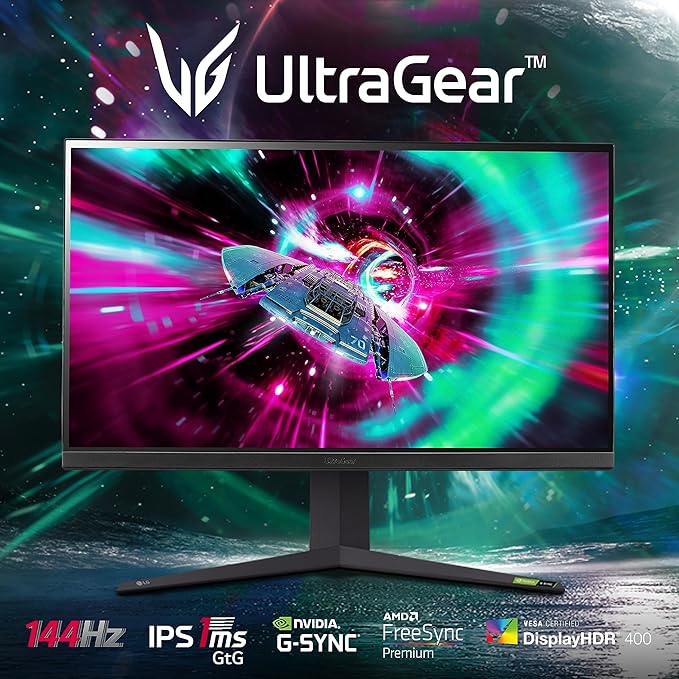
Elevate your gaming experience with the LG 32" UltraGear Gaming Monitor, featuring breathtaking 4K UHD resolution and Nano IPS with ATW technology for vibrant, accurate colors. Enjoy ultra-smooth gameplay with a 144Hz refresh rate and a rapid 1ms response time. With G-SYNC compatibility and HDR 1000 support, this monitor ensures exceptional color accuracy and fluid performance. Perfect for competitive gamers, the UltraGear monitor provides an immersive and responsive gaming environment.
Elevate your gaming experience with the LG 32" UltraGear Gaming Monitor, featuring breathtaking 4K UHD resolution and Nano IPS with ATW technology for vibrant, accurate colors. Enjoy ultra-smooth gameplay with a 144Hz refresh rate and a rapid 1ms response time. With G-SYNC compatibility and HDR 1000 support, this monitor ensures exceptional color accuracy and fluid performance. Perfect for competitive gamers, the UltraGear monitor provides an immersive and responsive gaming environment.
in 1 offers
The lowest price for LG UltraGear 32GQ950-B 32" 144Hz UHD 4K 1ms HDR IPS G-Sync Compatible Monitor right now is $3,118.00 at Amazon.com.au.
The all-time low was $260.53 on 17 Feb 2026 — today's price is 1097% above the lowest ever. It has been notably cheaper before — worth setting a price alert.
Prices last updated 24 Aug 2026.
LG UltraGear 32GQ950-B 32" 144Hz UHD 4K 1ms HDR IPS G-Sync Compatible Monitor
Elevate your gaming experience with the LG 32" UltraGear Gaming Monitor, featuring breathtaking 4K UHD resolution and Nano IPS with ATW technology for vibrant, accurate colors. Enjoy ultra-smooth gameplay with a 144Hz refresh rate and a rapid 1ms response time. With G-SYNC compatibility and HDR 1000 support, this monitor ensures exceptional color accuracy and fluid performance. Perfect for competitive gamers, the UltraGear monitor provides an immersive and responsive gaming environment.
Elevate your gaming experience with the LG 32" UltraGear Gaming Monitor, featuring breathtaking 4K UHD resolution and Nano IPS with ATW technology for vibrant, accurate colors. Enjoy ultra-smooth gameplay with a 144Hz refresh rate and a rapid 1ms response time. With G-SYNC compatibility and HDR 1000 support, this monitor ensures exceptional color accuracy and fluid performance. Perfect for competitive gamers, the UltraGear monitor provides an immersive and responsive gaming environment.

