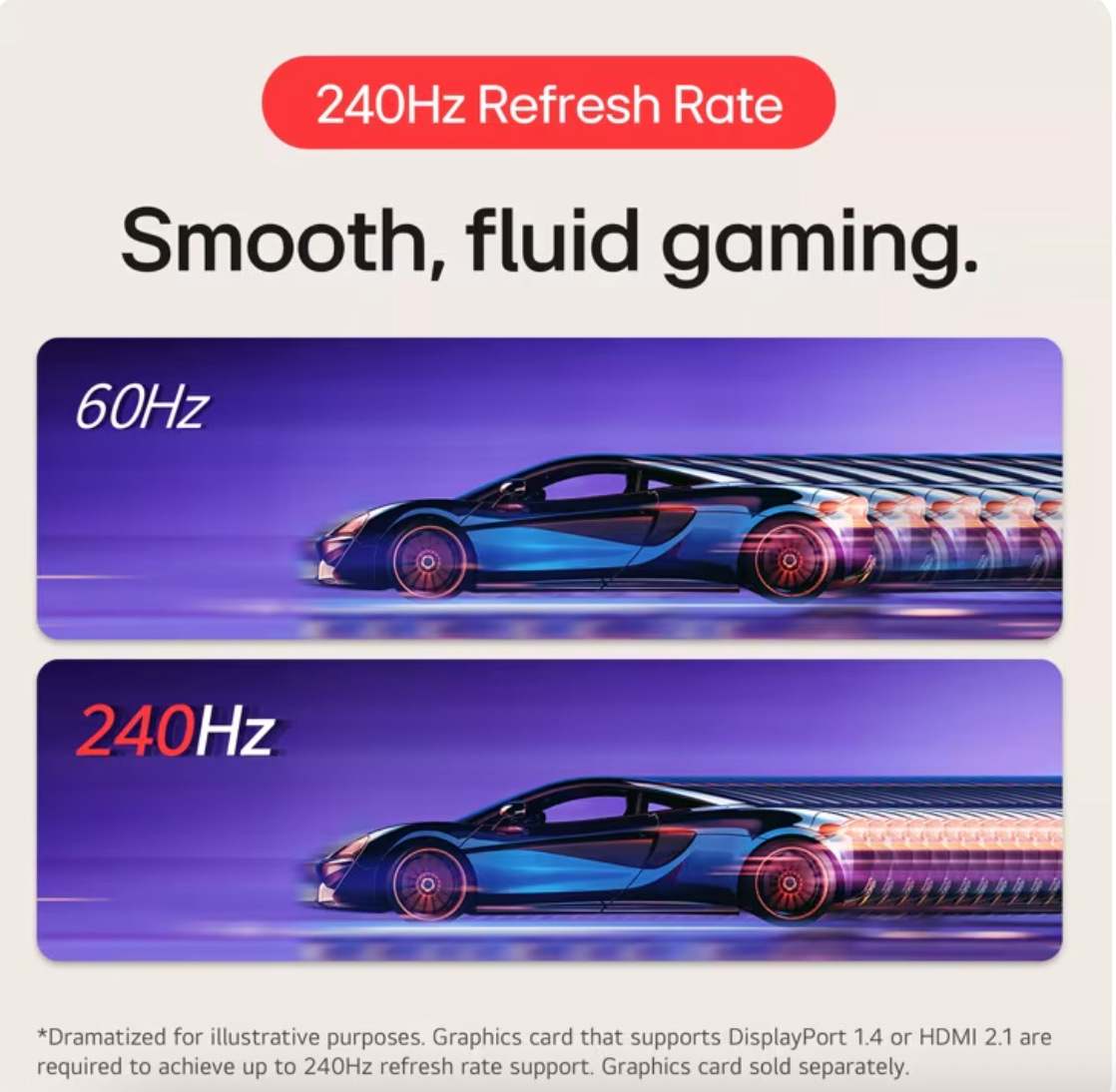
Go for a breath-taking gaming experience with this LG ultrawide gaming monitor. Equipped with NVIDIA G-SYNC display technology, this monitor delivers smooth and fast gaming visuals by preventing stuttering and tearing. The Sphere Lighting 2.0 produces light effects according to sounds and visuals for a realistic experience.
Go for a breath-taking gaming experience with this LG ultrawide gaming monitor. Equipped with NVIDIA G-SYNC display technology, this monitor delivers smooth and fast gaming visuals by preventing stuttering and tearing. The Sphere Lighting 2.0 produces light effects according to sounds and visuals for a realistic experience.
in 1 offers
The lowest price for LG UltraGear 38GL950G 38in 175Hz UWQHD+ 1ms G-Sync Curved Nano IPS Gaming Monitor right now is $2,210.00 at Ubuy Australia.
The all-time low was $1,878.01 on 11 May 2026 — today's price is 18% above the lowest ever. That's a little above the best price we've seen.
Prices last updated 15 July 2026.
LG UltraGear 38GL950G 38in 175Hz UWQHD+ 1ms G-Sync Curved Nano IPS Gaming Monitor
Go for a breath-taking gaming experience with this LG ultrawide gaming monitor. Equipped with NVIDIA G-SYNC display technology, this monitor delivers smooth and fast gaming visuals by preventing stuttering and tearing. The Sphere Lighting 2.0 produces light effects according to sounds and visuals for a realistic experience.
Go for a breath-taking gaming experience with this LG ultrawide gaming monitor. Equipped with NVIDIA G-SYNC display technology, this monitor delivers smooth and fast gaming visuals by preventing stuttering and tearing. The Sphere Lighting 2.0 produces light effects according to sounds and visuals for a realistic experience.
Last updated at 15/07/2026 08:51:01
LG 38GL950G-B Ultragear Gaming Monitor 38" 21:9 Curved WQHD+ (2840 x 1600) Nano IPS Display, 1ms Response Time, 144HZ Refresh Rate, NVIDIA G-SYNC -
Delivery between 19–23 July $15.52
originally posted on bestbuy.com
Although my review will say that I had just recently purchased this monitor, I bought it back in December of 2020. Just recently I had a red/green line appear down the right-hand side of the monitor. Luckily, I had Geek Squad Protection and they were able to see the line and instantly ship me a replacement with no further actions taken. Probably one of the best experiences I've had with getting anything replaced.As far as the monitor itself, I came from 2 x 1080p monitors and this thing is just blowing me away. My only regret is not hopping on a 2000 series graphics card to really run this monitor to it's full potential. I will never without an ultra-wide monitor. Response time is fantastic, colors are great and it really just enhances the experience not just for ... MoreAlthough my review will say that I had just recently purchased this monitor, I bought it back in December of 2020. Just recently I had a red/green line appear down the right-hand side of the monitor. Luckily, I had Geek Squad Protection and they were able to see the line and instantly ship me a replacement with no further actions taken. Probably one of the best experiences I've had with getting anything replaced.As far as the monitor itself, I came from 2 x 1080p monitors and this thing is just blowing me away. My only regret is not hopping on a 2000 series graphics card to really run this monitor to it's full potential. I will never without an ultra-wide monitor. Response time is fantastic, colors are great and it really just enhances the experience not just for gaming but for overall productivity.
originally posted on LG
Finally splurged and picked up this monitor.21:9 ultra wide and WQHD+ resolution is just amazing for gaming and productivity. Driving this monitor with a 3090 with 175 hz refresh rate only makes game smoother.HDR feature is pretty useless, I recommend adjust the colorsmanually to suit your need.Had 1 minor issue with using audio out where the audio got distorted and powering the monitor on/off fixed the issue.Have not noticed any noises from the gsync ultimate fan in the monitor either.
originally posted on LG
I bought this monitor from a 3rd party seller, but unfortunately ended up receiving one with a dead pixel. HOWEVER, upon reaching out LG, they immediately had me send the unit in for repairs. Within 2 weeks upon receipt of the damaged product, they were able to repair and send the unit back to me in pristine condition.I honestly didn't expect LG's support to be this responsive and have the repair done so in a timely fashion. I appreciate the overall journey for finally being able to use this monitor.As for the monitor itself: It's an absolute beast for both productivity and gaming. One word of caution is that you need a pretty beefy GPU if you want to run it in higher frames for the more graphically demanding games. Although this is no OLED, the picture quality, ... MoreI bought this monitor from a 3rd party seller, but unfortunately ended up receiving one with a dead pixel. HOWEVER, upon reaching out LG, they immediately had me send the unit in for repairs. Within 2 weeks upon receipt of the damaged product, they were able to repair and send the unit back to me in pristine condition.I honestly didn't expect LG's support to be this responsive and have the repair done so in a timely fashion. I appreciate the overall journey for finally being able to use this monitor.As for the monitor itself: It's an absolute beast for both productivity and gaming. One word of caution is that you need a pretty beefy GPU if you want to run it in higher frames for the more graphically demanding games. Although this is no OLED, the picture quality, text clarity, and the pixel resolution just makes it a powerhouse when browsing/working.I rate this monitor 4/5 stars only because of the time and trouble I had to go through to get it repaired. Luckily for me, the repair process was smooth!
| Cabinet Color | Black |
| Bezel Design | 3-Side Virtually Borderless Design |
| Screen Size | 38" (Actual size 37.5") |
| Widescreen | Yes |
| Panel | Nano IPS |
LG 38GL950G-B Ultragear Gaming Monitor 38" 21:9 Curved WQHD+ (2840 x 1600) Nano IPS Display, 1ms Response Time, 144HZ Refresh Rate, NVIDIA G-SYNC -
Delivery between 19–23 July $15.52
Although my review will say that I had just recently purchased this monitor, I bought it back in December of 2020. Just recently I had a red/green line appear down the right-hand side of the monitor. Luckily, I had Geek Squad Protection and they were able to see the line and instantly ship me a replacement with no further actions taken. Probably one of the best experiences I've had with getting anything replaced.As far as the monitor itself, I came from 2 x 1080p monitors and this thing is just blowing me away. My only regret is not hopping on a 2000 series graphics card to really run this monitor to it's full potential. I will never without an ultra-wide monitor. Response time is fantastic, colors are great and it really just enhances the experience not just for ... MoreAlthough my review will say that I had just recently purchased this monitor, I bought it back in December of 2020. Just recently I had a red/green line appear down the right-hand side of the monitor. Luckily, I had Geek Squad Protection and they were able to see the line and instantly ship me a replacement with no further actions taken. Probably one of the best experiences I've had with getting anything replaced.As far as the monitor itself, I came from 2 x 1080p monitors and this thing is just blowing me away. My only regret is not hopping on a 2000 series graphics card to really run this monitor to it's full potential. I will never without an ultra-wide monitor. Response time is fantastic, colors are great and it really just enhances the experience not just for gaming but for overall productivity.
Finally splurged and picked up this monitor.21:9 ultra wide and WQHD+ resolution is just amazing for gaming and productivity. Driving this monitor with a 3090 with 175 hz refresh rate only makes game smoother.HDR feature is pretty useless, I recommend adjust the colorsmanually to suit your need.Had 1 minor issue with using audio out where the audio got distorted and powering the monitor on/off fixed the issue.Have not noticed any noises from the gsync ultimate fan in the monitor either.
I bought this monitor from a 3rd party seller, but unfortunately ended up receiving one with a dead pixel. HOWEVER, upon reaching out LG, they immediately had me send the unit in for repairs. Within 2 weeks upon receipt of the damaged product, they were able to repair and send the unit back to me in pristine condition.I honestly didn't expect LG's support to be this responsive and have the repair done so in a timely fashion. I appreciate the overall journey for finally being able to use this monitor.As for the monitor itself: It's an absolute beast for both productivity and gaming. One word of caution is that you need a pretty beefy GPU if you want to run it in higher frames for the more graphically demanding games. Although this is no OLED, the picture quality, ... MoreI bought this monitor from a 3rd party seller, but unfortunately ended up receiving one with a dead pixel. HOWEVER, upon reaching out LG, they immediately had me send the unit in for repairs. Within 2 weeks upon receipt of the damaged product, they were able to repair and send the unit back to me in pristine condition.I honestly didn't expect LG's support to be this responsive and have the repair done so in a timely fashion. I appreciate the overall journey for finally being able to use this monitor.As for the monitor itself: It's an absolute beast for both productivity and gaming. One word of caution is that you need a pretty beefy GPU if you want to run it in higher frames for the more graphically demanding games. Although this is no OLED, the picture quality, text clarity, and the pixel resolution just makes it a powerhouse when browsing/working.I rate this monitor 4/5 stars only because of the time and trouble I had to go through to get it repaired. Luckily for me, the repair process was smooth!
The monitor I purchased had some awful backlight bleed. More than once I thought the bottom right corner of the monitor was suffering from light reflections from the nearby window. Then I saw the same behavior at night in a dark room. I found this behavior distracting and unacceptable.The second issue was defective RGB light ring on the back of the monitor. The light ring would do rainbow with no issues. Using the LG Ultra Gear software allows programming of the light ring. In my case, only the left side of the ring would turn off with any mode other than the default rainbow affect. Firmware and software updates did not resolve the issue.Between the distracting backlight bleed and the defective RGB lighting affects I chose to return the monitor. At the time, ... MoreThe monitor I purchased had some awful backlight bleed. More than once I thought the bottom right corner of the monitor was suffering from light reflections from the nearby window. Then I saw the same behavior at night in a dark room. I found this behavior distracting and unacceptable.The second issue was defective RGB light ring on the back of the monitor. The light ring would do rainbow with no issues. Using the LG Ultra Gear software allows programming of the light ring. In my case, only the left side of the ring would turn off with any mode other than the default rainbow affect. Firmware and software updates did not resolve the issue.Between the distracting backlight bleed and the defective RGB lighting affects I chose to return the monitor. At the time, there was no stock to swap the monitor.
I had been thinking about an ultrawide monitor for a while, I wasn't sure if I'd like an ultrawide as I previously was using an 32" LED TV which I thought was big enough. I looked at reviews in general and decided a 38" ultrawide was one I'd try the 49" ones just seemed like they would be too wide, so I got this one (LG 38GL950G-B 38" ultrawide). All the games I own run fast and smooth on it. I love it.Things to note:For some reason you can't get to the BIOS when using the Display Port cable it doesn't display anything until it gets to the windows log in. Fortunately if you use the HDMI cable instead you can get to the BIOS. Switch back to the Display Port when you are done messing with the BIOS as you miss out on some features if you use HDMI.To make my games ... MoreI had been thinking about an ultrawide monitor for a while, I wasn't sure if I'd like an ultrawide as I previously was using an 32" LED TV which I thought was big enough. I looked at reviews in general and decided a 38" ultrawide was one I'd try the 49" ones just seemed like they would be too wide, so I got this one (LG 38GL950G-B 38" ultrawide). All the games I own run fast and smooth on it. I love it.Things to note:For some reason you can't get to the BIOS when using the Display Port cable it doesn't display anything until it gets to the windows log in. Fortunately if you use the HDMI cable instead you can get to the BIOS. Switch back to the Display Port when you are done messing with the BIOS as you miss out on some features if you use HDMI.To make my games use the full monitor I changed the settings in Nvida Geforce Experience. To do this find your game, click on Details button, then click on the wrench and set the resolution to 3840x1600, click Apply. Just mentioning it as some games don't show the resolution in their options, but they will work using the settings I've described.The stand is substantial and I tried to capture in the photo that you can actually slide paper freely under the stand due to the stand been on rubber feet, which is kind of useful if you want a keyboard cheat sheet on your desk and you like the monitor up close when gaming.
I don't think I would have paid full price for this, but I am glad I got it! I wanted an ultrawide gaming monitor that housed Nvidia's G-Sync module and I really liked the design of the LG models compared to their competitors. I especially like the design of the stand and the thin bezel around the screen) but I actually wanted to get the 34" version of this, the 34GK950G, which at time of purchase was retailing at nearly half the price of this one. However by the time I was ready to purchase it, the website I saw it on had sold them all and I couldn't find anywhere else selling them.I was however, fortunate to find an online retailer selling an 'opened box' version of this 38" model at a substantial discount. Still not as cheap as the 34" model I actually wanted ... MoreI don't think I would have paid full price for this, but I am glad I got it! I wanted an ultrawide gaming monitor that housed Nvidia's G-Sync module and I really liked the design of the LG models compared to their competitors. I especially like the design of the stand and the thin bezel around the screen) but I actually wanted to get the 34" version of this, the 34GK950G, which at time of purchase was retailing at nearly half the price of this one. However by the time I was ready to purchase it, the website I saw it on had sold them all and I couldn't find anywhere else selling them.I was however, fortunate to find an online retailer selling an 'opened box' version of this 38" model at a substantial discount. Still not as cheap as the 34" model I actually wanted to get, but still exceptionally good value for this particular model, so I decided to jump on it and I'm really happy that I did!I found it easy to set up and windows recognised it straight away, but I did have a bit of an issue with flickering videos at first. After trying a few things I was eventually able to fix this by uninstalling and reinstalling the Nvidia graphics drivers. Once I'd done that the issue had gone away and everything now seems to be working fine.My only real complaint at the moment is regarding the software that controls the sphere lighting. It opens itself in a window every time you startup the PC! I'd rather that it just started minimised to the taskbar and carry on doing what it was doing before I last shut the PC down. Hopefully they'll release a software update at some time in the future to satisfy this wish for me, as I'm sure I'm not the only person who would find this annoying.The Sphere lighting itself is a really nice touch though and it probably the coolest thing about this model. The LEDs are very bright and can easily be noticed even in a well-lit room, as you can see from my attached picture.Many people have said that the major downside of this model is that it is only HDR 400 and doesn't really have proper HDR, but as far as I'm concerned although it isn't great it's still better to have this than not having HDR at all. At least it can accept and process a HDR input, even if it can't do it as well as some of it's competitors!
It is a great monitor if you don't consider the price, I expected excellence, but was very disappointed with few things:- Sphere Ligting ~1 sec delay, makes it useless and immersion breaking in fast paced action- On-screen crosshair, can't configure position - makes it useless in games where your crosshair is not centered ideally (my previous monitor for half the price could do this properly).- Hz overlay is static, if you set your monitor to 144 Hz, it will display '144' - a static picture, if you enable G-Sync that 144 will never change even if your fps fall below 144, with previous monitor I've used this overlay to verify my Hz are dynamic and g-sync is working, can't do this with LG.-
This is an excellent monitor. The color is vibrant, the motion is extremely crisp, and it's just a bit taller than a standard-sized monitor. It fills my field of vision perfectly without being so wide or tall that I have to turn my head. Gaming is an amazing experience, and the extra screen realestate is greatly appreciated for work.Gsync works very well. It is natively detected and just works. It's plug and play as plug and play should be. The native support means there is an additional fan to cool the module, and it is slightly audible. It sounds like white noise. However, I can't hear it over speakers. For work applications with no sound, it was a bit annoying at first, but after about three weeks, I stopped noticing it.I previously bought a similar model ... MoreThis is an excellent monitor. The color is vibrant, the motion is extremely crisp, and it's just a bit taller than a standard-sized monitor. It fills my field of vision perfectly without being so wide or tall that I have to turn my head. Gaming is an amazing experience, and the extra screen realestate is greatly appreciated for work.Gsync works very well. It is natively detected and just works. It's plug and play as plug and play should be. The native support means there is an additional fan to cool the module, and it is slightly audible. It sounds like white noise. However, I can't hear it over speakers. For work applications with no sound, it was a bit annoying at first, but after about three weeks, I stopped noticing it.I previously bought a similar model from Amazon, shipped from and sold by them. I liked it better, and it was a bit less expensive. However, it didn't ship until the day after the expected delivery date, and it took twice as long as initially quoted after it did to arrive. It arrived with two big holes in the box, missing documentation, and a badly cracked screen. Obviously not even refurbished. I sent it back immediately, but it took Amazon over a month to refund me, and they accused me of causing the damage. I tried to post a review, and they rejected it. Makes me wonder about the legitimacy of the 4-star average.The Amazon experience isn't new, and it's been happening to me there with increasing frequency, especially over Christmas. I don't really trust them as much anymore, and I've been shopping here more often as a result. My experience here with this monitor was very different. It arrived in the promised condition within the promised timeframe. For other items I've had a problem with, Best Buy has been very helpful, and we've gotten it resolved.Shopping experience is an important part of buying anything, especially something expensive like this. And where Amazon has failed me time and time again, Best Buy continues to impress.
Love it, exactly as advertised. I use it for work and play. Got it for work because my older 21" monitor just didn't give me the real estate I needed. Have played Nier:Automata and Witcher:Wild Hunt on it so far. Amazing colors and responsiveness. Almost feel like I'm really there. I had worried a LITTLE about the stand sticking out in front but it's perfect. the "boomerang" foot really doesn't take up that much space. The support column is metal/heavy (steel?) and I've had no rocking issues. Love the "sphere lighting" on the back: never thought I'd be into that kind of thing, but it makes me happy when I see it, lol. Computer's the same way, with the colors.Perfectly easy to use. Love the little "joystick" at center-bottom for turning it on (if needed) and for ... MoreLove it, exactly as advertised. I use it for work and play. Got it for work because my older 21" monitor just didn't give me the real estate I needed. Have played Nier:Automata and Witcher:Wild Hunt on it so far. Amazing colors and responsiveness. Almost feel like I'm really there. I had worried a LITTLE about the stand sticking out in front but it's perfect. the "boomerang" foot really doesn't take up that much space. The support column is metal/heavy (steel?) and I've had no rocking issues. Love the "sphere lighting" on the back: never thought I'd be into that kind of thing, but it makes me happy when I see it, lol. Computer's the same way, with the colors.Perfectly easy to use. Love the little "joystick" at center-bottom for turning it on (if needed) and for controlling things. Intuitive. Great quality so far. I considered taking a star off because I'd have liked deeper blacks, but that's more because of the LED technology used... I think it's as good as can be achieved with the technology, so.Regarding value, frankly I think it's over-priced, even with the Nvidia G-SYNC compatibility: you pay a premium for that, I'd say about $500 over a comparable monitor without it. That said, I'd do it all over again. Very happy with this monitor.
Purchased this monitor 12-14-2019 and as of 12-18-2019 (date of writing this review) I've logged 21 hours of utilization.That said I want to say that this monitor was slated to release before it did, several push backs on the date and from my findings on-line, it was to iron out some issues it suffered from after development.I want to speak about the things I like:1. The overclock refresh rate feelings a lot more organic than some other monitors I've tested in past times. One I'd like to speak on is the Asus PG248Q, I'll use that as a reference because I own that 1080P set, the native refresh rate feels fine at 144Hz, when pushed to 180, though it feels more smooth, there is the random ghosting, even in the mouse cursor. With this particular panel, I don't see ... MorePurchased this monitor 12-14-2019 and as of 12-18-2019 (date of writing this review) I've logged 21 hours of utilization.That said I want to say that this monitor was slated to release before it did, several push backs on the date and from my findings on-line, it was to iron out some issues it suffered from after development.I want to speak about the things I like:1. The overclock refresh rate feelings a lot more organic than some other monitors I've tested in past times. One I'd like to speak on is the Asus PG248Q, I'll use that as a reference because I own that 1080P set, the native refresh rate feels fine at 144Hz, when pushed to 180, though it feels more smooth, there is the random ghosting, even in the mouse cursor. With this particular panel, I don't see that as much. From a gaming perspective, I don't play anything FPS at a competitive level to feel the need for 175Hz, however in day to day computing it feels absolutely amazing.2. The pixel density here, it is amazing. I've been using Ultra-wide (gaming) monitors since the original run of the Acer Predator, that was 3440 X 1440 at 100Hz. Though it had some opportunities, it was the start of many variants that later came in a more perfect form from companies like Asus (much better option) and even Dell Alien-ware of the same model turned out to be really well. Still, with this particular monitor, the higher resolution in the Ultra-wide format feels like a much sweet spot for people that are looking for content creating and the next level for 4K gaming.3. This monitor does not produce a ridiculous amount of heat and or noise, and that is something that I was concerned about because noise was a major call out when this monitor was in it's Beta stage.Some of the opportunities that I feel this monitor has:1. I am not a personal fan of the RED accents, I'm not even sure who came up with the idea that RED was the color that spoke to gamers, I've been into PC gaming since 2013 and even before the RGB era, RED has always been that color, what I would have liked to have seen are maybe some replacement plates for the base of the monitor, maybe a black one. I do understand that this is a "gaming" monitor, but this has so many perks that will speak to people beyond gaming, and the accents of RED could just throw off a person looking to buy. I feel that is something LG should consider going forward.2. You are unable to access the maximum refresh rates all while taking advantage of HDR. That is a limitation that should drop this monitor by $200 retail, in my honest opinion.That ends my separation of likes and dislikes.Speaking of HDR, I've seen the few reviews written on here speaking to the HDR not being real HDR or max. This monitor sits in a very different space. Anyone looking for max nits of brightness needs to target a monitor that has full array local dimming, that needs to be the Acer predator that does 4k at 144hz, this monitor being Ultra-wide, it's kind of in a different space. I don't know, some are picky, I never expected HDR1000 from this set but I can tell you that the HDR on this works, it's a nice kick for people that will use this for film/photo creating, anyone looking to inspect the content that they have shot in HDR format will be pleased, I'm no pro but I've done some edits and it's a welcomed tool In my opinion.My build setup that I am currently using for this monitor (New build for it in progress)Case: NZXT H500, I went black case with Red cable barProcessor: AMD Ryzen 7 3700XMOBO: Asus TUF X570GPU: MSI RTX 2080 Gaming TrioMy gaming experience for the single player games from Tomb Raider, Batman, Resident Evil, etc style games has been wonderful, most of these games sweet spot is 60FPS, the higher refresh rate certainly helps with making timed counters (Batman series) feel fluid.This is not a monitor that I'd recommend for people playing video games that are of the fighting game genre, I used to play Street Fighter at a professional level, and I still play a variety of fighting games but this monitor isn't the optimal choice for fighting games, if you play fighting games as a main genre, do not invest in this monitor for that!I give this monitor a 5 star, it hit all my expectations. Again, I've used Ultra-wide options before, what this has given me is larger screen, higher pixels, HDR, higher native and OC refresh rate VS what was new years ago from Acer, Asus and Dell in the Ultra-wide categories.Lastly, get a Best Buy Geek Squad Protection plan on this, if you invest $1800 or got it open boxed for $1600 then be prepared to invest another $150 for a 4 year product replacement plan!-TKK
| Cabinet Color | Black |
| Bezel Design | 3-Side Virtually Borderless Design |
| Screen Size | 38" (Actual size 37.5") |
| Widescreen | Yes |
| Panel | Nano IPS |