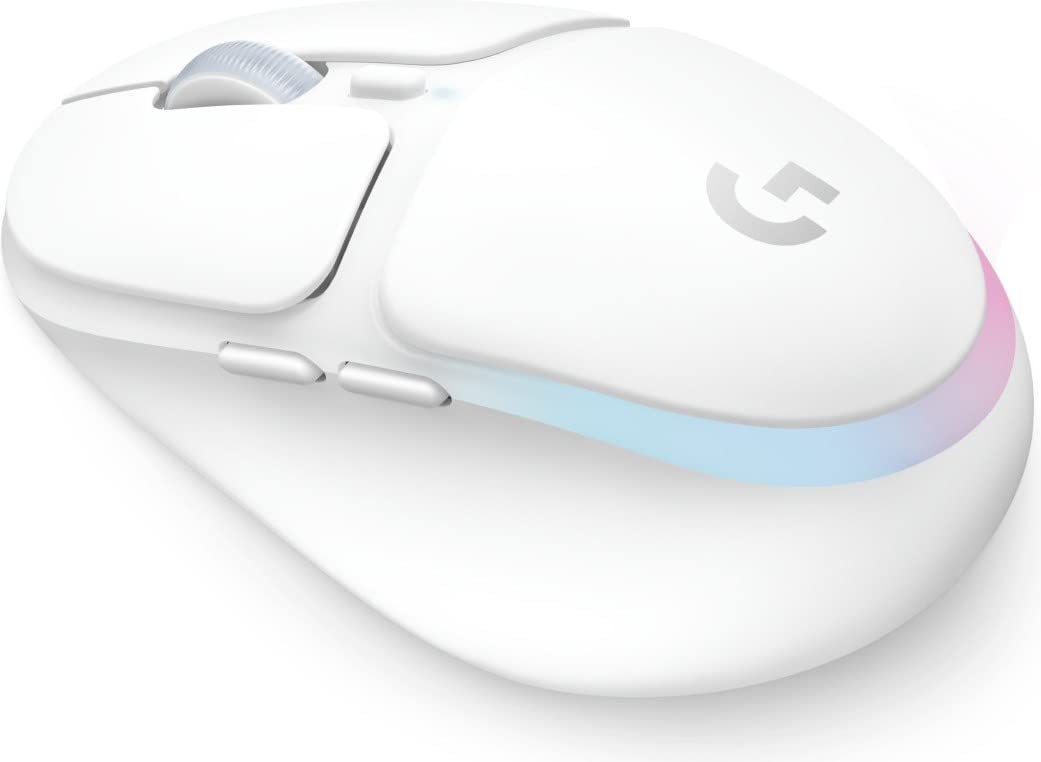
Logitech's most responsive optical sensor, the PMW3366, provides the highest scanning accuracy. Exclusive Logitech G Delta Zero technology with optical sensor minimizes mouse acceleration and helps you navigate more accurately. You have the ability to switch between five different sensitivity levels from 200 to 12,000 DPI during the game (for certain DPI settings, the Logitech gaming software is required). Customize it to your own taste. Your Proteus Spectrum is equipped with five 3.6 g tuning weights. Position them all or just a few of them where you want to place more or less weight. This mouse can be tailored to your individual requirements. Adjustable RGB lighting provides up to 16.8 million selectable colors. With Logitech gaming software, you can customize color and brightness to suit your style, system, or environment. Put your lights into energy-saving mode when you are not using the system. Plus, you can synchronize lighting patterns and effects with other Logitech G devices so that they appear identical on all devices. Bring your games to life with "breathing" or circular lighting patterns. There are different game surfaces. Increase accuracy by matching the Proteus Spectrum's optical sensor to your playing surface. By adapting the mouse to the surface, not only the precision but also the responsiveness is improved. This configuration can be done quickly so you're ready to fight (you need the Logitech gaming software to fine-tune the sensor). The G502 Proteus Spectrum is pre-configured for use on the Logitech G240 and G440 gaming mousepads. Together with one of these mousepads, you'll get even more precision.
Logitech's most responsive optical sensor, the PMW3366, provides the highest scanning accuracy. Exclusive Logitech G Delta Zero technology with optical sensor minimizes mouse acceleration and helps you navigate more accurately. You have the ability to switch between five different sensitivity levels from 200 to 12,000 DPI during the game (for certain DPI settings, the Logitech gaming software is required). Customize it to your own taste. Your Proteus Spectrum is equipped with five 3.6 g tuning weights. Position them all or just a few of them where you want to place more or less weight. This mouse can be tailored to your individual requirements. Adjustable RGB lighting provides up to 16.8 million selectable colors. With Logitech gaming software, you can customize color and brightness to suit your style, system, or environment. Put your lights into energy-saving mode when you are not using the system. Plus, you can synchronize lighting patterns and effects with other Logitech G devices so that they appear identical on all devices. Bring your games to life with "breathing" or circular lighting patterns. There are different game surfaces. Increase accuracy by matching the Proteus Spectrum's optical sensor to your playing surface. By adapting the mouse to the surface, not only the precision but also the responsiveness is improved. This configuration can be done quickly so you're ready to fight (you need the Logitech gaming software to fine-tune the sensor). The G502 Proteus Spectrum is pre-configured for use on the Logitech G240 and G440 gaming mousepads. Together with one of these mousepads, you'll get even more precision.
in 1 offers
Logitech G502 Proteus Gaming Hardware/Electronic
Logitech's most responsive optical sensor, the PMW3366, provides the highest scanning accuracy. Exclusive Logitech G Delta Zero technology with optical sensor minimizes mouse acceleration and helps you navigate more accurately. You have the ability to switch between five different sensitivity levels from 200 to 12,000 DPI during the game (for certain DPI settings, the Logitech gaming software is required). Customize it to your own taste. Your Proteus Spectrum is equipped with five 3.6 g tuning weights. Position them all or just a few of them where you want to place more or less weight. This mouse can be tailored to your individual requirements. Adjustable RGB lighting provides up to 16.8 million selectable colors. With Logitech gaming software, you can customize color and brightness to suit your style, system, or environment. Put your lights into energy-saving mode when you are not using the system. Plus, you can synchronize lighting patterns and effects with other Logitech G devices so that they appear identical on all devices. Bring your games to life with "breathing" or circular lighting patterns. There are different game surfaces. Increase accuracy by matching the Proteus Spectrum's optical sensor to your playing surface. By adapting the mouse to the surface, not only the precision but also the responsiveness is improved. This configuration can be done quickly so you're ready to fight (you need the Logitech gaming software to fine-tune the sensor). The G502 Proteus Spectrum is pre-configured for use on the Logitech G240 and G440 gaming mousepads. Together with one of these mousepads, you'll get even more precision.
Logitech's most responsive optical sensor, the PMW3366, provides the highest scanning accuracy. Exclusive Logitech G Delta Zero technology with optical sensor minimizes mouse acceleration and helps you navigate more accurately. You have the ability to switch between five different sensitivity levels from 200 to 12,000 DPI during the game (for certain DPI settings, the Logitech gaming software is required). Customize it to your own taste. Your Proteus Spectrum is equipped with five 3.6 g tuning weights. Position them all or just a few of them where you want to place more or less weight. This mouse can be tailored to your individual requirements. Adjustable RGB lighting provides up to 16.8 million selectable colors. With Logitech gaming software, you can customize color and brightness to suit your style, system, or environment. Put your lights into energy-saving mode when you are not using the system. Plus, you can synchronize lighting patterns and effects with other Logitech G devices so that they appear identical on all devices. Bring your games to life with "breathing" or circular lighting patterns. There are different game surfaces. Increase accuracy by matching the Proteus Spectrum's optical sensor to your playing surface. By adapting the mouse to the surface, not only the precision but also the responsiveness is improved. This configuration can be done quickly so you're ready to fight (you need the Logitech gaming software to fine-tune the sensor). The G502 Proteus Spectrum is pre-configured for use on the Logitech G240 and G440 gaming mousepads. Together with one of these mousepads, you'll get even more precision.
The lowest price for Logitech G502 Proteus Gaming Hardware/Electronic right now is $25.00 at CeX.
The all-time low was $25.00 on 27 Apr 2026. That's the lowest price we've ever tracked — a great time to buy.
Prices last updated 28 Oct 2026.
Last updated at 28/10/2026 02:22:48
Logitech G502 Proteus Spectrum Gaming Mouse, B
Delivery $4
originally posted on lazada.com.my
Functionality:Lots of DPI settings to choose from with programmable buttons for gaming and macro commands for software like Adobe Photoshop. Quality:Somewhat average. The scroll wheel has a plasticky finish and the mouse doesn't have stress relief guards for the cord Material:High quality plastic. Too light for my liking despite the supplied iron weights.I bought the G502 Hero on a whim without due diligence on my part as my old Corsair M65 corded gaming mouse stopped working after 7 years. I'm not familiar with the Logitech G series mice and chose one that looked good but affordable.While this mouse has optional weights, they're all positioned from the center towards the back. Unlike the Corsair M65 there's no provision for adding weights in front therefore the ... MoreFunctionality:Lots of DPI settings to choose from with programmable buttons for gaming and macro commands for software like Adobe Photoshop. Quality:Somewhat average. The scroll wheel has a plasticky finish and the mouse doesn't have stress relief guards for the cord Material:High quality plastic. Too light for my liking despite the supplied iron weights.I bought the G502 Hero on a whim without due diligence on my part as my old Corsair M65 corded gaming mouse stopped working after 7 years. I'm not familiar with the Logitech G series mice and chose one that looked good but affordable.While this mouse has optional weights, they're all positioned from the center towards the back. Unlike the Corsair M65 there's no provision for adding weights in front therefore the weight distribution is rear heavy.On the plus side the G502 Hero's scroll wheel is quite sensitive and needs only a light touch. There is no surface calibration feature for this model for some particular reason.This is a mouse that I find easy to adapt for normal use but it's not quite what I had hoped for FPS gaming.
originally posted on ebay.com
Love the feel of the mouse. It fits the natural contour of my hand making for a more relaxed feel. The ability to customize the weight by adding or removing weights to the mouse is really nice as it allows me to customize it to a weight that is more comfortable to me. The placement of the buttons on the mouse is perfect as they are situated exactly where your fingers naturally rest on the mouse so you don't even have to move your fingers away from their natural rest positions to use the buttons. The thumb rest on the side of the mouse also helps by taking the strain off of having to hold the thumb up on the mouse during long periods of use. All together this mouse is really designed well with the gamer in mind. People who will be using it for long periods of time. ... MoreLove the feel of the mouse. It fits the natural contour of my hand making for a more relaxed feel. The ability to customize the weight by adding or removing weights to the mouse is really nice as it allows me to customize it to a weight that is more comfortable to me. The placement of the buttons on the mouse is perfect as they are situated exactly where your fingers naturally rest on the mouse so you don't even have to move your fingers away from their natural rest positions to use the buttons. The thumb rest on the side of the mouse also helps by taking the strain off of having to hold the thumb up on the mouse during long periods of use. All together this mouse is really designed well with the gamer in mind. People who will be using it for long periods of time. AND the Special Edition with it's white/grey stripping it looks really cool too.
originally posted on walmart.com
This isn't the beloved Proteus Spectrum, the seller is lying and tricking people into believing they are buying the best version of the G502: The Proteus Spectrum. THIS IS NOT A PROTEUS SPECTRUM THIS IS A G502 HERO.What difference does it make you ask? The Hero is prone to double-clicking issues and suffers from a lesser build quality than the legendary Proteus Spectrum, the best version of the G502 ever made. I was beside myself to see a seller still offering such a legendary mouse: it was too good to be true.Shame on this seller for not reading their own packaging. THEY EITHER DON'T KNOW WHAT THEY'RE SELLING, OR ARE DELIBERATELY LYING TO PEOPLE
| Device interface | USB Type-A |
| Buttons type | Pressed buttons |
| Acceleration (G) | >40 |
| Polling Rate (Hz) | 1000 |
| Switchable Resolution | Yes |
Logitech G502 Proteus Spectrum Gaming Mouse, B
Delivery $4
Functionality:Lots of DPI settings to choose from with programmable buttons for gaming and macro commands for software like Adobe Photoshop. Quality:Somewhat average. The scroll wheel has a plasticky finish and the mouse doesn't have stress relief guards for the cord Material:High quality plastic. Too light for my liking despite the supplied iron weights.I bought the G502 Hero on a whim without due diligence on my part as my old Corsair M65 corded gaming mouse stopped working after 7 years. I'm not familiar with the Logitech G series mice and chose one that looked good but affordable.While this mouse has optional weights, they're all positioned from the center towards the back. Unlike the Corsair M65 there's no provision for adding weights in front therefore the ... MoreFunctionality:Lots of DPI settings to choose from with programmable buttons for gaming and macro commands for software like Adobe Photoshop. Quality:Somewhat average. The scroll wheel has a plasticky finish and the mouse doesn't have stress relief guards for the cord Material:High quality plastic. Too light for my liking despite the supplied iron weights.I bought the G502 Hero on a whim without due diligence on my part as my old Corsair M65 corded gaming mouse stopped working after 7 years. I'm not familiar with the Logitech G series mice and chose one that looked good but affordable.While this mouse has optional weights, they're all positioned from the center towards the back. Unlike the Corsair M65 there's no provision for adding weights in front therefore the weight distribution is rear heavy.On the plus side the G502 Hero's scroll wheel is quite sensitive and needs only a light touch. There is no surface calibration feature for this model for some particular reason.This is a mouse that I find easy to adapt for normal use but it's not quite what I had hoped for FPS gaming.
Love the feel of the mouse. It fits the natural contour of my hand making for a more relaxed feel. The ability to customize the weight by adding or removing weights to the mouse is really nice as it allows me to customize it to a weight that is more comfortable to me. The placement of the buttons on the mouse is perfect as they are situated exactly where your fingers naturally rest on the mouse so you don't even have to move your fingers away from their natural rest positions to use the buttons. The thumb rest on the side of the mouse also helps by taking the strain off of having to hold the thumb up on the mouse during long periods of use. All together this mouse is really designed well with the gamer in mind. People who will be using it for long periods of time. ... MoreLove the feel of the mouse. It fits the natural contour of my hand making for a more relaxed feel. The ability to customize the weight by adding or removing weights to the mouse is really nice as it allows me to customize it to a weight that is more comfortable to me. The placement of the buttons on the mouse is perfect as they are situated exactly where your fingers naturally rest on the mouse so you don't even have to move your fingers away from their natural rest positions to use the buttons. The thumb rest on the side of the mouse also helps by taking the strain off of having to hold the thumb up on the mouse during long periods of use. All together this mouse is really designed well with the gamer in mind. People who will be using it for long periods of time. AND the Special Edition with it's white/grey stripping it looks really cool too.
This isn't the beloved Proteus Spectrum, the seller is lying and tricking people into believing they are buying the best version of the G502: The Proteus Spectrum. THIS IS NOT A PROTEUS SPECTRUM THIS IS A G502 HERO.What difference does it make you ask? The Hero is prone to double-clicking issues and suffers from a lesser build quality than the legendary Proteus Spectrum, the best version of the G502 ever made. I was beside myself to see a seller still offering such a legendary mouse: it was too good to be true.Shame on this seller for not reading their own packaging. THEY EITHER DON'T KNOW WHAT THEY'RE SELLING, OR ARE DELIBERATELY LYING TO PEOPLE
If you like the other G502 mice, I'm sure you'll like this one just as much and more. It's ridiculously lightweight compared to the OG HERO. The one thing annoys me is that, and supposedly this is a fix, they made the thumb buttons easier to press. I never once had problems hitting my thumbs buttons on the OG HERO but now I certainly have problems with hitting them all the time! I almost have to consider leaving them unbinded because of how detrimental to my gaming experience they've become. I play a lot of Battlefield 1 still and I use my thumb buttons for my gas mask so, quite frequently, I'm shooting an enemy and then my guy randomly puts his gas mask on and I die. Never had that happen with my old mouse. On the flip side, my hands are fairly large so I always ... MoreIf you like the other G502 mice, I'm sure you'll like this one just as much and more. It's ridiculously lightweight compared to the OG HERO. The one thing annoys me is that, and supposedly this is a fix, they made the thumb buttons easier to press. I never once had problems hitting my thumbs buttons on the OG HERO but now I certainly have problems with hitting them all the time! I almost have to consider leaving them unbinded because of how detrimental to my gaming experience they've become. I play a lot of Battlefield 1 still and I use my thumb buttons for my gas mask so, quite frequently, I'm shooting an enemy and then my guy randomly puts his gas mask on and I die. Never had that happen with my old mouse. On the flip side, my hands are fairly large so I always had a problem with having to keep my ring finger and pinky finger curled so that I could move my mouse freely on the OG HERO. This one is arched up higher so I don't have to do much acrobatics to keep my hand out of its own way anymore. Overall, decent mouse but Ghub is still a brain-dead application. On a sidenote, the materials they used feel way cheaper. The plastic probably saved a lot of weight but I feel like I'm using a mouse off Temu sometimes.
I've been a long time user of the G602 and G604, but both were heavy, and the 604 replaced the 602, and has since been discontinued and not replaced. So after searching for mice with extra buttons near the thumb but also comfortable with a lot of the features I've loved in the 604. While the G502 X didn't fill all those needs, it's been a great choice.Pros:- Ergonomic - It just fits my (rather large) hand well in a few different positions, and is so light I've found my wrist fatigue has been reduced significantly. Unlike the 604, I can press every button easily without looking for them, particularly the scroll wheel, DPI adjustments, and 3 easy to find thumb buttons is great. It also feels comfortable, which is hard to describe, but the material feel is what I ... MoreI've been a long time user of the G602 and G604, but both were heavy, and the 604 replaced the 602, and has since been discontinued and not replaced. So after searching for mice with extra buttons near the thumb but also comfortable with a lot of the features I've loved in the 604. While the G502 X didn't fill all those needs, it's been a great choice.Pros:- Ergonomic - It just fits my (rather large) hand well in a few different positions, and is so light I've found my wrist fatigue has been reduced significantly. Unlike the 604, I can press every button easily without looking for them, particularly the scroll wheel, DPI adjustments, and 3 easy to find thumb buttons is great. It also feels comfortable, which is hard to describe, but the material feel is what I want in a mouse.- Light - I mentioned this in the ergonomic part, but its super light. Apparently it's around 105 grams, which can be heavy for an ultra-competitive mouse, but for most gamers or folks just looking for a light wireless mouse, it's great.- Great button feel - The older Logitech mice used to have a weird mushy click and my old 602 and 604 both had issues where the button would stop working well. The new G502 X models have a new mechanical click that feels amazing. Very much like a mechanical keyboard as far as consistancy and feedback. Not every button has the same feel, but they all feel very tactile and reliable.- Great battery life - I can get 3 weeks on a full charge at 1000 hz poling rate. Don't bother with smaller polling rates, as when the mouse isn't being used it's not a power issue, and when it is in use, it's still not a huge power issue. You might get a few extra days at best, but if 3 weeks isn't enough charge time for you, I'd be shocked.- USB-C charging - Sad that this is still a plus, but USB-C cables are so much better. Glad we're finally starting to no longer see Micro-USB cables.- Works Wired - Forgot to charge it? You can use it wired, or use it while charging (Either works).- Great sensitivity - The mouse is so adjustable, I found I could turn it down from my usual DPI and get both great responsiveness and accuracy with a near default config.- Customizable - Logitech G software has flaws, but it does allow some pretty good versatile configurations. Every button can be remapped and remapping can be done on a per-app basis.- Logitech Support - I've had multiple issues with Logitech mice long into their service but under warranty, and Logitech has always been easy to work with to get a replacement or help. This sounds like I'm saying Logitech has a quality issue, and I'm not, I know stuff happens, particularly with high use products, so it's good they stand by them.Cons:- Large - It's not a small mouse, so if you have small hands, it could be a little large for you. It also means it's not easily portable, though honestly mice aren't that large in general, so portability isn't a major concern, and you can always get a mouse case if you travel a lot and want to protect it.- Logitech G Software sucks - I mean, it does OK, it can auto-sense games, you can copy profiles, but it has several general flaws, including if it detects a new game it generates that game's default setting that you CAN NOT CUSTOMIZE ahead of time. If I have a known default mapping/DPI setting I know I like in most games, why can't I make that the default? Also, making button changes and navigation of the US is very unintuitive. Like one of the worst UIs I've worked with on a major brand's software. It also by default likes to spam notifications that is harder to turn off than I would have liked (Otherwise, every time the mouse gets touched, you get a windows notification or 3 about the mouse and DPI changes). Their old software (pre 2015) was easy to use, and worked in the UI was nearly the exact opposite of this. Fix your software Logitech!- No backup gliders - Not a deal breaker, as I know I've not had a mouse with glider issues in the past 10-15 years, but it would be nice, particularly on a gaming mouse where if the pads wear it could be noticeable for some. I don't need stickers Logitech, I'd rather have a replacement pad set.- No pinkie rest - Some mice have a nice pinkie rest that helps you relax your hand a bit. This mouse does not. That's definitely a personal thing, and honestly most gaming mice have moved away from this due to weight, but with a large hand, I like mice with them.Overall, it's a great mouse with a lot going for it. I'm enjoying using it, have found my hand/arm feel better after a day of using it vs my old mouse, and love all the features it offers that I can look past any small shortcomings.Who do I recommend this mouse for? Artists who need finite DPI control. Office workers who want a bigger mouse (there are cheaper options, but it's a solid productivity mouse). People who use their computer for a significant time. Casual gamers. Competitive gamers who want an all in one mouse. It's a good mouse for a lot of use cases, which is why I'm giving it a 5 star review. It's not perfect, but very few products are, and it's strong where it needs to be.
It's a great gaming mouse. Buttons don't stick like my previous Logitech and Corsair gaming mice. Smooth and accurate. But the software is terrible. Not intuitive. I'm not sure why the software engineers decided to make such an awful, overly complicated and convoluted companion piece of software. You need an engineering degree to figure out how to save your mouse settings to the mouse itself vs. running the software on your computer. How difficult is it to put a big save to mouse button on the software?
| Device interface | USB Type-A |
| Buttons type | Pressed buttons |
| Acceleration (G) | >40 |
| Polling Rate (Hz) | 1000 |
| Switchable Resolution | Yes |