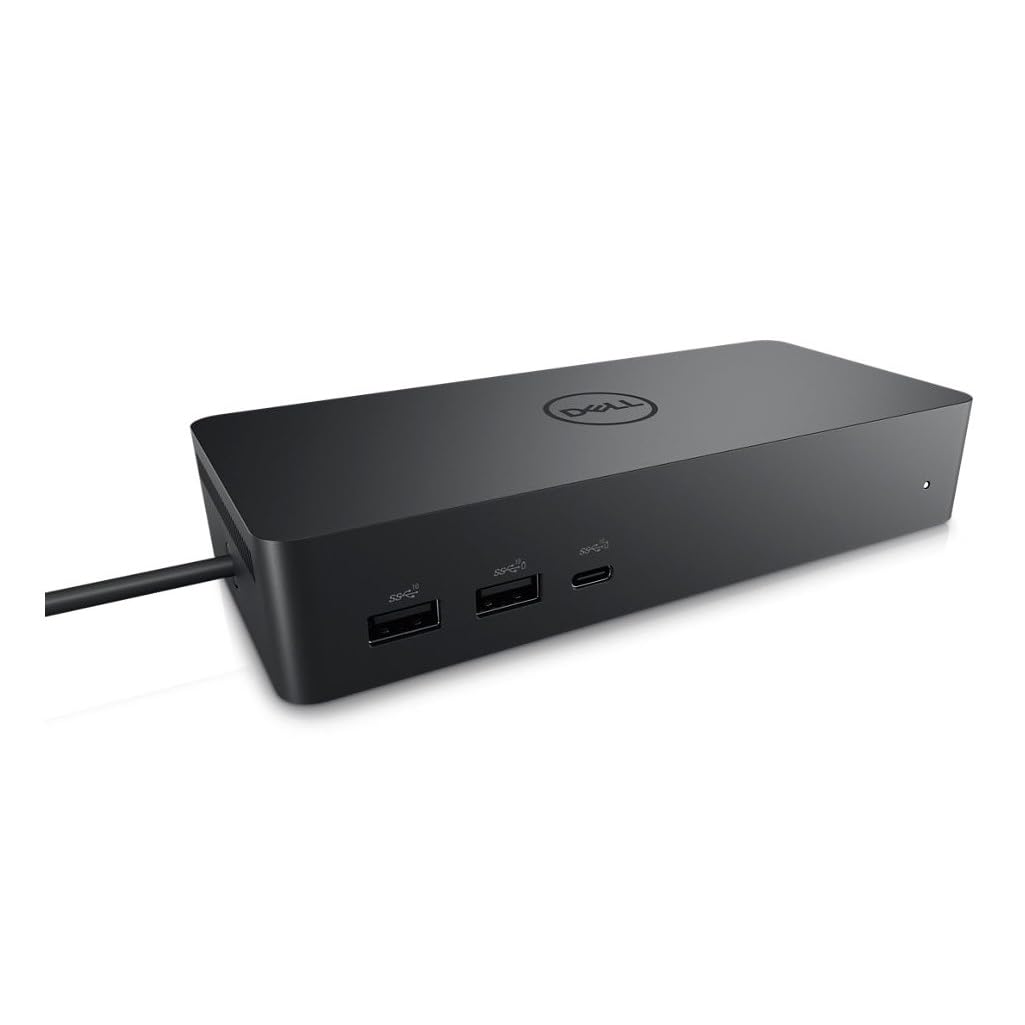
Alogic Universal Twin HD Pro Docking Station (USB-C & USB-A (DUTHDPR)
This Alogic docking station will set you up for effortless multitasking. You'll be good to go whether you use Windows or Mac, because it works with both systems. It's got 4 USB-A ports and 2 HDMI ports, so you're in luck if you like to use several devices at the same time and want to keep your workspace organised. No endless trails of wires going off in every direction. Tired of flicking between tabs? Dual Display lets you use 2 screens at once.
This Alogic docking station will set you up for effortless multitasking. You'll be good to go whether you use Windows or Mac, because it works with both systems. It's got 4 USB-A ports and 2 HDMI ports, so you're in luck if you like to use several devices at the same time and want to keep your workspace organised. No endless trails of wires going off in every direction. Tired of flicking between tabs? Dual Display lets you use 2 screens at once.
This Alogic docking station will set you up for effortless multitasking. You'll be good to go whether you use Windows or Mac, because it works with both systems. It's got 4 USB-A ports and 2 HDMI ports, so you're in luck if you like to use several devices at the same time and want to keep your workspace organised. No endless trails of wires going off in every direction. Tired of flicking between tabs? Dual Display lets you use 2 screens at once.
This Alogic docking station will set you up for effortless multitasking. You'll be good to go whether you use Windows or Mac, because it works with both systems. It's got 4 USB-A ports and 2 HDMI ports, so you're in luck if you like to use several devices at the same time and want to keep your workspace organised. No endless trails of wires going off in every direction. Tired of flicking between tabs? Dual Display lets you use 2 screens at once.
in 23 offers
The lowest price for Alogic Universal Twin HD Pro Docking Station (USB-C & USB-A (DUTHDPR) right now is $129.00 at UN Tech, compared across 21 retailers.
The all-time low was $69.00 on 20 July 2026 — today's price is 87% above the lowest ever. It has been notably cheaper before — worth setting a price alert.
Prices last updated 20 Oct 2026.
Last updated at 20/10/2026 14:59:29
ALOGIC Universal Twin HD Pro Docking Station - Expand Your Setup
Free delivery
Alogic Universal Twin Hd Pro Usb-c Docking Station Duthdpr, Dual
Delivery $16.65
Affiliate Disclosure: We may receive a small commission for purchases made through this link at no extra cost to you. This helps support our site. Thank you!
Alogic Universal Pro Docking Station DUTHDPR
Free delivery between 22–29 Oct
Alogic Universal Twin HD Pro Docking Station with 85W Power Delivery
Delivery between 24–29 Oct $7.95
Alogic Universal Twin HD Pro Docking Station with 85W Power Delivery
Delivery between 24–29 Oct $7.95
ALOGIC Universal Twin HD Pro Docking Station
Free delivery between 23–30 Oct
ALOGIC Universal Twin HD Pro Docking Station Dual HDMI 1080p 60Hz 85W Power Delivery
Delivery between Fri – Tue $8.95
ALOGIC Universal Twin HD Pro Docking Station
Delivery between Fri – Tue $10
ALOGIC Universal Twin HD Pro Docking Station
Alogic DUTHDPR Universal TWIN HD PRO Docking Station (USB-C & USB-A Compatible) W/ PD 85W
Delivery between Fri – Tue $14.50
originally posted on pbtech.co.nz
Bought this unit to run dual screens via the single USB-C port on my new laptop, not realising that this unit requires software drivers to render the external monitors output. This results in laggy monitor performance. The better approach seems to be using two USB-C adapters/hubs to run two separate HDMi monitors where the display port signal is simply passed through to the monitors.
originally posted on jbhifi.com.au
Very easy to set up right out of the box. Single lead from dock plugged to laptop make for a great home computer experiance being able to have large 2nd external screen, keyboard & mouse all while keeping laptop charged.
originally posted on jbhifi.com.au
Admittedly posting this only after the first day. From my understanding not all USB C docks are compatible with every laptop, I had been researching but today I had to get one quickly so grabbed this one.Using a HP ProBook 640 G8 - Plugged in 2 x 1080p displays, ethernet (haven't tested speed but seemed normal), 2 usb devices and the power passthrough.Didn't need to install drivers, just started working well and kept doing that all day.Seems a solid build and both usb and power cable seem of high quality.
| Compatible OS | Windows, Mac |
| Compatible Brand | Apple, Chromebook, Microsoft |
| Compatible Device Type | Laptop |
| Universal Compatibility | Universal |
| Ports and Interfaces | USB-C, USB-A |
ALOGIC Universal Twin HD Pro Docking Station - Expand Your Setup
Free delivery
Alogic Universal Twin Hd Pro Usb-c Docking Station Duthdpr, Dual
Delivery $16.65
Affiliate Disclosure: We may receive a small commission for purchases made through this link at no extra cost to you. This helps support our site. Thank you!
Alogic Universal Pro Docking Station DUTHDPR
Free delivery between 22–29 Oct
Alogic Universal Twin HD Pro Docking Station with 85W Power Delivery
Delivery between 24–29 Oct $7.95
Alogic Universal Twin HD Pro Docking Station with 85W Power Delivery
Delivery between 24–29 Oct $7.95
Bought this unit to run dual screens via the single USB-C port on my new laptop, not realising that this unit requires software drivers to render the external monitors output. This results in laggy monitor performance. The better approach seems to be using two USB-C adapters/hubs to run two separate HDMi monitors where the display port signal is simply passed through to the monitors.
Very easy to set up right out of the box. Single lead from dock plugged to laptop make for a great home computer experiance being able to have large 2nd external screen, keyboard & mouse all while keeping laptop charged.
Admittedly posting this only after the first day. From my understanding not all USB C docks are compatible with every laptop, I had been researching but today I had to get one quickly so grabbed this one.Using a HP ProBook 640 G8 - Plugged in 2 x 1080p displays, ethernet (haven't tested speed but seemed normal), 2 usb devices and the power passthrough.Didn't need to install drivers, just started working well and kept doing that all day.Seems a solid build and both usb and power cable seem of high quality.
This docking station was a great solution for all my various cords. Now everything plugs into the dock and not into my laptop ports! All I had to do was download the software, plug it all in and voila! Easy peasy. Thoroughly recommend this docking station
Works straight out of the box. I use it to extend my work surface pro to two basic 21” HDMI monitors to have 3 different displays in total. I previously tried an HDMI splitter running off of the surface mini display port and another sort of travel dock that was designed to be USB C with an A to C adapter and neither of these worked. I went for the more expensive powered option just so that I could charge my personal MacBook in the office and move the MacBook charger into the living room but I’m sure the non powered version would have worked just as well because my surface pro doesn’t use USB C power so I still use the surface power supply. I also use a wireless keyboard and mouse with the dock because the surface only has one USB port and they work fine too. The ... MoreWorks straight out of the box. I use it to extend my work surface pro to two basic 21” HDMI monitors to have 3 different displays in total. I previously tried an HDMI splitter running off of the surface mini display port and another sort of travel dock that was designed to be USB C with an A to C adapter and neither of these worked. I went for the more expensive powered option just so that I could charge my personal MacBook in the office and move the MacBook charger into the living room but I’m sure the non powered version would have worked just as well because my surface pro doesn’t use USB C power so I still use the surface power supply. I also use a wireless keyboard and mouse with the dock because the surface only has one USB port and they work fine too. The only reason I give 4 stars is that my outlook notifications in the corner of the external monitor screen show up at a weird resolution and are half cut off but that could be something to do with my settings. I don’t know.
This has been great to have two monitors to my DELL laptop. Easy toset up for a non IT person. My only gripe was downloading the file to be able to use it, as i needed my work IT team to use their firewall as our company has limits of what we can externally download. But happy with it!
Pros: With 1 cable I can plug in either laptop and get 3 screens working (2 monitors and the laptop screen).Cons: Me and the Mrs use separate laptops with this hub. Because of extra complications with a desktop computer plus a work laptop I also have a KVM that the monitors are plugged into and the hub works through the KVM. However only 1 of the laptops will see the monitors through this arrangement but the other is fine. I suspect its an issue with the laptop rather than this kit. To get the problem laptop to work I have to plug the monitors into the hub directly - but the keyboard and mouse still routed through the KVM.
I use both a HP Laptop as well as a Mac-book Pro. I needed a single cable solution where I could switch between laptops! Couldn't be happier! Networking, Charging, Multiple USB As, dual HDMI outs and more; all with one cable.Keep in mind you need to download the 'DisplayLink' software for mac as the display outs (HDMI) work over USB protocol.
While cheaper docks exits none have this many benefits or connections and with USB C it's super quick. It's a great looking unit too. Wish I'd bought it ages ago.
Wanted something for WFH that allowed for switching between computers without having to plug in all peripherals with every switch. This does the job nicely. My one bugaboo is that it needs to be turned off before it will accept the new computer and start using the peripherals. Luckily, the power button on my model is easily accesible at the front.
| Compatible OS | Windows, Mac |
| Compatible Brand | Apple, Chromebook, Microsoft |
| Compatible Device Type | Laptop |
| Universal Compatibility | Universal |
| Ports and Interfaces | USB-C, USB-A |