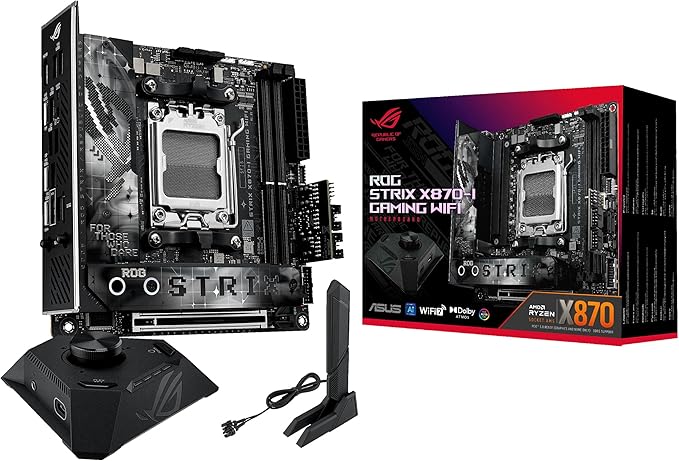
Asus ROG Strix X570-I Gaming AM4 Mini ITX Motherboard
Add big power to your compact gaming rig with the ASUS ROG Strix X570-I Gaming AM4 Mini-ITX Motherboard. Featuring the AMD X570 chipset, this motherboard supports second- and third-generation AMD Ryzen processors with an AM4 socket. Built to stay cool while delivering high performance, the Strix X570-I Gaming has two memory slots for up to 64GB of dual-channel DDR4 RAM, reaching up to 4800 MHz when overclocked. The small form factor mini-ITX motherboard has two M.2 SSD storage slots in addition to four SATA III connectors. Install a graphics card into the available PCIe 4.0 x16 slot and your gaming PC will be ready for action. Other features include integrated HDMI and DisplayPort connectors for AMD Ryzen processors with Radeon Vega graphics. The motherboard also has an addressable Gen 2 Aura Sync RGB lighting header, a Gigabit Ethernet port, integrated 802.11ax Wi-Fi, and SupremeFX S122A 8-Channel HD Audio with a variety of customization options.
Add big power to your compact gaming rig with the ASUS ROG Strix X570-I Gaming AM4 Mini-ITX Motherboard. Featuring the AMD X570 chipset, this motherboard supports second- and third-generation AMD Ryzen processors with an AM4 socket. Built to stay cool while delivering high performance, the Strix X570-I Gaming has two memory slots for up to 64GB of dual-channel DDR4 RAM, reaching up to 4800 MHz when overclocked. The small form factor mini-ITX motherboard has two M.2 SSD storage slots in addition to four SATA III connectors. Install a graphics card into the available PCIe 4.0 x16 slot and your gaming PC will be ready for action. Other features include integrated HDMI and DisplayPort connectors for AMD Ryzen processors with Radeon Vega graphics. The motherboard also has an addressable Gen 2 Aura Sync RGB lighting header, a Gigabit Ethernet port, integrated 802.11ax Wi-Fi, and SupremeFX S122A 8-Channel HD Audio with a variety of customization options.
Add big power to your compact gaming rig with the ASUS ROG Strix X570-I Gaming AM4 Mini-ITX Motherboard. Featuring the AMD X570 chipset, this motherboard supports second- and third-generation AMD Ryzen processors with an AM4 socket. Built to stay cool while delivering high performance, the Strix X570-I Gaming has two memory slots for up to 64GB of dual-channel DDR4 RAM, reaching up to 4800 MHz when overclocked. The small form factor mini-ITX motherboard has two M.2 SSD storage slots in addition to four SATA III connectors. Install a graphics card into the available PCIe 4.0 x16 slot and your gaming PC will be ready for action. Other features include integrated HDMI and DisplayPort connectors for AMD Ryzen processors with Radeon Vega graphics. The motherboard also has an addressable Gen 2 Aura Sync RGB lighting header, a Gigabit Ethernet port, integrated 802.11ax Wi-Fi, and SupremeFX S122A 8-Channel HD Audio with a variety of customization options.
Add big power to your compact gaming rig with the ASUS ROG Strix X570-I Gaming AM4 Mini-ITX Motherboard. Featuring the AMD X570 chipset, this motherboard supports second- and third-generation AMD Ryzen processors with an AM4 socket. Built to stay cool while delivering high performance, the Strix X570-I Gaming has two memory slots for up to 64GB of dual-channel DDR4 RAM, reaching up to 4800 MHz when overclocked. The small form factor mini-ITX motherboard has two M.2 SSD storage slots in addition to four SATA III connectors. Install a graphics card into the available PCIe 4.0 x16 slot and your gaming PC will be ready for action. Other features include integrated HDMI and DisplayPort connectors for AMD Ryzen processors with Radeon Vega graphics. The motherboard also has an addressable Gen 2 Aura Sync RGB lighting header, a Gigabit Ethernet port, integrated 802.11ax Wi-Fi, and SupremeFX S122A 8-Channel HD Audio with a variety of customization options.
in 9 offers
The lowest price for Asus ROG Strix X570-I Gaming AM4 Mini ITX Motherboard right now is $399.00 at PC Case Gear, compared across 7 retailers.
The all-time low was $305.89 on 15 July 2023 — today's price is 30% above the lowest ever. It has been notably cheaper before — worth setting a price alert.
Prices last updated 1 Oct 2026.
Last updated at 01/10/2026 06:07:01
ASUS ROG Strix X570-I Gaming Motherboard
60-day returns
Asus Rog Strix X570-I Gaming Mini-Itx Gaming Motherboard Pcie 4.0 Rog Strix X570-I Gaming
ASUS ROG Strix X570-I Gaming Motherboard ROG-STRIX-X570-I-GAMING [PC]
Delivery between 6–12 Oct $12.70
Asus ROG Strix X570I Gaming ITX Motherboard (ROG Strix X570-I Gaming)
30-day returns
Asus ROG Strix X570I Gaming ITX Motherboard (ROG Strix X570-I Gaming)
30-day returns
Asus Rog Strix X570-i Gaming Amd X570 Socket Am4 Mini Itx Motherboard
Delivery $31.68
Affiliate Disclosure: We may receive a small commission for purchases made through this link at no extra cost to you. This helps support our site. Thank you!
ASUS ROG Strix X570-I Gaming, X570 Mini-ITX Gaming Motherboard, AMD Ryzen 3000 with PCIe 4.0, WiFi 6 (802.11ax), Intel Gigabit Ethernet, SATA 6Gb/s
Delivery between 8–11 Oct $29
originally posted on microcenter.com
This mainboard is an excellent performer. However, I only give it 4 stars because of clearance issues of the SSD riser. Trying to fit a GPU with any kind of backplate has some clearance issues. If you have a 3080/3090 or 6800XT/6900XT it will be VERY tight, and likely rest against the SSD riser. If you have adequate cooling, you should have zero issues. ASUS's cooling setup for the VRM keeps things pretty cool, of course you want to pair this up with a high-flow case to prevent components from getting heat-soaked.
originally posted on microcenter.com
Vrms, vrms, vrms. This motherboard has the best power delievery I've seen, and this is on a mini itx. You are only limited by temperature when OC with this motherboard. The built in fans on the heatsink for the vrm is genius on this very small package. Vrm temps rarely go over 60c on a 5800x @ 4.8ghz all core. It will stay at 55c or below when gaming and CPU boost hitting 4.7-5ghz. Lots of USB ports which I need amd the wifi 6ax is wonderful, my last Asus b450 mini itx board I upgraded from wifi5 to wifi6 so it was awesome to see they used Intel ax200.A shame they still use the old version of the USB 3.0 header on the motherboard...WHY!!!!!! You have to use an adapter for most cases that use the new headers. The board also need at least 1 more fan header. Using ... MoreVrms, vrms, vrms. This motherboard has the best power delievery I've seen, and this is on a mini itx. You are only limited by temperature when OC with this motherboard. The built in fans on the heatsink for the vrm is genius on this very small package. Vrm temps rarely go over 60c on a 5800x @ 4.8ghz all core. It will stay at 55c or below when gaming and CPU boost hitting 4.7-5ghz. Lots of USB ports which I need amd the wifi 6ax is wonderful, my last Asus b450 mini itx board I upgraded from wifi5 to wifi6 so it was awesome to see they used Intel ax200.A shame they still use the old version of the USB 3.0 header on the motherboard...WHY!!!!!! You have to use an adapter for most cases that use the new headers. The board also need at least 1 more fan header. Using fan splitter cable is good and all but for a mitx build it is much too cramped for more cables.One more con is the backside motherboard vrm heatsink. Works great...but if you have a universal CPU water block mount kit like a corsair xc7, it will not fit as the bracket is AMD and Intel mounts on it and its too large. A dedicated amd bracket works great.
originally posted on neweggbusiness.com
I had waited for this board for months for my dream itx build. But it was a total nightmare after I tried it. I got a 3700x, 5700xt and a Dan cases sfx A4 v3. When building the system, I found out that my Cryorig c7 cu cpu cooler interferes with the giant heatstink, so the cooler cannot be fully mounted on the provided cpu backplate. I managed to loosen the screws on the cooler side to reach the bracket, and tightened the screws afterwards. But it did not work, the cpu temp reached 95 c in stress test. I check the thermal paste and found that the paste on the problematic side does not spread out well, meaning the contact was not firm. Why putting such a giant headsink in the tight area? Is this really necessary? Another problem is related to its BIOS. My case came ... MoreI had waited for this board for months for my dream itx build. But it was a total nightmare after I tried it. I got a 3700x, 5700xt and a Dan cases sfx A4 v3. When building the system, I found out that my Cryorig c7 cu cpu cooler interferes with the giant heatstink, so the cooler cannot be fully mounted on the provided cpu backplate. I managed to loosen the screws on the cooler side to reach the bracket, and tightened the screws afterwards. But it did not work, the cpu temp reached 95 c in stress test. I check the thermal paste and found that the paste on the problematic side does not spread out well, meaning the contact was not firm. Why putting such a giant headsink in the tight area? Is this really necessary? Another problem is related to its BIOS. My case came with a gen 3 riser, which is not compatible with the 5700xt in the default pcie gen 4 mode. I encountered constant BSODs when installing driver for my 5700xt, cannot even get the windows started. Surprisingly, in BIOS there is no setting to switch pcie mode from gen 4 to gen 3, that basically made my computer useless. This is a very common setting in X570 motherboards, both Asrock and Gigabyte have it, but this board doesn't. So this basically gave a death penalty for my build unless Asus release a new BIOS to add the option. So after struggling for a few days, I decided to return the mobo and got myself a Gigabyte x570 itx. I had a very high hope on this mobo but feel so disappointed now. I could have completed the build if I was not waiting on this board. If you are having a large cooler, you might run into the issue that I experienced. If you own a 5700xt and a gen 3 riser, then you are out of luck too. Be careful
| General | |
| Product Type | Motherboard - mini ITX |
| Chipset Type | AMD X570 |
| Processor Socket | Socket AM4 |
| Max Processors Qty | 1 |
ASUS ROG Strix X570-I Gaming Motherboard
60-day returns
Asus Rog Strix X570-I Gaming Mini-Itx Gaming Motherboard Pcie 4.0 Rog Strix X570-I Gaming
ASUS ROG Strix X570-I Gaming Motherboard ROG-STRIX-X570-I-GAMING [PC]
Delivery between 6–12 Oct $12.70
Asus ROG Strix X570I Gaming ITX Motherboard (ROG Strix X570-I Gaming)
30-day returns
Asus ROG Strix X570I Gaming ITX Motherboard (ROG Strix X570-I Gaming)
30-day returns
This mainboard is an excellent performer. However, I only give it 4 stars because of clearance issues of the SSD riser. Trying to fit a GPU with any kind of backplate has some clearance issues. If you have a 3080/3090 or 6800XT/6900XT it will be VERY tight, and likely rest against the SSD riser. If you have adequate cooling, you should have zero issues. ASUS's cooling setup for the VRM keeps things pretty cool, of course you want to pair this up with a high-flow case to prevent components from getting heat-soaked.
Vrms, vrms, vrms. This motherboard has the best power delievery I've seen, and this is on a mini itx. You are only limited by temperature when OC with this motherboard. The built in fans on the heatsink for the vrm is genius on this very small package. Vrm temps rarely go over 60c on a 5800x @ 4.8ghz all core. It will stay at 55c or below when gaming and CPU boost hitting 4.7-5ghz. Lots of USB ports which I need amd the wifi 6ax is wonderful, my last Asus b450 mini itx board I upgraded from wifi5 to wifi6 so it was awesome to see they used Intel ax200.A shame they still use the old version of the USB 3.0 header on the motherboard...WHY!!!!!! You have to use an adapter for most cases that use the new headers. The board also need at least 1 more fan header. Using ... MoreVrms, vrms, vrms. This motherboard has the best power delievery I've seen, and this is on a mini itx. You are only limited by temperature when OC with this motherboard. The built in fans on the heatsink for the vrm is genius on this very small package. Vrm temps rarely go over 60c on a 5800x @ 4.8ghz all core. It will stay at 55c or below when gaming and CPU boost hitting 4.7-5ghz. Lots of USB ports which I need amd the wifi 6ax is wonderful, my last Asus b450 mini itx board I upgraded from wifi5 to wifi6 so it was awesome to see they used Intel ax200.A shame they still use the old version of the USB 3.0 header on the motherboard...WHY!!!!!! You have to use an adapter for most cases that use the new headers. The board also need at least 1 more fan header. Using fan splitter cable is good and all but for a mitx build it is much too cramped for more cables.One more con is the backside motherboard vrm heatsink. Works great...but if you have a universal CPU water block mount kit like a corsair xc7, it will not fit as the bracket is AMD and Intel mounts on it and its too large. A dedicated amd bracket works great.
I had waited for this board for months for my dream itx build. But it was a total nightmare after I tried it. I got a 3700x, 5700xt and a Dan cases sfx A4 v3. When building the system, I found out that my Cryorig c7 cu cpu cooler interferes with the giant heatstink, so the cooler cannot be fully mounted on the provided cpu backplate. I managed to loosen the screws on the cooler side to reach the bracket, and tightened the screws afterwards. But it did not work, the cpu temp reached 95 c in stress test. I check the thermal paste and found that the paste on the problematic side does not spread out well, meaning the contact was not firm. Why putting such a giant headsink in the tight area? Is this really necessary? Another problem is related to its BIOS. My case came ... MoreI had waited for this board for months for my dream itx build. But it was a total nightmare after I tried it. I got a 3700x, 5700xt and a Dan cases sfx A4 v3. When building the system, I found out that my Cryorig c7 cu cpu cooler interferes with the giant heatstink, so the cooler cannot be fully mounted on the provided cpu backplate. I managed to loosen the screws on the cooler side to reach the bracket, and tightened the screws afterwards. But it did not work, the cpu temp reached 95 c in stress test. I check the thermal paste and found that the paste on the problematic side does not spread out well, meaning the contact was not firm. Why putting such a giant headsink in the tight area? Is this really necessary? Another problem is related to its BIOS. My case came with a gen 3 riser, which is not compatible with the 5700xt in the default pcie gen 4 mode. I encountered constant BSODs when installing driver for my 5700xt, cannot even get the windows started. Surprisingly, in BIOS there is no setting to switch pcie mode from gen 4 to gen 3, that basically made my computer useless. This is a very common setting in X570 motherboards, both Asrock and Gigabyte have it, but this board doesn't. So this basically gave a death penalty for my build unless Asus release a new BIOS to add the option. So after struggling for a few days, I decided to return the mobo and got myself a Gigabyte x570 itx. I had a very high hope on this mobo but feel so disappointed now. I could have completed the build if I was not waiting on this board. If you are having a large cooler, you might run into the issue that I experienced. If you own a 5700xt and a gen 3 riser, then you are out of luck too. Be careful
I've used them all, from Gigabyte to AsRock, and I keep coming back to this mini-ITX or it's little (pun intended) brother the 550. Both board have all you need top build a very powerful gamin rig, with this one just a bit prettier IMHO with it's little bit of extra RGB goodness.As for the performance, either board has all the necessities for building out a strong system with support for all the best last generation Ryzen had to offer. This one runs cool as a cucumber with it's dual tiny cooling fans (no they don't get loud, thankfully!), and working with it is easy as well as it's better laid out than most of it's ilk.All told, I highly recommend these boards, either of them, you wont regret it!
The only reason I bought this mobo over the Gigabyte one is because Buildzoid praised the VRMs. Definitely the highlight if you plan on going with a 3950x on this motherboard. 4.1-4.2 Ghz on all cores under load (with appropriate cooling). My setup was a Thermaltake core v1, Noctua d15 (it mounts on this mobo without issues and can fit in a core v1 with plastic panel removed). I was also able to get laptop SO-DIMMS (Samsung 2x32GB SODIMMs) to work with a SO-DIMM to DIMM adapter. Don't know if this setup would've worked with another ITX motherboard. Now for the bad part. Installing the m.2 requires care as the screw holding the heat shield is easy to strip. The shield also interlocks with another one on the IO panel, so if you're not careful both panels become ... MoreThe only reason I bought this mobo over the Gigabyte one is because Buildzoid praised the VRMs. Definitely the highlight if you plan on going with a 3950x on this motherboard. 4.1-4.2 Ghz on all cores under load (with appropriate cooling). My setup was a Thermaltake core v1, Noctua d15 (it mounts on this mobo without issues and can fit in a core v1 with plastic panel removed). I was also able to get laptop SO-DIMMS (Samsung 2x32GB SODIMMs) to work with a SO-DIMM to DIMM adapter. Don't know if this setup would've worked with another ITX motherboard. Now for the bad part. Installing the m.2 requires care as the screw holding the heat shield is easy to strip. The shield also interlocks with another one on the IO panel, so if you're not careful both panels become inaccessible. Horrible design with little value. The front panel IO connector is hidden below this shield, so the supplied extension cable is a must. It's a pain to have to remove multiple panels to install the connector. Also, these design decisions prevent installation of the IO shield on some cases. I couldn't get the IO shield to fit on the Core V1 due to limited clearance. Next is the SATA connector. There's 4 total, but two of them are placed between the RAM and M.2 slots, not ideal. Should have moved the USB 2.0 header there instead and kept the 4 SATA ports together for easier cabling.
Nice mobo features but limited with no usb-c header on it. I have a Fractal nano case and cannot use the case front usb-c port because of this. Also the chipset temperatures and fan run HIGH! Not sure if it’s missing a thermal pad since I can’t be bothered to take apart my entire build to check, but I’m getting high 60c and low 70c on the chipset on idle. The chipset fan is also constantly running at 5-7k RPM because of this.
Bought this at the beginning of the year to revamp my machine and wow was I impressed by all of the features. It overclocks well. I've gotten my 5600x up to 4.6GHz without any issues on air with the help of PBO. Probably a combo of this mobo and the silicon lottery, but I was able to undervolt my CPU all the way to -30 without any issues or crashes. Only gripe with the mobo is that you need to know where all the cables need to go before you route them or else you're going to have to change some runs after your build is done.
At the time of writing I am on the latest bios version 1405, this coincides with the "I think?" Heading of my review. It's well known that AMD processors have conflict with some MB bios (Agesa) where they do not reach proper boost clocks. I don't believe 1405 has the updated Agesa fix and as such I question if this MB is just well optimized or still has problems. Allow me to elaborate - Out of the box the optimized settings with DOCP enabled I get a Max boost of about 4.321. Enabling OC settings to let the CPU attain higher boost clocks actually hurts performance and any sort of manual overclocking I tried hurt performance even worse. The voltage is set to about 1.42 in Auto which does cause higher temps and random temp spikes when boosting. I tried setting this ... MoreAt the time of writing I am on the latest bios version 1405, this coincides with the "I think?" Heading of my review. It's well known that AMD processors have conflict with some MB bios (Agesa) where they do not reach proper boost clocks. I don't believe 1405 has the updated Agesa fix and as such I question if this MB is just well optimized or still has problems. Allow me to elaborate - Out of the box the optimized settings with DOCP enabled I get a Max boost of about 4.321. Enabling OC settings to let the CPU attain higher boost clocks actually hurts performance and any sort of manual overclocking I tried hurt performance even worse. The voltage is set to about 1.42 in Auto which does cause higher temps and random temp spikes when boosting. I tried setting this anywhere from 1.3 to 1.4 manually and lost performance. As of right now the stock settings with DOCP on give me the best performance but the downside is higher temps (my Noctua NH-L9A struggles to keep temps down around 50-60c at idle and under a synthetic load I'm seeing temps over 80c.) In regards to the audio I was particularly having issues with my mic playing through my headset and there is no option in Sonic Studio to turn it off. Stay away from the Sonic Suite, I managed to find an older set of Realtek drivers that got everything working glitch free, I disabled Sonic Studio drivers as well and everything is handled through Windows 10. The bios does take a bit of time to figure out and even now it still is confusing. You have AI Tweaker which let's you play with OCing but you also have a separate section that digs deeper into OCing and gives you control over the infinity fabric. I'm still unsure which is better to use, AI Tweaker or the other as they share some of the same settings but changing one does not change the other so I would think there is a conflict of interest on which setting is used by the bios. Seems like I still have much to figure out. The Bottom line: If you are a set it and forget it kind of person, this MB is up your alley, out of the box it totes performance settings that you won't have to fiddle with much. Otherwise, If you like to get the most out of your hardware then be prepared for a challenge.
Very impressed with the features of this tiny package.Paired it with a 5700g, 32gb of 3200, and two 1tb SSDs.This puppy absolutely screams, whilst keeping all of the included hardware nice and cool.Flawless installation of windows 11. The bios was already up to date. Asus Armory Crate works just fine for the onboard rgb.The included SSD heatsink does seem to make a noticeable difference. Compared to the ssd I have installed on the backside, the heatsink on the front reduces temps by 5-10cThe board itself is sturdy and well made. Heavy duty active cooled heatsinks on the VRMs, nice 8pin CPU power. You could use this thing to drive a 5950x :)10/10 would use again!
This is a premium board, one of the most expensive mini-itx motherboards for Ryzen. Yet there are many QC issues myself and others seem to be having: - Thin threads of plastic were wrapped around the front power/led connectors on the mother board and found elsewhere on the board. This is not normal - My chipset temperature easily hits 70 C. This occurs just idling on the desktop. As a result the chipset fan spins up to 6500 RPM and sits there but the chipset temperature is not reduced. The fan has a high pitch whine so it is very annoying and loud enough that I can hear it through my headphones. Other people with this motherboard have reported similar problems with the chipset fan and temperatures. Some have taken their motherboard apart and found no thermal pad ... MoreThis is a premium board, one of the most expensive mini-itx motherboards for Ryzen. Yet there are many QC issues myself and others seem to be having: - Thin threads of plastic were wrapped around the front power/led connectors on the mother board and found elsewhere on the board. This is not normal - My chipset temperature easily hits 70 C. This occurs just idling on the desktop. As a result the chipset fan spins up to 6500 RPM and sits there but the chipset temperature is not reduced. The fan has a high pitch whine so it is very annoying and loud enough that I can hear it through my headphones. Other people with this motherboard have reported similar problems with the chipset fan and temperatures. Some have taken their motherboard apart and found no thermal pad between the chipset itself and the fan. When they install a thermal pad the temperature drops to around 60 C where the fan is significantly quieter. I believe the motherboard I received has the same problem. There is also no way to control this chipset fan in the bios unlike other manufacturers. If you buy this board you will be trying your luck with Asus' lackluster QC on this 'premium' board to make sure they included something as important as thermal contact between the chipset and the fan that's supposed to cool it. I'll be returning this board and buying another board NOT from Asus.
| General | |
| Product Type | Motherboard - mini ITX |
| Chipset Type | AMD X570 |
| Processor Socket | Socket AM4 |
| Max Processors Qty | 1 |