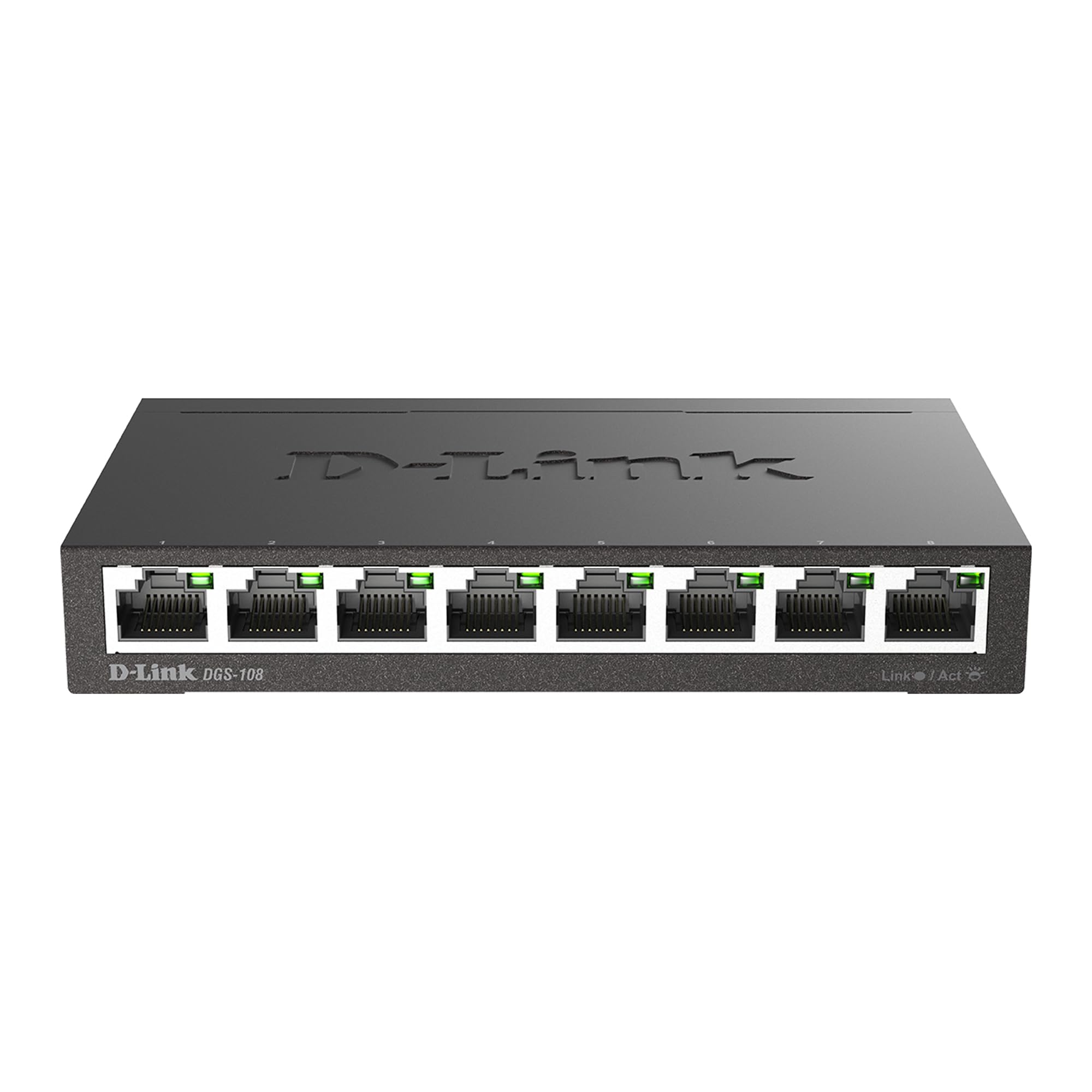
D-Link (DGS-1005A) 5-Port Gigabit Desktop Switch
Upgrade your network speed with the D-Link Plastic Housing Gigabit Desktop Switch, designed to deliver lightning-fast Gigabit connections for all your devices. Whether you're streaming, gaming, or working, this switch ensures smooth and reliable networking performance without any hassle. Say goodbye to slow connections and hello to seamless online experiences with this powerful yet compact switch. With its sleek plastic housing, this desktop switch not only delivers top-notch performance but also adds a touch of style to your workspace. Its compact design fits seamlessly into any environment, whether it's your home office, gaming setup, or small business. Plus, with easy plug-and-play installation, connecting multiple devices has never been easier. Simply plug in and enjoy instant network speed upgrades without any complicated setups or configurations. Streamline your network and enjoy lightning-fast connectivity with the D-Link Plastic Housing Gigabit Desktop Switch. Say goodbye to slow internet and hello to smooth online experiences, whether you're working, streaming, or gaming. Upgrade your network today and discover the difference that fast Gigabit connections can make for your digital lifestyle.
Upgrade your network speed with the D-Link Plastic Housing Gigabit Desktop Switch, designed to deliver lightning-fast Gigabit connections for all your devices. Whether you're streaming, gaming, or working, this switch ensures smooth and reliable networking performance without any hassle. Say goodbye to slow connections and hello to seamless online experiences with this powerful yet compact switch. With its sleek plastic housing, this desktop switch not only delivers top-notch performance but also adds a touch of style to your workspace. Its compact design fits seamlessly into any environment, whether it's your home office, gaming setup, or small business. Plus, with easy plug-and-play installation, connecting multiple devices has never been easier. Simply plug in and enjoy instant network speed upgrades without any complicated setups or configurations. Streamline your network and enjoy lightning-fast connectivity with the D-Link Plastic Housing Gigabit Desktop Switch. Say goodbye to slow internet and hello to smooth online experiences, whether you're working, streaming, or gaming. Upgrade your network today and discover the difference that fast Gigabit connections can make for your digital lifestyle.
Upgrade your network speed with the D-Link Plastic Housing Gigabit Desktop Switch, designed to deliver lightning-fast Gigabit connections for all your devices. Whether you're streaming, gaming, or working, this switch ensures smooth and reliable networking performance without any hassle. Say goodbye to slow connections and hello to seamless online experiences with this powerful yet compact switch. With its sleek plastic housing, this desktop switch not only delivers top-notch performance but also adds a touch of style to your workspace. Its compact design fits seamlessly into any environment, whether it's your home office, gaming setup, or small business. Plus, with easy plug-and-play installation, connecting multiple devices has never been easier. Simply plug in and enjoy instant network speed upgrades without any complicated setups or configurations. Streamline your network and enjoy lightning-fast connectivity with the D-Link Plastic Housing Gigabit Desktop Switch. Say goodbye to slow internet and hello to smooth online experiences, whether you're working, streaming, or gaming. Upgrade your network today and discover the difference that fast Gigabit connections can make for your digital lifestyle.
Upgrade your network speed with the D-Link Plastic Housing Gigabit Desktop Switch, designed to deliver lightning-fast Gigabit connections for all your devices. Whether you're streaming, gaming, or working, this switch ensures smooth and reliable networking performance without any hassle. Say goodbye to slow connections and hello to seamless online experiences with this powerful yet compact switch. With its sleek plastic housing, this desktop switch not only delivers top-notch performance but also adds a touch of style to your workspace. Its compact design fits seamlessly into any environment, whether it's your home office, gaming setup, or small business. Plus, with easy plug-and-play installation, connecting multiple devices has never been easier. Simply plug in and enjoy instant network speed upgrades without any complicated setups or configurations. Streamline your network and enjoy lightning-fast connectivity with the D-Link Plastic Housing Gigabit Desktop Switch. Say goodbye to slow internet and hello to smooth online experiences, whether you're working, streaming, or gaming. Upgrade your network today and discover the difference that fast Gigabit connections can make for your digital lifestyle.
in 50 offers
The lowest price for D-Link (DGS-1005A) 5-Port Gigabit Desktop Switch right now is $20.00 at Computers & Parts Land, compared across 34 retailers.
The all-time low was $7.50 on 9 Feb 2025 — today's price is 167% above the lowest ever. It has been notably cheaper before — worth setting a price alert.
Prices last updated 17 Sept 2026.
Last updated at 17/09/2026 13:09:21
D-Link DGS-1005A 5 Port 10/100/1000Mbps Unmanaged Gigabit Switch DGS-1005A
Delivery between 21–24 Sept $14.50
D-LINK DGS-1005A 5-Port Gigabit Desktop Switch
Delivery $11.99
D-Link DGS-1005A 5-Port Gigabit Desktop Switch | Desktop Network Switch | Black
Free delivery between 21–28 Sept
D-Link DGS-1005A network switch Unmanaged Black
D-Link DGS-1005A 5 Port Gigabit Switch
Delivery $14
DGS-1005A D-Link 5 Port Gigabit Desktop Switch
Free delivery
D-Link DGS-1005A 5-Port Gigabit Desktop Switch
Delivery between 21–24 Sept $14
D-Link DGS-1005A 5-Port Gigabit Desktop Switch
14-day returns
D-Link 5-Port Gigabit Desktop Switch [DGS-1005A] DGS-1005A
14-day returns
D-Link 5-Port Gigabit Desktop Switch (DGS-1005A)
Delivery $14
originally posted on newegg.com
This is falls within better than acceptable limits, although it doesn’t fully meet my esthetic expectations. I wouldn’t dissuade you from buying this product based upon core quality or its capabilities. The thing which turned me off was the meager front panel display and consumer grade case. My perception was; it looked and felt cheap, although it serves its purpose. On-line or in a catalogue, it looks fine. Hands/eyes on, it appears more toy like than a piece of high-tech equipment. It’s referred to as a desktop switch; frankly, I’d hide it rather than display it on my desk; the LED indicators are pathetic. As far as switches go, I’d say (similar specifications) they’re more or less generic. I’d imagine the primary decision factor between buying this over its ... MoreThis is falls within better than acceptable limits, although it doesn’t fully meet my esthetic expectations. I wouldn’t dissuade you from buying this product based upon core quality or its capabilities. The thing which turned me off was the meager front panel display and consumer grade case. My perception was; it looked and felt cheap, although it serves its purpose. On-line or in a catalogue, it looks fine. Hands/eyes on, it appears more toy like than a piece of high-tech equipment. It’s referred to as a desktop switch; frankly, I’d hide it rather than display it on my desk; the LED indicators are pathetic. As far as switches go, I’d say (similar specifications) they’re more or less generic. I’d imagine the primary decision factor between buying this over its competition would be s brand loyalty - or - perhaps desiring to keep some semblance of continuity, i.e., coupling a D-Link router with a D-Link switch; unifying customer support if needed... Testing profile: The switch was evaluated as an intermediary between devices - and - TP-LINK Archer C7 AC1750 Wireless Dual Band Gigabit Router IEEE 802.11ac broadband download speed through the switch: 65.29 Mbps (not suggestive of switch capabilities), mentioned for reference purposes only. The version assessed was 3.00(NA) May 15, 2013.
originally posted on newegg.com
So far I've tested about 6 switches both this year and last year and I can say that this switch is about ON PAR with ALL the other GigaByte Switches I've tested. There are NO Bells and Whistles here to find, nothing to set this one apart from the others as far as performance goes. While it has some nice features, it still has it's CONS, at least as far as I'm concerned. The final choice on whether to purchase this is yours to make, I can ONLY give you my final opinions and recommendations. I just hope they help. ONE FINAL NOTE: There are going to be those "CERTAIN PEOPLE" out there who will have NO IDEA how to check (OR EVEN ACTIVATE) the Jumbo Frames Feature for this switch so I will TRY and explain it to you all... 1. Go to START. 2. Go to CONTROL PANEL. 3. Go to ... MoreSo far I've tested about 6 switches both this year and last year and I can say that this switch is about ON PAR with ALL the other GigaByte Switches I've tested. There are NO Bells and Whistles here to find, nothing to set this one apart from the others as far as performance goes. While it has some nice features, it still has it's CONS, at least as far as I'm concerned. The final choice on whether to purchase this is yours to make, I can ONLY give you my final opinions and recommendations. I just hope they help. ONE FINAL NOTE: There are going to be those "CERTAIN PEOPLE" out there who will have NO IDEA how to check (OR EVEN ACTIVATE) the Jumbo Frames Feature for this switch so I will TRY and explain it to you all... 1. Go to START. 2. Go to CONTROL PANEL. 3. Go to SYSTEM. 4. Go to DEVICE MANAGER. 5. DOUBLE-CLICK on NETWORK ADAPTERS. 6. Pick your NETWORK ADAPTER and RIGHT-CLICK on it and choose PROPERTIES. 7. Choose the ADVANCED TAB and Scroll Down until you see JUMBO FRAMES on the left. 8. Once you've found it, CLICK on JUMBO FRAMES and set the VALUE to 9KB MTU. 9. Click on OK then close everything and you're done... That's ALL there is to it. Hope this helps... Overall, I like this switch but because of the WALL WART Power Adapter AND the SIDE MOUNTED CONNECTION I CANNOT give this switch 5 EGGS. There are going to be certain users out there (because of their PC Setups) that will find this switch to be less "USER FRIENDLY" than others out there on the market. For myself, when I setup a PC Desk (for myself OR even a customer) I want ALL my wires to be hidden and unseen. I appreciate this and so do my customers. What can I say, I'm picky... It's too bad that the Engineers don't ask for input from the users BEFORE they design a product. They'd have a lot fewer duds IF they did...
originally posted on newegg.com
I have a couple of these 8 port switches and a 5 port. There is a minor difference between the 5 port switch and the 8 port versions which doesn't seem to be in the manual or on the website. The 5 port switch has different colors for different speeds (yellow for T100 & green for T1000). The 8 port switch just lights up green for whatever connection speed occurs. The 5 port switch blinks when data is being transmitted through the port. The 8 port switch just stays a constant green when there is a connection to a device (no indication of traffic flow). If you can live with this, the switch works. There was no measurable change in speed with these switches in the network compared to just plugging the CAT6 cables directly into the gigabit ports of the router. This ... MoreI have a couple of these 8 port switches and a 5 port. There is a minor difference between the 5 port switch and the 8 port versions which doesn't seem to be in the manual or on the website. The 5 port switch has different colors for different speeds (yellow for T100 & green for T1000). The 8 port switch just lights up green for whatever connection speed occurs. The 5 port switch blinks when data is being transmitted through the port. The 8 port switch just stays a constant green when there is a connection to a device (no indication of traffic flow). If you can live with this, the switch works. There was no measurable change in speed with these switches in the network compared to just plugging the CAT6 cables directly into the gigabit ports of the router. This indicates to me that switch is doing the job efficiently. When using the 5 port version of this switch and transferring data from a couple workstations to a network drive on my server, the LAN ports burned out on the D-Link DIR-825 router I was using. This should not have happened if the DLink 5 port switch was handling the traffic properly. I cannot tell if this is a problem with the switch, or the router so I am taking off a point for that. Both Newegg and D-Link denied responsibility for the router failure even though the router is under warranty so I have a dead router to deal with (switched to my backup). I am not happy with D-Link and I now distrust the reliability of any of their products. Time will tell if these switches are reliable.
| Gigabit Ethernet | Yes |
| Data Transfer Speed | Up to 1000 Mbps |
| Manufacturer's Warranty | 3 Years |
D-Link DGS-1005A 5 Port 10/100/1000Mbps Unmanaged Gigabit Switch DGS-1005A
Delivery between 21–24 Sept $14.50
D-LINK DGS-1005A 5-Port Gigabit Desktop Switch
Delivery $11.99
D-Link DGS-1005A 5-Port Gigabit Desktop Switch | Desktop Network Switch | Black
Free delivery between 21–28 Sept
D-Link DGS-1005A network switch Unmanaged Black
D-Link DGS-1005A 5 Port Gigabit Switch
Delivery $14
This is falls within better than acceptable limits, although it doesn’t fully meet my esthetic expectations. I wouldn’t dissuade you from buying this product based upon core quality or its capabilities. The thing which turned me off was the meager front panel display and consumer grade case. My perception was; it looked and felt cheap, although it serves its purpose. On-line or in a catalogue, it looks fine. Hands/eyes on, it appears more toy like than a piece of high-tech equipment. It’s referred to as a desktop switch; frankly, I’d hide it rather than display it on my desk; the LED indicators are pathetic. As far as switches go, I’d say (similar specifications) they’re more or less generic. I’d imagine the primary decision factor between buying this over its ... MoreThis is falls within better than acceptable limits, although it doesn’t fully meet my esthetic expectations. I wouldn’t dissuade you from buying this product based upon core quality or its capabilities. The thing which turned me off was the meager front panel display and consumer grade case. My perception was; it looked and felt cheap, although it serves its purpose. On-line or in a catalogue, it looks fine. Hands/eyes on, it appears more toy like than a piece of high-tech equipment. It’s referred to as a desktop switch; frankly, I’d hide it rather than display it on my desk; the LED indicators are pathetic. As far as switches go, I’d say (similar specifications) they’re more or less generic. I’d imagine the primary decision factor between buying this over its competition would be s brand loyalty - or - perhaps desiring to keep some semblance of continuity, i.e., coupling a D-Link router with a D-Link switch; unifying customer support if needed... Testing profile: The switch was evaluated as an intermediary between devices - and - TP-LINK Archer C7 AC1750 Wireless Dual Band Gigabit Router IEEE 802.11ac broadband download speed through the switch: 65.29 Mbps (not suggestive of switch capabilities), mentioned for reference purposes only. The version assessed was 3.00(NA) May 15, 2013.
So far I've tested about 6 switches both this year and last year and I can say that this switch is about ON PAR with ALL the other GigaByte Switches I've tested. There are NO Bells and Whistles here to find, nothing to set this one apart from the others as far as performance goes. While it has some nice features, it still has it's CONS, at least as far as I'm concerned. The final choice on whether to purchase this is yours to make, I can ONLY give you my final opinions and recommendations. I just hope they help. ONE FINAL NOTE: There are going to be those "CERTAIN PEOPLE" out there who will have NO IDEA how to check (OR EVEN ACTIVATE) the Jumbo Frames Feature for this switch so I will TRY and explain it to you all... 1. Go to START. 2. Go to CONTROL PANEL. 3. Go to ... MoreSo far I've tested about 6 switches both this year and last year and I can say that this switch is about ON PAR with ALL the other GigaByte Switches I've tested. There are NO Bells and Whistles here to find, nothing to set this one apart from the others as far as performance goes. While it has some nice features, it still has it's CONS, at least as far as I'm concerned. The final choice on whether to purchase this is yours to make, I can ONLY give you my final opinions and recommendations. I just hope they help. ONE FINAL NOTE: There are going to be those "CERTAIN PEOPLE" out there who will have NO IDEA how to check (OR EVEN ACTIVATE) the Jumbo Frames Feature for this switch so I will TRY and explain it to you all... 1. Go to START. 2. Go to CONTROL PANEL. 3. Go to SYSTEM. 4. Go to DEVICE MANAGER. 5. DOUBLE-CLICK on NETWORK ADAPTERS. 6. Pick your NETWORK ADAPTER and RIGHT-CLICK on it and choose PROPERTIES. 7. Choose the ADVANCED TAB and Scroll Down until you see JUMBO FRAMES on the left. 8. Once you've found it, CLICK on JUMBO FRAMES and set the VALUE to 9KB MTU. 9. Click on OK then close everything and you're done... That's ALL there is to it. Hope this helps... Overall, I like this switch but because of the WALL WART Power Adapter AND the SIDE MOUNTED CONNECTION I CANNOT give this switch 5 EGGS. There are going to be certain users out there (because of their PC Setups) that will find this switch to be less "USER FRIENDLY" than others out there on the market. For myself, when I setup a PC Desk (for myself OR even a customer) I want ALL my wires to be hidden and unseen. I appreciate this and so do my customers. What can I say, I'm picky... It's too bad that the Engineers don't ask for input from the users BEFORE they design a product. They'd have a lot fewer duds IF they did...
I have a couple of these 8 port switches and a 5 port. There is a minor difference between the 5 port switch and the 8 port versions which doesn't seem to be in the manual or on the website. The 5 port switch has different colors for different speeds (yellow for T100 & green for T1000). The 8 port switch just lights up green for whatever connection speed occurs. The 5 port switch blinks when data is being transmitted through the port. The 8 port switch just stays a constant green when there is a connection to a device (no indication of traffic flow). If you can live with this, the switch works. There was no measurable change in speed with these switches in the network compared to just plugging the CAT6 cables directly into the gigabit ports of the router. This ... MoreI have a couple of these 8 port switches and a 5 port. There is a minor difference between the 5 port switch and the 8 port versions which doesn't seem to be in the manual or on the website. The 5 port switch has different colors for different speeds (yellow for T100 & green for T1000). The 8 port switch just lights up green for whatever connection speed occurs. The 5 port switch blinks when data is being transmitted through the port. The 8 port switch just stays a constant green when there is a connection to a device (no indication of traffic flow). If you can live with this, the switch works. There was no measurable change in speed with these switches in the network compared to just plugging the CAT6 cables directly into the gigabit ports of the router. This indicates to me that switch is doing the job efficiently. When using the 5 port version of this switch and transferring data from a couple workstations to a network drive on my server, the LAN ports burned out on the D-Link DIR-825 router I was using. This should not have happened if the DLink 5 port switch was handling the traffic properly. I cannot tell if this is a problem with the switch, or the router so I am taking off a point for that. Both Newegg and D-Link denied responsibility for the router failure even though the router is under warranty so I have a dead router to deal with (switched to my backup). I am not happy with D-Link and I now distrust the reliability of any of their products. Time will tell if these switches are reliable.
The last two switches I have used in my home network made me wonder why they were not constructed along this design. With the metal case supplying enough weight, the rubber feet, the rear connections, the simple LED's on the front, and the smart green technology I really have no complaints about this switch. If you are a small business and want a rack mounted switch, then it makes sense to have the connections on the front. For the home user, I think this design is superior. As one reviewer said, this switch is much like plugging in an extension cord on your network. It gives you extra outlets for additional devices with very easy setup. I have not had any problems with file transfers/speeds using it, but confess that I have not worried about benchmarking the ... MoreThe last two switches I have used in my home network made me wonder why they were not constructed along this design. With the metal case supplying enough weight, the rubber feet, the rear connections, the simple LED's on the front, and the smart green technology I really have no complaints about this switch. If you are a small business and want a rack mounted switch, then it makes sense to have the connections on the front. For the home user, I think this design is superior. As one reviewer said, this switch is much like plugging in an extension cord on your network. It gives you extra outlets for additional devices with very easy setup. I have not had any problems with file transfers/speeds using it, but confess that I have not worried about benchmarking the speeds. With three people gaming and another watching Netflix, we have not encountered any stutter whatsoever. That is good enough for me. I recommend giving this switch ample consideration if you are shopping for a switch.
Someone finally listened! I own numerous switches with the lights, and ports on the FRONT of the router. Front facing ports are fine for a datacenter, or a large network, but for a home LAN it doesn't make sense at all. If you are like me, and practically everyone else on the planet, your cables drop behind your desk, so you want the ports on the rear of the switch. By the same token, you want the activity lights facing forward. In my personal experience, the D-Link GO-SW-8GE is the first to have both rear facing ports, and activity lights on the front. Let's face it - this is an unmanaged switch, so there isn't much to say. It is a "dumb" device that requires no software install, and no configuration whatsoever. With that said, however, it is a very useful device - ... MoreSomeone finally listened! I own numerous switches with the lights, and ports on the FRONT of the router. Front facing ports are fine for a datacenter, or a large network, but for a home LAN it doesn't make sense at all. If you are like me, and practically everyone else on the planet, your cables drop behind your desk, so you want the ports on the rear of the switch. By the same token, you want the activity lights facing forward. In my personal experience, the D-Link GO-SW-8GE is the first to have both rear facing ports, and activity lights on the front. Let's face it - this is an unmanaged switch, so there isn't much to say. It is a "dumb" device that requires no software install, and no configuration whatsoever. With that said, however, it is a very useful device - especially if your favorite router doesn't support gigabit, or you simply need more than the four ports a router generally offers. Simply connect an ethernet cable from one of your routers ethernet ports to the switch. This will provide an internet connection to any devices connected to the switch, and will allow you to take advantage of the gigabit lan connection - without losing your router functionality! The switch has the option for mounting screws either on a wall, or desktop, but the metal casing and general weight of the unit should be fine for keeping it in place. Unlike some of the cheaper plastic switches on the market, this metal unit won't be pulled off your desk by the weight of your cables! Finally, actual performance was top-notch. I achieved a gigabit lan connection, and throughput has been great. For the price, I'd say this switch is a steal.
I have been using D-Link switches & routers for the better part of 10 years and this one has exceeded my expectations! Being about 1/3 the size of my first 5-Port gigabit switch and only slightly bigger than the smallest 5-Port switch I currently own, I am surprised that they could pack so much capability into such a small unit. I have 2 fully functional D-Link switches and an 8-year-old DGL-4300 acting as a switch, so I have little doubt this one will go the distance also. To test it, I redirected 7 of my busiest devices through it (including my web server) and could not be more pleased, several weeks later, without any issue. I ran Speed Test (My favorite speed utility) from most of the PCs that are directed through this switch and there seemed to be no diminished ... MoreI have been using D-Link switches & routers for the better part of 10 years and this one has exceeded my expectations! Being about 1/3 the size of my first 5-Port gigabit switch and only slightly bigger than the smallest 5-Port switch I currently own, I am surprised that they could pack so much capability into such a small unit. I have 2 fully functional D-Link switches and an 8-year-old DGL-4300 acting as a switch, so I have little doubt this one will go the distance also. To test it, I redirected 7 of my busiest devices through it (including my web server) and could not be more pleased, several weeks later, without any issue. I ran Speed Test (My favorite speed utility) from most of the PCs that are directed through this switch and there seemed to be no diminished speeds. As mentioned in the pros, the build quality is there with a metal housing, mounting holes and optional rubber feet. The LEDs are subdued, which is big for me, mainly because I get really annoyed with overly-bright LEDs. 5 eggs for an all-around quality device that my history with D-Link indicates it will last for years to come.
My previous switch, 10/100 5 port, went bad and I checked Newegg's latest flyer and saw this one. I figured why not go Gigabit and 8 ports. After installation (just plugging everything in) I was able to transfer a 16 Gigabyte file (recorded college football game) between computers in 2 1/2 minutes instead of 24 minutes. Transfer rate went from 95Mbps to 950Mbps. 8 Ports is a nice convenience for someone with a small home network because as you add network devices that you don't use often you can still leave them plugged in. Status LEDs on front with ports in the rear are good for me because I can check my network status by glancing at an uncluttered front display. The switch I replaced was always hot to the touch, but this one is always cool, only a slight warmth to ... MoreMy previous switch, 10/100 5 port, went bad and I checked Newegg's latest flyer and saw this one. I figured why not go Gigabit and 8 ports. After installation (just plugging everything in) I was able to transfer a 16 Gigabyte file (recorded college football game) between computers in 2 1/2 minutes instead of 24 minutes. Transfer rate went from 95Mbps to 950Mbps. 8 Ports is a nice convenience for someone with a small home network because as you add network devices that you don't use often you can still leave them plugged in. Status LEDs on front with ports in the rear are good for me because I can check my network status by glancing at an uncluttered front display. The switch I replaced was always hot to the touch, but this one is always cool, only a slight warmth to it. Bear in mind I do not put a heavy load on it. I saw an earlier review noting a problem with speed when both Gigabit and non-gigabit devices were on the network, leading to low speeds even with the Gigabit devices. I turned on both my computers (gigabit) and my HD HomeRun and an IP security camera (both non Gigabit) and did a file transfer between the computers. That transfer completed at Gigabit speed. All my devices are wired and I have no problem getting Gigabit transfers between Gigabit devices even with non-Gigabit devices on the network. I can't comment on what happens if you add wireless devices to the network as I have none. I do like a device in a metal case. Some of my comments are just personal preferences, but the main points are that I do get Gigabit (at least close enough for me) transfer speeds and the box does stay fairly cool.
| Gigabit Ethernet | Yes |
| Data Transfer Speed | Up to 1000 Mbps |
| Manufacturer's Warranty | 3 Years |