Last updated at 24/08/2026 16:29:10
Dell U3818DW 38" UltraWide Monitor – 3840×1600 | USB-C | HDMI – Refurbished - ( Pickup Only)
Dell UltraSharp 38" QHD+ Curved Monitor (U3818DW) - Brand New
Free delivery between 31 Aug – 8 Sept
Dell U3818DW U-Series 37.5" Screen LED-Lit Monitor
Delivery $28.17
Dell U-Series 38" 4K UHD 1600p Ultra Wide Screen LED-Lit Monitor (U3818DW), Black
Delivery between 29 Aug – 2 Sept $35.88
Dell U-Series 38" 4K UHD 1600p Ultra Wide Screen LED-Lit Monitor , Black
Delivery $93.36
Dell UltraSharp U3818DW 38" Curved IPS Monitor
Free delivery
Dell UltraSharp U3818DW 38" Curved IPS Monitor
Free delivery
originally posted on bhphotovideo.com
Ive been using this Dell U3818DW monitor for about a month now and here are my thoughts so far:It arrived from B&H well-protected in its huge (and heavy) factory box. Assembling it to the stand was pretty straight-forward and I had it up and running and hooked to my tower PC via the DisplayPort in less than 10 minutes. There are a bunch of input options and the monitor came with all the necessary cables for each of them. The picture is fantastic, evenly bright (except for a minor drop-off towards the extreme left and right edges), with very crisp readable text, zero dead pixels, and vivid colors running at its native 3840 x 1600 resolution. I hooked up my Lenovo work laptop via the USB-C port and it supports both video and sound with just a single cable. I highly ... MoreIve been using this Dell U3818DW monitor for about a month now and here are my thoughts so far:It arrived from B&H well-protected in its huge (and heavy) factory box. Assembling it to the stand was pretty straight-forward and I had it up and running and hooked to my tower PC via the DisplayPort in less than 10 minutes. There are a bunch of input options and the monitor came with all the necessary cables for each of them. The picture is fantastic, evenly bright (except for a minor drop-off towards the extreme left and right edges), with very crisp readable text, zero dead pixels, and vivid colors running at its native 3840 x 1600 resolution. I hooked up my Lenovo work laptop via the USB-C port and it supports both video and sound with just a single cable. I highly recommend installing the Dell Display Manager software because it provides numerous automatic window-sizing options, as well as control over the most commonly used monitor functions without having to go into the monitors menu. It also allows you to enable the monitors built in KVM functionality to toggle between multiple computers hooked up to the same display with a simple hot-key combination. I must say it works as advertised and I can control both the laptop and the tower PC with the same keyboard and mouse.Overall, Im very pleased with this purchase. When you sit down in front of it the first time, it fills most of your vision. If you can find a hi-res panoramic photo, I recommend pulling it up and you will really appreciate what this monitor has to offer. Locked at a standard 60Hz refresh rate, its not necessarily a gamer display, but if youre used to that already its no big deal. I have a mid-range graphics card and tried a few modern games on it and it was still glorious at full native resolution. The ultra-wide screen ratio at over 3 feet across is quite immersive.The cost of this monitor makes it a big investment but if youre looking for a massive amount of screen real estate to do every day tasks or business work, you cant go wrong with the Dell U3818DW. The warranty is 3 years and if you buy it from a licensed dealer (such as B&H) it includes Dells 3-Years Advanced Exchange Service and Premium Panel Guarantee during that time if anything goes wrong. But based on my experience so far, I doubt Ill need to use it.
originally posted on scan.co.uk
I'm extremely happy with this monitor. I'm using it as the primary panel on a Mac and a second display for a gaming PC. It works well with both. The multi input/picture in picture handling is great.Colours are lovely, brightness is reasonable. I've watched Netflix on it, used business applications and general browsing. I mainly run PC games on a separate 144hz/1440p panel, but I have experimented with some slower paced games and find the large field of view - where supported in games - to be wonderfully immersive.However, response time, particularly grey-to-grey, is quite poor - the quoted 5ms seems optimistic. I notice the impact in business applications when scrolling panels of dark text on a light/grey background. Text leaves visible ghosting that I don't ... MoreI'm extremely happy with this monitor. I'm using it as the primary panel on a Mac and a second display for a gaming PC. It works well with both. The multi input/picture in picture handling is great.Colours are lovely, brightness is reasonable. I've watched Netflix on it, used business applications and general browsing. I mainly run PC games on a separate 144hz/1440p panel, but I have experimented with some slower paced games and find the large field of view - where supported in games - to be wonderfully immersive.However, response time, particularly grey-to-grey, is quite poor - the quoted 5ms seems optimistic. I notice the impact in business applications when scrolling panels of dark text on a light/grey background. Text leaves visible ghosting that I don't perceive on other recent 4K/60hz/16:9 Dell monitors. I personally do not find this too distracting, but that's going to vary by user. Hopefully future panels of this size will be available with improved response times, and perhaps even higher frame rate support.A response time overdrive option in the menus reduces ghosting, but adds a slightly different "overshoot" effect. Personally I don't find it an improvement, YMMV.I've only noticed mild "IPS glow" on blacks, less than some other Dell 4K monitors I use, and the backlight itself seems well designed without intrusive bleed.I don't regret my purchase, and I would buy it from Scan again.
originally posted on bhphotovideo.com
I was worried that because this monitor is an older monitor that I was buying old tech. But in reality, this thing is awesome. I recently switched from my 5K iMac to the new M1 Mac Mini and decided to buy an ultrawide monitor for the first time. After doing much research, this monitor checked all the boxes for best bang for my buck. The resolution is wonderful, even coming from a 5K display, I don't see much of a difference at all when doing everyday things. And having an ultrawide screen is awesome compared to having dual monitors.Some highlights:- 100W charging from the USB-C cable is a must if you have a 15+ laptop that you will be using- The build quality is sleek and looks really nice. Definitely more of a professional vibe- Dell is known for their great ... MoreI was worried that because this monitor is an older monitor that I was buying old tech. But in reality, this thing is awesome. I recently switched from my 5K iMac to the new M1 Mac Mini and decided to buy an ultrawide monitor for the first time. After doing much research, this monitor checked all the boxes for best bang for my buck. The resolution is wonderful, even coming from a 5K display, I don't see much of a difference at all when doing everyday things. And having an ultrawide screen is awesome compared to having dual monitors.Some highlights:- 100W charging from the USB-C cable is a must if you have a 15+ laptop that you will be using- The build quality is sleek and looks really nice. Definitely more of a professional vibe- Dell is known for their great warranty and customer supportSome cons:- The cables that come with it are very stiff. I feel like if I bend them too much I will break them, but maybe they just need to be used a bit- On Mac, you will need to download third party software if you want to control the brightness- The built-in speakers aren't half bad, but not as good as my iMac
| General | |
| Display Type | LED-backlit LCD monitor / TFT active matrix |
| Energy Class | Class A |
| Energy Consumption per Year | 69 kWh |
| Diagonal Size | 38" |
Dell U3818DW 38" UltraWide Monitor – 3840×1600 | USB-C | HDMI – Refurbished - ( Pickup Only)
Dell UltraSharp 38" QHD+ Curved Monitor (U3818DW) - Brand New
Free delivery between 31 Aug – 8 Sept
Dell U3818DW U-Series 37.5" Screen LED-Lit Monitor
Delivery $28.17
Dell U-Series 38" 4K UHD 1600p Ultra Wide Screen LED-Lit Monitor (U3818DW), Black
Delivery between 29 Aug – 2 Sept $35.88
Dell U-Series 38" 4K UHD 1600p Ultra Wide Screen LED-Lit Monitor , Black
Delivery $93.36
Ive been using this Dell U3818DW monitor for about a month now and here are my thoughts so far:It arrived from B&H well-protected in its huge (and heavy) factory box. Assembling it to the stand was pretty straight-forward and I had it up and running and hooked to my tower PC via the DisplayPort in less than 10 minutes. There are a bunch of input options and the monitor came with all the necessary cables for each of them. The picture is fantastic, evenly bright (except for a minor drop-off towards the extreme left and right edges), with very crisp readable text, zero dead pixels, and vivid colors running at its native 3840 x 1600 resolution. I hooked up my Lenovo work laptop via the USB-C port and it supports both video and sound with just a single cable. I highly ... MoreIve been using this Dell U3818DW monitor for about a month now and here are my thoughts so far:It arrived from B&H well-protected in its huge (and heavy) factory box. Assembling it to the stand was pretty straight-forward and I had it up and running and hooked to my tower PC via the DisplayPort in less than 10 minutes. There are a bunch of input options and the monitor came with all the necessary cables for each of them. The picture is fantastic, evenly bright (except for a minor drop-off towards the extreme left and right edges), with very crisp readable text, zero dead pixels, and vivid colors running at its native 3840 x 1600 resolution. I hooked up my Lenovo work laptop via the USB-C port and it supports both video and sound with just a single cable. I highly recommend installing the Dell Display Manager software because it provides numerous automatic window-sizing options, as well as control over the most commonly used monitor functions without having to go into the monitors menu. It also allows you to enable the monitors built in KVM functionality to toggle between multiple computers hooked up to the same display with a simple hot-key combination. I must say it works as advertised and I can control both the laptop and the tower PC with the same keyboard and mouse.Overall, Im very pleased with this purchase. When you sit down in front of it the first time, it fills most of your vision. If you can find a hi-res panoramic photo, I recommend pulling it up and you will really appreciate what this monitor has to offer. Locked at a standard 60Hz refresh rate, its not necessarily a gamer display, but if youre used to that already its no big deal. I have a mid-range graphics card and tried a few modern games on it and it was still glorious at full native resolution. The ultra-wide screen ratio at over 3 feet across is quite immersive.The cost of this monitor makes it a big investment but if youre looking for a massive amount of screen real estate to do every day tasks or business work, you cant go wrong with the Dell U3818DW. The warranty is 3 years and if you buy it from a licensed dealer (such as B&H) it includes Dells 3-Years Advanced Exchange Service and Premium Panel Guarantee during that time if anything goes wrong. But based on my experience so far, I doubt Ill need to use it.
I'm extremely happy with this monitor. I'm using it as the primary panel on a Mac and a second display for a gaming PC. It works well with both. The multi input/picture in picture handling is great.Colours are lovely, brightness is reasonable. I've watched Netflix on it, used business applications and general browsing. I mainly run PC games on a separate 144hz/1440p panel, but I have experimented with some slower paced games and find the large field of view - where supported in games - to be wonderfully immersive.However, response time, particularly grey-to-grey, is quite poor - the quoted 5ms seems optimistic. I notice the impact in business applications when scrolling panels of dark text on a light/grey background. Text leaves visible ghosting that I don't ... MoreI'm extremely happy with this monitor. I'm using it as the primary panel on a Mac and a second display for a gaming PC. It works well with both. The multi input/picture in picture handling is great.Colours are lovely, brightness is reasonable. I've watched Netflix on it, used business applications and general browsing. I mainly run PC games on a separate 144hz/1440p panel, but I have experimented with some slower paced games and find the large field of view - where supported in games - to be wonderfully immersive.However, response time, particularly grey-to-grey, is quite poor - the quoted 5ms seems optimistic. I notice the impact in business applications when scrolling panels of dark text on a light/grey background. Text leaves visible ghosting that I don't perceive on other recent 4K/60hz/16:9 Dell monitors. I personally do not find this too distracting, but that's going to vary by user. Hopefully future panels of this size will be available with improved response times, and perhaps even higher frame rate support.A response time overdrive option in the menus reduces ghosting, but adds a slightly different "overshoot" effect. Personally I don't find it an improvement, YMMV.I've only noticed mild "IPS glow" on blacks, less than some other Dell 4K monitors I use, and the backlight itself seems well designed without intrusive bleed.I don't regret my purchase, and I would buy it from Scan again.
I was worried that because this monitor is an older monitor that I was buying old tech. But in reality, this thing is awesome. I recently switched from my 5K iMac to the new M1 Mac Mini and decided to buy an ultrawide monitor for the first time. After doing much research, this monitor checked all the boxes for best bang for my buck. The resolution is wonderful, even coming from a 5K display, I don't see much of a difference at all when doing everyday things. And having an ultrawide screen is awesome compared to having dual monitors.Some highlights:- 100W charging from the USB-C cable is a must if you have a 15+ laptop that you will be using- The build quality is sleek and looks really nice. Definitely more of a professional vibe- Dell is known for their great ... MoreI was worried that because this monitor is an older monitor that I was buying old tech. But in reality, this thing is awesome. I recently switched from my 5K iMac to the new M1 Mac Mini and decided to buy an ultrawide monitor for the first time. After doing much research, this monitor checked all the boxes for best bang for my buck. The resolution is wonderful, even coming from a 5K display, I don't see much of a difference at all when doing everyday things. And having an ultrawide screen is awesome compared to having dual monitors.Some highlights:- 100W charging from the USB-C cable is a must if you have a 15+ laptop that you will be using- The build quality is sleek and looks really nice. Definitely more of a professional vibe- Dell is known for their great warranty and customer supportSome cons:- The cables that come with it are very stiff. I feel like if I bend them too much I will break them, but maybe they just need to be used a bit- On Mac, you will need to download third party software if you want to control the brightness- The built-in speakers aren't half bad, but not as good as my iMac
Great monitor. Just the right size. 49" would have definitely been too wide. I have my work and home computer connected and using the KVM feature. Both my mouse and Keyboard are bluetooth (logitech), but they can both switch between 3 devices and I can flip the monitor to either device by pressing one of the buttons under the monitor twice. There are many different options with the Display Manager (software and accessible in the task bar) to set up various configurations and one can even set up multiple custom configurations to arrange the windows and quickly flip between them depending on the task(s) you are performing. One thing I miss though is the ability to move windows around using the Windows Start and Arrow keys. It looks like Display Manager takes over that ... MoreGreat monitor. Just the right size. 49" would have definitely been too wide. I have my work and home computer connected and using the KVM feature. Both my mouse and Keyboard are bluetooth (logitech), but they can both switch between 3 devices and I can flip the monitor to either device by pressing one of the buttons under the monitor twice. There are many different options with the Display Manager (software and accessible in the task bar) to set up various configurations and one can even set up multiple custom configurations to arrange the windows and quickly flip between them depending on the task(s) you are performing. One thing I miss though is the ability to move windows around using the Windows Start and Arrow keys. It looks like Display Manager takes over that aspect. Would be great if Dell could add that feature in Display Manager. One could also display both computers (actually up to 4) all at the same time on the screen. I haven't used this much since you have to adjust the resolution for each window and if you go back to using only one computer at a time, then you have to go through the setup again if you want to see two at the same time. Not difficult but takes a few steps. I am not much of a gamer, but a couple of games I loaded look great on screen.
I've been using a dual monitor setup for several years, and was prompted to look for an alternative setup when I needed one of the monitors for a different application. Instead of simply replacing the smaller monitor, I decided to look into ultrawides.There are two main benefits for an ultrawide vs. dual monitors. First, there is no center seam. (That should be obvious.) Second, the color gamut is consistent across the entire viewing plane. For a dual monitor setup, even two identical monitors, purchased at the same time, there is almost always a slight color change between monitors. All bets are off if the monitors are different brands, models or sizes.While the work I do (3d CAD) isn't particularly color-sensitive, the color difference between separate ... MoreI've been using a dual monitor setup for several years, and was prompted to look for an alternative setup when I needed one of the monitors for a different application. Instead of simply replacing the smaller monitor, I decided to look into ultrawides.There are two main benefits for an ultrawide vs. dual monitors. First, there is no center seam. (That should be obvious.) Second, the color gamut is consistent across the entire viewing plane. For a dual monitor setup, even two identical monitors, purchased at the same time, there is almost always a slight color change between monitors. All bets are off if the monitors are different brands, models or sizes.While the work I do (3d CAD) isn't particularly color-sensitive, the color difference between separate monitors can be distracting. The seam between a dual-monitor setup, even more so.It was a toss-up between a 38" and a 49" ultrawide monitor. I'm glad I went with the 38", regardless of the price difference. While more screen real estate is always nice, the 38" suits my needs perfectly without requiring a lot of excess neck-turning.A far as this particular monitor (Dell U3818DW) goes, it is - in one word - lovely. The display is crisp, with consistent color from edge to edge. Not a single dead pixel to distract - and with Dell's warranty, that will not be a concern.The curvature (2300R) is good, but slightly less than ideal. I sit an arm's length away from the display, and slightly more curvature (perhaps 1800-2000R) would suit me better. If you sit farther away, the 2300R would be ideal. That being said, I would not trade off the display quality for more curvature.For connectivity options, this is hard to beat. The USB hub built into the monitor works without any fuss. DVIP/HDMI/USB-C - all video options similarly just work. Even the speakers built in to the monitor offer a reasonable quality.It is hard not to love this monitor. I've been trying to find faults, and have come up with 2:- If you're a gamer (I'm not), the max refresh rate might not be up to snuff. For business applications, not a concern.- The center stand/wide stance, and a desk that isn't rock-solid means that the monitor can sway a little from time to time. I don't think that's a problem specific to this monitor, though. If you are considering any ultra-wide, you'll want to keep that in mind.It would be nice if Dell had an option to add an HD camera built into the monitor. Most webcams will clip nicely to the top of the monitor, but one built in to the frame would mean one less peripheral to worry about...Summary: this is a well-built, solid package. Beautiful, crisp display with plenty of connectivity for all. Highly recommended.
I purchased this monitor to use with a 2019 16 MacBook Pro, intending to use the USB C cable for an all-in-one power, USB, and display connection.The monitor looks good and works reasonable well as a display, though pixels at the edges don't always align with the backlight. At common viewing angles there will be a 1+ pixel wide column that's not visible on the left and/or right, getting worse the closer you are to the display.What's particularly awful, however, is that the monitor constantly connects and disconnects USB devices whenever the computer is in sleep mode. It seems to be slowly destroying my USB based audio system as the speakers constantly pop and the XLR interface periodically dies and has to be physically reconnected to a different USB port to ... MoreI purchased this monitor to use with a 2019 16 MacBook Pro, intending to use the USB C cable for an all-in-one power, USB, and display connection.The monitor looks good and works reasonable well as a display, though pixels at the edges don't always align with the backlight. At common viewing angles there will be a 1+ pixel wide column that's not visible on the left and/or right, getting worse the closer you are to the display.What's particularly awful, however, is that the monitor constantly connects and disconnects USB devices whenever the computer is in sleep mode. It seems to be slowly destroying my USB based audio system as the speakers constantly pop and the XLR interface periodically dies and has to be physically reconnected to a different USB port to reset (none of my equipment had issues until being connected to this monitor). I briefly thought using a powered USB hub connected to the monitor might be a contributing factor or even buggy itself, but a different non-power hub (pulling all power from the monitor) is suffering the same issues.Attempting to power down the computer also doesn't work, as leaving the monitor connected instantly causes the computer to boot up again. You have to physically unplug the monitor whenever you want to shut down or put the computer to sleep.While I'm not aware of any fixes, Dell doesn't offer firmware upgrades via Mac computers anyway — they offer support for Windows only.Conclusion for Apple users: this will work as a display, but it will NOT work as an all-in-one laptop solution. I suspect you'll need a Thunderbolt dock that supports UHD at 60hz (none of the USB C docks I've found support UHD resolutions at anything higher than 30hz), and use that for your peripherals and power delivery, because this monitor is a nightmare.
Sitting in front of this is like looking out the windshield in your car from the drivers seat. Its expansive. If youve worked with multiple monitors and the bezels that break up the visual flow, its amazing what dropping that does visually. I have the monitor hooked up to a new mac mini with an eGPU that uses either / both of the USB-C and display port connections. It also has a ThinkPad hooked up via HDMI or display port and Ive tested it with a MacBook Pro over USB-C as a display and power source. Autodetect works well when using the whole screen, but you can also use picture-by-picture to display content (without bezel) side by side when necessary. It just works and its built like a tank and shipped that way too. This is not a gaming monitor though. The ... MoreSitting in front of this is like looking out the windshield in your car from the drivers seat. Its expansive. If youve worked with multiple monitors and the bezels that break up the visual flow, its amazing what dropping that does visually. I have the monitor hooked up to a new mac mini with an eGPU that uses either / both of the USB-C and display port connections. It also has a ThinkPad hooked up via HDMI or display port and Ive tested it with a MacBook Pro over USB-C as a display and power source. Autodetect works well when using the whole screen, but you can also use picture-by-picture to display content (without bezel) side by side when necessary. It just works and its built like a tank and shipped that way too. This is not a gaming monitor though. The resolution is great. For coding or development, there is a lot of real estate to have everything necessary displayed at once. It works really well on photo and video editing with great color accuracy but if you push high frame rate or fast scrolling content there is some ghosting and blur that Ive noticed. I did not buy it to game though, so this is all within expectation and I wouldnt knock off any stars for it. I would absolutely buy it again given my needs. If I was gaming and only using a single computer source, Id buy something else suited for that purpose.
In today's environment of buying items online it is difficult to know what you are really getting. Reviews are a mix of opinions that are hard to wade through and all the YouTube hype does not help. This monitor turns out to be a solid product that does not fall short in any category I needed it to shine in. The audio is not rock concert epic but does not distort, only needing a little cleaning up with the equalizer settings. Text is easy on the eyes for all day use. The included stand is sturdy and offers plenty of adjustment. The sheer size of the screen is awesome allowing me to work in ways I had not imagined and the matte finish even handles the glare from the huge window behind me better than I had hoped it would. There is a little bit of light bleed on dark ... MoreIn today's environment of buying items online it is difficult to know what you are really getting. Reviews are a mix of opinions that are hard to wade through and all the YouTube hype does not help. This monitor turns out to be a solid product that does not fall short in any category I needed it to shine in. The audio is not rock concert epic but does not distort, only needing a little cleaning up with the equalizer settings. Text is easy on the eyes for all day use. The included stand is sturdy and offers plenty of adjustment. The sheer size of the screen is awesome allowing me to work in ways I had not imagined and the matte finish even handles the glare from the huge window behind me better than I had hoped it would. There is a little bit of light bleed on dark screens but I have seem worse on more expensive screens so i'm not sure how to rate that. There is nothing about this monitor that makes me not like it.What does this mean for the buyer with grounded, realistic expectations? I think you can buy with confidence and should not be disappointed.
Upgraded from a Portrait-Landscape-Portrait setup. I'm happy enough with this but would have preferred a 30" flanked by two 20" screens in portrait mode with compatible resolutions. I wish Dell still made some displays that had PLP friendly resolutions.The display area of the screen is only 14" tall, would be nice to have a taller and wider screen but this was the best I could find on the market.Rant aside, this screen is nice. Big and clear and bright and colorful. I don't see anything wrong with it. The USB C hub built in and multiple display ports make switching between PC's very convenient while working from home.Effectively using the full space in Windows required Microsoft PowerToys, I couldn't find the Dell utility and didn't want to install it if I ... MoreUpgraded from a Portrait-Landscape-Portrait setup. I'm happy enough with this but would have preferred a 30" flanked by two 20" screens in portrait mode with compatible resolutions. I wish Dell still made some displays that had PLP friendly resolutions.The display area of the screen is only 14" tall, would be nice to have a taller and wider screen but this was the best I could find on the market.Rant aside, this screen is nice. Big and clear and bright and colorful. I don't see anything wrong with it. The USB C hub built in and multiple display ports make switching between PC's very convenient while working from home.Effectively using the full space in Windows required Microsoft PowerToys, I couldn't find the Dell utility and didn't want to install it if I could. You cannot have full screen applications in different sectors, fullscreen is fullscreen, so no "fullscreen" youtube in the corner while you work on something else like you can with multiple monitors.Pixels are smaller than they need to be, I cannot distinguish them from ~3 feet away but most default display settings are too small for me.For gaming, I don't know what I'm missing, I've never gone beyond 60Hz, and this screen is just fine for me.
Note: Ive never used a 144hz monitor and Im told Id never go back - I dont know if thats true or not, but not regrets about purchasing this monitor!This monitor is great. Build quality, great. Screen realestate and actual space taken up on my desk is great. I thought I had a ton of dead pixels when I opened this bad boy up, but it was fortunately just dust. Would buy again.I utilize the usb-c and use the monitor as a hub (in that sense, the price of the monitor is a lot more reasonable if you compare it to other hub prices + monitor. I havent used multiple sources yet / KVM type setup, but Ill do that soon.The box is actually a bit of a marvel itself - very fancy and convenient.The stand is not as robust as previous (non-ultrawide) dell ultrasharp stands ... MoreNote: Ive never used a 144hz monitor and Im told Id never go back - I dont know if thats true or not, but not regrets about purchasing this monitor!This monitor is great. Build quality, great. Screen realestate and actual space taken up on my desk is great. I thought I had a ton of dead pixels when I opened this bad boy up, but it was fortunately just dust. Would buy again.I utilize the usb-c and use the monitor as a hub (in that sense, the price of the monitor is a lot more reasonable if you compare it to other hub prices + monitor. I havent used multiple sources yet / KVM type setup, but Ill do that soon.The box is actually a bit of a marvel itself - very fancy and convenient.The stand is not as robust as previous (non-ultrawide) dell ultrasharp stands (you can usually turn those to the side and the monitors dont shake much when the desk moves or you touch the monitor). However, Im not sure anything can be done about that with the size of the monitor.Glad I got the 38 instead of a 32, Id have been disappointed with a 32 inch version - a 1080p ultra wide would also be super disappointing for my use case (work, occasional gaming, movies). The 38 you can use it very well as a replacement monitor (Ive used 3 24 inch, 2 24 inch, and 2 23 inch ultrasharps in the past and this is my favorite setup by far). Screen realestate is higher because of the resolution (compared to 1080p) so you can see more/the same than/as the 2 monitor setup. If youre comparing to 2 2k monitors, the difference in screen realstate may not be as drastic. I have used 1 4k monitor in the past as well and this setup is superior to that setup, in my opinion (2 4k monitors may be preferred, but I dont know that youd actually be able to view more content).The wow factor from other people is nice when I show them.
| General | |
| Display Type | LED-backlit LCD monitor / TFT active matrix |
| Energy Class | Class A |
| Energy Consumption per Year | 69 kWh |
| Diagonal Size | 38" |
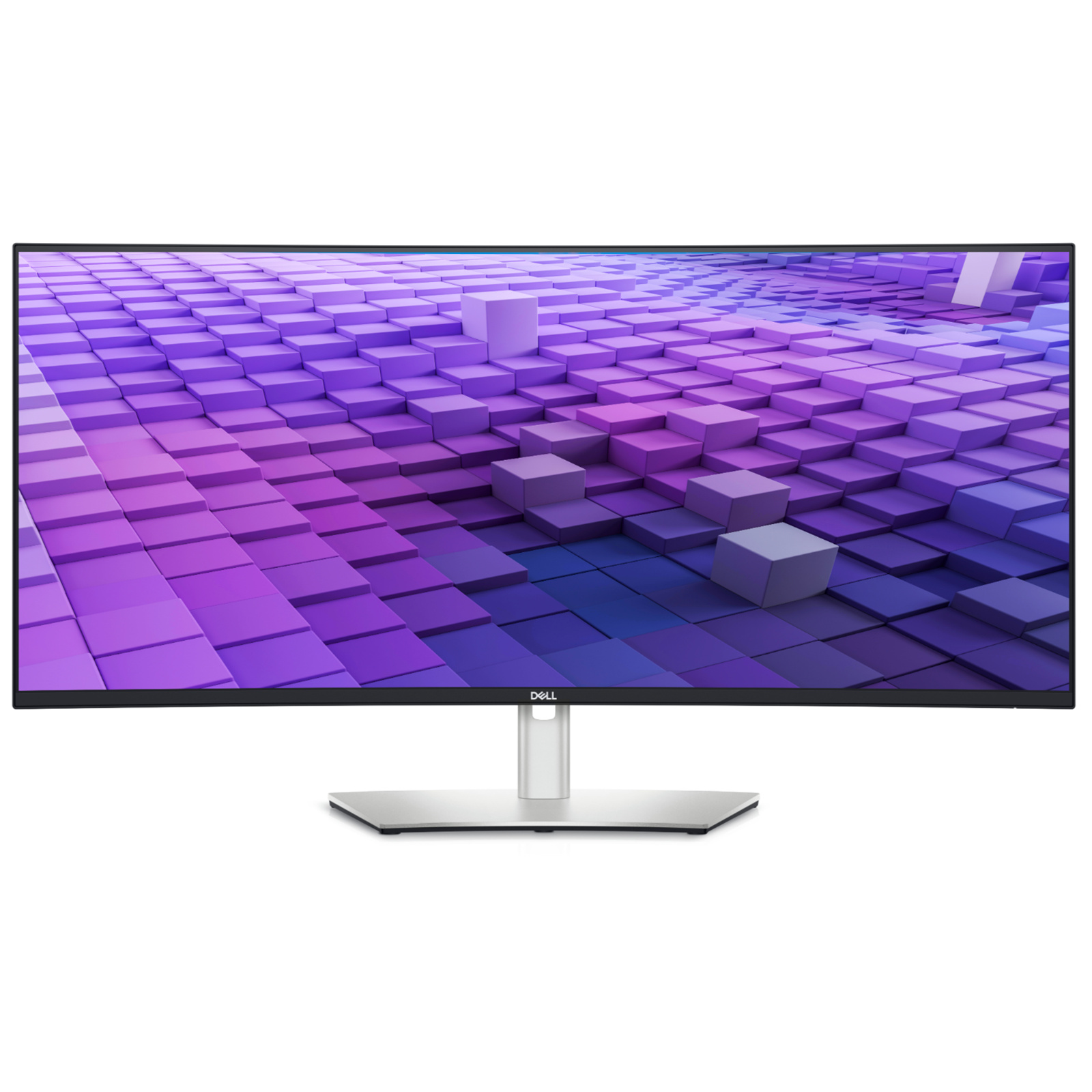
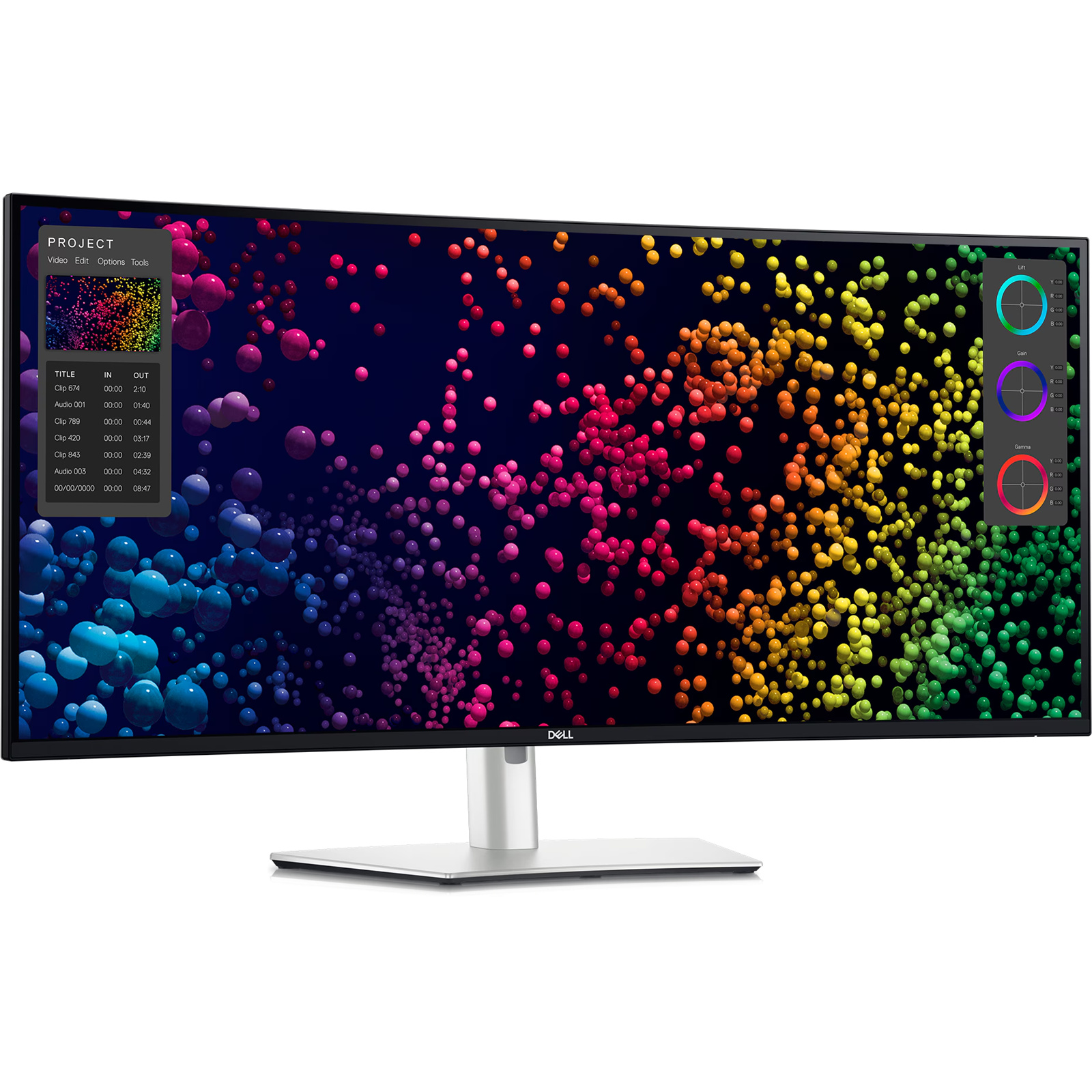


Dell 38" U3818DW UltraSharp Curved Monitor
You'll be inspired to do more The expansiveness of this 37.5" curved screen paired with virtually borderless InfinityEdge creates a near-complete field view which provides an almost uniform visual focus that reduces eye movement across the screen. You'll work more comfortably with fewer distractions and more productivity. Gorgeous visuals are only the beginning You'll be oblivious to distractions. Your 37.5", ultra wide curved monitor has a 21:9 aspect ratio and delivers approximately 25 percent more screen content than a 34". Plus a gorgeous, expansive display with InfinityEdge offers virtually borderless screen. All-encompassing experience The curved screen delivers a panoramic viewing experience while integrated 9W speakers bring the quality sound-a one-two punch that makes this monitor the ideal canvas for video editing projects. Consistent color. Incredible detail More show than tell You can expect outstanding detail and consistent color across a wide viewing angle - WQHD+ 3840 x 1600 screen featuring In-Plane Switching technology. Accurate color, right out of the box Your monitor comes with 99% sRGB factory calibration for impressively precise color at Delta-E less than 2. Easy on the eyes This TUV-Certified monitor has a flicker-free screen with ComfortView, a feature that filters harmful blue light emissions to optimize eye comfort. Multitask like a pro Now you have the screen space, the tools and the features you need to do everything efficiently.
You'll be inspired to do more The expansiveness of this 37.5" curved screen paired with virtually borderless InfinityEdge creates a near-complete field view which provides an almost uniform visual focus that reduces eye movement across the screen. You'll work more comfortably with fewer distractions and more productivity. Gorgeous visuals are only the beginning You'll be oblivious to distractions. Your 37.5", ultra wide curved monitor has a 21:9 aspect ratio and delivers approximately 25 percent more screen content than a 34". Plus a gorgeous, expansive display with InfinityEdge offers virtually borderless screen. All-encompassing experience The curved screen delivers a panoramic viewing experience while integrated 9W speakers bring the quality sound-a one-two punch that makes this monitor the ideal canvas for video editing projects. Consistent color. Incredible detail More show than tell You can expect outstanding detail and consistent color across a wide viewing angle - WQHD+ 3840 x 1600 screen featuring In-Plane Switching technology. Accurate color, right out of the box Your monitor comes with 99% sRGB factory calibration for impressively precise color at Delta-E less than 2. Easy on the eyes This TUV-Certified monitor has a flicker-free screen with ComfortView, a feature that filters harmful blue light emissions to optimize eye comfort. Multitask like a pro Now you have the screen space, the tools and the features you need to do everything efficiently.
You'll be inspired to do more The expansiveness of this 37.5" curved screen paired with virtually borderless InfinityEdge creates a near-complete field view which provides an almost uniform visual focus that reduces eye movement across the screen. You'll work more comfortably with fewer distractions and more productivity. Gorgeous visuals are only the beginning You'll be oblivious to distractions. Your 37.5", ultra wide curved monitor has a 21:9 aspect ratio and delivers approximately 25 percent more screen content than a 34". Plus a gorgeous, expansive display with InfinityEdge offers virtually borderless screen. All-encompassing experience The curved screen delivers a panoramic viewing experience while integrated 9W speakers bring the quality sound-a one-two punch that makes this monitor the ideal canvas for video editing projects. Consistent color. Incredible detail More show than tell You can expect outstanding detail and consistent color across a wide viewing angle - WQHD+ 3840 x 1600 screen featuring In-Plane Switching technology. Accurate color, right out of the box Your monitor comes with 99% sRGB factory calibration for impressively precise color at Delta-E less than 2. Easy on the eyes This TUV-Certified monitor has a flicker-free screen with ComfortView, a feature that filters harmful blue light emissions to optimize eye comfort. Multitask like a pro Now you have the screen space, the tools and the features you need to do everything efficiently.
You'll be inspired to do more The expansiveness of this 37.5" curved screen paired with virtually borderless InfinityEdge creates a near-complete field view which provides an almost uniform visual focus that reduces eye movement across the screen. You'll work more comfortably with fewer distractions and more productivity. Gorgeous visuals are only the beginning You'll be oblivious to distractions. Your 37.5", ultra wide curved monitor has a 21:9 aspect ratio and delivers approximately 25 percent more screen content than a 34". Plus a gorgeous, expansive display with InfinityEdge offers virtually borderless screen. All-encompassing experience The curved screen delivers a panoramic viewing experience while integrated 9W speakers bring the quality sound-a one-two punch that makes this monitor the ideal canvas for video editing projects. Consistent color. Incredible detail More show than tell You can expect outstanding detail and consistent color across a wide viewing angle - WQHD+ 3840 x 1600 screen featuring In-Plane Switching technology. Accurate color, right out of the box Your monitor comes with 99% sRGB factory calibration for impressively precise color at Delta-E less than 2. Easy on the eyes This TUV-Certified monitor has a flicker-free screen with ComfortView, a feature that filters harmful blue light emissions to optimize eye comfort. Multitask like a pro Now you have the screen space, the tools and the features you need to do everything efficiently.
in 7 offers
The lowest price for Dell 38" U3818DW UltraSharp Curved Monitor right now is $550.00 at Computer and Laptop Sales, compared across 7 retailers.
The all-time low was $550.00 on 13 July 2026. That's the lowest price we've ever tracked — a great time to buy.
Prices last updated 24 Aug 2026.

