Z790M AORUS ELITE AX (rev. 1.0) Key Features | Motherboard - GIGABYTE Global
Z790M AORUS ELITE AX (rev. 1.0) Key Features | Motherboard - GIGABYTE Global
in 3 offers
The lowest price for Gigabyte Z790M AORUS Elite AX LGA 1700 Micro ATX Motherboard D5 right now is $417.63 at eBay.com.au.
The all-time low was $359.00 on 28 Sept 2025 — today's price is 16% above the lowest ever. That's a little above the best price we've seen.
Prices last updated 7 June 2026.
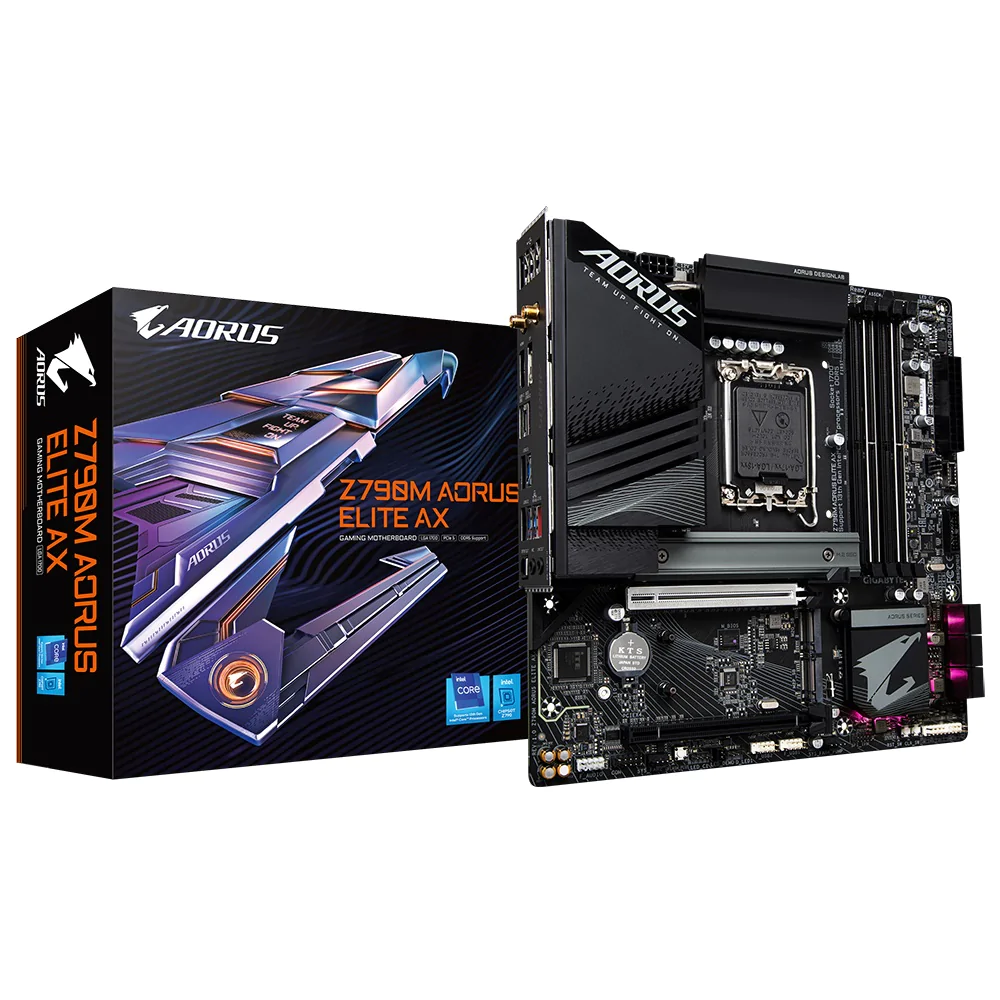
Gigabyte Z790M AORUS Elite AX LGA 1700 Micro ATX Motherboard D5
Z790M AORUS ELITE AX (rev. 1.0) Key Features | Motherboard - GIGABYTE Global
Z790M AORUS ELITE AX (rev. 1.0) Key Features | Motherboard - GIGABYTE Global
Last updated at 07/06/2026 07:47:14
Gigabyte Z790m Motherboard Microatx Socket Lga1700 Intel Z790 Chipset
Free delivery
Affiliate Disclosure: We may receive a small commission for purchases made through this link at no extra cost to you. This helps support our site. Thank you!
Gigabyte Z790m Motherboard Microatx Socket Lga1700 Intel Z790 Chipset
Free delivery
Affiliate Disclosure: We may receive a small commission for purchases made through this link at no extra cost to you. This helps support our site. Thank you!
Gigabyte Z790 AORUS MASTER X Intel LGA 1700 E-ATX Motherboard, 4x DDR5 ~192GB
Affiliate Disclosure: We may receive a small commission for purchases made through this link at no extra cost to you. This helps support our site. Thank you!
originally posted on microcenter.com
I love the Gigabyte Master motherboards. This is the 3rd generation I bought and have two of the z690 version. Great with10 gigabit lab, but this version’s 10 Gb LAN was not detected by Windows 11 during installation. I had to use another lan Nic addin card to get Windows 11 installed and then install the 10 Gb LAN driver, be aware of this. The WiFi was not detected on installation either usually it is.
originally posted on microcenter.com
Excellent build quality, fit and finish. Disappointed. Using.GSkill Trident Z5 RGB 32GB (2 x 16GB) DDR5-6400. Enabling XMP 1 profile, causes an infinite restart loop. Thank God for clear CMOS button on the I/O panel. 5 attempts to run xmp, before and after latest BIOS F6B released 10/20/22. I do recommend this board. Garbage xmp doesn't work initially and claims to support better dd5 performance. Verified memory is on QVL for Gigabyte and Gskill.
originally posted on scan.co.uk
Bought this motherboard for a new system upgrade for my i9 13900k, the board is built very nicely and looks really high quality but that's where the positives end. The BIOS is extremely buggy and mostly ignores whatever you set. Want to set custom memory timings? Nope. Want to set your own DRAM frequency outside of XMP? Nope, won't post. The issues just continue on as you look further into the bios.My previous motherboard was a Z390 Maximus Xtreme and I was able to run 4000 MHz memory at 15-15-15-28. With the Gigabyte Z790 I wasn't even able to post into 4000 MHz. I really don't recommend this board.
| layerNavigation | |
| WIFI | 802.11AX |
| Chipset | Z790 |
Gigabyte Z790m Motherboard Microatx Socket Lga1700 Intel Z790 Chipset
Free delivery
Affiliate Disclosure: We may receive a small commission for purchases made through this link at no extra cost to you. This helps support our site. Thank you!
Gigabyte Z790m Motherboard Microatx Socket Lga1700 Intel Z790 Chipset
Free delivery
Affiliate Disclosure: We may receive a small commission for purchases made through this link at no extra cost to you. This helps support our site. Thank you!
Gigabyte Z790 AORUS MASTER X Intel LGA 1700 E-ATX Motherboard, 4x DDR5 ~192GB
Affiliate Disclosure: We may receive a small commission for purchases made through this link at no extra cost to you. This helps support our site. Thank you!
I love the Gigabyte Master motherboards. This is the 3rd generation I bought and have two of the z690 version. Great with10 gigabit lab, but this version’s 10 Gb LAN was not detected by Windows 11 during installation. I had to use another lan Nic addin card to get Windows 11 installed and then install the 10 Gb LAN driver, be aware of this. The WiFi was not detected on installation either usually it is.
Excellent build quality, fit and finish. Disappointed. Using.GSkill Trident Z5 RGB 32GB (2 x 16GB) DDR5-6400. Enabling XMP 1 profile, causes an infinite restart loop. Thank God for clear CMOS button on the I/O panel. 5 attempts to run xmp, before and after latest BIOS F6B released 10/20/22. I do recommend this board. Garbage xmp doesn't work initially and claims to support better dd5 performance. Verified memory is on QVL for Gigabyte and Gskill.
Bought this motherboard for a new system upgrade for my i9 13900k, the board is built very nicely and looks really high quality but that's where the positives end. The BIOS is extremely buggy and mostly ignores whatever you set. Want to set custom memory timings? Nope. Want to set your own DRAM frequency outside of XMP? Nope, won't post. The issues just continue on as you look further into the bios.My previous motherboard was a Z390 Maximus Xtreme and I was able to run 4000 MHz memory at 15-15-15-28. With the Gigabyte Z790 I wasn't even able to post into 4000 MHz. I really don't recommend this board.
This is a great all around motherboard. It supports high end DDR 5 and has some easy overclocking features.Update the BIOS before installing Windows 11. Then make sure you install motherboard drivers from Gigabyte before using Windows 11 otherwise you will get crash after crash at some point.Overclock stable first before enabling memory integrity.Make sure to enable XMP first then save then enable Low Latency and High Bandwidth. Then you should see your proper DDR5 Speeds with 2 sticks. 4 sticks will not scale as far as I know.
The motherboard arrived promptly and in good condition from Scan, as did a bunch of other stuff I ordered, and I was able to use it in a new build despite it being my first build ever. I'm not super-knowledgeable about motherboards but it seems to live up to the positive reviews I researched on-line before choosing it, including 6Ghz overclocking that even I could set up. It has more USB ports than I can use but I would have preferred more audio outputs. One minor gripe is that the documentation isn't that thorough. I'm uncertain about what most of the BIOS settings do, and it left me in the dark about how to format a USB stick compatibly with the Q-flash feature. (FYI: leave 32 sectors of free space at the beginning, followed by a single partition of type W95 FAT32 ... MoreThe motherboard arrived promptly and in good condition from Scan, as did a bunch of other stuff I ordered, and I was able to use it in a new build despite it being my first build ever. I'm not super-knowledgeable about motherboards but it seems to live up to the positive reviews I researched on-line before choosing it, including 6Ghz overclocking that even I could set up. It has more USB ports than I can use but I would have preferred more audio outputs. One minor gripe is that the documentation isn't that thorough. I'm uncertain about what most of the BIOS settings do, and it left me in the dark about how to format a USB stick compatibly with the Q-flash feature. (FYI: leave 32 sectors of free space at the beginning, followed by a single partition of type W95 FAT32 (LBA) and format that partition with a FAT32 filesystem, or else buy a new USB stick. Then dump the BIOS file from the gigabyte web site onto it and rename it GIGABYTE.BIN.)
Finally at long last I have a system that is up and running and no instability issues like the 7950X AMD I tried to build first. That system couldn't even stay stable on idle so I gave up.On the first try everything went smooth except for trying to activate windows during the install, I could not get online and had to revert to "how to install Windows 11 without internet" for a solution. For whatever reason the ethernet didn't have a driver.Once I got Windows 11 working and updated I installed my games and no bsod/random reboot like on the X670E mobo. Download went smooth and played some games like RDR2 which bsod on the AMD side played smooth as butter with my 13900K and MSI Gaming Trio 4090.The Gskill 32G DDR-6800 works fine even in XMP mode. I did see a ... MoreFinally at long last I have a system that is up and running and no instability issues like the 7950X AMD I tried to build first. That system couldn't even stay stable on idle so I gave up.On the first try everything went smooth except for trying to activate windows during the install, I could not get online and had to revert to "how to install Windows 11 without internet" for a solution. For whatever reason the ethernet didn't have a driver.Once I got Windows 11 working and updated I installed my games and no bsod/random reboot like on the X670E mobo. Download went smooth and played some games like RDR2 which bsod on the AMD side played smooth as butter with my 13900K and MSI Gaming Trio 4090.The Gskill 32G DDR-6800 works fine even in XMP mode. I did see a minor annoyance but not enough to return it, the logo by the heatsink is rather poor as I can barely see it working. Maybe it's defective? Who cares, it's working and that's what I care about. Haven't OC yet, maybe later on.Get this board if you want a rock solid board that just works.
Stupendously good mobo. Connector layout is well thought out. More storage capability than you’re likely ever max out. Oodles of USB. If you’re doing a clean install of windows you’ll have to manually install the Wi-Fi driver (stupid Microsoft) as Win 11 is as of this date. LAN driver too possibly. Included Wi-Fi ant is a good ‘un. Veeeery OC friendly hardware & BIOS - which you’ll want to upgrade to the latest version - easy process. Audio Codec is not bleeding edge but eh, only important to a handful of people. Very pleased with this board. The Gugabyte app thing is neat too.
Quite a heavy E-ATX board, installed in Hyte Y90. So many ports. Space for five NVMe SSDs running full 4x PCIe 4.0 lanes under dedicated thermal pads. Tons of USB ports. Excellent interface for overclocking and memory XMP is stable following the QVL. Slotted an i9-13900k and DDR5-6400 CL32 TridentZ which both get insane performance. Very powerful WiFi/Bluetooth antenna, supports crystal clear audio on my Sony WH-1000XM4 from a relatively significant distance. Not to mention the 10GbE onboard NIC (This was the key feature that helped me make the decision). If you can fit this into your case, hard to beat the feature level for the price.
I switched from MSI to Gigabyte. First gigabyte product I've had. Everything worked perfectly on initial setup. DDR5 6400/CL32 RAM was properly recognized when I enabled XMP. Everything is on automatic and everything works. I had to enable ERP because one of my USB devices remained on when the computer was off. ERP fixed that. Also to note: If you use the bottom m.2 slot, it disables the bottom 2 SATA slots, and vice versa. Not a problem for me.
Like I have stated in the title, it is super simple to overclock a CPU, ram anything like those, check your fan speeds ect, but if you have RGB ram like corsair dominator, and you want to use ICUE, and have control over your motherboard, good luck, as Gigabyte Control Center takes full control of your ram, and there is no way to release it unless you close the application, and leave ICUE open after. each. time. you. start. your. pc. otherwise, no stability issues, boot time is about 15~ seconds with a I7-13700k (results may vary).
| layerNavigation | |
| WIFI | 802.11AX |
| Chipset | Z790 |