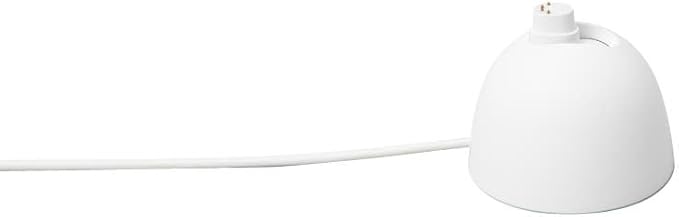
Google Nest Cam (Wired)
See more with 2K video and always on power.1.2 Go back and see what you missed.3 2K video. day and night.1.3 Control your smart home from anywhere.4 Made to keep your data safe. See everything clear as day.And night. 24/7. No need to recharge batteries or replace them. With a live feed in 2K HDR. you can check in whenever you want.1.3 See rich colour and details. even in low light. and see in the dark with night vision. With Nest Cam's widest and tallest field of view yet. you can see even more of a long hallway or large room.5 Catch what counts. right on time. Built in tools for better peace of mind. With built in intelligent alerts. know when Nest Cam spots a person. vehicle or animal.3 Missed an alert? Get 10s clips of each event that happened over the past 3 hours.3 With Activity Zones. only get alerts in places that matter most. like the entryway or your dog's bed.3 Always at home. Even when you are not. With the Google Home app. you can check your camera's live feed right from the home screen.3 View your video history as a timeline or event list to easily find the moments that matter to you.3 Access your Nest Cam's live feed across your Google TV streamer. Pixel Tablet. Nest displays and more.3.4 Thoughtfully designed with privacy in mind. Get set up quick- just place Nest Cam on a table or mount it on a wall. The hinge makes it easy to find the perfect angle. Your camera helps protect your privacy with encrypted video. two-step verification and enhanced security via your Google Account. A green LED lets you know when it's processing or streaming video. 2 Compared to earlier Nest Cam models. 3 Some features. including mobile and browser notifications. remote control. sound detection. video recording. video streaming and video history. require the Google Home app and working internet and Wi-Fi. To meet the request of some retail partners. stickers and/or security tags are applied to some packaging variations and may contain plastic.
See more with 2K video and always on power.1.2 Go back and see what you missed.3 2K video. day and night.1.3 Control your smart home from anywhere.4 Made to keep your data safe. See everything clear as day.And night. 24/7. No need to recharge batteries or replace them. With a live feed in 2K HDR. you can check in whenever you want.1.3 See rich colour and details. even in low light. and see in the dark with night vision. With Nest Cam's widest and tallest field of view yet. you can see even more of a long hallway or large room.5 Catch what counts. right on time. Built in tools for better peace of mind. With built in intelligent alerts. know when Nest Cam spots a person. vehicle or animal.3 Missed an alert? Get 10s clips of each event that happened over the past 3 hours.3 With Activity Zones. only get alerts in places that matter most. like the entryway or your dog's bed.3 Always at home. Even when you are not. With the Google Home app. you can check your camera's live feed right from the home screen.3 View your video history as a timeline or event list to easily find the moments that matter to you.3 Access your Nest Cam's live feed across your Google TV streamer. Pixel Tablet. Nest displays and more.3.4 Thoughtfully designed with privacy in mind. Get set up quick- just place Nest Cam on a table or mount it on a wall. The hinge makes it easy to find the perfect angle. Your camera helps protect your privacy with encrypted video. two-step verification and enhanced security via your Google Account. A green LED lets you know when it's processing or streaming video. 2 Compared to earlier Nest Cam models. 3 Some features. including mobile and browser notifications. remote control. sound detection. video recording. video streaming and video history. require the Google Home app and working internet and Wi-Fi. To meet the request of some retail partners. stickers and/or security tags are applied to some packaging variations and may contain plastic.
See more with 2K video and always on power.1.2 Go back and see what you missed.3 2K video. day and night.1.3 Control your smart home from anywhere.4 Made to keep your data safe. See everything clear as day.And night. 24/7. No need to recharge batteries or replace them. With a live feed in 2K HDR. you can check in whenever you want.1.3 See rich colour and details. even in low light. and see in the dark with night vision. With Nest Cam's widest and tallest field of view yet. you can see even more of a long hallway or large room.5 Catch what counts. right on time. Built in tools for better peace of mind. With built in intelligent alerts. know when Nest Cam spots a person. vehicle or animal.3 Missed an alert? Get 10s clips of each event that happened over the past 3 hours.3 With Activity Zones. only get alerts in places that matter most. like the entryway or your dog's bed.3 Always at home. Even when you are not. With the Google Home app. you can check your camera's live feed right from the home screen.3 View your video history as a timeline or event list to easily find the moments that matter to you.3 Access your Nest Cam's live feed across your Google TV streamer. Pixel Tablet. Nest displays and more.3.4 Thoughtfully designed with privacy in mind. Get set up quick- just place Nest Cam on a table or mount it on a wall. The hinge makes it easy to find the perfect angle. Your camera helps protect your privacy with encrypted video. two-step verification and enhanced security via your Google Account. A green LED lets you know when it's processing or streaming video. 2 Compared to earlier Nest Cam models. 3 Some features. including mobile and browser notifications. remote control. sound detection. video recording. video streaming and video history. require the Google Home app and working internet and Wi-Fi. To meet the request of some retail partners. stickers and/or security tags are applied to some packaging variations and may contain plastic.
See more with 2K video and always on power.1.2 Go back and see what you missed.3 2K video. day and night.1.3 Control your smart home from anywhere.4 Made to keep your data safe. See everything clear as day.And night. 24/7. No need to recharge batteries or replace them. With a live feed in 2K HDR. you can check in whenever you want.1.3 See rich colour and details. even in low light. and see in the dark with night vision. With Nest Cam's widest and tallest field of view yet. you can see even more of a long hallway or large room.5 Catch what counts. right on time. Built in tools for better peace of mind. With built in intelligent alerts. know when Nest Cam spots a person. vehicle or animal.3 Missed an alert? Get 10s clips of each event that happened over the past 3 hours.3 With Activity Zones. only get alerts in places that matter most. like the entryway or your dog's bed.3 Always at home. Even when you are not. With the Google Home app. you can check your camera's live feed right from the home screen.3 View your video history as a timeline or event list to easily find the moments that matter to you.3 Access your Nest Cam's live feed across your Google TV streamer. Pixel Tablet. Nest displays and more.3.4 Thoughtfully designed with privacy in mind. Get set up quick- just place Nest Cam on a table or mount it on a wall. The hinge makes it easy to find the perfect angle. Your camera helps protect your privacy with encrypted video. two-step verification and enhanced security via your Google Account. A green LED lets you know when it's processing or streaming video. 2 Compared to earlier Nest Cam models. 3 Some features. including mobile and browser notifications. remote control. sound detection. video recording. video streaming and video history. require the Google Home app and working internet and Wi-Fi. To meet the request of some retail partners. stickers and/or security tags are applied to some packaging variations and may contain plastic.
in 6 offers
The lowest price for Google Nest Cam (Wired) right now is $100.11 at ezhomesystem.com, compared across 5 retailers.
The all-time low was $10.97 on 23 July 2026 — today's price is 813% above the lowest ever. It has been notably cheaper before — worth setting a price alert.
Prices last updated 1 Oct 2026.
Last updated at 01/10/2026 17:47:45
Renewed Google indoor Nest Security Cam 1080p (Wired) - 2nd Generation - Snow
Free delivery between 13–15 Oct
Google Nest Cam Indoor Wired Security Camera, 1920 x 1080 Resolution at 30 fps, Up to 15' of Night Vision, Dual-Band Wi-Fi Connectivity, 135 Diagonal
Delivery between 7–14 Oct $36.48
Google Nest 2nd generation indoor Wired wifi camera - Snow | Google Dubai
Google Nest Cam 2nd Gen (Indoor, Wired)
Delivery between 4–13 Oct $10
Google indoor Nest Security Cam 1080p (Wired) - 2nd Generation - Snow
Delivery between 2–14 Oct $28.88
originally posted on bestbuy.com
I’m a camera installer by trade. A customer really wanted to try the Nest cameras, so we picked up ten cameras of a few models and gave it a shot. The take always are not good. I cannot recommend these cameras to anyone. - it’s at best just one quarter the resolution you can find in similarly priced 4K cameras. - the clarity does not live up to the expectation or the hype -the cameras have comparably limited features. The frame can only be rotated 180 degrees, there is no option for 90 degrees, every professional camera system I work with has those options, and many more. - the 134 degree lens would be useful if it had higher resolution, but that’s just too wide a field of view for a decent picture at 1080p. - the camera housing articulation does not give you the ... MoreI’m a camera installer by trade. A customer really wanted to try the Nest cameras, so we picked up ten cameras of a few models and gave it a shot. The take always are not good. I cannot recommend these cameras to anyone. - it’s at best just one quarter the resolution you can find in similarly priced 4K cameras. - the clarity does not live up to the expectation or the hype -the cameras have comparably limited features. The frame can only be rotated 180 degrees, there is no option for 90 degrees, every professional camera system I work with has those options, and many more. - the 134 degree lens would be useful if it had higher resolution, but that’s just too wide a field of view for a decent picture at 1080p. - the camera housing articulation does not give you the same flexibility that a proper 4K camera would give you. Inevitably you will have a few wonky pictures if doing 5 or more cams. - loading the cameras into the google home app is exceptionally time consuming, with literally dozens of unnecessary prompts. If your phone and the camera are not connected to the same access point at the same time, the cameras will not connect. So you must be physically next to the camera to pull them into google home. - google did not improve their 2nd generation product, meaning that the 2nd gen cameras have lower performance specs than their predecessors. -huge bandwidth problems. 10 cameras can chew up to 50Mbps of upload, which nobody without fiber service can achieve. -the Internet service providers get twitchy when you’re pulling that kind of upload bandwidth 24/7. If they have the ability to throttle you, they eventually will. All in all this appears to be the folly of a search engine trying to be a surveillance manufacturer, when there are existing surveillance manufacturers in the market who are simply better at what they do.
originally posted on bestbuy.com
I picked one of these up about a year ago. I'm a big Google fanboy and I'm very much engrained in the Google ecosystem. My house has several Nest/Google Home Speakers, a hub, a few smart clocks, Chromecasts, Google TV devices, etc. I'm very tech savvy and have no problem setting up, using, and troubleshooting devices in general. Short version is: These are almost unusable. Despite having a Nest Wifi mesh network across my house, and trying this camera in multiple locations (including about 15 ft from the primary router with a direct line of sight), it's almost not even worth having. I can connect to the camera and view the stream, but it only takes about 30 seconds before the stream freezes and then shows a spinner. Sometimes it'll recover, only to pause again ... MoreI picked one of these up about a year ago. I'm a big Google fanboy and I'm very much engrained in the Google ecosystem. My house has several Nest/Google Home Speakers, a hub, a few smart clocks, Chromecasts, Google TV devices, etc. I'm very tech savvy and have no problem setting up, using, and troubleshooting devices in general. Short version is: These are almost unusable. Despite having a Nest Wifi mesh network across my house, and trying this camera in multiple locations (including about 15 ft from the primary router with a direct line of sight), it's almost not even worth having. I can connect to the camera and view the stream, but it only takes about 30 seconds before the stream freezes and then shows a spinner. Sometimes it'll recover, only to pause again shortly after, but most of the time it disconnects completely and says it's unable to display the video feed. If you try again, most of the time it will just continue to say it can't display the video feed until you wait and try again later. And forget trying to talk through it. This is on a home network with gigabit fiber internet (tested at about 800mbps down & up), with practically no other device activity (no one is even home), and confirmed to not suffer from bufferbloat or anything. It doesn't matter what quality setting you use, what device you view from, or how good your internet connection is on the client. I can close the Google Home app, and check my $50 Eufy camera, and get a quick, reliable video stream. It's farther from the router, and honestly the quality is better too. The only reason I didn't give this 1 star for quality is because the actual physical hardware presentation is nice. It feels like a high-end product. It just doesn't perform like one.
originally posted on bestbuy.com
Nest (now owned by Google) has been releasing cameras since their acquisition of Dropcam circa 2014. Since then, they’ve launched a Home App, Smart Assistants in the forms of speakers with integrated monitors, and further developed their cameras to include more security features, with the ability to monitor them at the tap of an app or by asking your Google Home Hub. The unboxing experience feels more premium, compared to nest cams in the past, and nicely packaged for easy removal. In the box you’ll find the camera, a power adapter, mounting hardware (screws and anchors), an attached long USB cable with plastic cable clips (no ties here), and a user manual. It’s important to note there is a QR code located on the sticker which protects the lens and is required for ... MoreNest (now owned by Google) has been releasing cameras since their acquisition of Dropcam circa 2014. Since then, they’ve launched a Home App, Smart Assistants in the forms of speakers with integrated monitors, and further developed their cameras to include more security features, with the ability to monitor them at the tap of an app or by asking your Google Home Hub. The unboxing experience feels more premium, compared to nest cams in the past, and nicely packaged for easy removal. In the box you’ll find the camera, a power adapter, mounting hardware (screws and anchors), an attached long USB cable with plastic cable clips (no ties here), and a user manual. It’s important to note there is a QR code located on the sticker which protects the lens and is required for setup (don’t lose it). Plugging the camera in, and you’ll hear an audible tone and a slow pulsing blue light indicating it’s ready for setup. You can’t use the older Nest App for installation and will need to use the Google Home app with your Google login to start the setup. I was pleasantly surprised to find the setup effortless, only requiring the use of the QR code on the camera to identify and connect to the camera, followed by confirmation of connection to your WiFi network, and a quick update to the camera. Once you’ve added the camera to the Home App, you’ll be asked if it’s going to be wall mounted, in which case you’ll simply twist the attached mount plate with a simple push and twist. The mount plate has two screw holes, and once mounted, the camera can be reinstalled to the plate with minimal effort. Total installation time was less than 10 minutes, and the camera was ready to view immediately. You will be asked if you want to sign up for a 30-day trial of their recording service, “Nest Aware,” otherwise you’ll be able to view the most recent 3 hours of recordings. If you already signed up for their service, you’ll simply add this to your account, and it should be ready after setup. With Nest Aware, you also get advanced familiar face detection, 10 days of 24/7 recording, and 60 days of event recordings in smaller clips. The camera itself is a nice soft white in color, with a metal hinge that allows for 180 degrees turn, and a slight tilt for positioning. This allowed for various positioning when installing the camera, and the base did a great job of holding the camera in the desired position with no identifiable shifting after installation. The camera light stays on and can be dimmed slightly if you’re placing this along a window to avoid a bright reflection. It blinks green when someone is watching, making this camera ideal for those worried about privacy while it’s on and a way to identify someone viewing. You have the option of using your smartphone’s location to automate home/away modes, in a same way it works with Nest thermostats, enabling recording only when you’re not home, plus you can also turn off the microphone to stop any audio recordings. You can also program activity zones, which will help mitigate false events; such as, near a busy roadway or walk space. The speaker was loud enough to speak to any pets or people viewed in range of the camera, with no noticeable delay during real-time use. The video quality was probably the biggest upgrade from my previous generation Nest cams, with a wide-angle view to capture more the cameras surroundings. Pointing the camera out my front home office window, and I could easily see my entire front yard, and the approach up my driveway. The night vision is on by default to automatically turn on during lower light environments but can be toggled off to remove any glare if you’re placing this looking out a window. Compared to some other cameras, the color clarity in the dark isn’t as vivid, and with the night vision it does provide clear images. It’s important to note that the Nest cam is only compatible with Google’s assistant hubs if you want to view the live feed outside of your smartphone app. Using a Google Nest Hub, you can simply ask to pull up your live feed or use the hub to view previous event recordings. If you already use Googles Nest doorbell or other cameras, you’ll use this in a similar way, by just asking for the camera by name. Overall, I’m really impressed with the ease of setup, and the wide-angle view shows even more detail around the camera.
Renewed Google indoor Nest Security Cam 1080p (Wired) - 2nd Generation - Snow
Free delivery between 13–15 Oct
Google Nest Cam Indoor Wired Security Camera, 1920 x 1080 Resolution at 30 fps, Up to 15' of Night Vision, Dual-Band Wi-Fi Connectivity, 135 Diagonal
Delivery between 7–14 Oct $36.48
Google Nest 2nd generation indoor Wired wifi camera - Snow | Google Dubai
Google Nest Cam 2nd Gen (Indoor, Wired)
Delivery between 4–13 Oct $10
Google indoor Nest Security Cam 1080p (Wired) - 2nd Generation - Snow
Delivery between 2–14 Oct $28.88
I’m a camera installer by trade. A customer really wanted to try the Nest cameras, so we picked up ten cameras of a few models and gave it a shot. The take always are not good. I cannot recommend these cameras to anyone. - it’s at best just one quarter the resolution you can find in similarly priced 4K cameras. - the clarity does not live up to the expectation or the hype -the cameras have comparably limited features. The frame can only be rotated 180 degrees, there is no option for 90 degrees, every professional camera system I work with has those options, and many more. - the 134 degree lens would be useful if it had higher resolution, but that’s just too wide a field of view for a decent picture at 1080p. - the camera housing articulation does not give you the ... MoreI’m a camera installer by trade. A customer really wanted to try the Nest cameras, so we picked up ten cameras of a few models and gave it a shot. The take always are not good. I cannot recommend these cameras to anyone. - it’s at best just one quarter the resolution you can find in similarly priced 4K cameras. - the clarity does not live up to the expectation or the hype -the cameras have comparably limited features. The frame can only be rotated 180 degrees, there is no option for 90 degrees, every professional camera system I work with has those options, and many more. - the 134 degree lens would be useful if it had higher resolution, but that’s just too wide a field of view for a decent picture at 1080p. - the camera housing articulation does not give you the same flexibility that a proper 4K camera would give you. Inevitably you will have a few wonky pictures if doing 5 or more cams. - loading the cameras into the google home app is exceptionally time consuming, with literally dozens of unnecessary prompts. If your phone and the camera are not connected to the same access point at the same time, the cameras will not connect. So you must be physically next to the camera to pull them into google home. - google did not improve their 2nd generation product, meaning that the 2nd gen cameras have lower performance specs than their predecessors. -huge bandwidth problems. 10 cameras can chew up to 50Mbps of upload, which nobody without fiber service can achieve. -the Internet service providers get twitchy when you’re pulling that kind of upload bandwidth 24/7. If they have the ability to throttle you, they eventually will. All in all this appears to be the folly of a search engine trying to be a surveillance manufacturer, when there are existing surveillance manufacturers in the market who are simply better at what they do.
I picked one of these up about a year ago. I'm a big Google fanboy and I'm very much engrained in the Google ecosystem. My house has several Nest/Google Home Speakers, a hub, a few smart clocks, Chromecasts, Google TV devices, etc. I'm very tech savvy and have no problem setting up, using, and troubleshooting devices in general. Short version is: These are almost unusable. Despite having a Nest Wifi mesh network across my house, and trying this camera in multiple locations (including about 15 ft from the primary router with a direct line of sight), it's almost not even worth having. I can connect to the camera and view the stream, but it only takes about 30 seconds before the stream freezes and then shows a spinner. Sometimes it'll recover, only to pause again ... MoreI picked one of these up about a year ago. I'm a big Google fanboy and I'm very much engrained in the Google ecosystem. My house has several Nest/Google Home Speakers, a hub, a few smart clocks, Chromecasts, Google TV devices, etc. I'm very tech savvy and have no problem setting up, using, and troubleshooting devices in general. Short version is: These are almost unusable. Despite having a Nest Wifi mesh network across my house, and trying this camera in multiple locations (including about 15 ft from the primary router with a direct line of sight), it's almost not even worth having. I can connect to the camera and view the stream, but it only takes about 30 seconds before the stream freezes and then shows a spinner. Sometimes it'll recover, only to pause again shortly after, but most of the time it disconnects completely and says it's unable to display the video feed. If you try again, most of the time it will just continue to say it can't display the video feed until you wait and try again later. And forget trying to talk through it. This is on a home network with gigabit fiber internet (tested at about 800mbps down & up), with practically no other device activity (no one is even home), and confirmed to not suffer from bufferbloat or anything. It doesn't matter what quality setting you use, what device you view from, or how good your internet connection is on the client. I can close the Google Home app, and check my $50 Eufy camera, and get a quick, reliable video stream. It's farther from the router, and honestly the quality is better too. The only reason I didn't give this 1 star for quality is because the actual physical hardware presentation is nice. It feels like a high-end product. It just doesn't perform like one.
Nest (now owned by Google) has been releasing cameras since their acquisition of Dropcam circa 2014. Since then, they’ve launched a Home App, Smart Assistants in the forms of speakers with integrated monitors, and further developed their cameras to include more security features, with the ability to monitor them at the tap of an app or by asking your Google Home Hub. The unboxing experience feels more premium, compared to nest cams in the past, and nicely packaged for easy removal. In the box you’ll find the camera, a power adapter, mounting hardware (screws and anchors), an attached long USB cable with plastic cable clips (no ties here), and a user manual. It’s important to note there is a QR code located on the sticker which protects the lens and is required for ... MoreNest (now owned by Google) has been releasing cameras since their acquisition of Dropcam circa 2014. Since then, they’ve launched a Home App, Smart Assistants in the forms of speakers with integrated monitors, and further developed their cameras to include more security features, with the ability to monitor them at the tap of an app or by asking your Google Home Hub. The unboxing experience feels more premium, compared to nest cams in the past, and nicely packaged for easy removal. In the box you’ll find the camera, a power adapter, mounting hardware (screws and anchors), an attached long USB cable with plastic cable clips (no ties here), and a user manual. It’s important to note there is a QR code located on the sticker which protects the lens and is required for setup (don’t lose it). Plugging the camera in, and you’ll hear an audible tone and a slow pulsing blue light indicating it’s ready for setup. You can’t use the older Nest App for installation and will need to use the Google Home app with your Google login to start the setup. I was pleasantly surprised to find the setup effortless, only requiring the use of the QR code on the camera to identify and connect to the camera, followed by confirmation of connection to your WiFi network, and a quick update to the camera. Once you’ve added the camera to the Home App, you’ll be asked if it’s going to be wall mounted, in which case you’ll simply twist the attached mount plate with a simple push and twist. The mount plate has two screw holes, and once mounted, the camera can be reinstalled to the plate with minimal effort. Total installation time was less than 10 minutes, and the camera was ready to view immediately. You will be asked if you want to sign up for a 30-day trial of their recording service, “Nest Aware,” otherwise you’ll be able to view the most recent 3 hours of recordings. If you already signed up for their service, you’ll simply add this to your account, and it should be ready after setup. With Nest Aware, you also get advanced familiar face detection, 10 days of 24/7 recording, and 60 days of event recordings in smaller clips. The camera itself is a nice soft white in color, with a metal hinge that allows for 180 degrees turn, and a slight tilt for positioning. This allowed for various positioning when installing the camera, and the base did a great job of holding the camera in the desired position with no identifiable shifting after installation. The camera light stays on and can be dimmed slightly if you’re placing this along a window to avoid a bright reflection. It blinks green when someone is watching, making this camera ideal for those worried about privacy while it’s on and a way to identify someone viewing. You have the option of using your smartphone’s location to automate home/away modes, in a same way it works with Nest thermostats, enabling recording only when you’re not home, plus you can also turn off the microphone to stop any audio recordings. You can also program activity zones, which will help mitigate false events; such as, near a busy roadway or walk space. The speaker was loud enough to speak to any pets or people viewed in range of the camera, with no noticeable delay during real-time use. The video quality was probably the biggest upgrade from my previous generation Nest cams, with a wide-angle view to capture more the cameras surroundings. Pointing the camera out my front home office window, and I could easily see my entire front yard, and the approach up my driveway. The night vision is on by default to automatically turn on during lower light environments but can be toggled off to remove any glare if you’re placing this looking out a window. Compared to some other cameras, the color clarity in the dark isn’t as vivid, and with the night vision it does provide clear images. It’s important to note that the Nest cam is only compatible with Google’s assistant hubs if you want to view the live feed outside of your smartphone app. Using a Google Nest Hub, you can simply ask to pull up your live feed or use the hub to view previous event recordings. If you already use Googles Nest doorbell or other cameras, you’ll use this in a similar way, by just asking for the camera by name. Overall, I’m really impressed with the ease of setup, and the wide-angle view shows even more detail around the camera.
There are a lot of choices in the market when you're looking for a security home camera/indoor, and variations of it. I won't get into the classifications, but just know there are 1080p, 2k, 4k, wired, wireless, indoors outdoors, weather, etc. The nice thing about this product is it's supported by google and well integrated into the ios/android app environment. Pop up the app, and click all cameras, and the neat little app nicely shows all your cameras. You can control things like night vision, off/on, sound, etc, but you won't be able to move the camera/rotate the camera, just be aware. Another thing to be aware of is the subscription vs non subscription for this and all the competitors, and what they bring to the table, I recommend do a little search on it before ... MoreThere are a lot of choices in the market when you're looking for a security home camera/indoor, and variations of it. I won't get into the classifications, but just know there are 1080p, 2k, 4k, wired, wireless, indoors outdoors, weather, etc. The nice thing about this product is it's supported by google and well integrated into the ios/android app environment. Pop up the app, and click all cameras, and the neat little app nicely shows all your cameras. You can control things like night vision, off/on, sound, etc, but you won't be able to move the camera/rotate the camera, just be aware. Another thing to be aware of is the subscription vs non subscription for this and all the competitors, and what they bring to the table, I recommend do a little search on it before settling on the brand also. Finally, the picture quality is great, I would give it a 8.5/10. The speed/update/responsiveness is industry standard, and it's not great, but it's not bad either. I wish all the cameras of all brands are more responsive, or pull data from the camera or the cloud faster, but in time hopefully that improves but not right now. Overall, still a good price to performance ratio, highly recommend it.
The new wired Google Nest Cam offers really great features for a "cloud" style camera without needing a paid subscription. By including some machine learning processing in the camera itself, Google has made it feasible to have the camera function with reasonably good notifications without needing to process as much data in the cloud. As a result, I found the Nest Cam works really well as an add on to my existing (non Google/nest) home security system for non "security" footage - mainly, checking in to see what my pets do during the day. The animal notifications are really quite good, catching glimpses of my cats darting between sofas, or in window frames pretty far from the camera itself. The quality of the recordings is acceptable - it's 1080p, but there are some ... MoreThe new wired Google Nest Cam offers really great features for a "cloud" style camera without needing a paid subscription. By including some machine learning processing in the camera itself, Google has made it feasible to have the camera function with reasonably good notifications without needing to process as much data in the cloud. As a result, I found the Nest Cam works really well as an add on to my existing (non Google/nest) home security system for non "security" footage - mainly, checking in to see what my pets do during the day. The animal notifications are really quite good, catching glimpses of my cats darting between sofas, or in window frames pretty far from the camera itself. The quality of the recordings is acceptable - it's 1080p, but there are some compression artifacts and an overall muddy look compared to more traditional home security cameras that I have used in the past. It's good enough to get faces, but I wouldn't rely on it for license plates of moving vehicles or anything like that. Night vision works really well despite the fact that it doesn't appear to shine the IR LEDs quite as brightly as other cameras I've used. As a result, the camera stays pretty discrete at night rather than a giant red ring like some other models. The design of the camera works really well for just sitting on a shelf, and the built in USB power cable is long enough to allow you some freedom in where to place it. Setup was really simple using the Google Home app - note that it does not work in the Nest app, so if you have previous Nest cameras, you will end up having to use both apps. At the tail end of my first week with the camera, I signed up for the free trial of Nest Aware to see whether the familiar face detection or additional recording times are worth paying for, and I'm on the fence. The familiar face detection is really cool and does seem to work pretty well. The 30 days of event availability means you don't have to check the camera right away (or at least, within 3 hours). I'm not sure that I will end up paying for it or not in the long term, but the features themselves do add value, especially if you are going to rely on this as a primary security device rather than a pet spy cam :)
Great upgrade from my Xfinity cameras. I considered these because I am a Google user that has other Google Nest products on my home. The problem is that I had cameras from three different systems which means I had to go to three different apps to check any type of surveillance. My goal overall was to try to go to a single pane of glass meaning a single app for all of my surveillance inside and outside of my home. They had a benefit of going with the Google solution means that not only do I have a single pane of glass to surveil my entire property but it also integrates with my smoke detectors my doorbell my screens my television, lights, etc., so all of these things on a single app is beneficial and more efficient. This camera are sharp, the cloud device is great, ... MoreGreat upgrade from my Xfinity cameras. I considered these because I am a Google user that has other Google Nest products on my home. The problem is that I had cameras from three different systems which means I had to go to three different apps to check any type of surveillance. My goal overall was to try to go to a single pane of glass meaning a single app for all of my surveillance inside and outside of my home. They had a benefit of going with the Google solution means that not only do I have a single pane of glass to surveil my entire property but it also integrates with my smoke detectors my doorbell my screens my television, lights, etc., so all of these things on a single app is beneficial and more efficient. This camera are sharp, the cloud device is great, and it integrates perfectly into my existing Google Home products. I also have Eufy cameras, which are better priced, but while they do integrate with Google Home, their integration is not as seamless. Also, one of the benefits of the new fees is the ability to record only to the base station. Issue here, is that the base station off and runs out of memory after you owned it for sometime so you tend to lose our travel footage. You can pay for cloud storage, but that is an added cost that brings it closer to in line with the Google offerings. Really caught a great deal of catching these open box. This really kicked the value option out of the park for me.
Although these new Nest Cam themselves are great (good video quality and nice product materials) the Google Home service itself is a mess. I have the old Nest camera products as well as these new Google Nest cameras. The older Nest cameras still work on the Nest app, which is MUCH better at handling the security footage compared to the Google Home app. The problem with the Google Home app is that you can't playback footage that has just been recorded - you have to wait several minutes before it's accessible. This completely defeats the purpose of these cameras as security cameras when you want to see the footage from the notification you just received. Also just scrubbing through footage is noticeably worse on the Google Home app compared to the Nest app. These new ... MoreAlthough these new Nest Cam themselves are great (good video quality and nice product materials) the Google Home service itself is a mess. I have the old Nest camera products as well as these new Google Nest cameras. The older Nest cameras still work on the Nest app, which is MUCH better at handling the security footage compared to the Google Home app. The problem with the Google Home app is that you can't playback footage that has just been recorded - you have to wait several minutes before it's accessible. This completely defeats the purpose of these cameras as security cameras when you want to see the footage from the notification you just received. Also just scrubbing through footage is noticeably worse on the Google Home app compared to the Nest app. These new Google Nest cameras may be great products themselves, but the software interface makes this just a "meh" product. The fact that we are no longer able to add these new cameras to the old Nest app (that still works perfectly, especially compared to the Google Home interface) just ruins it. Alphabet needs to make their Google Home app as comprehensive and functional as the Nest app before I can recommend these cameras to anyone. Live view works great, but trying to playback anything is going to be problematic.
This has been one of those things that I didn’t know I needed until I had it. Took me a while to set it up after getting it, but will not go without it again and will likely get a few more. Maybe even splurge and get the wireless ones. I originally thought the wired state would be a massive inconvenience, but it wasn’t so bad because the cord is really long. I wouldn’t recommend you use it outside since it could easily be unplugged and carted off. If you use it inside I didn’t find anywhere I couldn’t set it up where I wanted. The set up was really easy and the picture is very good. Even the night vision is pretty decent. I mostly used it to keep up with what was happening in the house when I was away from home. I always felt better knowing I could tell if the cats ... MoreThis has been one of those things that I didn’t know I needed until I had it. Took me a while to set it up after getting it, but will not go without it again and will likely get a few more. Maybe even splurge and get the wireless ones. I originally thought the wired state would be a massive inconvenience, but it wasn’t so bad because the cord is really long. I wouldn’t recommend you use it outside since it could easily be unplugged and carted off. If you use it inside I didn’t find anywhere I couldn’t set it up where I wanted. The set up was really easy and the picture is very good. Even the night vision is pretty decent. I mostly used it to keep up with what was happening in the house when I was away from home. I always felt better knowing I could tell if the cats were ok and that the house hadn’t been broken into. I was bummed that I have to subscribe to get the recordings and a longer history, but I never did and still found it to be useful. In short, it is easy to set up, easy to move around despite being wired, and has a very good picture. The bad is having to pay for more features and not being able to use it outside.
As a longtime Google Home/Nest/Assistant user I am always keen to ensure compatibility between my smart home devices and my Google Home setup, which includes speakers, displays and now two smart camera devices. After a very pleasant experience with Google's new Nest Doorbell (battery) I jumped at the chance to try the new Nest Cam (indoor, wired, 2nd gen). While I have two indoor cameras from another brand already, and both are compatible with Google/Nest, I have been a little disappointed in the performance of the app associated with those cameras -- so it was time to try Google's offering. The new wired indoor Nest Cam is a dead ringer for the wireless indoor/outdoor Nest Cam (battery), just with a long USB power cable attached. In what seems to be typical fashion ... MoreAs a longtime Google Home/Nest/Assistant user I am always keen to ensure compatibility between my smart home devices and my Google Home setup, which includes speakers, displays and now two smart camera devices. After a very pleasant experience with Google's new Nest Doorbell (battery) I jumped at the chance to try the new Nest Cam (indoor, wired, 2nd gen). While I have two indoor cameras from another brand already, and both are compatible with Google/Nest, I have been a little disappointed in the performance of the app associated with those cameras -- so it was time to try Google's offering. The new wired indoor Nest Cam is a dead ringer for the wireless indoor/outdoor Nest Cam (battery), just with a long USB power cable attached. In what seems to be typical fashion for newer Google/Nest devices, the cam arrived in slickly-packaged box with minimal packaging materials and minimal single-use plastic, which I always appreciate. The cam feels hefty, with a weighted base, stiff metal arm and thick power cord, all of which impart a sense of quality. The cam can either sit on its base (the bottom of which is covered in nonskid rubber) or be mounted on a wall by detaching the aforementioned rubber bottom and anchoring it to a wall or ceiling with the included hardware. Cleverly, the power cord can route through a cutout in the base so it can run straight down the wall, rather than around the base. This allows for a neat installation which I always appreciate. The long power cord terminates in a standard USB-A head which plugs into the included small, circular wall adapter. The Nest Cam requires the Google Home app, which walks you though the simple setup process step-by-step. After a quick software update the cam was up and running, with video viewable from the Google Home app on my phone and tablet and by asking the Google Assistant to "show me the living room" on my Google Nest Hub. My main attraction to this camera in particular was the first-party integration with the Google Home ecosystem, especially Google's intelligent on-device image processing and the Home app's Home/Away routine. By adding this Nest Cam to my Home and Away routines during setup the camera is only on and active when the app detects I am away from home, so I'm not bombarded with notifications every time I walk through the living room. Even better, the camera turns off when I arrive Home, so I don't worry as much about privacy. Like my Nest Doorbell (battery), the Nest Cam can recognize people and animals and notify me when either are spotted -- my primary motivation for having wifi cameras at all is to keep an eye on my kitten when I'm gone. Two-way audio works as expected and allows me to talk to the cat or question an intruder should one pop up. Notifications have worked well so far, with the Google Home app quickly and reliably notifying me when my cat walked through the frame. Audio and video quality are perfectly fine, if not outstanding. The feed from this Nest Cam is only 1080p HD, like my battery-powered Nest Doorbell; my non-Google wifi cams offer 2K resolution, which is noticeably crisper. Sure, I'd appreciate higher resolution, especially in a non-budget-priced camera, but for my use a 1080p stream is perfectly acceptable. The lower data impact means the stream can load faster and stream more clearly when I'm out and about, which is really the only time I access video footage. Like other new Google Nest products this cam includes intelligent alerts and 3 hours of event history for free; familiar face detection and 30 or 60 days of event video history require a Nest Aware subscription. Now that I have multiple devices (doorbell, camera, Nest hub) on my Google account a basic Nest Aware subscription really becomes a bargain, adding these features as well as smoke alarm/CO alarm/glass breaking monitoring via my connected devices. This is a pretty hefty value for the monthly subscription price considering one Nest Aware subscription covers all connected devices -- unlike some competitors that charge a separate fee per enrolled device. Overall, I'm very pleased with this latest Nest Cam. While on the pricier side, the ability to control the camera with my existing Home/Away routines is a huge boon for me, as well as being able to see all video streams natively in the Google Home app. Add in familiar face detection and month's worth of event video history and I'm sold on the price point of this camera. As with my Nest Doorbell (battery), my only real complaint is the sometimes-unreliable Google Home app. If you've used it, you know it's a bit of a mess of menus, options and buttons, and it does occasionally miss when I leave or return home (therefore the associated routine doesn't run automatically). Hopefully Google will continue to refine and improve the Home app, especially as they continue to add new Nest products to their lineup.
so i got two of these new nest cam wired versions, i'm gonna be clear and say that for the price its OK, i do miss the older models that had a better megapixel then these and the images looked better on those when you zoomed in for a close up of a person, but these are not that bad for indoor use but inside of my basement where i have 16 very bright led 5000k led light bars i did experience a lot of banding, now what is Banding You Ask? (Banding) is those black static bars or lines you see scrolling down on your screen whenever someone makes a video with lighting conditions that a camera cant handle and though for cameras like Mirroless, DSLR's and GoPro's you can simply adjust your shutter speed, ISO and Exposure Value (EV) and fix it and if that doesn't work you ... Moreso i got two of these new nest cam wired versions, i'm gonna be clear and say that for the price its OK, i do miss the older models that had a better megapixel then these and the images looked better on those when you zoomed in for a close up of a person, but these are not that bad for indoor use but inside of my basement where i have 16 very bright led 5000k led light bars i did experience a lot of banding, now what is Banding You Ask? (Banding) is those black static bars or lines you see scrolling down on your screen whenever someone makes a video with lighting conditions that a camera cant handle and though for cameras like Mirroless, DSLR's and GoPro's you can simply adjust your shutter speed, ISO and Exposure Value (EV) and fix it and if that doesn't work you can go a step further and use ND Filters to fix that. unfortunately this nest cam has its limitations as its intended to be a security camera and nothing more. so adding an ND filter to fix that is not gonna be easy but its possible you just need to make sure not to block the IR sensors for the Night Vision Feature which is super awesome! however if yiu end up using some kind of ND filter and hot glue it on to your nest cam to solve that poor lighting banding issue, you will be sacrificing some of the night vision brightness, in other words the night vision will look a bit darker, i tried this with my go pro hero 10's Polar Pro ND8 filter which solved the banding problem immediately but darkened up the night vision clarity during my testing. i had a video for you guys on that but unfortunately i am limited to images only. anyways for what it is and for its price this is a great camera, somethings to be aware of is that these new cameras cannot be accessed from the nest app, they can only be seen from the google home app which does give you access to all your nest cameras but only through the mobile app. you cant see the footage from your pc like you can with the nest website. so please keep that in mind, i also have the yearly nest aware plus subscription so i have the full access to the cameras. you can still save video footage from the camera but now instead of 1 minute video clips like from nest, with google i was able to get a 5 minute clip saved to my smartphone! that's a BIG PLUS! since i could add the short video i made of this i figured i would add screen shots from it instead. i hope the pictures help with identifying my experience. anyways that's it for my review.