Kensington Pro Fit Ergo Wireless Keyboard (Black)
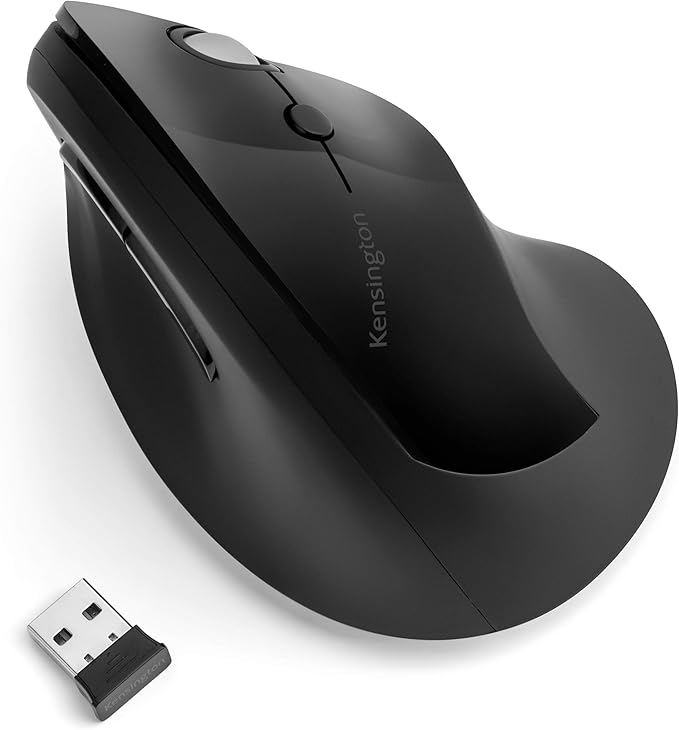
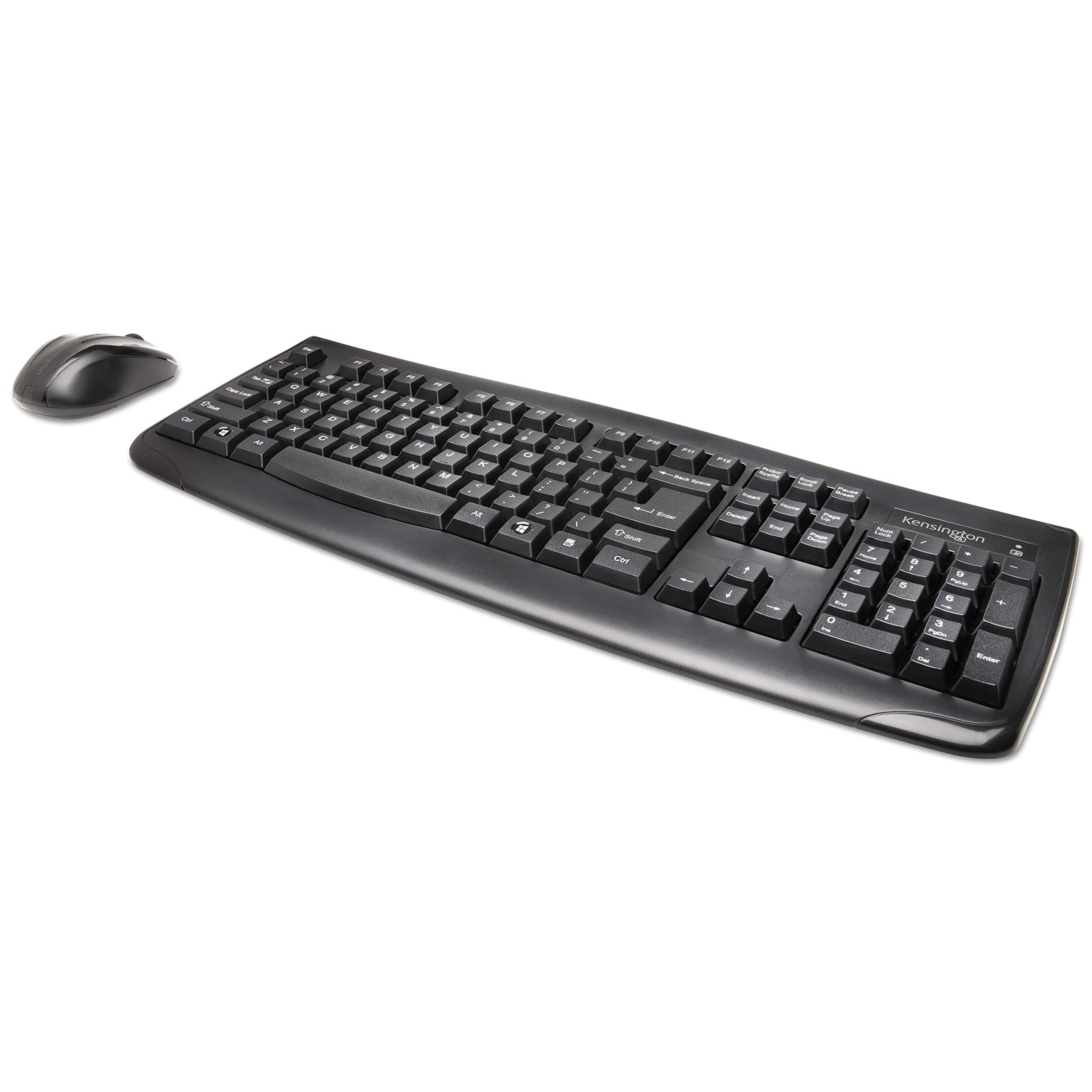
Ergonomist-approved design Positions your hand for improved comfort. Split and sloped keyboard with adjustable reverse tilt Positions hands, wrists and forearms for comfort and neutral alignment. Built-in wrist rest Supports, cushions and cradles the wrists. Dual wireless with 128-bit AES encryption The flexibility of 2.4 GHz and Bluetooth 4.0 LE, with government-grade encryption. Quiet keys For smooth, easy, non-disruptive typing. Replaceable receiver If your receiver is ever lost or damaged, simply purchase a new one, pair it with your mouse and you’re ready. Three-mode power-saving switch Allows you to toggle between 2.4GHz, Bluetooth and Off for best battery life. Caps lock, numbers lock, scroll lock and F-keys Popular features that make typing and navigating easier and more efficient. Spill-Proof Keys and Wipe Down Protection Make cleanup fast and easy. Meets MIL-STD-810H Method 504.3 Contamination by Fluids testing for resistance to breakdown when exposed to cleaning and disinfecting solvents such as alcohol and bleach for at least 24 hours.
Ergonomist-approved design Positions your hand for improved comfort. Split and sloped keyboard with adjustable reverse tilt Positions hands, wrists and forearms for comfort and neutral alignment. Built-in wrist rest Supports, cushions and cradles the wrists. Dual wireless with 128-bit AES encryption The flexibility of 2.4 GHz and Bluetooth 4.0 LE, with government-grade encryption. Quiet keys For smooth, easy, non-disruptive typing. Replaceable receiver If your receiver is ever lost or damaged, simply purchase a new one, pair it with your mouse and you’re ready. Three-mode power-saving switch Allows you to toggle between 2.4GHz, Bluetooth and Off for best battery life. Caps lock, numbers lock, scroll lock and F-keys Popular features that make typing and navigating easier and more efficient. Spill-Proof Keys and Wipe Down Protection Make cleanup fast and easy. Meets MIL-STD-810H Method 504.3 Contamination by Fluids testing for resistance to breakdown when exposed to cleaning and disinfecting solvents such as alcohol and bleach for at least 24 hours.
Ergonomist-approved design Positions your hand for improved comfort. Split and sloped keyboard with adjustable reverse tilt Positions hands, wrists and forearms for comfort and neutral alignment. Built-in wrist rest Supports, cushions and cradles the wrists. Dual wireless with 128-bit AES encryption The flexibility of 2.4 GHz and Bluetooth 4.0 LE, with government-grade encryption. Quiet keys For smooth, easy, non-disruptive typing. Replaceable receiver If your receiver is ever lost or damaged, simply purchase a new one, pair it with your mouse and you’re ready. Three-mode power-saving switch Allows you to toggle between 2.4GHz, Bluetooth and Off for best battery life. Caps lock, numbers lock, scroll lock and F-keys Popular features that make typing and navigating easier and more efficient. Spill-Proof Keys and Wipe Down Protection Make cleanup fast and easy. Meets MIL-STD-810H Method 504.3 Contamination by Fluids testing for resistance to breakdown when exposed to cleaning and disinfecting solvents such as alcohol and bleach for at least 24 hours.
Ergonomist-approved design Positions your hand for improved comfort. Split and sloped keyboard with adjustable reverse tilt Positions hands, wrists and forearms for comfort and neutral alignment. Built-in wrist rest Supports, cushions and cradles the wrists. Dual wireless with 128-bit AES encryption The flexibility of 2.4 GHz and Bluetooth 4.0 LE, with government-grade encryption. Quiet keys For smooth, easy, non-disruptive typing. Replaceable receiver If your receiver is ever lost or damaged, simply purchase a new one, pair it with your mouse and you’re ready. Three-mode power-saving switch Allows you to toggle between 2.4GHz, Bluetooth and Off for best battery life. Caps lock, numbers lock, scroll lock and F-keys Popular features that make typing and navigating easier and more efficient. Spill-Proof Keys and Wipe Down Protection Make cleanup fast and easy. Meets MIL-STD-810H Method 504.3 Contamination by Fluids testing for resistance to breakdown when exposed to cleaning and disinfecting solvents such as alcohol and bleach for at least 24 hours.
in 55 offers
The lowest price for Kensington Pro Fit Ergo Wireless Keyboard (Black) right now is $89.40 at PB Tech, compared across 37 retailers.
The all-time low was $25.00 on 18 June 2024 — today's price is 258% above the lowest ever. It has been notably cheaper before — worth setting a price alert.
Prices last updated 29 Oct 2026.
Last updated at 29/10/2026 01:03:09
Kensington Pro Fit K75401US Ergonomic Wireless Keyboard - Black
Delivery between 2–7 Nov $9
Kensington Pro Fit Ergo Wireless Keyboard
Kensington Pro Fit Ergo Wireless Keyboard (K75401US) - Black | Computers & Accessories
Delivery $8.95
Kensington Pro Fit K75401us Ergonomic Wireless Keyboard - Black
Delivery $11
Affiliate Disclosure: We may receive a small commission for purchases made through this link at no extra cost to you. This helps support our site. Thank you!
Pro Fit Ergo Wireless Keyboard w/ AES Encryption Black
Kensington Pro Fit Ergo KB620-RC Keyboard - Full-size - Wireless Connectivity - USB Type A Interface - Black
Delivery $30
Kensington Pro Fit Ergo Wireless Keyboard - Black
Delivery $16.50
Kensington K75401US Pro Fit Ergo Wireless Keyboard
Kensington Pro Fit Ergonomic Wireless Keyboard in Black K75401US
Delivery $22
Kensington Pro Fit Ergo Wireless Keyboard-Black K75401US
Delivery $71.07
originally posted on walmart.com
It was hard to find a decent priced wireless ergonomic split keyboard. This keyboard turned out great. A little challenging connecting but you just gotta read instructions. The keys don’t make loud tapping sounds. I have carpel tunnel and it definitely relieved my tenders fingers from the Logitech wave keyboard I had. The only thing I have minor issues with is the Lock Screen and Calculator keys, they are too close to the Backspace. I keep hitting the calculator key. It takes time getting use to, but just got to remember not to overextend the key touch. I would recommend this purchase if you’re looking for a nice split keyboard.
originally posted on staples.ca
The key action on the board is nice, no sticking buttons and the bounce back nicely. This is my first ergonomic designed keyboard so getting used to the key spacing is a bit challenging but not an error on the design. The only issue I have and it is a small one is I frequently hit a blue calculator function button right above the backspace button which requires me to escape out of the calculator before I can continue to type.
originally posted on newegg.com
I've been using it for a couple weeks now with no issues. At first I though there was a problem cause it would miss some keys when typing. Then I realized that the keyboard goes into sleep mode (to save battery life) after a period of non-use. The first key you hit brings it out of sleep mode, which is normal. Now that I know this, no more missed keys while typing. Very happy with this keyboard.
| General | |
| Device Type | Keyboard - ergonomic |
| Interface | 2.4 GHz, Bluetooth 4.0 |
| Wireless Receiver | Nano USB wireless receiver |
| Input Device |
Kensington Pro Fit K75401US Ergonomic Wireless Keyboard - Black
Delivery between 2–7 Nov $9
Kensington Pro Fit Ergo Wireless Keyboard
Kensington Pro Fit Ergo Wireless Keyboard (K75401US) - Black | Computers & Accessories
Delivery $8.95
Kensington Pro Fit K75401us Ergonomic Wireless Keyboard - Black
Delivery $11
Affiliate Disclosure: We may receive a small commission for purchases made through this link at no extra cost to you. This helps support our site. Thank you!
Pro Fit Ergo Wireless Keyboard w/ AES Encryption Black
It was hard to find a decent priced wireless ergonomic split keyboard. This keyboard turned out great. A little challenging connecting but you just gotta read instructions. The keys don’t make loud tapping sounds. I have carpel tunnel and it definitely relieved my tenders fingers from the Logitech wave keyboard I had. The only thing I have minor issues with is the Lock Screen and Calculator keys, they are too close to the Backspace. I keep hitting the calculator key. It takes time getting use to, but just got to remember not to overextend the key touch. I would recommend this purchase if you’re looking for a nice split keyboard.
The key action on the board is nice, no sticking buttons and the bounce back nicely. This is my first ergonomic designed keyboard so getting used to the key spacing is a bit challenging but not an error on the design. The only issue I have and it is a small one is I frequently hit a blue calculator function button right above the backspace button which requires me to escape out of the calculator before I can continue to type.
I've been using it for a couple weeks now with no issues. At first I though there was a problem cause it would miss some keys when typing. Then I realized that the keyboard goes into sleep mode (to save battery life) after a period of non-use. The first key you hit brings it out of sleep mode, which is normal. Now that I know this, no more missed keys while typing. Very happy with this keyboard.
The mouse is great. The keyboard is not so good. You have to kind of reset your typing style. The way keys are placed you end up mistyping, and pressing insert for back space and shift for enter. It took a little getting used to.
DO NOT BUY!! After less than a year of daily use, the keys become VERY HARD to press. Also the BT is junk, keys start sticking /repeating and typing vvvvvvvvv across your screen, etc. Way too much $$ for this garbage. Had to return to Microsoft Wireless 4000 keyboard which I hate because of loud typing and clunky spacebar, but at least it lasts more than 1 year. Waste of money and you'll need to throw out in a year. Kensington, learn how to make keyboards or stick to making locks!!
I purchased a previous model of this one before. I absolutely loved it. I believe it may have had a drop of water on it, which wouldn't allow one of the keys to work.No problem, so i bought this model.It's WATER RESISTANT, haha, so i'm safe there. It seems to be a little bit smaller but i love it, nonetheless, as i did the prior model.Thanks so much!
Great for the price. It is very ergonomic. It takes up a little less room than other ergonomic keyboards, which is a plus. The keys have a good feel.I use this at work where I only have to type for short periods at a time. I have been using it for about 1 week now and am still adjusting to it. I wish they had not moved the v and c keys so far to the left, in the design. I am used to punching the c key with my pointer finger, but now I need to use my third finger.The ctrl key on the left side is very finicky.I would buy it again for average use (not for gaming or typist use, where small problems become big).
It took a couple of days to adjust to it because it is a tiny bit smaller than my old keyboard. The keystrokes are quiet compared to other keyboards I've had. I'm not using the 3 lifters on the bottom to position the keyboard a bit upright, but with three of them, I suspect they will be more stable than I've seen. Not sure why those little arms are positioned on the lower side of the keyboard, every other keyboard I've had those little arms have been under the F Keys... wasn't comfortable for me, so they have been left down.
I bought this keyboard in August, at first I thought it was great, the keys are quiet it was wireless and small. Just over a month the USB stopped working, which I wasn't concerned too much about because it has bluetooth connectivity. Well not long after the USB went so did the Bluetooth. I had to remove the device and reconnect several times a day. Staples wouldn't do a return because it was more than a month after I had purchased it. I went directly to Kensington which there were happy to replace the keyboard. They keyboard they sent is awful! The keys stick or don't type at all, I constantly have to turn it on and off which helps for a few hours then the keys start to stick again.Don't waste your money on this keyboard, this is my second one they both were ... MoreI bought this keyboard in August, at first I thought it was great, the keys are quiet it was wireless and small. Just over a month the USB stopped working, which I wasn't concerned too much about because it has bluetooth connectivity. Well not long after the USB went so did the Bluetooth. I had to remove the device and reconnect several times a day. Staples wouldn't do a return because it was more than a month after I had purchased it. I went directly to Kensington which there were happy to replace the keyboard. They keyboard they sent is awful! The keys stick or don't type at all, I constantly have to turn it on and off which helps for a few hours then the keys start to stick again.Don't waste your money on this keyboard, this is my second one they both were terrible!
This is a great keyboard. Easy to set up and use. Perfect size for my desk. Very happy I purchased.
| General | |
| Device Type | Keyboard - ergonomic |
| Interface | 2.4 GHz, Bluetooth 4.0 |
| Wireless Receiver | Nano USB wireless receiver |
| Input Device |