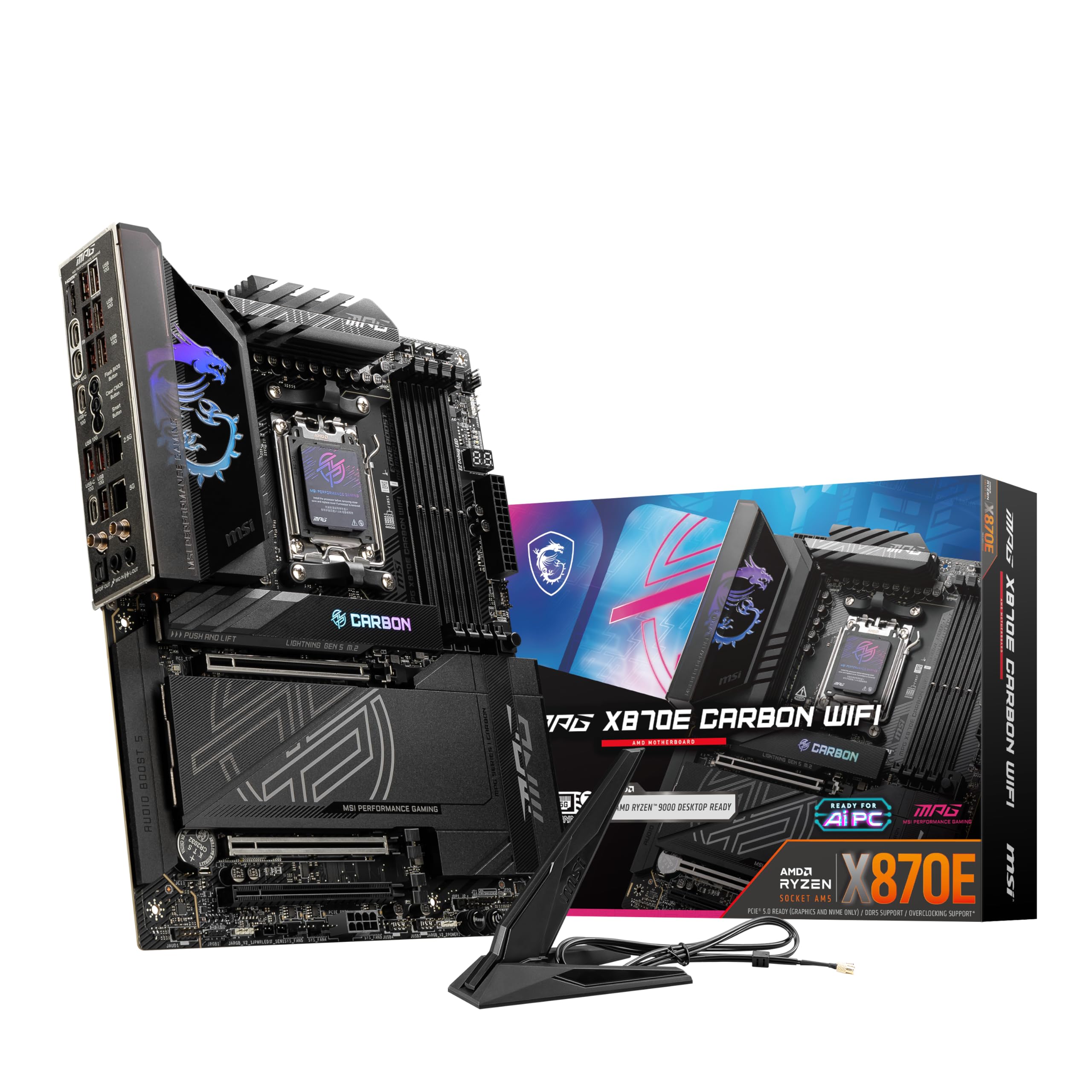
MPG X570 GAMING PRO CARBON WIFI
MPG X570 GAMING PRO CARBON WIFI
in 3 offers
The lowest price for MSI MPG X570 Gaming Pro Carbon Wifi AM4 ATX Desktop Motherboard right now is $302.14 at eBay.com.au, compared across 3 retailers.
The all-time low was $287.35 on 7 May 2026 — today's price is 5% above the lowest ever. This is at or near its all-time low — a good time to buy.
Prices last updated 30 June 2026.
MSI MPG X570 Gaming Pro Carbon Wifi AM4 ATX Desktop Motherboard
MPG X570 GAMING PRO CARBON WIFI
MPG X570 GAMING PRO CARBON WIFI
Last updated at 30/06/2026 10:30:22
For Msi Mpg X570 Gaming Pro Carbon Wifi Ddr44 128gb Hdmi Motherboard
Delivery $15.99
Affiliate Disclosure: We may receive a small commission for purchases made through this link at no extra cost to you. This helps support our site. Thank you!
MSI MPG X570 Gaming Pro Carbon WIFI AMD X570 Socket AM4 ATX
Delivery $25
MSI MPG X570 GAMING PRO CARBON WIFI Desktop Motherboard - AMD X570 Chipset - Socket AM4 - ATX - 128 GB DDR4 SDRAM Maximum RAM - DIMM, UDIMM - 4 x - -
Free delivery between 3–7 July
originally posted on Google
It's a good performance motherboard. My complaints is the constant wifi signal drop and the constant USB issue. My mouse and keyboard constantly act like they have been disconnected but will remain lit. So when I play games like Fortnite and COD, I get slaughtered because I'm not able to turn like I need to shoot back at people... for me it was a waste of money and will sadly have to buy a new motherboard. (Both mouse and keyboard are new and work just fine in my wife's laptop)
originally posted on newegg.com
I had been a long time ASUS customer for the past 15 years and in all fairness I was totally satisfied with their products. But lately with the AMD Ryzen 2 platform getting much attention, I wanted to try something different so I decided to give MSI a try. Frankly I was a bit concerned with some of the negative reviews about the quality and issues of the board. Perhaps I got lucky or the newer boards have many early issues sorted out. The board I received has been working flawlessly since day one. I am also building another MSI B450 Gaming Pro Carbon AC PC so I have two set of CPU (3600 and 3900X) and memory (Corsair Vengeance 3000 and G.Skill TridentZ RGB 3600 16GB). Both set of CPUs and memory work without any issues on this board. I can run Prime95 to stress the ... MoreI had been a long time ASUS customer for the past 15 years and in all fairness I was totally satisfied with their products. But lately with the AMD Ryzen 2 platform getting much attention, I wanted to try something different so I decided to give MSI a try. Frankly I was a bit concerned with some of the negative reviews about the quality and issues of the board. Perhaps I got lucky or the newer boards have many early issues sorted out. The board I received has been working flawlessly since day one. I am also building another MSI B450 Gaming Pro Carbon AC PC so I have two set of CPU (3600 and 3900X) and memory (Corsair Vengeance 3000 and G.Skill TridentZ RGB 3600 16GB). Both set of CPUs and memory work without any issues on this board. I can run Prime95 to stress the system and there has been no stability issues at all. The GPUs I am using are ASUS RX 580 and Sapphire Pulse Vega 56 and power supplies are from my past possession (Corsair AX760 and Seasonic Snow Silent 750). I have tested Windows 10, Ubuntu 18.04 and 20.04 LTS and VMware ESXi 6.7 and 7.0. Windows 10 and Ubuntu really don't have any issues and the Wifi (Intel AX200) works great with my existing Airport Extreme (no Wifi 6 router yet!) with 500+ Mbps upload/download speed over my Verizon FiOS 1Gbps Internet connection. Enabling virtualization in the BIOS is a bit tricky for a new MSI user. We need to go into CPU features and enable "SVM Mode" (disabled by default). ESXi 7.0 install wouldn't go much further when the board is paired with the 3900X but 3600 seemed OK and installation finished without issues. ESXi 6.7 install was OK with both CPUs. The RGB lighting is pretty for a few seconds but may be too much "bling" for me. I just set them to a static color and moved on... Overall I am very happy with both MSI boards and will definitely try more MSI products down the road.
originally posted on microcenter.com
Overall, this board is a great X570 board for the price. This board runs extremely well with my Ryzen 5 3600 overclocked at 4.3ghz, and can certainly handle Ryzen 7 and Ryzen 9 chips. The MSI BIOS is great and easy to use as always, and I have had great success with overclocking on this board. The VRM is cooled very well, and my Gen 4 SSD stays ice cold under load. RAM support is great as well. I'm able to run my Trident Z Neo 3600mhz RAM very stable with auto XMP and still have the fabric ratio at 1:1. Its definitely worth it to get X570 for Ryzen 3000 since memory clock makes quite a big difference in performance.The features on this board are also great for the money. The RGB support is great, and I have had zero compatibility issues. The light under the ... MoreOverall, this board is a great X570 board for the price. This board runs extremely well with my Ryzen 5 3600 overclocked at 4.3ghz, and can certainly handle Ryzen 7 and Ryzen 9 chips. The MSI BIOS is great and easy to use as always, and I have had great success with overclocking on this board. The VRM is cooled very well, and my Gen 4 SSD stays ice cold under load. RAM support is great as well. I'm able to run my Trident Z Neo 3600mhz RAM very stable with auto XMP and still have the fabric ratio at 1:1. Its definitely worth it to get X570 for Ryzen 3000 since memory clock makes quite a big difference in performance.The features on this board are also great for the money. The RGB support is great, and I have had zero compatibility issues. The light under the motherboard could be better, but at the end of the day its still a good looking board and performance is what matters. This board is future-proof with great WIFI 6 and PCI-E 4.0 support. And with AMD likely to support AM4 for a while longer, this board will last for quite a while before warranting any upgrade. Overall, the raw performance with this board along with the feature set make this a good board for the money if you need an all out bonkers system now, as well as a good platform for future-proofing if you aren't currently using WIFI 6 or PCI-E 4.0.In my experience of building PCs, MSI boards are among the most reliable and feature packed boards, and this one is no exception. If you need a great X570 motherboard and are running a Ryzen 3000 system, this board is the one to get!
| General | |
| Product Type | Motherboard - ATX |
| Chipset Type | AMD X570 |
| Processor Socket | Socket AM4 |
| Max Processors Qty | 1 |
For Msi Mpg X570 Gaming Pro Carbon Wifi Ddr44 128gb Hdmi Motherboard
Delivery $15.99
Affiliate Disclosure: We may receive a small commission for purchases made through this link at no extra cost to you. This helps support our site. Thank you!
MSI MPG X570 Gaming Pro Carbon WIFI AMD X570 Socket AM4 ATX
Delivery $25
MSI MPG X570 GAMING PRO CARBON WIFI Desktop Motherboard - AMD X570 Chipset - Socket AM4 - ATX - 128 GB DDR4 SDRAM Maximum RAM - DIMM, UDIMM - 4 x - -
Free delivery between 3–7 July
It's a good performance motherboard. My complaints is the constant wifi signal drop and the constant USB issue. My mouse and keyboard constantly act like they have been disconnected but will remain lit. So when I play games like Fortnite and COD, I get slaughtered because I'm not able to turn like I need to shoot back at people... for me it was a waste of money and will sadly have to buy a new motherboard. (Both mouse and keyboard are new and work just fine in my wife's laptop)
I had been a long time ASUS customer for the past 15 years and in all fairness I was totally satisfied with their products. But lately with the AMD Ryzen 2 platform getting much attention, I wanted to try something different so I decided to give MSI a try. Frankly I was a bit concerned with some of the negative reviews about the quality and issues of the board. Perhaps I got lucky or the newer boards have many early issues sorted out. The board I received has been working flawlessly since day one. I am also building another MSI B450 Gaming Pro Carbon AC PC so I have two set of CPU (3600 and 3900X) and memory (Corsair Vengeance 3000 and G.Skill TridentZ RGB 3600 16GB). Both set of CPUs and memory work without any issues on this board. I can run Prime95 to stress the ... MoreI had been a long time ASUS customer for the past 15 years and in all fairness I was totally satisfied with their products. But lately with the AMD Ryzen 2 platform getting much attention, I wanted to try something different so I decided to give MSI a try. Frankly I was a bit concerned with some of the negative reviews about the quality and issues of the board. Perhaps I got lucky or the newer boards have many early issues sorted out. The board I received has been working flawlessly since day one. I am also building another MSI B450 Gaming Pro Carbon AC PC so I have two set of CPU (3600 and 3900X) and memory (Corsair Vengeance 3000 and G.Skill TridentZ RGB 3600 16GB). Both set of CPUs and memory work without any issues on this board. I can run Prime95 to stress the system and there has been no stability issues at all. The GPUs I am using are ASUS RX 580 and Sapphire Pulse Vega 56 and power supplies are from my past possession (Corsair AX760 and Seasonic Snow Silent 750). I have tested Windows 10, Ubuntu 18.04 and 20.04 LTS and VMware ESXi 6.7 and 7.0. Windows 10 and Ubuntu really don't have any issues and the Wifi (Intel AX200) works great with my existing Airport Extreme (no Wifi 6 router yet!) with 500+ Mbps upload/download speed over my Verizon FiOS 1Gbps Internet connection. Enabling virtualization in the BIOS is a bit tricky for a new MSI user. We need to go into CPU features and enable "SVM Mode" (disabled by default). ESXi 7.0 install wouldn't go much further when the board is paired with the 3900X but 3600 seemed OK and installation finished without issues. ESXi 6.7 install was OK with both CPUs. The RGB lighting is pretty for a few seconds but may be too much "bling" for me. I just set them to a static color and moved on... Overall I am very happy with both MSI boards and will definitely try more MSI products down the road.
Overall, this board is a great X570 board for the price. This board runs extremely well with my Ryzen 5 3600 overclocked at 4.3ghz, and can certainly handle Ryzen 7 and Ryzen 9 chips. The MSI BIOS is great and easy to use as always, and I have had great success with overclocking on this board. The VRM is cooled very well, and my Gen 4 SSD stays ice cold under load. RAM support is great as well. I'm able to run my Trident Z Neo 3600mhz RAM very stable with auto XMP and still have the fabric ratio at 1:1. Its definitely worth it to get X570 for Ryzen 3000 since memory clock makes quite a big difference in performance.The features on this board are also great for the money. The RGB support is great, and I have had zero compatibility issues. The light under the ... MoreOverall, this board is a great X570 board for the price. This board runs extremely well with my Ryzen 5 3600 overclocked at 4.3ghz, and can certainly handle Ryzen 7 and Ryzen 9 chips. The MSI BIOS is great and easy to use as always, and I have had great success with overclocking on this board. The VRM is cooled very well, and my Gen 4 SSD stays ice cold under load. RAM support is great as well. I'm able to run my Trident Z Neo 3600mhz RAM very stable with auto XMP and still have the fabric ratio at 1:1. Its definitely worth it to get X570 for Ryzen 3000 since memory clock makes quite a big difference in performance.The features on this board are also great for the money. The RGB support is great, and I have had zero compatibility issues. The light under the motherboard could be better, but at the end of the day its still a good looking board and performance is what matters. This board is future-proof with great WIFI 6 and PCI-E 4.0 support. And with AMD likely to support AM4 for a while longer, this board will last for quite a while before warranting any upgrade. Overall, the raw performance with this board along with the feature set make this a good board for the money if you need an all out bonkers system now, as well as a good platform for future-proofing if you aren't currently using WIFI 6 or PCI-E 4.0.In my experience of building PCs, MSI boards are among the most reliable and feature packed boards, and this one is no exception. If you need a great X570 motherboard and are running a Ryzen 3000 system, this board is the one to get!
I initially purchased this motherboard because of the ability to have a bios flashback button for future proofing. After purchasing, a lot of people mentioned having BIOS issues with MSI which made me almost cancel the order. I'm glad I stuck with it because this motherboard is amazing. The fan noises are basically nonexistent. There are lights on the right side board to narrow down what your issues are so that you don't have to be Sherlock Holmes to fix them. This is an extremely important feature for me since I'm not tech savvy. An important thing I want to note is that a lot of people on Reddit have posted about BIOS issues with MSI motherboards. There is a larger number of MSI posts because they are the only brand who carry Zen 2 compatible boards that have BIOS ... MoreI initially purchased this motherboard because of the ability to have a bios flashback button for future proofing. After purchasing, a lot of people mentioned having BIOS issues with MSI which made me almost cancel the order. I'm glad I stuck with it because this motherboard is amazing. The fan noises are basically nonexistent. There are lights on the right side board to narrow down what your issues are so that you don't have to be Sherlock Holmes to fix them. This is an extremely important feature for me since I'm not tech savvy. An important thing I want to note is that a lot of people on Reddit have posted about BIOS issues with MSI motherboards. There is a larger number of MSI posts because they are the only brand who carry Zen 2 compatible boards that have BIOS flashback button (an older generation amd cpu is not needded to flash the bios). This means that a large number of people are recommending MSI boards so there's a disproportionate amount of people posting about bios issues. This doesn't mean that MSI boards are bad, there are just more MSI users. I decided to purchase this motherboard to pair with the Ryzen 7 3700x. I did run into issues initially with the PC not posting, but I believe it was just my user error with some hardware not seated properly (ram and gpu) and the BIOS was not updated to AGESA 1.0.0.3a. The x570 Gaming Pro Carbon mobo should boot up with no issues since it was made to be able to support Zen 2 out of the box. I've been loving this board so far. My build: CPU: Ryzen 7 3700x MOBO: MSI MPG x570 Gaming Pro Carbon Wifi CPU COOLER: Cooler Master Hyper 212 Black Edition GPU: NVIDIA GeForce RTX 2060 Gaming Z 6gb RAM: Corsair Vengeance RGB PRo 16GB (2x8) DDR4 3200MHz C16 SSD: Samsung 860 EVO 500GB PSU: Corsair CX-M 850 Plus Gold Modular CASE: NZXT h700
This motherboard is an amazing deal for someone who is intending on going the AMD route. With an extensive feature-set and the added bling from the RGB and the carbon fiber accents this is truly a work of art in my opinion. For anyone wondering about the small fan thats meant to cool the vrms it barely turns on even on full load. That may not sound good if the temps weren't amazing on this board! By far one of the coolest, temperature wise, boards I have ever owned. Even on full spin, the little fan is quite quiet. Max temps I saw with this board while running furmark, and cinebench r20 was 45 C. (I paired this board with the Ryzen 7 3700x)Now the features: having intel lan and intel wifi is an added bonus to this board. The wifi is very capable and the lan speeds ... MoreThis motherboard is an amazing deal for someone who is intending on going the AMD route. With an extensive feature-set and the added bling from the RGB and the carbon fiber accents this is truly a work of art in my opinion. For anyone wondering about the small fan thats meant to cool the vrms it barely turns on even on full load. That may not sound good if the temps weren't amazing on this board! By far one of the coolest, temperature wise, boards I have ever owned. Even on full spin, the little fan is quite quiet. Max temps I saw with this board while running furmark, and cinebench r20 was 45 C. (I paired this board with the Ryzen 7 3700x)Now the features: having intel lan and intel wifi is an added bonus to this board. The wifi is very capable and the lan speeds are amazing. The RGB on the board is very bright, and the software to control the RGB headers on the board, and the light on the board, is very easy. The board has two aRGB headers, 1 corsair link, and 2 standard RGB headers. The BIOS is the best I have seen with easy to access overclocking controls etc. The power delivery can be extended with the additional 4 pin slot, but if you just want to use the board with the 8 pin it still works perfectly. The wifi antennae could have used some sort of magnetic adhesive thing to hold it steady on top of a metal surface but that's my only gripe with that. The heatspreaders on the pci-e 4.0 M.2 slots are very high quality.Overall everything just worked perfectly out of the box and I had never had a better experience with a board! I think it is one of the best midrange x570 motherboards you can get on the market to this date. I will be recommending this board to many!
MSI's MPG x570 Gaming Pro Carbon WiFi is the newest addition to the new x570 generation of motherboards. The black color of the board with silver accents really makes the board pop and is guaranteed to look ascetically good with any build, especially once the integrated RGB lights start to shine- you won't want to look away!The new PCIe 4.0 boasts blistering speeds and with backwards compatibility you won't need to worry about updating all the hardware in your computer to make use of it right away.Same can be said with the CPU socket, while it was designed around the newest AMD 3000 series of chips second generation will still work in it.The integrated audio this thing has is mind blowing, studio like sound quality due to an isolated audio chip with separate ... MoreMSI's MPG x570 Gaming Pro Carbon WiFi is the newest addition to the new x570 generation of motherboards. The black color of the board with silver accents really makes the board pop and is guaranteed to look ascetically good with any build, especially once the integrated RGB lights start to shine- you won't want to look away!The new PCIe 4.0 boasts blistering speeds and with backwards compatibility you won't need to worry about updating all the hardware in your computer to make use of it right away.Same can be said with the CPU socket, while it was designed around the newest AMD 3000 series of chips second generation will still work in it.The integrated audio this thing has is mind blowing, studio like sound quality due to an isolated audio chip with separate sound channels creates the purest and most immersive experience for gaming and listening alike.High speed WiFi, Ethernet and Bluetooth are all included with this package. No more lag, no more stutters, no more frustration!The two m.2 slots that are on the board both have integrated heat sinks to negate thermal throttling of your NMVE drives and because there are two fast speed slots- I was able to ditch my HDD all together.While it's interesting to see us going back to having fans on the motherboard I am glad that it is there keeping everything nice and cool. It does have a fan curve set though so it will only turn on during heavy load, even then the thing is quiet.The MPG x570 Gaming Pro Carbon WiFi is definitely a must buy for your new AMD 3000 chip. The price is right, the performance is great and the looks are incredible. In an ever changing computer market you can be certain this motherboard is here to stay for years.
This review is for the MSI Review Rebate Program. First, a bit of background. I recently upgraded from an aging i5-4670k processor and Biostar Z87 motherboard. The goal for my build is to have an aesthetically pleasing machine for gaming with a ton of background processes and potential for experimentation with other more demanding workloads. The 3700k was a fairly easy choice. The motherboard was not. So let's start by mentioning things NOT useful for differentiating between motherboards for third gen Ryzen for my use case: Overclocking (Ryzen needs exotic cooling to get meaningfully farther than PBO/AutoOC), Multi GPU (it's not a great solution), and extremely high speed memory support (IF makes 3600/3733MHz the sweet spot). So what else are we left with? - ... MoreThis review is for the MSI Review Rebate Program. First, a bit of background. I recently upgraded from an aging i5-4670k processor and Biostar Z87 motherboard. The goal for my build is to have an aesthetically pleasing machine for gaming with a ton of background processes and potential for experimentation with other more demanding workloads. The 3700k was a fairly easy choice. The motherboard was not. So let's start by mentioning things NOT useful for differentiating between motherboards for third gen Ryzen for my use case: Overclocking (Ryzen needs exotic cooling to get meaningfully farther than PBO/AutoOC), Multi GPU (it's not a great solution), and extremely high speed memory support (IF makes 3600/3733MHz the sweet spot). So what else are we left with? - Chipset. Updating some B450 motherboards has been a popular option. However, it's been a bit buggy, lacks PCIe 4.0 whether it is needed or not, etc. X570 has out of the box compatibility, along with the other features. I plan on keeping this build a long time, so I'm prepared if PCIe 4.0 becomes widely adopted and useful. - Wifi. Some cheaper boards use Wifi 5. In my case, I wanted the latest Bluetooth and Wifi standards, as I use these for various connections. For aesthetic reasons, I prefer a built in solution over an add in card. Related note, I find Intel LAN to be a bit more stable. - Aesthetics. This board has a very clean design, and I like MSI's logo. Nice RGB as well. - Audio. This board has the ALC1220 audio codec. Some boards use the slightly older ALC1200 or the budget ALC887. ALC1220 and good components gets you the full suite of audio ports and sound that's good enough for gaming and casual listening. - RGB, BIOS, and motherboard software. Gigabyte and Asrock are behind in this department. MSI and Asus do much better. - Power delivery and VRM heatsinks. This 12 phase design is definitely sufficient for a 3700x, and likely higher core counts as well. - Rear I/O. This board uses a slightly different configuration to some others, in that it has USB 2.0 ports. The advantage is that it has 3 Type A 3.2 Gen 2 ports, a Type C 3.2 Gen 2 port, and two 3.2 Gen 1 ports. I find USB 2.0 ports adequate for input devices, so having more Gen 2 ports in exchange is a nice bonus. USB flashback is also a nice feature which can be accessed through the rear I/O panel. - Layout. Boards generally don't get this perfect, but I like the overall locations of the pins and ports. This board may not have had a standout feature, but it doesn't have any major shortcomings in these areas either. That mix of features is what led me to pick this board. The motherboard was nicely packaged on arrival, and unboxing revealed a few extra accessories for someone interested in RGB. With the RGB off it is a remarkably clean looking board; the carbon fiber accents are appealing if not flashy. The build itself went smoothly (I do love right angle connectors!) and booted fine the first time. BIOS is certainly usable and has two different UI modes. XMP, PBO, make a few tweaks, away we go. The most surprising thing to me was how useful the motherboard software actual is. I usually hate motherboard software. Dragon Center has a usable monitoring tool alongside the RGB settings. I've had limited time to play with it, but there are more features I'll probably check into. So it looks nice, performs as expected, and has the list of features I wanted: Intel LAN, Wifi 6, out of the box compatibility with Ryzen 3000, decent audio, a mix of I/O ports including Type C 3.2 Gen 2, good RGB control, and a clean aesthetic. Comparing to the competition: vs Asus Tuf: The Asus Tuf is a great board, but is missing the Wifi 6, is not nearly as clean aesthetically, and it has Realtek LAN. While a good board at it's price point, it is definitely a lower spec. vs Aorus Pro: The Aorus boasts some excellent VRMs, an interesting mix of I/O including 4 USB 2.0 ports, and many similar features to the Carbon. The downsides are the worse BIOS and software, and in my opinion a worse job at the RGB and aesthetics. At the time of purchase the Carbon was a little cheaper. vs Asrock Extreme4: Slightly cheaper, includes Type C front panel header, but a much less neutral colour scheme, worse software, and worse power delivery. Conclusion time! This is a solid X570 offering. It may not have a killer feature, but it blends most features I wanted with a nice neutral aesthetic and suprisingly usable software. The biggest areas for improvement would be the addition of a front panel type C header, potentially moving the dragon logo to not get covered the instant you put a GPU in (very odd design decision), a diffuser for the RGB strip for more even glow, and offering Nahimic 3 through another avenue besides the Microsoft Store. I'm quite happy with this board and would recommend it to people also looking for that blend of features.
This review is for the MSI Review Rebate Program. To give a quick background, I am upgrading my PC which uses an AMD Ryzen 5 1600 and a Prime X370 Pro motherboard. I have pre-purchased the DDR4 3200 MHz RAM, NVMe 1 TB, PSU, 240mm AIO cooler, and Case. I’ve waited patiently and have conducted a lot of research before finally deciding in purchasing this MSI MPG X570 GAMING PRO CARBON WIFI Gaming Motherboard bundled with the AMD Ryzen 3700X from Newegg.com. I must say with excitement, that this motherboard is a BIG UPGRADE to my current system. Aesthetically, the motherboard is designed and built well. It is on the Mid-range of MSI X570 line-up and is priced nicely compared to what Asus offers which are overpriced, to be honest with you. I do not buy top of the line ... MoreThis review is for the MSI Review Rebate Program. To give a quick background, I am upgrading my PC which uses an AMD Ryzen 5 1600 and a Prime X370 Pro motherboard. I have pre-purchased the DDR4 3200 MHz RAM, NVMe 1 TB, PSU, 240mm AIO cooler, and Case. I’ve waited patiently and have conducted a lot of research before finally deciding in purchasing this MSI MPG X570 GAMING PRO CARBON WIFI Gaming Motherboard bundled with the AMD Ryzen 3700X from Newegg.com. I must say with excitement, that this motherboard is a BIG UPGRADE to my current system. Aesthetically, the motherboard is designed and built well. It is on the Mid-range of MSI X570 line-up and is priced nicely compared to what Asus offers which are overpriced, to be honest with you. I do not buy top of the line items and the AMD R7 3700X and MSI X570 Carbon AC are a good compromise and offers the best combination for my intended use which is 3D modeling, creation using Maya, Adobe and some light gaming. Big factors that I like about the MSI X570 Gaming Carbon Pro WIFI are: - Aesthetics. The right amount of ARBG on the board including 5V and 12VDC for your RGB strips and fans compared to just 12V with my older motherboard. - Robust VRMs. This will likely handle the future R9 3900x with ease. - Bluetooth 5.0, Wi-Fi 6, and PCIe 4.0. - Easy to use UEFI menu and Mystic light software to control the ARGB lights. - 7.1 channel High Definition sound system. - The Chipset fan also provides airflow to the NVME slots to aid in keeping things cool. Other things that I would like to mention are the Driver, manual and Bios support from MSI website. The PCIe slots are reinforced with stainless steel which provides better support for my 3 fan GPU. The flash bios button and the assorted array of latest USB ports addressed all the “must-have” on my motherboard criteria. Bottom line: This MSI X570 Gaming Carbon Pro WIFI is highly recommended for those who are in the market of a new motherboard. You can compare the prices, but I think, this will compel you to give it serious consideration as your top pick. My system build: CPU: AMD RYZEN 7 3700X 8-Core 3.6 GHz (4.4 Max Boost) Motherboard: MSI MPG X570 Gaming Pro Carbon WiFi Gaming motherboard GPU: ASUS ROG STRIX GeForce RTX 2070 SUPER Advanced Overclocked 8G GDDR6 RAM: 32GB XPG Spectrix D40 RGB DDR4 3200MHz Monitor: LG 32GK650G-B 32" QHD Gaming Monitor with 144Hz Refresh Rate and NVIDIA G-Sync Case: Cooler Master MasterBox MB530P PSU: Thermaltake Toughpower Grand RGB 750W 80+ Gold MB 12V RGB Sync HD: Silicon Power 1TB NVMe PCIe Gen3x4 M.2 2280 and Silicon Power 1TB SSD 3D NAND Cooler: Cooler Master MasterLiquid ML240R Addressable RGB All-in-one CPU Liquid Cooler
Overall happy with the board, it was easy to put everything together physically (though not having a port for the front USB 3.1 Gen 2 type-c from my case was a disappointment), but I did get two Corsair PCI-e 4.0 nvme drives to put in the m.2 slots to set up a super fast Raid 0 drive, and that took me the better part of 4 hours to figure out. On the marketing overview page on MSI's site, there is a section about the m.2 ports and how amazingly fast they are, and in that section they go to great length to talk up a feature called "M.2 Genie" simply turn that on on the home page of the BIOS, and you're set. Wrong. That feature is not present on this board, even with the latest BIOS version flashed onto it. I had to manually enable SATA raid, switch to UEFI BIOS, and ... MoreOverall happy with the board, it was easy to put everything together physically (though not having a port for the front USB 3.1 Gen 2 type-c from my case was a disappointment), but I did get two Corsair PCI-e 4.0 nvme drives to put in the m.2 slots to set up a super fast Raid 0 drive, and that took me the better part of 4 hours to figure out. On the marketing overview page on MSI's site, there is a section about the m.2 ports and how amazingly fast they are, and in that section they go to great length to talk up a feature called "M.2 Genie" simply turn that on on the home page of the BIOS, and you're set. Wrong. That feature is not present on this board, even with the latest BIOS version flashed onto it. I had to manually enable SATA raid, switch to UEFI BIOS, and then after many hours of trial/error/searching forums figured out that the drives had each been initialized as their own separate, "non-raid" raid arrays, which I had to delete after another set of seemingly unrelated steps to even show the raid options in BIOS. Then create a new array with both drives. Then I found with the Windows install, you still have to find raid drivers (which are on the support site), then you have to run them in the Windows install in the right order for it to work. Now that it's all set up, they run pretty well, though according to a benchmark test, the write speed is actually twice as fast as the read speed, and that seems odd. The issue I'm having now, is that if I try to plug in a usb device while the machine is running, like a game controller, not only does that not work, but I'll occasionally also lose my mouse, and I eventually give up and/or run out of input devices, and have to restart the machine. Plugging in all the USB devices I need to use before turning the machine on works. I considered sending the board back, but after the nightmare of setting up those drives, I just don't want to go through that again. I don't think I'll be doing another MSI board in the future.
I have been putting my own PCs together for friends, family and myself for almost 20 years now. MSI is a name that has been around for quite a while, and one that I always trusted and counted on to perform as advertised. From mother boards to video cards and gaming PCs; they usually provide a lot of performance for reasonable amounts of money. When I pick components out for builds, I always try to focus on cost/performance ratios. This board solidly meets that criteria when compared to the sea of x570s out in the market right now. Sure you can spend $600 and get arguably 10-15% potential performance on benchmarks or under ideal conditions - but this board makes everything so much more easier and enjoyable to use while sacrificing little in comparison to them. ... MoreI have been putting my own PCs together for friends, family and myself for almost 20 years now. MSI is a name that has been around for quite a while, and one that I always trusted and counted on to perform as advertised. From mother boards to video cards and gaming PCs; they usually provide a lot of performance for reasonable amounts of money. When I pick components out for builds, I always try to focus on cost/performance ratios. This board solidly meets that criteria when compared to the sea of x570s out in the market right now. Sure you can spend $600 and get arguably 10-15% potential performance on benchmarks or under ideal conditions - but this board makes everything so much more easier and enjoyable to use while sacrificing little in comparison to them. Appearance: With that being said, this board walks a nice line between "looking professional" and all out gaming "glitz" RGB goodness. With the Mystic RGB lights off, it case easily pass the "incognito" factor for those that don't want their retinas seered out every time they glance at their case. Personally, I find it is just the right amount - while I know for others it won't be "enough". The pre-installed I/O sheild does a good job of keeping the rear IO section clean and clear and helps add the boards overall sleek and "solid" feel. Physically holding the board, provides the feeling that is made of quality materials and the color and design choices help remind you why you spent this amount of money on a quality board. The VRMs are solid and look great. They appear to have had considerable engineering thought put into their placement and layout. Functionality: I bought this for my personal build, and it has not disappointed me yet. Every componet I put into the board functioned flawlessly upon initial boot up and is performing to spec. In comparison, I just came off of building an x470 board for a friend for his new Ryzen 3600 build.... and I had to purchase a Ryzen 2000 series CPU to get his BIOS to post and recognize the new CPU. Needless to say, you don't have to worry about that with these x570 boards. The FROZR fans are quite, and the M.2 heat sinks not only look good, but do a great job of keeping my M.2 drive cool under load. It refreshing to have a board that works as intended without having to spend some time troubleshooting the first go around. The EZ Debug LEDs would come in handy if you decide to start OC'ing your memory a bit or happen to have any issues pop up unexpectedly. Given the price point, I do feel that they could have thrown a LED display, but held that back for the more "expensive" models. The BIOS is refreshing straightforward and simple enough to move around without being excessively hard to hunt things down in. Having WiFi 6 on board is a nice change of pace and also ensure an upgrade path to better and faster speeds as the WiFi 6 equipment continues to come down and price makes it way into the general market (not bleeding edge market. Final thoughts: I said it before, I'll say it again - this board cover that "sweet spot" of having all the new and great features that x570 has to offer - all without costing a mortgage payment. Yeah, it missing some feature that I would consider "nice to haves" - but includes many things that some other boards in the $200-$300 range lack. The closest competitor is the ASUS TUF Gaming X570-Plus (WiFi) - but goes with a custom Realtek LAN controller with WiFi 5 (compared to the WiFi 6 on this board) and only 1 passively cooled M.2 slot. That ASUS TUF board has a cheaper aesthetic to it in my opinion and doesn't warrant the cheaper price with this board costing just a little more. Gigabyte has the AORUS x570 Elite in this price range as well, but trims a little too much to hit the $200 mark without really giving you anything that the Gaming Pro Carbon doesn't have until you spend over$300 dollars (the Elite doesn't even give you a Debug LED on it for example). Overall, I would say this is the board to beat for the x570 "mid-tier" price bracket. It provides much of what you would expect a high quality expensive motherboard to offer, while limiting the features that were "cut out" in order to meet this price point (....I'm looking at you Gigabyte X570 AORUS ELITE). I don't think anyone from first time system building to OC'ers will be disappointed with what this board has to offer. This review is for the MSI Review Rebate Program My Build: - MSI MPG x570 Gaming Pro Carbon Wifi (this board) - Ryzen 3700x - 32GB Corsair DDR4 3600 (2x16 Dimms) - 1TB M.2 - Samsung 870 EVO Plus - EVGA RTX 2070 Super XC Gaming - Seasonic FOCUS+ Gold 850W PSU - NZXT H500 case
| General | |
| Product Type | Motherboard - ATX |
| Chipset Type | AMD X570 |
| Processor Socket | Socket AM4 |
| Max Processors Qty | 1 |