Nextbase 522GW Dash Cam
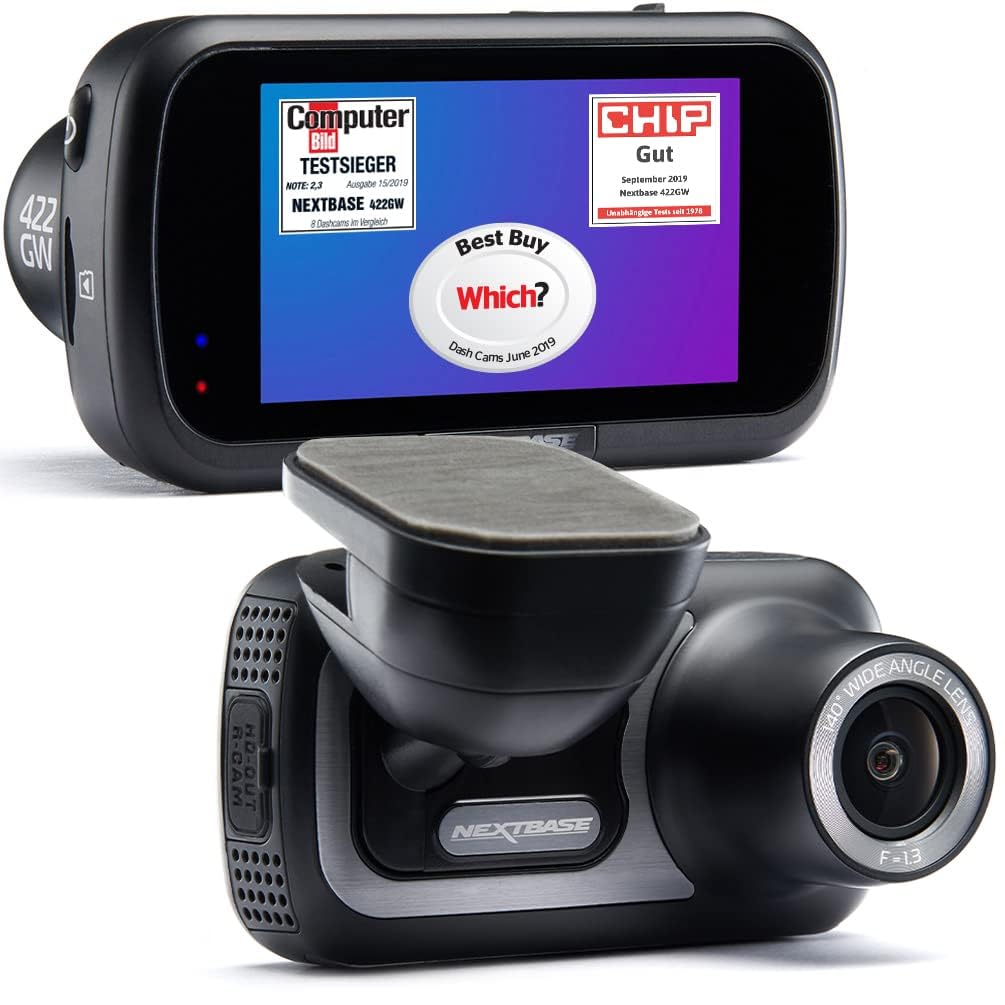
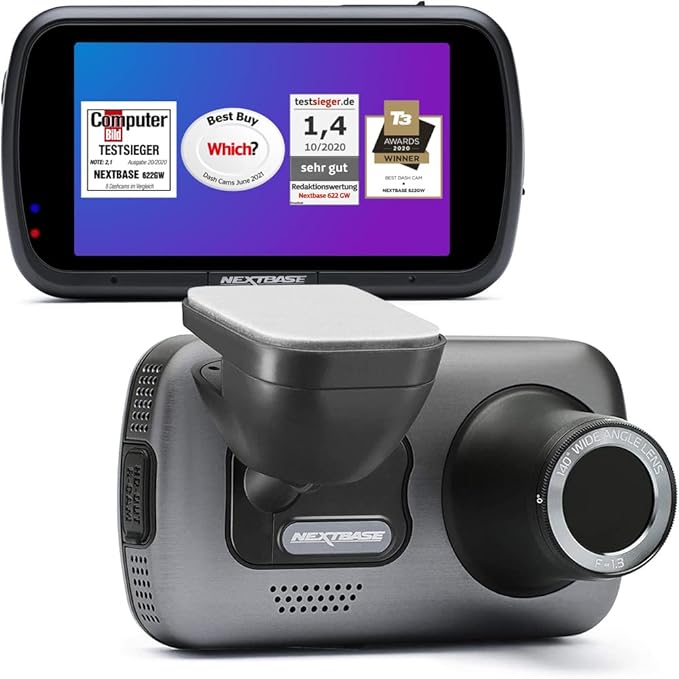
Nextbase Dash Cam 522GW Dashboard Vehicle Camera – Black – 7.6 cm (3”) Screen – Wireless – 2560 × 1440 VideoRevolutionary new features The award-winning Nextbase 522GW redefines the possibilities of a Dash Cam at this price. With ground-breaking new features, including Emergency SOS Response and Alexa Voice Control, as well as 1440p HD recording and a built-in polarising lens, the 522GW is a must-have for those looking to protect themselves on the road. Reduce windscreen glare and reflection The 522GW is fitted with a polarising filter to dramatically reduce windscreen glare and reflection. It uses a rotating bezel, so you can set up the lens exactly how you need in your vehicle. An all new touch-screen panel With a 3” HD IPS Touch Screen, the 522GW provides the ultimate user experience. Dash Cam menu selection, playback and file sharing is made easier and slicker than ever before. Capture the road ahead in stunning detail With a continued focus on image quality, the 522GW records in stunning 1440p HD at 30fps. It uses an improved 6G glass lens to capture those extra details on the road, including road signs and number plates. Alert the emergency services to your location In the event of an incident where the driver is unresponsive, Nextbase Emergency SOS can alert the emergency services of your location and other crucial details. Pre-saved medical data such as blood type, allergies and medical history will further aid efficient treatment.
Nextbase Dash Cam 522GW Dashboard Vehicle Camera – Black – 7.6 cm (3”) Screen – Wireless – 2560 × 1440 VideoRevolutionary new features The award-winning Nextbase 522GW redefines the possibilities of a Dash Cam at this price. With ground-breaking new features, including Emergency SOS Response and Alexa Voice Control, as well as 1440p HD recording and a built-in polarising lens, the 522GW is a must-have for those looking to protect themselves on the road. Reduce windscreen glare and reflection The 522GW is fitted with a polarising filter to dramatically reduce windscreen glare and reflection. It uses a rotating bezel, so you can set up the lens exactly how you need in your vehicle. An all new touch-screen panel With a 3” HD IPS Touch Screen, the 522GW provides the ultimate user experience. Dash Cam menu selection, playback and file sharing is made easier and slicker than ever before. Capture the road ahead in stunning detail With a continued focus on image quality, the 522GW records in stunning 1440p HD at 30fps. It uses an improved 6G glass lens to capture those extra details on the road, including road signs and number plates. Alert the emergency services to your location In the event of an incident where the driver is unresponsive, Nextbase Emergency SOS can alert the emergency services of your location and other crucial details. Pre-saved medical data such as blood type, allergies and medical history will further aid efficient treatment.
Nextbase Dash Cam 522GW Dashboard Vehicle Camera – Black – 7.6 cm (3”) Screen – Wireless – 2560 × 1440 VideoRevolutionary new features The award-winning Nextbase 522GW redefines the possibilities of a Dash Cam at this price. With ground-breaking new features, including Emergency SOS Response and Alexa Voice Control, as well as 1440p HD recording and a built-in polarising lens, the 522GW is a must-have for those looking to protect themselves on the road. Reduce windscreen glare and reflection The 522GW is fitted with a polarising filter to dramatically reduce windscreen glare and reflection. It uses a rotating bezel, so you can set up the lens exactly how you need in your vehicle. An all new touch-screen panel With a 3” HD IPS Touch Screen, the 522GW provides the ultimate user experience. Dash Cam menu selection, playback and file sharing is made easier and slicker than ever before. Capture the road ahead in stunning detail With a continued focus on image quality, the 522GW records in stunning 1440p HD at 30fps. It uses an improved 6G glass lens to capture those extra details on the road, including road signs and number plates. Alert the emergency services to your location In the event of an incident where the driver is unresponsive, Nextbase Emergency SOS can alert the emergency services of your location and other crucial details. Pre-saved medical data such as blood type, allergies and medical history will further aid efficient treatment.
Nextbase Dash Cam 522GW Dashboard Vehicle Camera – Black – 7.6 cm (3”) Screen – Wireless – 2560 × 1440 VideoRevolutionary new features The award-winning Nextbase 522GW redefines the possibilities of a Dash Cam at this price. With ground-breaking new features, including Emergency SOS Response and Alexa Voice Control, as well as 1440p HD recording and a built-in polarising lens, the 522GW is a must-have for those looking to protect themselves on the road. Reduce windscreen glare and reflection The 522GW is fitted with a polarising filter to dramatically reduce windscreen glare and reflection. It uses a rotating bezel, so you can set up the lens exactly how you need in your vehicle. An all new touch-screen panel With a 3” HD IPS Touch Screen, the 522GW provides the ultimate user experience. Dash Cam menu selection, playback and file sharing is made easier and slicker than ever before. Capture the road ahead in stunning detail With a continued focus on image quality, the 522GW records in stunning 1440p HD at 30fps. It uses an improved 6G glass lens to capture those extra details on the road, including road signs and number plates. Alert the emergency services to your location In the event of an incident where the driver is unresponsive, Nextbase Emergency SOS can alert the emergency services of your location and other crucial details. Pre-saved medical data such as blood type, allergies and medical history will further aid efficient treatment.
in 44 offers
The lowest price for Nextbase 522GW Dash Cam right now is $278.85 at Amazon.com.au, compared across 17 retailers.
The all-time low was $125.60 on 29 May 2025 — today's price is 122% above the lowest ever. It has been notably cheaper before — worth setting a price alert.
Prices last updated 20 Oct 2026.
Last updated at 20/10/2026 02:49:51
Nextbase 522GW 2K Dash Cam - Touch Screen, Alexa, SOS & Parking Mode
Affiliate Disclosure: We may receive a small commission for purchases made through this link at no extra cost to you. This helps support our site. Thank you!
Nextbase 522GW Dash Cam 1440p Polarising Filter 3" Touch GPS Wi-Fi - Black
Delivery $7.95
NextBase 522GW 1440P Car Dash Camera
Free delivery
Nextbase 522gw 1440p Car Dash Camera
Free delivery
Affiliate Disclosure: We may receive a small commission for purchases made through this link at no extra cost to you. This helps support our site. Thank you!
NextBase 522GW 1440P Car Dash Camera
Delivery between 23–31 Oct $10
NextBase 522GW 1440P Car Dash Camera - Live Price Matching
Delivery between 29 Oct – 3 Nov $7.95
NextBase 522GW 1440P Car Dash Camera
Delivery $7.95
NextBase 522GW 1440P Front & Rear Camera Kit
Free delivery between 23–27 Oct
Nextbase 522GW Dash Cam
Free delivery
Nextbase 522GW Dash Cam 245606
30-day returns
originally posted on bestbuy.com
I've had a couple Nextbase camera and this is my favorite of them!As usual the video quality is very good. I'm able to read license plates in good light and can also read them if I'm a little closer in dim light. One nice thing is the addition of a polarizing filter on the front. During setup the directions suggest putting a piece of paper on your dash in sunlight and then adjust until the reflection disappears. Just like high-end sunglasses the polarizing filter makes a big difference in bright daylight and eliminates most of the glare I have with other cameras.Installation can be easy or complex, depending on how much of a stickler you are for seeing the cable and how to route it. The camera comes with a very long cable that goes from the camera to a cigarette ... MoreI've had a couple Nextbase camera and this is my favorite of them!As usual the video quality is very good. I'm able to read license plates in good light and can also read them if I'm a little closer in dim light. One nice thing is the addition of a polarizing filter on the front. During setup the directions suggest putting a piece of paper on your dash in sunlight and then adjust until the reflection disappears. Just like high-end sunglasses the polarizing filter makes a big difference in bright daylight and eliminates most of the glare I have with other cameras.Installation can be easy or complex, depending on how much of a stickler you are for seeing the cable and how to route it. The camera comes with a very long cable that goes from the camera to a cigarette lighter type outlet. I'm fortunate that my car has a hidden 12v outlet under the dash on the passenger side (Most BMWs do, check under the dash behind the glove box, it's not well known) so I am able to run power from there. I don't like running the cable through the headliner in the front as I'm concerned it'll interfere with the front curtain airbags in a crash, so I ended up installing it right of center closer to the dash.Since it's out of reach while I'm driving, this is where the Alexa integration comes in. On other cameras you usually have to push a button to preserve a recording from being ovrwritter. With Alexa enabled (this is optional) you can simply tell the camera to preserve the recording, or to even stop or start recording or take a picture. Pretty slick! This, of course, requires setting up the camera with a smartphone and will also enable things like asking Alexa to play music through the phone to bluetooth like any other Echo device.Speaking of recording, be sure to get a good, high speed microSD card when you purchase the unit. It requires a better quality fast card to work.While this is a front-only camera it will work with optional reverse-view cameras to record the car's cabin or out the back window for the rear-view.The 522GW is quite a bit bigger than my other Nextbase camera, probably because of the wireless connectivity and additional hardware for Alexa, but it still isn't too big. There's a battery inside and you can set the camera to wake up if your car is jostled while parked and unattended to hopefully catch any nefarious activity when you are away.I would highly recommend making sure you have a good dashcam to protect yourself and this one fits the bill!
originally posted on bestbuy.com
I’ve owned many dashcams over the years, and the 522GW is my first from NextBase. The design of this camera is elegant with its sleek matte black plastic exterior with brushed nickel accents that’s all curves and smooth edges. While compact, the camera is hefty for its size, weighing about 4.5 oz. I like that the magnetic mount is integrated into the front face, rather than on top, and the magnetic hold is strong and firm. This durable mount also features pass-through power from the GPS portion adhered to your windshield, so you don’t need to plug any wires directly into the camera. This makes it really easy to mount/dismount the camera when needed. This camera has no internal memory, and NextBase recommends using their U3 microSD (up to 128GB) to guarantee ... MoreI’ve owned many dashcams over the years, and the 522GW is my first from NextBase. The design of this camera is elegant with its sleek matte black plastic exterior with brushed nickel accents that’s all curves and smooth edges. While compact, the camera is hefty for its size, weighing about 4.5 oz. I like that the magnetic mount is integrated into the front face, rather than on top, and the magnetic hold is strong and firm. This durable mount also features pass-through power from the GPS portion adhered to your windshield, so you don’t need to plug any wires directly into the camera. This makes it really easy to mount/dismount the camera when needed. This camera has no internal memory, and NextBase recommends using their U3 microSD (up to 128GB) to guarantee compatibility.The 522GW features a 3-inch diagonal LCD, 2K max video resolution (1440p @ 30 FPS), Emergency SOS, and built-in Alexa. Just note that Emergency SOS requires a monthly subscription, but is free for the first year, and only works when used with the GPS and if paired with a smartphone over Bluetooth. Use of Alexa also requires a paired phone and linking of your Amazon account in the NextBase app. There is a mini-HDMI out port on the right-hand-side that can be used to attach a secondary camera, like a rear/reverse camera or cabin facing camera, sold separately.Before first use, you’ll need to charge the unit indoors for a couple hours using the included miniUSB cable. During initial setup, make sure the camera is attached to the GPS module, and you’ve connected the power directly to the GPS rather than to the camera body, otherwise you will not be able to setup Emergency SOS. You’ll also need the My NextBase and Alexa apps installed on your smartphone to enable all features. After pairing with my phone, the camera detected and downloaded a firmware update over a WiFi connection, though if it doesn’t do this automatically, you can connect the camera to a computer and complete firmware updates manually.Attaching the adhesive mount on my windshield was straightforward, though once placed, the 3M sticker is difficult to remove and re-use. You do have some amount of freedom after placement to adjust the camera’s position since the mount has a rotating ball-joint. If you want to move the mount or use the dashcam in another car, an extra 3M sticker and backing plate is included in the box. A trim tool is also provided, so you can run the power cable to the accessory power port and hide it underneath the trim for a clean, wire-free look.There are only 2 buttons on the camera: the power button and a “protect recording” button. The rest of the features are accessed via the touch-screen with taps and swipes, like on a smartphone, and the interface is fairly intuitive. If your car’s accessory port only receives power when the car is running, the dashcam will automatically power up and start recording when the car is started and shuts off after a short delay when the engine is switched off. You can set the camera to continue to record events while parked by enabling “Parking Mode.” When a bump to the vehicle is detected, the camera records a 30-second protected video, followed by an unlocked video until 30 seconds after physical motion is no longer detected. However, this runs off the camera’s internal battery which doesn’t last very long, about 1 day standby or 15-20 minutes of recording time on a full charge. If you want to use Parking Mode regularly, I recommend using a hardwire kit for permanent power.At the highest resolution, the image quality during the day is clear and crisp, and you’ll be able to make out the license plate numbers of cars within one to two car lengths from you. There’s a built-in polarization filter that helps cut down on sun glare, but you’ll need to manually rotate and set its orientation as needed for best performance. Nighttime video is decent when driving in cities and well-developed areas with street lights, but somewhat dark if there isn’t a lot of ambient light around. At any time during recording, you can take a still photo snapshot by tapping the screen. If you don’t want the live view constantly on the screen, you can toggle on the screen saver (black screen) or have it display your travel speed after a 30 second timeout. This is different from the “screen dimming” option which uses ambient lighting to brighten or dim the LCD for best viewing.With the built-in image stabilization, the videos play back smoothly without capturing all the bumps and shakes from uneven roads. The lens has a 140° wide-angle and automatic image correction squares off the corners rather than displaying the curvature of the lens. With the resolution set to 1080p 60 FPS, the video quality is a bit smoother when travelling at high speeds, but I found that the image loses some of the fine details versus 2K. Audio quality overall is clear, and the microphone picks up sound from inside the car well without capturing a lot of road noise. The length of the video clips can be set to 1, 2, or 3 minutes.G-sensor sensitivity can be set to high, medium, low, or off to set how strong of an impact or bump is necessary to trigger automatic protection of a video file. Otherwise, you can press the button just below the LCD to manually protect the current video recording, or ask Alexa to do so via voice command. When the SD card is full, the camera will automatically loop and record over the oldest video clip, however, protected videos are not overwritten and must be manually deleted periodically. By default, the camera captures duplicate video files in both high and low resolution, so you can view and download the lo-res files more quickly over WiFi connections. With a 64 GB card, I can record about 300 minutes of footage using dual recording (front camera only). You can disable this mode so that it records the hi-res video only and capture more overall footage, however, you will lose the ability to watch and download video footage on the camera over WiFi.There are several ways to retrieve the videos and images. You can download/view the lo-res copies on your smartphone via WiFi, connect the dashcam to a computer and transfer files using the USB cable (very slow), or remove the SD card and use a card reader. If you use the auto-sync feature in the smartphone app, the camera will automatically transfer any protected files to your phone over a WiFi connection. The lo-res 3-minute videos are about 50 MB large and when downloaded over Wi-Fi takes about 30 seconds per video (~2 MB/s). A full resolution 3-minunte 2K video file is around 650 MB and the fastest transfer option is to retrieve them using an SD card reader. You can optionally include date/time, speed, GPS, and license plate stamps in your video, however, telemetry data from the GPS is always embedded in the file. When viewing videos in the app, this information allows you to view a map of the trip or the raw telemetry data: speed, direction of travel, and GPS coordinates.Overall, the 522GW is one of the most fully featured dash cameras I have used. It captures clear, smooth, and distortion-free video with a wide-angled field of view at a high resolution along with audio and telemetry data so you can have all this information on-hand if needed. It can also automatically call emergency responders in case of an accident if you are unresponsive for two minutes following a detected crash. As a nice bonus, the camera is Alexa-enabled so you can ask the AI assistant questions, start streaming music or podcasts, and issue voice commands for hands-free control of the camera’s features.
originally posted on bestbuy.com
The Nextbase 522GW dashcam demonstrates good quality and good performance. It is not a new model, having been introduced in 2019. A high quality dashcam video can be of extraordinary importance by documenting precisely what occurred in a traffic accident or incident, and the video quality of the Nextbase 522GW is excellent.The Nextbase 522GW comes with a 12’ power cord with cigarette lighter / accessory power port plug (an accessory hardwired installation kit is optional), a ”Click & Go PRO GPS Mount” windshield mount with a 3M adhesive pad and a second, spare 3M adhesive mounting pad, a USB cable for downloading videos from the dashcam to a PC and a plastic trim tool for prying the vehicle’s interior trim to conceal the power cable. The 522GW contains a Lithium ... MoreThe Nextbase 522GW dashcam demonstrates good quality and good performance. It is not a new model, having been introduced in 2019. A high quality dashcam video can be of extraordinary importance by documenting precisely what occurred in a traffic accident or incident, and the video quality of the Nextbase 522GW is excellent.The Nextbase 522GW comes with a 12’ power cord with cigarette lighter / accessory power port plug (an accessory hardwired installation kit is optional), a ”Click & Go PRO GPS Mount” windshield mount with a 3M adhesive pad and a second, spare 3M adhesive mounting pad, a USB cable for downloading videos from the dashcam to a PC and a plastic trim tool for prying the vehicle’s interior trim to conceal the power cable. The 522GW contains a Lithium Polymer rechargeable battery which requires charging.The 522GW does not come standard with a Micro SD card, which is required for operation, nor does it come with the hardwired power installation kit. The 522GW requires a UHS-1 Class 10 or U3 (U3 required if optional rear camera is utilized), SDHC or SDXC Micro SD card of up to 128 GB capacity. Nextbase recommends using Nextbase memory cards for best performance, as well as formatting them on a regular, albeit frequent basis. I obtained a 64 GB Nextbase U3 card for use in the Nextbase 522GW.The 522GW has a single, front camera, but it is capable of two channel recording with an optional rear camera accessory.The Nextbase 522GW has a maximum resolution of 2560x1440 (QHD) at 30 fps. The 522GW can also record at 1080 at 60 fps and 1080 at 30 fps. With an optional rear camera, the rear camera can record at 720 at 30 fps when the front camera is recording at either 1440 at 30fps or 1080 at 60 fps. If the front camera resolution is set down to 1080 at 30 fps the rear camera can also record at 1080 at 30 fps. The video recording format is .MP4.The camera sensor is 5.14 megapixels and the lens has an f 1.3 aperture and 140° field of view, and is equipped with a rotating, polarized filter. The 522GW also has a microphone and will record audio unless switched off (in the Settings Menu).The Nextbase 522GW has an integral 3.0” HD, 960x480, IPS Touchscreen LCD display. The display may be switched off (to prevent driver distraction), or set to Screen Dimming mode for night operation. This large and clear touchscreen display is genuinely excellent.All setup and operational functions are easily controlled using the large touchscreen display to access the menus. Additionally, the MyNextbase Connect app (Android or iOS) provides an extremely convenient means of controlling the 522GW, including real-time configuration and a great deal more!I found it easiest to set up the new Nextbase 522GW using the MyNextbase Connect app, which also downloaded and installed a firmware update on the dashcam, and performed an initial format of the MicroSD card.Thanks to the touchscreen controls and smartphone app controls there are only a few physical, switches on the of the 522GW, comprised of a Power Switch, a Reset Button and a Video File Protection (lock) Button. Since the screen is large, and the menu layouts and even the font size are well designed and implemented, the Nextbase 522GW is the easiest dashcam to manage and operate on the physical device, in my experience. However, it is just as easily and quickly configured and managed with the MyNextbase Connect app.Locked videos are preserved and protected from overwriting during the continuous loop recording which allows almost indefinite use of the Micro SD card with new videos overwriting the oldest video files once the memory card capacity has been reached. (The available hours of recording capacity is governed by the size/capacity of the Micro SD card coupled with the selected video resolution, wherein higher-resolution video files occupy more storage space and decrease the number of files which may occupy the memory card prior to being overwritten with newer recordings). Nextbase represents that a 64 GB card, like I am using, will store 5.43 hours of 1440 30 fps video. By default, the 522GW creates and stores two copies of each video segment. Both a high-resolution file and a low-resolution file will be stored, with the low-resolution file intended for easy and fast mobile downloading and editing. This feature may be deselected in the menus, allowing more high-resolution files to remain on the memory card for a longer duration.GPS functionality is integral to the 522GW. GPS data is embedded with the video files to display route graphics and vehicle speed on linked Google Maps or Open Street Maps within the MyNextbase Player PC application and MyNextbase Connect smartphone app. Videos can be edited, annotated, titled, combined and shared with these easy to use, powerful apps. Several instances of the MyNextbase Player app remained resident in PC memory, even after the application has been closed which required use of Windows Task Manager to close each memory resident process.The 522GW has an accelerometer (referred to in the manual as a G-Sensor) which has three sensitivity level settings. In Driving Mode, a collision impact should result in locking the current video file for preservation.Intelligent Parking Mode is supported when the Nextbase 522GW dashcam is installed with the optional Hardwire kit.Parking Mode is supposed to activate 30 second protected recordings (according to the PDF manual) or 1-2 minute protected recordings (according to the MyNextbase Connect app) when the ignition power is off and the G-Sensor detects motion. I have not yet experimented with and evaluated the Parking Modes of the dashcam.Physical installation of the Nextbase 522GW dashcam was relatively quick and easy. The supplied Click & Go PRO GPS Mount is affixed to the windshield with a 3M adhesive pad. A spare 3M adhesive pad is included for use in a second vehicle, or for replacement of the original adhesive. The Power Supply Cord, (cigarette lighter or optional Hardwire Kit), plugs into the Click & Go PRO GPS Mount, and not into the mini USB port on the dashcam. There are electrical contacts embedded in the mount, which mate with contacts on the front of the dashcam (which has a cardboard, non-tethered dust cover). Evidently GPS components ( GPS antenna and/or GPS chip), are resident in the windshield mount, as the dashcam’s GPS function is not active unless attached to the windshield mount. The physical connection is accomplished with a very powerful magnetic mating that actually presents strong resistance when you endeavor to detach the dashcam from the mount.Configuration of the 522GW dashcam is simple and straightforward. The menus are clear and logical, and afford good flexibility in the setup configuration.Operation of the 522GW dashcam is extremely simple, as well. The dashcam boots up when vehicle power is supplied, and immediately begins recording. Using the touchscreen menus is convenient and easy. Recording must first be stopped to access the settings menus.While driving and recording, touching the center of the touchscreen captures a still photograph (.jpg file) at the same resolution as the video setting. This is the simplest and most convenient means of snapping photographs with dashcams.The video quality produced by the Nextbase 522GW is excellent. I experimented with various recording settings and compared the videos. I found the 1080p at 60 fps recordings to be very clear, but the superior 1440p at 30 fps resolution was noticeably better. Among the easy to see differences in videos are the clarity and readability of license plates of vehicles in front of your vehicle. Even the clarity of road signs is greatly improved at higher resolutions.In addition to the outstanding touchscreen access to dashcam settings and video viewing, the MyNextbase Connected smartphone app is extremely useful for those purposes. Setting up the app for use involves pairing the smartphone with the dashcam via Bluetooth. However, for the more bandwidth intensive utilization of live camera viewing as well as viewing or downloading video files, the app switches to a Wi-Fi connection between the phone and the dashcam. I did not experience any impediments viewing or downloading the much larger, high resolution .mp4 video files, and I elected to dispense with recording “Dual Files” which creates an additional low resolution version of each recording, thereby consuming more storage space on the memory card resulting in older files being overwritten by the new recordings much sooner.The MyNextbase Connected app includes video editing functionality, but I found that to be more convenient when using the MyNextbase Player PC app (Windows). Downloading video files from the dashcam to the PC with the supplied USB cable was fast, and performing editing on the laptop and saving and sharing the edited videos was also easy.It took many attempts and far too much time and effort to finally get Alexa and the 522GW paired and interoperating. Nextbase telephone support was unreachable after holding a full 60 minutes in the telephone queue.I also have experienced a failure of the MyNextbase Connected app to establish a connection with the dashcam just a couple of hours after it was operating perfectly well. This issue was finally resolved when I re-paired the dashcam to my smartphone.Overall, I find the Nextbase 522GW to be an excellent 1440p / QHD dashcam, with a very good set of features and solid performance. The most important attributes for any dashcam is good, clear, high-quality video coupled with reliable performance and ease of use. The Nextbase 522GW certainly meets all expectations, and the critically important video quality and clarity also meet expectations. I’m certainly pleased to have the Nextbase 522GW mounted on my windshield!
| General | |
| Product Type | Dashboard camera - 1440p |
| Enclosure Colour | Black |
| Sensor Qty | 1 CMOS |
| Widescreen Video Capture | Yes |

Nextbase 522GW 2K Dash Cam - Touch Screen, Alexa, SOS & Parking Mode
Affiliate Disclosure: We may receive a small commission for purchases made through this link at no extra cost to you. This helps support our site. Thank you!
Nextbase 522GW Dash Cam 1440p Polarising Filter 3" Touch GPS Wi-Fi - Black
Delivery $7.95
NextBase 522GW 1440P Car Dash Camera
Free delivery
Nextbase 522gw 1440p Car Dash Camera
Free delivery
Affiliate Disclosure: We may receive a small commission for purchases made through this link at no extra cost to you. This helps support our site. Thank you!
NextBase 522GW 1440P Car Dash Camera
Delivery between 23–31 Oct $10
I've had a couple Nextbase camera and this is my favorite of them!As usual the video quality is very good. I'm able to read license plates in good light and can also read them if I'm a little closer in dim light. One nice thing is the addition of a polarizing filter on the front. During setup the directions suggest putting a piece of paper on your dash in sunlight and then adjust until the reflection disappears. Just like high-end sunglasses the polarizing filter makes a big difference in bright daylight and eliminates most of the glare I have with other cameras.Installation can be easy or complex, depending on how much of a stickler you are for seeing the cable and how to route it. The camera comes with a very long cable that goes from the camera to a cigarette ... MoreI've had a couple Nextbase camera and this is my favorite of them!As usual the video quality is very good. I'm able to read license plates in good light and can also read them if I'm a little closer in dim light. One nice thing is the addition of a polarizing filter on the front. During setup the directions suggest putting a piece of paper on your dash in sunlight and then adjust until the reflection disappears. Just like high-end sunglasses the polarizing filter makes a big difference in bright daylight and eliminates most of the glare I have with other cameras.Installation can be easy or complex, depending on how much of a stickler you are for seeing the cable and how to route it. The camera comes with a very long cable that goes from the camera to a cigarette lighter type outlet. I'm fortunate that my car has a hidden 12v outlet under the dash on the passenger side (Most BMWs do, check under the dash behind the glove box, it's not well known) so I am able to run power from there. I don't like running the cable through the headliner in the front as I'm concerned it'll interfere with the front curtain airbags in a crash, so I ended up installing it right of center closer to the dash.Since it's out of reach while I'm driving, this is where the Alexa integration comes in. On other cameras you usually have to push a button to preserve a recording from being ovrwritter. With Alexa enabled (this is optional) you can simply tell the camera to preserve the recording, or to even stop or start recording or take a picture. Pretty slick! This, of course, requires setting up the camera with a smartphone and will also enable things like asking Alexa to play music through the phone to bluetooth like any other Echo device.Speaking of recording, be sure to get a good, high speed microSD card when you purchase the unit. It requires a better quality fast card to work.While this is a front-only camera it will work with optional reverse-view cameras to record the car's cabin or out the back window for the rear-view.The 522GW is quite a bit bigger than my other Nextbase camera, probably because of the wireless connectivity and additional hardware for Alexa, but it still isn't too big. There's a battery inside and you can set the camera to wake up if your car is jostled while parked and unattended to hopefully catch any nefarious activity when you are away.I would highly recommend making sure you have a good dashcam to protect yourself and this one fits the bill!
I’ve owned many dashcams over the years, and the 522GW is my first from NextBase. The design of this camera is elegant with its sleek matte black plastic exterior with brushed nickel accents that’s all curves and smooth edges. While compact, the camera is hefty for its size, weighing about 4.5 oz. I like that the magnetic mount is integrated into the front face, rather than on top, and the magnetic hold is strong and firm. This durable mount also features pass-through power from the GPS portion adhered to your windshield, so you don’t need to plug any wires directly into the camera. This makes it really easy to mount/dismount the camera when needed. This camera has no internal memory, and NextBase recommends using their U3 microSD (up to 128GB) to guarantee ... MoreI’ve owned many dashcams over the years, and the 522GW is my first from NextBase. The design of this camera is elegant with its sleek matte black plastic exterior with brushed nickel accents that’s all curves and smooth edges. While compact, the camera is hefty for its size, weighing about 4.5 oz. I like that the magnetic mount is integrated into the front face, rather than on top, and the magnetic hold is strong and firm. This durable mount also features pass-through power from the GPS portion adhered to your windshield, so you don’t need to plug any wires directly into the camera. This makes it really easy to mount/dismount the camera when needed. This camera has no internal memory, and NextBase recommends using their U3 microSD (up to 128GB) to guarantee compatibility.The 522GW features a 3-inch diagonal LCD, 2K max video resolution (1440p @ 30 FPS), Emergency SOS, and built-in Alexa. Just note that Emergency SOS requires a monthly subscription, but is free for the first year, and only works when used with the GPS and if paired with a smartphone over Bluetooth. Use of Alexa also requires a paired phone and linking of your Amazon account in the NextBase app. There is a mini-HDMI out port on the right-hand-side that can be used to attach a secondary camera, like a rear/reverse camera or cabin facing camera, sold separately.Before first use, you’ll need to charge the unit indoors for a couple hours using the included miniUSB cable. During initial setup, make sure the camera is attached to the GPS module, and you’ve connected the power directly to the GPS rather than to the camera body, otherwise you will not be able to setup Emergency SOS. You’ll also need the My NextBase and Alexa apps installed on your smartphone to enable all features. After pairing with my phone, the camera detected and downloaded a firmware update over a WiFi connection, though if it doesn’t do this automatically, you can connect the camera to a computer and complete firmware updates manually.Attaching the adhesive mount on my windshield was straightforward, though once placed, the 3M sticker is difficult to remove and re-use. You do have some amount of freedom after placement to adjust the camera’s position since the mount has a rotating ball-joint. If you want to move the mount or use the dashcam in another car, an extra 3M sticker and backing plate is included in the box. A trim tool is also provided, so you can run the power cable to the accessory power port and hide it underneath the trim for a clean, wire-free look.There are only 2 buttons on the camera: the power button and a “protect recording” button. The rest of the features are accessed via the touch-screen with taps and swipes, like on a smartphone, and the interface is fairly intuitive. If your car’s accessory port only receives power when the car is running, the dashcam will automatically power up and start recording when the car is started and shuts off after a short delay when the engine is switched off. You can set the camera to continue to record events while parked by enabling “Parking Mode.” When a bump to the vehicle is detected, the camera records a 30-second protected video, followed by an unlocked video until 30 seconds after physical motion is no longer detected. However, this runs off the camera’s internal battery which doesn’t last very long, about 1 day standby or 15-20 minutes of recording time on a full charge. If you want to use Parking Mode regularly, I recommend using a hardwire kit for permanent power.At the highest resolution, the image quality during the day is clear and crisp, and you’ll be able to make out the license plate numbers of cars within one to two car lengths from you. There’s a built-in polarization filter that helps cut down on sun glare, but you’ll need to manually rotate and set its orientation as needed for best performance. Nighttime video is decent when driving in cities and well-developed areas with street lights, but somewhat dark if there isn’t a lot of ambient light around. At any time during recording, you can take a still photo snapshot by tapping the screen. If you don’t want the live view constantly on the screen, you can toggle on the screen saver (black screen) or have it display your travel speed after a 30 second timeout. This is different from the “screen dimming” option which uses ambient lighting to brighten or dim the LCD for best viewing.With the built-in image stabilization, the videos play back smoothly without capturing all the bumps and shakes from uneven roads. The lens has a 140° wide-angle and automatic image correction squares off the corners rather than displaying the curvature of the lens. With the resolution set to 1080p 60 FPS, the video quality is a bit smoother when travelling at high speeds, but I found that the image loses some of the fine details versus 2K. Audio quality overall is clear, and the microphone picks up sound from inside the car well without capturing a lot of road noise. The length of the video clips can be set to 1, 2, or 3 minutes.G-sensor sensitivity can be set to high, medium, low, or off to set how strong of an impact or bump is necessary to trigger automatic protection of a video file. Otherwise, you can press the button just below the LCD to manually protect the current video recording, or ask Alexa to do so via voice command. When the SD card is full, the camera will automatically loop and record over the oldest video clip, however, protected videos are not overwritten and must be manually deleted periodically. By default, the camera captures duplicate video files in both high and low resolution, so you can view and download the lo-res files more quickly over WiFi connections. With a 64 GB card, I can record about 300 minutes of footage using dual recording (front camera only). You can disable this mode so that it records the hi-res video only and capture more overall footage, however, you will lose the ability to watch and download video footage on the camera over WiFi.There are several ways to retrieve the videos and images. You can download/view the lo-res copies on your smartphone via WiFi, connect the dashcam to a computer and transfer files using the USB cable (very slow), or remove the SD card and use a card reader. If you use the auto-sync feature in the smartphone app, the camera will automatically transfer any protected files to your phone over a WiFi connection. The lo-res 3-minute videos are about 50 MB large and when downloaded over Wi-Fi takes about 30 seconds per video (~2 MB/s). A full resolution 3-minunte 2K video file is around 650 MB and the fastest transfer option is to retrieve them using an SD card reader. You can optionally include date/time, speed, GPS, and license plate stamps in your video, however, telemetry data from the GPS is always embedded in the file. When viewing videos in the app, this information allows you to view a map of the trip or the raw telemetry data: speed, direction of travel, and GPS coordinates.Overall, the 522GW is one of the most fully featured dash cameras I have used. It captures clear, smooth, and distortion-free video with a wide-angled field of view at a high resolution along with audio and telemetry data so you can have all this information on-hand if needed. It can also automatically call emergency responders in case of an accident if you are unresponsive for two minutes following a detected crash. As a nice bonus, the camera is Alexa-enabled so you can ask the AI assistant questions, start streaming music or podcasts, and issue voice commands for hands-free control of the camera’s features.
The Nextbase 522GW dashcam demonstrates good quality and good performance. It is not a new model, having been introduced in 2019. A high quality dashcam video can be of extraordinary importance by documenting precisely what occurred in a traffic accident or incident, and the video quality of the Nextbase 522GW is excellent.The Nextbase 522GW comes with a 12’ power cord with cigarette lighter / accessory power port plug (an accessory hardwired installation kit is optional), a ”Click & Go PRO GPS Mount” windshield mount with a 3M adhesive pad and a second, spare 3M adhesive mounting pad, a USB cable for downloading videos from the dashcam to a PC and a plastic trim tool for prying the vehicle’s interior trim to conceal the power cable. The 522GW contains a Lithium ... MoreThe Nextbase 522GW dashcam demonstrates good quality and good performance. It is not a new model, having been introduced in 2019. A high quality dashcam video can be of extraordinary importance by documenting precisely what occurred in a traffic accident or incident, and the video quality of the Nextbase 522GW is excellent.The Nextbase 522GW comes with a 12’ power cord with cigarette lighter / accessory power port plug (an accessory hardwired installation kit is optional), a ”Click & Go PRO GPS Mount” windshield mount with a 3M adhesive pad and a second, spare 3M adhesive mounting pad, a USB cable for downloading videos from the dashcam to a PC and a plastic trim tool for prying the vehicle’s interior trim to conceal the power cable. The 522GW contains a Lithium Polymer rechargeable battery which requires charging.The 522GW does not come standard with a Micro SD card, which is required for operation, nor does it come with the hardwired power installation kit. The 522GW requires a UHS-1 Class 10 or U3 (U3 required if optional rear camera is utilized), SDHC or SDXC Micro SD card of up to 128 GB capacity. Nextbase recommends using Nextbase memory cards for best performance, as well as formatting them on a regular, albeit frequent basis. I obtained a 64 GB Nextbase U3 card for use in the Nextbase 522GW.The 522GW has a single, front camera, but it is capable of two channel recording with an optional rear camera accessory.The Nextbase 522GW has a maximum resolution of 2560x1440 (QHD) at 30 fps. The 522GW can also record at 1080 at 60 fps and 1080 at 30 fps. With an optional rear camera, the rear camera can record at 720 at 30 fps when the front camera is recording at either 1440 at 30fps or 1080 at 60 fps. If the front camera resolution is set down to 1080 at 30 fps the rear camera can also record at 1080 at 30 fps. The video recording format is .MP4.The camera sensor is 5.14 megapixels and the lens has an f 1.3 aperture and 140° field of view, and is equipped with a rotating, polarized filter. The 522GW also has a microphone and will record audio unless switched off (in the Settings Menu).The Nextbase 522GW has an integral 3.0” HD, 960x480, IPS Touchscreen LCD display. The display may be switched off (to prevent driver distraction), or set to Screen Dimming mode for night operation. This large and clear touchscreen display is genuinely excellent.All setup and operational functions are easily controlled using the large touchscreen display to access the menus. Additionally, the MyNextbase Connect app (Android or iOS) provides an extremely convenient means of controlling the 522GW, including real-time configuration and a great deal more!I found it easiest to set up the new Nextbase 522GW using the MyNextbase Connect app, which also downloaded and installed a firmware update on the dashcam, and performed an initial format of the MicroSD card.Thanks to the touchscreen controls and smartphone app controls there are only a few physical, switches on the of the 522GW, comprised of a Power Switch, a Reset Button and a Video File Protection (lock) Button. Since the screen is large, and the menu layouts and even the font size are well designed and implemented, the Nextbase 522GW is the easiest dashcam to manage and operate on the physical device, in my experience. However, it is just as easily and quickly configured and managed with the MyNextbase Connect app.Locked videos are preserved and protected from overwriting during the continuous loop recording which allows almost indefinite use of the Micro SD card with new videos overwriting the oldest video files once the memory card capacity has been reached. (The available hours of recording capacity is governed by the size/capacity of the Micro SD card coupled with the selected video resolution, wherein higher-resolution video files occupy more storage space and decrease the number of files which may occupy the memory card prior to being overwritten with newer recordings). Nextbase represents that a 64 GB card, like I am using, will store 5.43 hours of 1440 30 fps video. By default, the 522GW creates and stores two copies of each video segment. Both a high-resolution file and a low-resolution file will be stored, with the low-resolution file intended for easy and fast mobile downloading and editing. This feature may be deselected in the menus, allowing more high-resolution files to remain on the memory card for a longer duration.GPS functionality is integral to the 522GW. GPS data is embedded with the video files to display route graphics and vehicle speed on linked Google Maps or Open Street Maps within the MyNextbase Player PC application and MyNextbase Connect smartphone app. Videos can be edited, annotated, titled, combined and shared with these easy to use, powerful apps. Several instances of the MyNextbase Player app remained resident in PC memory, even after the application has been closed which required use of Windows Task Manager to close each memory resident process.The 522GW has an accelerometer (referred to in the manual as a G-Sensor) which has three sensitivity level settings. In Driving Mode, a collision impact should result in locking the current video file for preservation.Intelligent Parking Mode is supported when the Nextbase 522GW dashcam is installed with the optional Hardwire kit.Parking Mode is supposed to activate 30 second protected recordings (according to the PDF manual) or 1-2 minute protected recordings (according to the MyNextbase Connect app) when the ignition power is off and the G-Sensor detects motion. I have not yet experimented with and evaluated the Parking Modes of the dashcam.Physical installation of the Nextbase 522GW dashcam was relatively quick and easy. The supplied Click & Go PRO GPS Mount is affixed to the windshield with a 3M adhesive pad. A spare 3M adhesive pad is included for use in a second vehicle, or for replacement of the original adhesive. The Power Supply Cord, (cigarette lighter or optional Hardwire Kit), plugs into the Click & Go PRO GPS Mount, and not into the mini USB port on the dashcam. There are electrical contacts embedded in the mount, which mate with contacts on the front of the dashcam (which has a cardboard, non-tethered dust cover). Evidently GPS components ( GPS antenna and/or GPS chip), are resident in the windshield mount, as the dashcam’s GPS function is not active unless attached to the windshield mount. The physical connection is accomplished with a very powerful magnetic mating that actually presents strong resistance when you endeavor to detach the dashcam from the mount.Configuration of the 522GW dashcam is simple and straightforward. The menus are clear and logical, and afford good flexibility in the setup configuration.Operation of the 522GW dashcam is extremely simple, as well. The dashcam boots up when vehicle power is supplied, and immediately begins recording. Using the touchscreen menus is convenient and easy. Recording must first be stopped to access the settings menus.While driving and recording, touching the center of the touchscreen captures a still photograph (.jpg file) at the same resolution as the video setting. This is the simplest and most convenient means of snapping photographs with dashcams.The video quality produced by the Nextbase 522GW is excellent. I experimented with various recording settings and compared the videos. I found the 1080p at 60 fps recordings to be very clear, but the superior 1440p at 30 fps resolution was noticeably better. Among the easy to see differences in videos are the clarity and readability of license plates of vehicles in front of your vehicle. Even the clarity of road signs is greatly improved at higher resolutions.In addition to the outstanding touchscreen access to dashcam settings and video viewing, the MyNextbase Connected smartphone app is extremely useful for those purposes. Setting up the app for use involves pairing the smartphone with the dashcam via Bluetooth. However, for the more bandwidth intensive utilization of live camera viewing as well as viewing or downloading video files, the app switches to a Wi-Fi connection between the phone and the dashcam. I did not experience any impediments viewing or downloading the much larger, high resolution .mp4 video files, and I elected to dispense with recording “Dual Files” which creates an additional low resolution version of each recording, thereby consuming more storage space on the memory card resulting in older files being overwritten by the new recordings much sooner.The MyNextbase Connected app includes video editing functionality, but I found that to be more convenient when using the MyNextbase Player PC app (Windows). Downloading video files from the dashcam to the PC with the supplied USB cable was fast, and performing editing on the laptop and saving and sharing the edited videos was also easy.It took many attempts and far too much time and effort to finally get Alexa and the 522GW paired and interoperating. Nextbase telephone support was unreachable after holding a full 60 minutes in the telephone queue.I also have experienced a failure of the MyNextbase Connected app to establish a connection with the dashcam just a couple of hours after it was operating perfectly well. This issue was finally resolved when I re-paired the dashcam to my smartphone.Overall, I find the Nextbase 522GW to be an excellent 1440p / QHD dashcam, with a very good set of features and solid performance. The most important attributes for any dashcam is good, clear, high-quality video coupled with reliable performance and ease of use. The Nextbase 522GW certainly meets all expectations, and the critically important video quality and clarity also meet expectations. I’m certainly pleased to have the Nextbase 522GW mounted on my windshield!
I've had this and the optional rear cam set up in 18 tts for a couple weeks. Like the title states if you know what to expect when you get into it then this is a great option in my opinion. I did a ton of research and watched many video comparisons and after coming to reality with what can truly be captured by any of these units I settled on this for a few reasons. 4k is fairly useless until the processors used can actually capture license plates. Only in certain lighting can this or any style capture the writing on a license plate. The built in battery is enough for my daily commute and parking at work only needing to capture one event if/ when it happens and the g sensor is decent. The video playback is above par for both front and rear but the rear does suffer in ... MoreI've had this and the optional rear cam set up in 18 tts for a couple weeks. Like the title states if you know what to expect when you get into it then this is a great option in my opinion. I did a ton of research and watched many video comparisons and after coming to reality with what can truly be captured by any of these units I settled on this for a few reasons. 4k is fairly useless until the processors used can actually capture license plates. Only in certain lighting can this or any style capture the writing on a license plate. The built in battery is enough for my daily commute and parking at work only needing to capture one event if/ when it happens and the g sensor is decent. The video playback is above par for both front and rear but the rear does suffer in my vehicle at night. My one complaint is for some reason the rear output via the overlay is mirrored but when i tap it to open the full screen view it corrects itself and the actual video playback from the card is correct. So not a huge issue. I waited a couple weeks to write this to make sure everything would hold up and so far I'm happy enough to recommend.
The Nextbase 522GW has a nice sized 3 inch HD screen to allow for easy setup and operation of the DashCam. With Alexa built in its also easy to control various features with your voice for the best of hands-free operation.Also included on the unit itself is a polarizing lens which is a nice touch helping to mitigate glare.To set up the Nextbase 522GW I charged it for 2hrs as instructed and then I was ready to go.Make sure to either purchase a Nextbase microSD Card or equivalent to insure you will always be able to record. As a dash cam is always writing and rewriting data this is key to having a recording available when you need it. An XC-U3-V30 speed card will be sufficient for your needs, I’d recommended getting no less than a 64GB Card but you can go as ... MoreThe Nextbase 522GW has a nice sized 3 inch HD screen to allow for easy setup and operation of the DashCam. With Alexa built in its also easy to control various features with your voice for the best of hands-free operation.Also included on the unit itself is a polarizing lens which is a nice touch helping to mitigate glare.To set up the Nextbase 522GW I charged it for 2hrs as instructed and then I was ready to go.Make sure to either purchase a Nextbase microSD Card or equivalent to insure you will always be able to record. As a dash cam is always writing and rewriting data this is key to having a recording available when you need it. An XC-U3-V30 speed card will be sufficient for your needs, I’d recommended getting no less than a 64GB Card but you can go as high as 128GB.Power is supplied with a Cigarette Lighter Adapter or you can purchase a hardwire kit. Mounting is achieved with a combination adhesive and magnetic mount that allows for easy removal of the 533GW from your vehicle if needed and routing of the power wire is made easier with the included tool to help hide the wire in between crevasses in your car for a nice clean install.There is built in GPS that records your location which is refreshed 10x every second to allow for very precise location data recording.Next, download the Nextbase Connect App to allow your smartphone to communicate with the camera seamlessly which allows you to easily share content if needed. The My Nextbase Player can also be downloaded to your PC for video editing, sharing etc.All this is great but how is the video quality? I think its great with just a tad of video quality degradation at night but tolerable, I found 1080P is the best quality for night recroding as it has a slightly higher light sensitivity.The pic is crisp enough to make out details such as license plates etc if needed in the case of an accident or other mishap, and with the aid of the included polarizing lens you have a crystal-clear pic.Intelligent Parking Mode is also very useful as it keeps a watchful eye on your car when its parked and you are away. Using the G-sensor in the camera it detects motion such as a jolt to the car and it will start recording for you to be able to look back and see what happened and who did it.Overall I found the Nextbase 522GW to be a well built high quality great addition to my car and a contributor to peace of mind should something happen.
This is a replacement for my 6-7 year old Nextbase dash cam. I was wary at first because the price is very steep, but the amount of idiots on the road justifies this purchase. I feel nextbase is better in terms of quality than other brands.This package comes with a front and rear camera - i have not used the rear camera yetas i have no time to set up. I am glad the start up sound is tolerable and can be switched on and off (with the much older version - it kept going off anytime there is a tiny bit of motion and there was no way to switch off, so very irritating). The picture & sound quality is clear. You can connect this via bluetooth to your phone so you can view this and save videos on the app that you will have to download.This comes with a 64gb micro SD ... MoreThis is a replacement for my 6-7 year old Nextbase dash cam. I was wary at first because the price is very steep, but the amount of idiots on the road justifies this purchase. I feel nextbase is better in terms of quality than other brands.This package comes with a front and rear camera - i have not used the rear camera yetas i have no time to set up. I am glad the start up sound is tolerable and can be switched on and off (with the much older version - it kept going off anytime there is a tiny bit of motion and there was no way to switch off, so very irritating). The picture & sound quality is clear. You can connect this via bluetooth to your phone so you can view this and save videos on the app that you will have to download.This comes with a 64gb micro SD card - although you can get these fairly cheap nowadays. This also comes with a cigarette plug in charging cable and a short usb cable - i don't like using cigarette only plug in charging cables as they are bulky (unless you plan on wiring yours up under the dashboard). They don't give you "window sucking" attachments anymore, they give you something that you stick "permanently" onto the windscreen - this is a lot sturdier but also if you wanted to adjust the positioning or use it in another vehicle you will have to pry it off and purchase some other adhesive (does come with a spare but i have yet to discover how you actually change it - not that straight forward and very stiff). The good thing about this attachment is that you can purchase a longer Mini USB lead and plug directly into that so you don't have to keep removing this from your actual camera. But beware, you have to buy a slim ish one to slot it in the space.When you download the app you can update the software and connect alexa,if you wish.overall happy with camera, i have not used all the features yet.
I think that a good dash camera is a necessity for the piece of mind. My wife was a victim of hit and run once and the person responsible for it was never found. When selecting a dash cam - few main features matters the most.Video quality - to be honest this Next Base camera has one of the best in class! Very clear image, I'm able to freeze frame and look up the license plates of the cars in front of me no problem, 2560x1440 resolution is a nice compromise between file size and picture quality. Night time recordings are good as well. Camera does come with integrated polarization filter which can be adjusted (turned) to cut the glare off.Parking mode recording (in case your car gets hit while parked outside) - this model does have this capability, however it relies ... MoreI think that a good dash camera is a necessity for the piece of mind. My wife was a victim of hit and run once and the person responsible for it was never found. When selecting a dash cam - few main features matters the most.Video quality - to be honest this Next Base camera has one of the best in class! Very clear image, I'm able to freeze frame and look up the license plates of the cars in front of me no problem, 2560x1440 resolution is a nice compromise between file size and picture quality. Night time recordings are good as well. Camera does come with integrated polarization filter which can be adjusted (turned) to cut the glare off.Parking mode recording (in case your car gets hit while parked outside) - this model does have this capability, however it relies on it's small 320mAh Li-Pol battery for the parking mode operation. There is no buffering (it takes camera about 2.5 seconds to wake up after shock sensor is triggered and start recording) so your best bet is to see whoever hit your car drive away, you won't be able to see the impact.Phone connection - NextBase app has a pretty poor reviews in the app store, but my experience was pretty good - I did not have any connection issues. Drawback that I've noticed is that camera requires phone to connect to it's own WiFi, camera does not seem to be able just to connect to my car's WiFi HotSpot for updates and cloud uploads, therefore WiFi connectivity is limited to the times your phone is not engaged in CarPlay and NextBase app is running in the background.Mounting and accessories - camera comes with adhesive GPS mount (GPS receiver is integrated into the mount, not into the camera itself), cigarette lighter power cord, one spare adhesive pad and a plastic trim tool. Hardwire kit (2 wire only, no ignition sensing wire) is available separately. In addition - there are 3 ways to add a rear facing camera as a module! Either mounted on the back window or telephoto camera mounted directly to dash cam facing the back or even a passenger view camera module!Overall - it's a great camera with modern features, I did not use Alexa that much - but if you are Alexa fan - it would work great! It has emergency call feature as well (in case if shock sensors detect a hard impact and I assume camera still has power and did not fly away, plus NextBase app is running in the background) - camera would prompt you to initiate an emergency call and give you 120 seconds to cancel.One major drawback for me is that camera has internal Lithium-polymer battery which is sensitive to heat and I live in Texas. So I would need to remove the camera if parked in the sun. User manual says that 113F is the maximum operating temperature and we can easily exceed that in Texas heat.
This is just the item I was looking for to add to my truck. For the peace of mind while on the road. This dash camera has quite a few features that make it a good product. The most impressive thing about it is that is has a polarizing filter installed on the lens. Why is this a great feature? It allows you to cut out the glare of your dash on the windshield while recording your driving. This greatly improves image quality that will help in the event that you need to use footage for insurance purposes.Other features include the ability to use it with Alexa app on your phone, 3 different recording time lengths so that you can capture more time of driving to make sure you have what is needed in the event of an accident.There is also an app that is quite handy for ... MoreThis is just the item I was looking for to add to my truck. For the peace of mind while on the road. This dash camera has quite a few features that make it a good product. The most impressive thing about it is that is has a polarizing filter installed on the lens. Why is this a great feature? It allows you to cut out the glare of your dash on the windshield while recording your driving. This greatly improves image quality that will help in the event that you need to use footage for insurance purposes.Other features include the ability to use it with Alexa app on your phone, 3 different recording time lengths so that you can capture more time of driving to make sure you have what is needed in the event of an accident.There is also an app that is quite handy for things like sending a video to your insurance company or another person via a feature call incident aware. There is also a feature in the app that allows you to store videos in the library of the app. I guess you could use this to save videos of a trip and then add them to a video for others to watch. I haven't fully tried this feature.The one downside that I have had is the tape that is used to secure it to the windshield of my truck. It sticks to the windshield just fine; however, it didn't seem to want to stay stuck the camera mounting base at all. I have entered my vehicle several times to find the camera hanging in space. This may just be user error on my part. But even using a different double sided tape type of fastener I still have achieved the same result.
I have a very strong opinion that everyone should have a dash cam, especially to help reduce/remove your liability if the situation occurs. I have had dash cams for 4 years now, and while I have been lucky enough to not have been in an accident, there have been way too many close calls. I've liked being able to capture those to review the incident later. Since I was finally able to talk my wife into putting a dash cam in her vehicle, I installed my previous Nextbase dashcam (320XR) in there, and got the 522GW for mine.One of the many things I like about Nextbase dash cams is their standard powered mount design (Click&Go Pro), which allows any of their models to be installed. With the power connecting to the mount instead of the dash cam itself allow it to be ... MoreI have a very strong opinion that everyone should have a dash cam, especially to help reduce/remove your liability if the situation occurs. I have had dash cams for 4 years now, and while I have been lucky enough to not have been in an accident, there have been way too many close calls. I've liked being able to capture those to review the incident later. Since I was finally able to talk my wife into putting a dash cam in her vehicle, I installed my previous Nextbase dashcam (320XR) in there, and got the 522GW for mine.One of the many things I like about Nextbase dash cams is their standard powered mount design (Click&Go Pro), which allows any of their models to be installed. With the power connecting to the mount instead of the dash cam itself allow it to be easily removed (I say "easily" but the strong magnet that holds it in place makes you put a little extra effort into taking it off) to connect to a TV (through the Mini HDMI port) or to your computer (through the mini USB), although I find it just as easy to pop out the microSD card and plug it into a card reader. The 522GW comes with their Click&Go Pro GPS mount to provide the GPS data. The screen is a 3" HD IPS touch screen and has only two non-touchscreen buttons: power and protect video. Be sure to check the microSD card specs that will be used. It needs at least a Class 10, but it will need to be U3 in order to use a rear camera if you decide to purchase one. It comes with an extra full pad mount (which the Click&Go Pro mount attaches to), which will allow having a pad mount in two vehicles, and can switch the Click&Go Pro mount and camera between the vehicles as necessary.The front camera has a 140º Wide Angle lens, and produces nice videos. There are different resolutions to choose from. The highest is 1440p, but it is only at 30fps. This does provide better image details when pausing, but isn’t as smooth looking while playing the video. The other options are 1080P/60fps and 1080P/30fps. I'm still not sure on which resolution I will keep it at. For the file sizes, at 3-minutes (which can set 1, 2 or 3 minutes video lengths), a 1400p file is only about 100MB bigger than a 1080P/60fps file (~600MB compared to just under 500MB). There is also a setting to have it record a lower-resolution video file in addition to the main file. This one is recorded at 480P/30fps. It does handle driving in the direction of the sun quite well, especially with the help of the polarizing lens filter. There isn't as much glare and can still the other vehicles and surroundings clearly. Night videos are decent but can be a bit grainy when not much lighting (which was not unexpected), but is still decent in well-lit areas.It does have Intelligent Parking Mode, where it will record a 30 second video if it detects physical movement of the vehicle, and will go back into standby after 5 minutes of no additional movement. It is recommended by Nextbase to install a hard-wire kit if using the parking mode as it will turn of the parking mode when the battery is drained to 11.2V.The 522GW has built-in Wi-Fi (to allow managing, viewing, and downloading video files directly to your phone through the MyNextBase Connect app) and low-power Bluetooth (needed for MyNextBase app and/or Alexa connectivity). And it seems that just about every device is getting a digital assistant built in lately, and that is the case here as Alexa capability is included. It will use your phone's active audio output (such as bluetooth or AUX cable to your car speakers) for response. For the dash cam related features, you can ask Alexa to stop or start recording. I probably won't be using this feature as our vehicles have another digital assistant built-in to the entertainment system. The Wi-Fi downloading feature is nice to have, but if you have it set to 1440P and 3-minute files, the High resolution ones are fairly big (as mentioned earlier) and it does take quite a while to download to the phone. As I mentioned earlier, I will more than likely bring in the microSD card when necessary to copy the video files I want to save.A safety feature that is also available is Emergency SOS (which has a 12-month free trial). When enabled and set up, If it detects a crash, it will start a 2 minute timer. If the time isn't canceled, it will send your personal and medical Information (that you have configured) to Emergency Services (not sure what exact that entails in the US, though) through the MyNextBase app on your phone.The PC app, MyNextBase Player, is a nice little app that retrieves all the data stored (GPS, compass and shock sensor data) and displays the "realtime" data as you watch your video. It also show the route taken along with an indicator of the current position in the video while the video is being played in your choice of map application (Google Maps or OpenStreet Maps). You can also click on a point on the route in the map, and the player will automatically go to that point in the video (nice feature if you are looking for something specific and you know around were it was in your drive). The app also has Snapshot, video editing (including trimming and annotating) and video sharing (uploading to MyNextbase Cloud or YouTube) capabilities. You will also be able to update dash cam firmware from the app (although it said it was up to date, but the app on my phone said there was an update, so I did it from there). The only issue I have with the PC app is that you have to manually add a video to the list to be able to play. I would prefer that it monitor specified folder(s) for available videos to play.There are accessories that can be purchase separately, such as rear-view cameras and the hard-wire kit (which I will eventually be getting). I was a little disappointed that I can't use the Rear Window camera from the 320XR at the moment with the 522GW as that version uses a cable with a USB Type-C connector to the camera, so I will probably look to find a cable with the Mini HDMI connector the 522GW uses.I think this is a great dash cam and I think anyone would feel the same!
Have been using it for a few months now, but I unfortunately found it quite unreliable.It is wired to the fuse box of my car.From time to time as I start my car, it may appear powered on but it would not start recording automatically when it normally would, sometimes I need to pres the record button on screen, other times it just froze and I have to do a hard reset for it to work again. I have already stopped using parking mode as suggested by other users online, but still failed to avoid that problem.Also, it may (but not all the time, this is what bugs me) stop or restart itself when my car's engine gets kicked into standby (petrol saving feature), it would most of the time resume recording but is also a time when it may stop working.While and when it ... MoreHave been using it for a few months now, but I unfortunately found it quite unreliable.It is wired to the fuse box of my car.From time to time as I start my car, it may appear powered on but it would not start recording automatically when it normally would, sometimes I need to pres the record button on screen, other times it just froze and I have to do a hard reset for it to work again. I have already stopped using parking mode as suggested by other users online, but still failed to avoid that problem.Also, it may (but not all the time, this is what bugs me) stop or restart itself when my car's engine gets kicked into standby (petrol saving feature), it would most of the time resume recording but is also a time when it may stop working.While and when it works, it does the job and the video quality is ok, but it may not be sharp enough for you to view the road signs if the footages are taken at night.A little disappointing... it should be a piece of equipment you can rely on, without having to worry about whether it is working or not. You never know when you will be in a situation when the cam footages are important, only to find the cam failed to do the recording at that exact moment.
| General | |
| Product Type | Dashboard camera - 1440p |
| Enclosure Colour | Black |
| Sensor Qty | 1 CMOS |
| Widescreen Video Capture | Yes |