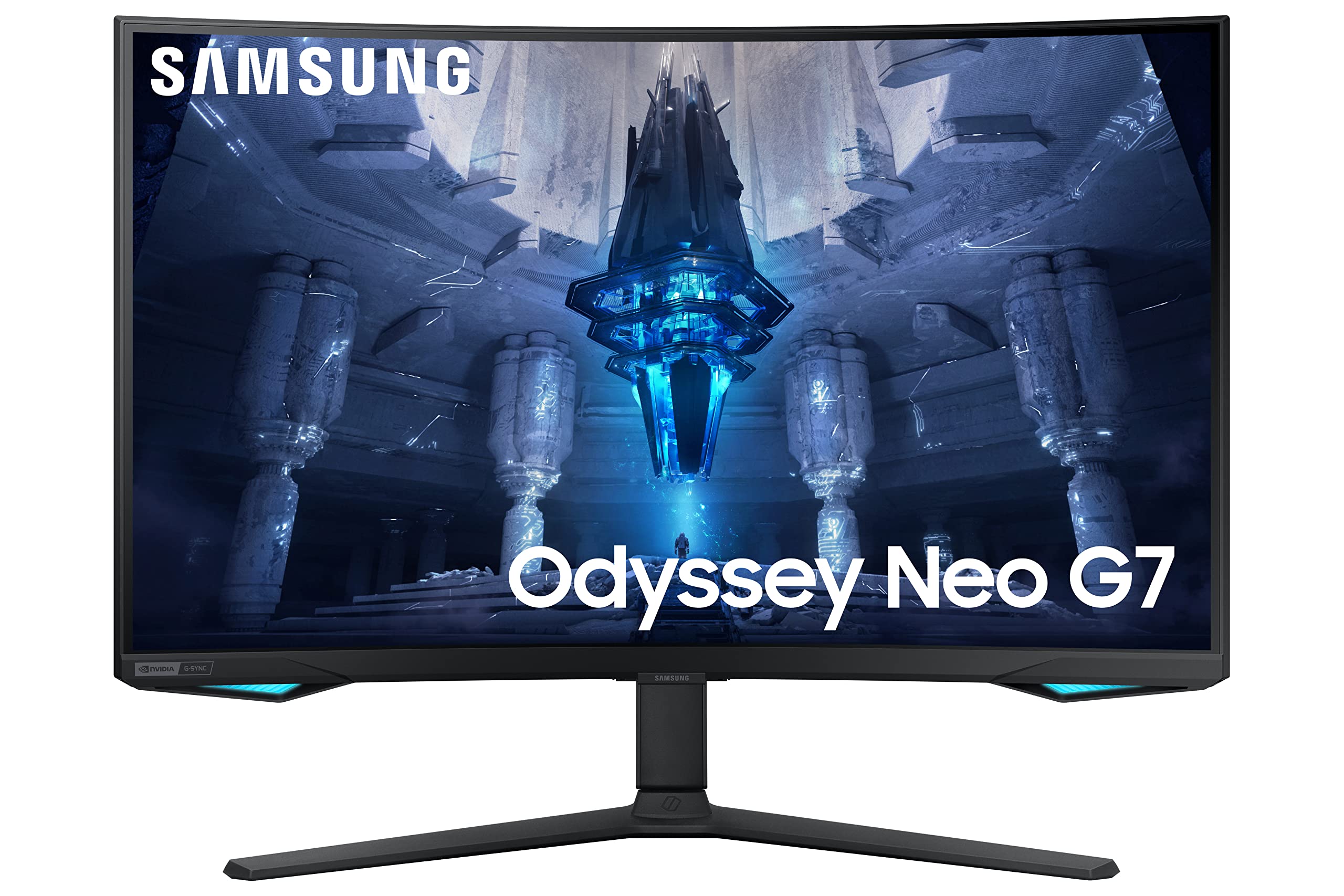
Dominate your game with the Samsung 57" Dual UHD Odyssey Neo G9 (Ls57Cg952Nexxy). 240Hz refresh rate, Quantum Mini Led, and immersive ultra-wide display.
Dominate your game with the Samsung 57" Dual UHD Odyssey Neo G9 (Ls57Cg952Nexxy). 240Hz refresh rate, Quantum Mini Led, and immersive ultra-wide display.
in 2 offers
The lowest price for Samsung 57 inch Odyssey Neo G9 Dual 4K UHD Quantum Mini-LED 240Hz 1ms HDR 1000 Curved Gaming Monitor right now is $2,660.30 at hgspot.hr, compared across 2 retailers.
The all-time low was $959.04 on 1 June 2026 — today's price is 177% above the lowest ever. It has been notably cheaper before — worth setting a price alert.
Prices last updated 6 Sept 2026.
Samsung 57 inch Odyssey Neo G9 Dual 4K UHD Quantum Mini-LED 240Hz 1ms HDR 1000 Curved Gaming Monitor
Dominate your game with the Samsung 57" Dual UHD Odyssey Neo G9 (Ls57Cg952Nexxy). 240Hz refresh rate, Quantum Mini Led, and immersive ultra-wide display.
Dominate your game with the Samsung 57" Dual UHD Odyssey Neo G9 (Ls57Cg952Nexxy). 240Hz refresh rate, Quantum Mini Led, and immersive ultra-wide display.
Last updated at 06/09/2026 16:59:29
Monitor SAMSUNG Odyssey Neo G9 LS57CG952NUXEN 57" QLED Dual UHD(4K) 7680x2160px 240Hz 1ms FreeSync DPx1 HDMIx3 USB HUB zakrivljeni
Delivery $8.05
Samsung 57" Odyssey Neo G9 (G95NC) Dual 4K UHD 1000R Curved Gaming Monitor
Delivery between 11–15 Sept $35.88
originally posted on samsung.com
When I purchased this monitor I have very high expectations. I watched a few reviews and while most of them were sponsored even the ones that weren't spoke so highly. After receiving the monitor the stand and the legs coming all the way to the front of the monitor are very bothersome. Also that RGB lighting is ineffective as you can barely see it from the front or the back. The plastic panel on the back of the cable cover is so weak it feels like it's going to snap and a few tabs already snapped off of it my first day putting it together. The color options are native or auto and my calibration tool would not work in HDR. So unless you have two of the same monitor you may have issues doing photo and video work in HDR at all. Which I understand is a big no-no to not ... MoreWhen I purchased this monitor I have very high expectations. I watched a few reviews and while most of them were sponsored even the ones that weren't spoke so highly. After receiving the monitor the stand and the legs coming all the way to the front of the monitor are very bothersome. Also that RGB lighting is ineffective as you can barely see it from the front or the back. The plastic panel on the back of the cable cover is so weak it feels like it's going to snap and a few tabs already snapped off of it my first day putting it together. The color options are native or auto and my calibration tool would not work in HDR. So unless you have two of the same monitor you may have issues doing photo and video work in HDR at all. Which I understand is a big no-no to not use HDR but I would like to. Not having at least a small remote for the KVM switch and input is kind of crazy. You must use your finger to change the input and set it up in the menu to work properly. I was also giving a 3-ft display port cable that was coming apart at one of the connections already. Luckily the HDMI and USB cord were long enough. picture quality is amazing and the only time I see blooming is when I turn the monitor or computer on at the logo screen. I love the way this monitor looks for movies and games. Although I am 95% of the time editing in Adobe Premiere. You won't be able to run this monitor in full resolution on PC unless you have a 4080 or equivalent. So keep that in mind even my 3080 PC can only run this at a lower resolution. You would think Samsung may have worked it out with the graphics card creators to make it more available or maybe it's a limitation with current cards. Overall the panel design is spectacular in this beast of a monitor. It is extremely bright and has many customizable functions. Although where Samsung slacked off is where we will suffer. I'm still giving the monitor four stars because I absolutely love the technology and amazing picture quality.
originally posted on bestbuy.com
Love this display!Didn't see myself spending this much on a panel, but a few months earlier I got a 49" OLED panel for my new gaming desktop and really enjoy the immersion, fast refresh, and extra real estate that allowed me to increase the scale of fonts & icons to something my older eyes were comfortable with.That got me thinking about how much happier I'd be if only I could have something similar for my daily productivity setup, something with more of a 2160p vertical aspect....For work & productivity, I had been using a 6 year old LG 32" 4K display. The 60Hz refresh made it pretty unsuitable for any sort of gaming though - that was a point of frustration. Also, it wasn't convenient to constantly be switching inputs on the display between my work & personal ... MoreLove this display!Didn't see myself spending this much on a panel, but a few months earlier I got a 49" OLED panel for my new gaming desktop and really enjoy the immersion, fast refresh, and extra real estate that allowed me to increase the scale of fonts & icons to something my older eyes were comfortable with.That got me thinking about how much happier I'd be if only I could have something similar for my daily productivity setup, something with more of a 2160p vertical aspect....For work & productivity, I had been using a 6 year old LG 32" 4K display. The 60Hz refresh made it pretty unsuitable for any sort of gaming though - that was a point of frustration. Also, it wasn't convenient to constantly be switching inputs on the display between my work & personal laptops - invariably the secondary laptop apps I wanted to use or keep an eye on (streaming music, chat clients, email, etc.) while using the primary laptop on the external 4K would not be visible on the secondary laptop display and I'd have to switch inputs to interact with them.This 57" monster allows me to run in PBP mode with each laptop displaying to it's own 4K display - and this is how I use it 99% of the time. The work MBP M1 runs at 60Hz - I have a Thunderbolt to HDMI cable that theoretically allows 120Hz but there's an issue with it such that any time I disable PBP mode and re-enable it, the Mac ceases displaying anything to the external panel until I disconnect & reconnect that cable. Because I'm not using the MBP for gaming, I opted to revert back to an HDMI-HDMI cable (mostly to reclaim the Thunderbolt port for other peripherals) and display at 60Hz. The Win/PC laptop displays its 4K content at 120Hz, and uses the same refresh at panel native 7680x2160 as well and without any issues. The display will not, as far as I can tell, allow refresh higher than 120Hz in PBP mode. And the mobile RTX 4090 is not able to display at native panel resolution at 240Hz. It will do 5120x1440 non-native at 240Hz though. That said, gaming at 7680x2160@120Hz looks pretty good to me and I don't feel like I need a higher refresh. And when I do go full screen for a game, I'm playing mostly older games at max settings (Doom 3, Half-Life 2: Update, Alien: Isolation).Colors aren't quite as saturated as they are on the OLED panel, and the blacks can sometimes look slightly brown compared to those super deep OLED blacks. No surprise there. But these are really minor nits considering how good this display looks otherwise. Also, this display doesn't have the awful & bloated Tizen OS that my OLED panel has. This does mean I will have to make any firmware updates via a USB thumb drive vs wireless connection, but it also means I don't have a bloated TV OS that mediates my experience and usage with its constant input switching, screen blanking, and always-on Bluetooth (?) connection.This is a really nice monitor, and I am hoping to get many years of productive use out of it.
originally posted on bestbuy.com
I saw this monitor on sale for a decent chunk off the price and decided to try it out as I've been looking for an ultra wide for a while. After some research, the neo g9 seemed to have what I wanted but what really caught my eye was the ***ADVERTISED FLAGSHIP FEATURE: (world's first) "dual monitor mode." According to Samsung it enables you to plug in 2 sources and have the monitor split in 2 with a few available configurations. I was expecting to just have it split down the middle and essentially have 2 monitors side by side with no bezel. What Samsung does not mention in any substantial way, is that using this feature prevents you from using pretty much any of the other nice features that give this monitor its price. No hdr, 240hz, low latency, etc. Weird that one ... MoreI saw this monitor on sale for a decent chunk off the price and decided to try it out as I've been looking for an ultra wide for a while. After some research, the neo g9 seemed to have what I wanted but what really caught my eye was the ***ADVERTISED FLAGSHIP FEATURE: (world's first) "dual monitor mode." According to Samsung it enables you to plug in 2 sources and have the monitor split in 2 with a few available configurations. I was expecting to just have it split down the middle and essentially have 2 monitors side by side with no bezel. What Samsung does not mention in any substantial way, is that using this feature prevents you from using pretty much any of the other nice features that give this monitor its price. No hdr, 240hz, low latency, etc. Weird that one of the key selling points (WORLD'S FIRST) of a product disables the rest of the selling points. It is a pretty heavy monitor as one could imagine and weird to assemble/handle. Depending on your setup, it may require a second set of hands to help you move it around so I was a little frustrated having to take it down to return. Another thing is that the ambient lighting it has built in apparently only works with hdmi. Otherwise it's just a nightlight. But, if all you care about is the monitor working on a basic level and looking nice, then it is a very nice monitor. Colors good, darks good, all that good stuff. Would have been 5 stars from me but missing feature info cost me a lot of time and effort just to end up returning it. If you're thinking of buying for the dual monitor feature, don't. I ended up going with a couple of 32" neo g8s and haven't looked back. From what I understand, the g9 is just 2 g8s spliced together anyway and I couldn't tell the difference in picture quality
| General | |
| Display Type | QLED monitor / TFT active matrix |
| Diagonal Size | 57" |
| Curved Screen | Yes (1000R) |
| Adaptive-Sync Technology | AMD FreeSync Premium Pro |
Monitor SAMSUNG Odyssey Neo G9 LS57CG952NUXEN 57" QLED Dual UHD(4K) 7680x2160px 240Hz 1ms FreeSync DPx1 HDMIx3 USB HUB zakrivljeni
Delivery $8.05
Samsung 57" Odyssey Neo G9 (G95NC) Dual 4K UHD 1000R Curved Gaming Monitor
Delivery between 11–15 Sept $35.88
When I purchased this monitor I have very high expectations. I watched a few reviews and while most of them were sponsored even the ones that weren't spoke so highly. After receiving the monitor the stand and the legs coming all the way to the front of the monitor are very bothersome. Also that RGB lighting is ineffective as you can barely see it from the front or the back. The plastic panel on the back of the cable cover is so weak it feels like it's going to snap and a few tabs already snapped off of it my first day putting it together. The color options are native or auto and my calibration tool would not work in HDR. So unless you have two of the same monitor you may have issues doing photo and video work in HDR at all. Which I understand is a big no-no to not ... MoreWhen I purchased this monitor I have very high expectations. I watched a few reviews and while most of them were sponsored even the ones that weren't spoke so highly. After receiving the monitor the stand and the legs coming all the way to the front of the monitor are very bothersome. Also that RGB lighting is ineffective as you can barely see it from the front or the back. The plastic panel on the back of the cable cover is so weak it feels like it's going to snap and a few tabs already snapped off of it my first day putting it together. The color options are native or auto and my calibration tool would not work in HDR. So unless you have two of the same monitor you may have issues doing photo and video work in HDR at all. Which I understand is a big no-no to not use HDR but I would like to. Not having at least a small remote for the KVM switch and input is kind of crazy. You must use your finger to change the input and set it up in the menu to work properly. I was also giving a 3-ft display port cable that was coming apart at one of the connections already. Luckily the HDMI and USB cord were long enough. picture quality is amazing and the only time I see blooming is when I turn the monitor or computer on at the logo screen. I love the way this monitor looks for movies and games. Although I am 95% of the time editing in Adobe Premiere. You won't be able to run this monitor in full resolution on PC unless you have a 4080 or equivalent. So keep that in mind even my 3080 PC can only run this at a lower resolution. You would think Samsung may have worked it out with the graphics card creators to make it more available or maybe it's a limitation with current cards. Overall the panel design is spectacular in this beast of a monitor. It is extremely bright and has many customizable functions. Although where Samsung slacked off is where we will suffer. I'm still giving the monitor four stars because I absolutely love the technology and amazing picture quality.
Love this display!Didn't see myself spending this much on a panel, but a few months earlier I got a 49" OLED panel for my new gaming desktop and really enjoy the immersion, fast refresh, and extra real estate that allowed me to increase the scale of fonts & icons to something my older eyes were comfortable with.That got me thinking about how much happier I'd be if only I could have something similar for my daily productivity setup, something with more of a 2160p vertical aspect....For work & productivity, I had been using a 6 year old LG 32" 4K display. The 60Hz refresh made it pretty unsuitable for any sort of gaming though - that was a point of frustration. Also, it wasn't convenient to constantly be switching inputs on the display between my work & personal ... MoreLove this display!Didn't see myself spending this much on a panel, but a few months earlier I got a 49" OLED panel for my new gaming desktop and really enjoy the immersion, fast refresh, and extra real estate that allowed me to increase the scale of fonts & icons to something my older eyes were comfortable with.That got me thinking about how much happier I'd be if only I could have something similar for my daily productivity setup, something with more of a 2160p vertical aspect....For work & productivity, I had been using a 6 year old LG 32" 4K display. The 60Hz refresh made it pretty unsuitable for any sort of gaming though - that was a point of frustration. Also, it wasn't convenient to constantly be switching inputs on the display between my work & personal laptops - invariably the secondary laptop apps I wanted to use or keep an eye on (streaming music, chat clients, email, etc.) while using the primary laptop on the external 4K would not be visible on the secondary laptop display and I'd have to switch inputs to interact with them.This 57" monster allows me to run in PBP mode with each laptop displaying to it's own 4K display - and this is how I use it 99% of the time. The work MBP M1 runs at 60Hz - I have a Thunderbolt to HDMI cable that theoretically allows 120Hz but there's an issue with it such that any time I disable PBP mode and re-enable it, the Mac ceases displaying anything to the external panel until I disconnect & reconnect that cable. Because I'm not using the MBP for gaming, I opted to revert back to an HDMI-HDMI cable (mostly to reclaim the Thunderbolt port for other peripherals) and display at 60Hz. The Win/PC laptop displays its 4K content at 120Hz, and uses the same refresh at panel native 7680x2160 as well and without any issues. The display will not, as far as I can tell, allow refresh higher than 120Hz in PBP mode. And the mobile RTX 4090 is not able to display at native panel resolution at 240Hz. It will do 5120x1440 non-native at 240Hz though. That said, gaming at 7680x2160@120Hz looks pretty good to me and I don't feel like I need a higher refresh. And when I do go full screen for a game, I'm playing mostly older games at max settings (Doom 3, Half-Life 2: Update, Alien: Isolation).Colors aren't quite as saturated as they are on the OLED panel, and the blacks can sometimes look slightly brown compared to those super deep OLED blacks. No surprise there. But these are really minor nits considering how good this display looks otherwise. Also, this display doesn't have the awful & bloated Tizen OS that my OLED panel has. This does mean I will have to make any firmware updates via a USB thumb drive vs wireless connection, but it also means I don't have a bloated TV OS that mediates my experience and usage with its constant input switching, screen blanking, and always-on Bluetooth (?) connection.This is a really nice monitor, and I am hoping to get many years of productive use out of it.
I saw this monitor on sale for a decent chunk off the price and decided to try it out as I've been looking for an ultra wide for a while. After some research, the neo g9 seemed to have what I wanted but what really caught my eye was the ***ADVERTISED FLAGSHIP FEATURE: (world's first) "dual monitor mode." According to Samsung it enables you to plug in 2 sources and have the monitor split in 2 with a few available configurations. I was expecting to just have it split down the middle and essentially have 2 monitors side by side with no bezel. What Samsung does not mention in any substantial way, is that using this feature prevents you from using pretty much any of the other nice features that give this monitor its price. No hdr, 240hz, low latency, etc. Weird that one ... MoreI saw this monitor on sale for a decent chunk off the price and decided to try it out as I've been looking for an ultra wide for a while. After some research, the neo g9 seemed to have what I wanted but what really caught my eye was the ***ADVERTISED FLAGSHIP FEATURE: (world's first) "dual monitor mode." According to Samsung it enables you to plug in 2 sources and have the monitor split in 2 with a few available configurations. I was expecting to just have it split down the middle and essentially have 2 monitors side by side with no bezel. What Samsung does not mention in any substantial way, is that using this feature prevents you from using pretty much any of the other nice features that give this monitor its price. No hdr, 240hz, low latency, etc. Weird that one of the key selling points (WORLD'S FIRST) of a product disables the rest of the selling points. It is a pretty heavy monitor as one could imagine and weird to assemble/handle. Depending on your setup, it may require a second set of hands to help you move it around so I was a little frustrated having to take it down to return. Another thing is that the ambient lighting it has built in apparently only works with hdmi. Otherwise it's just a nightlight. But, if all you care about is the monitor working on a basic level and looking nice, then it is a very nice monitor. Colors good, darks good, all that good stuff. Would have been 5 stars from me but missing feature info cost me a lot of time and effort just to end up returning it. If you're thinking of buying for the dual monitor feature, don't. I ended up going with a couple of 32" neo g8s and haven't looked back. From what I understand, the g9 is just 2 g8s spliced together anyway and I couldn't tell the difference in picture quality
A near perfect monitor. The panel itself looks amazing, and the sheer size is just what I was looking for. Much better than having 2 separate 32inch monitors. People can talk about how amazing OLED's are but if you use your setup for work then I say this is the better option. At the end of the day the colors pop here as well. Monitor arrived with ZERO dead pixels which was fantastic. On a side note, for the FIFA fans you can almost see the whole pitch when playing on this screen, which is impressive.Also a quick word about Samsung's service in ordering online and the ease of use from the Samsung store app: Top notch service in my opinion. It even arrived earlier than was expected which made me so happy. Ofcourse I was notified in advance by Samsung on the date ... MoreA near perfect monitor. The panel itself looks amazing, and the sheer size is just what I was looking for. Much better than having 2 separate 32inch monitors. People can talk about how amazing OLED's are but if you use your setup for work then I say this is the better option. At the end of the day the colors pop here as well. Monitor arrived with ZERO dead pixels which was fantastic. On a side note, for the FIFA fans you can almost see the whole pitch when playing on this screen, which is impressive.Also a quick word about Samsung's service in ordering online and the ease of use from the Samsung store app: Top notch service in my opinion. It even arrived earlier than was expected which made me so happy. Ofcourse I was notified in advance by Samsung on the date change.The monitor does take up a lot space on the desk with those huge feet the stand has but its understandable. I will be purchasing a monitor arm when possible, as there are no arms that can support the G95NC at the moment.The curve is really aggressive, I had no idea till I saw it with my own eyes, however, it's really growing on me. I notice that I'm not turning my head hardly at all despite using the whole screen and I realised its because of the curve. As long as you sit the correct distance your eyes can see most of the screen. This monitor would make my head spin if it was a flat panel no doubt, so good job Samsung in choosing 1000R.Connectivity-wise it has a lot of features and honestly the ports work just fine for me. I've connected a powered 12-port USB hub to the monitors USB port and left the second port free for monitor firmware upgrades. This way switching from PC1 to PC2 connects all devices to my other computers connected to the monitor. It gives you the ability to set the USB PC1 or 2 to each video port so I can connect up to three pcs to my monitor. I even use the last video input by connecting it to my main PC (2 video cables to the monitor DP & HDMI), this way I can split the monitor to show my main pc as 2 monitors which is a very handy feature to have. My only gripe and this one I believe is really important is that the monitor does not come with a remote to handle PBP, PIP, input switching, USB switching etc... as the interface at the bottom of the screen is very hard to use when you need to be switching to PIP mode and back often. It does have shortcut keys which really helps, but I'd have payed a little more for a remote control which is why I'm giving it 4 stars. Also the switching between USB PC1 to PC2 and vise versa could be a bit faster. Yes, its a rough call but if you use the monitor the way I am using it you would understand why I'm giving it only 4 stars.Despite the one pitfall, the monitor itself is just what I was looking for and will be using this for years to come.
With the anti-glare matt screen, the VA panel that would color shift depending on where my head was positioned, and this weird clicking I was hearing, there were too many deal breakers.I'm coming from a 4K Glossy OLED monitor that I used at the native resolution, I chose the 57" G9 to get more screen real-estate. But at native resolution, without scaling, text would get lost under the matt finish. The matt finish also caused color fringing on anything that was white. The picture quality was no where near my previous glossy finish monitor. Why they chose to put a matt finish on this, I don't know, but it ruins the monitor. There's a reason why Apple refuses to sell a device with a matt screen, all their screens are glossy, because matt destroys image quality.The ... MoreWith the anti-glare matt screen, the VA panel that would color shift depending on where my head was positioned, and this weird clicking I was hearing, there were too many deal breakers.I'm coming from a 4K Glossy OLED monitor that I used at the native resolution, I chose the 57" G9 to get more screen real-estate. But at native resolution, without scaling, text would get lost under the matt finish. The matt finish also caused color fringing on anything that was white. The picture quality was no where near my previous glossy finish monitor. Why they chose to put a matt finish on this, I don't know, but it ruins the monitor. There's a reason why Apple refuses to sell a device with a matt screen, all their screens are glossy, because matt destroys image quality.The VA panel is a huge let down as well. Just leaning back would cause colors to shift at the top and bottom of the monitor. This is a problem that doesn't exist on IPS or OLED displays, which is the majority of high-end displays out there.My unit also had a weird clicking sound coming from the left side of the monitor whenever I turned it on. I looked it up and Samsung claims this is the monitor expanding as it heats up. However, the clicking would happen every time I changed inputs, or cycled screen resolutions, even if the screen had been on for hours. As such, I believe the clicking is actually being caused by the capacitors in the internal power supply. Extremely annoying.Because of all of these issues, I returned my unit for the 49" OLED G9. That unit has a glossy screen, perfect blacks, perfect colors, perfect viewing angles, and the same 240Hz. The size and screen resolution isn't as high but it's better in every other way. It also has an external power brick so the screen doesn't click!When Samsung sells a 57" Dual 4K in OLED with a glossy screen, I'll upgrade to that. Until then, I'll stick with the 49" OLED G9.
I use this monitor for everything! Productivity, gaming, work, and everything in between. I've been incredibly impressed with how it performs.During gaming, this monitor easily delivers over 100FPS when paired with a 4090. Games look smooth and I have no issues running full resolution at 120hz. For those who may have experienced issues with other widescreens in the past - I can say that I regularly alt-tab during gaming and this screen never has that lag time where the whole screen would go black and you hear a disconnect from Windows. This is a huge improvement from other ultrawides I've had in the past.Another important point about this monitor - no power brick. I used to have the Ark and was not a fan of the additional box that had to sit on the side. This ... MoreI use this monitor for everything! Productivity, gaming, work, and everything in between. I've been incredibly impressed with how it performs.During gaming, this monitor easily delivers over 100FPS when paired with a 4090. Games look smooth and I have no issues running full resolution at 120hz. For those who may have experienced issues with other widescreens in the past - I can say that I regularly alt-tab during gaming and this screen never has that lag time where the whole screen would go black and you hear a disconnect from Windows. This is a huge improvement from other ultrawides I've had in the past.Another important point about this monitor - no power brick. I used to have the Ark and was not a fan of the additional box that had to sit on the side. This has made cable management much easier as all I need is HDMI and power running out the back. I'm also able to mount a webcam on the back. And speaking of physical characteristics - I've been able to use the Secret Lab HD single monitor arm without any sagging or movement really. this is a big monitor!! and if you plan on mounting it, I can at least say that the Secret Lab HD arm has worked well.I have been thrilled with the amount of screen real estate you get. I work from home, and being able to connect to my work PC and keep other apps open without having to switch windows is really nice. Last but not least resolution. It's nice to have 7680x2160 - the vertical hasn't been compromised like in most ultrawides.
I regret buying this thing. It's a beautiful thing when it is working properly. I really need something to display the 4 computers I use in an organized fashion and this seemed like the perfect ticket.. Samsung is the only place making this resolution which IS amazing. We really need another manufacturer to make something like this.However Samsung is plagued by QC issues. My first one had a splotchy screen and some dead pixels, the next one had a big dark splotch right near the center so it went right back. 3rd one looked pretty goodI was happy even though it still didn’t have perfect uniformity, the splotching nearly as bad as before. However it started to glitch out and flicker after a few months. The monitor was bad, not the 4 computers and various cables etc. ... MoreI regret buying this thing. It's a beautiful thing when it is working properly. I really need something to display the 4 computers I use in an organized fashion and this seemed like the perfect ticket.. Samsung is the only place making this resolution which IS amazing. We really need another manufacturer to make something like this.However Samsung is plagued by QC issues. My first one had a splotchy screen and some dead pixels, the next one had a big dark splotch right near the center so it went right back. 3rd one looked pretty goodI was happy even though it still didn’t have perfect uniformity, the splotching nearly as bad as before. However it started to glitch out and flicker after a few months. The monitor was bad, not the 4 computers and various cables etc. The flickering would happen and sometimes be synced with the OSD appearing and not appearing. So the OSD would blink in and out with the artifacts. It would artifact out even with nothing plugged into it.Still under warranty so they came out and replaced the panel and the mainboard. It still flickered some, only now the USB Service port will not take a Keyboard or mouse. So they replaced the mainboard again, and that didn't fix either of the problems. So they came out and replaced the screen and mainboard a 3rd time. Now the screen is very uniform, but has a dead pixel, scan lines, the USB port still does not work, and it has a stuck pixel.Now support is trying to tell me you can’t use the service port for a keyboard or mouse, but that makes the KVM functionality worthless (it was already limited but I was using it for my work PC since I can’t use a software KVM for that one).I have put way too much time and money into this Junk. Just get 2 4k displays and deal with the bezels instead I guess... IDK I really wanted an ultrawide with 4k height resolution. I really wanted this to work out and built a whole computer around it and it's just horrible quality control on Samsung port.My extended warranty seems worthless and I need to figure out what to do next to get a working display. I might have to return back to using multiple displays and / or an ultrawide.I just purchased a 77" OLED TV too, and it has been pretty good so far, but I don't think I will purchase any more Samsung products in the future after dealing with this thing.
So this was my 2nd unit, 1st had weird popping noises that would not go away. So onto the huge negative! Gsync will cause flickering on this monitor! Im using a 4090 (custom wall mount water cooled loop) samsung was so focused on pushing for amd they failed to include a major feature on the monitors firmware! There is no vrr included on the osd! Only hdmi port 1 (locks 120hz 4k and 1440p as highest option) and display port (60hz 4k or 240hz 1440p) allow you to turn on gsync in the nvida control panel. (Other hdmi ports will not show gsync tab) i have done extensive testing on this monitor. Using the included cables and aftermarket dp 1.4 8k 60 vesa certified and 100 dollar bestbuy hdmi 2.1 8k cables.. in 2020 the launch of the g7 and g9s had this issue and it took 6 ... MoreSo this was my 2nd unit, 1st had weird popping noises that would not go away. So onto the huge negative! Gsync will cause flickering on this monitor! Im using a 4090 (custom wall mount water cooled loop) samsung was so focused on pushing for amd they failed to include a major feature on the monitors firmware! There is no vrr included on the osd! Only hdmi port 1 (locks 120hz 4k and 1440p as highest option) and display port (60hz 4k or 240hz 1440p) allow you to turn on gsync in the nvida control panel. (Other hdmi ports will not show gsync tab) i have done extensive testing on this monitor. Using the included cables and aftermarket dp 1.4 8k 60 vesa certified and 100 dollar bestbuy hdmi 2.1 8k cables.. in 2020 the launch of the g7 and g9s had this issue and it took 6 months to fix via firmware(adding a special vrr). Vrr is the missing factor. Which they do not have on the monitors osd.. so it will likely be fixed down the road. This is unacceptable though as samsung has had the prior products as a test bench! I do not reccomend buying this now, do your research. Its currently on version 1003 firmware which has not added vrr(also they do not put firmware note changes ) so if your a nvidia user i highly recommend you wait and research when this fix is updated! And turning off gsync is not a problem solver, you will get screen tearing, play cyberpunk you will see tearing on bilboards! Be a smart consumer and dont allow samsung to slip through the cracks without propetly supporting their products
I have had the new 57inch Neo G9 for about 3 wks now, after upgrading my 49 inch Odyssey before it. I've been waiting for the higher resolution on this one, and the new Qled, so was excited to also see the size had been increased also.One of the best parts of this monitor vs the 49 inch, is because it's slightly taller and wider, even with the same 1000R curve, it's not as pronounced, to the point where I don't notice any curve at all now, and pages don't seem curved, even though my eyes grew used to it on the 49 inch. It still wraps around your peripheral nicely, has the same easy access ports with the neat white cover to hide them, and still is massive on a desk. The RGB lighting is good, albeit a bit weak, and I mounted mine on a monitor mount that could handle ... MoreI have had the new 57inch Neo G9 for about 3 wks now, after upgrading my 49 inch Odyssey before it. I've been waiting for the higher resolution on this one, and the new Qled, so was excited to also see the size had been increased also.One of the best parts of this monitor vs the 49 inch, is because it's slightly taller and wider, even with the same 1000R curve, it's not as pronounced, to the point where I don't notice any curve at all now, and pages don't seem curved, even though my eyes grew used to it on the 49 inch. It still wraps around your peripheral nicely, has the same easy access ports with the neat white cover to hide them, and still is massive on a desk. The RGB lighting is good, albeit a bit weak, and I mounted mine on a monitor mount that could handle the nearly 20kgs minus stand this weighs, but the stand it comes with is sturdy. The colour of the VA panel is really impressive. By setting the menu just right, you can combine the brightness to a lower level while the contrast is set mid level at 50% to get excellent tonal range. I calibrated mine with an Xrite colormunki and was able to achieve almost 100% SrGB, and perfect Delta values. The adaptive sync works well as does G-Sync. There is refresh rate adjustments in the OSD as before along with a plethora of settings for input, virtual aim point for games, picture modes, (7 of them ) custom settings you can save and more. Picture in picture works flawlessly, I'm running a surfacebook on 1 side in 4k, with work remote desktop on, and Call of Duty on the other. You can split the screen into any size you want as well very neat. The greatest picture quality settings have to be the local dimming, which you can set from low to high or off. This produces excellent black levels and rich contrast. You also have a contrast enhancer which goes further and with the local dimming matches the best look for content in any particular area of the screen at the same time. There is a keyboard USB hub, sound settings for the input jack, off timers, pc/av mode and you can choose the USB mode. Design wise it's very attractive with the white back and lovely clean black bezel. Build quality is superb. at 240hz the gameplay is incredible. Please note however at full resolution only the AMD 7900XTX card will drive the screen at this time, (April 2024). 1440 game play at this size is almost ideal, especially racing sims, this is the ultimate display. The edge of the car in F1 wraps around you as does dirt rally. In FPS like COD or CS the action is centred but you can see around buildings in your left and right without having to turn your head, and with the right graphics card, it's buttery smooth.An easy shopping experience on Samsung website, traded my old monitor and bought during a promo, what an excellent upgrade. Couldn't be happier with this monitor and exceptional gaming monitor, awesome productivity monitor too as I run massive spreadsheets for work, no more scrolling sideways, and everyday with HDR tone mapping along with custom view settings is great for videos, movies and general pc work. I highly recommend this product to anyone wanting the best future proof monitor with excellent colour and speed, for gaming or everyday.
I was so excited to finally upgrade from my ASUS 49" monitor to this one, I had originally wanted to get the 49" Odyssey monitor, but had decided to hold out for this one. It was amazing for the first month graphically. Everything looked stunning. I had however run into a few hiccups where the monitor would freeze, so I had to unplug it, then when I'd turn everything off from being done with my PC for the day and go to turn it on the next day, it wouldn't turn on and I'd have to unplug it and plug it back in. This happened about 3 times, the fourth time this happened, I had no image, but the lighting on the back was working, so I figured it froze up and needed to be unplugged. After unplugging it, it no longer turned on. I have now been struggling for over a week ... MoreI was so excited to finally upgrade from my ASUS 49" monitor to this one, I had originally wanted to get the 49" Odyssey monitor, but had decided to hold out for this one. It was amazing for the first month graphically. Everything looked stunning. I had however run into a few hiccups where the monitor would freeze, so I had to unplug it, then when I'd turn everything off from being done with my PC for the day and go to turn it on the next day, it wouldn't turn on and I'd have to unplug it and plug it back in. This happened about 3 times, the fourth time this happened, I had no image, but the lighting on the back was working, so I figured it froze up and needed to be unplugged. After unplugging it, it no longer turned on. I have now been struggling for over a week with Samsung support, I've not received word from my repair status and the monitor is also sold out. I was told a repair service would come out, but they've not reached out and when I tried to call multiple times, the call automatically hung up each time before a ring. For the price point of this monitor, the quality should be better and the products should thoroughly be tested because from my understanding, a few others have run into this same issue. I've also heard people just being refunded for their orders rather than getting a replacement which is also a bit sad. I'm not looking for a refund, but rather a monitor that actually functions and works. I currently have just a dead paperweight sitting on my desk. After my most recent chat with customer service they were not able to get ahold of the repair service they use either and cannot guarantee me a replacement monitor and may only be able to offer a refund which is also just as frustrating. I really wanted to feel confident and love my purchase, but instead the entire thing has just felt disheartening.
| General | |
| Display Type | QLED monitor / TFT active matrix |
| Diagonal Size | 57" |
| Curved Screen | Yes (1000R) |
| Adaptive-Sync Technology | AMD FreeSync Premium Pro |