Last updated at 07/09/2026 07:17:34
Samsung Odyssey Neo G8 32" 4K 240Hz Mini-LED Gaming Monitor
Affiliate Disclosure: We may receive a small commission for purchases made through this link at no extra cost to you. This helps support our site. Thank you!
Samsung 32" Odyssey Neo G85B Curved QLED UHD Gaming Monitor (White 32")
Delivery between 10–14 Sept $10
Samsung Odyssey Neo Quantum Mini LED G85NB LS32BG850NPXXU 32" Curved 4K Ultra HD Gaming Monitor Matte Screen - 240Hz, 1ms, 3840x2160, HDR2000, HDMI 2.
Delivery between 13–16 Sept $29
originally posted on bestbuy.com
This is the best monitor I have ever used! It's that simple. I've used other 4K monitors before, but this one raises the bar in just about every way. In terms of refresh rate and brightness it's just awesome.Starting with the picture (which is why you would buy this monitor), the refresh rate at 240hz is simply stunning. Everything feels so smooth and even when using your mouse, you don't see any trailing and playing games at 240hz makes the game just feel like you are there with no tearing. Keep in mind that you'll need a decent graphics card to drive this monitor to it's full capability with most modern titles. Once pared with the right card, it's simply amazing and worth it. The mini-leds and local dimming on this monitor are just amazing. HDR works great and ... MoreThis is the best monitor I have ever used! It's that simple. I've used other 4K monitors before, but this one raises the bar in just about every way. In terms of refresh rate and brightness it's just awesome.Starting with the picture (which is why you would buy this monitor), the refresh rate at 240hz is simply stunning. Everything feels so smooth and even when using your mouse, you don't see any trailing and playing games at 240hz makes the game just feel like you are there with no tearing. Keep in mind that you'll need a decent graphics card to drive this monitor to it's full capability with most modern titles. Once pared with the right card, it's simply amazing and worth it. The mini-leds and local dimming on this monitor are just amazing. HDR works great and because of the mini-LEDs you can have zones that are black and right next to it brighter than bright which makes colors just pop! This monitor is already calibrated out of the box and only had to adjust brightness to my taste. The buttons on the bottom are super easy to use.This monitor's stand is adjustable and lets you rotate the monitor, which is certainly awesome to be able to do. There is cable management on the back and I love how this monitor hides the cords in the back so if nothing is behind it you have a nice uncluttered view of the back. The LED lighting on the back and front is really cool and will compliment your RGB setup nicely. It has picture in picture capability so you can have another video source added in a picture overlay.This monitor's performance is superb and it has an amazing picture. If you haven't tried HDR gaming at 240hz, you need to and this monitor sets the bar high and right now there's nothing out there quite like it. Having used it, I can say it's one I'd recommend for your desktop gaming setup. Even outside of gaming, this monitor is perfect, it's higher refresh rate is easier on your eyes and the picture is calibrated so colors are accurate and there is a pre-programmed sRGB setting.
originally posted on samsung.com
The good: an incredible picture quality with settings that create perfect images for movies, games, and productivity.The frustrating: the lack of an input button on the remote combined with an annoying auto input detection system drives me insane. I have multiple things plugged in and it recognizes random signals which causes it to jump devices plus when I want to manually change inputs, it takes far too many button pushes to get to the right menu.The bad: the software is very glitchy. The bottom settings menu pops up at random times without pushing a button to bring it up. It appears to get confused by certain game signals causing it to think the settings need to be re-established. I’ll also get random 2 second black screens when this happens and I cannot ... MoreThe good: an incredible picture quality with settings that create perfect images for movies, games, and productivity.The frustrating: the lack of an input button on the remote combined with an annoying auto input detection system drives me insane. I have multiple things plugged in and it recognizes random signals which causes it to jump devices plus when I want to manually change inputs, it takes far too many button pushes to get to the right menu.The bad: the software is very glitchy. The bottom settings menu pops up at random times without pushing a button to bring it up. It appears to get confused by certain game signals causing it to think the settings need to be re-established. I’ll also get random 2 second black screens when this happens and I cannot figure out how to stop this.The I Wish: if Samsung corrected the above issues and made the monitor curved, it would be perfect. It is a bit too big to not be curved when using for productivity. I moved from a 49” ultra wide to this and I do like 16:9 better but I would have chosen a curved 42” with this screen tech and it would be the dream.Other reviews: There have been various reviews about a ghosting issue, however, most of these seem to have sprouted from one individual that ran a test that does not appear to mimic a reality that most of us will ever deal with because I have not experienced any ghosting across my productivity, Video, or PS5 use cases.Requests to Samsung:1. Please sell an optional remote with an input option on it. I would buy it and I’m guessing others with this monitor would too.2. Fix the software issues. Reading reviews, there appear to be many people fighting various settings issues.3. Please release a 42” 1800R curved version of this monitor next year with the bugs worked out. Even better if you figure out how to eliminate OLED burn in issues for those of us that have productivity uses but OLED is secondary for a curved more stable large 4K 16:9 monitor.4. This review section is almost garbage because it includes comments about several different monitors due to how you have structure the monitor selection menu above. It makes it very difficult to see thoughts on the device we are actually interested in.
originally posted on digitec.ch
Wow this display is a beast. Enable HDR in windows settings of course, otherwise it will get dark, you might even have the black crush digitec writes about (did they not enable HDR in the windows settings? :'D). But from then on... Just WOW!There's no black crush problems as digitec writes, none at all. The contrast is excellent even in dark spots. When I test it via a color gradient in photoshop, I can see many different black variations even if the gradient goes from completely black with hsv-value 0 to not even 1. This already leads to multiple black values, amazing, never seen this before. I just tested that as well in a game, went into a VERY dark room and I saw so much detail, the black doesn't eat any of it up. The monitor for it's size is very stable. Runs ... MoreWow this display is a beast. Enable HDR in windows settings of course, otherwise it will get dark, you might even have the black crush digitec writes about (did they not enable HDR in the windows settings? :'D). But from then on... Just WOW!There's no black crush problems as digitec writes, none at all. The contrast is excellent even in dark spots. When I test it via a color gradient in photoshop, I can see many different black variations even if the gradient goes from completely black with hsv-value 0 to not even 1. This already leads to multiple black values, amazing, never seen this before. I just tested that as well in a game, went into a VERY dark room and I saw so much detail, the black doesn't eat any of it up. The monitor for it's size is very stable. Runs on full resolution 4k @ 240Hz via Display Port..I did have quite problems with HDMI, mb my cable is broken, but display port works flawlessly.The frame-rate of course has to be set inside the monitors own settings first of course, i think it's on 120Hz by default, so this has to be set to 240Hz if needed. If you change from HDMI to Display Port or back, you need to set the framerate AGAIN! Seriously, the space by the 32" display running on 4K is just silly. I have so much space for my 3D and video processing apps it's really the best investment of the year after the new graphics card. And regarding gaming, I'd say this monitor size is perfect, yet at the limit of size. I think it's the perfect size, for gaming you'd be also content with a bit smaller size, but you still have everything in your view.. enemy heads for sure are bigger now ;)I can only recommend this display! I think it was worth every penny.
| Screen Size (Class) | 32 |
| Flat / Curved | Curved |
| Active Display Size (HxV) (mm) | 697.306 (H) x 392.234 (V) mm |
| Screen Curvature | 1000R |
| Aspect Ratio | 16:9 |
Samsung Odyssey Neo G8 32" 4K 240Hz Mini-LED Gaming Monitor
Affiliate Disclosure: We may receive a small commission for purchases made through this link at no extra cost to you. This helps support our site. Thank you!
Samsung 32" Odyssey Neo G85B Curved QLED UHD Gaming Monitor (White 32")
Delivery between 10–14 Sept $10
Samsung Odyssey Neo Quantum Mini LED G85NB LS32BG850NPXXU 32" Curved 4K Ultra HD Gaming Monitor Matte Screen - 240Hz, 1ms, 3840x2160, HDR2000, HDMI 2.
Delivery between 13–16 Sept $29
This is the best monitor I have ever used! It's that simple. I've used other 4K monitors before, but this one raises the bar in just about every way. In terms of refresh rate and brightness it's just awesome.Starting with the picture (which is why you would buy this monitor), the refresh rate at 240hz is simply stunning. Everything feels so smooth and even when using your mouse, you don't see any trailing and playing games at 240hz makes the game just feel like you are there with no tearing. Keep in mind that you'll need a decent graphics card to drive this monitor to it's full capability with most modern titles. Once pared with the right card, it's simply amazing and worth it. The mini-leds and local dimming on this monitor are just amazing. HDR works great and ... MoreThis is the best monitor I have ever used! It's that simple. I've used other 4K monitors before, but this one raises the bar in just about every way. In terms of refresh rate and brightness it's just awesome.Starting with the picture (which is why you would buy this monitor), the refresh rate at 240hz is simply stunning. Everything feels so smooth and even when using your mouse, you don't see any trailing and playing games at 240hz makes the game just feel like you are there with no tearing. Keep in mind that you'll need a decent graphics card to drive this monitor to it's full capability with most modern titles. Once pared with the right card, it's simply amazing and worth it. The mini-leds and local dimming on this monitor are just amazing. HDR works great and because of the mini-LEDs you can have zones that are black and right next to it brighter than bright which makes colors just pop! This monitor is already calibrated out of the box and only had to adjust brightness to my taste. The buttons on the bottom are super easy to use.This monitor's stand is adjustable and lets you rotate the monitor, which is certainly awesome to be able to do. There is cable management on the back and I love how this monitor hides the cords in the back so if nothing is behind it you have a nice uncluttered view of the back. The LED lighting on the back and front is really cool and will compliment your RGB setup nicely. It has picture in picture capability so you can have another video source added in a picture overlay.This monitor's performance is superb and it has an amazing picture. If you haven't tried HDR gaming at 240hz, you need to and this monitor sets the bar high and right now there's nothing out there quite like it. Having used it, I can say it's one I'd recommend for your desktop gaming setup. Even outside of gaming, this monitor is perfect, it's higher refresh rate is easier on your eyes and the picture is calibrated so colors are accurate and there is a pre-programmed sRGB setting.
The good: an incredible picture quality with settings that create perfect images for movies, games, and productivity.The frustrating: the lack of an input button on the remote combined with an annoying auto input detection system drives me insane. I have multiple things plugged in and it recognizes random signals which causes it to jump devices plus when I want to manually change inputs, it takes far too many button pushes to get to the right menu.The bad: the software is very glitchy. The bottom settings menu pops up at random times without pushing a button to bring it up. It appears to get confused by certain game signals causing it to think the settings need to be re-established. I’ll also get random 2 second black screens when this happens and I cannot ... MoreThe good: an incredible picture quality with settings that create perfect images for movies, games, and productivity.The frustrating: the lack of an input button on the remote combined with an annoying auto input detection system drives me insane. I have multiple things plugged in and it recognizes random signals which causes it to jump devices plus when I want to manually change inputs, it takes far too many button pushes to get to the right menu.The bad: the software is very glitchy. The bottom settings menu pops up at random times without pushing a button to bring it up. It appears to get confused by certain game signals causing it to think the settings need to be re-established. I’ll also get random 2 second black screens when this happens and I cannot figure out how to stop this.The I Wish: if Samsung corrected the above issues and made the monitor curved, it would be perfect. It is a bit too big to not be curved when using for productivity. I moved from a 49” ultra wide to this and I do like 16:9 better but I would have chosen a curved 42” with this screen tech and it would be the dream.Other reviews: There have been various reviews about a ghosting issue, however, most of these seem to have sprouted from one individual that ran a test that does not appear to mimic a reality that most of us will ever deal with because I have not experienced any ghosting across my productivity, Video, or PS5 use cases.Requests to Samsung:1. Please sell an optional remote with an input option on it. I would buy it and I’m guessing others with this monitor would too.2. Fix the software issues. Reading reviews, there appear to be many people fighting various settings issues.3. Please release a 42” 1800R curved version of this monitor next year with the bugs worked out. Even better if you figure out how to eliminate OLED burn in issues for those of us that have productivity uses but OLED is secondary for a curved more stable large 4K 16:9 monitor.4. This review section is almost garbage because it includes comments about several different monitors due to how you have structure the monitor selection menu above. It makes it very difficult to see thoughts on the device we are actually interested in.
Wow this display is a beast. Enable HDR in windows settings of course, otherwise it will get dark, you might even have the black crush digitec writes about (did they not enable HDR in the windows settings? :'D). But from then on... Just WOW!There's no black crush problems as digitec writes, none at all. The contrast is excellent even in dark spots. When I test it via a color gradient in photoshop, I can see many different black variations even if the gradient goes from completely black with hsv-value 0 to not even 1. This already leads to multiple black values, amazing, never seen this before. I just tested that as well in a game, went into a VERY dark room and I saw so much detail, the black doesn't eat any of it up. The monitor for it's size is very stable. Runs ... MoreWow this display is a beast. Enable HDR in windows settings of course, otherwise it will get dark, you might even have the black crush digitec writes about (did they not enable HDR in the windows settings? :'D). But from then on... Just WOW!There's no black crush problems as digitec writes, none at all. The contrast is excellent even in dark spots. When I test it via a color gradient in photoshop, I can see many different black variations even if the gradient goes from completely black with hsv-value 0 to not even 1. This already leads to multiple black values, amazing, never seen this before. I just tested that as well in a game, went into a VERY dark room and I saw so much detail, the black doesn't eat any of it up. The monitor for it's size is very stable. Runs on full resolution 4k @ 240Hz via Display Port..I did have quite problems with HDMI, mb my cable is broken, but display port works flawlessly.The frame-rate of course has to be set inside the monitors own settings first of course, i think it's on 120Hz by default, so this has to be set to 240Hz if needed. If you change from HDMI to Display Port or back, you need to set the framerate AGAIN! Seriously, the space by the 32" display running on 4K is just silly. I have so much space for my 3D and video processing apps it's really the best investment of the year after the new graphics card. And regarding gaming, I'd say this monitor size is perfect, yet at the limit of size. I think it's the perfect size, for gaming you'd be also content with a bit smaller size, but you still have everything in your view.. enemy heads for sure are bigger now ;)I can only recommend this display! I think it was worth every penny.
I want to give this monitor 5 stars but it has a few issues that need to be resolved through a firmware update.issues that need to be addressed:- brightness in SDR with local dimming set to 'auto' is far too dim. Auto is only real usable setting because the other two available options which are low or high introduce noticeable and distracting blooming. What's odd is that the auto local dimming setting with HDR enabled is the best way to use the monitor. The monitor still remains bright while severely limiting any blooming. There's no reason why the brightness for the auto setting while in SDR can't be increased while still limiting blooming. This is my main issue with this monitor and really urge Samsung to fix this.My second issue is the monitor also dims the ... MoreI want to give this monitor 5 stars but it has a few issues that need to be resolved through a firmware update.issues that need to be addressed:- brightness in SDR with local dimming set to 'auto' is far too dim. Auto is only real usable setting because the other two available options which are low or high introduce noticeable and distracting blooming. What's odd is that the auto local dimming setting with HDR enabled is the best way to use the monitor. The monitor still remains bright while severely limiting any blooming. There's no reason why the brightness for the auto setting while in SDR can't be increased while still limiting blooming. This is my main issue with this monitor and really urge Samsung to fix this.My second issue is the monitor also dims the screen brightness significantly with a full screen window. this is a mini LED panel and there is no reason why the full screen brightness should be limited to this degree, especially with how Samsung advertised their 'HDR 2000' certification to be unmatched. Basically the monitor can get bright in a small section of the screen with certain settings enabled, but the overall fullscreen brightness and brightness in SDR is restricted and there's just no reason for it. I think it can be addressed in a firmware update and should be asap.- Also while there is almost no blooming with local dimming set to 'auto' both in HDR and SDR, there is a minimal amount of flicker when bright objects move across the screen which is just due to the mini LEDs turning on and off abruptly. It's relatively minor but I think if Samsung puts more attention into fine tuning their local dimming algorithm for both SDR and HDR these brightness and flicker issues could be resolved.Another issue with this monitor and Samsung monitors as a whole is quality control. My first unit came with multiple dead pixels in the middle of the screen so I sent it back and got a new one. The second I received seems to be fine so far but for $1500 there should be zero of these issues at all. A lot of people have also reported scanline issues but both units I received didn't have any of these issues.With all that being said this monitor's picture quality is phenomenal. Blacks are black, the contrast is insanely high very comparable to OLED, and like I said before aside from the SDR local dimming issue, with local dimming set to auto there is almost no blooming compared to other mini led or FALD monitors. The response times are insanely fast, and while you can't hit 4k 240hz consistently now there are new cards coming out soon that should be able to hit that and for now whenever I'm playing something competitive dropping the resolution works fine. And aside from the full screen brightness not being as bright as Samsung's advertising makes it out to be, HDR games and content look amazing.While the monitor isn't perfect I think if they solve some of the issues I've described with a few firmware updates it will be the best 16:9 monitor you can get, and the price isn't insane like something like the ASUS PG32uqx which is twice the price and has a ton of blooming issues that this monitor doesn't. If you aren't dying to grab one of these as soon as possible I would wait until they fix some of the brightness issues with updates and by that time this product will like see some sort of price reduction.
I have been using large monitors for office work and gaming. Samsung - Odyssey Neo G8 32" Mini LED is one of the best monitors I have ever owned. It came with a monitor, stand, power adapter, USB 3.0 cable, DisplayPort 1.4 cable, metal VESA mount adapter, and a removable rear trim panel. It was very easy to assemble the stand as per the instructions provided in the quick guide. It took only 15 mins to assemble the stand in the box. After the stand assembly, I connected the monitor with a power card and display port cable to my MacBook pro hub. It recognizes the monitor without any issues.The picture quality is outstanding in Odyssey Neo compared to the other 4K monitor I was using for work/gaming. The colors are deep and vibrant, and the gaming graphics are smooth ... MoreI have been using large monitors for office work and gaming. Samsung - Odyssey Neo G8 32" Mini LED is one of the best monitors I have ever owned. It came with a monitor, stand, power adapter, USB 3.0 cable, DisplayPort 1.4 cable, metal VESA mount adapter, and a removable rear trim panel. It was very easy to assemble the stand as per the instructions provided in the quick guide. It took only 15 mins to assemble the stand in the box. After the stand assembly, I connected the monitor with a power card and display port cable to my MacBook pro hub. It recognizes the monitor without any issues.The picture quality is outstanding in Odyssey Neo compared to the other 4K monitor I was using for work/gaming. The colors are deep and vibrant, and the gaming graphics are smooth as butter. It was 120hz by default which can be changed to 240hz in the settings. The Quantum Mini-LED with Quantum HDR2000 delivers exceptional picture quality and a superior gaming experience. I was using a flat panel 34” monitor before and now the curved screen in Odyssey Neo G8 is a totally different world of experience and 1000R curvature brings gaming worlds to reality. Odyssey Newo G8 is the world’s first 4K gaming monitor with a 240Hz refresh rate along with 1ms response time and FreeSync premium pro. The Local dimming zones were increased to 1,196 and combined with the highest 12-bit black levels to create unmatched picture quality.With Quantum HDR 2000, everything on this screen is crisp and clear and a 1,000,000:1 contrast ratio enables enhanced color expression and depth. With the support of Adaptive-Sync with AMD Radeon graphics cards and NVIDIA GeForce graphics cards keeps the GPU and panel synced up to eliminate choppiness, screen lag, and image tears. I have tried various fast-action games with complex game scenes, and everything was stutter-free and had no lag at all. The color lighting around the monitor is so good. With Core lighting design with CoreSync, it matches the game’s on-screen colors for the immersive experience. The distraction-free matte screen absorbs, not reflects, artificial and natural light, keeping laser-focused during the toughest battles and hardest levels in gaming.With auto source switch+, the monitor automatically detects the turned-on devices and instantly switches to the new source signal. The Picture in the picture is another nice feature that allows connecting another device same time. I was using this feature more often to watch games while working. The ergonomic stand allows swiveling, tilting, and adjusting the height and it is fully compatible with VESA-standard monitor arms. The power adapter is very large and took up a lot of space on the desk and it could have been smaller.There are many settings that can be configured by pressing the menu button under the monitor. There are various menu options under Game, Picture, PIP, OnScreen Display, System, and Support. The screen brightness, color, eyecare, refresh rate, and picture mode can be changed based on user preference. There are no integrated speakers or built-in cameras. It comes with 1-year manufacturer warranty. This is one of the best gaming monitors with excellent specification and Samsung has done it again with Odyssey Neo G8 monitor.
I've never owned a curved monitor but I have wanted one for ages. I have a great 32" 4K flat monitor that is really nice but I have been constantly looking at the options for a 4K, fast response, HDMI 2.1 monitor to round out (Ha! Didn't plan that joke!) my gaming setup. My gaming platforms at the moment are an Xbox Series One X and a brand new gaming laptop. I play mostly space/flight sims like Elite: Dangerous and MS: Flight Sim, and games like Star Trek Online and MechWarrior 5.Set-up of the Odyssey Neo G8 was super easy because they have it set up so that now you can easily use the interior supports to hold the monitor in place while you attach the stand. Though you do need to take everything out to get to all the pieces. Maybe some other makers do this but ... MoreI've never owned a curved monitor but I have wanted one for ages. I have a great 32" 4K flat monitor that is really nice but I have been constantly looking at the options for a 4K, fast response, HDMI 2.1 monitor to round out (Ha! Didn't plan that joke!) my gaming setup. My gaming platforms at the moment are an Xbox Series One X and a brand new gaming laptop. I play mostly space/flight sims like Elite: Dangerous and MS: Flight Sim, and games like Star Trek Online and MechWarrior 5.Set-up of the Odyssey Neo G8 was super easy because they have it set up so that now you can easily use the interior supports to hold the monitor in place while you attach the stand. Though you do need to take everything out to get to all the pieces. Maybe some other makers do this but this is the first that I didn't have to rig up to make sure I didn't damage the screen while putting it all together.*I will make a note here to Samsung. Whomever packaged my monitor was having a really bad day. Maybe give them a day off or two. The protective film on the back was crumbled up into a strip along the back and there was a ton of black, flakey, plastic-like debris all over the monitor. It all vacuumed right up but I've never had so much junk on a piece of electronics before.*Anyway... There is NOT an Ultra High Speed HDMI cable included, though there is a DisplayPort cable and a USB-A to B cable. I have a few so it was not a big deal. I first plugged it into my Xbox and it was gorgeous without even having to fiddle with the settings. One thing I did notice though, is that when on a static or another screen with minimal movement, there would be flashes of a scan line. I would mostly notice it on the left side of the screen and it would pop up mostly around 1/3 of the way down the screen. Didn't happen at all during regular game play but would be pretty obvious on menu or pause screens.When I plugged the Neo G8 into my laptop though, that is when she really shined (and in some ways I mean that quite literally, this thing gets bright and a few digital suns about blew out my retinas). My gaming laptop is an all AMD rig and it plays quite nicely with the monitor's FreeSync function. I didn't think the screen could look much better than it did with the Xbox, but boy was I wrong and it is not just from the higher resolution in some of the games. Everything was sharper and there was ZERO scan line flashing anywhere when plugged into the laptop.This is a fabulous monitor! I have only two quibbles that are Samsung's fault and one big problem that is mine. The first for Samsung is that the control panel for the Neo G8 sucks. The squishy buttons are too small and with the size of this monitor, the bottom is quite close to the desk (at least for me), so they are hard to access most of the time (a remote control, like my other monitor uses, would be perfect). Second for Samsung, is that this thing needs speakers. Even if they aren't ear bleedingly awesome, it needs to have sound output other than the headphone jack. That's just my preference but I think others would appreciate it as well.The big problem that is on me is the fact that I wear reading glasses and they do not seem to play nice with curved screens. While the curved screen is more immersive, it puts the edges of the screen into my peripheral vision and also out of the plane of focus for my glasses. This means if I turn my head the images swims a bit and I have to pull back from the screen to get the focus locked in. I also can't just dart my eyes over because often times the rim of the glasses is blocking there. I don't have this problem with my 32" flat monitor. I realize that the edges aren't the same distance from my eyes as the center, but I have 20/20 far vision and the further away something is, the clearer, so that is not an issue. I'm hoping that I will either get used to this or that when I get a prescription for those 'reader' eye drops, that this will go away.If you don't wear glasses, this is an unreserved two-thumbs up of a recommendation. If you do wear glasses, especially readers, you may want to test a curved monitor out in the store to make sure that you are OK with it. I've only had the monitor for like 3-4 days but I haven't gotten used to it quite yet, and I don't know if I will. No matter what, I'm going to keep on trying because Samsung gave us gamers a phenomenal piece of gear!
Samsung is known for pushing the limits on technology and this monitor is no exception. You really have to have a powerhouse of a machine to even get close to playing games at the 4K, 240Hz, HDR that this monitor is capable of. So, it is a bit of an overkill for most current systems, but why not be ready for the future.This thing is huge. Due to the 1000R curve and the 32” size, this nearly reminded me of my old 19” Trinitron from back in the day. It is much bigger and heavier than your typical flat monitor, but once you get it on your desk it fills the space right in.The image on this thing is amazing. Colors are bright, contrast is great and when put side by side with my Samsung - Odyssey G5 27”, it kind of makes you notice the lack of color and contrast in ... MoreSamsung is known for pushing the limits on technology and this monitor is no exception. You really have to have a powerhouse of a machine to even get close to playing games at the 4K, 240Hz, HDR that this monitor is capable of. So, it is a bit of an overkill for most current systems, but why not be ready for the future.This thing is huge. Due to the 1000R curve and the 32” size, this nearly reminded me of my old 19” Trinitron from back in the day. It is much bigger and heavier than your typical flat monitor, but once you get it on your desk it fills the space right in.The image on this thing is amazing. Colors are bright, contrast is great and when put side by side with my Samsung - Odyssey G5 27”, it kind of makes you notice the lack of color and contrast in it. What I thought was clearly white on my older monitor looks like it has a hint of blue in comparison to the bright crisp white on this Odyssey Neo G8.The curve on this monitor felt steep when setting it up, but while playing, it really fills your view. To make it even better, with the combination of the curve and anti-glare matte finish, it practically made the window light behind me vanish.On normal use this monitor really stands out. While testing it through some patterns it has some noticeable darkening in the corners. It’s not a deal breaker, but noticeable in solid color scenes.A feature not so common is the picture-in-picture which makes it like you have an extra monitor without taking up the desk space. Though, you do lose the viewsing space pending where you set the display.Overall, this monitor is more capable than pretty much everything out there if you want to be on the bleeding edge. If you have the machine to push it, or plan to get one in the near future, this is surely to meet the demand for a few years to come.
I bought this monitor less than a month ago, and I must say, I'm feeling quite frustrated with it. While I appreciate Samsung's easy return policy, the product itself is not meeting my expectations. The operating system is slow, making it less than ideal for use as a TV or monitor. The image quality is excellent, but unfortunately, the monitor struggles with input detection, especially when switching between HDMI and DP. It takes several minutes for the monitor to detect an HDMI signal, and the timer on the top left always times out before finally recognizing the input from my laptop. The only reliable port is HDMI 1, which I have connected to my PS5. If you're only planning to connect a game console or stream box, and not using DP, then this monitor might be ... MoreI bought this monitor less than a month ago, and I must say, I'm feeling quite frustrated with it. While I appreciate Samsung's easy return policy, the product itself is not meeting my expectations. The operating system is slow, making it less than ideal for use as a TV or monitor. The image quality is excellent, but unfortunately, the monitor struggles with input detection, especially when switching between HDMI and DP. It takes several minutes for the monitor to detect an HDMI signal, and the timer on the top left always times out before finally recognizing the input from my laptop. The only reliable port is HDMI 1, which I have connected to my PS5. If you're only planning to connect a game console or stream box, and not using DP, then this monitor might be suitable for you. However, for everyday use, I don't recommend it. The "smart" features are sluggish and frustrating to use, with the remote control taking 5 to 10 seconds to execute a command. Today, after losing the connection at the DP thrice and having to reboot my computer every time, I had to disconnect the monitor, connect a different one, and finish my work. Fortunately, the customer service representative allowed me to return the monitor beyond the 15-day return window. I will box it today and probably return it during the weekend. I was pretty excited a first, because this was the form factor I was looking for with the mini QLED or OLED. I am going to try another company with the same form factor to see if those are real monitors, not TVs like this one. And to add insult to injury, it has a price drop of $210 from the price I paid. Not even at the new price I would recommend wasting your money.
I’ve been gaming on a 32” curved 2k resolution monitor for awhile now and once I saw Samsung had come out with a curved 4k resolution monitor with 1ms response time the “Odyssey Neo G8” I wanted to give it a try and see what the difference was over the 2k resolution of my current monitor.Unboxing and setting up:The monitor comes in a large brown no thrills cardboard box and inside the monitor itself was sandwiched in by a large thick Styrofoam framework, “it was very well protected”. In with the monitor was a two-piece stand, HDMI and Display port cables, a wall mount adapter “which is what we used”, external power supply, power cord, some screws for attaching everything and a manual.The monitor itself is large and very heavy “for a monitor” it’s also extremely ... MoreI’ve been gaming on a 32” curved 2k resolution monitor for awhile now and once I saw Samsung had come out with a curved 4k resolution monitor with 1ms response time the “Odyssey Neo G8” I wanted to give it a try and see what the difference was over the 2k resolution of my current monitor.Unboxing and setting up:The monitor comes in a large brown no thrills cardboard box and inside the monitor itself was sandwiched in by a large thick Styrofoam framework, “it was very well protected”. In with the monitor was a two-piece stand, HDMI and Display port cables, a wall mount adapter “which is what we used”, external power supply, power cord, some screws for attaching everything and a manual.The monitor itself is large and very heavy “for a monitor” it’s also extremely curved, way more than my 1500r AOC I’m currently using and has a very large hump on the back of it in all gloss white “it’s visually quite striking”. The quick start guide shows to attach the monitor stand to it and use it to pull it out of the box “I would highly recommend using their instructions as the monitor is very well set into that Styrofoam and there’s really nothing else to grab onto. I attached the swing arm mount that I planned to use on the included wall mount bracket and lifted it out that way.Finding a mount that you can vertically attach two curved 32” monitors is a challenge, and I found one finally. Getting the monitor onto it and set up was actually very simple and no more difficult than any other monitor we’ve had in the past, the only issue with that is the monitor is heavy and very curved so that pushes the weight way forward of the mount. Just plan on this if you are wanting to use a different mounting system other than what’s included.There are plenty of ports on the G8, 2 HDMI, one display port, a super speed type B port for the hub, two USB 3 ports “one can be used for updating the firmware apparently” and a headphone jack, “there are no built-in speakers. There a 5 way button panel on the center bottom of the monitor “and my least favorite setup for adjusting settings”.Using:We attached this to our gaming desktop using the included display port cable “I tried the one I had and it didn’t like it” and connected the 2k monitor with a HDMI cable. Now I already had a dual vertical mount setup and one of them was a Samsung 4k 32” flat screen that only supported 60hz, this G8 is in a league of it’s own when compared to that one. Just the mount I had wouldn’t work since the G8 sticks so far out from the mount and the top monitor ended up sitting too far back to be properly usable.Using the 5 way controller on the bottom front is doable but it’s not fun to use, I really wish Samsung would include an app that you can adjust the settings from like the AOC I we have, it makes adjusting so much simpler and I’ve actually forgotten where the buttons are on the AOC. But, the menu is very extensive and there are a lot of settings in there. When we first set up the monitor Windows 11 was reporting it as having a 120hz maximum refresh rate. Couldn’t understand that as it’s advertised as a 240hz monitor. Well the G8 comes set to that as default and you can find the setting for 240hz in the menu. Once that was adjusted Windows reports it correctly as having a 240hz refresh rate. The G8 also support some ambient lighting on the front “two small strips on the left/right bottom edge and the large ring on the back. These are also off by default and you can set those in the menu also. Then nice thing about the ambient lighting is it’s not annoying and can be set to sync with what’s going on the screen “which works pretty well”. On top of everything the monitor also has PIP so you can “if you wanted to” have two images from two different sources displayed. The only issue with this is some of the settings in the menu are unavailable with PIP turned on.Now as for the screen itself, It’s simply amazing and has to be the sharpest/clearest monitor I’ve used “and I’ve had too many to count over the years starting with the original 10” green screen way back”. The black levels are so much “blacker” that the AOCs it pretty amazing. I can take a completely black image “use MS paint and make a large black image” and have it half displayed on each monitor, the black of the G8 is so much daker over the AOC it’s amazing. The same with clarity, the G8 is a lot sharper for text “to us that is” than the AOC there’s just really no compairson and that’s probably a lot to do with the AOC being a 2k monitor and the G8 being 4k. Now I haven’t had time to tweak all the color settings but there’s definitely a difference between how colors look on the AOC over the Samsung so I’m not going to say much about that until I tweak the Samsung, but out of the box, the colors are really good and accurate, more than enough for us.We’ve been playing Cyberpunk 2077, Borderlands 3, Witcher 3, and a few others and are completely blown away by how good the image is, and we’ve not experienced any tearing or flickering. Our gaming desktop does have a RTX3080 and that drives both monitors just fine. With Cyberpunk 2077 I had to turn down the raytracing and turn down some of the image settings to high instead of ultimate, but in the end, we were was able to keep around a 90fps framerate and we really didn’t notice any quality loss due to how clear the 4k image is, “and this was for all games” as pushing a 4k monitor takes a lot of power.Conclusion:This is probably the best monitor we’ve used for clarity and just flat-out gaming performance. The 1ms TN display is simply amazing “especially for a TN panel”, it’s plenty bright at a 45 brightness setting, any higher and it’s too bright in our home office. Our only real complaint is where the 5 way button panel is located and the difficulty of using it easily “it would be so much better if we could control through software”, and with it hooked up to a USB port I don’t see why that wouldn’t be an option. I do like that there is a USB hub and have our keyboard/mouse hooked up to it and it works perfectly, and at least the cables are a little more out of the way. With a completely black background there isn’t a hint of bleeding, “the AOC a few spots around the edges” and we did not find any dead pixels or defects in the screen itself. And even though you probably won’t be seeing 240fps this leaves a lot of room for future proofing. And having an apparently upgradeable firmware you should be able to use this monitor for years to come.So if you are looking for a very high end gaming monitor “yes the price is very high”, and want to splurge on one of the best images you can get in a gaming monitor then look no further than the new Odyssey Neo G8 by Samsung, we’re sure you’ll be very pleased.
The Samsung - Odyssey Neo G8 32" Mini LED Curved 4K UHD 240Hz 1ms FreeSync Premium Pro Gaming Monitor is an experience to be had. You really don't know what you're missing until you have tried it. If you want to spoil the gamer in your life (or yourself), this monitor is a strong contender. The 240 hz refresh rate is outstanding. The colors and graphics are crisp and vibrant. I have had zero issues with having the monitor on 240hz refresh rate and seeing any type of flaws or black lines in the picture. The 4K along with the curved screen make this monitor a thing of beauty. There is a sound port for your headphones. This monitor focuses of visual effects and sound is not a primary feature on this monitor, but it does have sound through the port/headphones like I ... MoreThe Samsung - Odyssey Neo G8 32" Mini LED Curved 4K UHD 240Hz 1ms FreeSync Premium Pro Gaming Monitor is an experience to be had. You really don't know what you're missing until you have tried it. If you want to spoil the gamer in your life (or yourself), this monitor is a strong contender. The 240 hz refresh rate is outstanding. The colors and graphics are crisp and vibrant. I have had zero issues with having the monitor on 240hz refresh rate and seeing any type of flaws or black lines in the picture. The 4K along with the curved screen make this monitor a thing of beauty. There is a sound port for your headphones. This monitor focuses of visual effects and sound is not a primary feature on this monitor, but it does have sound through the port/headphones like I mentioned.I will say that using it for work during the day has been very useful too. The 32" curved screen allows for multiple pages to be on the screen at one time for review (see picture). Additionally, when you're used to waiting a few seconds or more for all the pages to load and be viewable, this screen loads it up instantly, the lag is gone. SO if you want to justify splurging on such a fancy monitor, I can say it does perform great for the day-to-day things. The picture quality on Windows (and on the internet in general) are just as vibrant and fantastic. The monitor can be easily height adjusted, that was really cool. The whole monitor can also rotate from landscape to portrait position. This was the first time I'd seen that in a monitor. This is really useful when you're first learning the menu buttons on the underside of the monitor, simply flip it around and see exactly what you're looking at. The LED lights on the bottom slits up front and on the back in the center are a nice touch too. It sets the mood for some gaming!My one gripe is mainly for the hardware designers, the back panel cover (nit picky, I know). The back panel cover is flawed in my opinion because the space made available for your cables to come out of is on the top of the panel cover and not on the bottom. This means your plugs will plug-in in a vertical direction (up and down). However, with the cover fully in place, the plug will have to be bent in a U shape to then come back up and out the hole in the panel's top area. I never want to kink my cords. Who thought this was a good idea? My panel will remain left off the back and that's okay because it's facing the wall so no one will see it. There is a convenient strap toward the base of the stand that allows you to bundle all the cords together and run it smoothly down the back of the stand. I would recommend measuring where you want this monitor because it is a lot bigger than I pictured. Overall, I love it and I don't see needing another monitor for my gaming or work needs for a very long time.
| Screen Size (Class) | 32 |
| Flat / Curved | Curved |
| Active Display Size (HxV) (mm) | 697.306 (H) x 392.234 (V) mm |
| Screen Curvature | 1000R |
| Aspect Ratio | 16:9 |
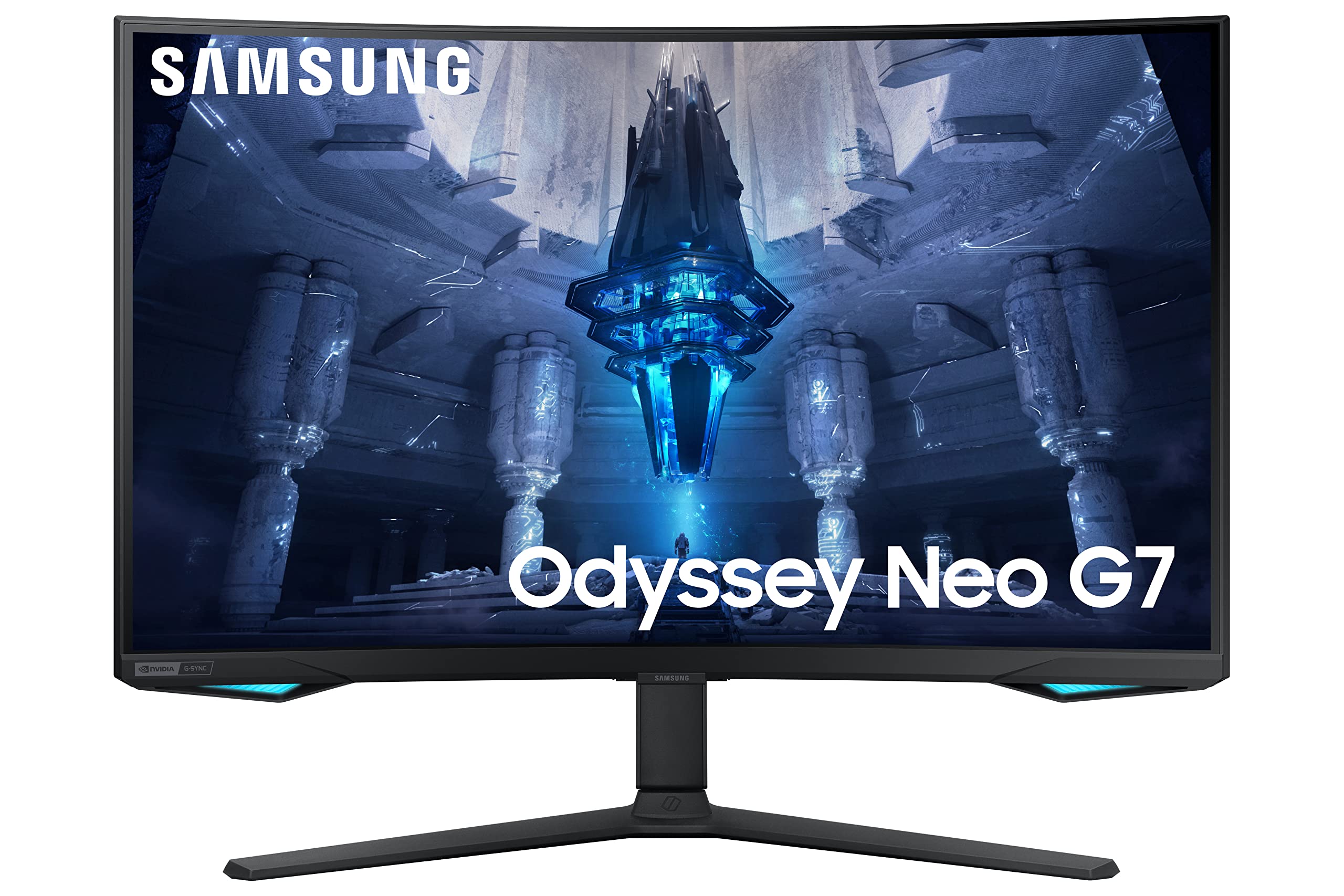
Samsung Odyssey Neo G8 32" 4K UHD Mini LED 240Hz Curved Gaming Monitor 3840x2160
Experience unparalleled gaming immersion with the 32" Odyssey Neo QLED G85B UHD 240Hz Curved Gaming Monitor. Boasting cutting-edge QLED technology, this monitor delivers stunning visuals with vibrant colors and deep blacks. Its ultra-fast 240Hz refresh rate ensures smooth gameplay, while the curved screen wraps you in every moment. Elevate your gaming experience to new heights with this sleek and powerful monitor, designed for the ultimate gaming enthusiast.
Experience unparalleled gaming immersion with the 32" Odyssey Neo QLED G85B UHD 240Hz Curved Gaming Monitor. Boasting cutting-edge QLED technology, this monitor delivers stunning visuals with vibrant colors and deep blacks. Its ultra-fast 240Hz refresh rate ensures smooth gameplay, while the curved screen wraps you in every moment. Elevate your gaming experience to new heights with this sleek and powerful monitor, designed for the ultimate gaming enthusiast.
Experience unparalleled gaming immersion with the 32" Odyssey Neo QLED G85B UHD 240Hz Curved Gaming Monitor. Boasting cutting-edge QLED technology, this monitor delivers stunning visuals with vibrant colors and deep blacks. Its ultra-fast 240Hz refresh rate ensures smooth gameplay, while the curved screen wraps you in every moment. Elevate your gaming experience to new heights with this sleek and powerful monitor, designed for the ultimate gaming enthusiast.
Experience unparalleled gaming immersion with the 32" Odyssey Neo QLED G85B UHD 240Hz Curved Gaming Monitor. Boasting cutting-edge QLED technology, this monitor delivers stunning visuals with vibrant colors and deep blacks. Its ultra-fast 240Hz refresh rate ensures smooth gameplay, while the curved screen wraps you in every moment. Elevate your gaming experience to new heights with this sleek and powerful monitor, designed for the ultimate gaming enthusiast.
in 6 offers
The lowest price for Samsung Odyssey Neo G8 32" 4K UHD Mini LED 240Hz Curved Gaming Monitor 3840x2160 right now is $859.55 at eBay.com.au, compared across 3 retailers.
The all-time low was $329.00 on 1 Mar 2026 — today's price is 161% above the lowest ever. It has been notably cheaper before — worth setting a price alert.
Prices last updated 7 Sept 2026.

