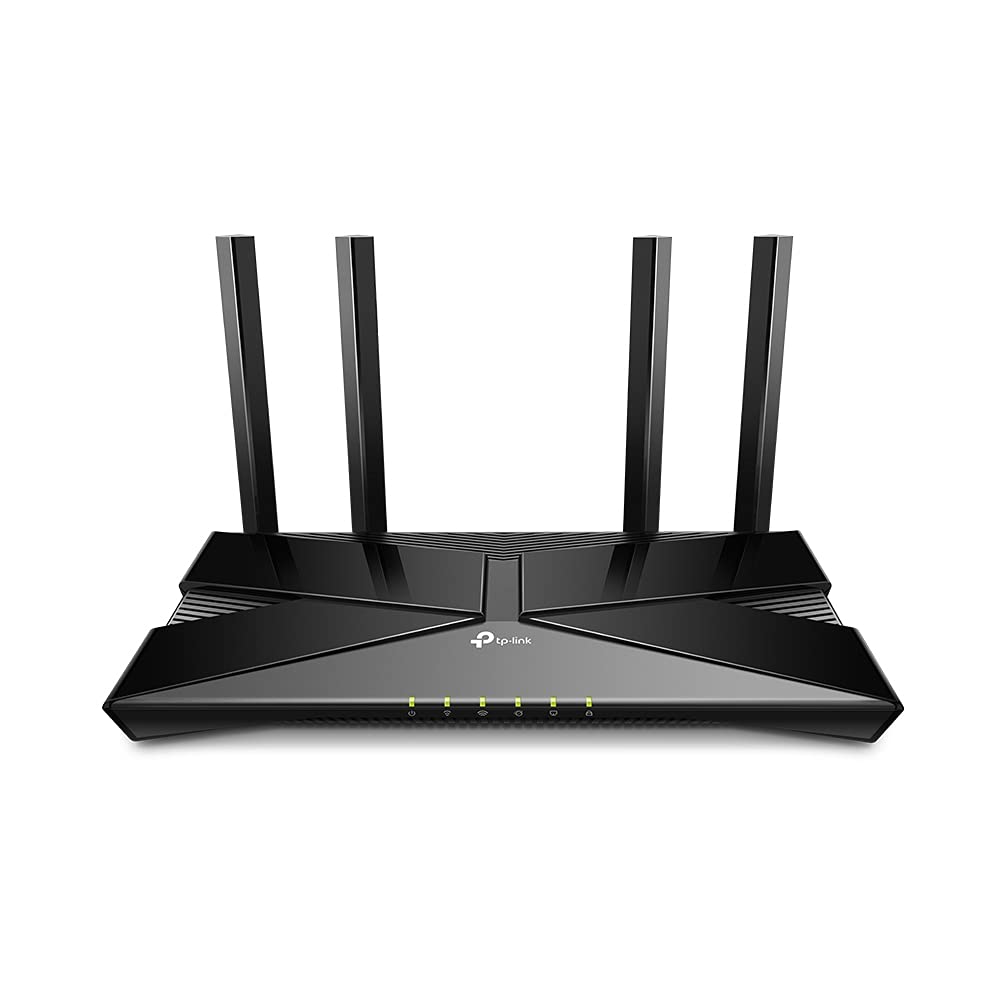
TP-Link archer vx1800v AX1800 Dual-Band Wi-Fi 6 VDSL Modem Router
Archer AX1800 | AX1800 Dual-Band Wi-Fi 6 Router
Archer AX1800 | AX1800 Dual-Band Wi-Fi 6 Router
Archer AX1800 | AX1800 Dual-Band Wi-Fi 6 Router
Archer AX1800 | AX1800 Dual-Band Wi-Fi 6 Router
in 55 offers
The lowest price for TP-Link archer vx1800v AX1800 Dual-Band Wi-Fi 6 VDSL Modem Router right now is $194.78 at Amazon.com.au, compared across 26 retailers.
The all-time low was $79.00 on 14 Mar 2026 — today's price is 147% above the lowest ever. It has been notably cheaper before — worth setting a price alert.
Prices last updated 18 Oct 2026.
Last updated at 18/10/2026 22:55:18
TP-Link Archer VX1800v AX1800 Dual Band Wi-Fi 6 Router, 8K, EasyMesh, WPA3
Free delivery
Affiliate Disclosure: We may receive a small commission for purchases made through this link at no extra cost to you. This helps support our site. Thank you!
TP Link AX1800 Dual Band Wi Fi 6 VDSL ADSL Modem Router Archer VX1800v - Modem Routers
Delivery $17.38
TP Link AX1800 Dual Band Wi Fi 6 VDSL ADSL Modem Router Archer VX1800v - Modem Routers
Delivery $15
TP-Link Archer VX1800v AX1800 Dual-Band Wi-Fi 6 VDSL/ADSL Modem Router
Free delivery between Tue – Wed
TP-Link Archer VX1800v AX1800 Dual-Band Wi-Fi 6 VDSL/ADSL Modem Router
Delivery between 21–29 Oct $10
Tp-link Archer Vx1800v 350mbps Mu-mimo Adsl/vdsl Dual-band Wifi 6
Free delivery
Affiliate Disclosure: We may receive a small commission for purchases made through this link at no extra cost to you. This helps support our site. Thank you!
TP-Link Archer VX1800v AX1800 Dual-Band Wi-Fi 6 VDSL/ADSL Modem Router
14-day returns
TP-Link Archer VX1800v AX1800 Dual-Band Wi-Fi 6 VDSL/ADSL Modem Router
14-day returns
TP-Link Archer VX1800v AX1800 WiFi 6 VDSL/ADSL Modem Router
Delivery between Tue – Thu $15
TP-Link Archer VX1800v AX1800 Dual-Band Wi-Fi 6 VDSL/ADSL Modem Router
Free delivery between Tue – Fri
originally posted on walmart.com
This is a 6 month review of the router and I have to say this is the best router I've had to date. The set up was smooth and done all through the Tether App. The app is also very user friendly and it looks nice! I've had netgear routers in the past and their interface always looked outdated. Not this!The main reason why I wanted to get this router was to improve my signal coverage and reliability at long distances, and this exceeded my expectations. My house is 2000 sqft and I have 4 bars at the farthest point in the house. My lot is 9000 sqft and it still has coverage at the farthest point, albeit the 5GHz connection does become unstable but the 2.4GHz connection is still running strong (but this is expected given the technology of the signals). My internet speed ... MoreThis is a 6 month review of the router and I have to say this is the best router I've had to date. The set up was smooth and done all through the Tether App. The app is also very user friendly and it looks nice! I've had netgear routers in the past and their interface always looked outdated. Not this!The main reason why I wanted to get this router was to improve my signal coverage and reliability at long distances, and this exceeded my expectations. My house is 2000 sqft and I have 4 bars at the farthest point in the house. My lot is 9000 sqft and it still has coverage at the farthest point, albeit the 5GHz connection does become unstable but the 2.4GHz connection is still running strong (but this is expected given the technology of the signals). My internet speed is only 200mbps so I can't it's marketed speed (I doubt it goes that fast), but the speed is consistent which is what matters more IMO. I've rarely had speed drops offs and when it's happened it was due to my ISP.Lastly, the features of this router are also great. You can schedule a reset time (helps clear cache, etc.), you can see AND name clients connected to your network so you know exactly who's connected to your network, and the latest firmware now supports OneMesh so you can create a mesh network with other devices that support the mesh system.All in all, I can't praise this router enough and highly recommend it. You won't regret your decision!
originally posted on Target
Made in Vietnam, this router is innovative, well-made, modern, and secure. It is compatible with my almost 11-year-old outdated AT&T 2Wire529 modem. It has updated and modernized my internet Wi-Fi security and has allowed me to utilize the “hidden” feature that keeps my Wi-Fi private and undetectable by neighbors. The four antennas provide better Wi-Fi coverage throughout the house. I love having the capacity to add more devices without slowing down my internet service. It was semi-easy to set up without reading the instructions. It was also easy to connect the system to my U-Verse modem using the enclosed white cable. First, I inserted one end of the white cable to the router and then inserted the other end to the modem via the Ethernet port on the back of the ... MoreMade in Vietnam, this router is innovative, well-made, modern, and secure. It is compatible with my almost 11-year-old outdated AT&T 2Wire529 modem. It has updated and modernized my internet Wi-Fi security and has allowed me to utilize the “hidden” feature that keeps my Wi-Fi private and undetectable by neighbors. The four antennas provide better Wi-Fi coverage throughout the house. I love having the capacity to add more devices without slowing down my internet service. It was semi-easy to set up without reading the instructions. It was also easy to connect the system to my U-Verse modem using the enclosed white cable. First, I inserted one end of the white cable to the router and then inserted the other end to the modem via the Ethernet port on the back of the U-verse modem. This device kept me from replacing the old modem with an expensive, newly updated one.
originally posted on walmart.com
This is my second acquisition of a TP-Link router. My current router is an Archer C9, which is still in use after many years. I have had no problems with this router over that time. I find that these TP-Link routers are the best of affordability and performance. Sure, you may not get the performance of a router costing twice the price, but I find that the performance is quite adequate for a typical home.I thought about using this as a second router to provide a second network for security purposes. By having a second network, I can have friends who are in my house wanting to connect to the network use the second router. That way they don’t have access to my main network. Or, if I need to check out a person’s computer and I do not know if there might be malware on ... MoreThis is my second acquisition of a TP-Link router. My current router is an Archer C9, which is still in use after many years. I have had no problems with this router over that time. I find that these TP-Link routers are the best of affordability and performance. Sure, you may not get the performance of a router costing twice the price, but I find that the performance is quite adequate for a typical home.I thought about using this as a second router to provide a second network for security purposes. By having a second network, I can have friends who are in my house wanting to connect to the network use the second router. That way they don’t have access to my main network. Or, if I need to check out a person’s computer and I do not know if there might be malware on the computer, I can connect it to the Internet without worrying about any access by the malware to my main network. But then I saw an option in the router software to use something called access mode. This allows you to add wireless capability at a remote location. You still need to hook this router to your main router via an Ethernet cable, however. Then you can use guest mode for friends or when you want to prevent access to the main network.For the price, this seems to be an impressive router. It sports a 1.5GHz quad-core CPU and four fixed Omni-directional antennas, which support beamforming technology to focus signal strength for your devices. Beamforming is a technique that focuses the wireless signal toward a specific receiving device. It also supports the latest Wi-Fi 6 technology, which uses something called OFDMA technology to communicate more data to more devices at the same time. OFDMA allows one transmission to deliver data to multiple devices at one time. Of course, your devices must support the standard. If not, hey you’re future proof. This standard becomes important as you connect more devices to the network. You also can set up the router using the Tether app for smartphones. I did not try out this option as I did not need this feature.The theoretical claimed speeds are 1200 Mbps on 5GHz and 574 Mbps on the 2.4 GHz band. Your actual throughput will, of course, be less and will depend on obstacles between you and the router, and on the distance from the router.
| Wireless Speed Rating | AX1800 |
| Wireless Standard | Wi-Fi 6 |
| Wireless Band Count | Dual-Band |
| Wireless Highlights | Wi-Fi 6 |
| Authentication Method | WPA2-PSK, WPA2-Enterprise, WPA3-Personal, WPA-Enterprise, WPA-PSK |

TP-Link Archer VX1800v AX1800 Dual Band Wi-Fi 6 Router, 8K, EasyMesh, WPA3
Free delivery
Affiliate Disclosure: We may receive a small commission for purchases made through this link at no extra cost to you. This helps support our site. Thank you!
TP Link AX1800 Dual Band Wi Fi 6 VDSL ADSL Modem Router Archer VX1800v - Modem Routers
Delivery $17.38
TP Link AX1800 Dual Band Wi Fi 6 VDSL ADSL Modem Router Archer VX1800v - Modem Routers
Delivery $15
TP-Link Archer VX1800v AX1800 Dual-Band Wi-Fi 6 VDSL/ADSL Modem Router
Free delivery between Tue – Wed
TP-Link Archer VX1800v AX1800 Dual-Band Wi-Fi 6 VDSL/ADSL Modem Router
Delivery between 21–29 Oct $10
This is a 6 month review of the router and I have to say this is the best router I've had to date. The set up was smooth and done all through the Tether App. The app is also very user friendly and it looks nice! I've had netgear routers in the past and their interface always looked outdated. Not this!The main reason why I wanted to get this router was to improve my signal coverage and reliability at long distances, and this exceeded my expectations. My house is 2000 sqft and I have 4 bars at the farthest point in the house. My lot is 9000 sqft and it still has coverage at the farthest point, albeit the 5GHz connection does become unstable but the 2.4GHz connection is still running strong (but this is expected given the technology of the signals). My internet speed ... MoreThis is a 6 month review of the router and I have to say this is the best router I've had to date. The set up was smooth and done all through the Tether App. The app is also very user friendly and it looks nice! I've had netgear routers in the past and their interface always looked outdated. Not this!The main reason why I wanted to get this router was to improve my signal coverage and reliability at long distances, and this exceeded my expectations. My house is 2000 sqft and I have 4 bars at the farthest point in the house. My lot is 9000 sqft and it still has coverage at the farthest point, albeit the 5GHz connection does become unstable but the 2.4GHz connection is still running strong (but this is expected given the technology of the signals). My internet speed is only 200mbps so I can't it's marketed speed (I doubt it goes that fast), but the speed is consistent which is what matters more IMO. I've rarely had speed drops offs and when it's happened it was due to my ISP.Lastly, the features of this router are also great. You can schedule a reset time (helps clear cache, etc.), you can see AND name clients connected to your network so you know exactly who's connected to your network, and the latest firmware now supports OneMesh so you can create a mesh network with other devices that support the mesh system.All in all, I can't praise this router enough and highly recommend it. You won't regret your decision!
Made in Vietnam, this router is innovative, well-made, modern, and secure. It is compatible with my almost 11-year-old outdated AT&T 2Wire529 modem. It has updated and modernized my internet Wi-Fi security and has allowed me to utilize the “hidden” feature that keeps my Wi-Fi private and undetectable by neighbors. The four antennas provide better Wi-Fi coverage throughout the house. I love having the capacity to add more devices without slowing down my internet service. It was semi-easy to set up without reading the instructions. It was also easy to connect the system to my U-Verse modem using the enclosed white cable. First, I inserted one end of the white cable to the router and then inserted the other end to the modem via the Ethernet port on the back of the ... MoreMade in Vietnam, this router is innovative, well-made, modern, and secure. It is compatible with my almost 11-year-old outdated AT&T 2Wire529 modem. It has updated and modernized my internet Wi-Fi security and has allowed me to utilize the “hidden” feature that keeps my Wi-Fi private and undetectable by neighbors. The four antennas provide better Wi-Fi coverage throughout the house. I love having the capacity to add more devices without slowing down my internet service. It was semi-easy to set up without reading the instructions. It was also easy to connect the system to my U-Verse modem using the enclosed white cable. First, I inserted one end of the white cable to the router and then inserted the other end to the modem via the Ethernet port on the back of the U-verse modem. This device kept me from replacing the old modem with an expensive, newly updated one.
This is my second acquisition of a TP-Link router. My current router is an Archer C9, which is still in use after many years. I have had no problems with this router over that time. I find that these TP-Link routers are the best of affordability and performance. Sure, you may not get the performance of a router costing twice the price, but I find that the performance is quite adequate for a typical home.I thought about using this as a second router to provide a second network for security purposes. By having a second network, I can have friends who are in my house wanting to connect to the network use the second router. That way they don’t have access to my main network. Or, if I need to check out a person’s computer and I do not know if there might be malware on ... MoreThis is my second acquisition of a TP-Link router. My current router is an Archer C9, which is still in use after many years. I have had no problems with this router over that time. I find that these TP-Link routers are the best of affordability and performance. Sure, you may not get the performance of a router costing twice the price, but I find that the performance is quite adequate for a typical home.I thought about using this as a second router to provide a second network for security purposes. By having a second network, I can have friends who are in my house wanting to connect to the network use the second router. That way they don’t have access to my main network. Or, if I need to check out a person’s computer and I do not know if there might be malware on the computer, I can connect it to the Internet without worrying about any access by the malware to my main network. But then I saw an option in the router software to use something called access mode. This allows you to add wireless capability at a remote location. You still need to hook this router to your main router via an Ethernet cable, however. Then you can use guest mode for friends or when you want to prevent access to the main network.For the price, this seems to be an impressive router. It sports a 1.5GHz quad-core CPU and four fixed Omni-directional antennas, which support beamforming technology to focus signal strength for your devices. Beamforming is a technique that focuses the wireless signal toward a specific receiving device. It also supports the latest Wi-Fi 6 technology, which uses something called OFDMA technology to communicate more data to more devices at the same time. OFDMA allows one transmission to deliver data to multiple devices at one time. Of course, your devices must support the standard. If not, hey you’re future proof. This standard becomes important as you connect more devices to the network. You also can set up the router using the Tether app for smartphones. I did not try out this option as I did not need this feature.The theoretical claimed speeds are 1200 Mbps on 5GHz and 574 Mbps on the 2.4 GHz band. Your actual throughput will, of course, be less and will depend on obstacles between you and the router, and on the distance from the router.
I upgraded from the original Google Wifi router to this one. I was not using the mesh capabilities, and will not with this new router. But I had been looking for a router that offered me more control of my network. This TP-Link AX1800 fits that bill and offers better security with Wifi 6 capability. The initial install went well, and I had my new network going pretty quickly. Accessing the setup pages after the network is setup is a little more finicky than I'd like. I try to use their website address (which is supposed to be bound to my router configuration page), but it often says that I'm not connected to the TP-Link network...even though I am. I have to clear the browser cache and history, and then it will pick it up. That and it seems that it doesn't like Edge ... MoreI upgraded from the original Google Wifi router to this one. I was not using the mesh capabilities, and will not with this new router. But I had been looking for a router that offered me more control of my network. This TP-Link AX1800 fits that bill and offers better security with Wifi 6 capability. The initial install went well, and I had my new network going pretty quickly. Accessing the setup pages after the network is setup is a little more finicky than I'd like. I try to use their website address (which is supposed to be bound to my router configuration page), but it often says that I'm not connected to the TP-Link network...even though I am. I have to clear the browser cache and history, and then it will pick it up. That and it seems that it doesn't like Edge browser very much, but seems to work fine in Firefox. But besides those couple of software problems, the network has been fine. I haven't noticed any speed increase, but I wasn't expecting any. I get the maximum that my ISP provides for the price, so I'm happy with that. The only other thing that I was hoping, with the four antennas vs the Google Wifi puck with no visible antennas, is that the microwave would no longer interfere with the signal. No such luck there... I guess I'd have to get a less "leaky" microwave to solve that problem!
I've installed this router in between the joists of my first floor. This gives excellent coverage throughout the 1500 sq ft of the first floor. The coverage dips a bit on the second floor (same square footage) but isn't enough to slow down performance. I've used both the 5GHz and 2.4GHz bands without any problems. It was easy to connect my devices to the router. My main issue with this router is the app. It's horrible. This shouldn't be as complicated as TP-link makes it out to be. Even setting up an account took several attempts. Having it compatible with Alexa doesn't appear to be a necessary feature to me. I wish they had spent more time on the user interface instead of having another product that works with Alexa.
So, I use to do freelance contract work for one of the national cable company’s that also offers commercial wifi services. They used the top rated APs and charged the top rated price too. The reception, speed and throughput on their units was just as good as or better than some wired connections, I have seen.I am referring to the national cable company's APs not the TP-Link.On the other hand the TP-Link Archer AX1800 Wi-Fi 6 Dual Band AP surprised me with VEEEERY comparable stats. I installed it in a warehouse with plenty of high metal racks. It was very easy to configure and install and it connected right up. I really did not think I could purchase a PoE AP of this quality for the price I paid. The proof will be its longevity. I will keep my eye on it and ... MoreSo, I use to do freelance contract work for one of the national cable company’s that also offers commercial wifi services. They used the top rated APs and charged the top rated price too. The reception, speed and throughput on their units was just as good as or better than some wired connections, I have seen.I am referring to the national cable company's APs not the TP-Link.On the other hand the TP-Link Archer AX1800 Wi-Fi 6 Dual Band AP surprised me with VEEEERY comparable stats. I installed it in a warehouse with plenty of high metal racks. It was very easy to configure and install and it connected right up. I really did not think I could purchase a PoE AP of this quality for the price I paid. The proof will be its longevity. I will keep my eye on it and report back if it encounters any failures.Over all, an excellent product!
The Archer AX20 AX1800 Dual Band Wi-Fi 6 Router performs very well. It has four ethernet local area network ports along with its ethernet wide area network port, enables speeds of up to 1.8 gigabytes per second for wired connections and data transfers, and its dual-band doubles the bandwith to avoid interference and maximize throughput. I have used the router for three devices simultaneously with no apparent slowdown or disruptions. In general I found no meaningful difference in speed using this router compared to my prior router (though this does not mean that this router did not perform well), but I did notice improved responsiveness of a mobile device. The Wifi reception is strong throughout my home (though my home is relatively small) as a result of the router's ... MoreThe Archer AX20 AX1800 Dual Band Wi-Fi 6 Router performs very well. It has four ethernet local area network ports along with its ethernet wide area network port, enables speeds of up to 1.8 gigabytes per second for wired connections and data transfers, and its dual-band doubles the bandwith to avoid interference and maximize throughput. I have used the router for three devices simultaneously with no apparent slowdown or disruptions. In general I found no meaningful difference in speed using this router compared to my prior router (though this does not mean that this router did not perform well), but I did notice improved responsiveness of a mobile device. The Wifi reception is strong throughout my home (though my home is relatively small) as a result of the router's four external high-gain antennas and Beamforming technology. Installation of the router can be done using an Internet browser or an app downloaded to a mobile device. The router enables creation of a separate, password-protected WiFi network for guests, and parental controls that can restrict access to inappropriate content, control and monitor usage, and block specific devices from accessing the Internet. The router also has numerous technical options that users can use to facilitate the security of and access to their networks (the details of these options, as well as the other features of the router, are in a 118-page manual on TP-Link's support website). The router has a USB port to share files and media from a USB storage device over a home network locally, or remotely through the internet. The sharing over a home network locally worked, but not remotely through the internet. Presumably the latter failure was due, as indicated by the router's user manual, because my Internet service provider assigns me a private wide area network address, and private addresses are not routed on the Internet.
This replaced an ASUS that was having issues with the radios (4 years old). It was very easy to get programmed up with my LAN info to be the same as my old LAN IP settings. So far (about a month) it seems to be working fine and the Wi-Fi is speedy and strong. It even covers well outside of our house. There, however, are less options for the unit than the old ASUS. What seems to be lacking isn't a big deal, but it does not have quite as many customization options for the network and external settings - Firewall mainly. It still works fine for my VOIP softphone that connects to work - AFTER disabling SIP ALG. I did not use the app to set it up. I had a bad experience with a different TP Link unit used for work, and I am more of a hands-on guy anyway. The direct IP GUI ... MoreThis replaced an ASUS that was having issues with the radios (4 years old). It was very easy to get programmed up with my LAN info to be the same as my old LAN IP settings. So far (about a month) it seems to be working fine and the Wi-Fi is speedy and strong. It even covers well outside of our house. There, however, are less options for the unit than the old ASUS. What seems to be lacking isn't a big deal, but it does not have quite as many customization options for the network and external settings - Firewall mainly. It still works fine for my VOIP softphone that connects to work - AFTER disabling SIP ALG. I did not use the app to set it up. I had a bad experience with a different TP Link unit used for work, and I am more of a hands-on guy anyway. The direct IP GUI seemed to work fine and made it easy to set up. Overall, a decent unit for our house.
This replaced an ancient (15 years?) Linksys WRT54GL 2.4 GHz wireless router which had been bulletproof until now, when it failed.Setup perhaps took me longer than it might have because I haven't set up a router for some time and was cautious to be sure everything was by the book. Other than that, I chose the web browser approach which was easy to use and everything worked as hoped. [Except my ethernet-attached laser printer which wouldn't print from any of my devices, whether ethernet or WiFi. It turned out there must have been a faulty instruction stuck in the printer's memory acting like a dam against any requests to print. (I discovered the printer's memory was full when I attempted a command at the printer's manual controls). After disconnecting the printer ... MoreThis replaced an ancient (15 years?) Linksys WRT54GL 2.4 GHz wireless router which had been bulletproof until now, when it failed.Setup perhaps took me longer than it might have because I haven't set up a router for some time and was cautious to be sure everything was by the book. Other than that, I chose the web browser approach which was easy to use and everything worked as hoped. [Except my ethernet-attached laser printer which wouldn't print from any of my devices, whether ethernet or WiFi. It turned out there must have been a faulty instruction stuck in the printer's memory acting like a dam against any requests to print. (I discovered the printer's memory was full when I attempted a command at the printer's manual controls). After disconnecting the printer and re-powering it, all of my devices can print to it without problem.]Setup defaulted to having the router allocate 2.4 GHz and 5 GHz itself using a single SSID, which was what I had hoped for. Also, the functions in the router's web browser interface are easy to understand and access.Today I was across the street from my house in a neighbor's backyard pool and I noticed my Android phone was alternately connecting with this router or with LTE. That's unexpected range.I have 50 Mbps download internet service. With my old router the ethernet to internet connection ran around 40 Mbps; with the new router I get the full 50 Mbps. Checking the internet speed of two wireless computers in my home, the old router gave me 14-17 Mbps; the new router 40-45 Mbps.I am pleased with the router.
This is a great router. It has improved my wi-fi speeds tremendously. I was using the router that I rent from my cable company and it was often very slow, and couldn't handle the load of all the devices running in my home. It took forever to load certain apps and often interrupted shows well they were streaming. This router has made everything run so smoothly. Apps that took forever to load, now load instantly. Streaming is also way better. I no longer have to wait for the show to load in the middle of watching it. We are a large family with many devices. There are 10 devices connected to this router and my original router and everything runs great. It was very easy to set up. I'm not the most technically savvy person, and I had very little issue getting it up and ... MoreThis is a great router. It has improved my wi-fi speeds tremendously. I was using the router that I rent from my cable company and it was often very slow, and couldn't handle the load of all the devices running in my home. It took forever to load certain apps and often interrupted shows well they were streaming. This router has made everything run so smoothly. Apps that took forever to load, now load instantly. Streaming is also way better. I no longer have to wait for the show to load in the middle of watching it. We are a large family with many devices. There are 10 devices connected to this router and my original router and everything runs great. It was very easy to set up. I'm not the most technically savvy person, and I had very little issue getting it up and running. Its slim and small and I didn't have any problem finding a place to put it. I was able to set it up right behind my TV by my other router. The app was simple to download and connected easily. Its a really good app, it works great and has nice features. I'm able to see which devices are on at any time and I'm able to disconnect those devices if I need to. I would definitely recommend this router.
| Wireless Speed Rating | AX1800 |
| Wireless Standard | Wi-Fi 6 |
| Wireless Band Count | Dual-Band |
| Wireless Highlights | Wi-Fi 6 |
| Authentication Method | WPA2-PSK, WPA2-Enterprise, WPA3-Personal, WPA-Enterprise, WPA-PSK |