WD Black 4TB P10 Game Drive WDBA3A0040BBK
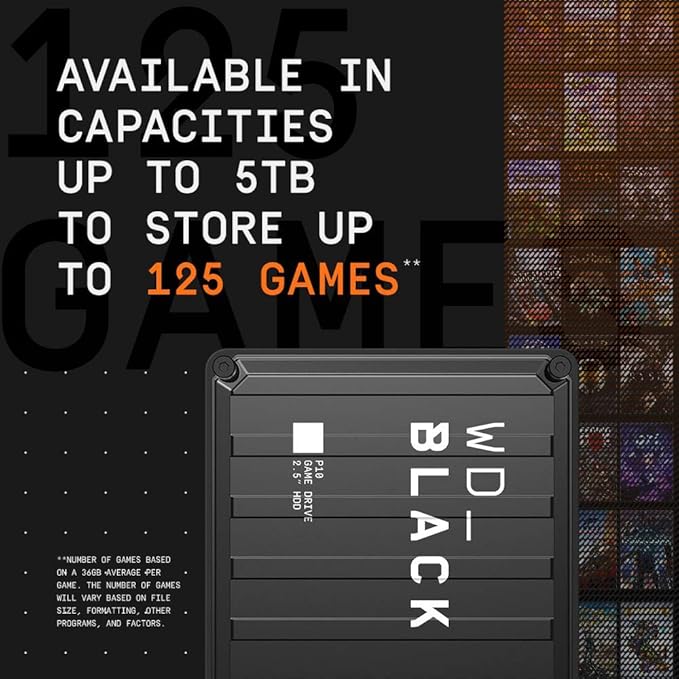
The Western Digital P10 4TB Portable Game Drive gives your console or PC the performance-enhancing tools it needs to give you the competitive edge. Capacity 4TB USB 3.2 Gen 1 interface Portable and durable Offers dependability, optimised speed boosts and expansion 5TB of high-capacity A top-tier external HDD in a 5TB capacity, the Western Digital P10 4TB Portable Game Drive is built specifically for gamers looking to expand the potential of their console or PC. The WD P10 Game Drive’s easily portable and highly durable form factor gives you the ability to take your entire game library with you wherever you go. Built for better Everything that goes into WD devices is specifically designed to take your game further, no matter what you play. With speeds up to 140MB/s and 5TB of extra storage, the WD P10 Game Drive will push your console or PC to new levels of performance allowing you to drive your game and play without any limit constraints.
The Western Digital P10 4TB Portable Game Drive gives your console or PC the performance-enhancing tools it needs to give you the competitive edge. Capacity 4TB USB 3.2 Gen 1 interface Portable and durable Offers dependability, optimised speed boosts and expansion 5TB of high-capacity A top-tier external HDD in a 5TB capacity, the Western Digital P10 4TB Portable Game Drive is built specifically for gamers looking to expand the potential of their console or PC. The WD P10 Game Drive’s easily portable and highly durable form factor gives you the ability to take your entire game library with you wherever you go. Built for better Everything that goes into WD devices is specifically designed to take your game further, no matter what you play. With speeds up to 140MB/s and 5TB of extra storage, the WD P10 Game Drive will push your console or PC to new levels of performance allowing you to drive your game and play without any limit constraints.
The Western Digital P10 4TB Portable Game Drive gives your console or PC the performance-enhancing tools it needs to give you the competitive edge. Capacity 4TB USB 3.2 Gen 1 interface Portable and durable Offers dependability, optimised speed boosts and expansion 5TB of high-capacity A top-tier external HDD in a 5TB capacity, the Western Digital P10 4TB Portable Game Drive is built specifically for gamers looking to expand the potential of their console or PC. The WD P10 Game Drive’s easily portable and highly durable form factor gives you the ability to take your entire game library with you wherever you go. Built for better Everything that goes into WD devices is specifically designed to take your game further, no matter what you play. With speeds up to 140MB/s and 5TB of extra storage, the WD P10 Game Drive will push your console or PC to new levels of performance allowing you to drive your game and play without any limit constraints.
The Western Digital P10 4TB Portable Game Drive gives your console or PC the performance-enhancing tools it needs to give you the competitive edge. Capacity 4TB USB 3.2 Gen 1 interface Portable and durable Offers dependability, optimised speed boosts and expansion 5TB of high-capacity A top-tier external HDD in a 5TB capacity, the Western Digital P10 4TB Portable Game Drive is built specifically for gamers looking to expand the potential of their console or PC. The WD P10 Game Drive’s easily portable and highly durable form factor gives you the ability to take your entire game library with you wherever you go. Built for better Everything that goes into WD devices is specifically designed to take your game further, no matter what you play. With speeds up to 140MB/s and 5TB of extra storage, the WD P10 Game Drive will push your console or PC to new levels of performance allowing you to drive your game and play without any limit constraints.
in 51 offers
The lowest price for WD Black 4TB P10 Game Drive WDBA3A0040BBK right now is $195.00 at Mobileciti, compared across 37 retailers.
The all-time low was $99.00 on 23 Aug 2024 — today's price is 97% above the lowest ever. It has been notably cheaper before — worth setting a price alert.
Prices last updated 15 Oct 2026.
Last updated at 15/10/2026 15:29:15
WD_Black 4TB Pink P10 Game Drive Portable External Hard Drive HDD, Works with PlayStation, Xbox, & PC - WDBZ7D0040BPK-WESN
Free delivery
Affiliate Disclosure: We may receive a small commission for purchases made through this link at no extra cost to you. This helps support our site. Thank you!
Western Digital WD 4TB P10 Game Drive WDBA3A0040BBK-WESN - Black
Free delivery between Fri – Mon
WD_BLACK P10 Game Drive 4TB Portable External Hard Drive - Black (WDBA3A0040BBK-WESN)
Delivery $11.99
WD_Black 4TB Pink P10 Game Drive Portable External Hard Drive HDD, Works with PlayStation, Xbox, PC - WDBZ7D0040BPK-WESN
Delivery between 20–24 Oct $41
Western Digital Black P10 4TB Game Drive
Next-day delivery $4
WD BLACK P10 Game Drive 4TB Black USB 3.0 Portable Hard Drive
Delivery $9.90
Wd P10 Game Drive Wdba3a0040bbk 4tb External Hdd Black
Delivery $19.49
Western Digital Black 4TB P10 Game USB 3.2 Portable External Hard Drive (WDBA3A0040BBK-WESN)
Western Digital Black 4TB P10 Game USB 3 2 Portable External Hard Drive WDBA3A0040BBK WESN - External Hard Drives
Delivery $14.97
Western Digital Black 4TB P10 Game USB 3 2 Portable External Hard Drive WDBA3A0040BBK WESN - External Hard Drives
Delivery $12
originally posted on bestbuy.com
I purchased two of these. One for our Series S and one for our Series X. They are a great alternative to the SSD Expansion Cards for the Series consoles if yo do not want to spend the coin at the time. But there is one big difference that you MUST take note of. *This external will let you install and play Xbox One, 360 and Gen 1 Xbox games . You can ONLY STORE Series S|X Games on it though. Say you need more space on your internal storage for S|X Optimized Games but do not want to delete a game to make room. You can MOVE that game to this external drive as a storage but it will not play the game since it needs to be on the internal drive or expansion slot SSD. Aside from that you can put so many games on this! It is quicker to move a S|X game than to delete and ... MoreI purchased two of these. One for our Series S and one for our Series X. They are a great alternative to the SSD Expansion Cards for the Series consoles if yo do not want to spend the coin at the time. But there is one big difference that you MUST take note of. *This external will let you install and play Xbox One, 360 and Gen 1 Xbox games . You can ONLY STORE Series S|X Games on it though. Say you need more space on your internal storage for S|X Optimized Games but do not want to delete a game to make room. You can MOVE that game to this external drive as a storage but it will not play the game since it needs to be on the internal drive or expansion slot SSD. Aside from that you can put so many games on this! It is quicker to move a S|X game than to delete and reinstall. Especially if you have a bandwidth cap with your ISP! Plus there are plenty Games of the Month and Game Pass games that aren't S|X you can install and play from. *Can Install and Play XONE, X360, OG XB Games.. Can ONLY STORE S|X Games..*
originally posted on bestbuy.com
The premise of the WD External hard drive is simple: provide additional storage for your Xbox without going through any hoops. In this, the WD HDD has certainly met my expectations. Speaking of expectations, one must understand that this is a hard disk drive and not an SSD, which affects its functionality on a Series S/X console. Because this is an HDD, it does not meet the bandwidth required to play Series S/X exclusive or optimized games from the drive. In order to do so, they must be transferred to the internal or extended SSD storage. However, legacy games (Xbox, 360, and One) play just fine without the need to transfer. While this may seem annoying, it’s actually not a big deal. I chose to keep S/X games internally and use the HDD for storage since transferring ... MoreThe premise of the WD External hard drive is simple: provide additional storage for your Xbox without going through any hoops. In this, the WD HDD has certainly met my expectations. Speaking of expectations, one must understand that this is a hard disk drive and not an SSD, which affects its functionality on a Series S/X console. Because this is an HDD, it does not meet the bandwidth required to play Series S/X exclusive or optimized games from the drive. In order to do so, they must be transferred to the internal or extended SSD storage. However, legacy games (Xbox, 360, and One) play just fine without the need to transfer. While this may seem annoying, it’s actually not a big deal. I chose to keep S/X games internally and use the HDD for storage since transferring takes only a few minutes and surely beats downloading the game again. This also makes it incredibly easy to bring games from my Xbox One X to the Series S -just plug and play! For those who care, yes, the P10 can be used as an external hard drive for a PC, tablet, or other consoles. However, it must be formatted for use exclusively on the specific device every time. The WD HDD is built like a tank, and I am not too worried about drops. It also looks quite nice next to or on top of both my Series S and One X. It does make a bit of noise in quiet settings, but as with any HDD, this is normal due to the spinning moving parts. I do wish the included USB-A to Micro USB-B cable would be longer though. In the end, I think the WD P10 is a cost-effective option and is excellent for extending your storage capacity while providing ease of portability between consoles. I highly recommend it!
originally posted on bestbuy.com
The Western Digital P10 2TB is a great supplement to your Xbox (or PC really). Billed as a high performance gaming accessory, it really is a fast external HDD with a USB 3.0 5gbps interface (or USB 3.2 Gen 1 - thank you USB consortium). This means it’s portable, fast, and large. Couple with the trial of Xbox Game Pass Ultimate, it’s easy to see how these two products go hand in hand. When you first open the P10, you’ll notice that it’s about the size you’d expect width wise, but it’s very compact when it comes to height. The lid is made of what appears to be aluminum, which helps dissipate heat (I suspect), while the bottom is made of plastic with nice rubber feet which helps dissipate vibration (I suspect). The casing has a small LED light and USB 3 Micro Type B ... MoreThe Western Digital P10 2TB is a great supplement to your Xbox (or PC really). Billed as a high performance gaming accessory, it really is a fast external HDD with a USB 3.0 5gbps interface (or USB 3.2 Gen 1 - thank you USB consortium). This means it’s portable, fast, and large. Couple with the trial of Xbox Game Pass Ultimate, it’s easy to see how these two products go hand in hand. When you first open the P10, you’ll notice that it’s about the size you’d expect width wise, but it’s very compact when it comes to height. The lid is made of what appears to be aluminum, which helps dissipate heat (I suspect), while the bottom is made of plastic with nice rubber feet which helps dissipate vibration (I suspect). The casing has a small LED light and USB 3 Micro Type B port on back. Other than that, it’s a pretty simple affair. WD Black is imprinted on the lid in a very edgey tech font, but overall it’s pretty non-description and easy on the eyes. When I plugged the drive into my Xbox, it was immediately recognized and I was given the choice to use for media or games. I chose games and activated the free trial of Xbox Game Pass Ultimate, which grants access to an almost Netflix like selection of games. I chose a bunch of titles I was interested in and downloaded them. I was able to sustain 300mpbs downloads and sustain writes. While I suspect the drive can sustain higher writes (that’s only about 40MB/s), it kept up without any issues and only was mildly warm to the touch. The 2TB capacity is a good pairing with Game Pass Ultimate. Essentially you can download a huge library of games that are ready to play at any given moment. To get your money out of Game Pass, you really need an external drive, because the internal 500GB or 1TB just won’t cut it alone. It’s nice that it comes with a trial, as I believe most people looking at the 2TB expansion are probably interested in this service. Playing games off the drive on the Xbox was excellent. I loaded up Doom and a few other games which played excellent and had no stuttering. In fact I noticed very little difference from the internal drive, which was impressive. The P10 isn’t a magical gaming tool that will help you frag those you see. What it is, is a competent drive with good performance, on a good USB 3.0 implementation in a compact and thoughtful design. It blends in well with the Xbox while being distinctly its own style, and it performs just like you’d expect a high performance external drive to perform. Overall I highly recommend this drive to expand your storage needs!
| General | |
| Device Type | Hard drive - external (portable) |
| Capacity | 4 TB |
| Interface | USB 3.2 Gen 1 |
| Width | 88 mm |

WD_Black 4TB Pink P10 Game Drive Portable External Hard Drive HDD, Works with PlayStation, Xbox, & PC - WDBZ7D0040BPK-WESN
Free delivery
Affiliate Disclosure: We may receive a small commission for purchases made through this link at no extra cost to you. This helps support our site. Thank you!
Western Digital WD 4TB P10 Game Drive WDBA3A0040BBK-WESN - Black
Free delivery between Fri – Mon
WD_BLACK P10 Game Drive 4TB Portable External Hard Drive - Black (WDBA3A0040BBK-WESN)
Delivery $11.99
WD_Black 4TB Pink P10 Game Drive Portable External Hard Drive HDD, Works with PlayStation, Xbox, PC - WDBZ7D0040BPK-WESN
Delivery between 20–24 Oct $41
Western Digital Black P10 4TB Game Drive
Next-day delivery $4
I purchased two of these. One for our Series S and one for our Series X. They are a great alternative to the SSD Expansion Cards for the Series consoles if yo do not want to spend the coin at the time. But there is one big difference that you MUST take note of. *This external will let you install and play Xbox One, 360 and Gen 1 Xbox games . You can ONLY STORE Series S|X Games on it though. Say you need more space on your internal storage for S|X Optimized Games but do not want to delete a game to make room. You can MOVE that game to this external drive as a storage but it will not play the game since it needs to be on the internal drive or expansion slot SSD. Aside from that you can put so many games on this! It is quicker to move a S|X game than to delete and ... MoreI purchased two of these. One for our Series S and one for our Series X. They are a great alternative to the SSD Expansion Cards for the Series consoles if yo do not want to spend the coin at the time. But there is one big difference that you MUST take note of. *This external will let you install and play Xbox One, 360 and Gen 1 Xbox games . You can ONLY STORE Series S|X Games on it though. Say you need more space on your internal storage for S|X Optimized Games but do not want to delete a game to make room. You can MOVE that game to this external drive as a storage but it will not play the game since it needs to be on the internal drive or expansion slot SSD. Aside from that you can put so many games on this! It is quicker to move a S|X game than to delete and reinstall. Especially if you have a bandwidth cap with your ISP! Plus there are plenty Games of the Month and Game Pass games that aren't S|X you can install and play from. *Can Install and Play XONE, X360, OG XB Games.. Can ONLY STORE S|X Games..*
The premise of the WD External hard drive is simple: provide additional storage for your Xbox without going through any hoops. In this, the WD HDD has certainly met my expectations. Speaking of expectations, one must understand that this is a hard disk drive and not an SSD, which affects its functionality on a Series S/X console. Because this is an HDD, it does not meet the bandwidth required to play Series S/X exclusive or optimized games from the drive. In order to do so, they must be transferred to the internal or extended SSD storage. However, legacy games (Xbox, 360, and One) play just fine without the need to transfer. While this may seem annoying, it’s actually not a big deal. I chose to keep S/X games internally and use the HDD for storage since transferring ... MoreThe premise of the WD External hard drive is simple: provide additional storage for your Xbox without going through any hoops. In this, the WD HDD has certainly met my expectations. Speaking of expectations, one must understand that this is a hard disk drive and not an SSD, which affects its functionality on a Series S/X console. Because this is an HDD, it does not meet the bandwidth required to play Series S/X exclusive or optimized games from the drive. In order to do so, they must be transferred to the internal or extended SSD storage. However, legacy games (Xbox, 360, and One) play just fine without the need to transfer. While this may seem annoying, it’s actually not a big deal. I chose to keep S/X games internally and use the HDD for storage since transferring takes only a few minutes and surely beats downloading the game again. This also makes it incredibly easy to bring games from my Xbox One X to the Series S -just plug and play! For those who care, yes, the P10 can be used as an external hard drive for a PC, tablet, or other consoles. However, it must be formatted for use exclusively on the specific device every time. The WD HDD is built like a tank, and I am not too worried about drops. It also looks quite nice next to or on top of both my Series S and One X. It does make a bit of noise in quiet settings, but as with any HDD, this is normal due to the spinning moving parts. I do wish the included USB-A to Micro USB-B cable would be longer though. In the end, I think the WD P10 is a cost-effective option and is excellent for extending your storage capacity while providing ease of portability between consoles. I highly recommend it!
The Western Digital P10 2TB is a great supplement to your Xbox (or PC really). Billed as a high performance gaming accessory, it really is a fast external HDD with a USB 3.0 5gbps interface (or USB 3.2 Gen 1 - thank you USB consortium). This means it’s portable, fast, and large. Couple with the trial of Xbox Game Pass Ultimate, it’s easy to see how these two products go hand in hand. When you first open the P10, you’ll notice that it’s about the size you’d expect width wise, but it’s very compact when it comes to height. The lid is made of what appears to be aluminum, which helps dissipate heat (I suspect), while the bottom is made of plastic with nice rubber feet which helps dissipate vibration (I suspect). The casing has a small LED light and USB 3 Micro Type B ... MoreThe Western Digital P10 2TB is a great supplement to your Xbox (or PC really). Billed as a high performance gaming accessory, it really is a fast external HDD with a USB 3.0 5gbps interface (or USB 3.2 Gen 1 - thank you USB consortium). This means it’s portable, fast, and large. Couple with the trial of Xbox Game Pass Ultimate, it’s easy to see how these two products go hand in hand. When you first open the P10, you’ll notice that it’s about the size you’d expect width wise, but it’s very compact when it comes to height. The lid is made of what appears to be aluminum, which helps dissipate heat (I suspect), while the bottom is made of plastic with nice rubber feet which helps dissipate vibration (I suspect). The casing has a small LED light and USB 3 Micro Type B port on back. Other than that, it’s a pretty simple affair. WD Black is imprinted on the lid in a very edgey tech font, but overall it’s pretty non-description and easy on the eyes. When I plugged the drive into my Xbox, it was immediately recognized and I was given the choice to use for media or games. I chose games and activated the free trial of Xbox Game Pass Ultimate, which grants access to an almost Netflix like selection of games. I chose a bunch of titles I was interested in and downloaded them. I was able to sustain 300mpbs downloads and sustain writes. While I suspect the drive can sustain higher writes (that’s only about 40MB/s), it kept up without any issues and only was mildly warm to the touch. The 2TB capacity is a good pairing with Game Pass Ultimate. Essentially you can download a huge library of games that are ready to play at any given moment. To get your money out of Game Pass, you really need an external drive, because the internal 500GB or 1TB just won’t cut it alone. It’s nice that it comes with a trial, as I believe most people looking at the 2TB expansion are probably interested in this service. Playing games off the drive on the Xbox was excellent. I loaded up Doom and a few other games which played excellent and had no stuttering. In fact I noticed very little difference from the internal drive, which was impressive. The P10 isn’t a magical gaming tool that will help you frag those you see. What it is, is a competent drive with good performance, on a good USB 3.0 implementation in a compact and thoughtful design. It blends in well with the Xbox while being distinctly its own style, and it performs just like you’d expect a high performance external drive to perform. Overall I highly recommend this drive to expand your storage needs!
>> Overview The WD Black Xbox edition is a great addition to your Xbox One, older and newer models. It is an HDD and not an SSD, so take that into account, and with approximately 120MB/s write speeds and 130MB/s read speeds (max rate is stated as 130MB/s per description), it is suitable for storing your games or media files on your Xbox and accessing them at decent speeds. The suggested use is for adding extra storage for your games or media files to your Xbox device (it even has the Xbox logo); however, if you’d prefer, use it as extra storage for your PC. - Pros: stylish design, silent (for an HDD), no external power required. - Cons: HDD with max transfer speeds of 130MB/s. >> Setup On my Xbox, I just plugged it in to a free USB port and I got the choice to ... More>> Overview The WD Black Xbox edition is a great addition to your Xbox One, older and newer models. It is an HDD and not an SSD, so take that into account, and with approximately 120MB/s write speeds and 130MB/s read speeds (max rate is stated as 130MB/s per description), it is suitable for storing your games or media files on your Xbox and accessing them at decent speeds. The suggested use is for adding extra storage for your games or media files to your Xbox device (it even has the Xbox logo); however, if you’d prefer, use it as extra storage for your PC. - Pros: stylish design, silent (for an HDD), no external power required. - Cons: HDD with max transfer speeds of 130MB/s. >> Setup On my Xbox, I just plugged it in to a free USB port and I got the choice to either use it for media (keep your existing files) or games & apps (will format the HDD). I initially used it for media, so that way I could move between Xbox and my PCs (I was even contemplating on having it connected to my router for network access), but I got a couple of “errors in the drive” when connecting to a Windows PC after using it on my Xbox (this was solved after a quick Windows repair). So, to avoid any issues, and simplify my life, I plan on keeping the WD Black HDD with my Xbox for storing games and apps, at the end the suggested use for the device (and the logo looks really cool along the design of the hard drive). >> Xbox One When choosing to format the drive for games and apps, it will allow you to get the needed extra space for games, which is invaluable. I have an old Xbox One 500GB, and whenever there was a new game, I would need to erase older games to make room for the new one, and guests wouldn’t be allowed to install their games due to space constraints (some visiting friends would always have kids with their special games, now I can be a better host and let them install what they want). In fact, I have some games installed on my gaming laptop and other games in the Xbox, but now with the extra storage, I think I can have most games I play installed on the Xbox. For example, one space demanding recent game I got, Microsoft Flight Simulator which I was using on my gaming laptop, will now be on my Xbox as well. The Xbox logo is a smart choice, I know some people are not aware you can add extra storage to your Xbox, so seeing an WD Black Box HDD Xbox Edition, will surely catch their attention. It comes with a 1-month Xbox game pass, which I guess it is good for adding to your subscription. If you were to try Xbox game pass, a 3-month trial seems more suitable (a month will just fly-by). >> Speed The max transfer speed is rated at 130MB/s, which is something close to what I got in tests. I would consistently get an average of 125MB/s transfer speeds, writing would be closer to 120MB/s and reading would be closer to 130MB/s. Overall the speed is what the manufacturer advertises.
There isn't much to say when reviewing a hard drive or other storage device. It's a solid block of tech that holds your stuff (digitally speaking). Whatever its storage capacity is in Gigabytes or Terabytes determines how much stuff you can cram into it, and whatever its connection type is (USB 2.0, 3.0, 3.1, . . . etc.) determines how quickly you can move files to and from it. It either holds enough of your stuff or it doesn't, and it's either fast enough for your needs or it isn't. What ultimately differentiates a "good" storage device from a "bad" storage device is how well it's designed and how well that design fits your individual needs. This WD gaming drive is relatively thin, fast, solidly built, and aesthetically "meh." My only real complaints about it is ... MoreThere isn't much to say when reviewing a hard drive or other storage device. It's a solid block of tech that holds your stuff (digitally speaking). Whatever its storage capacity is in Gigabytes or Terabytes determines how much stuff you can cram into it, and whatever its connection type is (USB 2.0, 3.0, 3.1, . . . etc.) determines how quickly you can move files to and from it. It either holds enough of your stuff or it doesn't, and it's either fast enough for your needs or it isn't. What ultimately differentiates a "good" storage device from a "bad" storage device is how well it's designed and how well that design fits your individual needs. This WD gaming drive is relatively thin, fast, solidly built, and aesthetically "meh." My only real complaints about it is that I wouldn't have minded a slightly longer cable, and I would have preferred a different color scheme. I was a little surprised to see that the drive has a micro-USB 3.0 (3.1?) port instead of USB type-C. This could make it a little difficult to find a replacement cord should something happen to the cord that came with it. I say that the design is "meh" because I'm not all that keen on the whole "corrugated metal" look it has going on. It reminds me of a shipping container. I will give WD brownie points though for using a metal shell instead of plastic. I'm also not all that keen on the current trend of black and white tech. I'd have preferred black and traditional Xbox Green or maybe black and red. The drive is formatted as NTFS out of the box and is also compatible with Windows computers. 2TB is a pretty good amount of storage space. If you figure that an average game is around 50GB, then this drive should be able to hold around 30-40 games (assuming that's all you put on it). The drive seems fairly fast. It's not the fastest hard drive that I've ever seen, but it doesn't take years to transfer files on and off of it either. The drive is fairly small, and it won't take up a lot of shelf space. It looks like it's about the same size as a 2.5" SATA, laptop hard drive; but it's a little thinner. I think that this is a solid drive for your gaming setup, and I would recommend picking one up.
Summary: A great little hard drive to expand your storage options while looking cool! Easy to use, set up and stylish. Pros: Looks awesome! Easy to set up No external power needed Compact Stays cool, little heat Cons: Not an SSD, stuck as mechanical hard drive speeds Not good for games that need SSD speeds Unboxing: The unit comes in a compact package. Inside you will find the hard drive, a USB 3.2 connector (USB A to USB Micro B), some documentation (including a Xbox game pass trial). Installation: After plugging it into a Xbox One Series X, the prompt to format the hard drive appears and asks if you want to make it the primary installation drive. I kept it as a secondary but it was nice to get the prompt. Use: Using the drive is very straightforward, after it is ... MoreSummary: A great little hard drive to expand your storage options while looking cool! Easy to use, set up and stylish. Pros: Looks awesome! Easy to set up No external power needed Compact Stays cool, little heat Cons: Not an SSD, stuck as mechanical hard drive speeds Not good for games that need SSD speeds Unboxing: The unit comes in a compact package. Inside you will find the hard drive, a USB 3.2 connector (USB A to USB Micro B), some documentation (including a Xbox game pass trial). Installation: After plugging it into a Xbox One Series X, the prompt to format the hard drive appears and asks if you want to make it the primary installation drive. I kept it as a secondary but it was nice to get the prompt. Use: Using the drive is very straightforward, after it is set up, any use is mainly in the background if it is the primary device. If it is your secondary hard drive, you might need to manage your storage on the Xbox to move games back and forth as needed. I recommend using older games on the external hard drives and using newer games on the internal SSD since it is faster. The external hard drive is rated for 130 MB/s which is greatly different from the internal drive at 2.4 GB/s (uncompressed) so if you are looking to fast load times and more modern games that require faster data streaming this might pose an issue. Some Xbox One Series X games might require an SSD so be aware. If you are looking to hold older Xbox One games or have a place to move games back and forth (archive) so you don’t need to redownload, this is a great solution. The drive has a solid metallic build and looks like it will last. There is a white indicator light for hard drive activity that is very bright. The two tone finish which is mostly black with white accents looks very cool.
As someone who owns the PS5 and Xbox Series S these WD Black External HDDs are a great addition to your gaming setup but just remember you can’t play next-gen games off of these. This especially affects owners of the Xbox Series S. The console has 364gb of storage. Putting this into perspective, Forza Horizon 5 is 102gbs and Flight Simulator is 142gbs. 244gbs of 364 for just 2 games optimized for the new consoles. Personally, I’d say these HDDs are good if you want to play a ton of backwards compatible games as they can be played off the HDDs so you can kinda sorta save space but lots of older gen games aren’t huge space hogs anyway. However, this is more of a short-term fix than a long-term fix. As the new generation continues to ramp up over the next couple years ... MoreAs someone who owns the PS5 and Xbox Series S these WD Black External HDDs are a great addition to your gaming setup but just remember you can’t play next-gen games off of these. This especially affects owners of the Xbox Series S. The console has 364gb of storage. Putting this into perspective, Forza Horizon 5 is 102gbs and Flight Simulator is 142gbs. 244gbs of 364 for just 2 games optimized for the new consoles. Personally, I’d say these HDDs are good if you want to play a ton of backwards compatible games as they can be played off the HDDs so you can kinda sorta save space but lots of older gen games aren’t huge space hogs anyway. However, this is more of a short-term fix than a long-term fix. As the new generation continues to ramp up over the next couple years and newer games that can only be played on the newer tech release you’ll have 2 choices. 1. Continuously transfer the newer games to and from the HDD (just so you don’t have to delete them) 2. Put the money you’d spend on an HDD and put it towards the Seagate insertable SSDs which will give you more space for newer gen games. Obviously, everyone’s needs are going to be different and not everyone will play games that are 100+ GBs and not every next-gen game is going to be over 100gbs, but if you don’t need tons of storage space or also don’t want to continuously transfer next-gen games you could invest in the 512gb Seagate SSD for $179.99 or the 1TB Seagate SSD for $279.99 (these prices are CDN) Then purchase an External HDD to hold newer gen games you aren’t currently playing but may want to revisit later. At the end of the day it’s up to you and your needs of gaming. Just remember these externals can’t play next-gen games but can hold them so you don’t have to delete and re-download them.
THis WD BLACK gaming drive has good performance on my XBOX and on my Gaming PC, which both seem to handle it well enough - At what point are spinning platter drives (even 7200RPM ones) just good enough? It works. Its nothing special, so I'm not sure I understand the pricing or the hype around these new drives. Here are a few things that could change my mind: Please stop using the USB-Micro-B 3,0 interface. That "1.5 Micro B" interface is ugly, only inserts in one direction, and has those little claw-pins that make USB MIcro B one of the worst interfaces ever. This drive in 2021 should have come with a Type C connector and A-C cable for the price. The cool metallic/dark top case is great for both aestetics and heat dissipation, but why use the el-cheapo white ... MoreTHis WD BLACK gaming drive has good performance on my XBOX and on my Gaming PC, which both seem to handle it well enough - At what point are spinning platter drives (even 7200RPM ones) just good enough? It works. Its nothing special, so I'm not sure I understand the pricing or the hype around these new drives. Here are a few things that could change my mind: Please stop using the USB-Micro-B 3,0 interface. That "1.5 Micro B" interface is ugly, only inserts in one direction, and has those little claw-pins that make USB MIcro B one of the worst interfaces ever. This drive in 2021 should have come with a Type C connector and A-C cable for the price. The cool metallic/dark top case is great for both aestetics and heat dissipation, but why use the el-cheapo white polycarb plastic bottom? Make the whole thing metal like you do the WD BLACK SSDs? Or at least use black plastic on the bottom. Terrible look considering the crate/container vibe they're going for is offset terribly by the start CLEAN WHITE bottom. Just a visual thing. I love the thin-ness of the drive, especially considering its a 2.5mm 7200RPM drive that will need some heat dissipated. It doesn't get too warm, fits in entertainment shelves nicely, and is WHISPER quiet... Good device, but strange design choices for 2021. Get your brand house in order WD! WOuld reccomend if it was a cheaper option.
INSTALLATION & CONFIGURATION The Western Digital P10 can be used as either an XBOX expansion drive, or as an external hard drive for your PC. Initial set-up was impressively simple. Both my Windows 10 PC and my XBOX recognized and configured the drive instantly with nothing needed other than plugging it in. I did not have to enter Disk Management in Windows 10 to configure any options. The drive was properly formatted and ready for use right out of the box. The drive requires a single USB-A style connection. This sole connection provides for both data and power. I tested and installed the drive on a USB 3.0 port on my PC and on the XBOX One X. Western Digital touts the P10 as having a USB 3.2 Gen 1 interface. For those unfamiliar with the new naming conventions (who ... MoreINSTALLATION & CONFIGURATION The Western Digital P10 can be used as either an XBOX expansion drive, or as an external hard drive for your PC. Initial set-up was impressively simple. Both my Windows 10 PC and my XBOX recognized and configured the drive instantly with nothing needed other than plugging it in. I did not have to enter Disk Management in Windows 10 to configure any options. The drive was properly formatted and ready for use right out of the box. The drive requires a single USB-A style connection. This sole connection provides for both data and power. I tested and installed the drive on a USB 3.0 port on my PC and on the XBOX One X. Western Digital touts the P10 as having a USB 3.2 Gen 1 interface. For those unfamiliar with the new naming conventions (who isn’t), it boils down to this: The USB 3.2 Gen 1 interface is nothing more than the original USB 3.0 interface, renamed. It is the successor to USB 2.0 and can transfer data up to 5Gb/s vs. the 480Mb/s limitation of USB 2.0. USE The P10 transferred multiple rounds of test files and data without issue. Both read and write speeds were consistent and nearly identical to Western Digital’s speed claims of up to 140MB/s (which translates to approximately 1.1 Gb/s). Digging into Windows 10 policy settings and changing the drive from its default state of Quick Removal to Better Performance yielded negligible improvements in speed. Results posted with the review reflect speeds achieved using the Better Performance policy setting within Windows 10. While 140MB/s is not a dismal number, it falls WAY short of the limit of the USB 3.2 Gen 1 interface. Opening the drive up, reveals the reason for the bandwidth limitation. The drive contained within the enclosure is a normal 5400rpm, 2.5-inch laptop hard drive. A drive with this spindle speed will be unable to fully utilize the theoretical limit of the interface it is connected to. Because of this limitation, this drive is unable to support XBOX Series X optimized games. Series X games will need transferred from this drive to the internal HDD for the user to experience the full Series X enhancements. FINAL THOUGHTS While this drive works admirably well for what it is, I find it hard to give it a glowing recommendation. Western Digital charges a premium for this drive compared to other WD and competitors’ drives with similar specs and performance (though this drive includes 1 free month of XBOX Game Pass). What seals this review, is Western Digital has gone out of its way to market their Black drives as a premium alternative, that is equal to, or better than any of its competitors. Look up any advertising for the Black products and Western Digital will tell you how great their Black products are compared to the competition. I found nothing that qualifies the P10 to earn the Black badge. The P10 is an external storage device that contains the same style hard drive my laptops had 10 years ago. Had this drive been marketed differently or priced more competitively, I may have reconsidered my review. But, due to Western Digital’s own propaganda, I expect a Black badged product to perform above and beyond its competition. This product does not.
I am a member of Best Buy’s Technical Insider Network, TIN for short. Reviewers in this invitation-only program are provided products for the purpose of writing honest, unbiased reviews. Note: The Black rectangles in the photos are deliberately placed in the images, by me, to remove personal information, activation codes, and serial numbers. == Why Western Digital? == Reliability! Period. I have owned many WD drives, including Black drives, over the last 20 years. I have never had an issue with WD digital performance, longevity, quality, or reliability. They just work and they work for a long time! I own 2 WD Red 2TB NAS drives that have been under constant operation since 2013. I also have a WD Passport X USB 3.0 drive that has been my Xbox external mainstay since ... MoreI am a member of Best Buy’s Technical Insider Network, TIN for short. Reviewers in this invitation-only program are provided products for the purpose of writing honest, unbiased reviews. Note: The Black rectangles in the photos are deliberately placed in the images, by me, to remove personal information, activation codes, and serial numbers. == Why Western Digital? == Reliability! Period. I have owned many WD drives, including Black drives, over the last 20 years. I have never had an issue with WD digital performance, longevity, quality, or reliability. They just work and they work for a long time! I own 2 WD Red 2TB NAS drives that have been under constant operation since 2013. I also have a WD Passport X USB 3.0 drive that has been my Xbox external mainstay since 2015. If my goals are affordability, reliability, and capacity then the WD P10 Black is a no-brainer for me. == Why a Mechanical Drive in this day and age? == Cost. I can get a lot of storage at a reasonable price with a mechanical hard drive. I can get the same capacity for ¼ the cost of an SSD. That matters to me. If you are like me then you do not have an unlimited gaming budget. == The Drive == The Western Digital Black P10 2TB drive is not Western Digital’s fastest offering. It only offers a maximum read throughput of 130 MB/s according to WD’s spec sheet (140 MB/s according to the box art). My best guess is that the P10 is a 5400rpm drive. Why do I think this? First, WD doesn’t state in any of their marketing material the spin speed of the P10s. The P10’s throughput lines up nicely with other 5400 laptop HDDs that I could find online. Second, the D10s, WD’s super capacity external Xbox HDDs, are advertised as 7200rpm with a top throughput of 250 MB/s. Keep in mind that the P10 line covers from 1TB to 5TB of storage. The D10s are 8TB and 12TB respectively. The P10 is slim. The case is a few centimeters larger, on all sides, than the actual hard drive housed inside. Please see included photo. The case is secured with very strong adhesive strips along all four sides of the clamshell. And then further secured with four screws. The clamshell is made up of hard plastic. The seams separating the clamshell would be imperceptible if not for the contrast between the white cover and the black body. The shell looks like it will do a good job of protecting the drive during travel or if accidently dropped. The sides and top of the hard drive are secured inside the case by strategically placed shock absorbers. They look like little bits of stiff foam that are secured to the drive and the inside of the case by the same adhesive tape as the clamshell. The shock absorbers do such a good job that I had to hold the drive in my hand before I could feel any drive vibrations. And even then, the vibrations are slight even under heavy usage. The drive interface is USB 3.2 Gen 1. This is fully backwards compatible with Xbox One’s USB 3.0 interface and USB 2.0. Maximum theoretical throughput for USB 3.0 and USB 3.2 Gen 1 are the same: 5Gbps (625 MB/s). At full speed, the P10 will never saturate the bus. == How did it perform == All measurements were captured on my Xbox One S console. I measured several games for this review but chose to focus on Star Wars Battlefront II and Titan Fall 2. Battlefront II is the most annoying game, in terms of load time, that I own. Any improvement in this space is a deal sealer for me. I did test other games, but these are the two that stood out the most to me. Keep in mind that the inclusion of the Passport X is because this has been my mainstay since 2015. Battlefront II From Xbox home screen to Sign in Screen: - WD Passport X to splash screen – 1.16.80 minutes o Note: It took an additional 30 seconds to go from splash screen to game menu. - WD Xbox to Splash screen - 56.12 seconds o Note: It took an additional 10 seconds to go from splash screen to game menu. Supremacy game mode. Time was measured from map splash screen to unit selection screen. This was to eliminate the time Battlefront II takes to find a multiplayer match: - WD Passport X to game screen – 55.77 seconds - WD Xbox to game screen - 47.73 seconds Titan Fall 2 From Xbox Home screen to game splash screen: - WD Passport X to splash screen – 1:26.50 minutes - WD Xbox to Splash screen – 48.12 seconds From Game menu to load campaign mission 2: - WD Passport X to game screen – 46.97 seconds - WD Xbox to game screen – (Mission 2) – 44.93 seconds The biggest improvement I experience, for all games, was loading the game from Xbox Home Screen to the game’s splash page. I did not find as much of an improvement when it came to loading maps or campaign levels. The one place where I find load times do matter the most is in Battlefront II. Supremacy is a multi-level game where stage one occurs on the battlefield. Stage two transitions to one of the two team’s space battleships. The person with the fastest load time between stages gets first pick of the special “Tank” characters. The P10 did not help me get any closer to being the first to pick a “Tank” character. If your goal is first to “Tank” then you will find the P50 the better of the Western Digital investments. == Portability == Portability is good. I own two Xbox Ones. The first is either a second or third generation Xbox One. The second is an Xbox One S. I had zero issues moving the P10 between both units. The first time running a game from the drive required some setup by each Xbox. But, after that setup was complete, every game stored on the P10 loaded up and was playable without issues. I have nothing to complain about. == Setup == The P10 for Xbox comes pre-formatted as NTFS. Out of the box, you can use this drive directly with your Windows 10 PC. Some of my screenshots are from my Windows 10 PC. You will have to do the following to use it with your Xbox: 1) Turn on the Xbox and sign in 2) Plug the drive into an available USB port 3) Follow the on-screen directions. Note: The Xbox will not recognize the drive if you plug in the drive before turning on the Xbox. This will not be an issue post Xbox format. Now, you can start loading your game library onto the new drive. In my case, I wanted to copy the contents of my WD Passport X to the P10. Xbox allows me to do this under the storage management menu in settings. I have about 1TB of games loaded on the drive. How long did it take to copy the entire contents of one drive to the other? No idea. But I did time 17 minutes for a 57GB game. Based on that figure, I turned off my stopwatch and let the Xbox run over night. Now I have two drives with identical content. One drive for each Xbox. Regardless of how slow this may seem it is still faster than re-downloading all my content off the internet which is, for me, 12.5 MB/s. USB 3.0 is 625 MB/s. If I do my math right the transfer speed of the game mentioned above was 55 MB/s. (57GB = 57000MB. Divide this by 17 minutes to get 3353 MB/min. And then to find MB/s divide 3353MB by 60 seconds to get 56 MB/s transfer. == Final Thoughts == High capacity, decent performance, and budget friendly is where the P10 fits into my Xbox ecosystem. Load times are longer than can be expected with an SSD. But that performance is going to cost you up to four times as much for an HDD of the same capacity. I have a budget to work within. Plus, unlike the Xbox Series X, my Xbox One S and Xbox One both have traditional HDDs. Getting an external high-capacity USB 3.x drive gets me more of what I already have. I can store more games and bounce the drive from Xbox to Xbox as needed. The drive is protected by a very strong case. And the physical drive is held tightly in place by stiff foam bumpers. This drive is protected better than most portable drives I have owned. And I did see a boost in performance to my load times. I would not hesitate to recommend a WD Black P10 to my friends.
| General | |
| Device Type | Hard drive - external (portable) |
| Capacity | 4 TB |
| Interface | USB 3.2 Gen 1 |
| Width | 88 mm |