Last updated at 11/05/2026 03:48:24
Dell 34in WQHD IPS 60Hz UltraSharp Curved Monitor (U3421WE)
30-day returns
Dell 34in WQHD IPS 60Hz UltraSharp Curved Monitor (U3421WE)
30-day returns
Dell Ultrasharp U3423we 86.7 Cm (34.1") 3440 X 1440 Pixels Ultrawide
Delivery $39
Affiliate Disclosure: We may receive a small commission for purchases made through this link at no extra cost to you. This helps support our site. Thank you!
originally posted on dell.com
I was originally going to go for a Samsung or LG curved monitor for general computer and editing / design work, but heard a lot of mixed reviews about the screen clarity and general build. I then saw this Dell advertised as a cheaper alternative to some of the ones I was looking at. Honestly, I couldn't be happier.Right out of the box, the build quality is top, the screen is big without being overwhelming, the curve angle is just right. And, true to its name, the monitor is SHARP. Even fine text is perfectly readable with no discernible sacrifice in quality. Even the colour profile was pretty well matched to my MacBook Pro - only took a few small tweaks to get it to match (and the monitor has extensive colour and saturation wheels to get it looking just ... MoreI was originally going to go for a Samsung or LG curved monitor for general computer and editing / design work, but heard a lot of mixed reviews about the screen clarity and general build. I then saw this Dell advertised as a cheaper alternative to some of the ones I was looking at. Honestly, I couldn't be happier.Right out of the box, the build quality is top, the screen is big without being overwhelming, the curve angle is just right. And, true to its name, the monitor is SHARP. Even fine text is perfectly readable with no discernible sacrifice in quality. Even the colour profile was pretty well matched to my MacBook Pro - only took a few small tweaks to get it to match (and the monitor has extensive colour and saturation wheels to get it looking just right).It's simply a joy to work on a screen of this size and quality, and for what you're getting, it's absolutely worth the money.
originally posted on dell.com
The monitor is one of the best ultrawide monitors right now in the market. It has a wonderfull color calibration making it a very good monitor for graphic designers & content creators. It has a ips black technology, which essentially gives you way better black performance and contrast.This monitor can power a laptop giving you power and conectivity with one USB-C cable. In other words, this monitor comes with a port repicator (usb ports, 1GB ethernet connection, hdmi and display ports) giving you the possibility having a much cleaner setup.The 21 by 9 aspect ratio give you plenty of screen real state to use a split screen, also it gives you the perfect ratio for watching Cinema wide-screen videos.It has a perfect balance with the bezel borders, thinner on the ... MoreThe monitor is one of the best ultrawide monitors right now in the market. It has a wonderfull color calibration making it a very good monitor for graphic designers & content creators. It has a ips black technology, which essentially gives you way better black performance and contrast.This monitor can power a laptop giving you power and conectivity with one USB-C cable. In other words, this monitor comes with a port repicator (usb ports, 1GB ethernet connection, hdmi and display ports) giving you the possibility having a much cleaner setup.The 21 by 9 aspect ratio give you plenty of screen real state to use a split screen, also it gives you the perfect ratio for watching Cinema wide-screen videos.It has a perfect balance with the bezel borders, thinner on the bottom than on the top and on the sides, which makes it a clean aestahetic.Over all this is a great monitor.
originally posted on dell.com
This is my first ultra-wide and my first curved monitor. I love the color accuracy. I am coming from two side-by side 24" monitors. I bought the U3423WE it for multi-tasking. The monitor is ideal for putting up two "full sized" windows side by side. They are a bit more square than rectangular, but all the detail is there as compared to my former 24" monitors. When I need more windows, it gets more cramped, but three tall windows work (or 2 tall windows and a stack of 2 short windows at either right or left). Really, I can sometimes have a combination of Word, Excel, PDF files and online services on all at once. Then a phone call comes in and I stack a bunch of new stuff on top, at least temporarily to talk about another assignment. (Reminds me of my messy paper ... MoreThis is my first ultra-wide and my first curved monitor. I love the color accuracy. I am coming from two side-by side 24" monitors. I bought the U3423WE it for multi-tasking. The monitor is ideal for putting up two "full sized" windows side by side. They are a bit more square than rectangular, but all the detail is there as compared to my former 24" monitors. When I need more windows, it gets more cramped, but three tall windows work (or 2 tall windows and a stack of 2 short windows at either right or left). Really, I can sometimes have a combination of Word, Excel, PDF files and online services on all at once. Then a phone call comes in and I stack a bunch of new stuff on top, at least temporarily to talk about another assignment. (Reminds me of my messy paper covered desk years ago!).Because I open so many files at once I am thinking of getting Dell's even larger U3834DW. But I am perfectly happy with its smaller cousin (the 34" being reviewed here). The34" is quite large, easy to view, and I have had no complaints at all. I like the curvature; it makes the monitor seem "smaller" and the edges are nearly as easy to view as the center without too much head movement. I think the pixel density is fine; you sit just far enough back from it that the individual pixels disappear. I like the IPS Black; the colors seem rich in the dark scenes when watching online movies. In fact that is one of the fun things about the monitor - deep accurate colors. Even though I don't actually need the color accuracy, I do think the colors are rich and satisfying. I would definitely buy this again and have no complaints.
| Display | |
| Screen shape | Curved |
| Backlight type | LED |
| Pixel density | 109 ppi |
| Colour gamut DCI-P3 | 95% |
Dell 34in WQHD IPS 60Hz UltraSharp Curved Monitor (U3421WE)
30-day returns
Dell 34in WQHD IPS 60Hz UltraSharp Curved Monitor (U3421WE)
30-day returns
Dell Ultrasharp U3423we 86.7 Cm (34.1") 3440 X 1440 Pixels Ultrawide
Delivery $39
Affiliate Disclosure: We may receive a small commission for purchases made through this link at no extra cost to you. This helps support our site. Thank you!
I was originally going to go for a Samsung or LG curved monitor for general computer and editing / design work, but heard a lot of mixed reviews about the screen clarity and general build. I then saw this Dell advertised as a cheaper alternative to some of the ones I was looking at. Honestly, I couldn't be happier.Right out of the box, the build quality is top, the screen is big without being overwhelming, the curve angle is just right. And, true to its name, the monitor is SHARP. Even fine text is perfectly readable with no discernible sacrifice in quality. Even the colour profile was pretty well matched to my MacBook Pro - only took a few small tweaks to get it to match (and the monitor has extensive colour and saturation wheels to get it looking just ... MoreI was originally going to go for a Samsung or LG curved monitor for general computer and editing / design work, but heard a lot of mixed reviews about the screen clarity and general build. I then saw this Dell advertised as a cheaper alternative to some of the ones I was looking at. Honestly, I couldn't be happier.Right out of the box, the build quality is top, the screen is big without being overwhelming, the curve angle is just right. And, true to its name, the monitor is SHARP. Even fine text is perfectly readable with no discernible sacrifice in quality. Even the colour profile was pretty well matched to my MacBook Pro - only took a few small tweaks to get it to match (and the monitor has extensive colour and saturation wheels to get it looking just right).It's simply a joy to work on a screen of this size and quality, and for what you're getting, it's absolutely worth the money.
The monitor is one of the best ultrawide monitors right now in the market. It has a wonderfull color calibration making it a very good monitor for graphic designers & content creators. It has a ips black technology, which essentially gives you way better black performance and contrast.This monitor can power a laptop giving you power and conectivity with one USB-C cable. In other words, this monitor comes with a port repicator (usb ports, 1GB ethernet connection, hdmi and display ports) giving you the possibility having a much cleaner setup.The 21 by 9 aspect ratio give you plenty of screen real state to use a split screen, also it gives you the perfect ratio for watching Cinema wide-screen videos.It has a perfect balance with the bezel borders, thinner on the ... MoreThe monitor is one of the best ultrawide monitors right now in the market. It has a wonderfull color calibration making it a very good monitor for graphic designers & content creators. It has a ips black technology, which essentially gives you way better black performance and contrast.This monitor can power a laptop giving you power and conectivity with one USB-C cable. In other words, this monitor comes with a port repicator (usb ports, 1GB ethernet connection, hdmi and display ports) giving you the possibility having a much cleaner setup.The 21 by 9 aspect ratio give you plenty of screen real state to use a split screen, also it gives you the perfect ratio for watching Cinema wide-screen videos.It has a perfect balance with the bezel borders, thinner on the bottom than on the top and on the sides, which makes it a clean aestahetic.Over all this is a great monitor.
This is my first ultra-wide and my first curved monitor. I love the color accuracy. I am coming from two side-by side 24" monitors. I bought the U3423WE it for multi-tasking. The monitor is ideal for putting up two "full sized" windows side by side. They are a bit more square than rectangular, but all the detail is there as compared to my former 24" monitors. When I need more windows, it gets more cramped, but three tall windows work (or 2 tall windows and a stack of 2 short windows at either right or left). Really, I can sometimes have a combination of Word, Excel, PDF files and online services on all at once. Then a phone call comes in and I stack a bunch of new stuff on top, at least temporarily to talk about another assignment. (Reminds me of my messy paper ... MoreThis is my first ultra-wide and my first curved monitor. I love the color accuracy. I am coming from two side-by side 24" monitors. I bought the U3423WE it for multi-tasking. The monitor is ideal for putting up two "full sized" windows side by side. They are a bit more square than rectangular, but all the detail is there as compared to my former 24" monitors. When I need more windows, it gets more cramped, but three tall windows work (or 2 tall windows and a stack of 2 short windows at either right or left). Really, I can sometimes have a combination of Word, Excel, PDF files and online services on all at once. Then a phone call comes in and I stack a bunch of new stuff on top, at least temporarily to talk about another assignment. (Reminds me of my messy paper covered desk years ago!).Because I open so many files at once I am thinking of getting Dell's even larger U3834DW. But I am perfectly happy with its smaller cousin (the 34" being reviewed here). The34" is quite large, easy to view, and I have had no complaints at all. I like the curvature; it makes the monitor seem "smaller" and the edges are nearly as easy to view as the center without too much head movement. I think the pixel density is fine; you sit just far enough back from it that the individual pixels disappear. I like the IPS Black; the colors seem rich in the dark scenes when watching online movies. In fact that is one of the fun things about the monitor - deep accurate colors. Even though I don't actually need the color accuracy, I do think the colors are rich and satisfying. I would definitely buy this again and have no complaints.
Very good monitor!I had a 34" Philips which drove me nuts (missing video signal for 3 seconds during cable switch, monitor went into stand-by which took 30-60sec to wake up again, no Mac App for remote-management [Philips has apparently not heard that some people use Macs], the PIP was borderline useless since it required DP-port video in as the main-video, HDMI or USB-C were only secondary, wake-from-sleep took forever, etc, etc).This Dell stands tall above that Philips! The picture is crisp, the PIP (Picture in Picture finally works in ALL combinations with USB-C as main input possible), Dell has a Windows & Mac App for monitor control. The input switch-over is fast and reliable. Wake-up from standby is fast.Honestly I struggle to find any faults. Did I mention ... MoreVery good monitor!I had a 34" Philips which drove me nuts (missing video signal for 3 seconds during cable switch, monitor went into stand-by which took 30-60sec to wake up again, no Mac App for remote-management [Philips has apparently not heard that some people use Macs], the PIP was borderline useless since it required DP-port video in as the main-video, HDMI or USB-C were only secondary, wake-from-sleep took forever, etc, etc).This Dell stands tall above that Philips! The picture is crisp, the PIP (Picture in Picture finally works in ALL combinations with USB-C as main input possible), Dell has a Windows & Mac App for monitor control. The input switch-over is fast and reliable. Wake-up from standby is fast.Honestly I struggle to find any faults. Did I mention I come to detest that 34" Phillips :)Very good buy, can FULLY recommend.Plus: Dell shipped this monitor over-night and it arrived the next day. Awesome turn-around! And that 1 week prior Christmas. Well done guys.
Coming from an iMac 27" 5k Retina display, I was fixated on finding a good, large 4k monitor for my new MacBook Pro M2. I finally realized even the native iMac display was set at 1440p vertical resolution (though it has about the double the pixel density of the Dell, which makes for a very sharp image). So I became less hesitant about trying a 34" ultra wide of which there are a few to choose from.The Dell Ultrasharp throws a very nice image and while it can't match the 5K Retina display's pixel count, it still does not disappoint. Small text is ever-so-slightly less sharp and this is most noticeable with bold type. After using it for about an hour, I'm over the 5K obsession.The wide, curved screen is excellent for business use (like editing text docs ... MoreComing from an iMac 27" 5k Retina display, I was fixated on finding a good, large 4k monitor for my new MacBook Pro M2. I finally realized even the native iMac display was set at 1440p vertical resolution (though it has about the double the pixel density of the Dell, which makes for a very sharp image). So I became less hesitant about trying a 34" ultra wide of which there are a few to choose from.The Dell Ultrasharp throws a very nice image and while it can't match the 5K Retina display's pixel count, it still does not disappoint. Small text is ever-so-slightly less sharp and this is most noticeable with bold type. After using it for about an hour, I'm over the 5K obsession.The wide, curved screen is excellent for business use (like editing text docs side-by-side) and the 60Hz refresh rate is more than adequate here. I'm not a gamer so can't comment on that aspect of monitor specs. Not a photo/video editor either, so no opinion on things like color matching.The primary USB-C upstream port provides 90w of power and the MacBook immediately recognized the monitor and set the proper resolution. Scaling is flawless. The assortment of built-in ports can also eliminate the need for a separate docking station or hub, depending on your exact needs.Finally, the one shortcoming: sound. Speakers are adequate for business use and casual music playing, but are not going to impress any audiophiles. Plan on upgrading to standalone speakers if your needs are beyond the basic.The stand is quite sturdy and heavy, with height and tilt adjustments. Really happy with the choice so far, and the spacious screen plus Mac's virtual desktop functionality opened up a whole new world of usefulness for me.
Shipping was not kind, but the monitor was well packaged and sustained no damage in transit. I will admit that the condition of the box had me a bit worried. I find that Dell packaging is next to none for product protection.The monitor arrived with all the necessary cabling which included a USB Type-C, USB 3.0 cable, Display port cable, HDMI and a power cable.Setup was straight forward, and the packaging kept the monitor face down so that I was able to clip the base into it before removing it from the box. Ingenious packaging concept.I literally set this on the desk plugged it in and it was ready to go. Other than brightness customizations.I am using this monitor in conjunction with two new 27” Dell Monitors. Side by side the color is a match to the others ... MoreShipping was not kind, but the monitor was well packaged and sustained no damage in transit. I will admit that the condition of the box had me a bit worried. I find that Dell packaging is next to none for product protection.The monitor arrived with all the necessary cabling which included a USB Type-C, USB 3.0 cable, Display port cable, HDMI and a power cable.Setup was straight forward, and the packaging kept the monitor face down so that I was able to clip the base into it before removing it from the box. Ingenious packaging concept.I literally set this on the desk plugged it in and it was ready to go. Other than brightness customizations.I am using this monitor in conjunction with two new 27” Dell Monitors. Side by side the color is a match to the others and the resolution is equally crisp. I did dim the brightness of the monitor to make it a bit more muted. That confirms that this monitor will be a fit in all types of environments from dim to well-lit situations ensuring eye comfort no matter the light levels.The base is heavy and sturdy and sits well on my standing desk. It doesn’t excessively wobble or threaten to tip when raising or lowering the desk.The audio is crisp and clear from the monitor, which eliminates the need for external speakers, and I am able to control it with my computer. No special drivers or software.I find that the dimensions are not as narrow as other ultrawide monitors I’ve worked with. At 14 3/16 “ tall x 32” wide, the monitor matches the height of my existing 27” monitors making the look aesthetically pleasing.I installed a zoning software to help with window sizing and placement. Having a software such as this to manage program placement is a must. There are several free ones available.The features of the monitor allow for multiple devices to be connected to it. Using the built-in picture in picture feature, I can work with multiple devices on the same monitor. This eliminates the need to have a separate setup or workstation for computer repair, programming or secondary environments and keeps your work in front of you instead at another station, desk, or table where it can easily be forgotten about.Overall, I am pleased with the monitor and functionality. I especially like the aspect ratio as it’s not too narrow like many of the other ultrawide monitors I’ve worked with in the past. I would definitely recommend this monitor as a great addition to any environment.
I purchased this monitor based on the great reviews it received by users and tech websites. I was not disappointed! The monitor is larger than I thought it would be, but I absolutely love it. I needed a monitor that could handle multiple screens as I am currently working remotely following surgery. My work desktop has three monitors with one of them positioned vertically for viewing PDFs. At home, I can easily view and read documents on the vertical screen and horizontal screen (I think my CPU needs a different card in order to view all three work screens). When not working from home, I love the monitor's ability to be sectioned into multiple screens with varying sizes. Lastly, the built-in speakers allowed me to declutter my desk by removing the plug-in speakers, ... MoreI purchased this monitor based on the great reviews it received by users and tech websites. I was not disappointed! The monitor is larger than I thought it would be, but I absolutely love it. I needed a monitor that could handle multiple screens as I am currently working remotely following surgery. My work desktop has three monitors with one of them positioned vertically for viewing PDFs. At home, I can easily view and read documents on the vertical screen and horizontal screen (I think my CPU needs a different card in order to view all three work screens). When not working from home, I love the monitor's ability to be sectioned into multiple screens with varying sizes. Lastly, the built-in speakers allowed me to declutter my desk by removing the plug-in speakers, AND the sound quality is great. I've been using the monitor for a couple of weeks now and have no complaints.
As a IT Director, I've purchased several of these monitors, both for myself and for others in my company. This is really a great monitor. For starts, the USB-C connectivity means, you connect 1 single USB-C cable to your laptop and THAT's IT. No hub required. You've got a network port, USB ports, speakers, everything you need. The 1440x3440 resolution gives you about 50% more space than a standard 27" monitor, but you have the flexibility of resizing windows to wider options than just a single or dual 27" monitors. This monitor gives more working space than dual 24" monitors at 1080x1920 resolution. I used this monitor (and older variations of it) exclusively since covid began.
The U3423WE monitor picture is amazing. I replaced two 24" monitors with this single 34". Colors are crisp and true. It is very bright on default settings which is great during the day but needs to be turned down when ambient light is low. The Dell Display Manager software is ok, but I find that when using the Easy Arrange feature with multiple windows some programs like Microsoft Teams will lock up within a window and the only way, I have found to regain control of that quadrant is via reboot. Also, setup of the KVM features and shortcuts to switch between laptop/desktop are confusing, but I was successful in setting them up after watching some YouTube videos and some trial & error. I am using this monitor/KVM with a Dell 7320 detachable and a 7070 micro. I do love ... MoreThe U3423WE monitor picture is amazing. I replaced two 24" monitors with this single 34". Colors are crisp and true. It is very bright on default settings which is great during the day but needs to be turned down when ambient light is low. The Dell Display Manager software is ok, but I find that when using the Easy Arrange feature with multiple windows some programs like Microsoft Teams will lock up within a window and the only way, I have found to regain control of that quadrant is via reboot. Also, setup of the KVM features and shortcuts to switch between laptop/desktop are confusing, but I was successful in setting them up after watching some YouTube videos and some trial & error. I am using this monitor/KVM with a Dell 7320 detachable and a 7070 micro. I do love the built in KVM. I was able to eliminate my docking station which makes my desk appearance much cleaner. I also have ethernet plugged into the KVM and it supplies internet to my 7320 through the USB-c connection. There are some programs that appear burry when viewing on such a high resolution (NotePad++, NitroPro PDF), but Microsoft products and web browsing are clear and crisp regardless of size. Not the monitors fault, just the program.
I have been looking for an ultrawide monitor to use with my desktop and laptop. I was extremely impressed to find out that I can use one monitor for both at the same time, without having to move cables around. This is not a cheap, lightweight monitor. This thing has some strength to it! From the unpacking process to the setup for use, is straightforward. Looks like what Dell did to cut down on paper waste was to send a quick start guide to get monitor running, but you will need to go online to get full user guide to learn how to set up for dual system use. This monitor is capable of charging my Dell 7420 laptop and act as a docking station. That is very helpful! It also allows you to plug keyboard and mouse directly into the monitor's usb ports and use on both ... MoreI have been looking for an ultrawide monitor to use with my desktop and laptop. I was extremely impressed to find out that I can use one monitor for both at the same time, without having to move cables around. This is not a cheap, lightweight monitor. This thing has some strength to it! From the unpacking process to the setup for use, is straightforward. Looks like what Dell did to cut down on paper waste was to send a quick start guide to get monitor running, but you will need to go online to get full user guide to learn how to set up for dual system use. This monitor is capable of charging my Dell 7420 laptop and act as a docking station. That is very helpful! It also allows you to plug keyboard and mouse directly into the monitor's usb ports and use on both computers. Kind of like a built-in KVM switch. This truly makes it so much easier to use both my desktop and my laptop in one location.
| Display | |
| Screen shape | Curved |
| Backlight type | LED |
| Pixel density | 109 ppi |
| Colour gamut DCI-P3 | 95% |
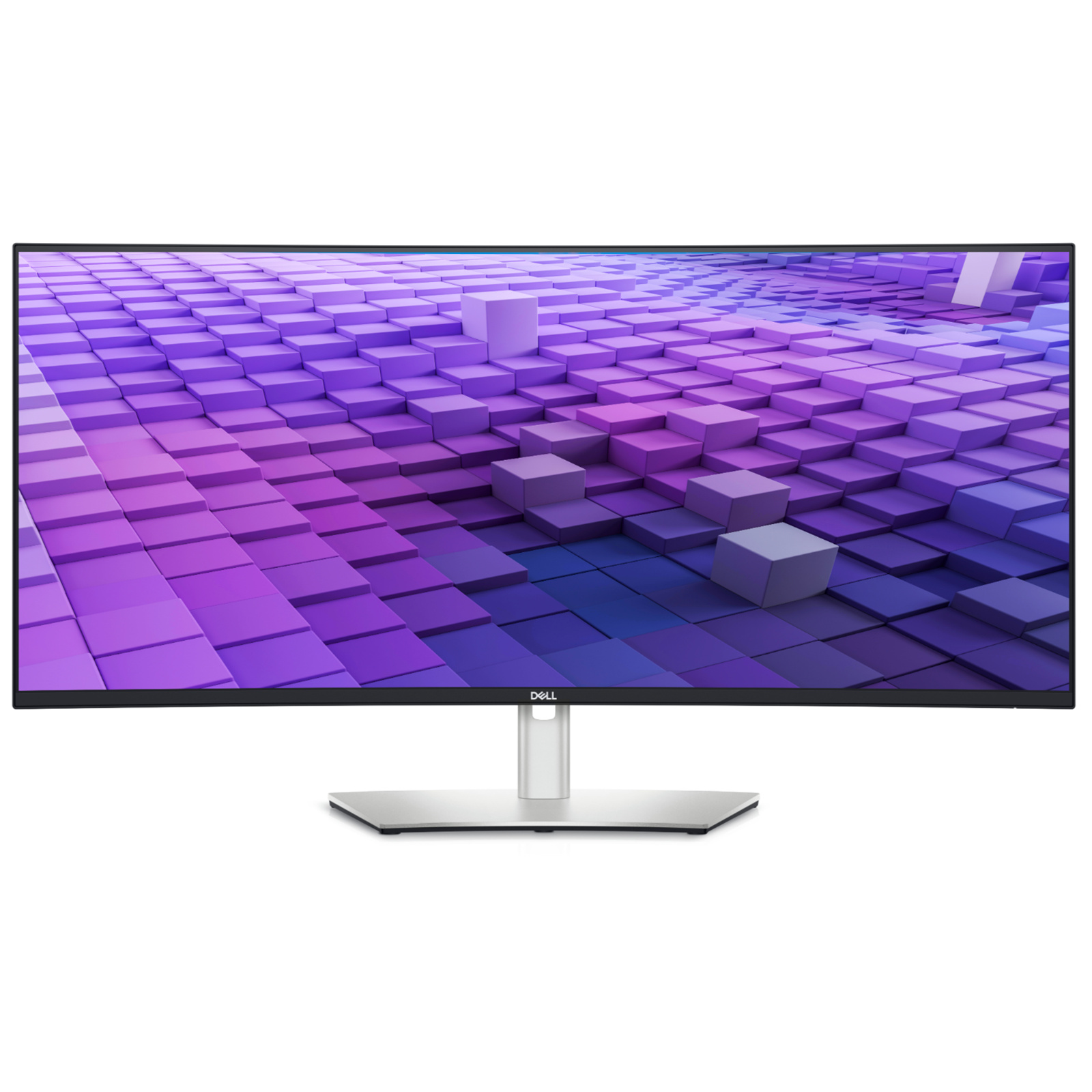
A stunning, curved 86.36cm (34") WQHD monitor with wide colour coverage and extensive connectivity, including RJ45, USB-C and quick-access front ports. See and achieve more on this ultra-wide, curved 86.36 cm (34") WQHD (3,440 x 1,440) display. The wider screen allows for more effective multitasking without the need for a second monitor.
A stunning, curved 86.36cm (34") WQHD monitor with wide colour coverage and extensive connectivity, including RJ45, USB-C and quick-access front ports. See and achieve more on this ultra-wide, curved 86.36 cm (34") WQHD (3,440 x 1,440) display. The wider screen allows for more effective multitasking without the need for a second monitor.
in 3 offers
The lowest price for Dell U3421WE 34.1inch UltraSharp WQHD IPS Curved USB-C Hub Monitor right now is $1,139.00 at Umart, compared across 3 retailers.
The all-time low was $62.01 on 12 Feb 2026 — today's price is 1737% above the lowest ever. It has been notably cheaper before — worth setting a price alert.
Prices last updated 11 May 2026.
Dell U3421WE 34.1inch UltraSharp WQHD IPS Curved USB-C Hub Monitor
A stunning, curved 86.36cm (34") WQHD monitor with wide colour coverage and extensive connectivity, including RJ45, USB-C and quick-access front ports. See and achieve more on this ultra-wide, curved 86.36 cm (34") WQHD (3,440 x 1,440) display. The wider screen allows for more effective multitasking without the need for a second monitor.
A stunning, curved 86.36cm (34") WQHD monitor with wide colour coverage and extensive connectivity, including RJ45, USB-C and quick-access front ports. See and achieve more on this ultra-wide, curved 86.36 cm (34") WQHD (3,440 x 1,440) display. The wider screen allows for more effective multitasking without the need for a second monitor.

