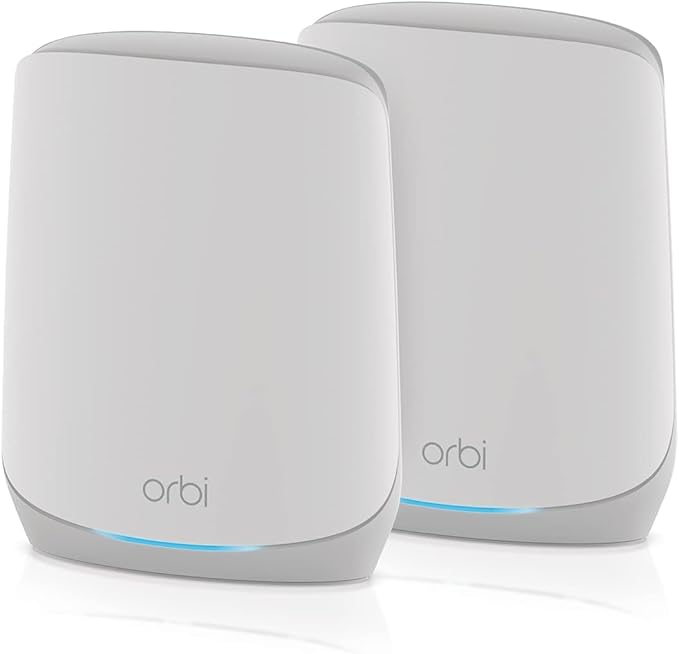
Netgear Orbi AC2200 Tri-Band Wifi System RBR20 - White
The Orbi RBR20 is designed to blend with most home environments and includes a ring of LEDs that glow blue or amber to indicate strong or poor internet connections. They turn off when a stable connection is established and allow you to check your connection status at a glance. Additionally, you can issue voice commands to control your Wi-Fi network using Amazon Alexa and Google Assistant. Manage your network, including setting up a guest login and configuring parental controls, using the Orbi mobile app. Fast Wi-Fi Featuring four internal antennas and a powerful 710 MHz quad-core processor, the Orbi RBR20 delivers 802.11ac Wi-Fi speeds of up to 400 Mb/s over the 2.4 GHz signal and 866 Mb/s through the 5 GHz frequency. The tri-band mesh router communicates with satellites using a dedicated 5 GHz, 866 Mb/s signal for fast and consistent speeds. Reliable Connections The Orbi RBR20 uses MU-MIMO technology to simultaneously communicate with multiple devices while implicit and explicit Beamforming help to maintain strong connections over long distances, covering up to 2,000 square feet. Easy Expansion Increase your Wi-Fi coverage by adding compatible Orbi satellites to the network. Orbi App Use the Orbi mobile app on your iOS or Android mobile device to set up and configure the Orbi RBR20 router, pause internet connectivity for specified devices, test your internet speed, and set up parental controls. Parental Controls Use the Circle Smart Parental Controls from the Orbi app to set up bedtimes and time limits for your children in addition to filtering content for added peace of mind. You can also reward children by extending the cut off times. Voice Commands Use either Amazon Alexa or Google Assistant to issue voice commands to the router and control your network.
The Orbi RBR20 is designed to blend with most home environments and includes a ring of LEDs that glow blue or amber to indicate strong or poor internet connections. They turn off when a stable connection is established and allow you to check your connection status at a glance. Additionally, you can issue voice commands to control your Wi-Fi network using Amazon Alexa and Google Assistant. Manage your network, including setting up a guest login and configuring parental controls, using the Orbi mobile app. Fast Wi-Fi Featuring four internal antennas and a powerful 710 MHz quad-core processor, the Orbi RBR20 delivers 802.11ac Wi-Fi speeds of up to 400 Mb/s over the 2.4 GHz signal and 866 Mb/s through the 5 GHz frequency. The tri-band mesh router communicates with satellites using a dedicated 5 GHz, 866 Mb/s signal for fast and consistent speeds. Reliable Connections The Orbi RBR20 uses MU-MIMO technology to simultaneously communicate with multiple devices while implicit and explicit Beamforming help to maintain strong connections over long distances, covering up to 2,000 square feet. Easy Expansion Increase your Wi-Fi coverage by adding compatible Orbi satellites to the network. Orbi App Use the Orbi mobile app on your iOS or Android mobile device to set up and configure the Orbi RBR20 router, pause internet connectivity for specified devices, test your internet speed, and set up parental controls. Parental Controls Use the Circle Smart Parental Controls from the Orbi app to set up bedtimes and time limits for your children in addition to filtering content for added peace of mind. You can also reward children by extending the cut off times. Voice Commands Use either Amazon Alexa or Google Assistant to issue voice commands to the router and control your network.
The Orbi RBR20 is designed to blend with most home environments and includes a ring of LEDs that glow blue or amber to indicate strong or poor internet connections. They turn off when a stable connection is established and allow you to check your connection status at a glance. Additionally, you can issue voice commands to control your Wi-Fi network using Amazon Alexa and Google Assistant. Manage your network, including setting up a guest login and configuring parental controls, using the Orbi mobile app. Fast Wi-Fi Featuring four internal antennas and a powerful 710 MHz quad-core processor, the Orbi RBR20 delivers 802.11ac Wi-Fi speeds of up to 400 Mb/s over the 2.4 GHz signal and 866 Mb/s through the 5 GHz frequency. The tri-band mesh router communicates with satellites using a dedicated 5 GHz, 866 Mb/s signal for fast and consistent speeds. Reliable Connections The Orbi RBR20 uses MU-MIMO technology to simultaneously communicate with multiple devices while implicit and explicit Beamforming help to maintain strong connections over long distances, covering up to 2,000 square feet. Easy Expansion Increase your Wi-Fi coverage by adding compatible Orbi satellites to the network. Orbi App Use the Orbi mobile app on your iOS or Android mobile device to set up and configure the Orbi RBR20 router, pause internet connectivity for specified devices, test your internet speed, and set up parental controls. Parental Controls Use the Circle Smart Parental Controls from the Orbi app to set up bedtimes and time limits for your children in addition to filtering content for added peace of mind. You can also reward children by extending the cut off times. Voice Commands Use either Amazon Alexa or Google Assistant to issue voice commands to the router and control your network.
The Orbi RBR20 is designed to blend with most home environments and includes a ring of LEDs that glow blue or amber to indicate strong or poor internet connections. They turn off when a stable connection is established and allow you to check your connection status at a glance. Additionally, you can issue voice commands to control your Wi-Fi network using Amazon Alexa and Google Assistant. Manage your network, including setting up a guest login and configuring parental controls, using the Orbi mobile app. Fast Wi-Fi Featuring four internal antennas and a powerful 710 MHz quad-core processor, the Orbi RBR20 delivers 802.11ac Wi-Fi speeds of up to 400 Mb/s over the 2.4 GHz signal and 866 Mb/s through the 5 GHz frequency. The tri-band mesh router communicates with satellites using a dedicated 5 GHz, 866 Mb/s signal for fast and consistent speeds. Reliable Connections The Orbi RBR20 uses MU-MIMO technology to simultaneously communicate with multiple devices while implicit and explicit Beamforming help to maintain strong connections over long distances, covering up to 2,000 square feet. Easy Expansion Increase your Wi-Fi coverage by adding compatible Orbi satellites to the network. Orbi App Use the Orbi mobile app on your iOS or Android mobile device to set up and configure the Orbi RBR20 router, pause internet connectivity for specified devices, test your internet speed, and set up parental controls. Parental Controls Use the Circle Smart Parental Controls from the Orbi app to set up bedtimes and time limits for your children in addition to filtering content for added peace of mind. You can also reward children by extending the cut off times. Voice Commands Use either Amazon Alexa or Google Assistant to issue voice commands to the router and control your network.
in 3 offers
The lowest price for Netgear Orbi AC2200 Tri-Band Wifi System RBR20 - White right now is $36.62 at eBay.com.au.
The all-time low was $12.13 on 7 May 2026 — today's price is 202% above the lowest ever. It has been notably cheaper before — worth setting a price alert.
Prices last updated 24 June 2026.
Last updated at 24/06/2026 08:46:50
Netgear Orbi Ac2200 Tri-band Mesh Wi-fi Router Rbr20 Satellite Router
Delivery $59.72
Affiliate Disclosure: We may receive a small commission for purchases made through this link at no extra cost to you. This helps support our site. Thank you!
Netgear Orbi Ac2200 Tri-band Mesh Wi-fi Router Rbr20
Delivery $106.85
Affiliate Disclosure: We may receive a small commission for purchases made through this link at no extra cost to you. This helps support our site. Thank you!
Netgear Orbi Rbr20 Ac2200 Tri-band Wireless Wifi Router System No Box
Delivery $48.17
Affiliate Disclosure: We may receive a small commission for purchases made through this link at no extra cost to you. This helps support our site. Thank you!
originally posted on netgear.com
Orbi home mesh WiFi system. This is my second purchase of the Orbi. I bought the first one 3 years ago, the homes in Costa Rica are made with cinder blocks which restrict the WiFi signal, plus internet is terrible in that country any way. I purchased the current refurbished Orib system, my mothers home is over a hundred years old back when house was built there was some form of concrete used which hinders the internet signal. I must admit now that Orbi has been implemented we haven't a lot of our issues are now obsolete.
originally posted on netgear.com
This system and experience is OK, but for the price, it should be great. The router and satellites mostly work as advertised, but they do occasionally "drop" internet service. What's really troubling, is simple, yet necessary things such as firmware/software updates can cause the router to crash, have slow connectivity, or no connectivity. This is the warning part...the warranty AND live (human) tech support for this product is only for 90 DAYS from date of purchase. Once that has expired, you are on your own for figuring out problems, or you have to pony up even more money(!) to get live tech support Now, for free, Netgear will guide you to their online forum/ web page for tech support, but good luck. You must post your problem/issue, wait for a response (here's to ... MoreThis system and experience is OK, but for the price, it should be great. The router and satellites mostly work as advertised, but they do occasionally "drop" internet service. What's really troubling, is simple, yet necessary things such as firmware/software updates can cause the router to crash, have slow connectivity, or no connectivity. This is the warning part...the warranty AND live (human) tech support for this product is only for 90 DAYS from date of purchase. Once that has expired, you are on your own for figuring out problems, or you have to pony up even more money(!) to get live tech support Now, for free, Netgear will guide you to their online forum/ web page for tech support, but good luck. You must post your problem/issue, wait for a response (here's to hoping the online tech support people know what you are asking/describing the first time), then try to figure out if that solution fixes your problem. If that solution doesn't work, it's back to the drawing board and the online forum. For people that are not tech savvy, this could pose a huge problem. Also, with some of the tech support responses, you will be made to feel like you just fell off the turnip truck or that you are talking to a bunch of "homers." The entire tech support process is an unnecessarily drawn out, arduous process that could be made better, by talking to a live person, for FREE. The Orbi app apparently is hit or miss as well, because updates pushed through using the app can cause problems. In summary, the price does not meet the expectations of what this product should be able to do and the support that should be given. For the price, I feel that I bought great looking sports car, with a 4 cylinder engine.
originally posted on netgear.com
I bought this system to have better wifi coverage when we moved to a larger place. I greatly regret buying this. For reference, we had a TP-Link Archer A9, which had ok coverage but couldn't handle the size of our new place.This Orbi system is terrible. The WiFi constantly dropped on both my phone and computer. I am currently working from home, and my remote session dropped 3 times within an hour of starting work. I could not go for more than 2-3 minutes on my phone without it dropping (I tried playing a 2-3 minute game and could never get through one without dropping). This system also highly prioritizes the 2.4GHz band, so you rarely get the faster speeds of 5GHz. (The only device it would allow on the 5GHz was a Google Home Mini, which is the least-useful ... MoreI bought this system to have better wifi coverage when we moved to a larger place. I greatly regret buying this. For reference, we had a TP-Link Archer A9, which had ok coverage but couldn't handle the size of our new place.This Orbi system is terrible. The WiFi constantly dropped on both my phone and computer. I am currently working from home, and my remote session dropped 3 times within an hour of starting work. I could not go for more than 2-3 minutes on my phone without it dropping (I tried playing a 2-3 minute game and could never get through one without dropping). This system also highly prioritizes the 2.4GHz band, so you rarely get the faster speeds of 5GHz. (The only device it would allow on the 5GHz was a Google Home Mini, which is the least-useful device on that band. There is no way to manually adjust which devices are on which band.)I spoke with tech support, tried changing a bunch of options, and it did not help. This system is majorly glitchy, and if you google "RBR20 dropping WiFi", you'll see this is not an uncommon issue. I'm including a shot of one of my speed tests while using this router (for reference, we should be getting up to 200MB/s internet). I took this speed test 5 times on my laptop, which is sitting 2 feet from the Orbi satellite. 4/5 times were similar speeds to the screenshot. One time got up to 20MB/s.Do yourself a favor. Do not get this system.If I could give 1.5 stars, I would, because Netgear does have great customer service. I never had long hold times, and they were very accommodating as they tried to help. But the RBR20 system is just not workable.
Netgear Orbi Ac2200 Tri-band Mesh Wi-fi Router Rbr20 Satellite Router
Delivery $59.72
Affiliate Disclosure: We may receive a small commission for purchases made through this link at no extra cost to you. This helps support our site. Thank you!
Netgear Orbi Ac2200 Tri-band Mesh Wi-fi Router Rbr20
Delivery $106.85
Affiliate Disclosure: We may receive a small commission for purchases made through this link at no extra cost to you. This helps support our site. Thank you!
Netgear Orbi Rbr20 Ac2200 Tri-band Wireless Wifi Router System No Box
Delivery $48.17
Affiliate Disclosure: We may receive a small commission for purchases made through this link at no extra cost to you. This helps support our site. Thank you!
Orbi home mesh WiFi system. This is my second purchase of the Orbi. I bought the first one 3 years ago, the homes in Costa Rica are made with cinder blocks which restrict the WiFi signal, plus internet is terrible in that country any way. I purchased the current refurbished Orib system, my mothers home is over a hundred years old back when house was built there was some form of concrete used which hinders the internet signal. I must admit now that Orbi has been implemented we haven't a lot of our issues are now obsolete.
This system and experience is OK, but for the price, it should be great. The router and satellites mostly work as advertised, but they do occasionally "drop" internet service. What's really troubling, is simple, yet necessary things such as firmware/software updates can cause the router to crash, have slow connectivity, or no connectivity. This is the warning part...the warranty AND live (human) tech support for this product is only for 90 DAYS from date of purchase. Once that has expired, you are on your own for figuring out problems, or you have to pony up even more money(!) to get live tech support Now, for free, Netgear will guide you to their online forum/ web page for tech support, but good luck. You must post your problem/issue, wait for a response (here's to ... MoreThis system and experience is OK, but for the price, it should be great. The router and satellites mostly work as advertised, but they do occasionally "drop" internet service. What's really troubling, is simple, yet necessary things such as firmware/software updates can cause the router to crash, have slow connectivity, or no connectivity. This is the warning part...the warranty AND live (human) tech support for this product is only for 90 DAYS from date of purchase. Once that has expired, you are on your own for figuring out problems, or you have to pony up even more money(!) to get live tech support Now, for free, Netgear will guide you to their online forum/ web page for tech support, but good luck. You must post your problem/issue, wait for a response (here's to hoping the online tech support people know what you are asking/describing the first time), then try to figure out if that solution fixes your problem. If that solution doesn't work, it's back to the drawing board and the online forum. For people that are not tech savvy, this could pose a huge problem. Also, with some of the tech support responses, you will be made to feel like you just fell off the turnip truck or that you are talking to a bunch of "homers." The entire tech support process is an unnecessarily drawn out, arduous process that could be made better, by talking to a live person, for FREE. The Orbi app apparently is hit or miss as well, because updates pushed through using the app can cause problems. In summary, the price does not meet the expectations of what this product should be able to do and the support that should be given. For the price, I feel that I bought great looking sports car, with a 4 cylinder engine.
I bought this system to have better wifi coverage when we moved to a larger place. I greatly regret buying this. For reference, we had a TP-Link Archer A9, which had ok coverage but couldn't handle the size of our new place.This Orbi system is terrible. The WiFi constantly dropped on both my phone and computer. I am currently working from home, and my remote session dropped 3 times within an hour of starting work. I could not go for more than 2-3 minutes on my phone without it dropping (I tried playing a 2-3 minute game and could never get through one without dropping). This system also highly prioritizes the 2.4GHz band, so you rarely get the faster speeds of 5GHz. (The only device it would allow on the 5GHz was a Google Home Mini, which is the least-useful ... MoreI bought this system to have better wifi coverage when we moved to a larger place. I greatly regret buying this. For reference, we had a TP-Link Archer A9, which had ok coverage but couldn't handle the size of our new place.This Orbi system is terrible. The WiFi constantly dropped on both my phone and computer. I am currently working from home, and my remote session dropped 3 times within an hour of starting work. I could not go for more than 2-3 minutes on my phone without it dropping (I tried playing a 2-3 minute game and could never get through one without dropping). This system also highly prioritizes the 2.4GHz band, so you rarely get the faster speeds of 5GHz. (The only device it would allow on the 5GHz was a Google Home Mini, which is the least-useful device on that band. There is no way to manually adjust which devices are on which band.)I spoke with tech support, tried changing a bunch of options, and it did not help. This system is majorly glitchy, and if you google "RBR20 dropping WiFi", you'll see this is not an uncommon issue. I'm including a shot of one of my speed tests while using this router (for reference, we should be getting up to 200MB/s internet). I took this speed test 5 times on my laptop, which is sitting 2 feet from the Orbi satellite. 4/5 times were similar speeds to the screenshot. One time got up to 20MB/s.Do yourself a favor. Do not get this system.If I could give 1.5 stars, I would, because Netgear does have great customer service. I never had long hold times, and they were very accommodating as they tried to help. But the RBR20 system is just not workable.
I had a little sams club special plug in the wall WiFi extender and it was cool to finally get internet upstairs but it was only 1-2 bar on the WiFi and everything would buffer and take forever to load. I researched these and thought that the square foot footage was perfect for my situation and I finally bit the bullet and bought them, the setup is so smooth and easy, all from your phone. So now it’s time to test it out. I go to my bedroom which was furthest away from the router in the basement and load up a movie on the streaming device I use and boom it loaded right up, played a movie from another streaming platform and boom! No buffering. Have had these now for over 2 weeks and couldn’t be more happier! I have bragged to people at work about it and have even ... MoreI had a little sams club special plug in the wall WiFi extender and it was cool to finally get internet upstairs but it was only 1-2 bar on the WiFi and everything would buffer and take forever to load. I researched these and thought that the square foot footage was perfect for my situation and I finally bit the bullet and bought them, the setup is so smooth and easy, all from your phone. So now it’s time to test it out. I go to my bedroom which was furthest away from the router in the basement and load up a movie on the streaming device I use and boom it loaded right up, played a movie from another streaming platform and boom! No buffering. Have had these now for over 2 weeks and couldn’t be more happier! I have bragged to people at work about it and have even watched some fellow coworkers buy them
I got an orbi router set for my parents last year and they love it. Finally have strong wifi in their entire house (3200sqft)I bought this orbi set for myself 1 router 1 satellite plus a prev generation satellite I had and couldn't get the old satellite connected even though it's supposed to be compatible. Wanted to set up an office in my empty garden shed but i can't get it to reach even though it should be within the 4000sqft
Orbi has an enticing concept of having whole house wifi, but the execution of it is terrible. On the first day of me buying it, I spend about 45 minutes setting up the system, following every direction closely. Finally after another 10 minutes of getting it online, I was met with high internet speeds, which was great! After a few days, I started to get problems. While the router is plugged into my modem, it "maintains" an internet connection while the satellite just drops it. This has happened so many times I've lost count. Once it looses connection, then I have to spend the next 10 minutes pressing the sync button, then checking the app to see if the satellite has connected to the router. After it syncs, five minute later it disconnects to the router. Then the ... MoreOrbi has an enticing concept of having whole house wifi, but the execution of it is terrible. On the first day of me buying it, I spend about 45 minutes setting up the system, following every direction closely. Finally after another 10 minutes of getting it online, I was met with high internet speeds, which was great! After a few days, I started to get problems. While the router is plugged into my modem, it "maintains" an internet connection while the satellite just drops it. This has happened so many times I've lost count. Once it looses connection, then I have to spend the next 10 minutes pressing the sync button, then checking the app to see if the satellite has connected to the router. After it syncs, five minute later it disconnects to the router. Then the process repeats. I've lost data because of how unreliable this system is. It's so finicky to the point that it just stops the internet data coming from my modem into the orbi system. Then I have to fiddle around with the ethernet cable until the port lights up and the ring stops flashing white. Then, even though the ETHERNET CABLE is still plugged in, I don't get any internet. I can't even game without worrying about my internet.Then when I'm on my phone, sometimes the system just throttles my internet or drops me from the wifi. Even when there is only one or two devices using the internet, my internet stops. There is no problem with my ISP whenever this happens. It just does. My old router does a better job and doesn't throttle my internet. I've factory reset it, kept the firmware up to date, but to no avail. This system fails as a whole and is not worth the price it's advertised for. If I could rate it a ZERO, I would. PLEASE don't buy this system
This is a review of the Orbi RBK23 (AC2200 3-pack).It is day 3 of life with the Orbi and it has far exceeded my expectations.Allow me to start from the beginning. I have a 200MBps connection to the front of the house on the first floor. All my devices are on WiFi. My kids started complaining of slow connections from their room on the second floor which is farthest from the router. When I investigated, I found that my kids' room was only getting 30-40MBps. I also noticed that my master bedroom on the first floor, which is about 40 ft away and separated from the router by a staircase and separated by 5 walls, was also getting no more than 30-50MBps. Only my living room TV was getting the full speed.I looked into Google and Amazon mesh systems but was drawn to ... MoreThis is a review of the Orbi RBK23 (AC2200 3-pack).It is day 3 of life with the Orbi and it has far exceeded my expectations.Allow me to start from the beginning. I have a 200MBps connection to the front of the house on the first floor. All my devices are on WiFi. My kids started complaining of slow connections from their room on the second floor which is farthest from the router. When I investigated, I found that my kids' room was only getting 30-40MBps. I also noticed that my master bedroom on the first floor, which is about 40 ft away and separated from the router by a staircase and separated by 5 walls, was also getting no more than 30-50MBps. Only my living room TV was getting the full speed.I looked into Google and Amazon mesh systems but was drawn to Orbi because of the dedicated WiFi backbone. Orbi's AC2200 models are much better priced than the other two.I picked RBK23 because of it's very reasonable price point at $200. I wanted to start with this model and upgrade to a AC3000 system if this didn't address the issue. The other 3-pack AC3000 were more than twice the price of this model.Setup, unfortunately, was not painless. The steps to get the router connected to the internet and both satellites synced, took about a half hour. The troubleshooting that I had to do to optimize performance took the next couple of hours. Here's what happened. After, everything was set up, I connected my TV to the new WiFi network and noticed that it was only connected at 80MBps. When I looked at the network map in the app, I noticed that one of the satellites was connecting to the other satellite instead of the router. After some web searching for a resolution, I learnt of the existence of a daisy chain mode which, curiously, is enabled by default. After disabling that option, and waiting for 20 minutes or so, the satellite that was connecting to the other satellite, went offline and refused to come back up. The Orbi portal showed the status of this satellite as "Config Sync" and it stayed that way. I powered the satellite on and off several times with no effect. As a last option, I powered down "everything" - router and both satellites - and slowly brought them back up, one by one - router first, and after it went green, the troubled satellite, and after that went green, the third satellite. After a few refreshes of the network map, it finally showed the topology I wanted - one router connected to the internet and both satellites connected to the router.My kids' room that's farthest (50ft) from the router is now at 170-190MBps. My master bedroom (40 ft away) also gets the same speed. Anything connected directly to the router gets the full 200MBps speed.PROBLEM SOLVED!Below are a few comments -1. Roaming is not seamless and takes a few minutes. If I start at the router and walk with my phone upstairs, my phone stays connected to the router for several minutes (at a slower speed) before it switches over to the satellite upstairs. When that happens, I lose connection for a few seconds. I don't really see this as an issue.2. The portal and the app don't always show the same state. Portal is accurate every time.3. Devices don't always stay connected to the nearest node all the time. Sometimes they connect to nodes further away but they always find their way back to the closest one. I suspect, Orbi uses load on a specific node in addition to proximity to determine which device gets which node. This hasn't been a problem for me because even the farthest node gives me at least 100 MBps.
Our network was a little outdated and needed upgrading. The Orbi was definitely the right choice. The previous network had dead zones in the house but now the signal is consistent. The only thing we haven’t figured out is how to set the static IPs to reconnect the whole house sound system but we haven’t had the chance to really play around with it yet. We’re really happy with the improved connectivity with the Orbi.
This product (base station with two satellites) provides the coverage needed to run 20 devices consistently. The initial setup truly only lasted ten minutes at best. Our multilevel home never loses connection and the parental controls are great as well.I’ve tried difference routers over the years and I can say that the Orbi system is the way to go! Works on Apple, Windows and Android devices seamlessly.Please try this system ASAP!
I recommend the Orbi's to my customers that need to cover mid to larger areas. They work well.Setup, is straight forward, be patient. The Orbi system is REALLY flexible and seamless the way that they communicate. From base router to device, satellite to satellite, base router to satellite, satellite to device. All communications can be hardwired, wireless, or a mixture of both.The wireless radios in the Orbi's are pretty powerful in transmitting and receiving, regarding distance and speed. If you have a fast internet service 100 Mbps (and beyond) you will be amazed with the wireless speeds the Orbi can handle!Oh and most important, When you need support you can actually speak to a human.They are worth it.