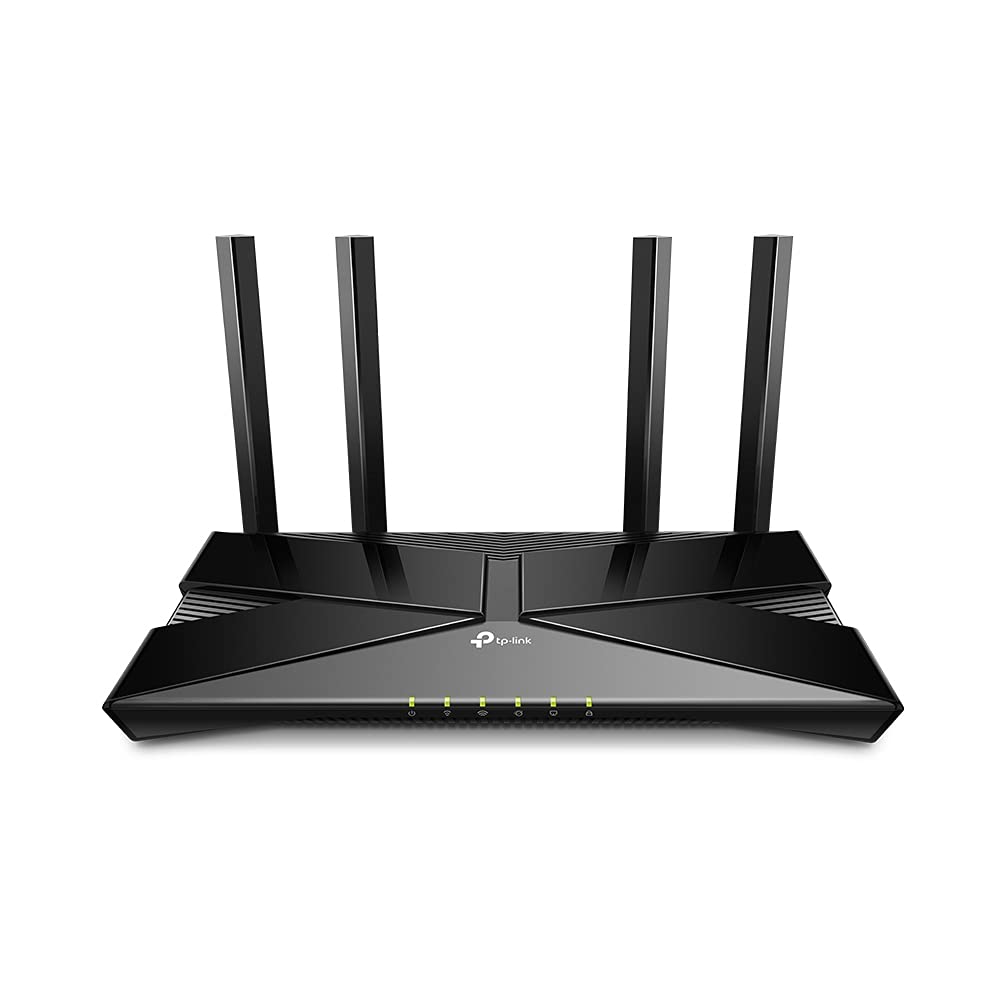
D-Link COVR-X1873 AX1800 Dual Band Mesh Wi-Fi 6 System (3 Pack)
AX1800 Dual Band Seamless Mesh Wi-Fi 6 System (2-Pack)
AX1800 Dual Band Seamless Mesh Wi-Fi 6 System (2-Pack)
AX1800 Dual Band Seamless Mesh Wi-Fi 6 System (2-Pack)
AX1800 Dual Band Seamless Mesh Wi-Fi 6 System (2-Pack)
in 8 offers
The lowest price for D-Link COVR-X1873 AX1800 Dual Band Mesh Wi-Fi 6 System (3 Pack) right now is $175.00 at eBay.com.au, compared across 7 retailers.
The all-time low was $175.00 on 9 Mar 2026. That's the lowest price we've ever tracked — a great time to buy.
Prices last updated 21 Mar 2026.
Last updated at 21/03/2026 18:57:18
D-link Covr-x1873 Ax1800 Dual Band Seamless Router - 3 Pack
Free delivery
Affiliate Disclosure: We may receive a small commission for purchases made through this link at no extra cost to you. This helps support our site. Thank you!
D-link Covr-x1873 Ax1800 Dual Band Seamless Mesh Wi-fi 6 System
Free delivery
Affiliate Disclosure: We may receive a small commission for purchases made through this link at no extra cost to you. This helps support our site. Thank you!
D-Link X1873 AX1800 Dual Band Seamless Mesh Wi-Fi 6 System - 3-Pack
7-day returns
D-Link COVR-X1873 AX1800 Dual Band Seamless Mesh Wi-Fi 6 System (3-Pack)
Free delivery between Tue – Fri
D-Link COVR-X1873 AX1800 Dual Band Seamless Mesh Wi-Fi 6 System (3-Pack)
Free delivery between 26 Mar – 3 Apr
DLINK AX1800 Dual Band Mesh Wi-Fi 6 System - 3 Pack
Free delivery between Wed – Fri
COVR-X1873 D-Link Covr COVR-X1873 Wi-Fi 6 IEEE 802.11ax Ethernet Wireless Router - 2.40 GHz ISM Band - 5 GHz UNII Band
Delivery $15
COVR-X1873 D-Link AX1800 Dual Band Seamless Mesh Wi-Fi 6 System
Free delivery
originally posted on pbtech.co.nz
I live in a truck and caravan and recently I have been turning it into a smart truck and caravan. The internet is received by a 4g Skinny modem and while the connection in the truck was fine the connection in the caravan was crap so the devices in there did not work when the doors were closed (aluminium does that). So I got these three beasts. The problem remained that when all was set up I still could not get a good connection in the caravan when the doors were closed. But, connecting the truck router to the caravan router by ethernet cable and all is as great as you would expect for the amount these routers cost. I had a couple of issues setting them up but the DLink tech staff answered the phone immediately and resolved the issues quickly. And it turns out I only ... MoreI live in a truck and caravan and recently I have been turning it into a smart truck and caravan. The internet is received by a 4g Skinny modem and while the connection in the truck was fine the connection in the caravan was crap so the devices in there did not work when the doors were closed (aluminium does that). So I got these three beasts. The problem remained that when all was set up I still could not get a good connection in the caravan when the doors were closed. But, connecting the truck router to the caravan router by ethernet cable and all is as great as you would expect for the amount these routers cost. I had a couple of issues setting them up but the DLink tech staff answered the phone immediately and resolved the issues quickly. And it turns out I only needed two so now I have a spare.
originally posted on pbtech.co.nz
The COVR-187X is a great budget Mesh system. For under $700 it does everything that a higher end, more expensive mesh system does, but at a much cheaper cost. I was initially a little worried that the router software didn't cover all of my needs because I have a few public servers hosted on different computers in our household (Plex, Minecraft, Ark, etc), and I couldn't find how to set up decent port forwarding. I eventually figured it out; the options are a little obtuse to find, but be assured it does everything that you need, including static DHCP leases, port forwarding and redirection, and dynamic DNS service support. It even appears to have a home VPN service (ie: connect to your home network from remote), but I haven't played with that yet. The Mesh system ... MoreThe COVR-187X is a great budget Mesh system. For under $700 it does everything that a higher end, more expensive mesh system does, but at a much cheaper cost. I was initially a little worried that the router software didn't cover all of my needs because I have a few public servers hosted on different computers in our household (Plex, Minecraft, Ark, etc), and I couldn't find how to set up decent port forwarding. I eventually figured it out; the options are a little obtuse to find, but be assured it does everything that you need, including static DHCP leases, port forwarding and redirection, and dynamic DNS service support. It even appears to have a home VPN service (ie: connect to your home network from remote), but I haven't played with that yet. The Mesh system works great. We have excellent internet all throughout our household now. Extending your network is simple too, you just need to buy one or more identical devices (any one can be set up as the master, and the rest as satellites). We're even considering buying another station to put in my wife's greenhouse for the garden.
originally posted on jbhifi.com.au
I have a double story house with Telstra NBN, using their supplied router. Whilst my speed of connection through ethernet was 250mbps, I was only getting about 15-20mbps via wifi. I had products constantly dropping out and dead spots all over the house. I purchased this mesh product and within 20 mins of setting it up I was getting 273mbps over wifi in every part of the house with full reception. I also have only set up 2 out of the 3 of the mesh system. Imagine if I set up the third one! Set up was fast and easy, all via an app and my computer. Each base stations has 4 ethernet points to hard wire products. This is fantastic for all my game consoles, which are flying like they have never done before. A must buy!
| Manufacturer's Warranty | 3 Years |
| Wi-Fi | Yes |
| Dimensions (mm) | 565 x 445 x 260 mm |
D-link Covr-x1873 Ax1800 Dual Band Seamless Router - 3 Pack
Free delivery
Affiliate Disclosure: We may receive a small commission for purchases made through this link at no extra cost to you. This helps support our site. Thank you!
D-link Covr-x1873 Ax1800 Dual Band Seamless Mesh Wi-fi 6 System
Free delivery
Affiliate Disclosure: We may receive a small commission for purchases made through this link at no extra cost to you. This helps support our site. Thank you!
D-Link X1873 AX1800 Dual Band Seamless Mesh Wi-Fi 6 System - 3-Pack
7-day returns
D-Link COVR-X1873 AX1800 Dual Band Seamless Mesh Wi-Fi 6 System (3-Pack)
Free delivery between Tue – Fri
D-Link COVR-X1873 AX1800 Dual Band Seamless Mesh Wi-Fi 6 System (3-Pack)
Free delivery between 26 Mar – 3 Apr
I live in a truck and caravan and recently I have been turning it into a smart truck and caravan. The internet is received by a 4g Skinny modem and while the connection in the truck was fine the connection in the caravan was crap so the devices in there did not work when the doors were closed (aluminium does that). So I got these three beasts. The problem remained that when all was set up I still could not get a good connection in the caravan when the doors were closed. But, connecting the truck router to the caravan router by ethernet cable and all is as great as you would expect for the amount these routers cost. I had a couple of issues setting them up but the DLink tech staff answered the phone immediately and resolved the issues quickly. And it turns out I only ... MoreI live in a truck and caravan and recently I have been turning it into a smart truck and caravan. The internet is received by a 4g Skinny modem and while the connection in the truck was fine the connection in the caravan was crap so the devices in there did not work when the doors were closed (aluminium does that). So I got these three beasts. The problem remained that when all was set up I still could not get a good connection in the caravan when the doors were closed. But, connecting the truck router to the caravan router by ethernet cable and all is as great as you would expect for the amount these routers cost. I had a couple of issues setting them up but the DLink tech staff answered the phone immediately and resolved the issues quickly. And it turns out I only needed two so now I have a spare.
The COVR-187X is a great budget Mesh system. For under $700 it does everything that a higher end, more expensive mesh system does, but at a much cheaper cost. I was initially a little worried that the router software didn't cover all of my needs because I have a few public servers hosted on different computers in our household (Plex, Minecraft, Ark, etc), and I couldn't find how to set up decent port forwarding. I eventually figured it out; the options are a little obtuse to find, but be assured it does everything that you need, including static DHCP leases, port forwarding and redirection, and dynamic DNS service support. It even appears to have a home VPN service (ie: connect to your home network from remote), but I haven't played with that yet. The Mesh system ... MoreThe COVR-187X is a great budget Mesh system. For under $700 it does everything that a higher end, more expensive mesh system does, but at a much cheaper cost. I was initially a little worried that the router software didn't cover all of my needs because I have a few public servers hosted on different computers in our household (Plex, Minecraft, Ark, etc), and I couldn't find how to set up decent port forwarding. I eventually figured it out; the options are a little obtuse to find, but be assured it does everything that you need, including static DHCP leases, port forwarding and redirection, and dynamic DNS service support. It even appears to have a home VPN service (ie: connect to your home network from remote), but I haven't played with that yet. The Mesh system works great. We have excellent internet all throughout our household now. Extending your network is simple too, you just need to buy one or more identical devices (any one can be set up as the master, and the rest as satellites). We're even considering buying another station to put in my wife's greenhouse for the garden.
I have a double story house with Telstra NBN, using their supplied router. Whilst my speed of connection through ethernet was 250mbps, I was only getting about 15-20mbps via wifi. I had products constantly dropping out and dead spots all over the house. I purchased this mesh product and within 20 mins of setting it up I was getting 273mbps over wifi in every part of the house with full reception. I also have only set up 2 out of the 3 of the mesh system. Imagine if I set up the third one! Set up was fast and easy, all via an app and my computer. Each base stations has 4 ethernet points to hard wire products. This is fantastic for all my game consoles, which are flying like they have never done before. A must buy!
The satellites in this D-Link mesh system failed to connect in the places where I have an old Orbi entry-level system with a claimed coverage of 450sqm, which the Orbi easily obtains. In fact, the D-Link satellites failed to connect even half way to where the Orbis are. As the D-Link has a claimed coverage of 750sqm (the reason for my purchase – I'm not too bothered about speed), I was perplexed, so I rang the D-Link support. To cut a long story short, the support chap eventually told me that the the satellites won't connect further than 10-15m. That's TEN to FIFTEEN metres! How they can possibly claim a coverage of 750sqm when the satellites have such a short range? Anyway, I spent (wasted) another couple of hours re-setting everything, moving the satellites closer ... MoreThe satellites in this D-Link mesh system failed to connect in the places where I have an old Orbi entry-level system with a claimed coverage of 450sqm, which the Orbi easily obtains. In fact, the D-Link satellites failed to connect even half way to where the Orbis are. As the D-Link has a claimed coverage of 750sqm (the reason for my purchase – I'm not too bothered about speed), I was perplexed, so I rang the D-Link support. To cut a long story short, the support chap eventually told me that the the satellites won't connect further than 10-15m. That's TEN to FIFTEEN metres! How they can possibly claim a coverage of 750sqm when the satellites have such a short range? Anyway, I spent (wasted) another couple of hours re-setting everything, moving the satellites closer and closer until they had a solid signal, just one room away from the router. We have a 450sqm house with a number of rooms, so clearly this product wasn't going to cut the mustard. So, back it all went to the retailer (not that straightforward as I'm rural and had bought online). This product might reach its claimed coverage in an open warehouse or something, but in a solid NZ wooden villa my experience tells me it's a long way from adequate.
Bought this 5 months ago, one of the access points (units) already stopped working. Called D-Link to use the warranty, first of all their customer service is awful, not they want me ship this garbage and pay for the shipping myself then they'll give me another refurbished unit or I'll pay $8 for them to ship me something in advance! Are you kidding me! Don't waste your money on this crap. You are spending 259+tax on something that doesn't even last a year. Go with different brand that has better customer support and better quality products. Garbage garbage garbage will never buy d-link products ever again
Hard to set up. Firstly, the Web administration link does not work. No page found. Even though my computer is connected to both Ethernet and Wi-Fi, the administration page failed to appear in the web browser. After many tries on the computer, I did set up through Mobile App. I tried to enter my username and password from my Internet Service Provider to get connected to Internet in D-Link Wi-Fi on my phone. Usually these username and password are long and hard to memorize. I had to switch to the email and came back to D-Linkg set up app. Oh, every time I opened the email and came back to D-Link App, this D-Link app goes back to the initial stage of set-up. It reboots, and booting takes more than 1 min, which feels like 1 hour.
I bought this unit recently while on sale, at the saleman's suggestion. The range and speed is good, except that anything connected to a satellite or at long range from the main unit will dropout every 5-10 minutes, without fail. The dropouts occurred on the same day of purchase, within just a couple of hours of setting it all up. No amount of rebooting, resetting, or other troubleshooting measures solved the problem. Returned the unit and purchased a Netgear Nighthawk RAX30 instead.
Purchased 2 days ago and I am still not sold on this product yet. The entire set up process was an absolute pain. I am not able to utilise the COVR as a router due to my Telstra (not so Smart) Modem, it refuses to connect to the net in router mode. Neither the app nor the instructions inform you that in some instances the router may need to be used as a bridge, I had to work this out for myself after painstakingly rebooting, resetting and starting again over and over again. I am able to connect to WiFi as a bridge and it seems to be working fine. Mobile phones, tablets, laptops and PC all connected ok, telstra TV box and smart TV's all fail to connect to the network. I will persist for another evening or 2, if they won't connect I will be returning the product.
I also picked up this on sale . I was looking for a Mesh system that did not require cloud access and this one does not. After some initial frustration am quite happy with it. I'm using this as extension of my network without any routing (AP mode). To get the best possible performance, I wanted to set up the ethernet backhaul and ran each AP to ethernet ports in my existing home network....and managed to take down my home network briefly. I didn't realize at first that your home network equipment/switches need to all support the IEEE 1905 standard. Also, it is recommended that the ethernet backhaul be on its own separate network if possible. After buying a D-Link gigabit switch with IEEE 1905 support, and running ethernet from each AP back to it, I'm getting ... MoreI also picked up this on sale . I was looking for a Mesh system that did not require cloud access and this one does not. After some initial frustration am quite happy with it. I'm using this as extension of my network without any routing (AP mode). To get the best possible performance, I wanted to set up the ethernet backhaul and ran each AP to ethernet ports in my existing home network....and managed to take down my home network briefly. I didn't realize at first that your home network equipment/switches need to all support the IEEE 1905 standard. Also, it is recommended that the ethernet backhaul be on its own separate network if possible. After buying a D-Link gigabit switch with IEEE 1905 support, and running ethernet from each AP back to it, I'm getting outstanding speeds from anywhere in my house (anywhere from 600-1200mbps on my AC-supported clients). That's right, the wifi is actually faster than (and bottlenecked) by the gigabit ethernet backhaul in some cases.
Used with NBN FTTP connection to TPG. The setup Wizzard isn't smart enough to distinguish between the various NBN connection types and assumes TPG requires a VLAN setup. That is true for an HFC connection but not for a FTTP connection. Workaround it to use iiNet in the wizard instead of TPG. The main issue with this product is the time it takes to reconnect to the NBN after a power outage. Hours, if at all. After a power outage I have put a laptop straight into the NBN box, and set up a PPPoE connection that works fine. At the COVR-1870 router end I unplug the router, use the same network cable and plug it into my laptop and that PPPoE connection works fine. So issue is not the NBN, not my provider, not cabling in my home. I've tried resetting to factory defaults, ... MoreUsed with NBN FTTP connection to TPG. The setup Wizzard isn't smart enough to distinguish between the various NBN connection types and assumes TPG requires a VLAN setup. That is true for an HFC connection but not for a FTTP connection. Workaround it to use iiNet in the wizard instead of TPG. The main issue with this product is the time it takes to reconnect to the NBN after a power outage. Hours, if at all. After a power outage I have put a laptop straight into the NBN box, and set up a PPPoE connection that works fine. At the COVR-1870 router end I unplug the router, use the same network cable and plug it into my laptop and that PPPoE connection works fine. So issue is not the NBN, not my provider, not cabling in my home. I've tried resetting to factory defaults, setting it up from scratch. Turning off the 2 satellites, then rebooting / resetting and nothing works - the device will not make a PPPoE connection to my provider. After the first power outage, it started working out of the blue after a number of hours. Over the weekend I unplugged the router, plugged it into the mains and it wouldn't connect all evening, I check the device in the morning and the white light was on solid. No rhyme or reason why this would be. Due to me messing with power boards I had to unplug it again yesterday and 12 hours later it still hasn't got a working PPPoE connection to my provider. I'm at the end of my tether with this, going to return it.
| Manufacturer's Warranty | 3 Years |
| Wi-Fi | Yes |
| Dimensions (mm) | 565 x 445 x 260 mm |