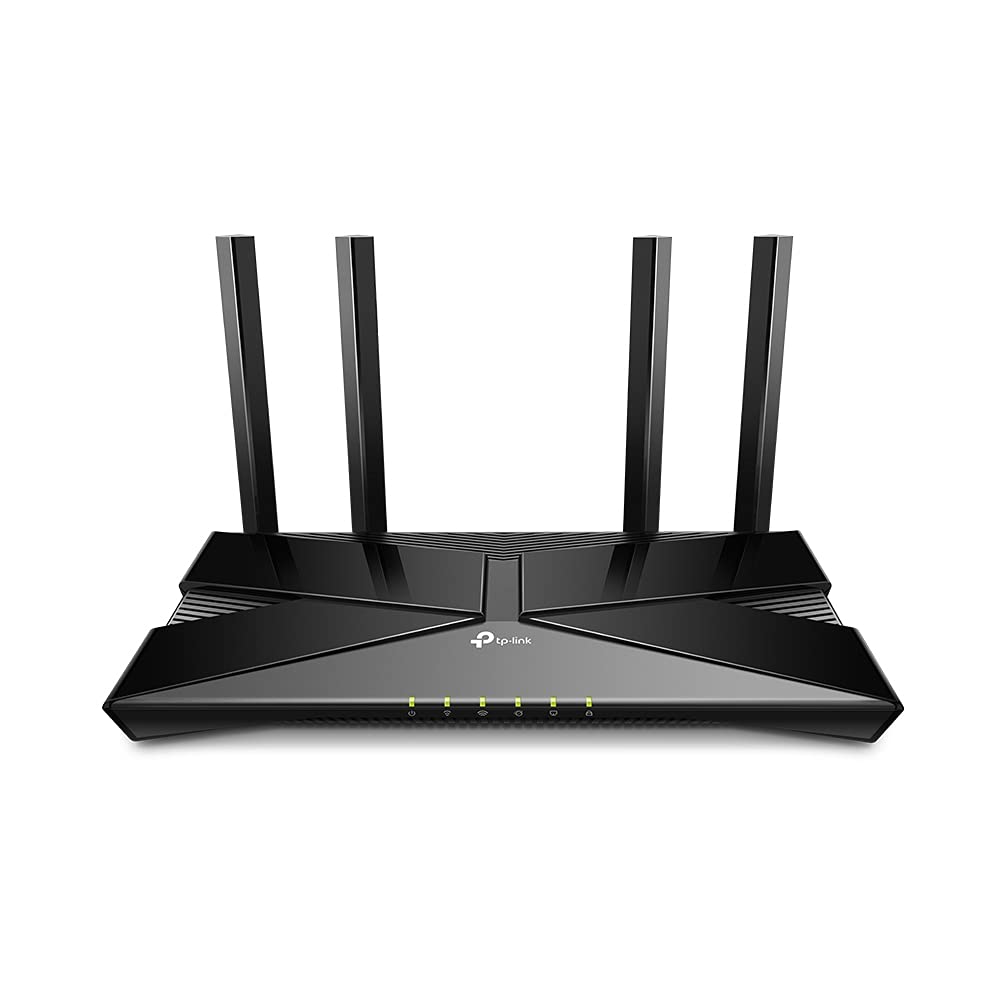
Linksys Max-Stream AX1800 Dual-Band Wi-Fi 6 Router MR7350 - Black
The MR7350 Wi-Fi 6 router lets you stream, game, and binge nonstop. Powered by Intelligent Mesh Technology which adapts to your Wi-Fi needs, your devices will always have a full-strength signal throughout your entire home. Utilizing the Wi-Fi 6 technology, all of your device connections will be high quality while also adhering to the security standards. Later, if you decide to grow your network, this future-ready router expands by adding any Linksys mesh compatible products.
The MR7350 Wi-Fi 6 router lets you stream, game, and binge nonstop. Powered by Intelligent Mesh Technology which adapts to your Wi-Fi needs, your devices will always have a full-strength signal throughout your entire home. Utilizing the Wi-Fi 6 technology, all of your device connections will be high quality while also adhering to the security standards. Later, if you decide to grow your network, this future-ready router expands by adding any Linksys mesh compatible products.
The MR7350 Wi-Fi 6 router lets you stream, game, and binge nonstop. Powered by Intelligent Mesh Technology which adapts to your Wi-Fi needs, your devices will always have a full-strength signal throughout your entire home. Utilizing the Wi-Fi 6 technology, all of your device connections will be high quality while also adhering to the security standards. Later, if you decide to grow your network, this future-ready router expands by adding any Linksys mesh compatible products.
The MR7350 Wi-Fi 6 router lets you stream, game, and binge nonstop. Powered by Intelligent Mesh Technology which adapts to your Wi-Fi needs, your devices will always have a full-strength signal throughout your entire home. Utilizing the Wi-Fi 6 technology, all of your device connections will be high quality while also adhering to the security standards. Later, if you decide to grow your network, this future-ready router expands by adding any Linksys mesh compatible products.
in 9 offers
The lowest price for Linksys Max-Stream AX1800 Dual-Band Wi-Fi 6 Router MR7350 - Black right now is $78.00 at eBay.com.au, compared across 6 retailers.
The all-time low was $46.38 on 10 Mar 2026 — today's price is 68% above the lowest ever. It has been notably cheaper before — worth setting a price alert.
Prices last updated 9 June 2026.
Last updated at 09/06/2026 15:36:39
Linksys Max-stream Ax1800 Dual-band Mesh Wi-fi 6 Router Mr7350 Black
Delivery $45.58
Affiliate Disclosure: We may receive a small commission for purchases made through this link at no extra cost to you. This helps support our site. Thank you!
Linksys Max-stream Mr7350 Wireless-ax Wi-fi 6 Router
Free delivery
Affiliate Disclosure: We may receive a small commission for purchases made through this link at no extra cost to you. This helps support our site. Thank you!
Linksys Max Stream Dual Band Wifi 6 Router
Free delivery
Affiliate Disclosure: We may receive a small commission for purchases made through this link at no extra cost to you. This helps support our site. Thank you!
Linksys MR7350 Mesh W (Renewed)
Delivery between 15–18 June $29
Linksys MR7350 Mesh W (Renewed)
Free delivery between 17–23 June
Linksys MR7350 Mesh W (Renewed)
Free delivery between 17–23 June
Hkcc Linksys Mr7350 Ax1800 Dual-band Wifi 6 Router For Home| Min Order 1 Ct
Delivery $13.64
Linksys MAX-STREAM Mesh WiFi 6 Router, Speed Up to 1.8 Gbps, Covers Up to 1,700 sq.ft, Handles 25+Devices, Intelligent Mesh, 2 Adjustable Antennas, x1
Delivery between 12–19 June $63.04
Router MR7350 dual band AX1800 WIFI 6 MESH Marca: LINKSYS
Delivery $85.17
originally posted on lazada.com.ph
Shipping and handling excellent. Item arrived in less than a week. A bit disappointed with the item though. I bought the item bec of the supposed range of 1700sqft. But the wifi signal was zilch in my bedroom (chb wall) which was less than 15m away fr the router. I guess you have to buy this with the velop system if you have a house with chb walls. Easy to set up though. Asked for invoice but received one without TIN. I guess not standard practice among lazada sellers to issue bir SI
originally posted on ebay.com
The integrated mesh technology makes using multiple routers as wireless access points for one network simple. Truly better than expected. Linksys offers an app for iOS and Android to manage the mesh network from anywhere with an internet connection. I can also still manage it from a traditional web GUI. However, these are not good routers for users who want web filters/parental controls. Rather than block entire websites/categories for all devices, users have to block websites for each device on a list. Every time a site needs blocked, a user has to add it to a list that applies only to one device. If I have 10 devices to filter, then I have to add the site to 10 different lists which is unnecessary as my prior setup allowed network wide web filtering. Other than ... MoreThe integrated mesh technology makes using multiple routers as wireless access points for one network simple. Truly better than expected. Linksys offers an app for iOS and Android to manage the mesh network from anywhere with an internet connection. I can also still manage it from a traditional web GUI. However, these are not good routers for users who want web filters/parental controls. Rather than block entire websites/categories for all devices, users have to block websites for each device on a list. Every time a site needs blocked, a user has to add it to a list that applies only to one device. If I have 10 devices to filter, then I have to add the site to 10 different lists which is unnecessary as my prior setup allowed network wide web filtering. Other than that, the trade offs have been well worth the increases in speed and coverage. I bought two of these to cover the whole house upstairs and downstairs and have not lost internet once since. No more range extenders and multiple network names needed.
originally posted on linksys.com
MR7350 ReviewThe Linksys MR7350 mesh WiFi6 router is as plain as they come. An all-black body with vents on top and a black panel on the front with a single LED status light. The box it came in does not state any technical specs other than the speed of AX1800 (up to 1.8 Gbps), but you can search online for the technical specs. It is a dual band router that uses 2 non-removable antennas mounted on the back. The box states that it is good for up to 1700 square feet, so I'm hoping my 2 story 3000 square foot home falls within those parameters. It is a MU-MIMO capable router and is compatible with Linksys' Velop line of mesh routers. In fact, while setting the MR7350 up via Linksys' iPhone app, it gets displayed as a Velop router. It does have a USB 3.0 port that can ... MoreMR7350 ReviewThe Linksys MR7350 mesh WiFi6 router is as plain as they come. An all-black body with vents on top and a black panel on the front with a single LED status light. The box it came in does not state any technical specs other than the speed of AX1800 (up to 1.8 Gbps), but you can search online for the technical specs. It is a dual band router that uses 2 non-removable antennas mounted on the back. The box states that it is good for up to 1700 square feet, so I'm hoping my 2 story 3000 square foot home falls within those parameters. It is a MU-MIMO capable router and is compatible with Linksys' Velop line of mesh routers. In fact, while setting the MR7350 up via Linksys' iPhone app, it gets displayed as a Velop router. It does have a USB 3.0 port that can be used to attach an external hard drive that can be shared by users on your home network. It also has ports for 4 ethernet connections, should you wish to attach devices via hardwire. This is something that the original Velop mesh router did not have and for my use, is a welcome addition.Before swapping out my existing router, a Linksys WRT3200ACM, I took speed measurements around my home at various locations where I have devices set up ranging from cameras, to a sprinkler controller, to a TV, smart plugs, Amazon Echo's, and various laptops & smartphones/tablets. These measurements were to be used as a baseline of how much a difference the routers would perform wirelessly. I, unfortunately, did not have another node available to test the mesh capability of the MR7350, but I assume that the speed would be improved in the outlying areas of my home, as well improved signal quality. I also did not have any WiFi6 capable equipment to test the speeds using WiFI6. The same goes for the MU-MIMO capability.Setup via the app was easy and quick. Within about 5 minutes after connecting my ethernet cables and power, I was up and running. I used the app to tweak the configuration of the router, changing the password, SSID names/passwords for both 2.4 & 5.0 bands (you can name both SSID the same by a click of a link), and other settings. Most common settings are available, except for the ability to change bandwidth and channels manually is not available. There is a function to have the router scan the channels & automatically "OPTIMIZE" the channel selection/bandwidth using an algorithm that is used by the Linksys firmware. Strangely, security is limited to WPA2 & WPA3 Personal only (no Enterprise). Older protocols are not supported, so I'm not sure what happens with older equipment.The aesthetics of the router is a little disappointing since there are no status lights on the front panel, except for the master status light, which just displays power on, connection status (blinking means it has no internet connection) and readiness to be setup via the app. There are what I assume are transmit and receive LEDs by each ethernet port and the WAN port, but no wireless send/receive status, like how the WRT3200ACM displays on its front panel.To my surprise, the MR7350 WiFi5 performance was faster at every test point in comparison to the WRT3200ACM. Significantly faster. On both bands. The signal quality (just eyeballing the signal icon on my phone) was also improved. In my family room, I was getting only 0.1 Mbps on the 2.4 band and 7.44 on the 5.0 band with my WRT3200ACM router, whereas the MR7350 gave me 26.9 Mbps & 106.4 Mbps. In my garage, 2.4-7.45 Mbps, 5.0-10.83 Mbps (WRT3200ACM); 2.4-21.1 Mbps, 5.0-87.3 Mbps (MR7350). In my dining room, 24.-2.13 Mbps, 5.0-21.46 Mbps (WRT3200ACM); 2.4-25.9 Mbps, 5.0-277.6 Mbps (MR7350). Other areas around the house showed similar improvements, some areas on the first floor, some on the 2nd with walls, floors, and doors providing no line of sight for all locations. Based on these readings, I would whole heatedly recommend this router to be used just as a standalone router. Knowing that it could be expanded in the future by adding nodes makes it a plus feature.Once the router is setup via the app, the router can be accessed via a browser on a computer, which is what I did since it is easier to navigate between setup screens to further explore the settings. One thing that isn't available via the web interface is the ability to scan channels for optimized WiFi. That feature is only available via the app.Updates to the firmware is done automatically. In fact, there is no way to manually update the firmware or save the router configuration.This router does allow for Parental control by device or website, Guest access, basic device prioritization, internet speed test, external storage management, IPv6, MTU settings, MAC address cloning, port forwarding, bridge mode, MAC filtering, VPN passthrough, some basic firewall settings, and setting up a DMZ.The router does allow for logging info to be collected for diagnostics purposes, as well as listing devices connected by wireless connection or LAN with MAC addresses & IP address assignments.Overall, this router seems to be a hybrid between the original Velop routers and a more conventional router in the sense that it comes with 4 ethernet ports for hardwire connections. The WiFi radio is a major improvement over the WRT3200ACM (which was a new model only about 4 years ago, and it comes in a more compact body. I look forward to adding a WiFi6 capable device in the future to explore the promised capability of WiFi6.
| Broadband Transmission Technology | Ethernet |
| Wireless LAN Standard | IEEE 802.11ax |
| ISM Band | Yes |
| UNII Band | Yes |
| ISM Maximum Frequency | 2.40 GHz |
Linksys Max-stream Ax1800 Dual-band Mesh Wi-fi 6 Router Mr7350 Black
Delivery $45.58
Affiliate Disclosure: We may receive a small commission for purchases made through this link at no extra cost to you. This helps support our site. Thank you!
Linksys Max-stream Mr7350 Wireless-ax Wi-fi 6 Router
Free delivery
Affiliate Disclosure: We may receive a small commission for purchases made through this link at no extra cost to you. This helps support our site. Thank you!
Linksys Max Stream Dual Band Wifi 6 Router
Free delivery
Affiliate Disclosure: We may receive a small commission for purchases made through this link at no extra cost to you. This helps support our site. Thank you!
Linksys MR7350 Mesh W (Renewed)
Delivery between 15–18 June $29
Linksys MR7350 Mesh W (Renewed)
Free delivery between 17–23 June
Shipping and handling excellent. Item arrived in less than a week. A bit disappointed with the item though. I bought the item bec of the supposed range of 1700sqft. But the wifi signal was zilch in my bedroom (chb wall) which was less than 15m away fr the router. I guess you have to buy this with the velop system if you have a house with chb walls. Easy to set up though. Asked for invoice but received one without TIN. I guess not standard practice among lazada sellers to issue bir SI
The integrated mesh technology makes using multiple routers as wireless access points for one network simple. Truly better than expected. Linksys offers an app for iOS and Android to manage the mesh network from anywhere with an internet connection. I can also still manage it from a traditional web GUI. However, these are not good routers for users who want web filters/parental controls. Rather than block entire websites/categories for all devices, users have to block websites for each device on a list. Every time a site needs blocked, a user has to add it to a list that applies only to one device. If I have 10 devices to filter, then I have to add the site to 10 different lists which is unnecessary as my prior setup allowed network wide web filtering. Other than ... MoreThe integrated mesh technology makes using multiple routers as wireless access points for one network simple. Truly better than expected. Linksys offers an app for iOS and Android to manage the mesh network from anywhere with an internet connection. I can also still manage it from a traditional web GUI. However, these are not good routers for users who want web filters/parental controls. Rather than block entire websites/categories for all devices, users have to block websites for each device on a list. Every time a site needs blocked, a user has to add it to a list that applies only to one device. If I have 10 devices to filter, then I have to add the site to 10 different lists which is unnecessary as my prior setup allowed network wide web filtering. Other than that, the trade offs have been well worth the increases in speed and coverage. I bought two of these to cover the whole house upstairs and downstairs and have not lost internet once since. No more range extenders and multiple network names needed.
MR7350 ReviewThe Linksys MR7350 mesh WiFi6 router is as plain as they come. An all-black body with vents on top and a black panel on the front with a single LED status light. The box it came in does not state any technical specs other than the speed of AX1800 (up to 1.8 Gbps), but you can search online for the technical specs. It is a dual band router that uses 2 non-removable antennas mounted on the back. The box states that it is good for up to 1700 square feet, so I'm hoping my 2 story 3000 square foot home falls within those parameters. It is a MU-MIMO capable router and is compatible with Linksys' Velop line of mesh routers. In fact, while setting the MR7350 up via Linksys' iPhone app, it gets displayed as a Velop router. It does have a USB 3.0 port that can ... MoreMR7350 ReviewThe Linksys MR7350 mesh WiFi6 router is as plain as they come. An all-black body with vents on top and a black panel on the front with a single LED status light. The box it came in does not state any technical specs other than the speed of AX1800 (up to 1.8 Gbps), but you can search online for the technical specs. It is a dual band router that uses 2 non-removable antennas mounted on the back. The box states that it is good for up to 1700 square feet, so I'm hoping my 2 story 3000 square foot home falls within those parameters. It is a MU-MIMO capable router and is compatible with Linksys' Velop line of mesh routers. In fact, while setting the MR7350 up via Linksys' iPhone app, it gets displayed as a Velop router. It does have a USB 3.0 port that can be used to attach an external hard drive that can be shared by users on your home network. It also has ports for 4 ethernet connections, should you wish to attach devices via hardwire. This is something that the original Velop mesh router did not have and for my use, is a welcome addition.Before swapping out my existing router, a Linksys WRT3200ACM, I took speed measurements around my home at various locations where I have devices set up ranging from cameras, to a sprinkler controller, to a TV, smart plugs, Amazon Echo's, and various laptops & smartphones/tablets. These measurements were to be used as a baseline of how much a difference the routers would perform wirelessly. I, unfortunately, did not have another node available to test the mesh capability of the MR7350, but I assume that the speed would be improved in the outlying areas of my home, as well improved signal quality. I also did not have any WiFi6 capable equipment to test the speeds using WiFI6. The same goes for the MU-MIMO capability.Setup via the app was easy and quick. Within about 5 minutes after connecting my ethernet cables and power, I was up and running. I used the app to tweak the configuration of the router, changing the password, SSID names/passwords for both 2.4 & 5.0 bands (you can name both SSID the same by a click of a link), and other settings. Most common settings are available, except for the ability to change bandwidth and channels manually is not available. There is a function to have the router scan the channels & automatically "OPTIMIZE" the channel selection/bandwidth using an algorithm that is used by the Linksys firmware. Strangely, security is limited to WPA2 & WPA3 Personal only (no Enterprise). Older protocols are not supported, so I'm not sure what happens with older equipment.The aesthetics of the router is a little disappointing since there are no status lights on the front panel, except for the master status light, which just displays power on, connection status (blinking means it has no internet connection) and readiness to be setup via the app. There are what I assume are transmit and receive LEDs by each ethernet port and the WAN port, but no wireless send/receive status, like how the WRT3200ACM displays on its front panel.To my surprise, the MR7350 WiFi5 performance was faster at every test point in comparison to the WRT3200ACM. Significantly faster. On both bands. The signal quality (just eyeballing the signal icon on my phone) was also improved. In my family room, I was getting only 0.1 Mbps on the 2.4 band and 7.44 on the 5.0 band with my WRT3200ACM router, whereas the MR7350 gave me 26.9 Mbps & 106.4 Mbps. In my garage, 2.4-7.45 Mbps, 5.0-10.83 Mbps (WRT3200ACM); 2.4-21.1 Mbps, 5.0-87.3 Mbps (MR7350). In my dining room, 24.-2.13 Mbps, 5.0-21.46 Mbps (WRT3200ACM); 2.4-25.9 Mbps, 5.0-277.6 Mbps (MR7350). Other areas around the house showed similar improvements, some areas on the first floor, some on the 2nd with walls, floors, and doors providing no line of sight for all locations. Based on these readings, I would whole heatedly recommend this router to be used just as a standalone router. Knowing that it could be expanded in the future by adding nodes makes it a plus feature.Once the router is setup via the app, the router can be accessed via a browser on a computer, which is what I did since it is easier to navigate between setup screens to further explore the settings. One thing that isn't available via the web interface is the ability to scan channels for optimized WiFi. That feature is only available via the app.Updates to the firmware is done automatically. In fact, there is no way to manually update the firmware or save the router configuration.This router does allow for Parental control by device or website, Guest access, basic device prioritization, internet speed test, external storage management, IPv6, MTU settings, MAC address cloning, port forwarding, bridge mode, MAC filtering, VPN passthrough, some basic firewall settings, and setting up a DMZ.The router does allow for logging info to be collected for diagnostics purposes, as well as listing devices connected by wireless connection or LAN with MAC addresses & IP address assignments.Overall, this router seems to be a hybrid between the original Velop routers and a more conventional router in the sense that it comes with 4 ethernet ports for hardwire connections. The WiFi radio is a major improvement over the WRT3200ACM (which was a new model only about 4 years ago, and it comes in a more compact body. I look forward to adding a WiFi6 capable device in the future to explore the promised capability of WiFi6.
I bought this router during my Summer vacation before going back to college, as I was moving out of the dorm buildings and into an apartment, and needed a router for an internet connection. I specifically chose this one due to it's ability to host a local file server by plugging a USB storage device into its rear USB port, and that feature works quite well, allowing me to store photos, videos, music, and documents on a local server. The speed on this router is perfectly fine, as it was able to max out my 150 MbPS speeds from Xfinity. The only problem with this router, and the reason it's getting 4 stars instead of 5, is that it needs restarted on a weekly basis. Despite that though, I would absolutely recommend purchasing this.
Items seems to be doing the basics as I needed. Was hard to come up with $100 quickly, but I needed a router that lets me configure it via a web browser. Not some stupid QR code, downloading an "app"lication on a tiny mobile device. Really? How to people live of such small things? No, I am thankful this router gave me the good ol 192.168.1.1 method I can use on a proper computer with keyboard and mouse. The way IT SHOULD BE with routers. None of this "smart phone" tap tap tap crap.
A big upgrade for me. I recently purchased the Linksys MR7350 wifi router from BestBuy and I must say that it has been a great upgrade from my old Netgear C6300. The latest wifi6 technology is amazing and the router's priority per device feature works wonders! I no longer have to worry about my devices competing for bandwidth anymore. The setup process was very easy and the router has been very reliable since I've started using it. I would highly recommend the Linksys MR7350 to anyone looking for a top-of-the-line wifi router that delivers great performance and features.
this review is for 'Linksys AX1800 Router MR7350'. the router itself is very good, the radio side is better than my old Moto'. but i do not see how to do channel changes, although not a big deal. i really don't need to but the feature should be there. the app sux, it's slow and does not show all the management features i'd like to see. further, if you turn off 'remote access' [RA], which i always do, it will not work at all. with RA turned off how do you access the router, when the owners manual is no help? open your browser, enter "192.168.1.1" or "myrouter.local" for direct desktop configuration.
Purchasing the Linksys - Max-Stream AX1800 Dual-Band Mesh Wi-Fi 6 Router from Best Buy was an absolute game-changer for my home network. From the get-go, the buying process at Best Buy was straightforward, with clear information and helpful customer service that made the selection process a breeze. Upon setting up the router, I immediately noticed the difference in my internet's performance. The Wi-Fi 6 technology provided a significant boost in speed and reliability, ensuring that every corner of my house had strong signal strength.The mesh capability is a standout feature, allowing for seamless expansion of my network without any drop in performance, which is perfect for larger homes or ensuring that every device gets the bandwidth it needs. The dual-band ... MorePurchasing the Linksys - Max-Stream AX1800 Dual-Band Mesh Wi-Fi 6 Router from Best Buy was an absolute game-changer for my home network. From the get-go, the buying process at Best Buy was straightforward, with clear information and helpful customer service that made the selection process a breeze. Upon setting up the router, I immediately noticed the difference in my internet's performance. The Wi-Fi 6 technology provided a significant boost in speed and reliability, ensuring that every corner of my house had strong signal strength.The mesh capability is a standout feature, allowing for seamless expansion of my network without any drop in performance, which is perfect for larger homes or ensuring that every device gets the bandwidth it needs. The dual-band technology also helps in smartly managing network traffic, giving priority to high-demand activities like streaming or gaming.Additionally, the setup process was surprisingly simple, with the Linksys app providing step-by-step instructions that had me up and running in no time. The sleek, black design of the router is both modern and discreet, blending well with my home office setup.Overall, the Linksys - Max-Stream AX1800 Mesh Wi-Fi 6 Router from Best Buy has exceeded my expectations, offering a robust, reliable, and easy-to-manage home network solution. It's an excellent investment for anyone looking to upgrade their home internet experience.
Technically pretty good. Has built-it ability to run “speed test” directly, which on Spectrum is extremely fast. Unfortunately, it has pretty much the same user-interface as my older 2018 vintage router (not a good thing).LinkSys still hasn’t fixed the way they assign a “name” to the connected devices… especially when a wireless extender is used (which hides them from the list… sometimes). Since I reserve ALL of the IP addresses for my known devices, I would expect them to use the “Name” that I put in the reservation. But that only occurs about half the time. Otherwise, they try to come up with stupid uninformative names like “Samsung”. Geez! I have 10 connections that are Samsung devices… that doesn’t tell me anything. And sometimes they use the hostname (seen in ... MoreTechnically pretty good. Has built-it ability to run “speed test” directly, which on Spectrum is extremely fast. Unfortunately, it has pretty much the same user-interface as my older 2018 vintage router (not a good thing).LinkSys still hasn’t fixed the way they assign a “name” to the connected devices… especially when a wireless extender is used (which hides them from the list… sometimes). Since I reserve ALL of the IP addresses for my known devices, I would expect them to use the “Name” that I put in the reservation. But that only occurs about half the time. Otherwise, they try to come up with stupid uninformative names like “Samsung”. Geez! I have 10 connections that are Samsung devices… that doesn’t tell me anything. And sometimes they use the hostname (seen in Windows “ping -a 192.168.1.xxx”) and sometimes they don’t. Even after rebooting router, the extender’s “name” is shown as a phone device that hasn’t connected to it for 2 months. Go figure. Seriously?
The Linksys MaxStream AX1800 router is a stellar performer that effortlessly elevates home networking to new heights. Boasting the cutting-edge Wi-Fi 6 technology, this router delivers lightning-fast speeds and impeccable connectivity, making it a game-changer for households with multiple devices vying for bandwidth. The AX1800's sleek design and easy setup add to its appeal, ensuring a seamless integration into any home environment. With robust security features, including WPA3 encryption, and a user-friendly interface that allows for intuitive customization, the Linksys MaxStream AX1800 ensures not only superior performance but also a hassle-free and secure networking experience. Whether streaming, gaming, or handling demanding work tasks, this router stands out ... MoreThe Linksys MaxStream AX1800 router is a stellar performer that effortlessly elevates home networking to new heights. Boasting the cutting-edge Wi-Fi 6 technology, this router delivers lightning-fast speeds and impeccable connectivity, making it a game-changer for households with multiple devices vying for bandwidth. The AX1800's sleek design and easy setup add to its appeal, ensuring a seamless integration into any home environment. With robust security features, including WPA3 encryption, and a user-friendly interface that allows for intuitive customization, the Linksys MaxStream AX1800 ensures not only superior performance but also a hassle-free and secure networking experience. Whether streaming, gaming, or handling demanding work tasks, this router stands out as a reliable and high-performing solution that sets a new standard for home connectivity.
| Broadband Transmission Technology | Ethernet |
| Wireless LAN Standard | IEEE 802.11ax |
| ISM Band | Yes |
| UNII Band | Yes |
| ISM Maximum Frequency | 2.40 GHz |