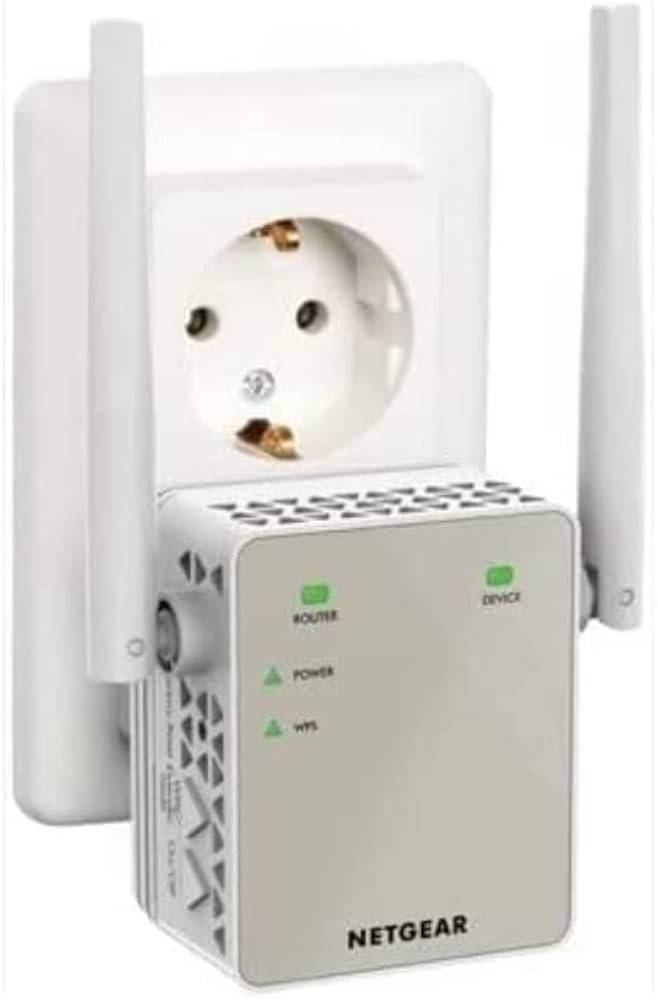
Netgear EX6120: A reliable Wireless Access Point featuring IEEE 802.11ac technology and fast 1.17 Gbit/s wireless transmission speed for efficient and convenient wireless connections. Build your home or business network with maximum reliability.
Netgear EX6120: A reliable Wireless Access Point featuring IEEE 802.11ac technology and fast 1.17 Gbit/s wireless transmission speed for efficient and convenient wireless connections. Build your home or business network with maximum reliability.
Netgear AC1200 Wifi Range Extender
Netgear EX6120: A reliable Wireless Access Point featuring IEEE 802.11ac technology and fast 1.17 Gbit/s wireless transmission speed for efficient and convenient wireless connections. Build your home or business network with maximum reliability.
Netgear EX6120: A reliable Wireless Access Point featuring IEEE 802.11ac technology and fast 1.17 Gbit/s wireless transmission speed for efficient and convenient wireless connections. Build your home or business network with maximum reliability.
in 10 offers
The lowest price for Netgear AC1200 Wifi Range Extender right now is $16.82 at eBay.com.au, compared across 4 retailers.
The all-time low was $16.81 on 23 Aug 2026. That's the lowest price we've ever tracked — a great time to buy.
Prices last updated 24 Aug 2026.
Last updated at 24/08/2026 14:49:02
Netgear Wifi Range Extender Ex2700 N300 Wireless Signal Booster
Delivery $30.45
Affiliate Disclosure: We may receive a small commission for purchases made through this link at no extra cost to you. This helps support our site. Thank you!
Netgear Ac1200 Wi-fi Range Extender Open Box
Delivery $40.74
Affiliate Disclosure: We may receive a small commission for purchases made through this link at no extra cost to you. This helps support our site. Thank you!
Netgear Ac1200 Wi-fi Range Extender - Essentials Edition (new/open
Delivery $38.21
Affiliate Disclosure: We may receive a small commission for purchases made through this link at no extra cost to you. This helps support our site. Thank you!
Netgear Ac1200 Dual Band Mesh Extender
Delivery $52.27
Affiliate Disclosure: We may receive a small commission for purchases made through this link at no extra cost to you. This helps support our site. Thank you!
Netgear - Ac1200 Dual Band Wifi Range Extender 1200mbps
Delivery $2,093,416.13
Affiliate Disclosure: We may receive a small commission for purchases made through this link at no extra cost to you. This helps support our site. Thank you!
Netgear - Ac1200 Dual Band Wifi Range Extender 1200mbps
Free delivery
Affiliate Disclosure: We may receive a small commission for purchases made through this link at no extra cost to you. This helps support our site. Thank you!
Netgear - Ac1200 Dual Band Wifi Range Extender 1200mbps
Delivery $1,535,635.87
Affiliate Disclosure: We may receive a small commission for purchases made through this link at no extra cost to you. This helps support our site. Thank you!
Dual-Band WiFi 5 Range Extender (EX6170) Coverage up to 1,500 sq. ft., 25 Devices with AC1200 (up to 1200Mbps Speed) Wireless Signal Repeater - Comp
Delivery between 30 Aug – 2 Sept $29
NETGEAR EX6120 AC1200 Dual Band WiFi Range Extender - Essentials Ed., Up to 1.2 Gbps, 2.4/5GHz 802.11ac & a/b/g/n, WEP & WPA/WPA2, White
Delivery between 27 Aug – 3 Sept $35.19
NETGEAR AC1200 Dual Band WiFi Range Extender, 1200Mbps
originally posted on unityj.com
Stand-alone range boosterThe item does the job fine however...(1) No mesh-network integrationThe device creates its own wifi bubble where 2G and 5G access is propagated using its own 2 SSID's. While it is perfectly possible to extend wifi reach by connecting to another wifi extender (connected to a router) this device does not blend in using the common SSID name: it propagates its own Ext-network names. Not necessarily a handicap. Might be a feature.(2) Non removable antennas.I got this tiny extender for use while travelling. Should have kept the box... The antennas can not like with some other divices be popped on and off: they rotate, bend but are fixed to the device. That is fine in a fixed setting but not so when packed in a suitcase.Easy enough to set up ... MoreStand-alone range boosterThe item does the job fine however...(1) No mesh-network integrationThe device creates its own wifi bubble where 2G and 5G access is propagated using its own 2 SSID's. While it is perfectly possible to extend wifi reach by connecting to another wifi extender (connected to a router) this device does not blend in using the common SSID name: it propagates its own Ext-network names. Not necessarily a handicap. Might be a feature.(2) Non removable antennas.I got this tiny extender for use while travelling. Should have kept the box... The antennas can not like with some other divices be popped on and off: they rotate, bend but are fixed to the device. That is fine in a fixed setting but not so when packed in a suitcase.Easy enough to set up using WPS.Good range: jumps over my pro extender on the ground floor as well and the router on the second floor all the way to the attick where it ignores (is still strong enough) the pro extender overthere.Conclusion: does the job.One person found this helpful
originally posted on netgear.com
Three problems on firmware V1.0.0.54_1.0.34:- Dropped connection between laptop and extender regularly (light on the extender turning from green to red), once per day at least.- Intermittent traffic - on Windows 10, in Task Manager Performance, could see that a few seconds normal traffic, a few seconds 0.- Signal strength is very location sensitive. I live in a house with common construction for this part of central North America (wood frame and drwall), so no concrete or steel structure for the signal to go through. Maybe the steel ventilation ductwork interferes in places. There is a huge difference in the signal strength and connection reliability (my previous two comments) depending on where I site this extender. I even resorted to plugging it into an ... MoreThree problems on firmware V1.0.0.54_1.0.34:- Dropped connection between laptop and extender regularly (light on the extender turning from green to red), once per day at least.- Intermittent traffic - on Windows 10, in Task Manager Performance, could see that a few seconds normal traffic, a few seconds 0.- Signal strength is very location sensitive. I live in a house with common construction for this part of central North America (wood frame and drwall), so no concrete or steel structure for the signal to go through. Maybe the steel ventilation ductwork interferes in places. There is a huge difference in the signal strength and connection reliability (my previous two comments) depending on where I site this extender. I even resorted to plugging it into an extension cord and moving it around a room a couple of feet at a time, without moving my laptop (or router.) Some spots had better signal strength and fewer drops than others, but none was trouble free. I've never seen another wifi device so sensitive to location. I worked with support, who gave a few ideas, but nothing helped.I stopped using it and went back to using my wifi router which worked much better, but I got an email recently that there is new firmware. I just loaded firmware V1.0.0.64_1.0.39 (Oct 18, 2021) and will try again. I will comment again if there is any improvement.
originally posted on netgear.com
I had been trying for years to get my smart TV to stream movies via my router which was about 45 feet away. Any movies I tried to stream would take a very long time to load (if they loaded at all) and then would keep stopping or rebooting every few minutes. I had asked several technicians from major computer or network companies to help, but they were not able to improve the streaming. Then an independent technician doing some other work at my house suggested the Netgear AC 1200 Range Extender (EX6120). I ordered one, and after hooking it up and placing it between my router and TV, the movies all stream beautifully. No rebooting, no delays, no freezing up. It solved my problem immediately. (I had a bit of trouble figuring out how to connect the Netgear Range ... MoreI had been trying for years to get my smart TV to stream movies via my router which was about 45 feet away. Any movies I tried to stream would take a very long time to load (if they loaded at all) and then would keep stopping or rebooting every few minutes. I had asked several technicians from major computer or network companies to help, but they were not able to improve the streaming. Then an independent technician doing some other work at my house suggested the Netgear AC 1200 Range Extender (EX6120). I ordered one, and after hooking it up and placing it between my router and TV, the movies all stream beautifully. No rebooting, no delays, no freezing up. It solved my problem immediately. (I had a bit of trouble figuring out how to connect the Netgear Range Extender the first time, but after a brief on-line chat with a Netgear technician, he walked me through the process easily). The Netgear Extender is small, unobtrusive and requires no wires or cables. It's great and I am extremely satisfied with it. I would certainly recommend it to others,
Netgear Wifi Range Extender Ex2700 N300 Wireless Signal Booster
Delivery $30.45
Affiliate Disclosure: We may receive a small commission for purchases made through this link at no extra cost to you. This helps support our site. Thank you!
Netgear Ac1200 Wi-fi Range Extender Open Box
Delivery $40.74
Affiliate Disclosure: We may receive a small commission for purchases made through this link at no extra cost to you. This helps support our site. Thank you!
Netgear Ac1200 Wi-fi Range Extender - Essentials Edition (new/open
Delivery $38.21
Affiliate Disclosure: We may receive a small commission for purchases made through this link at no extra cost to you. This helps support our site. Thank you!
Netgear Ac1200 Dual Band Mesh Extender
Delivery $52.27
Affiliate Disclosure: We may receive a small commission for purchases made through this link at no extra cost to you. This helps support our site. Thank you!
Netgear - Ac1200 Dual Band Wifi Range Extender 1200mbps
Delivery $2,093,416.13
Affiliate Disclosure: We may receive a small commission for purchases made through this link at no extra cost to you. This helps support our site. Thank you!
Stand-alone range boosterThe item does the job fine however...(1) No mesh-network integrationThe device creates its own wifi bubble where 2G and 5G access is propagated using its own 2 SSID's. While it is perfectly possible to extend wifi reach by connecting to another wifi extender (connected to a router) this device does not blend in using the common SSID name: it propagates its own Ext-network names. Not necessarily a handicap. Might be a feature.(2) Non removable antennas.I got this tiny extender for use while travelling. Should have kept the box... The antennas can not like with some other divices be popped on and off: they rotate, bend but are fixed to the device. That is fine in a fixed setting but not so when packed in a suitcase.Easy enough to set up ... MoreStand-alone range boosterThe item does the job fine however...(1) No mesh-network integrationThe device creates its own wifi bubble where 2G and 5G access is propagated using its own 2 SSID's. While it is perfectly possible to extend wifi reach by connecting to another wifi extender (connected to a router) this device does not blend in using the common SSID name: it propagates its own Ext-network names. Not necessarily a handicap. Might be a feature.(2) Non removable antennas.I got this tiny extender for use while travelling. Should have kept the box... The antennas can not like with some other divices be popped on and off: they rotate, bend but are fixed to the device. That is fine in a fixed setting but not so when packed in a suitcase.Easy enough to set up using WPS.Good range: jumps over my pro extender on the ground floor as well and the router on the second floor all the way to the attick where it ignores (is still strong enough) the pro extender overthere.Conclusion: does the job.One person found this helpful
Three problems on firmware V1.0.0.54_1.0.34:- Dropped connection between laptop and extender regularly (light on the extender turning from green to red), once per day at least.- Intermittent traffic - on Windows 10, in Task Manager Performance, could see that a few seconds normal traffic, a few seconds 0.- Signal strength is very location sensitive. I live in a house with common construction for this part of central North America (wood frame and drwall), so no concrete or steel structure for the signal to go through. Maybe the steel ventilation ductwork interferes in places. There is a huge difference in the signal strength and connection reliability (my previous two comments) depending on where I site this extender. I even resorted to plugging it into an ... MoreThree problems on firmware V1.0.0.54_1.0.34:- Dropped connection between laptop and extender regularly (light on the extender turning from green to red), once per day at least.- Intermittent traffic - on Windows 10, in Task Manager Performance, could see that a few seconds normal traffic, a few seconds 0.- Signal strength is very location sensitive. I live in a house with common construction for this part of central North America (wood frame and drwall), so no concrete or steel structure for the signal to go through. Maybe the steel ventilation ductwork interferes in places. There is a huge difference in the signal strength and connection reliability (my previous two comments) depending on where I site this extender. I even resorted to plugging it into an extension cord and moving it around a room a couple of feet at a time, without moving my laptop (or router.) Some spots had better signal strength and fewer drops than others, but none was trouble free. I've never seen another wifi device so sensitive to location. I worked with support, who gave a few ideas, but nothing helped.I stopped using it and went back to using my wifi router which worked much better, but I got an email recently that there is new firmware. I just loaded firmware V1.0.0.64_1.0.39 (Oct 18, 2021) and will try again. I will comment again if there is any improvement.
I had been trying for years to get my smart TV to stream movies via my router which was about 45 feet away. Any movies I tried to stream would take a very long time to load (if they loaded at all) and then would keep stopping or rebooting every few minutes. I had asked several technicians from major computer or network companies to help, but they were not able to improve the streaming. Then an independent technician doing some other work at my house suggested the Netgear AC 1200 Range Extender (EX6120). I ordered one, and after hooking it up and placing it between my router and TV, the movies all stream beautifully. No rebooting, no delays, no freezing up. It solved my problem immediately. (I had a bit of trouble figuring out how to connect the Netgear Range ... MoreI had been trying for years to get my smart TV to stream movies via my router which was about 45 feet away. Any movies I tried to stream would take a very long time to load (if they loaded at all) and then would keep stopping or rebooting every few minutes. I had asked several technicians from major computer or network companies to help, but they were not able to improve the streaming. Then an independent technician doing some other work at my house suggested the Netgear AC 1200 Range Extender (EX6120). I ordered one, and after hooking it up and placing it between my router and TV, the movies all stream beautifully. No rebooting, no delays, no freezing up. It solved my problem immediately. (I had a bit of trouble figuring out how to connect the Netgear Range Extender the first time, but after a brief on-line chat with a Netgear technician, he walked me through the process easily). The Netgear Extender is small, unobtrusive and requires no wires or cables. It's great and I am extremely satisfied with it. I would certainly recommend it to others,
I got the Netgear AC1200 because I live in a 2 story duplex and my fiber router wasn't reaching the second level. I had a previous extender and that went dead. So I went with a brand I could trust for reliability and the fact I require internet connectivity in that area.Set up was easy, click the WPS button on the extender and the WPS button on the router and they connected. I had difficulty using the website that was given to login, so I search for the IP address which I found out was 192.168.1.250. From there change to wifi name to match the existing (deleted the _ext) so that other devices didn't have to input a password and that was it.Only issue would be the fact that the outlet on the upper floor is not ideally located to allow for the extender to get the ... MoreI got the Netgear AC1200 because I live in a 2 story duplex and my fiber router wasn't reaching the second level. I had a previous extender and that went dead. So I went with a brand I could trust for reliability and the fact I require internet connectivity in that area.Set up was easy, click the WPS button on the extender and the WPS button on the router and they connected. I had difficulty using the website that was given to login, so I search for the IP address which I found out was 192.168.1.250. From there change to wifi name to match the existing (deleted the _ext) so that other devices didn't have to input a password and that was it.Only issue would be the fact that the outlet on the upper floor is not ideally located to allow for the extender to get the best signal possible, but it works and I am happy.
I have the MyQ app for my Liftmaster garage door opener. It worked fine for a year until I had to change my Xfinity modem/router. It runs on 5G and should have been able to switch to 2.4 if the app required it. After working with MyQ support it was determined that the signal from the box wasn’t strong enough for the garage door opener to sync with the modem. They suggested buying the Netgear AC1200 extender which was compatible with MyQ. I did have some difficulties with syncing the extender with my modem in the beginning but for some reason it worked the next day when I turned it on the next.morning. I still don’t know what I did to get it to work but fortunately I was able to easily connect it to the modem and garage door opener. I placed the extender in my garage ... MoreI have the MyQ app for my Liftmaster garage door opener. It worked fine for a year until I had to change my Xfinity modem/router. It runs on 5G and should have been able to switch to 2.4 if the app required it. After working with MyQ support it was determined that the signal from the box wasn’t strong enough for the garage door opener to sync with the modem. They suggested buying the Netgear AC1200 extender which was compatible with MyQ. I did have some difficulties with syncing the extender with my modem in the beginning but for some reason it worked the next day when I turned it on the next.morning. I still don’t know what I did to get it to work but fortunately I was able to easily connect it to the modem and garage door opener. I placed the extender in my garage and it is working fine so far.
I purchased the Netgear AC 6120 because my Xfinity modem was not allowing my Epson WF 7520 Was not being allowed to mean he was the router do the some security measures. So I purchased in Netgear AC 6120 Extender/repeater Because it will allow me not only to communicate with my printer was 24 other devices! And call me important or the following benefits 1.) Once you register your device For the one year TECH support. You login with your original screen name and password then then you log on to the AC 6120 extender/Repeater look for your screen name with the abbreviation EXT Selected login with your original password for the morning and I also do the same with my laptop to ensure the communication with my printer Epson WF 7520 with no problem. 2.) if you need to ... MoreI purchased the Netgear AC 6120 because my Xfinity modem was not allowing my Epson WF 7520 Was not being allowed to mean he was the router do the some security measures. So I purchased in Netgear AC 6120 Extender/repeater Because it will allow me not only to communicate with my printer was 24 other devices! And call me important or the following benefits 1.) Once you register your device For the one year TECH support. You login with your original screen name and password then then you log on to the AC 6120 extender/Repeater look for your screen name with the abbreviation EXT Selected login with your original password for the morning and I also do the same with my laptop to ensure the communication with my printer Epson WF 7520 with no problem. 2.) if you need to relocate the AC 6120 extender/repeater you could do that with no problem. Unplug it find it the outlet do you want plug it in there wait 3 to 4 minutes for the morning to Reconnect. Cannot do this with other extenders/Repeaters I have tried.. in the price range with Netgear products such as the AC 6120 extender/repeater is not only reasonable but very well worth it! And I am very much like the size of the AC to 6120 extender/repeater. And I’m very glad that they have a ethernet port that you can use for gaming or other devices that need Internet connection. And you could use the light indicators on the AC 6120 extender/repeater to help you find the best location for the AC 6120 extender/repeater to pick up the Wi-Fi signal from your modem if the light is Red that is not a good place if the light is Amber that’s a good place if the light is green as the best place. And usually best to have the AC 6120 extender/repeater somewhere about halfway between your modem and the Area where you want to enhance your Wi-Fi signal. I am very glad that I was able to find this Netgear AC 6120 extender/repeater. I asked my cable provider to help me with this issue for four months and they could not help me resolve it at all. But I happen to speak to a friend who recommended trying the Netgear AC to 6120 extender/repeater!!
Bad experience. I needed an Ethernet connection to a device less than 20’ from the primary router. The EX6120 sets up OK but the 5g will only intermittently broadcast but does not connect to the primary router. Typical 2.4g Wi-Fi speeds are below 5% of that at the router, considerably less than using a Wi-Fi adapter.I am frequently unable to connect to the device html page, receiving a protocol error. A power reset seems to clear that problem. There are no known diagnostic tools for the device except the cute picture on the homepage, but only when it works.Tech support was patient and helpful but repeatedly took me through the same scripted setup as I had previously performed and achieved identical results. The final recommendation was to take it up with the ... MoreBad experience. I needed an Ethernet connection to a device less than 20’ from the primary router. The EX6120 sets up OK but the 5g will only intermittently broadcast but does not connect to the primary router. Typical 2.4g Wi-Fi speeds are below 5% of that at the router, considerably less than using a Wi-Fi adapter.I am frequently unable to connect to the device html page, receiving a protocol error. A power reset seems to clear that problem. There are no known diagnostic tools for the device except the cute picture on the homepage, but only when it works.Tech support was patient and helpful but repeatedly took me through the same scripted setup as I had previously performed and achieved identical results. The final recommendation was to take it up with the seller (Amazon). Very disappointed the manufacturer would not stand behind their product.I replaced it with a mesh network, from another manufacturer, that set up easily and has operated flawlessly with speeds of 30-50% of that measured at the router. I could still use the netgear extender in another application, but it needs to function first.I am a retired network engineer with advanced certifications from many core business equipment providers and hold advanced radio licenses. I may be a frustrated old man, but I am not a newbie to technology.
Says easy 5 minute set up, hassle free. I spent 2.5 hrs with the router plugged in next to a 4 month old Nighthawk wifi6 5g router...it never would link in either 2.4g or the 5g bands. Couldn't get closer as I set it onto the router. LEDs never lit up on the device side. Surprise turning it off and back on did nothing... Nor did unplugging it and plugging it back in. In short even with decades in IT work I couldn't get this to link up. Now maybe I had a bad one...but having all instructions and set up based upon if you can get the extender to link n make its own WiFi network to log into should be a router only thing. On day 3 it melted. Got so hot plugged into a wall outlet the plastic case melted...I had given up and taken the WiFi extender upstairs to see if it ... MoreSays easy 5 minute set up, hassle free. I spent 2.5 hrs with the router plugged in next to a 4 month old Nighthawk wifi6 5g router...it never would link in either 2.4g or the 5g bands. Couldn't get closer as I set it onto the router. LEDs never lit up on the device side. Surprise turning it off and back on did nothing... Nor did unplugging it and plugging it back in. In short even with decades in IT work I couldn't get this to link up. Now maybe I had a bad one...but having all instructions and set up based upon if you can get the extender to link n make its own WiFi network to log into should be a router only thing. On day 3 it melted. Got so hot plugged into a wall outlet the plastic case melted...I had given up and taken the WiFi extender upstairs to see if it was just stubborn and it melted like a toddler throwing a tantrum. Output tested fine by an electrician no other things plugged into that output have melted. All in all a wild item never worked and the spontaneously melts into a puddle of goo. Not gonna recommend unless you like frustration and a clean up.
There is a serious problem with the software to configure and change the settings of the AC1200 Extender. Both the quick start guide and the user manual state that after configuration if you attach a computer to the extender's wifi network you can log on to www.mywifiext.net to modify the settings of the AC1200 Extender. However you get the error message that you are not logged on to the internet and you can do nothing. Your help page states that www.mywifiext.net is not a regular internet website but rather a local web address used to open the settings (genie or smart Wizard) of a netgear wireless range extender. None of your suggestions to reach www.mywifiext.net work. When I spoke by phone with a support rep. he said that this site could only be accessed when the ... MoreThere is a serious problem with the software to configure and change the settings of the AC1200 Extender. Both the quick start guide and the user manual state that after configuration if you attach a computer to the extender's wifi network you can log on to www.mywifiext.net to modify the settings of the AC1200 Extender. However you get the error message that you are not logged on to the internet and you can do nothing. Your help page states that www.mywifiext.net is not a regular internet website but rather a local web address used to open the settings (genie or smart Wizard) of a netgear wireless range extender. None of your suggestions to reach www.mywifiext.net work. When I spoke by phone with a support rep. he said that this site could only be accessed when the extender was being configured initially. Both the quick start guide and the user manual state that you can access www.mywifiext.net after configuration. How do you access this site to make modifications to the extender's settings?


